RSC Cluster: AI-Enhanced MES and Advanced Analytics for Aerospace Scrap and Rework Reduction

  • Can process drift alerts automatically stop a machine in aerospace manufacturing?

    Yes, they can, but only when the machine controls, alerting logic, and operating procedures are designed to support it.

    In practice, a process drift alert can trigger anything from a notification, to a hold on the next operation, to a controlled machine stop. Whether an automatic stop is appropriate depends on several factors:

    • Where the drift is detected. A signal detected inside the machine controller can usually act faster and more reliably than one detected in a MES, historian, or analytics layer.
    • How critical the parameter is. Some drift conditions justify immediate interruption. Others are better handled with warnings, tighter inspection, or operator review.
    • Safety and machine design constraints. Stopping a machine is not just a software decision. It has to align with the machine’s control logic, safe state behavior, and permitted interlocks.
    • Validation and change control. In regulated aerospace operations, any auto-stop logic that affects product realization usually needs documented requirements, testing, approval, and traceable version control.
    • Signal quality and false positive rate. If the underlying data is noisy, delayed, or poorly contextualized, an automatic stop can create scrap, downtime, and operator workarounds.

    What usually happens in real plants

    Many aerospace manufacturers do not let a higher-level software alert directly stop equipment unless the use case is narrow, well-tested, and operationally mature. More commonly:

    • the machine PLC or CNC enforces hard process limits locally
    • MES or analytics systems issue drift alerts and require operator acknowledgement
    • quality rules place the lot, serial, or work order on hold
    • downstream processing is blocked until review is completed

    That split exists for a reason. In brownfield environments, machines, SCADA, MES, QMS, and ERP often come from different vendors and were not originally designed for deterministic shutdown coordination. Adding automatic stop behavior across those layers can be possible, but it is rarely simple.

    Key tradeoffs

    An automatic stop can reduce exposure when a process is clearly moving out of control, but it also introduces tradeoffs:

    • Quality protection versus uptime loss. Stopping earlier may contain defects, but nuisance stops can reduce throughput and increase restart instability.
    • Fast response versus explainability. A model-based or statistical alert may detect subtle drift, but operators and quality teams still need a clear reason code and evidence trail.
    • Centralized logic versus local control reliability. Plant-wide monitoring is useful, but machine-resident controls are generally more predictable for time-critical actions.
    • Modernization versus qualification burden. Extending auto-stop logic into legacy equipment can require interface work, retesting, documentation updates, and production disruption that outweigh the benefit for some assets.

    Why full replacement is often the wrong assumption

    No, you do not usually need to replace all legacy systems to enable drift-based intervention. But full replacement strategies often fail in regulated, long-lifecycle environments because of qualification burden, validation cost, downtime risk, integration complexity, and the need to preserve traceability and change history across existing systems.

    More realistic approaches are usually incremental:

    • start with alert-only monitoring
    • add operator-confirmed holds for defined conditions
    • implement automatic stop only for a small set of high-confidence, high-consequence parameters
    • keep the evidence trail synchronized across machine records, MES, and quality systems

    Bottom line

    Yes, process drift alerts can automatically stop a machine in aerospace manufacturing, but only when the control path, data quality, validation, and operating model support it. In many facilities, the safer and more practical pattern is staged response: alert first, hold product or operation next, and reserve automatic machine stop for tightly bounded scenarios with reliable signals and approved control logic.

  • Andon System Manufacturing: From Cords and Lights to Digital Escalation Workflows

    Andon System Manufacturing: From Cords and Lights to Digital Escalation Workflows

    Key Takeaways

    • An andon system is a structured escalation process, not just a light, board, or andon cord.
    • Andon in lean manufacturing still matters because it creates faster response, fewer defects, less downtime, and better visibility.
    • Modern digital andon systems connect alerts to corrective actions, root cause analysis, dashboards, and continuous improvement.
    • Connect 981 supports andon-style workflows inside a broader aerospace and MRO operations platform, not as a standalone andon light system.

    Introduction: Why Andon System Manufacturing Still Matters in 2026

    In 2026, many production problems still start small. A machinist sees a dimension drifting on an aerospace component. An electronics operator detects a missing connector before test. An MRO technician opens an engine module and finds the routing sheet does not match the installed configuration. If the issue is not surfaced quickly, hours of rework, scrap, schedule disruption, and audit exposure follow.

    Unplanned downtime commonly consumes 5 to 20 percent of productive capacity in manufacturing, according to Monitory.ai research on downtime cost. In regulated industries like aerospace, the cost is not only lost production time. A single escaped defect can trigger NCRs, MRB review, customer notification, and late delivery penalties.

    That is why andon system manufacturing remains relevant in high-mix, high-variance environments such as aerospace structures, avionics, precision machining, and MRO. This article treats the andon system as a structured escalation mechanism: signal, ownership, response, resolution, and learning.

    Traditional Andon systems typically rely on physical components such as pull cords, lights, and manual boards to signal issues, while digital Andon systems integrate with software and IoT technologies for real-time monitoring and alerts. The best implementations connect MES, ERP, quality records, supplier workflows, and continuous improvement efforts.

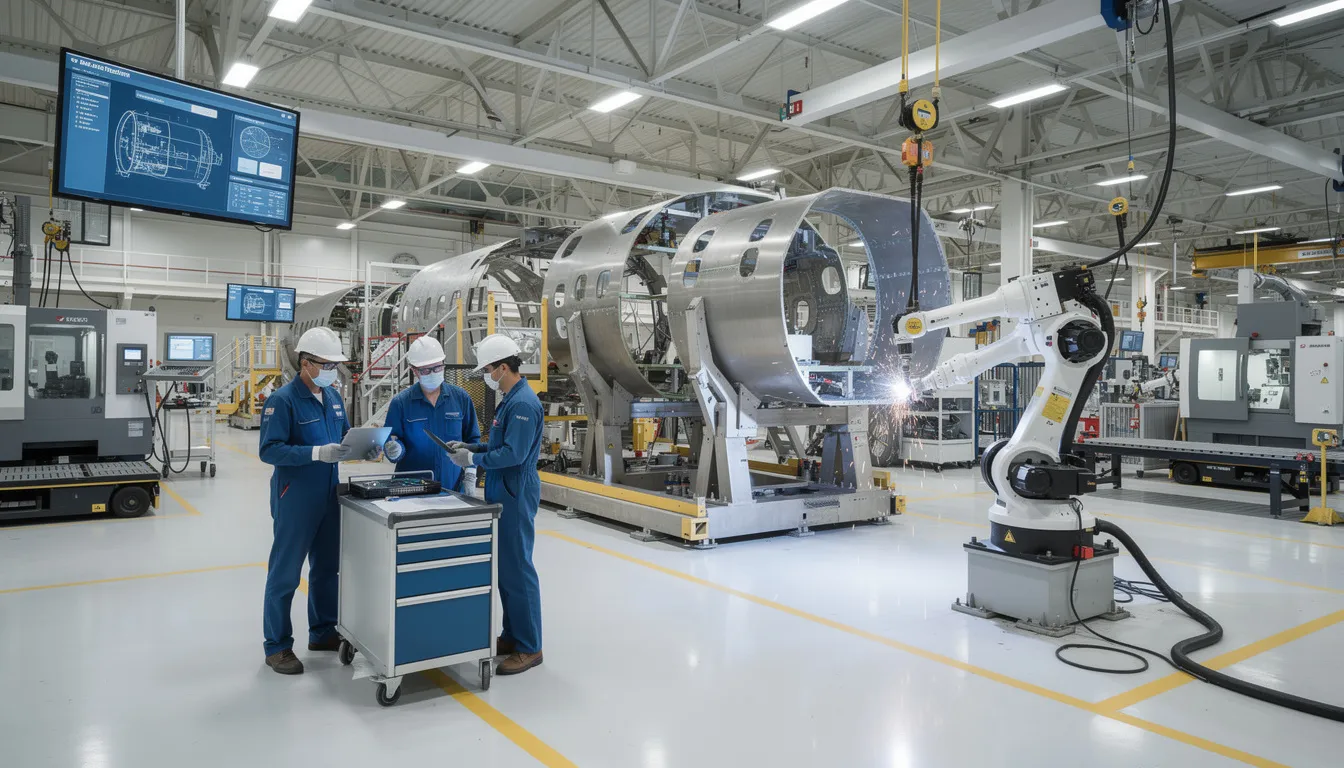
    A factory operator is using a tablet beside an aircraft assembly fixture, actively engaging in the production process while utilizing a digital andon system for quality control and operational excellence. The setup highlights the integration of modern andon systems in lean manufacturing, enhancing problem detection and rapid response capabilities on the production floor.

    What Is an Andon System in Manufacturing?

    An andon system is a visual and audible alert and escalation mechanism that surfaces abnormalities in real time. The japanese word “andon” originally referred to a lantern, which is why the concept became closely associated with visual management.

    Its roots are in lean manufacturing and the toyota production system, especially jidoka: build in quality and stop to fix when an abnormality occurs. In Toyota’s production system, the Andon cord allows any assembly employee to pause production when quality issues arise, ensuring defects do not propagate down the line.

    A good andon process replaces shouting, radios, sticky notes, and tribal knowledge with standardized andon signals. Operators, line workers, team leader roles, maintenance technicians, quality engineers, logistics, safety, engineering, and production control all know what happens next.

    The andon system works through a simple flow: problem detection, andon alert, owner assignment, corrective actions, closure, and data logging. The primary benefits of an Andon system include reduced downtime, empowered workers, higher quality control, and data-driven process improvements.

    How an Andon System Works on the Shop Floor

    An Andon system operates through a precise process flow designed for rapid response, allowing operators to signal issues immediately when they occur. Andon systems enable immediate problem detection, allowing workers to quickly identify and report issues without leaving their workstations, which results in reduced downtime and improved productivity.

    A trigger may be an andon cord pull, push button, HMI soft button, barcode scan, QR scan, automatic andon from sensors or PLCs, or software-triggered digital alerts. In a mature system, the andon alert includes location, issue type, severity, timing, product, and work order.

    In the first five minutes, the team acknowledges the alert notification, triages at the station, decides whether to stop production, and applies containment or a temporary countermeasure. If the line stops, restart criteria should be explicit. Every event should be timestamped, categorized, and tied to a job, serial, or work order.

    Core Components: Cords, Lights, Boards, and Digital Andon

    The classic Andon system consists of three primary components: the Andon cord, Andon light, and Andon board, which work together to signal issues on the production floor. Andon systems typically consist of three primary components: an Andon cord, an Andon light, and an Andon board, which work together to alert team members about production issues.

    Traditional Andon Cords and Fixed-Position Stop

    Traditional andon on final assembly lines often used an overhead andon board and overhead pull cord. The Andon cord is typically located overhead on the assembly line and can be pulled by operators to signal that assistance is needed due to a problem identified in the production process.

    When an operator pulls the cord on a manufacturing line, a timed response window starts. If the issue is not resolved, the product stops at a predefined station. In a fuselage section, for example, mis-torqued fasteners must be corrected before the body moves to the next dock. This balances flow protection with product quality protection.

    Andon Lights, Buzzers, and Local Signals

    Stack lights, buzzers, audio alerts, and visual cues provide immediate local feedback. Andon lights use a color-coded system to indicate the status of production: green for normal operation, yellow for a minor issue that needs attention, and red for a stop condition requiring immediate investigation.

    The Andon light system uses color coding to indicate different statuses: green for normal operation, yellow for minor issues needing attention, and red for serious problems requiring immediate action. Color-coded lights and auditory tones are typically used in Andon systems to denote production status and operational bottlenecks.

    Local signals are useful, but support teams may miss them in large plants, noisy areas, or dense layouts. A light alone does not prove who responded, when they arrived, or whether the root cause was removed.

    Andon Boards and Plant-Wide Visibility

    Andon boards serve as centralized visual control centers that display the status of production lines, allowing supervisors and team members to quickly assess operational conditions and respond accordingly. Andon boards serve as centralized visual control centers that display the status of production lines, allowing supervisors and team members to monitor operations at a glance.

    Traditional andon boards used physical lights, tags, or scoreboards. Digital boards now show line status, downtime reasons, response timers, production targets, production metrics, and open escalation paths across the plant floor.

    From Physical Andon to Digital Andon Systems

    A digital andon system combines physical signals with andon software, mobile notifications, IIoT sensors, and role-based workflows. Digital Andon systems enhance the traditional approach by providing automated alerts, real-time data integration, and customizable dashboards, which allow for faster response times and better tracking of production issues.

    In modern Andon systems, digital boards can integrate with factory systems to provide real-time data visualization, showing key performance indicators and alerts for immediate action. Digital Andon systems enhance traditional setups by integrating with other manufacturing software, providing real-time data visualization and automated alerts to improve response times.

    Why Andon Matters in Lean Manufacturing and Aerospace Operations

    Andon systems are integral to Lean manufacturing as they provide immediate visual alerts to operators and management about production issues, enabling quick responses to prevent defects from propagating down the line. As a lean tool, andon supports flow, respect for people, quality assurance, and the lean principle of stopping to fix.

    The implementation of Andon systems supports the Lean principle of continuous improvement (Kaizen) by allowing workers to identify and address problems as they occur, thus reducing waste and enhancing product quality. Andon systems support continuous improvement (Kaizen) by helping identify frequent stumbling blocks in the production process, which can lead to targeted improvements.

    Andon systems help minimize defects by catching errors at the source, saving time, reducing material waste, and lowering rework costs. By addressing issues as they occur, Andon systems help ensure that resources are used efficiently and only high-quality products continue through the production line, leading to scrap reduction.

    Andon systems empower employees by allowing them to stop production when they detect a quality issue, fostering a culture of accountability and teamwork focused on quality and efficiency. Implementing Andon systems empowers employees by allowing them to stop the production line if they detect a quality issue, promoting a culture of quality and accountability.

    For aerospace and MRO, this matters because traceability, AS9100, FAA, EASA, ITAR, configuration control, and quality standards create a higher cost of late detection. Andon systems provide real-time visibility into the manufacturing process, enabling teams to identify and resolve floor abnormalities before they escalate.

    Traditional Andon vs. Digital Andon: What’s Really Different?

    Most plants do not choose between physical and digital. They blend both. The real shift is from “signal only” to “signal plus response management and learning.”

    Traditional Andon: Fast Signal, Limited Follow-Through

    While traditional Andon systems provide immediate visual signals, they often lack the ability to track response times and issue resolution, whereas digital Andon systems can log incidents, assign tasks, and escalate alerts automatically.

    A torque wrench failure may trigger an andon signal. Maintenance arrives late, the tool is swapped, and production resumes. If duration, cause, and corrective actions are not recorded, the same issue repeats across shifts.

    Digital Andon: From Alert to Resolution Management

    Digital systems convert an alert into a structured event with line, station, product, shift, category, severity, and timestamps. Digitally driven Andon systems can track downtime patterns and recurring issues, providing actionable data for long-term process optimization.

    Modern Andon systems log the frequency and duration of stops to help managers track long-term bottlenecks. If no one acknowledges an alert within the defined time, escalation moves to supervisors, value stream managers, or plant leadership.

    Hybrid Approaches: Lights on the Line, Software in the Background

    A strong hybrid approach keeps the operator interface simple. A button press at a CNC cell can change stack lights, log the event, and notify maintenance through mobile notifications. This preserves quick response while adding traceability, accountability, and data for reducing waste.

    What Problems Does an Andon System Signal? Practical Shopfloor Examples

    Andon alerts should focus on problems that affect flow, safety, quality, delivery, or compliance. Common categories include machine downtime, quality issues, material shortage, supplier part issue, tooling, calibration, documentation, safety concern, and production bottleneck.

    Machine Downtime and Equipment Failures

    A CNC spindle alarm, hydraulic leak, or oven temperature deviation should trigger an andon alert. Maintenance technicians receive the alert, line status changes, and the timer starts. Capture machine ID, fault code, duration, spare parts used, root cause, and corrective actions.

    Quality Defects and Escaped Issues

    A dimensional nonconformance or wiring error should route to quality engineers. The area may contain suspect product, pause the station, or stop production if the defect could move downstream. Link the event to NCR, MRB, 8D, lot, and serial records.

    Material Shortages and Supplier Part Issues

    If a kitting area lacks a bracket or a supplier seal fails incoming inspection, the alert should go to materials, procurement, and planning. Capture part number, supplier, required quantity, PO, work order, and schedule impact.

    Tooling, Fixtures, and Calibration Problems

    A worn cutting tool, fixture misalignment, or expired gauge can create quiet quality drift. The andon system gives operators permission to call for help before bad parts accumulate. Tracking these events improves tool change intervals, poka-yoke, and standard work.

    Documentation, Work Instructions, and Missing Information

    Outdated drawings, unclear digital work instructions, or missing customer addenda are legitimate andon events. Operators should not build to guesswork. Digital andon connects the issue to the exact work order, revision, operation, and owner.

    Safety Concerns and Near Misses

    Coolant on a walkway, missing guarding, or incorrect PPE should trigger stricter rules. Safety alerts often require immediate stop, EHS involvement, photos, contributing factors, and preventive action.

    Production Bottlenecks and Operator Assistance

    Not every alert means the line stops. Assistance calls help team leaders rebalance labor, support training, and identify unstable work. Separate assistance KPIs from hard stops so line workers keep raising issues when problems arise.

    Issue Categories, Response Rules, and Accountability

    Categorization turns lights and noise into a management system. Plants should define stable categories such as quality, machine, material, safety, documentation, methods, and staffing.

    Each category needs a default owner, response expectation, and restart rule. Quality may require containment. Machine faults may require lockout or maintenance triage. Supplier problems may require buyer escalation. Digital systems can enforce role-based ownership so issues arise, move, and close with named accountability.

    Andon as a Continuous Improvement Engine, Not Just an Alarm

    The value of andon is not only faster firefighting. It is the learning loop. Frequency, duration, category, root cause, area, and shift data feed Pareto charts, A3 reviews, kaizen events, and continuous improvement priorities.

    Andon systems foster better communication between workers and management, ensuring that alerts can be acted upon swiftly, which enhances overall operational efficiency. Weekly reviews can expose chronic supplier shortages, repeated sensor failures, unclear work instructions, and gaps in robust processes.

    Common Andon Implementation Mistakes (and How to Avoid Them)

    Many plants install lights and cords but never achieve operational excellence because the process is weak. Common mistakes include treating andon as hardware only, unclear rules, slow response, blame culture, excessive categories, and poor data capture.

    3M and Caterpillar utilize button-based Andon systems where operators can signal issues, prompting immediate attention from team leaders to resolve problems quickly. Amazon employs a “Virtual Andon Cord” in its customer service operations, allowing representatives to trigger alerts for significant product issues, potentially halting shipments until the root cause is addressed. In healthcare, Andon principles are applied to improve patient safety, such as using lights on Code Blue carts to signal daily checks and alarms on infusion pumps to alert staff about potential issues.

    Slow Response Times and Missing Escalation

    If no one responds, operators stop using the system. Define expectations, such as two to three minutes for acknowledgement and a severity-based target for first action. Use andon boards or dashboards to show open alerts and timers.

    Unclear Ownership and Fragmented Follow-Up

    “Maintenance will handle it” is not ownership. Assign a role or named owner for each alert, require handoffs, and prevent closure without verified corrective actions.

    Weak Data Capture and Inconsistent Classification

    Paper logs and retrospective spreadsheets are late, incomplete, and hard to analyze. Use simple digital forms with picklists, photos, cause codes, and periodic data quality audits.

    Designing an Andon Workflow: Practical Checklist

    Use this checklist when implementing andon or upgrading a lean manufacturing system.

    Checklist Items: From Trigger to Trend Review

    • Who can trigger an andon alert? Operators, inspectors, maintenance, team leaders, and any person for safety or quality concerns.
    • How is the alert triggered? Andon cord, push button, stack light, tablet, HMI, QR code, sensor, PLC, or automatic andon.
    • What happens immediately? Acknowledge, triage, contain, decide whether the line stops, and communicate status.
    • Who owns the response? Assign default owners by category and escalation paths when the issue is not resolved.
    • What data is captured? Station, machine, product, batch, serial, shift, severity, timestamps, photos, root cause, and action.
    • How is the issue closed? Require verification, documented corrective actions, and restart approval when needed.
    • How are trends reviewed? Use weekly or monthly reviews of dashboards, production metrics, repeat issues, and top loss drivers.
    • How should rollout begin? Pilot one line or cell, refine with operators, then scale across the plant.

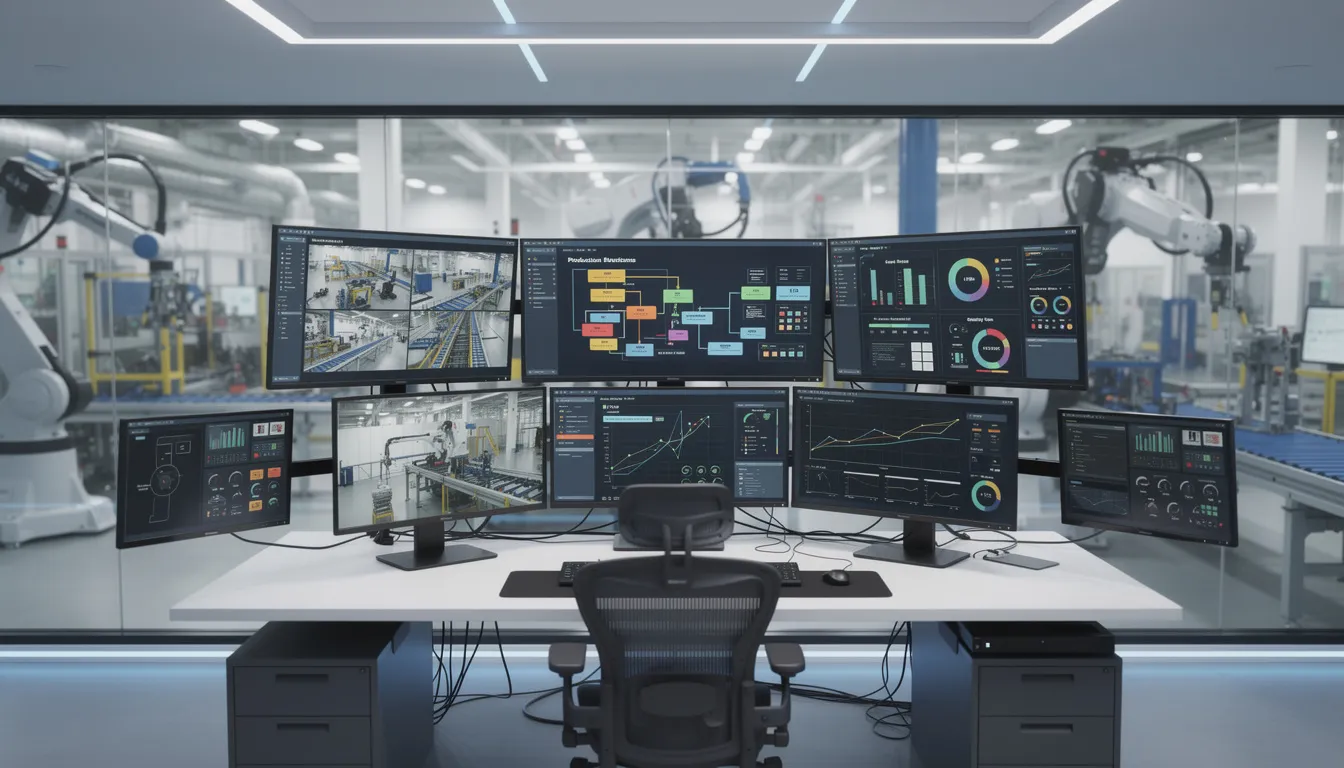
    A maintenance technician is inspecting a machine tool on the production floor, with a nearby signal light indicating the status of the andon system. This visual management tool helps alert operators to any quality control issues or abnormalities that may arise during the production process.

    Digital Andon Systems and Workflow-Based Escalation

    Modern andon systems increasingly sit inside broader digital operations platforms. The digital andon system integrates with MES, ERP, CMMS, QMS, PLM, and supplier systems to create a unified view of production, quality, and maintenance.

    In a high-tech electronics assembly line, an automatic Andon system uses sensors to detect assembly errors and equipment malfunctions, triggering visual alerts on digital dashboards and notifications to maintenance teams. This is where digital tools matter: alerts become tasks, approvals, and records instead of isolated messages.

    Andon Software Capabilities to Look For

    Look for configurable alert types, routing rules, multi-channel notifications, timed escalation, structured forms, photo uploads, links to work orders, links to defect records, audit logs, digital boards, OEE dashboards, and APIs. Configurability is critical because new products, regulations, and routings change faster than traditional IT projects.

    How Connect 981 Supports Andon-Style Escalation in Aerospace and MRO

    Connect 981 is a unified aerospace operations platform that can support andon-style escalation as part of broader production, quality, supplier, and MRO workflows. It is not an andon light system. It is an operations layer that connects alerts with work instructions, traceability, defects, supplier collaboration, and compliance records.

    From Andon Alert to Structured Workflow

    An operator or inspector can raise an alert from a tablet form tied to a work step. Connect 981 can route the event to quality, maintenance, methods, supply chain, or program teams based on line, category, customer, or severity. Status changes such as raised, acknowledged, blocked, resolved, and verified are timestamped.

    Connecting Andon to Work Instructions, Quality, and Traceability

    Connect 981 links events to digital work instructions, drawing revisions, inspection plans, serial numbers, lot numbers, and configuration records. This prevents a common failure mode: the alert lives in one system while the quality record, maintenance action, and supplier response live elsewhere.

    Cross-Factory and Supplier Visibility

    Aerospace primes and tier suppliers often need shared visibility when a supplier issue threatens schedule or conformity. Connect 981 can support cross-factory comparison of alert frequency, response times, issue types, and supplier nonconformance patterns.

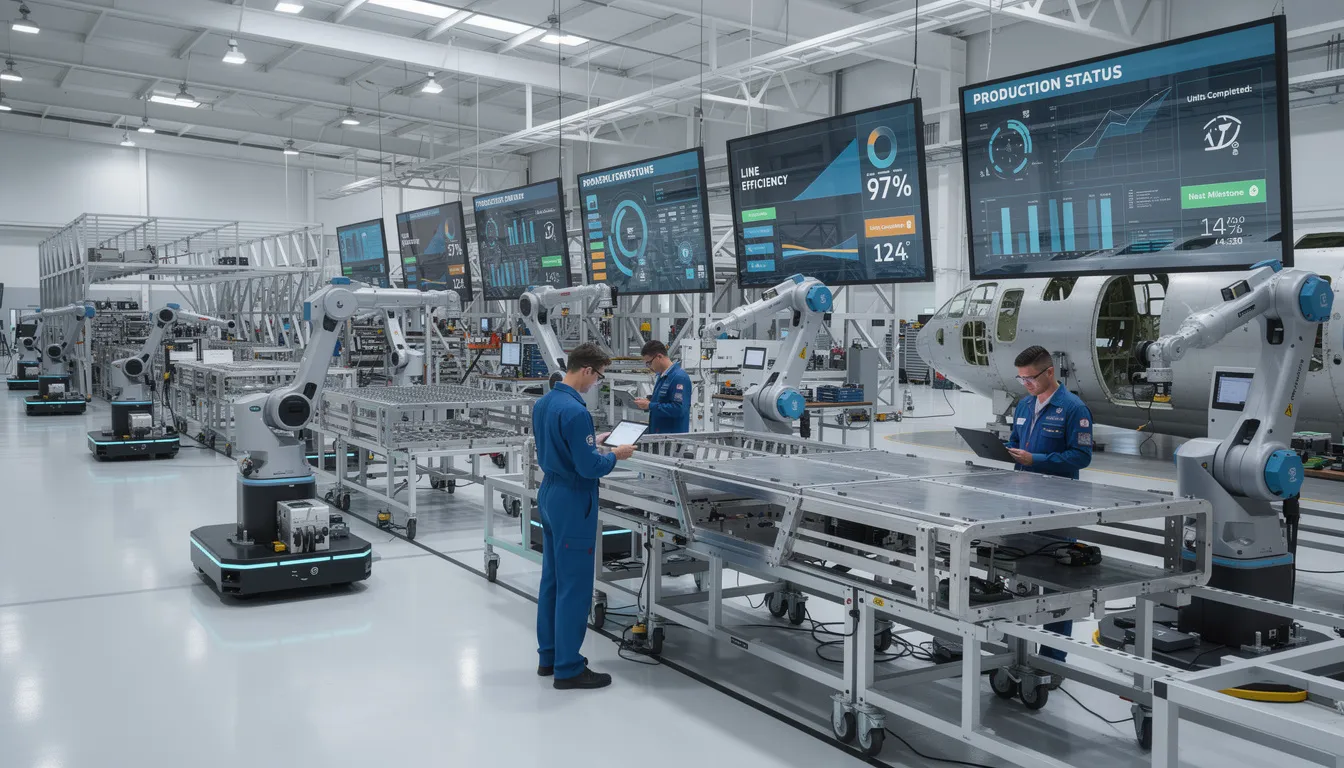
    A group of aerospace technicians is gathered on a clean shop floor, closely reviewing a critical component as part of their quality control process. The environment reflects lean manufacturing principles, emphasizing operational excellence and continuous improvement efforts in their production line.

    Why Zero/Low-Code Matters for Andon Workflows

    Aerospace and MRO operations change frequently. New programs, customer requirements, inspection steps, and supplier rules require adaptable workflows. Connect 981’s zero and low-code workflow builder helps operations and CI teams adjust categories, forms, routing, and escalation without long custom development cycles.

    Conclusion: Build an Andon System That Turns Problems Into Progress

    An effective andon system is a structured escalation process that spans signal, alert, response, verification, and learning. Traditional cords, stack lights, and boards still have value, but they deliver more when connected to workflows, data capture, and accountability.

    The practical question is direct: are problems visible, are responses reliable, and does event data drive improvement? If not, the system is signaling, but it is not yet learning.

    Request a demo to see how Connect 981 turns shopfloor issues into structured workflows, traceable actions, and production visibility across aerospace manufacturing and MRO.

    FAQ

    How big should we start when implementing or upgrading an Andon system?

    Start with one production line, cell, or value stream. Use three to five categories, simple response rules, and a 60 to 90 day pilot. Include operators, maintenance, quality, and team leaders from day one.

    Do we need new hardware to move to a digital Andon system?

    Not always. Existing stack lights, buttons, PLC inputs, and HMIs can often connect through gateways or APIs. In many cases, the bigger change is process discipline, not hardware replacement.

    How do we prevent operators from overusing the Andon system and slowing production?

    Define severity levels and clear examples. A safety concern, quality risk, sustained equipment issue, or missing critical information should be raised early. Minor help calls should be tracked separately from hard stops.

    How does an Andon system fit with our existing MES or ERP?

    Andon complements MES and ERP by handling real-time exceptions around the execution data those systems manage. Platforms like Connect 981 can sit above existing systems as a unified operations layer.

    What metrics should we use to measure Andon system effectiveness?

    Track alerts by category, average response time, average resolution time, repeat issue rate, downtime minutes, scrap, rework, and production impact. Review these metrics in tiered meetings and CI reviews, not only on dashboards.

  • Manufacturing Data Historian: From Time‑Series Storage to Connected Aerospace Operations

    Manufacturing Data Historian: From Time‑Series Storage to Connected Aerospace Operations

    Most aerospace factories do not lack data. They lack a reliable way to connect machine evidence to work orders, serial numbers, quality decisions, supplier records, and audit history.

    A manufacturing data historian solves the first part of that problem: capturing what happened in the plant, when it happened, and under what process conditions. The larger operational challenge is making that historian data usable by the teams making daily production, maintenance, and compliance decisions.

    Answering the Core Question: What Is a Manufacturing Data Historian?

    A manufacturing data historian is specialized software for capturing, storing, and retrieving timestamped time series data from industrial equipment, PLCs, sensors, test stands, process controls, and industrial control systems. Data historian software is specifically designed to capture, store, and manage vast quantities of time-series data generated by industrial processes, providing real-time visibility into operations and a centralized repository for operational data.

    Historians emerged in the late 1980s and early 1990s to manage continuous data generated by SCADA, PLCs, and distributed control systems in chemicals, oil and gas, power, and process manufacturing. In aerospace, historian software often sits behind autoclaves, ovens, CNCs, shot peen machines, plating lines, environmental chambers, and engine test cells.

    The key purposes are real time visibility, historical data review, traceability, predictive maintenance, and quality analysis. Data historians enable real-time monitoring and historical trend analysis, which are essential for optimizing industrial processes and ensuring compliance with regulatory standards. The historian is necessary, but not sufficient. Its value rises when connected to work orders, quality checks, supplier collaboration, and compliance workflows.

    How Manufacturing Data Historians Work Day to Day

    Data historians allow continuous data collection from diverse factory equipment. They collect data from PLCs, CNC controllers, SCADA systems, DCS, IoT gateways, and condition monitoring systems using OPC UA, Modbus TCP, EtherNet/IP, ProfiNet, and vendor drivers.

    Each tag represents data points such as spindle speed, torque, temperature, pressure, flow, vibration, current draw, line speed, alarms, or analog data. Sampling may occur every few milliseconds, every second, or every few minutes. This high speed data collection gives process engineers reliable data for data analysis, troubleshooting, and process optimization.

    Timestamps matter. Data historians allow engineers to replay past events millisecond by millisecond to diagnose machine failures. That precision helps isolate the exact root cause of quality defects, especially when a defect depends on the sequence of pressure, temperature, tool motion, or operator action.

    Historians use data compression and interpolation to store time series data efficiently, balancing high resolution data, long term data storage, and cost. Recent plant data may stay at full resolution; older plant operating data may be rolled up to min, average, and max values while preserving data integrity.

    In composite production, an autoclave may write temperature, vacuum, and pressure curves every second for each batch and part serial number. Those process variables become part of the evidence package for production quality and maintaining compliance.

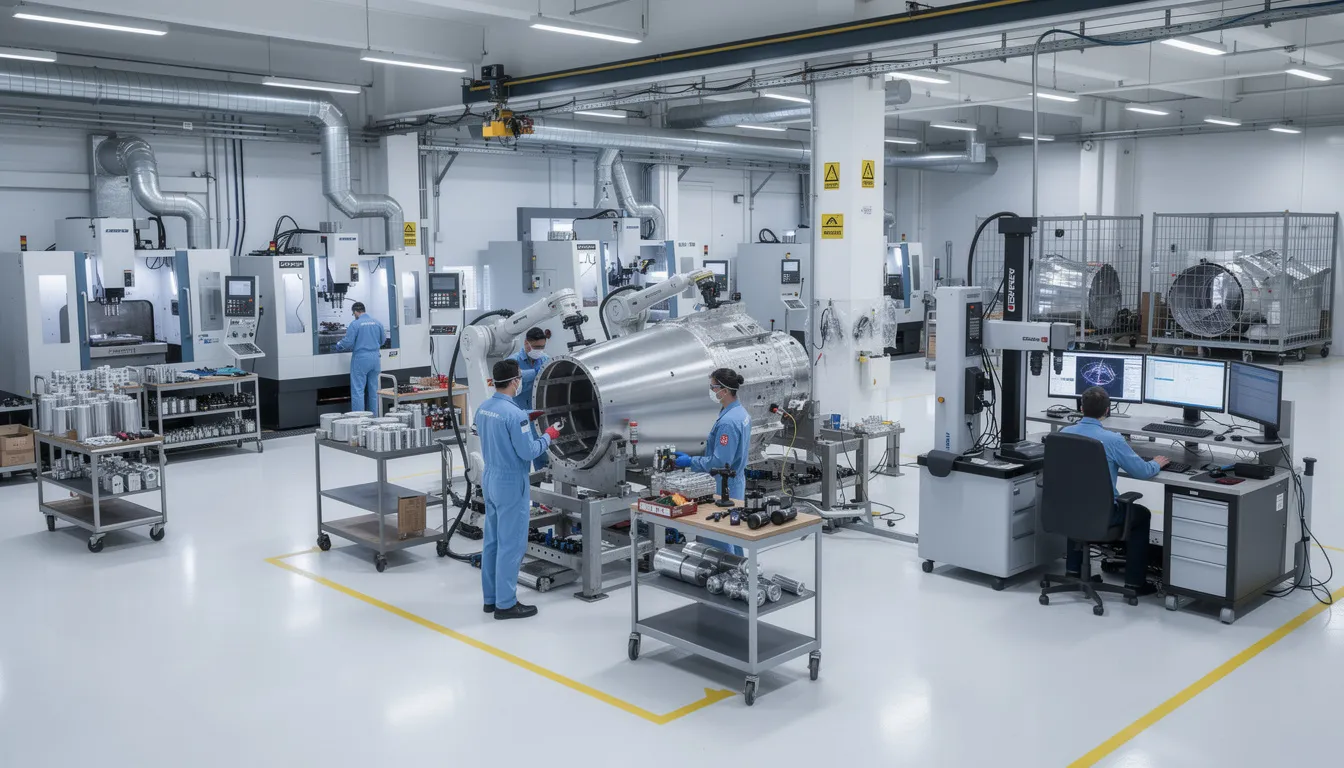
    A technician is examining aerospace manufacturing equipment on a factory floor, utilizing data historian software to collect and analyze operational data. This process allows for the continuous monitoring of equipment performance, helping to optimize operations and reduce downtime and maintenance costs.

    Data Historians vs Time‑Series Databases, SCADA, MES, ERP, and Data Lakes

    Data historian software is OT-centric data management software. It is built for stable ingestion, deterministic retrieval, data exchange with control systems, efficient storage, and data integrity in industrial settings. Unlike traditional databases and relational databases, data historians are optimized for high-speed data ingestion and retrieval, making them essential for predictive maintenance, historical trend analysis, and process optimization.

    Generic time-series databases often prioritize scale, developer APIs, and flexible queries across IoT, finance, or web metrics. They may not include native PLC, SCADA, or industrial control systems connectivity.

    SCADA provides operator screens, alarms, and real time data for control. The historian is usually the long-term memory behind SCADA.

    MES manages routing, execution, WIP, and electronic records. ERP, or enterprise resource planning, manages orders, inventory, finance, and resource allocation. Data historians integrate with manufacturing execution systems, enterprise resource planning software, and industrial control systems to centralize operational data, improve visibility, and facilitate data-driven decision-making. Data lakes aggregate historian exports, ERP, MES, QMS, supplier feeds, documents, and logs for advanced analytics tools used by data scientists and corporate users.

    In practice, the historian is one node in the architecture. Value comes from how historian data feeds MES, advanced analytics, and operational platforms such as Connect 981.

    What Types of Data Do Manufacturing Data Historians Capture?

    Data generated by historians typically includes:

    • Process data: temperature, pressure, flow, vacuum, humidity, cure profiles, paint booth conditions, and heat treat curves.
    • Machine performance: run, idle, fault states, cycle time, part counts, OEE signals, and production output.
    • Quality signals: torque curves, weld current, voltage, leak test results, vibration signatures, and test stand outputs.
    • Energy consumption: electricity, compressed air, gas, chilled water, and utilities by cell or program.
    • Event data: trips, interlocks, safety triggers, setpoint changes, operator actions, and alarms.
    • Facility conditions: cleanroom differentials, particle counts, storage temperature, humidity, and MRO bay conditions.

    The data collected by historians includes critical operational metrics such as temperature, pressure, and flow rates, which are timestamped for precise historical context, allowing for deep operational insights. Historians capture what happened and when. They usually need integration to show for which work order, serial number, repair order, or supplier lot.

    Why Data Historians Matter in Aerospace and Complex Manufacturing

    Aerospace operations depend on traceability, costly assets, and short response times. Data historians provide critical plant performance data for visualization and analytics tools, allowing manufacturers to spot bottlenecks and reduce waste.

    They continuously monitor key parameters such as machine performance, energy consumption, and production output, allowing manufacturers to fine-tune operations and detect inefficiencies before they escalate. By leveraging data historian software, manufacturers gain deeper visibility into their processes, helping them to optimize performance and drive continuous improvement.

    Data historians preserve years of historical records required for strict regulatory and safety compliance. Historians provide immutable, long-term data trails that allow manufacturers in highly regulated industries to prove compliance and achieve end-to-end product traceability. Standards such as EN 9130:2020 reinforce the need for retrievable aerospace records.

    For maintenance, data historians support predictive maintenance by continuously analyzing equipment performance and identifying early warning signs of potential failures, which helps in scheduling maintenance proactively and preventing costly unplanned outages. Predictive maintenance strategies enabled by data historians can lead to significant reductions in maintenance costs by replacing reactive repairs with planned interventions based on data-driven insights.

    From Raw Signals to Context: Events, Batch Records, and Operational Meaning

    Raw data is not enough. Event frames, batches, or unit procedures transform raw data and sequential measurements into production runs, test sequences, cure cycles, or repair events.

    Data historians create complete genealogy records for every batch to simplify compliance with automated audit trails when historian events are linked to material lots, serial numbers, operator IDs, tooling, program revision, and inspection records. A practical aerospace example is linking an autoclave cure curve to a composite panel serial number and its AS9102 first article inspection record.

    Historian vendors often provide event tools, but full operational process data usually requires MES, PLM, ERP, QMS, or workflow integration.

    Data Integrity, Advanced Data Storage, and Long‑Term Retention

    Data integrity and advanced data storage matter because aerospace audits often ask for proof long after the work was performed. A customer may request a 10-year-old pressure curve and expect it within minutes, complete and unaltered.

    Key features include checksums, write-once history blocks, redundant collectors, store-and-forward buffering, clock synchronization, restricted write access, strong authentication, and tamper-evident archives. Advanced data storage may use hot solid-state storage, warm disks, cold cloud object storage, archiving rules, and compression policies.

    Remote test stands may backfill late data after a network outage. Good historians preserve original timestamps and reconcile the upload without corrupting performance trends.

    Dashboards, Analytics, and Predictive Maintenance Built on Historian Data

    Historians are a primary source for dashboards, key performance indicators, downtime paretos, SPC charts, energy graphs, and condition monitoring panels. Engineers often retrieve data into BI tools, Excel, or notebooks to identify trends.

    Predictive maintenance models use equipment performance history to detect early warning signs of potential equipment failures. Teams can schedule maintenance proactively, reduce downtime and maintenance costs, extend asset life, and validate repairs.

    By leveraging historical data trends, manufacturers can adjust production schedules and maintenance plans to reduce energy usage and minimize waste, ultimately enhancing operational efficiency. The constraint is that insight often stays in dashboards unless it is pushed back into daily work.

    An engineer is inspecting a large industrial machine using diagnostic equipment to collect data on its performance, aiming to optimize operations and identify potential equipment failures. This process involves analyzing operational data and historical data to ensure efficient and reliable industrial operations.

    The Hidden Problem: Data Silos Around the Historian

    Data historians help prevent data silos by providing a centralized repository for operational data, enabling effective management and utilization across different departments. They also eliminate manual, error-prone paper logs by unifying siloed data from different machine brands.

    Still, many aerospace plants have multiple sites, multiple historians, OEM mini-historians, spreadsheets, ERP records, supplier certificates, QMS records, and maintenance files. Data silos return when historian data is separated from routing, nonconformance, inspection, and supplier evidence.

    The result is familiar: engineers export CSVs, compare timestamps manually, search screenshots, and reconstruct a story days after a defect. That weakens data driven decision making and slows informed decisions.

    Where Connect 981 Fits: Turning Historian Data into Operational Workflows

    Connect 981 is not a data historian, SCADA replacement, or time-series database. It is a unified operational layer for aerospace manufacturing and MRO that uses historian data inside work instructions, work orders, quality checks, supplier coordination, and audit-ready records.

    In a typical architecture, the historian continues to collect high-resolution industrial data. Connect 981 connects that historian data to ERP, MES, PLM, QMS, supplier systems, and shopfloor execution.

    If furnace tags show repeated temperature drift, Connect 981 can trigger a maintenance task, hold affected work orders, require additional inspection, and capture the decision trail. A test cell speed and torque curve can appear inside a digital work order or nonconformance record, so quality teams see context rather than separate tools.

    Connect 981 also supports AI-assisted root cause analysis, combining historian trends with defect logs, supplier lots, routing changes, and shift data.

    Connecting Historians with Work Orders, Quality, and Traceability

    In production execution, historian tags tied to operations let supervisors see live conditions and past deviations before releasing work, scheduling rework, or changing priorities.

    In quality and compliance, automatic association of historian traces with serial numbers, batch records, inspection plans, and nonconformance records simplifies AS9100 and customer investigations.

    In MRO, test cell curves and condition data can be embedded in digital repair records to justify work scopes, component replacements, and warranty positions.

    In supplier visibility, heat treat profiles, special process curves, and supplier historian evidence can be surfaced through Connect 981 during incoming inspection and approval workflows. The benefit is fewer spreadsheets, fewer screenshots, and a stronger digital thread.

    A technician is inspecting an aerospace component in a clean manufacturing area, ensuring the equipment meets high standards for quality. This process is crucial for collecting reliable data and optimizing operations within industrial settings, where maintaining compliance and analyzing operational performance is key to reducing downtime and maintenance costs.

    Implementation Risks and Modernization Considerations

    Modernization fails when teams underestimate integration. Legacy PLCs, older SCADA, isolated test stands, network segmentation, and proprietary files often require gateways and careful OT coordination.

    Scalability matters. Size historian platforms for future sensors, multiple sites, higher tag counts, and longer retention, not only current loads.

    Governance matters too. Define tag naming, units, access rights, retention policies, ownership, and change control. Without data management discipline, even reliable historians become difficult to trust.

    Change management is equally important. A new cloud-ready historian does not guarantee adoption. Plant teams need simple ways to consume the data in daily decisions.

    A practical path is incremental: connect high-value assets first, keep mission-critical historians stable, add workflow integration above them, and apply least-privilege cybersecurity controls.

    Decision Framework: What Do You Need from Your Historian vs Your Operational Layer?

    For the historian, confirm these essentials: reliable high-frequency data collection, robust timestamps, compression controls, retention rules, data integrity, and integration with PLCs, SCADA, and DCS.

    Ask: What sampling rates are required? How many tags? How many years online? Which records support aerospace, defense, FAA, EASA, or customer retention? Which tags require raw fidelity?

    For analytics and data lakes, decide where large-scale data analysis, AI/ML, cross-site benchmarking, and corporate reporting belong.

    For the operational layer, define where historian data must drive action: work instructions, nonconformance workflows, maintenance tasks, supplier records, production review, and audit documentation. Do not overload the historian with workflow responsibilities it was never designed to handle.

    Getting Started: Using Existing Historian Data to Improve Operations with Connect 981

    Start with one high-impact area: an autoclave, engine test cell, critical machining center, or special process where delays and escapes are expensive.

    Identify relevant tags, map them to work orders and serial numbers, define events that should trigger alerts, holds, maintenance actions, or extra inspections, then configure those workflows in Connect 981.

    Connect 981 can sit alongside existing MES and ERP systems while respecting IT and OT security policies. Operations, quality, maintenance, and supply chain teams can work from the same connected evidence instead of offline reports.

    To see how current historian data can drive execution, production quality, supplier visibility, and audit-ready workflows across factories and repair sites, request a demo of the Connect 981 platform.

  • Why do MRB delays matter so much in aerospace manufacturing?

    Why MRB delays are uniquely painful in aerospace

    In aerospace, MRB decisions gate the flow of very expensive, long‑lead hardware under strict configuration and traceability expectations. When MRB is slow, nonconforming parts stay in limbo, blocking assemblies, consuming floor space, and forcing planners to constantly rework schedules. Unlike high‑volume consumer manufacturing, you often have few parallel units, so a single delayed disposition can impact a large portion of a build.

    MRB delays also defer key information about actual process capability and systemic issues. If it takes weeks to decide on rework, use‑as‑is, or scrap, your quality data lags reality, and you continue building with incomplete knowledge of risk. This time lag undermines containment actions, root cause analysis, and risk assessments, especially when multiple programs or sites share common processes or suppliers.

    Impact on schedule, WIP, and capacity

    MRB delays convert straightforward nonconformances into planning and logistics problems. Work orders stall with partially complete units waiting for decisions, driving up work‑in‑process and cluttering constrained space around critical tools, fixtures, and test assets. Supervisors respond by resequencing tasks, pulling work forward or out of sequence, which increases complexity and error risk.

    Because aerospace lines typically have long cycle times and limited takt, MRB queues can translate directly into missed delivery milestones. To recover, teams often add overtime, parallel rework shifts, or last‑minute supplier expedites, which are expensive and introduce additional quality risk. Even when schedules are formally updated, the constant churn reduces planner credibility and can trigger customer surveillance or escalation.

    Configuration control and traceability risks

    Delays in MRB decisions create pressure to move hardware to “keep things going,” which can erode configuration discipline. Parts may be temporarily kitted, staged, or even installed before final disposition is fully documented, increasing the chance that a unit flies with incorrect or unapproved configuration. Under time pressure, manual updates to routers, travelers, and as‑built records are more likely to be partial or inconsistent.

    In mixed paper/digital environments, the risk is higher because MRB decisions must be synchronized across MES, ERP, PLM, and paper travelers. If MRB is slow, people work from provisional information, and later changes may not back‑propagate cleanly. This can surface during audits or airworthiness reviews as gaps in traceability, unexplained deviations, or mismatched serials and revisions, even if the technical disposition itself was sound.

    Cash, inventory, and supplier impacts

    Hardware waiting on MRB is effectively frozen cash and capacity. Long‑lead, custom aerospace parts often have high unit costs and limited alternative uses; a single unresolved nonconformance on a major assembly can tie up significant capital. High MRB WIP also obscures the true inventory position, making it harder for supply chain to plan replenishment, negotiate with suppliers, or defer purchases when demand shifts.

    When MRB decisions involve suppliers, delays ripple into the external network. Late notification or unclear dispositions can result in suppliers continuing to ship parts with the same issue, or holding shipments while they wait for guidance. Both cases damage delivery performance and may complicate contractual discussions about responsibility for rework or scrap, especially when drawings, specs, or test methods are shared across programs.

    Effect on safety, compliance, and audits

    MRB delays do not automatically imply safety risk, but they complicate how you demonstrate that risk is controlled. Regulators and customers expect timely, documented dispositions and evidence that nonconformances are evaluated against functional and safety requirements. Prolonged delays can be interpreted as weak control of the quality system, particularly if aging MRB items overlap with critical characteristics or safety‑related features.

    In audit situations, large or aging MRB queues invite deeper sampling and questioning about process health, engineering involvement, and closure discipline. The more manual the system, the harder it is to show consistent, timely engineering review, risk assessment, and verification of rework instructions. None of this guarantees a negative audit outcome, but it reduces your margin for error and can drive additional surveillance or required actions.

    Why fixing MRB delays is hard in brownfield environments

    In most aerospace plants, MRB touches a patchwork of MES, ERP, PLM, QMS, and legacy point tools, plus paper travelers and email threads. Each system holds a piece of the truth: routings, BOMs, inspection results, engineering authority, and approvals. Streamlining MRB requires these systems to interoperate reliably, with controlled changes and clear ownership, which is difficult when integrations are brittle and downtime is constrained.

    Full replacement of MRB tooling or workflows is rarely practical on a live aerospace line because of validation burden, qualification of new digital records, and the risk of disrupting established certification baselines. Plants often end up layering workflows or portals on top of existing systems rather than ripping them out. This can help visibility but also adds another step for engineers and inspectors, so MRB only speeds up if data quality, integration, and change management are handled rigorously.

    Practical tradeoffs when accelerating MRB

    Accelerating MRB is not just “more automation” or “more staffing”; it involves tradeoffs between speed, engineering depth, and process standardization. Pre‑approved standard repairs and defined use‑as‑is criteria can reduce cycle time but require significant up‑front engineering, robust risk analysis, and regular review to avoid drift. Overusing standard dispositions without revisiting underlying causes can mask systemic issues and erode safety margins.

    Conversely, forcing every decision through a small group of senior engineers protects technical rigor but creates a bottleneck, especially when multiple programs compete for the same MRB resources. Shifting routine cases to empowered local MRB boards while escalating only complex or novel issues can help, but demands clear rules, training, and effective feedback loops into design and process engineering. Whatever model you adopt, it must be validated, documented, and maintained over the long life of the product line, not only during transition projects.

  • How does Connect 981 enable real-time visibility and AI-assisted pattern detection for aerospace scrap reduction?

    Connect 981 enables real-time visibility and AI-assisted pattern detection for aerospace scrap reduction by aggregating production and quality data, normalizing it against the process context, and then applying models to highlight statistically meaningful patterns in near real time. It does not replace MES, ERP, QMS, or machine controls; it sits alongside them and makes their data easier to use for scrap prevention.

    Real-time visibility: what Connect 981 actually does

    In an aerospace environment, scrap rarely comes from a single source system. Connect 981 focuses on stitching together data that is usually siloed:

    • Machine and process data (e.g., CNC, special process equipment, test stands) via OPC UA, MTConnect, or vendor APIs, where available.
    • Work order, part, and operation context from MES / ERP (e.g., routing step, revision, configuration, customer program).
    • Quality records such as nonconformances, inspection results, and rework records from QMS / MES.
    • Operator inputs (shift logs, defect categorization, notes) from lightweight shop-floor interfaces.

    Once connected and validated, Connect 981 can provide near real-time views such as:

    • Scrap and rework by part, operation, asset, shift, and supplier, updated as new data arrives.
    • In-process WIP at risk, using live defect and condition indicators rather than waiting for end-of-line inspection.
    • Heat maps of where scrap is emerging across lines, cells, and programs, with drill-down to specific work orders and assets.

    The practicality and latency of this “real time” view depend on integration choices, network design, and how frequently each source system publishes data. In some plants this will be seconds, in others it may be minutes or batched hourly.

    AI-assisted pattern detection for scrap drivers

    Connect 981’s AI capabilities are used to detect patterns that correlate with scrap and rework, not to automatically change process parameters or make pass/fail decisions. Typical use cases include:

    • Recurring defect pattern detection: Identifying combinations of part, revision, tool, operator, and machine state that precede specific defect codes.
    • Drift and stability monitoring: Flagging when process metrics (cycle time, torque, temperature, vibration, test margins) drift outside learned stable ranges that historically preceded low scrap performance.
    • Shift, program, and supplier comparisons: Highlighting statistically significant differences in scrap rates across shifts, crews, programs, or incoming material lots.
    • Sequence and routing effects: Detecting when certain operation sequences, setups, or rework paths increase the probability of final scrap.

    These capabilities typically rely on:

    • Historical datasets that include both process conditions and labeled scrap / rework outcomes.
    • Feature engineering aligned with the actual manufacturing context (e.g., operation-level, not just overall job-level data).
    • Model validation and versioning under change control so that insights are reproducible and traceable.

    In regulated aerospace environments, models should be used as decision-support tools. Human experts typically retain responsibility for root cause analysis, corrective actions, and any process changes.

    How this coexists with MES, ERP, QMS, and machine controls

    Connect 981 is designed for brownfield environments. It does not require replacing existing MES / ERP / QMS systems, which is often impractical in aerospace due to validation burden, audit history, and qualification of existing processes.

    Instead, Connect 981 usually:

    • Reads from MES / ERP for work order, routing, and configuration context.
    • Reads from QMS for nonconformance, defect, and CAPA linkages.
    • Reads from machine or cell controllers for operational and condition data.
    • Writes back limited information (e.g., risk tags, prioritized investigations, or summarized metrics) only where integration and governance allow it.

    This coexistence approach avoids the downtime, requalification, and migration risk of a full system replacement, but it does mean that data quality and modeling performance are constrained by whatever is available from existing systems and interfaces.

    Role in aerospace scrap reduction

    Connect 981 supports aerospace scrap reduction by making it easier to see and act on leading indicators of scrap:

    • Surfacing early warning signals that a cell, asset, or routing is starting to produce more defects than baseline.
    • Prioritizing where engineers and quality teams should focus limited problem-solving capacity.
    • Providing evidence to support 5-why and other root cause analysis tools with cross-system data rather than anecdotes.
    • Highlighting process and configuration variants that consistently yield lower scrap so they can be standardized where appropriate.

    Actual scrap reduction depends on follow-through: disciplined problem solving, validated process changes, and sustained change control. Connect 981 can help identify patterns and opportunities, but it does not itself implement corrective actions or guarantee performance improvements.

    Constraints, dependencies, and failure modes

    Connect 981’s impact on scrap reduction is limited by several common factors:

    • Data completeness and granularity: If defect codes, process parameters, or routing details are sparse, inconsistent, or recorded only as free text, AI models may produce weak or misleading signals.
    • Traceability gaps: Incomplete part-to-lot-to-operation traceability can prevent Connect 981 from linking specific process conditions to specific scrap events.
    • Integration limitations: Legacy equipment, brittle custom integrations, or restricted access to MES / ERP data can restrict near real-time visibility and force reliance on batch updates.
    • Model misunderstanding: If teams treat model outputs as causal proof rather than correlation, they may pursue the wrong corrective actions. Governance and expert review are essential.
    • Change control friction: In organizations with heavy qualification requirements, even clearly indicated improvements may be slow to implement, which limits realized scrap reduction.

    These are not specific to Connect 981; they reflect the normal realities of aerospace manufacturing with long-lived equipment and validated processes. Any AI-assisted scrap reduction approach will face similar constraints.

    Validation, traceability, and regulated use

    For regulated aerospace operations, Connect 981 should be treated as part of the validated toolset where its outputs materially influence quality decisions. Typical considerations include:

    • Documenting data sources, transformations, and model versions used in analyses.
    • Establishing procedures for reviewing and approving model-driven insights before they inform process changes.
    • Maintaining audit trails of who acknowledged alerts, what actions were taken, and which evidence supported decisions.
    • Ensuring that any claims about performance improvement are backed by controlled, time-bounded comparisons and not just anecdotal reports.

    Connect 981 can help assemble the evidence used in root cause analysis, CAPA, and continuous improvement work, but it does not itself confer any certification or guarantee successful audits.

  • How do we avoid generating too many alerts for operators?

    Why alert overload happens in regulated manufacturing environments

    Alert overload usually emerges when notifications are added incrementally without a coherent design or ownership model. Different teams (IT, controls, quality, maintenance) create alerts for their own risks, but operators receive them all mixed together with little differentiation in importance. In brownfield plants, new alerts often sit on top of legacy SCADA, DCS, MES, and QMS notifications, amplifying noise from systems that were never designed to work together. Over time, operators learn to click through popups and ignore banners, which quietly undermines the very controls auditors expect to be effective. In regulated settings, this is especially risky because you can end up with formal procedures that assume alerts are acted on, while real behavior is to bypass or acknowledge them without response.

    Treat alerts as engineered, versioned objects

    To avoid generating too many alerts, treat each alert definition like a controlled configuration item, not a convenience notification. An alert should have a defined owner, a clear purpose, specified data source, thresholds, expected operator action, and escalation rules. Changes to alerts (new conditions, logic tweaks, routing changes) should go through formal change control and, where appropriate, re-validation or at least documented impact assessment. This slows down random alert creation but improves signal quality and operator trust. In aerospace-grade and similar environments, this model fits better with existing qualification and validation expectations than ad hoc alert tuning.

    Define severity, audience, and required action up front

    A practical way to reduce alert fatigue is to classify alerts by severity and audience before implementation. For each proposed alert, ask what the operator must do within what time, and what happens if nothing is done. High-severity alerts should be rare, clearly distinguishable, and directly tied to safety, product integrity, or regulatory impact. Lower-severity conditions may belong in dashboards, periodic reports, or maintenance backlogs rather than as real-time operator alerts. By formally deciding who needs to see which severity levels, you avoid routing every condition to the same overburdened operator console.

    Tune thresholds and logic using real plant data

    Overly sensitive thresholds and simplistic logic are major sources of unnecessary alerts. Static trigger points copied from vendor manuals or design assumptions often ignore actual process capability, measurement noise, and normal transients. Use historical data and process knowledge to set alert thresholds that distinguish real deviations from expected variability. Where possible, incorporate simple filtering (e.g., persistence over time, hysteresis, deadbands) so that brief spikes, communication glitches, or start-up transients do not trigger alerts. This requires collaboration between controls, process engineering, and quality, and in regulated contexts, any change to thresholds may need documented rationale and, sometimes, revalidation evidence.

    Consolidate and de-duplicate across existing systems

    In brownfield environments, multiple systems may alert on the same underlying condition: a sensor fault, a line stop, or a quality limit. Without coordination, operators may receive several near-identical alerts from SCADA, MES, and custom monitoring tools for one event. A practical mitigation is to define a primary system of record for each class of alert (e.g., equipment-state alerts from SCADA, specification limits from MES/QMS) and suppress or down-rank duplicates in other systems. Where full integration is not feasible, you can at least standardize naming, severity, and routing so operators can quickly recognize when multiple alerts refer to a single issue. This does not eliminate redundancy completely but reduces cognitive load and makes training and procedures clearer.

    Use suppression, maintenance modes, and state awareness carefully

    Alert suppression is a useful but risky mechanism for limiting noise. Implement explicit maintenance or setup modes where certain alerts are disabled or down-scored because equipment is expected to behave outside normal production parameters. Similarly, use process and equipment state (start-up, changeover, cleaning, test) to avoid alerts that only make sense in steady-state production. However, suppression rules must be transparent, documented, and controlled under change management so that critical alerts are not inadvertently disabled. In regulated environments, be prepared to show how suppression logic is designed, tested, and audited, because hidden suppression can be as damaging as missing alerts.

    Involve operators directly and measure the alert load

    Operators live with the consequences of alert design and are usually quick to identify which alerts are noise. Establish a simple feedback mechanism for operators to flag alerts as unhelpful, unclear, or redundant, and make sure this feeds into a structured review process, not ad hoc disabling. Track metrics such as alerts per hour per workstation, percentage of alerts acknowledged with action versus ignored, and time to respond to critical alerts. These metrics can identify specific lines, shifts, or systems that generate excessive noise and justify targeted remediation. In regulated environments, documenting this continuous improvement loop can also support your argument that the alerting process is actively managed, not static.

    Introduce changes gradually under change control

    Attempting a full, big-bang redesign of all alerts across MES, SCADA, DCS, and QMS is high risk and rarely succeeds in aerospace-grade or similar environments. The qualification and validation burden for large-scale logic changes is substantial, and the risk of unintended interactions with legacy systems is high. A more realistic approach is to prioritize the worst pain points (e.g., a specific line or alert type) and run controlled pilots with clearly defined scope. Use change control to bound the impact, involve QA/CSV early, and make it easy to roll back if behavior degrades. This incremental approach accepts that some legacy noise will persist but steadily improves the signal-to-noise ratio without destabilizing operations.

    Connecting this to typical MES/SCADA modernization projects

    If a current project is adding a new MES layer or analytics-driven alerts on top of existing SCADA/DCS, the risk of alert overload increases sharply. Ensure the project explicitly defines which system owns which alert category, and that the new layer does not simply mirror every existing SCADA alarm. Validate alert behavior in realistic test scenarios, including start-up, shutdown, communication loss, and edge-case data conditions, not only in steady-state simulation. Coordinate with quality and IT so that any alert tied to product disposition or compliance has clear documented logic and tested integrations. This discipline will slow rollout, but it is usually preferable to deploying an impressive alerting feature set that operators quickly learn to ignore.

  • How does MES help when a special process run goes out of tolerance?

    What an MES can realistically do when a special process goes out of tolerance

    When a special process goes out of tolerance, an MES can help primarily with early detection, containment, and traceable decision-making, not with “auto-fixing” the problem. If limits, recipes, and parameters are properly configured and tied to the correct materials and work orders, the MES can flag deviations in near real time and stop the operator from continuing without review. However, this depends heavily on integration quality with equipment, the rigor of master data and recipes, and how well alarm thresholds reflect the qualified process window. The system will not decide product disposition or root cause by itself; it only provides structured information and controls.

    Detection and interlocks: how MES spots out-of-tolerance conditions

    An MES helps detect out-of-tolerance conditions by enforcing parameter limits defined in electronic work instructions or process recipes. When integrated to equipment or data historians, it can compare live or batch data (e.g., temperature, pressure, time, gas flow) to the specified ranges and trigger alarms or interlocks. If connectivity is weak or parameters are tracked manually, detection is slower and relies on timely, accurate data entry by operators. Misconfigured limits or incorrect recipe-version assignments are common failure modes that lead to either nuisance alarms or missed deviations. In practice, plants need ongoing governance to keep limits, units, and equipment mappings aligned with the validated process.

    Containment: blocking release, routing to quality, and quarantining lots

    On deviation, an MES can prevent further processing or release of affected units by blocking the operation completion or shipment steps. It can automatically place the affected batch, lot, or serial numbers into a hold status and route the workflow to a quality or engineering review queue. The effectiveness of this containment depends on how well traceability is set up: if lot genealogy or serial tracking is incomplete, some affected material may not be captured. MES containment also assumes that hold statuses, user roles, and escalation rules are defined and tested; otherwise, people can bypass controls or leave items stuck in limbo. The system can enforce that rework, scrap, or concession decisions are recorded, but it will not determine the correct disposition on its own.

    Traceability and genealogy: understanding the scope of impact

    A key benefit of MES in a special process deviation is fast identification of what else might be affected. If genealogy is configured correctly, the MES can show which parts, assemblies, or lots passed through the out-of-tolerance run, on which equipment, under which recipe, and at what times. This helps engineering and quality define the scope of investigation and potential containment actions beyond the immediately flagged batch. Weaknesses appear when process segments are run outside MES (manual work, older machines not integrated) or when operators bypass scanning and data collection steps. In those cases, the apparent traceability in MES can be incomplete, and you still need manual record reviews and cross-checks with other systems such as historians, LIMS, or ERP.

    Workflow and nonconformance handling: connecting MES to quality processes

    MES can initiate or link to nonconformance, deviation, or CAPA records when an out-of-tolerance condition is detected. Depending on your architecture, this may be inside the MES or through integration with a QMS. The practical value is forcing a structured path: description of the deviation, preliminary risk assessment, segregation of affected material, and signoffs by responsible roles. In brownfield environments, it is common for MES to handle only part of the process, with root cause analysis and CAPA tracking living in a separate QMS. Integration quality and master-data alignment (defect codes, cause codes, product hierarchies) strongly influence whether you get a coherent record or fragmented information across systems.

    Data for root cause analysis: what MES can and cannot tell you

    MES captures contextual data that is often critical for root cause analysis: parameter trends, operator IDs, equipment status, material lots, and process timestamps. When combined with equipment data or historian traces, it provides a more complete picture of what actually happened during the special process run. However, MES data must be interpreted by engineers and quality staff; the system will not tell you the root cause or suggest corrective actions. Misleading conclusions can arise if key contributors are not recorded in MES, such as environmental conditions, maintenance activities, or informal operator workarounds. For regulated environments, this data must be managed under change control and maintained over long periods, which requires attention to archiving, retrieval performance, and audit trail integrity.

    Coexistence with existing systems in brownfield plants

    In most regulated plants, MES is only one piece of the overall landscape, alongside legacy equipment controllers, standalone data loggers, historians, LIMS, QMS, and ERP. During an out-of-tolerance event, teams typically need to pull evidence from several sources, not just MES, to fully reconstruct the event and justify the disposition. Full replacement of these systems with a single MES platform is rarely practical due to qualification requirements, validation cost, downtime risk, and the long lifecycle of special process equipment. A more realistic approach is to let MES orchestrate workflows and enforce holds, while other validated systems provide detailed process data or formal quality-case management. The success of this coexistence hinges on disciplined integration, clear system-of-record definitions, and consistent procedures for how staff use each system during deviations.

    Constraints, validation, and organizational discipline

    The extent to which MES helps in out-of-tolerance events is bounded by how rigorously it has been configured, validated, and maintained. If recipes, limits, and interlocks are not governed under change control, the system may reflect outdated or unqualified process conditions, leading to false confidence. Validation in regulated environments means that any change to MES logic, integration, or data structures used for deviation control must be assessed for impact and revalidated where necessary. Organizational discipline—training, adherence to procedures, and routine audits of data quality—is as important as the software capabilities. MES can accelerate detection and make investigations more traceable, but it does not remove the need for qualified people, sound engineering judgment, and robust quality systems.

  • What are the 10 responsibilities of a mother?

    This question is outside the scope of this site.

    The content here is focused on industrial operations and manufacturing systems in regulated environments, for an audience of operations, engineering, quality, and IT leadership. Questions about the responsibilities of a mother relate to personal, social, and cultural expectations, not to manufacturing systems, regulated processes, or industrial organizations.

    Because of that, this site does not provide prescriptive lists or guidance on family roles or parenting responsibilities, and it would not be appropriate to present such topics as if they were operational standards or requirements.

    If you are looking for structured responsibilities in a work context that are in scope for this site, it is more appropriate to focus on defined roles within industrial organizations (for example, production supervisor, quality manager, validation engineer, or MES owner), where responsibilities can be tied to documented processes, traceability, and governance.

  • How do we keep MES configurations aligned with ongoing process improvements?

    Why MES often drifts away from the real process

    In most plants, process improvements move faster than MES change cycles, especially where validation, qualification, and IT change control are strict. As a result, operators adapt locally while the MES still reflects old routings, limits, or work instructions. Over time this creates a gap between how work is actually done and what the MES enforces or records. That gap undermines data integrity, traceability, and the credibility of KPIs derived from MES data. In brownfield environments with multiple systems (MES, ERP, QMS, PLM, scheduling tools), each platform changes on a different cadence, which further amplifies configuration drift. Without explicit governance, process improvement and MES evolution will naturally diverge.

    Establish clear ownership and governance for MES configuration

    Keeping MES aligned with improvements starts with unambiguous ownership of each configuration domain: routing and operations, parameters and limits, work instructions, master data references, and integration mappings. In regulated environments, this typically means a joint structure between operations, quality, and IT/OT, rather than leaving MES purely to IT. A single accountable owner for MES configuration policy should exist, even if implementation is distributed. Governance needs defined decision rights: who can propose changes, who approves them, and under what criteria. When ownership is vague, improvements are implemented on the shop floor but never translated into MES because no one is clearly responsible for closing that loop.

    Tie continuous improvement workflows directly to MES change requests

    Process improvement mechanisms (lean events, Kaizen, A3s, corrective actions) should explicitly include an MES impact section and a required decision: no impact, configuration change needed, or deeper system redesign. If a change affects standard work, routing, inspection steps, or data capture, an MES change request should be created as part of closing the CI action. Treat this as mandatory, not optional. The MES change request should reference the underlying improvement record or CAPA to maintain traceability from business rationale to system configuration. This linkage helps audits, supports impact analysis later, and prevents the common failure mode where people fix the process physically but never update the digital representation.

    Use structured impact analysis before touching MES

    Before updating MES configurations, perform a structured impact analysis that covers upstream and downstream effects. At minimum, consider routings and operation sequences, data collection points and mandatory fields, limits and specification ranges, work instructions and e-signature steps, and interfaces to ERP, QMS, and historians. In regulated contexts, also check whether batch records, device history records, or inspection records will change meaning or structure. Impact analysis should be lightweight but repeatable, using a checklist or template so engineers do not skip affected areas under time pressure. This takes time, but skipping it often leads to hidden misalignments, rework in validation, or partial implementation of the improvement.

    Maintain configuration baselines and versioning

    To keep MES aligned over time, you need clear baselines and version control for key configurations. That typically includes routings and workflows, electronic work instructions, parameter sets and limits, and integration mappings and master data cross-references. Each baseline should be versioned with effective dates and linked to the initiating change record, so you can reconstruct what configuration was active for a given batch or serial number. In many brownfield MES platforms, this must be implemented via procedures, naming conventions, and exported configuration snapshots because native version control is limited. Without baselines, it becomes extremely hard to know whether a process deviation is due to behavior on the floor or a silent configuration change that was never properly reviewed.

    Align change control and validation with realistic improvement cadence

    MES changes in aerospace, pharma, and similar environments often require formal change control and, in some cases, revalidation. If the governance is too heavy for small improvements, people will bypass the system, and MES will lag behind. If it is too light, you can break traceability, introduce inconsistencies, or compromise validated states. The practical approach is to tier changes by risk and regulatory impact, with different approval and testing requirements for each tier. For example, cosmetic text changes might follow a fast path, while changes that affect data integrity, sequencing, or regulatory content go through full change control and validation. This tiering keeps MES responsive enough to support continuous improvement without undermining compliance or stability.

    Integrate MES updates with work instruction and training changes

    Process improvements rarely stop at a parameter change; they usually imply updates to work instructions, training materials, and sometimes tooling or fixtures. When MES hosts electronic work instructions or operator prompts, any change to the underlying procedure should trigger a coordinated update in both the document control system and MES. A practical pattern is to treat the controlled procedure or SOP as the source of truth, and MES content as a controlled derivative with explicit linkage. Training updates should reference both the procedure revision and the MES configuration version so that you know which operators were trained on which system behavior. If you update one layer without the others, you create misalignment between what operators are told, what the MES enforces, and what auditors will see.

    Respect brownfield constraints and avoid “big bang” MES overhauls

    In most regulated plants, you cannot keep MES aligned by repeatedly doing large redesigns or full replacements; downtime, validation costs, and integration complexity make that unrealistic. Instead, improvements need to be applied incrementally, within the constraints of existing integrations to ERP, QMS, PLM, and automation. This often means implementing pragmatic workarounds in the MES when the underlying platform cannot easily support an ideal process design. It is important to document these compromises explicitly so that future improvement efforts do not assume the MES fully reflects the target process. Attempting a big-bang MES replacement just to “catch up” with process improvements frequently fails because qualification of the new system, data migration, and re-integration take longer and cost more than anticipated.

    Monitor for drift and close gaps proactively

    Even with good governance, misalignment creeps in over time as small improvements, temporary workarounds, or local exceptions accumulate. Periodic audits comparing actual practice on the floor with MES workflows and records are essential to catch drift. This can be structured as operator interviews, Gemba walks with side-by-side MES review, or data quality checks that flag unusual manual overrides or free-text entries. Findings should feed back into the same improvement and change control pipeline, with clear priorities for closing gaps that affect safety, quality, or regulatory commitments. Without active monitoring, MES gradually becomes a historical artifact rather than a reliable reflection of the operating process.

  • What is the ISA‑88 standard course?

    An ISA‑88 standard course is a training program that teaches the ISA‑88 (S88) standard for batch control. ISA‑88 defines models, terminology, and design patterns for structuring batch processes, equipment, and recipes so they can be automated, maintained, and scaled more consistently across systems and sites.

    What an ISA‑88 course typically covers

    Most ISA‑88 courses focus on the conceptual parts of the standard, not on a specific vendor product. Common topics include:

    • The ISA‑88 physical model (enterprise, site, area, process cell, unit, equipment module, control module).
    • The procedural model (process, process stage, operation, phase).
    • Recipe types (general, site, master, control recipes) and recipe structure.
    • Separation of process logic from equipment control to enable reuse and flexibility.
    • How S88 concepts map into common DCS, PLC, and batch/MES platforms.
    • Basic implications for validation, change management, and documentation in regulated environments.

    Advanced or applied courses may add:

    • Case studies of retrofitting legacy batch systems to align better with S88.
    • Design patterns for modular phases and equipment modules.
    • Strategies for integrating S88 batch control with MES/ERP and electronic batch records.
    • Impacts on test strategies, qualification, and long‑term maintainability.

    What an ISA‑88 course does not guarantee

    ISA‑88 training is useful, but it is not a guarantee of project success or compliance outcomes. In regulated, long‑lifecycle environments:

    • Understanding ISA‑88 does not remove the need for full system validation and change control.
    • A course does not certify a system, a person, or a vendor product as “ISA‑88 compliant.”
    • Real results depend on how well the concepts are applied within your specific automation stack, MES/ERP integrations, and plant procedures.
    • Legacy systems, historical design choices, and downtime constraints often limit how “purely” ISA‑88 can be implemented.

    How ISA‑88 training fits into brownfield reality

    In most established plants you cannot simply replace existing batch systems to get a textbook ISA‑88 design. Instead, ISA‑88 courses tend to be most valuable when used to:

    • Give a shared vocabulary to engineering, operations, quality, and IT when discussing batch system changes.
    • Inform incremental refactoring of recipes and equipment control, rather than full rip‑and‑replace projects.
    • Clarify where to draw boundaries between process logic and equipment logic for better testability and traceability.
    • Support more structured user requirements, functional specifications, and design reviews with vendors and integrators.

    Full replacement of an existing batch/DCS platform solely to “be ISA‑88” is rarely justified in regulated environments because of qualification burden, downtime risk, integration complexity, and the long lifecycles of existing equipment. Training is more often used to steer the next round of upgrades and projects toward better alignment with the standard.

    Choosing an ISA‑88 course

    When evaluating ISA‑88 courses for regulated manufacturing:

    • Check whether the course is vendor‑neutral or tied to a specific control system.
    • Confirm that examples are relevant to batch or hybrid processes similar to your own (pharma, specialty chemicals, food & beverage, etc.).
    • Ask how the course addresses validation, documentation, and change control impacts.
    • Look for exercises on mapping ISA‑88 concepts into brownfield environments, not just greenfield designs.

    In most organizations, ISA‑88 training is most effective when attended by a cross‑functional group (automation, process engineering, QA/validation, and IT/OT integration) so that design and lifecycle implications are understood consistently.