RSC Sphere: Core Aerospace Operations Execution

The Core Aerospace Operations Execution Sphere defines how day-to-day work actually gets done across internal production and outsourced operations. It focuses on execution control, digital work instructions, travelers, supplier handoffs, and real-time visibility into what is running, blocked, or complete. The content in this sphere shows how operational discipline improves throughput, reliability, and coordination without forcing rip and replace system changes. This sphere establishes Connect981 as an execution-first platform grounded in manufacturing reality.

  • CMMS (Computerized Maintenance Management System)

    CMMS (Computerized Maintenance Management System) commonly refers to software used to manage maintenance operations for physical assets such as machines, utilities, tools, facilities, and support equipment. It typically stores asset records and helps organizations plan, assign, track, and document preventive, corrective, and sometimes predictive maintenance work.

    A CMMS is primarily focused on maintenance execution and maintenance records. Common functions include work order management, preventive maintenance scheduling, asset hierarchies, spare parts and inventory tracking, labor assignment, downtime or failure history, and maintenance reporting. In regulated manufacturing, CMMS data may also support equipment history, calibration-related coordination, and documented evidence of maintenance activity, but the term itself does not mean a full quality system or compliance platform.

    What it includes

    • Asset and equipment master records

    • Preventive maintenance schedules and task lists

    • Corrective maintenance work orders and service logs

    • Spare parts, storeroom, and reorder tracking

    • Maintenance labor, contractor, and resource planning

    • Failure, downtime, and repair history for equipment

    What it does not necessarily include

    A CMMS does not automatically include broader manufacturing execution, production scheduling, enterprise finance, or formal quality management capabilities. Some platforms overlap with EAM, ERP, MES, or calibration systems, but those are separate concepts even when integrated in one software environment.

    How it appears in operations

    In day-to-day workflows, a CMMS is often where maintenance teams receive or create work orders, schedule recurring service, record parts used, capture technician notes, and close completed tasks. It may exchange data with ERP for purchasing and inventory valuation, with MES or SCADA for equipment events, or with quality systems when maintenance affects equipment status or production readiness.

    Common confusion

    CMMS vs. EAM: EAM, or Enterprise Asset Management, usually has a broader scope that can include lifecycle planning, capital assets, procurement, and multi-site asset governance. CMMS often refers to the maintenance-focused subset.

    CMMS vs. MES: MES manages production execution, routing, traceability, and shop-floor process control. CMMS manages maintenance work on the equipment and infrastructure used in production.

    CMMS vs. ERP: ERP manages enterprise-wide business processes such as finance, purchasing, and inventory accounting. A CMMS may connect to ERP, but it is not the same system.

  • advanced shipping notice (ASN)

    An advanced shipping notice (ASN) is an electronic message sent by a supplier before a physical shipment arrives, describing the contents of the shipment, how it is packaged, and the planned arrival details. In industrial and regulated manufacturing environments, ASNs are typically structured documents exchanged through EDI, supplier portals, or integrated ERP/MES systems.

    What an ASN typically includes

    Although formats vary by customer and standard, an ASN commonly includes:

    • Shipment identifiers, such as ASN number and shipment ID
    • Linked commercial documents, typically purchase order (PO) numbers and line items
    • Carrier and logistics data, such as carrier name, tracking number, shipment method, and planned delivery date
    • Packing structure, including pallets, cartons, and container IDs with quantities per package
    • Item-level details, including part numbers, revisions where applicable, lot/batch numbers, and serial numbers when required
    • Label references, such as barcodes or license plate numbers used for scanning on receipt
    • Regulatory or quality flags, such as hazardous classification, temperature control indication, or special inspection requirements

    Operational role in manufacturing and logistics

    In manufacturing and operations, ASNs are used to synchronize inbound logistics with production and quality workflows. Systems such as ERP, WMS, and MES may consume ASN data to:

    • Prepare receiving and inspection activities before the truck arrives
    • Align received quantities with open POs and work orders
    • Update expected-on-hand and shortage views for materials planning and backlog risk assessment
    • Drive barcode or license-plate scanning on the dock and in stockrooms
    • Support traceability by pre-registering lots, serial numbers, and expiration dates

    In regulated and aerospace environments, ASNs can also be tied to required documents such as certificates of conformity, material certifications, and inspection results, though those documents may be transmitted through separate channels.

    What an ASN is not

    • It is not the physical shipment itself; it is an electronic notification about an upcoming shipment.
    • It is not a purchase order; it references and confirms how existing POs and lines are being fulfilled.
    • It is not a proof of delivery; actual receipt and inspection records are captured separately in receiving, warehouse, or MES systems.

    Common confusion

    • ASN vs. packing list: A packing list is a physical or digital document that travels with the shipment. An ASN is typically sent in advance and is structured for system integration, enabling automated receiving and planning.
    • ASN vs. shipping confirmation: A simple shipping confirmation may only state that something has shipped. An ASN usually provides detailed, item-level, and package-level data that is mapped to POs and used by downstream systems.

    Connection to backlog and supply risk

    For supply chain and backlog execution analysis, ASNs provide forward-looking visibility into what material is actually in transit, how it maps to specific POs and parts, and when it is expected to arrive. When integrated with ERP, MRP, and production scheduling, this data helps organizations distinguish between theoretical supplier commitments and material that is physically on its way.

  • value stream mapping

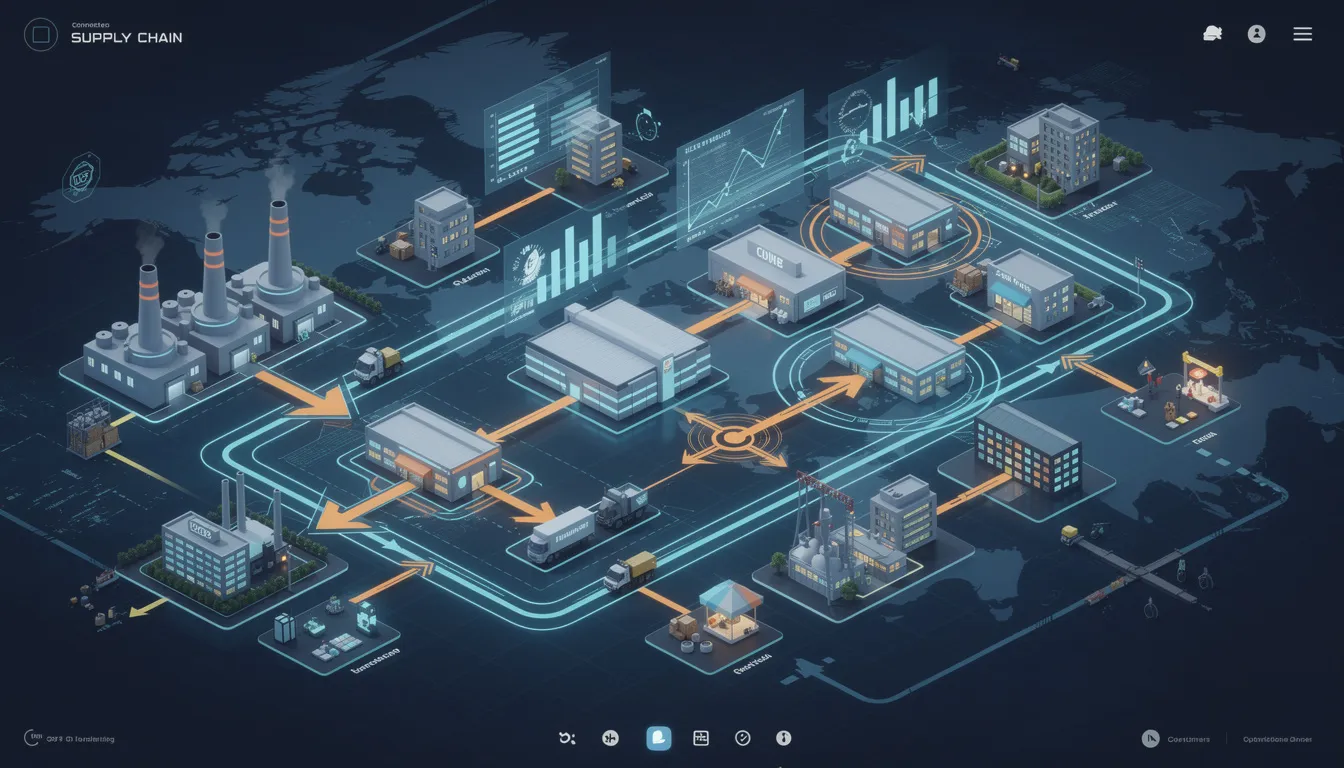
    Value stream mapping is a lean process analysis method used to visualize how materials and information move through a product or service workflow from request to delivery. It commonly shows process steps, handoffs, queues, decision points, cycle times, wait times, inventory or work-in-process, and the information signals that trigger work.

    In manufacturing, value stream mapping is used to describe the end-to-end flow across operations such as planning, receiving, production, inspection, rework, packaging, and shipment. It is broader than a single workstation study because it looks at the full stream of activities and delays, including both physical flow and system or communication flow.

    A value stream map is not the same as a detailed work instruction, routing, or process flowchart. It is a higher-level view intended to make lead time, non-value-added activity, bottlenecks, rework loops, and coordination gaps visible. Depending on the organization, it may be created for a current state and a proposed future state.

    What it typically includes

    • Major process steps across the value stream

    • Material movement between steps, cells, suppliers, or storage points

    • Information flow such as ERP, MES, scheduling signals, release approvals, or manual communication

    • Timing data such as cycle time, changeover time, uptime, queue time, and total lead time

    • Inventory, WIP, backlogs, or other waiting points

    • Quality loops such as inspection, rework, or nonconformance handling where relevant

    Operational meaning in manufacturing systems

    Operationally, value stream mapping helps teams connect process reality across departments and systems. In regulated or traceability-heavy environments, the map may include approvals, documentation steps, inspection gates, genealogy capture, or handoffs between ERP, MES, QMS, and shop floor activities. The purpose is still process understanding, not system design by itself.

    For example, a manufacturer might map the path from order release through kitting, production, inspection, and shipment to see where work waits for material, traveler updates, quality review, or data entry into connected systems.

    Common confusion

    Value stream mapping is often confused with process mapping, spaghetti diagrams, and standard work documentation.

    • Process mapping usually focuses on step sequence and decision logic within a process. Value stream mapping adds timing, flow, and system-level delay across the broader stream.

    • Spaghetti diagrams show physical movement paths. Value stream mapping covers overall material and information flow, not just motion.

    • Standard work or work instructions define how a task is performed. Value stream mapping does not replace task-level instructions.

    Boundary of the term

    The term commonly refers to the mapping method and the resulting visual map. It does not by itself mean a digital twin, a simulation model, or a compliance record, although those may use related process data.

  • PO to WO Linkage

    PO to WO linkage commonly refers to the systematic connection between purchase orders (POs) and work orders (WOs) in manufacturing and supply chain execution. It describes how external or internal demand recorded on a PO is tied to the manufacturing or processing steps executed under one or more WOs.

    What it includes

    In regulated and industrial environments, PO to WO linkage typically includes:

    • Identifying which work order(s) are fulfilling a specific customer or internal purchase order line.
    • Maintaining references between PO numbers, line items, and corresponding WO numbers in ERP, MES, or planning systems.
    • Ensuring that production status, quality results, and shipment details on a WO can be traced back to the originating PO.
    • Supporting multi-level relationships, such as one PO being fulfilled by multiple WOs or one WO serving multiple PO lines, where the system allows it.

    This linkage can exist:

    • Within a single company, connecting customer sales orders and internal production WOs.
    • Across organizational boundaries, where an OEM’s PO is linked to a supplier’s internal WOs for that part or assembly.

    Operational meaning

    Operationally, PO to WO linkage affects how work is planned, executed, and monitored:

    • Planning and MRP: MRP systems use POs (customer demand or intercompany demand) to generate or adjust WOs and purchase requisitions. Linkage provides clear traceability from demand to production.
    • Supplier orchestration: OEMs and Tier 1 suppliers often want visibility into which WOs at a critical supplier correspond to their POs, so they can track real-time status, risks, and readiness to ship.
    • Quality and traceability: Non-conformances, inspections, and deviations logged at the WO level can be associated with the relevant PO, supporting customer notifications, containment actions, and record-keeping.
    • Logistics and ASN: When shipments are prepared, the advanced ship notice (ASN) and packing information often reference both the PO and the WO(s) that produced the shipped items.
    • Costing and performance: Costs and schedule adherence captured at the WO level can be rolled up and analyzed in the context of the PO, customer, or program.

    How it shows up in systems

    Different systems model PO to WO linkage in various ways:

    • ERP: Commonly stores the primary reference between sales orders or purchase orders and the work orders that were created to fulfill them. This may appear as direct links in order tables or via allocation records.
    • MES: Often references an ERP WO as the execution object, while keeping the PO number available for context, dashboards, labels, and traceability reports.
    • Supplier portals: May allow mapping between an OEM PO and the supplier’s internal WOs for status updates, commit dates, and change management.

    In practice, PO to WO linkage can be:

    • One-to-one: A single PO line drives a single WO.
    • One-to-many: A PO line is split across several WOs (for capacity, batch size, or site reasons).
    • Many-to-one: Multiple PO lines or releases are produced on shared WOs, which requires careful allocation and traceability rules.

    Use in multi-tier supply and critical suppliers

    For OEMs working with critical or regulated suppliers, PO to WO linkage is a foundation for multi-tier visibility. When suppliers expose limited but standardized status signals tied to both the OEM PO and their internal WO, OEMs can monitor:

    • Whether work has been started or is queued.
    • Current operation status or hold conditions on the WO.
    • Completion, inspection, and shipment readiness for PO positions.

    This can be implemented through lightweight connections into supplier ERP/MES, shared portals, or structured status files, without requiring full real-time system integration.

    Common confusion

    • PO to WO linkage vs. ATP/CTP: Available-to-promise (ATP) and capable-to-promise (CTP) are planning concepts that may use POs and WOs, but they are not themselves the linkage. PO to WO linkage is the underlying reference structure.
    • PO to WO linkage vs. lot/batch traceability: Lot or batch traceability follows material across many orders and operations. PO to WO linkage is specifically about relating commercial or internal demand records (POs) to the work orders executing that demand.
    • PO vs. work order: A PO is a commercial, purchasing, or customer order document. A work order is an internal execution object that instructs operations or a supplier process on what to build or process.

    When PO to WO linkage is important

    PO to WO linkage is especially important when:

    • Customers require clear traceability from deliveries back to orders and manufacturing records.
    • Suppliers must manage complex programs with many engineering changes and part revisions.
    • Plants run high-mix, low-volume work where shared resources serve multiple orders.
    • Auditability, conformance documentation, and evidence of correct fulfillment are required.
  • What is the role of the execution layer in supporting AS9100 traceability requirements?

    The execution layer is where most AS9100 traceability evidence is actually created and connected. In practice this is usually an MES or execution control system, digital travelers, and related shop-floor applications that sit between ERP, PLM and QMS on one side and machines, tooling and operators on the other.

    Core role: creating & linking traceability records

    AS9100 requires you to demonstrate what was built, how it was built, with what, by whom, and under which controlled conditions. The execution layer supports this by:

    • Capturing “as-built” history for each part, assembly, or lot at the time work is done, not after the fact.
    • Enforcing routing and operation sequence so that required steps are recorded instead of skipped or bypassed.
    • Linking identifiers (part/serial numbers, batch/lot numbers, work orders, NCs, tools, gages) into a coherent genealogy.
    • Generating time-stamped records with user IDs, workstation IDs, and status codes that can be queried during audits and investigations.

    Material & component traceability

    AS9100 expects you to demonstrate control of materials and components used in production. The execution layer typically supports this by:

    • Recording material consumption at the operation or work-center level, associating specific lots/serials to the parent assembly or serialized product.
    • Verifying material status (released from receiving inspection, shelf-life valid, special storage requirements met) at the point of use.
    • Maintaining forward and backward genealogy so you can answer both “what went into this serial number?” and “where else did this lot go?”

    How deep this goes (full unit-level genealogy vs. lot-level only) depends on product risk, contract requirements, system configuration, and operator discipline.

    Process, equipment & tooling traceability

    AS9100 focuses on controlled and repeatable processes. The execution layer supports this by:

    • Enforcing approved routings and revisions that originate in PLM/engineering and are released via document control.
    • Recording process parameters or key results (where integrated) from machines, test stands, or manual input for special processes and critical operations.
    • Associating equipment and tooling (machine IDs, fixture IDs, program numbers) with the work being performed.
    • Blocking or warning on out-of-calibration tools or equipment, when integrated with calibration/asset systems.

    The strength of this traceability depends on how completely equipment and tooling data are digitized and whether those systems are integrated or still paper-based.

    Operator, training & authorization traceability

    AS9100 requires you to control who is authorized and competent to perform specific work. Execution systems can support this by:

    • Capturing operator IDs for each operation, inspection, or sign-off.
    • Enforcing authorization rules (e.g., only qualified welders can start certain operations) when integrated with training records or HR/QMS.
    • Maintaining an audit trail of overrides and dual sign-offs for special characteristics or critical steps.

    These controls only hold if the execution layer is actually used as the system of record at the station, rather than work being done off-system and back-entered later.

    Nonconformance, rework & disposition traceability

    AS9100 emphasizes control and documentation of nonconforming outputs. The execution layer is often where nonconformance events are first detected and where the “as-built” trace is updated by:

    • Flagging nonconforming parts or operations at the point of detection and routing them into the NCR/MRB process.
    • Linking NCR IDs and dispositions (use-as-is, repair, scrap, rework) to specific serial numbers, work orders, and batches.
    • Recording rework operations and re-inspections so the final history shows the real path of the product, not just the ideal route.

    Whether this lives fully inside MES or is split across MES and a separate QMS/NCR tool is a design choice. The key for AS9100 traceability is consistent identifiers and reliable integration between systems.

    Documented information & revision control at the point of use

    AS9100 requires control of documented information (work instructions, drawings, specifications). The execution layer helps by:

    • Presenting only current, approved versions of work instructions and drawings at the station.
    • Linking the revision actually used to each operation or work order, creating evidence that work was done to the correct issue.
    • Preventing work start when a routing, spec, or WI has been superseded but not properly released into production.

    This relies on disciplined version governance in PLM/engineering and robust change control. If design and process changes are poorly managed, the execution system cannot protect traceability on its own.

    Auditability, searchability & evidence retrieval

    AS9100 auditors expect you to retrieve traceability evidence quickly and consistently. The execution layer is central to that by:

    • Providing queryable histories by serial number, lot, work order, date range, or operation.
    • Maintaining system audit trails that show who changed what, when, and under which approval.
    • Feeding structured data to QMS and reporting tools to support internal audits, customer audits, and investigations.

    The value here depends on data quality, master data discipline, and how well the execution layer is integrated with QMS/ERP. Poor configuration or inconsistent shop-floor use will still result in slow, manual evidence gathering.

    Coexistence with ERP, PLM and QMS in brownfield environments

    In most aerospace plants, the execution layer does not replace ERP, PLM, or QMS. Instead, it sits between them and the shop floor:

    • ERP remains the commercial and high-level manufacturing record system (orders, financial inventory, planning).
    • PLM/engineering remains the design and configuration authority (BOMs, routings, specifications).
    • QMS remains the home for procedures, audits, CAPA, and higher-level quality management.
    • Execution systems create the detailed as-built history and genealogy and push key data back up.

    Full replacement of legacy MES or homegrown travelers is often unrealistic in aerospace due to validation cost, qualification of new systems, downtime constraints, and the risk of disrupting established, audited processes. Incremental deployment, focused on high-risk or high-visibility product families, is more typical, with interfaces that keep traceability coherent across old and new systems.

    Limits & dependencies

    The execution layer is necessary for robust, scalable traceability in complex aerospace operations, but it is not sufficient by itself to “achieve AS9100 compliance.” Its effectiveness is constrained by:

    • Configuration and master data quality (BOM/routing correctness, identifier discipline, clear linking rules).
    • Integration with ERP, PLM, QMS, calibration, and NCR systems so traceability is end-to-end rather than siloed.
    • Process maturity and change control, ensuring engineering changes and procedure updates are reflected before work starts.
    • Operator adoption and training, avoiding backfilling and workarounds that undermine the record.
    • Validation and qualification of the system where required by customers or regulators.

    Used correctly, the execution layer becomes the backbone of AS9100 traceability, but outcomes will vary significantly between plants based on how these dependencies are handled.

  • What traceability data does MES typically store for aerospace parts?

    Core part and lot identity

    In most aerospace environments, MES is configured to store a stable identity for each part, lot, or serialized unit, but the depth varies by site and by program. At minimum, this usually includes internal part number, revision or configuration identifier, and some form of lot or serial number. Many systems also store build-to configuration links, such as references to specific work orders, routers, or effectivity-controlled build standards. Where MES is integrated with PLM or ERP, it may also hold cross-references to engineering part numbers, customer part numbers, or contract identifiers, but these references can be incomplete or inconsistent on older programs. You should not assume that every MES instance holds the same identity model; it depends heavily on how it was implemented and validated.

    Genealogy and component traceability

    Aerospace MES implementations typically aim to store forward and backward genealogy for assemblies, but how reliably this works depends on discipline at data entry and the maturity of integrations. At the assembly level, MES often records which child parts, subassemblies, and consumables were used to build each parent unit, typically via scan or manual entry at specific operations. For serialized components, MES may store individual serial numbers and lot codes, while for bulk materials it may only store lot or batch IDs. Rework and replacement events can fragment genealogy if the process is not well controlled and validated, leaving gaps in parent-child links. Legacy or mixed-vendor cells sometimes track genealogy partly in MES and partly in spreadsheets or paper travelers, which weakens end-to-end traceability.

    Process history and routing execution

    MES usually maintains a detailed execution history for each part as it moves through its routing or traveler, but how granular that history is can vary greatly. Typical data includes which operations were performed, in what sequence, and when each was started and completed. Many systems also store which standard work or revision of the routing was active at the time, but that linkage often depends on integration with PLM or routing masters in ERP. Deviations, rework routes, and non-standard operations may be logged, yet the level of structure (coded rework operations versus free-text comments) is often inconsistent. In partial or staged MES rollouts, only selected work centers may be tracked in detail, leaving upstream or downstream steps effectively dark from a system-traceability standpoint.

    Equipment, tooling, and fixture traceability

    For special processes and critical operations, MES is often configured to record which machines, ovens, test stands, or other equipment were used on each part. This may include equipment IDs, software or parameter set identifiers, and sometimes environment data captured from connected systems. Tooling and fixture traceability is more uneven: some plants log fixture IDs, torque tool IDs, and calibration status at each use; others only track calibration in a separate system and rely on procedure discipline rather than tight MES linkage. When equipment data comes from interfaces with SCADA, historians, or local controllers, communication failures and mismatched asset IDs can create blind spots. As a result, tracing a part back to exact equipment conditions can be straightforward in some cells and nearly impossible in others without manual reconstruction.

    Materials, batches, and special processes

    MES in aerospace typically stores which raw material lots, chemical batches, and special process batches (heat treat, plating, composites cure, etc.) were applied to each part or lot. At a minimum, this often includes batch or lot number, process type, and basic run identifiers; more mature implementations may also tie in furnace or autoclave run IDs, recipe names, and critical parameter summaries. However, much of the detailed parameter data (temperature profiles, pressures, times) may live primarily in specialized process systems or data historians rather than directly in MES. When these systems are not tightly integrated, MES may only store a reference to an external batch record, weakening unified digital traceability. You should verify exactly which material and process links are enforced and which are optional or manual in your environment.

    Operator actions, approvals, and qualifications

    Most MES configurations for aerospace store who performed, verified, or approved each significant step, typically via user logins, electronic signatures, or badge scans. Records often capture operator ID, inspector or supervisor ID, timestamps, and sometimes role or authority level. In more integrated setups, MES may verify operator qualifications or training status by referencing a separate learning or qualification management system, but this linkage is not universal and may degrade over time if not maintained. When shared accounts, badge sharing, or offline operations occur, the integrity of operator traceability is weakened even if the MES schema technically supports it. You should treat operator traceability as only as strong as the site’s access control discipline and e-signature validation practices.

    Nonconformances, defects, and concessions

    Where MES overlaps with or integrates into QMS functions, it may store nonconformance records tied directly to part IDs, operations, and work orders. Typical data includes defect codes, severity, location on part, suspected cause, and the associated disposition or concession decision. However, many aerospace organizations still manage detailed nonconformance, MRB, and concession processes in a dedicated QMS or PLM tool, with MES only carrying a reference number or high-level status. This split can create partial traceability in MES: it knows that a part had a nonconformance and that it was dispositioned, but the full technical rationale and risk assessment may sit elsewhere. For root cause analysis and field investigations, teams often have to correlate MES data with QMS and PLM records manually.

    Test, inspection, and measurement data

    MES implementations usually record whether required inspections and tests were completed and whether they passed or failed, along with who performed them and when. Some systems also capture key measurement values directly, especially for in-process checks and critical dimensions, but large or complex data sets from CMMs, NDT systems, or functional tests are often stored in separate systems or files. In many brownfield aerospace plants, MES stores only summary results or links to external test reports rather than full raw data. This can be adequate for routine traceability but limiting for deep investigations or statistical analysis. Any assumption that “all test data is in MES” should be validated against actual interfaces and historical practices.

    Document, configuration, and revision references

    MES usually stores references to the work instructions, drawings, specifications, and configuration baselines that applied at the time of production, but how precise this is depends on change control and integration quality. Some sites link operations directly to specific document IDs and revisions and enforce effectivity by date, lot, or serial number through integration with PLM and document control systems. Others rely on manual selection of documents by operators or static links that are not updated reliably when engineering changes occur. In the latter case, MES may show which document was nominally used, but that may not match what operators actually referenced on the floor. When investigating configuration issues, teams often need to reconcile MES records with independent document management logs.

    Data retention, gaps, and brownfield realities

    Even when MES is designed to hold rich traceability data, what is actually present for a specific program or era may be constrained by project scope, cutover decisions, and retention policies. Older parts may have incomplete data if they span a time before MES rollout, during partial implementation, or through major system migrations. Interfaces with ERP, PLM, QMS, and process systems are common failure points, leading to missing genealogy links, orphaned nonconformance references, or equipment data that was never actually captured. Long equipment and program lifecycles in aerospace mean that multiple generations of systems and schemas often coexist, and some traceability still relies on scanned paper, local databases, or operator logs. Anyone relying on MES for regulatory or customer traceability needs to verify the real content and quality of records for the specific timeframes and product families in scope.

    Connecting this to your own environment

    To determine what traceability data your MES actually stores for aerospace parts, you will need to look beyond vendor documentation and check configured fields, interfaces, and validated use cases. Start by sampling records for several representative programs and time periods, and see which of the categories above are fully populated, partially filled, or missing. Compare MES records with external sources like QMS, PLM, and process systems to identify where traceability chains break or rely on manual steps. In many plants, extending traceability means tightening barcode or RFID use, hardening integrations, and bringing some QMS or special-process data closer to MES rather than expecting a complete replacement of existing systems. Any change to traceability scope should go through proper change control and validation, especially where electronic records are used to support certifications or customer audits.

  • What are examples of MES alerts that reduce AOG risk?

    How MES alerts can actually impact AOG risk

    MES alerts reduce AOG risk when they prevent flight‑critical nonconformances from escaping, or when they protect schedule on parts and assemblies that sit on the AOG critical path. In practice this only works if the MES is tightly aligned with engineering configuration, quality rules, and material availability constraints. Alerts that simply add noise without clear ownership and response plans can increase risk by driving operator workarounds. In brownfield environments, you typically have to layer these alerts on top of legacy ERP, PLM, and QMS, so data consistency and interface reliability become limiting factors. The goal is not maximal alerting, but a small set of well‑defined, validated alerts tied to specific AOG drivers.

    Examples of quality and conformance alerts that protect airworthiness

    One high‑value alert is for use of nonconforming or unapproved parts in a flight‑critical assembly, triggered when a lot is on hold in the QMS or has open nonconformance reports. Another is an alert that blocks operation start if required special process certifications (e.g., heat treat, NDI, coatings) are missing, expired, or not matched to the current configuration. MES can also issue alerts when inspection or test results fall into pre‑defined degradation bands that are not yet out‑of‑tolerance but suggest an elevated escape risk. For repaired or overhauled components, alerts that detect missing disassembly, inspection, or replacement operations in the routing help avoid incomplete work that might only surface when the aircraft is down. The effectiveness of all these alerts depends on reliable interfaces to the QMS, validated rules for which characteristics are flight‑critical, and robust procedures for manual overrides.

    Configuration control alerts that prevent AOG from wrong‑build issues

    Configuration mismatch is a frequent hidden driver of AOG, and MES can help by alerting when the shop order’s planned configuration does not match the current approved configuration in PLM. Useful alerts include blocking release if an outdated engineering revision, service bulletin, or modification state is being used for a serialized aircraft part. Another example is an alert when a component’s actual as‑built configuration does not match the as‑planned BOM or routing, such as missing mods or substituted parts that are not engineering‑approved. For serialized flight hardware, alerts that fire when traceability links (parent–child serial relations, lot‑to‑serial mapping, or special process traceability) are incomplete before closeout can prevent aircraft‑level configuration errors later. These alerts only work when PLM, ERP, and MES are synchronized with clear ownership of which system is the master for configuration data.

    Material and logistics alerts linked to AOG‑critical components

    MES can also reduce AOG risk by signaling when material or WIP issues threaten availability of known AOG‑critical items. One pattern is an alert when a work order for a part that appears on AOG critical lists is late at a gate operation that historically drives schedule slippage. Another is an alert for kitting or pick issues where a required flight‑critical component is short, substituted, or coming from a lot with limited remaining life (e.g., shelf life or life‑limited parts), prompting proactive rescheduling or alternate sourcing. In MRO contexts, alerts that trigger when parts required for a planned check or modification are not yet available, but the aircraft induction date is fixed, can shift the risk from on‑wing time to earlier in the planning window. These alerts require accurate critical‑part designation, clean item master data, and integration between MES, ERP, and planning systems.

    Process adherence and documentation alerts that avoid release delays

    Many AOG events are not caused by hardware defects but by incomplete records or unverified process steps discovered late. MES can mitigate this by alerting when mandatory inspection operations, sign‑offs, or dual‑inspections for flight‑critical tasks are missing before a lot or serial can move forward. Another valuable alert type flags when prerequisite operations (e.g., torque, safety wire, leak test) are recorded out of sequence or performed by personnel without current qualifications, forcing re‑inspection before the part leaves the shop. For documentation, alerts can trigger if required attachments such as certificates of conformance, special process reports, or deviation approvals are missing at ship‑release. These alerts reduce the chance that an aircraft is held AOG because paperwork cannot be reconciled, assuming your routing content, training records, and document links are all current and validated.

    Deviation, concession, and rework alerts that protect future maintainability

    When deviations or concessions are granted to keep production moving, they can create latent AOG risk during future maintenance or modification events. MES can help by issuing alerts when you attempt to use a deviation that has expired, is approved only for a specific serial, or conflicts with a later design change. During rework or repair, alerts can ensure that re‑inspection and re‑test operations tied to the concession are added and completed, rather than closing the work order using the original, non‑rework routing. Another important alert type is when a part with concessions affecting interchangeability is assigned to an aircraft or tail where the configuration or maintenance plan does not accommodate that deviation. These controls depend heavily on how well your deviation and concession data in the QMS or PLM is structured and mapped into the MES rules engine.

    Constraints, tradeoffs, and brownfield realities

    Deploying these alerts into an existing aerospace‑grade environment is constrained by integration quality, validation effort, and change control. Every alert that can block work or shipment must be validated, traced to requirements, and governed through configuration management, which limits how many you can realistically sustain. In brownfield plants with mixed MES/ERP/QMS generations, you often cannot implement every alert end‑to‑end; you may need to start with high‑risk areas and accept manual checks elsewhere. Excessive or poorly tuned alerts can cause operators to seek workarounds, eroding data integrity and actually increasing AOG risk. Instead of aiming for full replacement of legacy controls with automated alerts, most organizations get better outcomes by layering a small, high‑impact alert set on top of existing procedures and tightening them over time based on incident and AOG data.

    Connecting these alerts to actual AOG events

    To make MES alerts meaningfully reduce AOG risk, they must be derived from analysis of real AOG and near‑miss events, not from generic best‑practice lists. This typically involves mapping back from aircraft‑level delays to specific part numbers, routings, and failure modes, then encoding those patterns as alert triggers and thresholds. Over time, incidents and nonconformances that contributed to AOG should be reviewed to refine or retire alerts, and to add new ones where gaps are found. It is also important to define clear response playbooks for each alert type, including who acts, within what timeframe, and how overrides are documented and reviewed. Without this closed loop, MES alerts become another notification channel rather than a practical control that materially improves aircraft availability.

  • How do you handle kit changes after production has started?

    Why kit changes in-flight are risky

    Changing a kit once production has started is inherently high risk because it disrupts a configuration that has already been planned, documented, and often partially built. At that point, bills of material, routings, travelers, and quality plans may already be instantiated, and operators may be following printed or cached instructions. Uncontrolled changes can create mixed configurations on the line, undocumented rework, and gaps in traceability. In regulated environments, this quickly turns into a documentation and audit exposure, not just an efficiency issue. For that reason, in-flight kit changes need to be treated as controlled configuration changes, not quick fixes.

    Start with clear triggers and decision gates

    You need defined triggers for when a kit change is even allowed after production start, such as formally logged nonconformances, customer-driven configuration changes, or safety-critical design updates. Each trigger should route through a decision gate involving at least engineering and quality, and often production planning. At that gate, the team decides whether to stop the order, scrap or rework parts, or proceed under controlled change with updated kits. In many brownfield plants this decision process is partly manual, but it still needs documented criteria and accountable approvers. Without clear gates, production staff will improvise, leading to uncontrolled divergence between the physical build and the documented configuration.

    Perform a structured impact assessment first

    Before changing any kits, perform an impact assessment covering technical, quality, and schedule implications. From a technical standpoint, identify which assemblies and serial numbers are already at which build step and whether the new kit content is forward- and backward-compatible. From a quality and regulatory angle, clarify whether this is a design change, a deviation, or a concession, and what level of documentation and validation evidence is required. Operationally, check capacity to rework affected units, material availability for revised kits, and any knock-on effects on downstream test or inspection. In older MES/ERP environments this analysis often relies on a mix of system queries and manual line walks; pretending it is fully automated when it is not is a source of errors.

    Control work in progress and separate configurations

    Once you commit to a kit change, you must prevent uncontrolled mixing of old and new configurations on the floor. A pragmatic pattern is to clearly separate work-in-progress into: units that will finish under the old kit, units that will be reworked to the new kit, and units not yet started that will begin with the new kit. Physical segregation, clear traveler markings, and line-side signage are often as important as system flags, especially in plants that still rely on paper travelers. If you attempt to drive everything purely through system statuses without physical controls, you increase the risk of operators following obsolete instructions or pulling the wrong components.

    Update BOMs, routings, and travelers under change control

    Any in-flight kit change should flow through your existing change control process, even if you need an expedited path. That typically means updating the BOM and relevant routings or work instructions, with clear effective dates or effectivity by serial/lot. Travelers or electronic work orders must reflect which configuration applies to which unit, and which additional steps (e.g., removal and replacement) are required. In brownfield stacks, aligning ERP BOMs, MES work instructions, and line documentation is often the hardest part and the main source of mismatch. If these systems cannot be synchronized quickly, you may need temporary controlled workarounds, like controlled rework sheets tied to specific serials, while formal master data updates catch up.

    Handle physical material and kitting logistics explicitly

    Changing a kit is not just a data change; it is a physical materials problem. Old components already issued to the order may need to be quarantined, returned to stock, or scrapped with proper disposition records. New components must be picked, verified, and staged, ideally with barcode or RFID checks where available, but often still supported by manual counts. Point-of-use storage labels and kanban bins may need to be updated to avoid operators grabbing superseded parts. If warehouse and production systems are weakly integrated, expect manual reconciliations between inventory records, kitting lists, and what operators actually have at the station, and plan for that overhead in the process.

    Maintain full traceability and documentation of the change

    For regulated work, traceability of what changed, when, for which units, and under whose approval is non-negotiable. Every affected serial or lot should be linked to the specific change record, deviation, or concession identifier. Inspection records, test results, and certificates of conformity must reflect the final as-built kit, not just the original plan. In older or fragmented IT environments, this often means supplemental documentation such as annotated travelers, controlled rework forms, or configuration summary sheets. The key is that an auditor can reconstruct, without guesswork, how the final configuration for each unit relates to the change and when the new kit content became effective.

    Plan for validation, qualification, and re-verification where required

    If the kit change alters form, fit, function, or process parameters in a regulated product, you may trigger the need for additional validation or qualification steps. That might include targeted re-qualification runs, additional first-article inspections, or temporary 100% inspection versus sampling. The burden depends heavily on your sector, customer contracts, and change classification, so the process must call this out explicitly. Attempting to shortcut these steps to avoid downtime can create bigger issues later when nonconformances surface in the field or during customer audits. Because full revalidation is costly, plants often use risk-based approaches, but those need to be documented and consistently applied, not improvised.

    Brownfield coexistence: accept partial automation and manual controls

    In most existing plants, the systems landscape cannot fully automate or perfectly synchronize in-flight kit changes. ERP, MES, PLM, and QMS often use different identifiers, update cycles, and ownership, making real-time effectivity control difficult. Effective handling usually combines: minimal but clear system changes (like status flags and revised BOMs), structured but manual communication (like focused line briefings), and simple physical controls (segregation, labels, and traveler annotations). Attempts to replace or heavily re-platform systems just to handle rare kit changes often fail under the weight of validation, integration complexity, and downtime risk. It is usually more realistic to strengthen procedures, training, and simple integration points than to chase a fully automated, zero-manual-touch solution.

    Connecting this to your environment

    If your current process for mid-build kit changes consists mainly of emails and verbal instructions, you likely already carry hidden risk in traceability and configuration control. A practical first step is to formalize triggers, decision gates, and minimum documentation requirements, even if your systems remain unchanged. From there, you can incrementally improve by tying change records to work orders in your existing MES/ERP, and by using simple physical controls on the line to separate configurations. Over time, you can target the highest-risk gaps—such as unsynchronized BOMs or poor serial-level tracking—rather than trying to redesign the entire stack around this one class of event.