Tag: ERP

  • Integrating Non-Conformance Management With ERP and MES in Aerospace

    Integrating Non-Conformance Management With ERP and MES in Aerospace

    In aerospace manufacturing and MRO, non-conformance reports (NCRs) do not live in a vacuum. Every quality decision affects production schedules, inventory availability, cost accounting, and—ultimately—flight safety. When NCR workflows are disconnected from enterprise resource planning (ERP) and manufacturing execution systems (MES), organizations end up with blind spots, double entry, and conflicting data that erode both efficiency and compliance.

    Integrating non-conformance management with ERP and MES creates a single coherent story across work orders, inventory, and quality records. Done well, it lets teams see—within minutes—what material is affected, which operations are blocked, what the cost impact is, and when a line can restart. Done poorly, it introduces new failure modes, data inconsistencies, and audit risks.

    For teams putting erp / mes / plm interoperability into daily operation, data mapping and system interoperability, MES execution control, shop floor execution control help connect the concept to traceability, work-order reality, and audit-ready evidence.

    The same operating model also depends on ERP, MES, and PLM integration paths, quality management workflows, a connected execution platform, Connect 981’s aerospace execution solutions, especially when decisions have to move across quality, production, suppliers, and program leadership without losing context.

    This article explains how to integrate non-conformance management with ERP and MES in aerospace environments. It focuses on key data flows, typical integration scenarios, and design considerations that support reliability, traceability, and regulatory compliance.

    For a broader view of process design before you tackle integration, see our guide on integrated aerospace quality workflows.

    Why NCR Integration With ERP and MES Matters

    Aerospace organizations often start with quality-managed NCRs in a standalone system or spreadsheet. Over time, they discover that almost every disposition decision requires data held elsewhere: work order status in MES, inventory balances in ERP, contract requirements in a customer portal, and so on. Integration closes these gaps.

    Linking quality events to work orders and routings

    When an inspector raises an NCR, they usually do it in the context of a specific job: a work order, operation, or task. If your NCR system is not tied to ERP and MES, you immediately face problems:

    • Ambiguous context: NCRs reference work orders or operations via free-text fields, increasing the risk of mis-typed IDs and mislinked records.
    • Lost history: Planners and engineers viewing work orders in ERP or MES cannot see associated NCRs without separate searches.
    • Inconsistent status: A work order may look released and executable in MES even though a critical NCR is still open in the quality system.

    Integration solves this by ensuring each NCR is anchored to authoritative production data:

    • The NCR record references the exact work order, operation, operation sequence, and resource from MES/ERP.
    • Work order screens show links or badges indicating open NCRs and their dispositions.
    • Routings and travelers reflect holds or additional steps (e.g., rework operations) derived from NCR decisions.

    Accurate inventory, WIP, and cost accounting

    Every NCR disposition—rework, scrap, or use-as-is—affects quantities and costs. Without integration, these updates depend on manual re-keying into ERP, which is slow and error-prone.

    Key impacts that should be automated via integration include:

    • Inventory balances: Moving parts to quality hold, returning them to stock, scrapping them, or issuing replacements.
    • WIP (work in process): Adjusting WIP quantities when assemblies are partially scrapped or reworked.
    • Cost allocation: Capturing labor, material, and overhead associated with rework or scrap to the right cost centers, work orders, or projects.
    • Customer or contract impacts: Flagging costs that must be charged to a specific program, contract line item, or warranty account.

    With integrated systems, an approved disposition in the NCR workflow can automatically trigger the right ERP transactions—such as inventory adjustments, additional operations, or cost postings—removing the need for duplicate data entry.

    Real-time impact assessment for production planning

    Production planners, schedulers, and program managers need to answer questions such as:

    • How many assemblies are blocked by quality holds?
    • Which lines are at risk if this NCR leads to scrap instead of rework?
    • Do we have enough conforming material to meet this week’s ship dates?

    When NCR, ERP, and MES data are synchronized, planning tools can show the impact of quality events in real time:

    • Work orders and operations affected by open NCRs are clearly visible in planning boards.
    • Inventory availability calculations reflect parts under quality hold.
    • Scenario planning can incorporate potential scrap rates or extended lead times driven by rework.

    Core Data Elements Shared Across Systems

    Successful integration starts with a precise understanding of which data elements are owned by which system—and how they should be referenced in NCR workflows.

    Parts, serial numbers, and configuration baselines

    Aerospace quality decisions hinge on precise identification of parts and configurations. Typical shared elements include:

    • Part and assembly identifiers: Part numbers, revisions, and descriptions managed in ERP/PLM.
    • Serial/lot/batch numbers: Unique identifiers needed for traceability to specific aircraft, engines, or line-replaceable units.
    • Configuration baselines: Which drawing revision, bill of material (BOM), and process specification applied when the unit was built or serviced.

    From an integration standpoint, your NCR system should never maintain its own “shadow” master list of parts or serials. Instead, it should reference authoritative master data from ERP and, where applicable, PLM or configuration management systems.

    Work orders, operations, and resources

    Most NCRs relate to an execution context, which lives primarily in MES and/or ERP:

    • Work orders / shop orders: Job identifiers, quantities, due dates, and related projects or contracts.
    • Operations / tasks: Routing steps, standard work instructions, and inspection operations.
    • Resources: Machines, tools, and cells, plus the operators or technicians executing the work.

    Integrating non-conformance management with ERP and MES means NCR records can:

    • Automatically pull in the correct work order and operation when raised from an MES screen.
    • Associate resource usage (machine, fixture, tool) with the deviation to support root cause analysis.
    • Feed back rework operations or additional inspections into routings as part of approved dispositions.

    Suppliers, customers, and contracts

    External stakeholders are a critical part of aerospace non-conformance management:

    • Suppliers: Vendor IDs, purchase orders, delivery notes, and certificates of conformity.
    • Customers: Contract references, customer-specific quality clauses, and deviation permit processes.
    • Regulatory and contractual constraints: Requirements for notification, approval workflows, and retention periods.

    Quality systems must use supplier and customer master data from ERP/CRM to ensure that notifications, charge-backs, and reporting align with commercial agreements. For example, an NCR against incoming material should be directly linked to the originating PO and supplier record, not just recorded via free text.

    Typical Integration Scenarios

    Most aerospace organizations converge on a handful of common NCR–ERP–MES integration patterns. The specifics vary, but the underlying scenarios are remarkably consistent.

    Creating NCRs from ERP/MES context

    The most visible integration requirement is the ability to launch an NCR from within ERP or MES while preserving context:

    • Inspector in MES identifies a defect during an in-process check and raises an NCR against the current operation.
    • Receiver in ERP identifies a discrepancy at incoming inspection and triggers an NCR from the purchase order or receipt line.
    • Planner finds a documentation error on a work order and opens an NCR tied to that job.

    Key design choices include:

    • Single sign-on and deep links: Users click a button in MES/ERP and are taken directly to a pre-populated NCR form.
    • Pre-filled data: Work order IDs, part numbers, operations, and supplier/customer data are automatically copied from ERP/MES into the NCR.
    • Bidirectional references: The NCR stores the originating ERP/MES keys, and the ERP/MES record stores a link or reference back to the NCR.

    Applying holds and releases in inventory and WIP

    Once an NCR is raised, the organization must prevent suspect material from advancing. Integration enables this without manual phone calls or emails:

    • Inventory holds: An NCR on incoming material automatically sets the relevant lots or serials to a quality-hold status in ERP.
    • WIP holds: Open NCRs against certain work orders or operations can block movement to the next operation in MES.
    • Release logic: When an NCR is dispositioned and containment is verified, the integration can remove holds or redirect units to rework operations.

    Design considerations:

    • Define which system is the system of record for hold/release status (often ERP for stock, MES for WIP).
    • Ensure that NCR workflows cannot close without confirming that physical inventory/WIP status has been updated.
    • Provide clear visibility in ERP/MES screens when a part or job is on hold because of an NCR.

    Posting rework, scrap, and use-as-is decisions

    Disposition drives financial and operational outcomes. Integration should translate quality decisions into concrete ERP and MES transactions:

    • Rework: Create or modify operations in MES, issue additional materials, and capture labor hours against rework tasks.
    • Scrap: Post scrap transactions in ERP to remove inventory/WIP and book the cost to the appropriate account or project.
    • Use as-is / deviation: Record engineering approvals in the NCR system and, where required, update configuration or as-built records in ERP/MES.

    These postings should be as automated as practical, based on pre-defined mapping between disposition codes and ERP/MES transactions. At the same time, aerospace organizations must ensure that IT and compliance teams review any automation to verify it meets internal control requirements.

    Technical Integration Approaches

    No single integration pattern is universally correct. The right design depends on your existing architecture, vendor capabilities, regulatory expectations, and internal IT standards. Most aerospace companies mix several of the approaches below.

    APIs, middleware, and event-driven workflows

    Modern NCR, ERP, and MES platforms often expose REST or SOAP APIs and can publish or consume events. Typical choices include:

    • Direct API integrations: NCR application calls ERP/MES APIs (or vice versa) to retrieve master data and post transactions.
    • Middleware / ESB: An integration layer orchestrates data flows, transforms payloads, and centralizes error handling.
    • Event-driven architecture: Systems publish business events (e.g., “NCRCreated”, “NCRDispositioned”) to a message bus, and subscribers react by updating their own data stores.

    Event-driven designs can reduce coupling and improve scalability but require robust monitoring and governance to avoid silent failures.

    Data mapping and master data management

    Technical plumbing alone is not enough. You must define consistent semantics across systems:

    • Standardized codes for dispositions, defect types, causes, and corrective actions.
    • Common identifiers for parts, customers, suppliers, and resources.
    • Clear ownership rules for who can create or change master data and how those changes propagate.

    Master data management (MDM) practices help here. Whether you use a dedicated MDM tool or governance processes around ERP, the goal is to ensure that all systems refer to the same business objects in the same way.

    Handling offline and multi-site environments

    Aerospace operations often span multiple plants, test facilities, and field locations—some with intermittent connectivity. Integration designs should account for:

    • Local capture: Ability to record NCRs offline on tablets or local systems, then synchronize when connectivity is restored.
    • Latency-aware behavior: Clear rules about what actions can proceed without immediate confirmation from ERP/MES (e.g., temporary local holds vs. enterprise-wide stock status changes).
    • Site-specific variations: Different ERPs or MES instances at different plants, with a central quality system or vice versa.

    For multi-site environments, consider patterns such as hub-and-spoke integration, regional middleware instances, or phased rollouts that allow each site to stabilize before expanding the footprint.

    Designing for Reliability and Traceability

    In aerospace, an integration that “usually” works is not good enough. Systems must support rigorous traceability, predictable behavior under failure, and clear audit trails.

    Error handling and reconciliation

    Integration errors will occur: network timeouts, data validation failures, or mismatched identifiers. Designing for reliability means:

    • Idempotent operations: Replaying integration messages without creating duplicate transactions.
    • Queued retries: Automatic retries for transient failures with backoff policies.
    • Dead-letter handling: A controlled queue or worklist for messages that cannot be processed automatically.
    • Reconciliation reports: Periodic checks comparing key fields (e.g., hold statuses, scrap quantities) across systems to detect drifts.

    Audit trails across system boundaries

    Regulators and customers expect you to prove not only what decisions were made, but also how those decisions flowed through your systems. Practical measures include:

    • Storing correlation IDs that link NCR records to ERP/MES transactions.
    • Logging which integration process invoked which API, with timestamps and outcomes.
    • Ensuring that any automated changes (e.g., inventory status updates from an NCR decision) are traceable to the originating NCR and user.

    These capabilities simplify audits by showing a clear, end-to-end chain from defect discovery through disposition, execution, and financial posting.

    Change management and regression testing

    As processes, systems, and regulations evolve, integrations must change. Before deploying modifications:

    • Use representative test data that includes critical cases (serialized parts, safety-critical items, customer-specific rules).
    • Run end-to-end regression tests that validate not just data movement but also business outcomes (e.g., holds applied, costs posted correctly).
    • Involve quality, production, finance, and compliance stakeholders in sign-off.

    IT and compliance teams should jointly agree on the level of validation required for each type of integration change, especially where it may impact regulatory evidence or financial postings.

    Governance and Continuous Improvement

    NCR–ERP–MES integration is not a one-time project. As product lines, suppliers, customers, and regulations change, so do integration requirements. Governance keeps the solution aligned with the business.

    Defining ownership for integrated processes

    Clarify who owns what:

    • Process ownership: Quality leaders define how NCR workflows should behave and what data they require.
    • System ownership: IT or application owners manage the configuration and technical integrity of ERP, MES, and quality systems.
    • Integration ownership: An integration architect or team maintains the contracts, data mappings, and monitoring around cross-system flows.

    Having named owners makes it easier to resolve issues, prioritize enhancement requests, and manage change.

    Monitoring data quality and integration KPIs

    Beyond technical uptime, monitor indicators that reveal whether integrated processes actually work for the business. Examples include:

    • Percentage of NCRs created from ERP/MES context versus manual entry.
    • Frequency of mismatches between NCR dispositions and ERP inventory or cost data.
    • Number of integration-related incidents discovered during audits.
    • Mean time to apply holds in ERP/MES after NCR creation.

    These metrics help you identify where integrations need refinement or additional training.

    Iterating integration as business needs evolve

    As you mature, you may:

    • Extend integration to new plants or maintenance depots.
    • Incorporate additional systems (e.g., PLM, supplier portals, or field service tools).
    • Automate more of the NCR lifecycle where risk and internal controls allow.

    Approach this as a continuous improvement program, not a one-time rollout. Regularly revisit your integration design in light of new customer requirements, regulatory interpretations, and internal lessons learned.

    Putting It All Together

    Integrating non-conformance management with ERP and MES is a cornerstone of modern aerospace quality operations. By anchoring NCRs to production, inventory, and financial data, organizations can:

    • Reduce manual data entry and associated errors.
    • Provide real-time visibility into the impact of quality issues.
    • Strengthen traceability from defect detection through disposition and execution.
    • Improve readiness for regulatory and customer audits.

    There is no single blueprint that fits every aerospace organization. The right integration architecture depends on your current systems, regulatory posture, and risk tolerance. What matters most is that IT, quality, production, and finance jointly define how data should flow, validate the design against compliance requirements, and treat integration as a living capability that evolves with the business.

  • Aerospace Manufacturing Operations: Executive Guide for Modern Programs

    Aerospace Manufacturing Operations: Executive Guide for Modern Programs

    The aerospace industry in 2025 and 2026 faces a straightforward reality: backlogs are growing, fleets are aging, and the operational approaches that worked a decade ago cannot deliver the throughput required today. COOs and plant leaders must answer a practical question over the next 12 to 24 months. What should we actually do differently in our operations?

    Aerospace manufacturing operations represent the integrated system where precision engineering meets rigorous production standards. This encompasses concept design through industrialization, sourcing raw materials like titanium alloys and ceramic matrix composites, high-volume production via CNC machining and additive manufacturing, final assembly with automated systems, extensive testing, certification under AS9100 and FAA frameworks, delivery to OEMs, and ongoing aftermarket MRO involving disassembly, inspection, repair, and recertification.

    This executive guide connects ERP, MES, quality systems, workforce management, and digital execution strategies into a coherent operational framework. The perspective comes from Connect981, a B2B SaaS platform built specifically for aerospace manufacturing and MRO realities rather than generic discrete manufacturing.

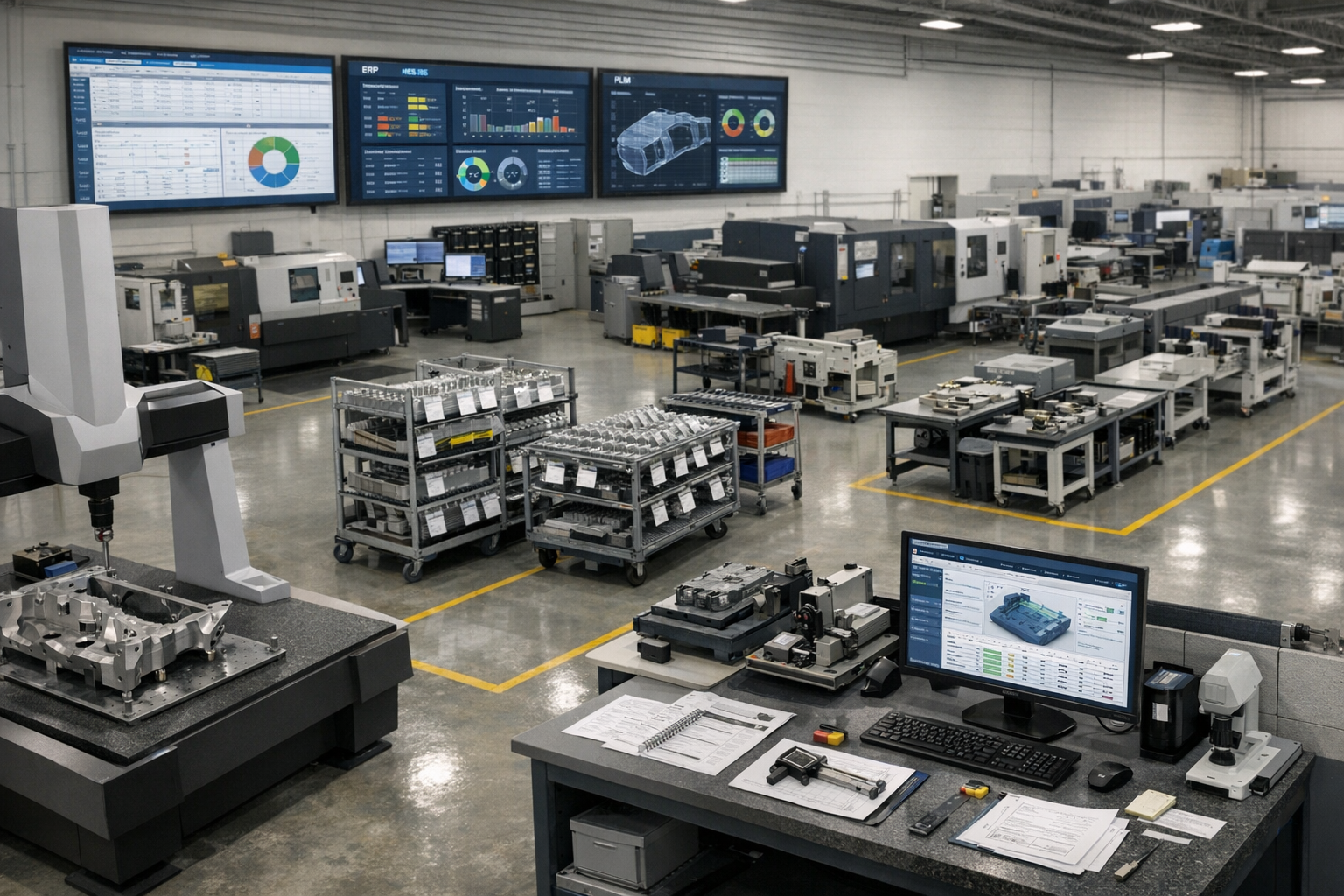
    The image depicts a busy aerospace factory floor, showcasing precision machinery and workers engaged in the aerospace manufacturing process within a controlled environment. This setting highlights advanced manufacturing technologies and emphasizes the importance of safety and performance standards in the aerospace industry.

    The State of Aerospace Manufacturing and MRO in 2025–2026

    The global aerospace parts manufacturing market stood at approximately $930 billion in 2024, projected to reach $1.2 trillion by 2034 with a CAGR of 3.8%. North America continues to dominate due to its mature ecosystem, defense contracts, and leadership in advanced manufacturing technologies including digital twins and AI-powered quality control.

    Key demand drivers shaping aerospace operations include:

    • Commercial aviation recovery with Airbus holding 8,617 outstanding orders and Boeing at 6,528 as of May 2025, translating to roughly 5,000 undelivered aircraft
    • Defense modernization accelerating hypersonics, UAVs, and autonomous systems requiring high production rates
    • Commercial space expansion via reusable launch vehicles and satellite constellations
    • Fleet aging to 11.3 years from 9.7 in 2018, with airlines extending leases 11% more in 2024 versus 2018

    Operational realities include chronic supply chain instability with 12 to 24 month lead times for titanium alloys, semiconductor shortages, and labor constraints with over 60% of aerospace manufacturers citing workforce issues. Certification timelines stretch 6 to 12 months for simple parts and up to 7 years for complex systems such as engines or airframes.

    MRO growth has become a strategic focus area. Engine scarcity crises are reshaping aftermarket economics, with new capacity expansions emerging in Middle East and Asia hubs to address turnaround time pressures.

    Core Building Blocks of Aerospace Manufacturing Operations

    The aerospace manufacturing process follows an end-to-end value chain:

    • Concept design in PLM systems managing configurations and BOMs
    • Industrialization creating build books and route cards
    • Sourcing with approved vendor lists tracking heat lots and batches
    • Production via shopfloor execution with travelers and digital work instructions
    • Final assembly and test incorporating NDT signoffs and torque verifications
    • Certification via AS9102 FAIs and AS9145/APQP processes
    • Delivery and ongoing aftermarket MRO

    The main operational domains include:

    Domain

    Key Activities

    Artifacts

    Engineering and Industrialization

    ECO management, configuration control

    Build books, route cards

    Shopfloor Execution

    WIP tracking, operation sequencing

    Travelers, work instructions

    Quality and Compliance

    CAPA workflows, audit trails

    FAIRs, nonconformance records

    Supply Chain Management

    Supplier OTD, PPM monitoring

    Approved vendor lists, POs

    MRO Operations

    Dynamic routing, findings management

    Task cards, SB/AD compliance logs

    The typical system landscape features ERP for finance and inventory, PLM for design revisions, MES for machine scheduling and OEE, and QMS for nonconformance and audits. Gaps persist in operator guidance, rich routing logic, and cross-system unification. A digital operations layer like Connect981 emerges as the connective tissue, aggregating data without replacing core systems.

    Operational Visibility for Aerospace Leaders

    COOs and plant managers need real-time visibility across programs, sites, and suppliers to monitor WIP status, bottlenecks, quality escapes, and MRO turnaround times. Current visibility gaps typically manifest as weekly slide decks, manual status spreadsheets, email updates from suppliers, and poor cross-site comparability.

    Modern operational visibility means unified dashboards pulling from ERP, MES, QMS, and execution systems into a single pane of glass. Role-based views allow plant managers to see site performance while program leaders track cross-factory progress.

    KPIs aerospace executives should see at a glance:

    • OTD by program targeting 95%+ for tier-1 suppliers
    • First-pass yield typically 85-95% in precision machining
    • Rework rate ideally under 5%
    • Hours per unit by operation
    • TAT by MRO routing with 30-60 day targets for engine shops
    • AS9100 and FAA audit findings trends
    • Supplier delivery and quality performance metrics

    Connect981 acts as that visibility layer by aggregating work order execution data, digital work instructions status, and supplier workflow milestones into live reports. Site comparison views allow leaders to identify which facilities execute similar operations faster and why.

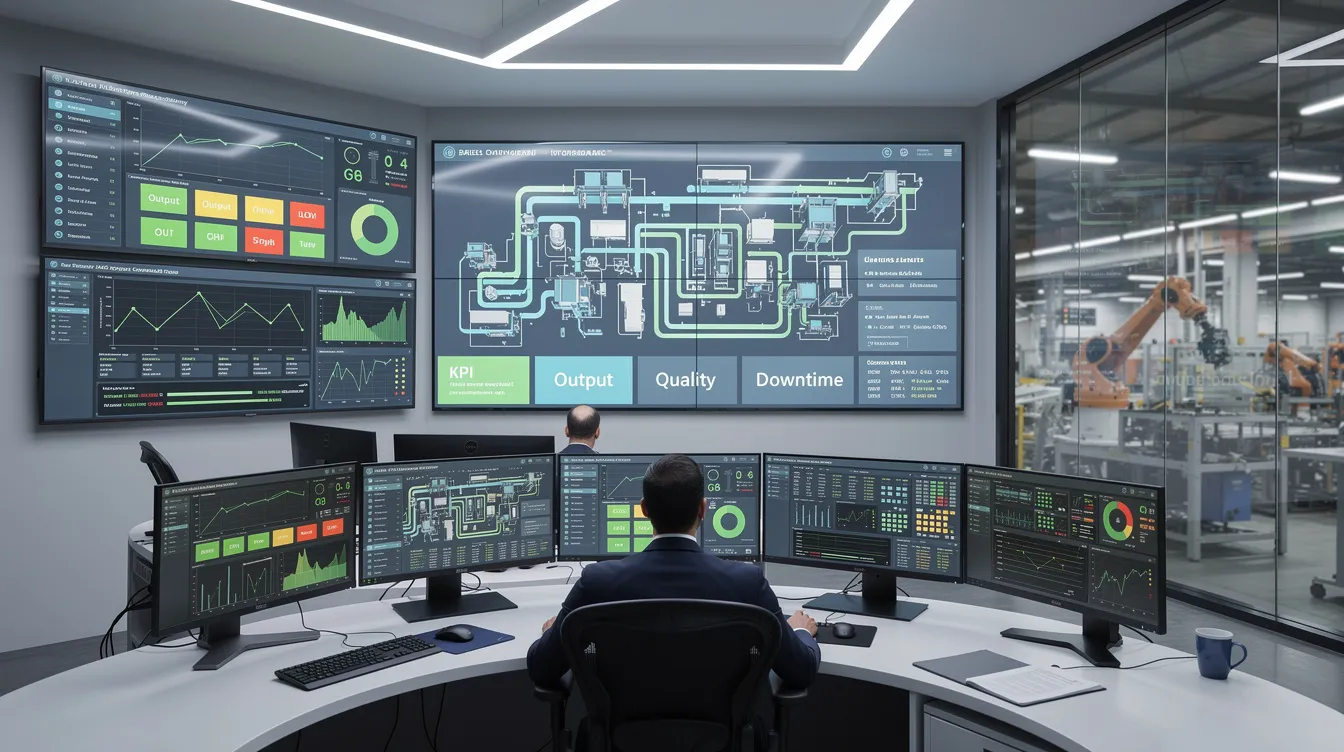
    The image depicts a modern manufacturing control room featuring multiple digital dashboards that showcase real-time production data essential for optimizing aerospace manufacturing processes. This high-tech environment highlights the integration of advanced manufacturing technologies to enhance operational efficiency and ensure compliance with safety and performance standards.

    Scaling Aerospace Programs Without Losing Control

    Ramping a new aircraft, engine, or subsystem program from prototype to LRIP and then to full-rate production presents specific challenges between 2025 and 2030. Commercial aerospace sector OEM ambitions frequently outpace supply chain capacity, while defense industry rapid capability deployment demands accelerated timelines.

    Pain points during scale-up include:

    • Configuration proliferation from engineering change orders
    • Late-breaking engineering changes disrupting production schedules
    • Incomplete build documentation causing rework
    • Inconsistent processes across plants and suppliers amid backlogs

    Standardized digital work packages address these challenges. Routing, work instructions, inspection plans, torque charts, and test steps can synchronize multiple lines via template-based workflows and controlled revision releases. Automated alerts flag when work starts on superseded revisions.

    Scalable operations require governance around AS9100, AS9102 FAI, AS9145/APQP, and NADCAP processes built into daily execution rather than living only in manuals. Complex geometries requiring hybrid additive-traditional manufacturing methods demand consistent documentation across facilities.

    A digital execution layer like Connect981 supports consistent rollouts across multiple factories and suppliers without forcing a full MES overhaul. Templates propagate instantly, and revision control ensures every site works from current documentation.

    Workforce Productivity and the Aerospace Skills Gap

    The aerospace sector faces a skills challenge with high retirement rates among experienced mechanics and machinists combined with difficulty attracting younger talent into complex, regulated environments. Over 60% of aerospace manufacturers cite workforce issues as a primary constraint, with UK manufacturers reshoring over 50% of production to mitigate risks.

    Typical productivity drains include:

    • Searching for the correct revision of work instructions
    • Walking to paper binders for reference documents
    • Re-entering data from travelers into systems
    • Manual article inspection documentation for FAIRs

    Digital work instructions with embedded photos, 3D models, torque charts, and checklists shorten onboarding time by 30-50% and reduce dependency on tribal knowledge. A technician drilling composite panels or assembling wiring harnesses can follow visual guidance rather than interpreting text-heavy procedures.

    AI assistance in platforms like Connect981 guides technicians through root cause analysis, suggests likely causes of recurring defects, and flags missing quality steps. Before digitization, paper-based operations typically take 20-30% longer per unit than digitized flows that capture timestamps and parameters automatically.

    An aerospace technician is focused on a tablet device while working on an aircraft component, highlighting the integration of digital tools in the aerospace manufacturing process. This scene emphasizes the importance of technology in optimizing production processes and ensuring quality control in the aerospace industry.

    Digital Execution Layers vs. Traditional MES and ERP

    Understanding the difference between core transaction systems, heavy MES layers, and modern lightweight digital execution platforms clarifies where gaps exist.

    ERPs handle orders, finance, and inventory well but fall short on operator guidance, in-process quality checks, and detailed traceability at the operation level. Traditional MES manages machine scheduling, OEE, and automation interfaces but gaps appear in documentation control, rich routing logic, supplier collaboration, and MRO workflows.

    A digital operations layer sits above and between ERP, MES, PLM, and QMS. It coordinates work instructions, checklists, approvals, and contextual data for each task without requiring system replacement.

    Concrete integration patterns include:

    • Pulling work order and BOM data from SAP or Oracle
    • Associating production tasks with CAD/PLM revisions
    • Pushing completion data and nonconformance records back into ERP/QMS
    • Faster ECN propagation across connected systems

    Executives do not need to rip-and-replace existing systems to achieve modern execution capabilities. Connect981 extends the existing landscape rather than competing with established infrastructure investments.

    Quality, Traceability, and Compliance by Design

    Aerospace and MRO operations require designing in quality and traceability from day one to satisfy safety and performance standards under AS9100, AS9102, NADCAP, ITAR, FAA, EASA, and OEM customer certification requirements.

    Concrete practices include:

    • Serial and batch number traceability throughout production processes
    • Heat lot control for specialty alloys and key components
    • Digital FAIRs replacing paper-based first article inspection
    • CAPA workflows with immutable audit trails
    • Sign-off records for every process change and rework event

    Digital work instructions embed mandatory quality checkpoints that must be completed before advancing operations. Torque verification, NDT signoff, and visual inspections gate progression automatically rather than relying on technician memory.

    The value during audits becomes clear: instant access to routing, parameters, technicians, calibrated tools, and rework history for any serial number. Regulatory bodies and OEM quality representatives can verify compliance without manual document retrieval.

    Connect981 captures these elements automatically as technicians execute work, reducing reliance on manual forms and scanned PDFs. Quality escapes drop 20-40% in certified environments using embedded checkpoint enforcement.

    Connected Factory: Integrating ERP, MES, PLM, QMS, and Supplier Systems

    The typical aerospace IT landscape in 2025 includes multiple ERPs across regions, legacy MES installations, PLM for design, standalone QMS, and supplier portals. These systems remain only partially integrated.

    Data silos create issues:

    • Mismatched revisions between PLM and shopfloor instructions
    • Delayed quality feedback to engineering teams
    • Limited supplier visibility into engineering or routing changes
    • Configuration drift between production sites

    A unified operations layer reads and writes to these complex systems, ensuring technicians, engineers, and supplier partners all see the same current configuration. Technology integration patterns include API-based connections for modern systems and file-based exchanges where legacy infrastructure requires it.

    Role-based data sharing respects international traffic in arms regulations and export controls while enabling necessary collaboration. Connect981 bridges OEM and tier-1 systems with tier-2 and tier-3 suppliers, enabling shared workflows for build packages, FAIR approvals, and deviation management.

    Business outcomes include fewer build holds, faster engineering change implementation, and reduced rework from revision mismatches.

    Managing Complex Aerospace Supply Chains

    Aerospace supply chains remain fragile due to long lead times for titanium and specialty alloys spanning 12 to 24 months, semiconductor constraints, complex electronics, and thousands of tier-2 and tier-3 suppliers per program. Supply chain resilience has become a board-level priority.

    Geopolitical events, export controls under ITAR and EAR, and evolving cybersecurity requirements under CMMC add layers of operational risk. The defense systems segment faces particularly stringent requirements affecting prime contractors and their supplier networks.

    Operational impacts include:

    • Line-stopping shortages requiring production schedule changes
    • Out-of-sequence work creating downstream complications
    • Expedited freight costs eroding margins
    • Last-minute engineering deviations to accommodate substitute parts

    Digital supply chain coordination addresses these challenges through shared build packages, real-time PO and routing visibility, and supplier progress updates integrated directly into factory execution views. Aerospace customers gain transparency into supplier status without manual status calls.

    Connect981 supports supplier collaboration by giving external partners controlled access to relevant work instructions, quality requirements, and documentation checklists. Coordinating FAIRs, managing approved vendor lists, and monitoring supplier on-time delivery and PPM become streamlined activities rather than administrative burdens.

    Aerospace MRO Operations and Turnaround Time Optimization

    Aerospace MRO differs fundamentally from new production through variable work scopes, discovery-driven routing, and heavy dependence on historic maintenance records. Predictive maintenance strategies intersect with traditional scheduled overhaul requirements.

    Key MRO metrics include:

    Metric

    Target

    Impact

    Turnaround time (TAT)

    30-60 days for engine shops

    Customer satisfaction, lease costs

    On-time release

    95%+

    Contract compliance

    Findings-per-visit

    Trending analysis

    Process optimization

    Rework rate

    Under 5%

    Cost control

    Repeat visits within 18-24 months

    Minimized

    Quality verification

    Digital routing and task cards adapt dynamically during disassembly and inspection, updating work content as findings are logged. An engine module strip reveals conditions that modify the repair scope in real time rather than requiring separate paper processes.

    Integrated parts traceability and maintenance history improve decisions on repair versus replace and help prove compliance to regulatory requirements and lessors. Connect981 unifies MRO planning, routing execution, parts kitting, quality checks, and customer approvals in one view, reducing TAT by 15-25% and eliminating paperwork cycles.

    The image depicts an aircraft engine being meticulously inspected during maintenance at a modern MRO facility, highlighting the critical aerospace manufacturing processes that ensure safety and performance standards in the aerospace industry. Skilled technicians are seen utilizing advanced manufacturing technologies and quality control measures to optimize production processes and maintain the reliability of aerospace components.

    Leveraging AI and Analytics in Aerospace Manufacturing Operations

    Realistic AI and data analytics use cases achievable on the factory floor before 2028 focus on operational improvement rather than speculative autonomous systems. Machine learning applications must meet aerospace constraints around certification requirements and model validation expectations.

    Specific opportunities include:

    • Predictive quality flagging likely nonconforming operations before completion
    • Anomaly detection in process control data
    • Intelligent routing suggestions based on historical performance
    • AI-assisted root cause analysis for CAPA workflows
    • Real time feedback on process deviations

    Operational data collected in Connect981 including timestamps, user actions, defect types, and process parameters feeds these models to deliver program-specific insights. Advanced analytics reveal patterns invisible in manual review.

    Constraints unique to aerospace demand explainable AI for regulators and internal quality authorities. Aerospace companies must govern AI adoption through phased pilots on selected lines or MRO cells, human-in-the-loop decision making, and clear boundaries between advisory and automated actions.

    Examples include reducing scrap on composite layup by 10-20% or improving FAI pass rates on complex machined specialized components through pattern recognition.

    Implementation Roadmap: From Paper and Spreadsheets to a Connected Operations Layer

    A pragmatic 12 to 24 month transformation roadmap for aerospace plants reliant on paper travelers, spreadsheets, and shared drives follows a phased approach to optimize production processes.

    Months 1-6: Foundation

    • Select one value stream or MRO cell for initial digitization
    • Digitize work instructions and quality checklists for repetitive tasks
    • Establish baseline metrics for comparison
    • Train core team on platform capabilities

    Months 6-12: Expansion

    • Expand to quality workflows and parts traceability
    • Connect supplier collaboration for selected programs
    • Integrate with ERP for work order data synchronization
    • Measure first-pass yield improvements and reduce waste

    Months 12-24: Enterprise Scale

    • Roll out across additional production lines and sites
    • Standardize workflows based on lessons learned
    • Enable cross-site visibility and benchmarking
    • Extend to MRO operations and additional supplier tiers

    Cross-functional governance requires operations, manufacturing engineering, quality, IT, and supply chain jointly defining standard workflows and data structures. Aviation management leadership must champion adoption.

    Connect981’s zero and low-code platform shortens deployment using aerospace-specific templates for FAI, inspection, routing, and concessions. Early wins like reducing missing paperwork by 50% or shortening signoff cycles build organizational momentum and support continuous improvement.

    How Connect981 Supports Modern Aerospace Manufacturing Operations

    Connect981 serves as a unified aerospace operations platform connecting ERP, MES, PLM, QMS, and supplier systems into one digital execution layer. The platform addresses aerospace and defense industry requirements rather than generic industrial manufacturing needs.

    Core capabilities mapped to operational priorities:

    • Digital work instructions with embedded media and version control
    • Shopfloor execution tracking with real-time WIP visibility
    • Serial and lot traceability throughout production cycles
    • Integrated quality workflows with checkpoint enforcement
    • Supplier collaboration with controlled access and shared documentation
    • MRO routing management with dynamic task adaptation

    Scenario examples:

    • Ramping a new program across multiple sites with consistent work packages and synchronized documentation releases
    • Stabilizing a critical supplier through shared FAI workflows and deviation management
    • Reducing TAT in an engine MRO shop by 20% through unified planning and execution views

    Connect981 differentiates from general MES and low-code platforms through aerospace-first data models, templates for AS9100 and FAA workflows, and fast time-to-value without requiring system replacement. Digital tools deploy in weeks rather than months.

    Conclusion: Next Steps for Aerospace Operations Leaders

    Modern aerospace manufacturing operations require integrated visibility, scalable processes, empowered workforces, and a digital execution layer bridging legacy systems. The aerospace projects demanding attention in 2026 cannot wait for multi-year transformation programs.

    Executive priorities for the next 18 to 24 months:

    1. Unify operational data across ERP, MES, and shopfloor systems
    2. Digitize work instructions and quality flows to reduce cost and development cycles
    3. Standardize processes across sites using template-based workflows
    4. Connect suppliers and MRO operations into shared visibility frameworks

    Leaders can assess current maturity by inventorying paper-based workflows, counting manual spreadsheets used for production control, and reviewing audit findings related to documentation and traceability. The biggest challenges often hide in plain sight.

    A pilot with Connect981 on a targeted program or MRO cell provides a low-risk path to validate benefits and balance innovation with operational continuity. Strategic partnerships between operations leadership and digital platforms enable aerospace companies to stay competitive. Educational institutions and leadership programs increasingly emphasize digital manufacturing competencies for future workforce development.

    The next 18 to 24 months will separate organizations that digitize execution from those still managing paper trails. Operational efficiency gains compound across programs when the foundation is right. Request a Demo to see how Connect981 extends your existing ERP and MES landscape to meet aerospace production demands and ensure safety across other industries and beyond.

  • Integrating AS9102 Software with ERP, MES, PLM, and QMS in Aerospace

    Integrating AS9102 Software with ERP, MES, PLM, and QMS in Aerospace

    Integrating AS9102 Software with ERP, MES, PLM, and QMS in Aerospace

    In modern aerospace manufacturing, AS9102 first article inspection (FAI) cannot be treated as a stand-alone activity. To keep programs on schedule and pass audits reliably, your FAI process and first article inspection reports (FAIRs) must be tightly connected to ERP, MES, PLM, and QMS systems. True AS9102 software integration removes manual data re-entry, strengthens configuration control, and makes FAIRs part of the broader digital thread.

    This article explains how AS9102 tools should integrate with core enterprise systems, the typical data flows you should expect, and example workflows that embed FAI into day-to-day production. It is a spoke in a larger guide on AS9102 software and a unified aerospace operations platform.

    For teams putting this topic into daily operation, digital AS9102 FAI, shop floor execution control, ERP, MES, and PLM integration paths help connect the concept to traceability, work-order reality, and audit-ready evidence.

    The same operating model also depends on a connected execution platform, Connect 981’s aerospace execution solutions, real aerospace execution examples, Connect 981’s aerospace operations guidance, especially when decisions have to move across quality, production, suppliers, and program leadership without losing context.

    Why AS9102 FAI Cannot Live in a Silo

    The risks of stand-alone spreadsheets and local tools

    Many aerospace OEMs and suppliers still run FAI using Excel templates, local ballooning tools, and network drive folders. Even when these tools generate AS9102-compliant forms, they usually sit outside the enterprise stack. The result is a set of disconnected artifacts that must be reconciled manually with ERP, MES, PLM, and QMS data.

    Common risks of siloed FAI tools include:

    • Re-keying errors: Part numbers, revisions, purchase orders, and lot data are typed multiple times across systems.
    • Configuration mismatches: FAIRs are created to one drawing revision while ERP or PLM have already advanced to another.
    • Limited reuse: Data from one FAI event cannot easily be reused for partial or delta FAI, change management, or trend analysis.
    • Local workarounds: Each plant or engineer maintains their own templates and conventions, undermining standardization.

    How disconnected FAI impacts schedule, quality, and audits

    When FAI is disconnected from core systems, the impact shows up quickly on programs and audits:

    • Schedule delays: FAIRs are started late because nobody realizes a new part or major change has reached production until after work orders are released.
    • Rejections and rework: Customers reject FAIRs due to wrong part numbers, incorrect revision levels, or missing traceability back to material and special processes.
    • Audit exposure: During AS9100 or customer audits, teams scramble across email, shared drives, and local PCs to reconstruct the full FAI picture.
    • Lost lessons learned: Nonconformances identified during FAI do not feed back into design or process improvement because they are trapped in separate spreadsheets or PDFs.

    Benefits of connected FAI data across the value stream

    By contrast, integrating AS9102 software into your enterprise architecture produces tangible benefits:

    • Single source of truth: Part, revision, and order data flow directly from ERP and PLM into FAIRs, eliminating conflicting records.
    • Automatic triggering: New part introductions, engineering changes, or process transfers can automatically trigger FAI requirements.
    • Closed-loop quality: FAIRs connect to nonconformance reports (NCRs), corrective actions (CAPAs), and process controls in the QMS.
    • Digital thread: FAI becomes a key node linking design, planning, production, quality, and in-service data.

    Key Integration Points for AS9102 Software

    Effective AS9102 software touches multiple systems. The integrations do not need to be implemented all at once, but the data model should anticipate each of these connections.

    ERP: part numbers, revisions, orders, and routings

    The ERP system is typically your commercial and planning source of truth. AS9102 software should at minimum:

    • Import item master data: Part numbers, descriptions, and key attributes such as make/buy status or commodity type.
    • Sync revisions: Current engineering or manufacturing revision, ideally cross-referenced to PLM identifiers.
    • Link to orders: Work orders, purchase orders, and sales orders that require FAIR submission.
    • Reference routings: Major operations or work centers associated with the part, enabling routing-based FAI rules.

    Typical workflows include:

    • FAI software periodically receives new or updated item data from ERP so Form 1 can be populated reliably.
    • When an order meets FAI criteria (e.g., first production lot, new part, or re-start after a lapse), ERP flags it, and an FAI record is automatically created.

    MES: work orders, operations, machines, and operators

    MES or shopfloor systems hold execution context. Integrating AS9102 software with MES enables:

    • Work order linkage: FAIRs tied to specific work orders or lots.
    • Operation-level traceability: Measurement results mapped to the operation, machine, and operator that produced the feature.
    • In-process data reuse: Dimensional or process checks collected during production can automatically populate Form 3.

    Common patterns include:

    • Launching FAI-specific inspection plans or electronic checklists when an FAI-designated work order reaches certain operations.
    • Pulling measurement data from automated equipment or operator tablets directly into the FAIR database.

    PLM: drawings, models, and engineering change data

    PLM or PDM systems manage design authority. They are essential for ensuring that FAIRs reflect the correct design configuration:

    • Drawing and model access: AS9102 software imports the released PDF drawings or model-based definition (MBD) for ballooning.
    • Revision control: FAIRs are tagged to specific design revisions; when a change is released, impacted characteristics are identified for delta FAI.
    • Change notice linkage: Engineering change orders (ECOs) or equivalent are associated with affected FAIRs for traceability.

    In a mature setup, PLM becomes the source of balloonable artifacts, while the FAI system manages characteristic extraction, accountability, and measurement results.

    Data Flows Between FAI and Quality Systems

    Beyond ERP, MES, and PLM, AS9102 workflows must connect to the organization’s QMS to support AS9100 and customer requirements.

    Connecting FAIRs to nonconformance and corrective actions

    FAI is often where early nonconformances are discovered. Integration with the QMS should support:

    • Linked NCRs: Each out-of-tolerance characteristic on Form 3 can initiate or link to an NCR.
    • Corrective action traceability: CAPAs reference the exact part, revision, and FAIR where the problem was found.
    • Closed-loop verification: Follow-up FAIRs or delta FAI events demonstrate that corrective actions were effective.

    Reusing FAI data in AS9100 documentation

    The structured data created during FAI can power broader quality documentation:

    • Evidence for process validation and production approval under AS9100.
    • Inputs to risk management and FMEA, particularly for key characteristics that show high variation.
    • Support for control plan updates and sampling strategy adjustments informed by FAI results.

    Without integration, teams must copy data from FAIRs into separate QMS records. With integration, FAI becomes a structured data source that feeds other processes automatically.

    Aligning calibration and measurement system data

    For FAIRs to stand up during audits, measurement results must tie back to calibrated instruments and qualified gages. Integration between AS9102 software and calibration/asset management systems should allow:

    • Recording which gage or CMM program was used for each measurement.
    • Verifying that instruments were within calibration at the time of use.
    • Flagging FAIRs if a later calibration failure suggests results may be suspect.

    This alignment simplifies responses when auditors ask for “evidence that gages used during this FAI were calibrated.”

    Example End-to-End AS9102 Workflow with Integrations

    To illustrate how these integrations work in practice, consider an end-to-end workflow for a new aerospace part.

    Triggering FAI from new work orders or part introductions

    1. Design release in PLM: Engineering releases a new part and associated drawing or model. PLM notifies downstream systems.
    2. ERP item creation: The part is added or updated in ERP, including revision and primary routing. A rule marks this part as requiring FAI for the first production lot.
    3. Automatic FAI record creation: When the first qualifying work order is created in ERP or MES, the AS9102 system automatically creates a corresponding FAIR record and Form 1 header using imported part/order data.

    Collecting inspection data on the shopfloor

    1. Ballooning and planning: The quality or manufacturing engineer imports the released drawing or model into the AS9102 tool, auto-balloons characteristics, and defines which operations or work centers will generate which measurements.
    2. Shopfloor execution: Operators or inspectors receive digital checklists or inspection plans via MES-integrated terminals or tablets. As they record measurements, results flow back to the FAI database, filling Form 3 rows linked to balloon numbers.
    3. Nonconformance handling: Any out-of-tolerance result automatically opens an NCR in the QMS, with a reference to the specific characteristic and FAIR.

    Approving and submitting FAIRs with linked evidence

    1. Quality review: Quality engineers review Form 1–3 inside the AS9102 system, verify that all characteristics are accounted for, and confirm that required material and special process certificates are attached.
    2. Electronic approval: FAIRs move through defined approval workflows with electronic signatures and time stamps.
    3. Submission and archiving: A customer-ready FAIR package (PDF plus structured data if required) is generated and submitted. The system stores the FAIR in a centralized repository, indexed by part, revision, order, and supplier.
    4. Future reuse: When a design or process changes, the baseline FAIR is reused to create partial or delta FAIRs rather than starting from scratch.

    Multi-Site and Supplier Integration Considerations

    Most aerospace programs involve multiple plants and a complex supplier network. AS9102 integration must account for this distributed reality.

    Standardizing FAIR templates across sites and suppliers

    Without standardization, each site or supplier tends to customize FAIR formats and naming conventions. A connected platform enables you to:

    • Define global AS9102 templates that enforce common fields and rules.
    • Allow limited configuration for customer-specific layouts while keeping a consistent underlying data model.
    • Report across FAIRs from different locations because they share the same structure.

    Supplier portals and shared data models

    For purchased parts, suppliers often own the FAI execution, but the OEM is still responsible for overall airworthiness. A supplier-facing portal or shared AS9102 platform can:

    • Provide guided FAIR templates aligned with your standards and customer requirements.
    • Enable suppliers to upload ballooned drawings, Forms 1–3, and certifications directly into your system.
    • Support automated validation checks on incoming FAIRs before they are accepted.

    This approach reduces variation in FAIR quality and accelerates review cycles, especially for high-volume or global supplier bases.

    Managing customer-specific requirements globally

    Major primes and engine manufacturers often apply their own FAIR formats, field requirements, and submission methods. An integrated platform should handle:

    • Configuration by customer: Mapping a single internal data model to different outward-facing FAIR templates.
    • Rule-based triggers: Customer and program-specific criteria for when FAI, partial FAI, or delta FAI is required.
    • Central visibility: Dashboards showing FAI status across customers, plants, and suppliers.

    Architecture Patterns for AS9102 Integration

    There is no one-size-fits-all approach to integrating AS9102 software. The right architecture depends on your existing systems, IT strategy, and digital maturity.

    Point-to-point vs platform-centric integrations

    Two broad patterns are common:

    • Point-to-point: The FAI system connects directly to ERP, MES, PLM, and QMS with separate integrations for each. This can be fast to implement for a small footprint but may become complex to maintain as scope grows.
    • Platform-centric: AS9102 capabilities are part of a broader aerospace operations platform that already integrates with ERP/MES/PLM/QMS. FAI reuses existing data models and services.

    Organizations starting with light integrations might choose point-to-point initially and then consolidate into a platform approach as volume and complexity increase.

    APIs, data lakes, and middleware approaches

    From a technical standpoint, integrations usually rely on one or more of the following:

    • REST or SOAP APIs: Near-real-time synchronization of parts, orders, and status updates.
    • Message queues or integration buses: Event-driven flows (e.g., a new ECO triggers delta FAI creation).
    • Data lakes or warehouses: Consolidated reporting and analytics across FAIRs, production data, and nonconformances.
    • File-based exchange: CSV, XML, or JSON batches for legacy environments where APIs are limited.

    Regardless of the technical mechanism, governance is critical: clear ownership of master data, change management, and validation of integrations before they are used for production decisions.

    Roadmap planning for digital thread and future scalability

    AS9102 integration should be planned as part of a broader digital thread roadmap rather than as an isolated IT project. Key roadmap considerations include:

    • Sequencing integrations (e.g., start with ERP/PLM, then add MES and QMS).
    • Defining standard identifiers for parts, revisions, orders, and characteristics across systems.
    • Ensuring that FAI data structures can support future capabilities such as MBD, AI-assisted sampling, and advanced analytics.

    For many organizations, moving from stand-alone ballooning tools to a unified aerospace operations platform is the key step that defines long-term scalability.

    Conclusion

    Integrating AS9102 software with ERP, MES, PLM, and QMS transforms FAI from a manual compliance burden into a strategic source of configuration control and process insight. By designing data flows carefully, standardizing templates across sites and suppliers, and choosing an architecture that fits your digital thread roadmap, you can reduce FAIR cycle times, cut rework, and strengthen audit readiness.

    The most successful aerospace organizations treat FAI as a connected process embedded in everyday manufacturing workflows. Start by identifying your highest-friction handoffs—typically between design, planning, and quality—and design integrations that eliminate re-keying while preserving rigorous validation and security review.

  • Work Order Integration Playbook for Aerospace Traceability

    Work Order Integration Playbook for Aerospace Traceability

    Work orders in aerospace manufacturing live at the seam between planning and execution: the ERP (enterprise resource planning) system releases the order, but the shop floor and suppliers determine what actually happens. When ERP, MES (manufacturing execution system), quality tools, and spreadsheets tell different stories, you do not just lose visibility—you lose traceability, and you start rebuilding audit evidence after the fact.

    The fix is rarely “replace the ERP.” In regulated plants, ERP is the contractual and financial system of record. The practical problem is boundary control: which system owns work-order state at each stage, which events must cross that boundary, and what minimum record set must be retained so an auditor can reconstruct intent, execution, and disposition.

    This playbook shows a disciplined way to integrate work orders across ERP and execution (MES/MOM) using ISA-95 / IEC 62264 thinking, with an evidence model aligned to AS9100-style expectations for documented information and traceability.

    When you need this playbook

    • Status looks on track in ERP but work is blocked on the floor (inspection disposition, MRB, missing material/tooling, missing certs).
    • Execution proof is fragmented across paper travelers, spreadsheets, and point tools that do not share identifiers or revision context.
    • Quality events are “after the fact”—nonconformances and holds exist, but they do not reliably stop downstream execution.
    • Closeout requires manual reconciliation to assemble a ship-ready package (inspections, dispositions, certs, and revision-correct records).

    Key Takeaways

    • Keep ERP stable for order release, part masters, and financial commitments; treat execution as a separate system-of-action layer.
    • Use ISA-95 / IEC 62264 boundaries to decide what belongs in Level 4 (enterprise) vs Level 3 (manufacturing operations).
    • Integrate milestones, not micro-events: ERP needs planning-relevant states; the execution layer owns detailed steps, checks, and signatures.
    • Make quality change execution by linking holds and dispositions to the exact operation, routing, and revision context.
    • Define a minimum evidence pack per work order so audits are reviewable, not reconstructive.

    Scope and system boundary: ERP vs MES/MOM

    ISA-95 (also published as IEC 62264) separates enterprise planning from manufacturing operations management and describes the interface between Level 4 (enterprise) and Level 3 (manufacturing operations). Treat that interface as a contract: only information that changes enterprise decisions should flow back to ERP.

    • ERP owns order release/close, part masters, top-level routing references, commitments, costing, and shipment/billing triggers.
    • Execution (MES/MOM) owns dispatch, operator guidance, confirmations, in-process inspections, quality events, and revision enforcement.
    • Both must share stable identifiers and revision context (WO, operation IDs, routing revision, instruction revision, lot/serial anchors).

    A common anti-pattern is trying to make ERP “know everything” that happens during execution. You create noisy integrations and still cannot answer the only questions that matter: what is blocked, what revision was built, and what evidence proves ship readiness.

    Evidence model: the minimum work-order record set that survives an audit

    “Complete” must mean routing complete + inspections complete + dispositions resolved + required documents present. The evidence model below is intentionally minimal: it is the smallest record set that lets you answer an auditor in one sitting.

    Identifiers and revision context:

    • Work order ID, part number, quantity, and program/sales reference (when applicable).
    • Routing ID + routing revision; operation IDs; planned work center/cell.
    • Work instruction/document ID + instruction revision (the version actually presented at the station).
    • Traceability anchors: issued material lot/batch IDs and produced serial numbers with parent/child links.

    Execution and quality records:

    • Operation confirmations (start/complete) with operator ID and timestamp (or equivalent approval evidence).
    • Inspection results tied to operation ID and revision context (including re-inspection after rework).
    • Nonconformance record ID, disposition, and approval evidence; hold applied/released with reason and owner.
    • Ship-ready documents tracked as requirements (e.g., test report, CofC/CoC, special process certs where applicable).

    Minimum “audit navigation” expectation: someone should be able to start at the WO and reach, in two to three clicks, the effective revision context, the inspection results, and the disposition trail for any open/closed defect. If the only way to do that is a shared drive and tribal knowledge, you will keep paying the reconciliation tax.

    ERP should receive the subset that drives enterprise action: milestone state, material consumption with traceability anchors, and completion readiness. The execution layer retains the detailed “how.”

    Step-by-step workflow for integrating work orders

    1. Standardize identifiers. WO and operation IDs must be identical across systems; do not translate identifiers in interfaces.
    2. Declare system roles. ERP is system of record for release/close; execution is system of action for in-process state and evidence.
    3. Define milestone events. Limit ERP updates to planning-relevant transitions (released, in-process, blocked, rework, complete, doc-complete, closed).
    4. Make routings executable. Convert ERP routing references into station-level steps with checks and required attachments, without silently changing the baseline.
    5. Enforce revision effectiveness. The execution layer must present the correct instruction/routing revision for that WO and log what was used.
    6. Capture genealogy at source. Record lot/serial relationships during issue, assembly, test—not at closeout.
    7. Wire quality into state. Holds and dispositions must immediately change executable state so work cannot “flow around” quality.
    8. Close on ship readiness. Require routing completion and document completeness before sending the ERP close/ship-ready signal.

    Integration points to implement first (these cover most aerospace pain without boiling the ocean):

    • Order release: ERP → execution (WO identity, part, quantity, due date, routing reference).
    • Work-in-process status: execution → ERP (milestone state + blocker reason/owner when blocked).
    • Material and genealogy anchors: execution → ERP (issues/consumption plus lot/serial identifiers needed for inventory and traceability).
    • Quality holds: execution ↔ ERP (hold applied/released so enterprise planning stops assuming flow).
    • Completion readiness: execution → ERP (physically complete and documentation complete as separate milestones).

    If you implement only identity standardization and milestone events, you will already reduce “different truths” because every system will be talking about the same work order using the same states.

    Failure mode vs good practice

    Failure mode: Integrations move fields, not meaning. ERP receives many updates, but none reliably indicate blockers, effective revision, or ship-ready evidence. Teams still run the business in meetings and spreadsheets.

    Good practice: Integrate state transitions with evidence. “Complete” and “ship-ready” are gated by recorded inspections, dispositions, and required documents tied to the WO’s effective revision context.

    Failure mode: Quality is parallel. NCRs exist, but dispatching continues because holds are not execution states.

    Good practice: Holds stop the next operation by workflow design, and ERP receives the planning-relevant signal (blocked/unblocked plus reason and owner).

    Generalized example and controls that survive margin pressure

    Example: one work order from release to closeout

    Scenario: WO-104882 builds 6 assemblies (PN-55210). ERP releases the WO with a routing reference and due date. The execution layer expands it into operation IDs, presents the effective instruction revision, and captures confirmations and inspections at the station.

    • Material lots are issued and linked to the WO; serials S55210-001 through S55210-006 are created and tied back to those lots.
    • An NCR is opened for one serial; the unit is placed on hold, preventing downstream operations until a disposition is approved.
    • After rework and re-inspection, the execution layer verifies that routing steps and required documents are complete, then sends ERP two milestones: physically complete and documentation complete.
    • ERP closes the WO only when both milestones are true, avoiding the common “built but not shippable” failure mode.

    Clarify the operational risk

    When the work behind Work Order Integration Playbook for affects quality, delivery, or compliance, teams need one place to connect evidence, decisions, and shop-floor follow-through.

    Map the risk in Work Order Integration Playbook for

    Controls that survive margin pressure

    • Scan-based identity capture for WO, operation, lot, and serial to prevent transcription drift.
    • Revision gating at the station: the operator can only execute the effective revision, or must log an approved deviation.
    • Hold stops flow by workflow, not by memory.
    • Ship-ready requirements are structured (machine-checkable), not “attachments someone hopes are there.”
    • Exception queues are owned: every missing cert, open hold, or late serial capture has an owner and an escalation path.

    Talk to an engineer at Connect 981 if you want to map your current integrations to an ISA-95 boundary, define milestone events, and design an evidence pack that eliminates spreadsheet reconciliation at closeout.

    Sources

    For teams putting this topic into daily operation, qms integration and evidence trails, part traceability and as-built evidence, shop floor execution control help connect the concept to traceability, work-order reality, and audit-ready evidence.

    This article is for aerospace operations, quality, and compliance teams who need to understand Work Order Integration Playbook for Aerospace Traceability. It explains the practical question this topic answers in a manufacturing execution context.

    The same operating model also depends on ERP, MES, and PLM integration paths, a connected execution platform, Connect 981’s aerospace execution solutions, real aerospace execution examples, especially when decisions have to move across quality, production, suppliers, and program leadership without losing context.