RSC Content Type: Comparison

Criteria-based evaluation of approaches or system boundaries.

  • What is the difference between ISO 27001 and RMF?

    ISO 27001 and the NIST Risk Management Framework (RMF) are related but not interchangeable. In industrial and regulated environments, they often coexist, and many organizations have to map between them.

    What ISO 27001 is

    ISO 27001 is an international standard that specifies requirements for an Information Security Management System (ISMS). It focuses on:

    • Establishing a management system for information security (policies, roles, processes, continual improvement).
    • Using risk assessment to select appropriate security controls.
    • Operating, monitoring, and improving those controls over time.
    • Providing a basis for third-party certification of the ISMS.

    Key points for industrial operations:

    • Scope can cover enterprise IT, OT, cloud services, or a subset, depending on how you define the ISMS boundaries.
    • It is technology- and sector-agnostic, so it does not dictate specific controls for PLCs, DCS, or MES. You have to interpret and tailor controls for OT and brownfield constraints.
    • Certification, if pursued, applies to the ISMS, not to individual systems like a single plant MES or DCS.

    What RMF is

    RMF, as defined by NIST (e.g., NIST SP 800-37, SP 800-53), is a structured process for managing cybersecurity risk for specific information systems. It focuses on:

    • Categorizing systems based on impact (confidentiality, integrity, availability).
    • Selecting security controls from NIST baselines (e.g., SP 800-53).
    • Implementing and assessing those controls.
    • Authorizing systems to operate (ATO) and monitoring them over time.

    Key points for industrial operations:

    • It is widely used in US federal and defense-related contexts, including systems that interact with controlled technical data and export-controlled information.
    • It is system-centric: each system or system boundary goes through categorize > select > implement > assess > authorize > monitor.
    • It maps naturally to documentation-heavy environments where configuration management, change control, and long asset lifecycles are already formalized.

    Main differences

    • Purpose: ISO 27001 defines requirements for an overall management system and is certifiable; RMF defines a process to manage risk and authorize individual systems, primarily in the US federal ecosystem.
    • Scope focus: ISO 27001 is organization- or scope-wide (an ISMS across one or more sites); RMF is per-system or per-authorization boundary (e.g., a specific MES, ERP enclave, or OT network segment).
    • Control catalogs: ISO 27001 (with ISO 27002/27001 Annex A) provides control objectives; RMF typically uses NIST SP 800-53 as a detailed control catalog. 800-53 is more granular and prescriptive, especially for logging, access control, and system configuration.
    • Certification vs. authorization: ISO 27001 can be certified by an accredited body, but it does not grant any regulatory authorization. RMF culminates in an Authorization to Operate (ATO) decision by a designated official, but RMF itself is not a certification.
    • Geography and sector: ISO 27001 is global and cross-sector; RMF is mainly used in US federal, defense, and organizations that must align with those requirements.

    How they relate and overlap

    Despite differences, there is substantial overlap:

    • Both are risk-based and require you to understand assets, threats, and impacts.
    • Both expect documented controls, monitoring, and continual improvement.
    • Many ISO 27001 controls correspond directly to NIST 800-53 controls, though with different structure and detail.

    In practice, organizations often:

    • Use ISO 27001 as the overarching ISMS framework for the business, including multi-plant operations and shared services.
    • Apply RMF for specific systems that need US federal alignment, such as systems handling CUI, ITAR-related data, or direct government interfaces.
    • Maintain mapping between ISO 27001 controls and NIST 800-53 controls to avoid duplicative work and to keep evidence reusable across audits and assessments.

    Implications for brownfield industrial environments

    In mixed IT/OT landscapes with legacy MES, ERP, PLM, and QMS, the practical differences show up in implementation:

    • Integration and evidence: RMF typically demands system-specific evidence (configurations, hardening guides, vulnerability scans, change histories) for each authorization boundary. ISO 27001 focuses more on the governance processes that produce and manage that evidence.
    • Legacy constraints: Many OT assets cannot easily meet all NIST 800-53 technical requirements (e.g., detailed logging, encryption, patch cycles). RMF then relies on compensating controls and explicit risk acceptance. ISO 27001 will still require that those risks are identified, treated, and tracked within the ISMS, but it does not prescribe exact technical mitigations.
    • Change control and lifecycle: Both frameworks assume robust change management. In long-lifecycle plants, any major control or configuration change can trigger re-assessment (RMF) and ISMS updates (ISO 27001). Large “rip-and-replace” strategies are difficult to validate, qualify, and re-authorize within realistic downtime windows.

    Choosing and combining them

    Which you use, and how, depends on obligations and risk posture:

    • If you need an internationally recognized, certifiable management framework, ISO 27001 is usually the starting point.
    • If you must interoperate with US federal systems, handle CUI, or follow DoD or civilian agency security requirements, RMF (and NIST 800-53) is often mandatory or strongly expected.
    • Many organizations run both: ISO 27001 at the enterprise level, RMF for in-scope systems, with a shared control and evidence mapping to avoid parallel, conflicting processes.

    Neither ISO 27001 nor RMF guarantees compliance or security outcomes. Their effectiveness in an industrial setting depends on accurate scoping, the quality of integrations, the maturity of change control, and the ability to apply controls realistically to legacy and safety-critical systems.

  • How do operator guidance systems differ from digital work instructions?

    Digital work instructions and operator guidance systems are related, but they are not the same thing.

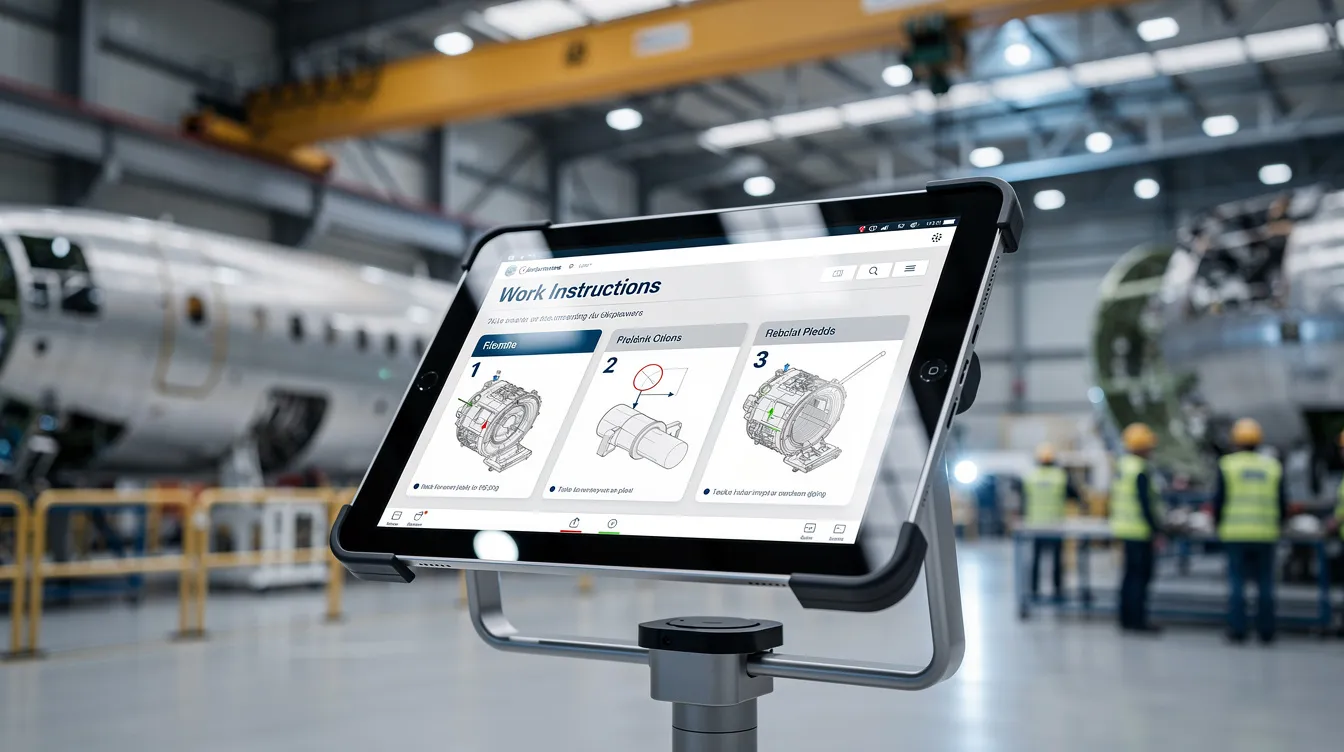
    Digital work instructions are usually the content layer. They present approved steps, visuals, parameters, cautions, and revision-controlled instructions for a task.

    Operator guidance systems are usually the execution layer around that content. They do not just display steps. They can guide sequence, react to product or equipment context, enforce required inputs, trigger quality checks, capture completion evidence, and coordinate with adjacent systems such as MES, ERP, PLM, QMS, test equipment, scanners, or torque tools.

    Practical difference

    • Digital work instructions answer: what should the operator do?

    • Operator guidance systems answer: what should happen now, for this unit, at this station, under these conditions, and what proof must be captured?

    In a simple deployment, digital work instructions may be little more than controlled electronic SOPs with images and sign-off. In a more mature deployment, an operator guidance system may use those instructions as one component of a larger workflow that includes traceability, interlocks, skill checks, data collection, exception handling, and escalation.

    Where the boundary gets blurry

    Many vendors use the terms loosely. Some products labeled as digital work instructions include operator guidance features. Some products labeled as operator guidance are mostly instruction management with limited execution control.

    So the real distinction is not branding. It is capability depth in areas such as:

    • context awareness by part, serial number, routing step, machine state, or revision

    • enforcement of sequence and required data entry

    • integration to plant systems and connected tools

    • electronic evidence capture and traceability

    • handling of deviations, rework, holds, and nonconformance events

    • governance for revisions, approvals, and change rollout

    Why this matters in regulated operations

    In regulated and high-traceability environments, the difference matters because displaying instructions is not the same as controlling execution. If the business need includes genealogy, as-built evidence, training linkage, revision enforcement, or proof that required checks occurred in the correct order, a basic digital instruction tool may not be enough by itself.

    That said, an operator guidance system is not automatically better. More control usually means more integration work, more validation effort, more change control overhead, and more operational dependency on system uptime and data quality.

    Brownfield reality

    Most plants do not replace everything with a single platform. They layer guidance capabilities onto existing MES, ERP, PLM, QMS, historian, and equipment environments. That is often the only practical path when downtime is constrained, legacy assets have long lifecycles, and validated processes cannot be disrupted casually.

    Full replacement strategies often fail when the qualification burden is high, integration debt is significant, and the cost of revalidating interfaces, workflows, and records exceeds the expected benefit. In those cases, a plant may keep its existing document control or MES backbone and add operator guidance selectively at high-risk or high-variation stations.

    Tradeoffs to evaluate

    • Speed of deployment: digital work instructions are often faster to roll out than full guidance workflows.

    • Control vs flexibility: stronger enforcement can reduce variation, but it can also slow legitimate exceptions and rework handling if workflows are too rigid.

    • Validation effort: the more a system drives execution or records evidence, the more disciplined testing and change control usually become.

    • Integration risk: guidance systems depend heavily on master data, routing accuracy, tool connectivity, and transaction timing across other systems.

    • Operator usability: a highly capable system can still fail if the interface adds friction or does not match real station conditions.

    So the short answer is this: digital work instructions primarily communicate the approved way to do the job, while operator guidance systems actively orchestrate and verify how the job is executed. In many environments, digital work instructions are one building block inside a broader operator guidance approach.

  • Why is a simple digital platform more effective than a large all-in-one solution?

    A simple digital platform in manufacturing and industrial operations commonly refers to a focused, modular system that solves a clear set of use cases (for example, digital work instructions, defect capture, or electronic logbooks) without trying to replace every existing system. This is often contrasted with a large all-in-one solution that attempts to cover MES, quality, maintenance, planning, and analytics in a single, tightly coupled suite.

    Key reasons simple platforms can be more effective

    In regulated and complex manufacturing environments, a simple digital platform is often more effective than a large all-in-one solution for the following practical reasons:

    • Faster deployment and value realization
      Smaller scope and clearer boundaries mean projects can be implemented in weeks or months rather than long multi-year rollouts. Plants can target one high-impact problem at a time (for example, deviation capture on the shop floor) and see measurable improvement sooner.
    • Better fit to real workflows
      Simple platforms are typically easier to configure around existing SOPs, work instructions, and quality workflows without forcing a full process redesign. This reduces disruption and makes it easier to align with current validation and documentation practices.
    • Higher user adoption
      Operators, technicians, and supervisors often prefer tools that have a clear purpose and minimal complexity. Focused user interfaces, fewer required fields, and task-specific screens reduce training time and data entry burden, which improves data quality and compliance behavior.
    • Lower implementation risk
      Projects that touch every process, every site, and every system at once carry higher risk of cost overruns, delays, and organizational resistance. A simple platform with a narrower footprint can be piloted, iterated, and scaled in stages, limiting impact if assumptions are wrong.
    • Easier integration with existing OT/IT stack
      Instead of replacing MES, ERP, LIMS, and QMS, a simple platform can integrate with them for specific data flows (for example, pushing production records to a QMS or pulling order data from ERP). This supports interoperability and traceability without requiring a full system rip-and-replace.
    • More flexibility for local variation
      Plants often differ by product mix, equipment, and regulatory expectations. A simple, configurable platform can be adapted per site while still maintaining global standards for data structures and records. Large monolithic systems can be harder to tailor without complex customization.
    • Incremental compliance alignment
      For regulated environments, focused solutions make it more feasible to validate a defined scope, maintain audit trails, and update configurations over time. Large all-in-one deployments can make change control and re-validation more complex and resource-intensive.
    • Clearer ownership and governance
      With a simple platform that addresses a specific domain (such as digital work instructions or deviation logging), it is easier to assign process ownership, define data standards, and manage version control than in a suite covering many functions at once.

    When large all-in-one solutions may still be preferred

    Large integrated platforms can be appropriate when:

    • There is a strong need for tight end-to-end process control in one vendor stack (for example, a single MES across all plants).
    • The organization has the resources, governance, and time horizon to manage multi-year programs and extensive change management.
    • Standardization across many sites is prioritized over local flexibility.

    In practice, many manufacturers adopt a hybrid approach: a core system (such as ERP or MES) combined with simple, specialized digital platforms that address specific gaps and interface through well-defined integrations.

    Manufacturing-relevant examples

    • Digital work instructions: A focused platform that delivers version-controlled instructions and collects operator confirmations can be deployed quickly and integrated later with MES or QMS, instead of waiting for a full MES replacement.
    • Electronic logbooks and checklists: A simple tool for equipment checks, line clearance, and shift handovers can replace paper and spreadsheets without changing planning or scheduling systems.
    • Quality data capture at the point of work: A lightweight application for capturing defects, nonconformances, and rework information at stations can feed existing QMS and analytics tools, improving traceability and COPQ analysis.

    How this concept appears on this site

    Within this site’s focus on industrial and regulated operations, the question “Why is a simple digital platform more effective than a large all-in-one solution?” typically arises when comparing approaches for digital work instructions, shop-floor visibility, and quality records. The emphasis is on choosing tools that integrate with existing MES, ERP, and QMS, support evidence management and audit readiness, and can be incrementally deployed with low disruption to ongoing production.

  • Do aerospace manufacturers need to replace MES to implement a connected operations platform?

    No. Most aerospace manufacturers do not need to replace MES to implement a connected operations platform.

    In regulated, long-lifecycle environments, full MES replacement is often the riskier option. It can trigger substantial validation work, interface redesign, retraining, downtime exposure, and requalification concerns across execution, quality, genealogy, and reporting processes. In many plants, the practical approach is coexistence: keep the MES that already runs dispatch, transactions, equipment interfaces, or recordkeeping, and add a connected operations layer around it.

    That said, this depends on what the current MES actually does, how configurable it is, and how cleanly it can exchange data with surrounding systems. A connected operations platform is not a shortcut around poor master data, weak integration discipline, or fragmented process ownership.

    When MES replacement is usually not required

    A replacement is often unnecessary when the existing MES can still reliably handle core execution responsibilities and expose the needed data or events. Common examples include:

    • The MES remains the system of record for work order execution, traceability, genealogy, or electronic history.

    • The connected operations platform adds operator experience, orchestration, workflow guidance, exception handling, analytics, or cross-system visibility.

    • ERP, PLM, QMS, and MES each keep their established roles, with the platform coordinating data flows and context between them.

    • The plant needs incremental rollout with limited downtime rather than a multi-year replacement program.

    This model is common in brownfield aerospace operations because it reduces disruption to validated processes while still addressing real gaps such as disconnected work instructions, delayed status visibility, manual handoffs, and weak exception management.

    When MES replacement may still be justified

    Sometimes the answer is yes, but usually for specific reasons, not because a connected platform inherently requires it. Replacement may be justified if the current MES is no longer supportable, cannot meet traceability or integration requirements, forces excessive manual workarounds, or blocks critical process changes. Even then, the business case needs to account for more than software functionality.

    Typical drivers include:

    • Unsupported or obsolete MES architecture

    • Inability to support required traceability, genealogy, or electronic record controls

    • Integration limitations that make reliable ERP, PLM, QMS, or equipment connectivity impractical

    • Excessive customization that prevents upgrades or consistent governance

    • High operational dependence on spreadsheets, paper, or duplicate data entry because the MES no longer fits the process

    Even in those cases, replacement should not be treated as a simple modernization project. In aerospace, it can become a qualification, validation, and business continuity program with significant execution risk.

    What matters more than replacement

    The more important question is whether the target architecture can support controlled coexistence across MES, ERP, PLM, QMS, and shop floor systems without losing traceability or introducing conflicting records.

    Key dependencies usually include:

    • Clear system-of-record boundaries for work orders, routings, quality events, and as-built data

    • Reliable integration patterns, not just point-to-point scripts

    • Master data alignment across part numbers, revisions, resources, and operations

    • Version control for work instructions and process changes

    • Validation and change control proportional to the operational and regulatory impact

    • A phased deployment plan that avoids forcing every site and process into one cutover

    If those basics are weak, replacing MES may simply move the same problems into a new stack.

    Practical tradeoff

    Keeping the existing MES usually lowers disruption and preserves continuity, but it also means living with some legacy constraints. Replacing MES may promise architectural simplicity later, but often increases near-term risk, cost, and time to value. For most aerospace manufacturers, an integration-first approach is the more realistic starting point, with selective MES replacement only where the current system is a proven blocker.

    So the short answer is no: a connected operations platform does not inherently require MES replacement. It requires a workable coexistence strategy, disciplined integration, and enough data and process maturity to support traceable execution across the systems already in place.

  • What are the main advantages of ISO 27001 over NIST 800-53 and vice versa?

    ISO 27001 and NIST SP 800-53 are complementary, not direct substitutes. They target overlapping security outcomes but from different angles: one is a certifiable management system standard, the other a detailed control catalog. In industrial and regulated environments, they are often mapped or combined rather than treated as an either/or decision.

    Advantages of ISO 27001 compared to NIST 800-53

    1. Certifiable management system (ISMS)

    • ISO 27001 defines how to build and operate an Information Security Management System (ISMS), including governance, risk assessment, internal audit, and continual improvement.
    • This aligns well with existing quality and EHS systems (e.g., ISO 9001, ISO 14001), which many plants already use, making it easier to plug security into existing management review, CAPA, and change control practices.
    • External certification is possible, but it only demonstrates conformity to the standard, not guaranteed security or compliance.

    2. Concise, risk-based structure

    • ISO 27001 focuses on a risk-based approach and a relatively small, structured control set in Annex A (especially in ISO/IEC 27001:2022) compared to the much more extensive 800-53 catalog.
    • This can be easier to introduce in organizations with limited security maturity or where operations leadership wants a clear starting point rather than a very large control library.
    • Suited to environments where different plants and suppliers must converge on a common baseline without adopting a specific national framework.

    3. Global recognition and supplier alignment

    • ISO 27001 is internationally recognized across industries and jurisdictions, which helps when dealing with global supply chains, cross-border data flows, and multi-country plants.
    • Many non-US customers and suppliers are more familiar with ISO 27001 than with NIST SP 800-53, so it can reduce friction when setting security expectations for shared design data, MES/ERP integration, or cloud services.

    4. Easier integration with existing ISO-based processes

    • ISO 27001 uses the same high-level structure as other ISO management standards (context, leadership, planning, support, operation, performance evaluation, improvement).
    • This plays well with established document control, training, internal audit, and CAPA processes in regulated manufacturing, where these disciplines are often already formalized.
    • In brownfield plants with mature quality systems but immature cybersecurity governance, ISO 27001 can be a pragmatic way to formalize security governance without a full re-architecture of controls.

    Advantages of NIST SP 800-53 compared to ISO 27001

    1. Depth and breadth of technical and procedural controls

    • NIST 800-53 provides a very detailed catalog of security and privacy controls and control enhancements that go much deeper than ISO 27001 Annex A.
    • It covers a wide range of domains, including system and communications protection, incident response, supply chain risk, and specific technical measures that matter for industrial OT/IT integration.
    • Useful when engineering teams need explicit control language for system design, procurement specifications, or vendor assessments.

    2. Strong alignment with US federal and defense expectations

    • For organizations working with US federal agencies or defense primes, 800-53 is a core reference, often indirectly via related frameworks (e.g., FedRAMP, specialized overlays).
    • Helps when customers expect clear mapping to NIST control families or when contracts and security addenda are written around NIST concepts.
    • Particularly relevant where export-controlled or classified-adjacent technical data is hosted in IT/OT systems.

    3. Useful for detailed system security engineering

    • NIST 800-53 is well suited for designing and assessing security of specific systems such as MES, historians, remote access solutions, PLM/ERP integrations, and cloud-based manufacturing analytics.
    • It enables creation of precise control baselines for different system categories (e.g., OT assets with limited patchability vs enterprise IT) without redefining controls from scratch.
    • Helps technical architects and control system engineers translate high-level requirements into implementable, testable security measures.

    4. Granular tailoring and assessment

    • Because 800-53 has many control enhancements and parameters, it supports fine-grained tailoring and clear traceability of what was selected, scoped, and implemented.
    • This can be valuable when demonstrating due diligence to auditors, regulators, or customers that are technically sophisticated and want to see specific control evidence.
    • The level of detail can also highlight gaps in legacy systems and integration points that ISO 27001 alone might treat at a higher level.

    How they relate and can coexist

    1. ISO 27001 as the management system, NIST 800-53 as the control catalog

    • A common pattern is to use ISO 27001 to define the ISMS (governance, roles, risk management, internal audit, continual improvement) and use NIST 800-53 as a primary source for selecting and tailoring technical and procedural controls.
    • In this model, ISO 27001 defines how you manage security, and NIST 800-53 helps define what controls you implement.
    • This approach generally requires an explicit mapping between Annex A controls and 800-53 families, and that mapping must be maintained under change control.

    2. Brownfield reality in industrial and regulated environments

    • Existing MES, ERP, historian, and control systems often cannot be fully aligned to a single framework without major redesign, downtime, and re-validation.
    • Full replacement of legacy systems just to align with one framework is rarely feasible given qualification burden, integration complexity, and production risk.
    • A more realistic strategy is incremental uplift: keep existing platforms, use ISO 27001 to formalize governance and risk processes, then selectively apply 800-53 controls where technically and operationally feasible.

    3. Traceability, validation, and change control

    • In regulated operations, any significant cybersecurity control change (e.g., network zoning, authentication mechanisms, logging configurations) may affect validated states, automation recipes, or data integrity controls.
    • Using 800-53 control IDs can improve traceability from risk assessments to system requirements, test protocols, and change records.
    • ISO 27001 provides the management framework to ensure these changes follow documented processes, are risk-assessed, and are periodically reviewed.

    Which is better for a manufacturing organization?

    Neither standard is inherently “better” in all contexts. The advantages depend on:

    • Regulatory and customer drivers: US federal/defense or NIST-centric customers may push you toward 800-53; multinational commercial customers may recognize ISO 27001 more readily.
    • Current maturity: If you lack formal security governance but have mature ISO-based quality systems, ISO 27001 can be a more natural first step.
    • Technical depth needed: If you already have an ISMS or similar governance and need detailed control design, 800-53 may add more value.
    • Resource constraints: 800-53 requires more effort to interpret, tailor, and maintain. ISO 27001’s more compact structure can be easier for lean teams, especially at the plant level.

    In practice, many industrial organizations use ISO 27001 as the top-level management framework and draw heavily from NIST 800-53 (and often IEC 62443 for OT) to define specific controls, especially for high-value or high-risk assets and integrations.

    Key tradeoffs to recognize

    • ISO 27001 offers a certifiable, globally understood framework but relatively high-level control guidance.
    • NIST 800-53 offers deep technical specificity but no management-system structure or certification and can be heavy for smaller teams to implement.
    • Using both increases alignment and coverage but also increases mapping and maintenance overhead, which must be accounted for in governance and change control planning.

    Whichever you emphasize, outcomes will depend on how well controls are tailored to your specific IT/OT architecture, how rigorously changes are validated and documented, and whether the program is kept current as plants, vendors, and systems evolve.

  • MES vs SCADA: Understanding Two Complementary Manufacturing Systems

    MES and SCADA are not the same system. SCADA focuses on real-time equipment monitoring, data acquisition, supervisory control, alarms, and process control. MES focuses on production execution, work coordination, quality control, traceability, production performance, and operational reporting.

    Comparing MES and SCADA systems reveals they serve different purposes in manufacturing operations. SCADA focuses on real-time equipment monitoring and control, while MES manages production execution, work coordination, quality, and traceability. Understanding these differences helps manufacturing teams choose the right systems without common implementation mistakes.

    Below is a practical comparison of MES vs SCADA capabilities and applications.

    MES vs SCADA: Key Differences

    The primary difference between MES and SCADA systems is that SCADA focuses on real-time data acquisition and process control, whereas MES manages and optimizes the entire production process.

    When integrated, SCADA provides real-time operational data while MES adds structure, context, and business logic, enabling a comprehensive view of manufacturing processes. While SCADA provides immediate insight into equipment performance and operational status, MES translates that data into actionable insights for production management and quality assurance.

    Purpose and Primary Focus

    The fundamental purpose of each system determines where they fit in manufacturing operations.

    SCADA System Purpose

    SCADA, or Supervisory Control and Data Acquisition, systems are designed to monitor and control equipment across large industrial sites, providing real-time data from machines and processes to operators.

    A SCADA system is closest to the machine and process control layer. It supports monitoring equipment, controlling machinery, collecting data from sensors, and helping operators respond quickly when industrial processes drift outside expected limits. In modern manufacturing, SCADA reads raw sensor data from Programmable Logic Controllers (PLCs) and sends alarms if a machine malfunctions.

    SCADA systems focus on:

    SCADA systems detect abnormal conditions and generate alarms to alert operators, which helps teams respond quickly to issues and minimize downtime. This makes SCADA essential when the priority is to control equipment, stabilize process control, and maintain safe production line behavior.

    MES System Purpose

    A manufacturing execution system manages what happens during production. MES software connects production orders, work instructions, quality checks, raw materials, operators, routing, and reporting into a structured operating system for the shop floor.

    MES systems are focused on managing and optimizing production execution and workflows. MES handles transactional data like order numbers, part tracking, and worker schedules. Manufacturing Execution Systems (MES) provide real-time data collection, aggregating production data from machines, operators, and systems to create a complete record of manufacturing activity.

    MES systems focus on:

    MES supports quality assurance by enforcing process rules, collecting inspection data, and maintaining full genealogy and traceability records, which is critical for regulated industries. MES enables standardized workflows and automated decision rules that reduce manual intervention and improve consistency across shifts, lines, and sites.

    Data Types and Time Horizons

    SCADA and MES systems handle different data types and operate on different time scales.

    SCADA Data and Timing

    SCADA operates in real-time, milliseconds, and seconds. It is designed for real time data capture and real time control, especially where immediate action is required to protect equipment, quality, or safety.

    SCADA systems continuously collect data from field devices and display it through Human-Machine Interfaces (HMIs), dashboards, and trends, allowing operators to quickly understand current conditions and system status.

    Typical SCADA data includes:

    SCADA data collection is especially valuable for production monitoring, alarm handling, predictive maintenance inputs, and short-cycle decision making. Historians often store this real time data so engineering teams can review trends, investigate abnormal events, and improve processes.

    MES Data and Timing

    MES operates in shifts, hours, minutes, and days. It may collect real time data from machines, operators, and systems, but its main value is adding production context to all the data coming from the factory floor.

    Typical MES data includes:

    MES connects equipment activity to the production process. For example, SCADA may know that a machine stopped at 10:14. MES can show which order was running, which operator was assigned, what part number was being built, whether raw materials were correct, whether quality control was completed, and whether the downtime reason was a breakdown, changeover, inspection hold, or missing component.

    That context supports more informed decision making. It also helps production managers optimize production, compare performance across shifts, and identify where significant improvements are possible.

    Users and Interface Design

    Each system serves different roles with distinct interface requirements.

    SCADA User Interfaces

    The user base for SCADA includes automation engineers, machine operators, and maintenance technicians. These users need fast, clear visibility into control systems and equipment conditions.

    SCADA user interfaces usually include:

    A SCADA screen is designed for immediate response. Operators need to know whether a pump is running, a valve is open, a tank is filling, a line is stopped, or a process value is outside tolerance. SCADA focuses on the current state of equipment and supports quick control actions.

    MES User Interfaces

    The user base for MES includes plant managers, supervisors, schedulers, and quality assurance inspectors. MES interfaces are designed around production workflows, quality management, and production planning rather than direct control of machinery.

    MES user interfaces usually include:

    MES helps teams coordinate the entire manufacturing process. Operators use MES to follow work instructions, record inspection results, and confirm production steps. Supervisors use MES to see bottlenecks, labor status, and line performance. Quality teams use MES to review defects, audit trails, and traceability records.

    This is why MES and SCADA answer different questions. SCADA asks, “What is the machine doing right now?” MES asks, “What are we making, how well are we making it, and can we prove it was made correctly?”

    System Integration and Architecture Layer

    Understanding where each system fits in the ISA-95 automation pyramid helps clarify their roles.

    SCADA in the Automation Stack

    SCADA sits at Layer 2, Supervisory Control, in the ISA-95 Architecture Layer. In plain terms, this means SCADA is close to equipment supervision and control.

    SCADA integrates with:

    SCADA integration often depends on industrial protocols and connectors such as OPC UA, MQTT, REST APIs, tag bridges, or digital I/O. For brownfield production plants, older control devices may require gateways before they can support seamless data flow to modern systems.

    A historian usually stores high-frequency process values, alarms, and events from SCADA. A data lake can store raw and processed data from SCADA, MES, ERP, and other systems for analytics, predictive maintenance, and digital transformation initiatives.

    MES in the Automation Stack

    MES sits at Layer 3, Manufacturing Operations Management, in the ISA-95 Architecture Layer. In plain terms, MES sits between the plant floor and enterprise resource planning.

    MES integrates with:

    ERP plans the business. MES executes the production plan. SCADA supervises equipment behavior. PLM defines the product. QMS governs quality rules. Historians and data lakes preserve data for analysis. These systems work best when they are connected without forcing every existing system to be replaced.

    Integrating MES and SCADA systems enhances operational efficiency by allowing for rapid detection of production problems and prompt decision-making, which simplifies procedures and fosters ongoing advancements within manufacturing processes. Integrating MES and SCADA systems also enhances operational efficiency by allowing for rapid detection of production problems and prompt decision-making, which supports more informed choices on the factory floor.

    The combination of SCADA and MES systems within manufacturing operations significantly improves the effectiveness of production processes, bolstering operational efficiency, diminishing wastage, and amplifying visibility throughout the stages of production. The combination of SCADA and MES systems significantly improves the effectiveness of production processes, enhancing operational efficiency, reducing waste, and amplifying visibility throughout the stages of production.

    Integrated MES and SCADA systems enable real-time surveillance and proficient control over production activities, resulting in refined plant functions with an increased capacity to adapt swiftly to modifications in production demands.

    When SCADA is Sufficient

    SCADA may be enough when the main requirement is equipment control, process visibility, and alarm response rather than production workflow coordination.

    SCADA is often sufficient for:

    For example, a utility, water treatment operation, pipeline, or stable continuous production process may prioritize process control, real time monitoring, and rapid alarm response. In these environments, the production process may not require complex routing, work instructions, serial tracking, batch traceability, or supplier documentation.

    SCADA systems can provide strong value in these cases because they support real time data acquisition, equipment visibility, remote control, and minimizing downtime. If the business does not need detailed production orders, quality records, operator task enforcement, or genealogy, a SCADA system and historian may cover most operational requirements.

    However, SCADA alone becomes limited when leaders need to connect equipment data to order context, production planning, quality management, and compliance records.

    When MES is Essential

    MES is essential when manufacturing operations need more than equipment-level visibility. If the business must coordinate people, materials, work instructions, quality checks, routing, and documentation, MES software becomes the execution layer.

    MES is usually needed for:

    This is common in aerospace, defense, medical device, electronics, automotive, and other regulated or high-mix manufacturing processes. In these environments, knowing that a machine ran is not enough. Teams need to know which part was produced, which serial number was installed, which operator completed the step, which inspection result passed, which revision of the work instruction was used, and whether the full record is audit-ready.

    MES supports consistent product quality by enforcing process rules and capturing production data as work happens. It also supports operational efficiency by reducing manual intervention, replacing paper travelers, improving data collection, and helping production managers identify scrap, rework, bottlenecks, and downtime causes.

    For regulated industries, MES is often the difference between having production data and having defensible production records.

    When Both Systems are Needed

    Many manufacturers need both SCADA and MES because the two systems solve different parts of the operational problem.

    Both are often needed in:

    In an integrated model, SCADA provides real time data from equipment and control systems. MES adds production context, quality rules, workflow logic, and traceability. Together, SCADA and MES create a seamless integration between the factory floor and higher level systems.

    For example, SCADA may detect that a production line has slowed. MES can connect that event to the production order, shift, operator, routing step, material lot, and quality status. ERP can then receive accurate updates about production progress, inventory movement, and delivery risk.

    This connected approach improves overall operational efficiency because leaders can move from production monitoring to action. Engineering teams can investigate equipment behavior. Quality teams can review inspection data. Production managers can make schedule decisions. Digital transformation teams can create a reliable data foundation for predictive maintenance, analytics, and continuous improvement.

    When a Lighter Operations Layer Makes Sense

    A full MES is not always the most practical first step. Some aerospace and MRO organizations need execution workflows, traceability, quality checks, supplier visibility, and reporting, but they cannot afford a heavy rip-and-replace implementation.

    A lighter operations layer makes sense for:

    This is where Connect 981 fits. Connect 981 should not be treated as a SCADA replacement. It does not replace real time control, supervisory control, or machine safety functions. It is also not a claim to replace every MES in every environment.

    Connect 981 is better understood as a practical operations layer for aerospace and MRO teams. It helps connect shop floor execution, work instructions, quality checks, traceability, supplier data, and reporting without forcing every existing system to be removed.

    For teams with ERP, PLM, QMS, SCADA, or legacy systems already in place, Connect 981 can support the missing execution layer: the place where operators complete work, inspectors capture quality data, suppliers share documentation, and leaders see production performance. This is especially useful when full MES deployment would be too slow, too costly, or too disruptive.

    Common Implementation Mistakes

    The biggest mistake is treating MES and SCADA as interchangeable systems. They are complementary, but they should not be forced into each other’s role.

    Common mistakes include:

    SCADA is not designed to manage operator workflows, quality forms, batch records, genealogy, or compliance documentation. Trying to make SCADA do those jobs often creates manual workarounds and weak traceability.

    MES is not designed to control machinery in milliseconds. Expecting MES to perform real time control or machine safety functions creates risk because process control belongs in PLCs, DCS, and SCADA systems.

    ERP disconnection is another common issue. If enterprise resource planning sends production orders to the plant but does not receive accurate updates from the shop floor, production planning becomes unreliable. Teams then build spreadsheet bridges, manual reports, and email-based status updates. Those workarounds are fragile, slow, and difficult to audit.

    A better approach is to define the role of each system clearly: SCADA for equipment supervision and control, MES for production execution and workflow management, ERP for enterprise planning, PLM for engineering data, QMS for quality governance, historians for process data, and data lakes for broader analytics.

    MES vs SCADA: Choosing the Right Approach

    Choose SCADA when equipment control, real time monitoring, process visualization, alarm response, and data acquisition are the primary needs.

    Choose MES when production execution, work instructions, quality tracking, traceability, production orders, downtime analysis, and workflow management are essential.

    Choose integrated MES and SCADA systems when manufacturing operations need both equipment-level visibility and production-level context. This is the right direction for comprehensive manufacturing operations, regulated production, complex production lines, and digital transformation programs that require complete operational visibility.

    Choose a lighter operations layer when a full MES is too heavy, but the business still needs structured execution workflows, quality checks, supplier visibility, batch traceability, and reporting. For aerospace and MRO teams, Connect 981 provides a practical way to connect shop floor execution, quality, supplier data, and compliance workflows without replacing every existing system.

    The best decision is rarely “MES vs SCADA” as competitors. The better question is: which layer is missing from your industrial automation stack?

    If your team needs to connect shopfloor execution, quality records, supplier workflows, and compliance reporting without ripping out SCADA, ERP, PLM, QMS, or other existing systems, request a demo to see how Connect 981 works in action.

  • What is the difference between ISMS and ISO 27001?

    ISMS and ISO 27001 are related but not the same thing. One is the management system you run, the other is the standard that defines requirements for that system.

    What is an ISMS?

    An Information Security Management System (ISMS) is the set of policies, procedures, controls, roles, and records that you put in place to manage information security risks. It is the operational system that governs how you protect information across people, processes, and technology.

    In a regulated industrial environment, an ISMS typically covers:

    • Risk assessment and treatment for production, engineering, and quality data
    • Access control across MES, ERP, QMS, PLM, historians, and OT networks
    • Change control for configurations, patches, and security-relevant updates
    • Incident detection, response, and post-incident review
    • Supplier and third-party access to manufacturing and technical data
    • Backup, recovery, and business continuity for critical systems and records

    The ISMS exists regardless of whether you reference a particular standard. It is the practical way you manage security in daily operations.

    What is ISO 27001?

    ISO/IEC 27001 is an international standard that specifies requirements for establishing, implementing, maintaining, and continually improving an ISMS. It provides a structured set of requirements and a catalogue of controls (through Annex A and related standards) that organizations can adopt and be audited against.

    Key points for ISO 27001 in industrial and manufacturing contexts:

    • It defines what an ISMS must cover at a minimum, not every detail of how you implement it.
    • It can be used purely as guidance, or as the basis for a formal, third-party certification program.
    • It touches both IT and OT, but the actual scope you define (systems, plants, data types) is up to your organization.
    • It interacts with existing requirements (for example, quality or safety standards) but does not replace them.

    ISO 27001 itself does not guarantee compliance with regulations or industry-specific requirements; it is a framework for managing information security risk in a systematic way.

    Key differences between ISMS and ISO 27001

    • Nature: An ISMS is the actual management system you operate. ISO 27001 is the standard that defines requirements for such a system.
    • Existence: You can have an ISMS without following ISO 27001, and you can use ISO 27001 as guidance without seeking certification.
    • Certification: Organizations are certified to ISO 27001; the ISMS is what is being assessed. The ISMS itself is not a standard.
    • Scope: Your ISMS scope is defined by your organization (for example, specific plants, systems, or data types). ISO 27001 provides the requirements your scoped ISMS must meet.
    • Content: The ISMS includes concrete processes, system configurations, records, and behaviors. ISO 2701 describes requirements such as performing risk assessments, maintaining an asset inventory, or managing incidents.

    Implications for regulated manufacturing and brownfield environments

    In most industrial operations, the ISMS must be designed to coexist with a complex, brownfield landscape: legacy MES, ERP, QMS, PLM, on-prem historians, paper batch records, and long-lived production equipment. ISO 27001 does not assume a greenfield replacement of these systems.

    Some practical implications:

    • System coexistence: The ISMS must span multiple vendors and generations of equipment. Many controls (for example, access management, logging, patching) are implemented via compensating measures when older systems cannot support modern capabilities directly.
    • Change control and validation: Tight change control and validation needs mean that retrofitting controls to MES, PLCs, or data historians can take significant time and testing. ISO 27001 requires managed change, but does not dictate specific validation methods.
    • Scope definition: To manage risk and cost, plants often start with a narrower ISMS scope (for example, engineering data and production records for specific product families) rather than trying to cover every asset and site at once.
    • Integration complexity: Centralized logging, identity management, and network segmentation across OT and IT usually require staged, multi-year work. ISO 27001 is compatible with this phased approach as long as risk is documented and treated.

    Trying to fully replace existing manufacturing systems solely to align with ISO 27001 is rarely practical. The more realistic strategy is to design an ISMS that layers additional controls, monitoring, and processes on top of current systems, and to improve coverage over time under structured change control.

    Summary

    • An ISMS is the operational framework and set of controls you run to manage information security.
    • ISO 27001 is the standard that defines requirements for an ISMS and may be used for certification.
    • In regulated, long-lifecycle manufacturing, the ISMS must work across existing, heterogeneous systems and be implemented gradually, with clear traceability, validation, and change control.
  • What is the difference between MES and ERP for inventory management in aerospace?

    High-level difference: where each system “owns” inventory

    In aerospace environments, ERP typically owns inventory at the enterprise level, while MES owns inventory at the shop-floor execution level. ERP focuses on stocked items, planning, costing, and financial valuation, whereas MES focuses on what is actually at the work center, in WIP, and consumed in build. Both may maintain quantities and locations, but they operate at different abstraction layers and time scales. Confusion usually arises when plants expect either MES or ERP to fully replace the other for inventory, which rarely works without gaps in traceability or reconciliations.

    What ERP usually does for inventory in aerospace

    ERP inventory management is typically the system of record for part numbers, stock levels, warehouse locations, and financial valuation. It supports MRP/APS planning, purchase orders, goods receipt, stock movements, and sometimes high-level shelf-life and batch/lot controls. In aerospace, ERP is often the reference for regulatory-relevant information such as approved sources, revision levels, and inspection status, but only at a coarse granularity. ERP generally does not track exact point-of-use, per-serial consumption, or detailed routing steps on the shop floor. Its primary orientation is towards planning, finance, and commercial commitments, not minute-by-minute production reality.

    In practice, this connects to MES execution control when teams need to turn the answer into repeatable execution habits.

    What MES usually does for inventory in aerospace

    MES inventory management focuses on WIP and point-of-use material at stations, cells, and lines. It typically manages which serials, lots, or kits were used on which specific unit, at which operation, and under which conditions. For aerospace, MES is often where you enforce and record the use of the correct revision, configuration, and lot against a particular serialized assembly. MES may also manage local material staging, kitting, and backflushing based on work instruction execution. However, MES is usually not the authoritative source for enterprise stock levels, financial value, or global replenishment logic, even if it has detailed consumption records.

    Traceability, serialization, and regulatory expectations

    For aerospace, the critical difference is usually traceability depth: MES is optimized for proving what went into each serial number; ERP is optimized for proving what is on hand and what it cost. MES better supports one-to-one and one-to-many links between component serials and finished-assembly serials, including process parameters and operator actions. ERP can track batch/lot and sometimes serial, but typically not with full process context or per-operation detail. Regulators and customers usually expect alignment between ERP and MES records, not that one system alone provides the entire trace. Achieving that alignment requires disciplined master data, interface design, and change control, not just technology selection.

    Data flows and reconciliation between MES and ERP

    In a brownfield aerospace plant, MES and ERP inventory rarely match perfectly in real time, and attempting strict real-time mirroring can introduce fragility. Common patterns include ERP sending planned orders, BOMs, and stock availability to MES, and MES sending back confirmations of material consumed, scrap, and completions. Interfaces must be designed to handle communication failures, partial updates, and rework loops without losing traceability or double-counting inventory. Reconciliation procedures—daily or batch comparisons, exception reports, and manual investigations—are often necessary and must be formalized and validated. Without this, audit findings frequently center on mismatched quantities, unclear ownership of corrections, or undocumented workarounds at the shop floor.

    Why neither system should fully replace the other for inventory

    Trying to run all inventory purely in ERP and treating MES as a “thin” work instruction viewer usually fails to meet aerospace traceability and configuration control needs. Operators end up creating local tracking tools to capture point-of-use and serial-level detail that ERP cannot handle gracefully, which increases validation and audit risk. Conversely, pushing all inventory logic into MES and relegating ERP to a minimal role can break planning, financial, and supply-chain processes that rely on ERP’s model. Full replacement also drives a high validation burden, complex data migrations, and long downtimes that are rarely acceptable for qualified aerospace lines. A more robust strategy is to define clear functional boundaries, explicit system-of-record ownership for each inventory attribute, and controlled interfaces between them.

    Practical boundaries to define in aerospace programs

    In practice, aerospace organizations benefit from explicitly deciding where key responsibilities sit: stock valuation, replenishment logic, and procurement typically sit in ERP, while point-of-use control, WIP visibility, and per-serial consumption typically sit in MES. Shelf-life and environmental storage constraints may be modeled in both systems, but you must choose which system is authoritative and how updates propagate. Similarly, approved manufacturer and supplier controls might reside primarily in ERP, while MES enforces their use at the station level via allowed-lot lists. These boundaries should be documented in your system architecture, URS/FRS, and validation artifacts, not left to tribal knowledge. Over time, changes to these boundaries must go through formal change control to avoid gradual divergence between actual practice and validated design.

    Connecting this to aerospace brownfield realities

    Most aerospace plants run legacy ERP and MES solutions alongside bespoke tools, and wholesale replacement of either system solely to “unify inventory” often backfires. The qualification effort, cutover risk, and integration debt tend to be underestimated, especially when dozens of external systems depend on existing ERP interfaces. Instead, many organizations gradually tighten the MES–ERP integration, clean up master data, and standardize inventory-related processes while leaving core platforms in place. Improvements such as clearer WIP definition, better serial–lot linking, and controlled backflush rules often yield more benefit than a large replatforming. The key is to treat MES and ERP as complementary inventory stakeholders, with explicit, validated contracts between them, rather than expecting one system to do everything.

  • Designing Dashboards with ISO 22400 KPIs: Examples and Patterns

    ISO 22400 can improve dashboard design by giving manufacturing teams a consistent way to name, group, and describe performance indicators. In aerospace manufacturing, that consistency matters because operators, manufacturing engineers, quality teams, and plant management often look at the same production system from very different decision horizons. A well-designed ISO 22400 KPI definitions used in dashboards approach helps each role see the right metrics without changing what those metrics mean.

    This article is for aerospace operations, quality, and compliance teams who need to understand Designing Dashboards with ISO 22400 KPIs: Examples and Patterns. It explains the practical question this topic answers in a manufacturing execution context.

    This is especially useful in regulated environments where production visibility, traceability, and comparability across lines or sites must be defensible. ISO 22400 does not prescribe dashboard layouts, color schemes, or chart types. What it does provide is a reference model for KPI meaning, time behavior, units, and user context. That makes it a strong foundation for tool-agnostic dashboard design in MES, BI, historian, and operations reporting systems.

    For teams putting this topic into daily operation, ISO 22400 KPI governance help connect the concept to traceability, work-order reality, and audit-ready evidence.

    For teams putting this topic into daily operation, a connected execution platform, Connect 981’s aerospace execution solutions, real aerospace execution examples help connect the concept to traceability, work-order reality, and audit-ready evidence.

    The same operating model also depends on Connect 981’s aerospace operations guidance, practical aerospace operations FAQs, ISO 22400 KPI governance, especially when decisions have to move across quality, production, suppliers, and program leadership without losing context.

    The examples below are illustrative design patterns, not requirements of the standard. The goal is to show how aerospace manufacturers can build clearer dashboards for operators, engineers, and managers while keeping KPI labels and interpretations aligned.

    Why Standardized KPI Definitions Matter for Dashboards

    Reducing confusion over similar-looking metrics

    Many dashboard problems start with metrics that appear similar but are defined differently across systems. One screen may show uptime, another availability, and a third utilization, even though users assume they mean the same thing. In practice, those values may rely on different state models, time exclusions, or quantity assumptions.

    Using ISO 22400 as a reference reduces that ambiguity. If a dashboard presents a KPI with a standard-aligned name, description, and unit, the user has a better chance of understanding what is included, what is excluded, and how to compare it with another view.

    Making cross-plant dashboards reliable and comparable

    Aerospace manufacturers often need to compare performance across cells, programs, suppliers, or sites. Those comparisons are only useful when the KPI definitions are stable. A plant-level dashboard that aggregates work center data from multiple facilities can become misleading if each facility classifies states or labels losses differently.

    Standardized definitions create a shared reporting baseline. That is particularly important for enterprise manufacturing teams trying to understand whether variation reflects actual operational differences or only reporting inconsistencies.

    Using ISO 22400 as a reference for labels and descriptions

    Even when an organization uses custom calculations or aerospace-specific supplemental metrics, ISO 22400 can still guide the descriptive layer of the dashboard. KPI names, tooltips, metadata panels, and data dictionaries can reference standardized concepts so users know whether a metric is equipment-oriented, order-oriented, time-based, or quantity-based.

    This improves handoffs between operations, industrial engineering, and compliance teams. It also supports cleaner integration between MES, ERP, QMS, and site reporting tools.

    Design Principles for ISO 22400-Aligned Dashboards

    Clear naming and tooltips with standardized definitions

    The first principle is simple: every KPI tile, chart, or table should use explicit naming. Avoid abbreviations unless the user group is already trained on them. Where possible, include a hover tooltip or details panel that explains the KPI definition, unit of measure, aggregation level, and reporting period.

    For example, a dashboard should not just show a value labeled performance. It should indicate whether that is an equipment-oriented KPI, what time basis it uses, and whether it applies to a work unit, production line, or plant summary. In regulated aerospace environments, this level of clarity also helps when metrics are reviewed during audits, quality investigations, or supplier performance discussions.

    Consistent units, ranges, and trend directions

    Users should not have to guess whether higher is better, whether a metric is expressed as a percentage or absolute duration, or whether a chart compares hours, parts, or orders. ISO 22400 concepts support more disciplined KPI presentation by encouraging consistent attributes around units and trend interpretation.

    In practice, this means dashboards should standardize how percentages are displayed, how durations are rounded, and how red-yellow-green logic is applied. If one KPI improves when it rises and another improves when it falls, the trend indicators should make that explicit rather than relying on user memory.

    Clarify the operational risk

    When the work behind Designing Dashboards with ISO 22400 affects quality, delivery, or compliance, teams need one place to connect evidence, decisions, and shop-floor follow-through.

    Map the risk in Designing Dashboards with ISO 22400

    Separating real-time views from aggregated performance views

    One common design mistake is mixing live operational status with shift, weekly, or monthly performance in the same visual block. Real-time equipment states answer immediate execution questions. Aggregated KPIs answer performance review questions. They should support one another, but they should not be confused.

    A useful pattern is to separate dashboards into at least two layers: a live operating view and a summarized performance view. The live layer can show current state, alerts, and active disruptions. The summary layer can show trends, comparisons, and loss structures over a completed period. This keeps decision-making aligned with the actual time horizon.

    Dashboards for Operators and Shift Supervisors

    Focusing on equipment states and immediate KPIs

    Operator-facing dashboards should emphasize what requires action now. In an aerospace machining, assembly, or test environment, this usually means current equipment state, order status, queue condition, and short-horizon KPIs tied to immediate execution. The user should be able to identify whether a station is running, idle, stopped, or producing below expected pace without opening a second report.

    A practical layout is a top row of state tiles by work unit, followed by a small set of shift KPIs such as good quantity, stop duration, schedule adherence, or quality exceptions. The screen should privilege speed of interpretation over analytical depth.

    Visual cues for downtime, speed loss, and quality issues

    Supervisors benefit from cues that distinguish different loss types instead of combining them into one generic exception state. A downtime banner can separate planned from unplanned events. A speed-loss indicator can show when a process is running but below expected output. A quality panel can flag held units, inspection failures, or rework events requiring immediate coordination with quality personnel.

    These cues are especially valuable in aerospace production, where nonconformance response and material segregation may be just as important as throughput. The dashboard should help the team see where flow is disrupted without oversimplifying the operational context.

    Using state-based indicators aligned with ISO 22400

    ISO 22400 concepts are helpful here because operator dashboards often depend on state classifications more than on high-level rolled-up metrics. If the dashboard consistently maps RUN, STOP, IDLE, or similar state categories into defined time structures, users can trust that the shift summary is based on the same logic as the real-time display.

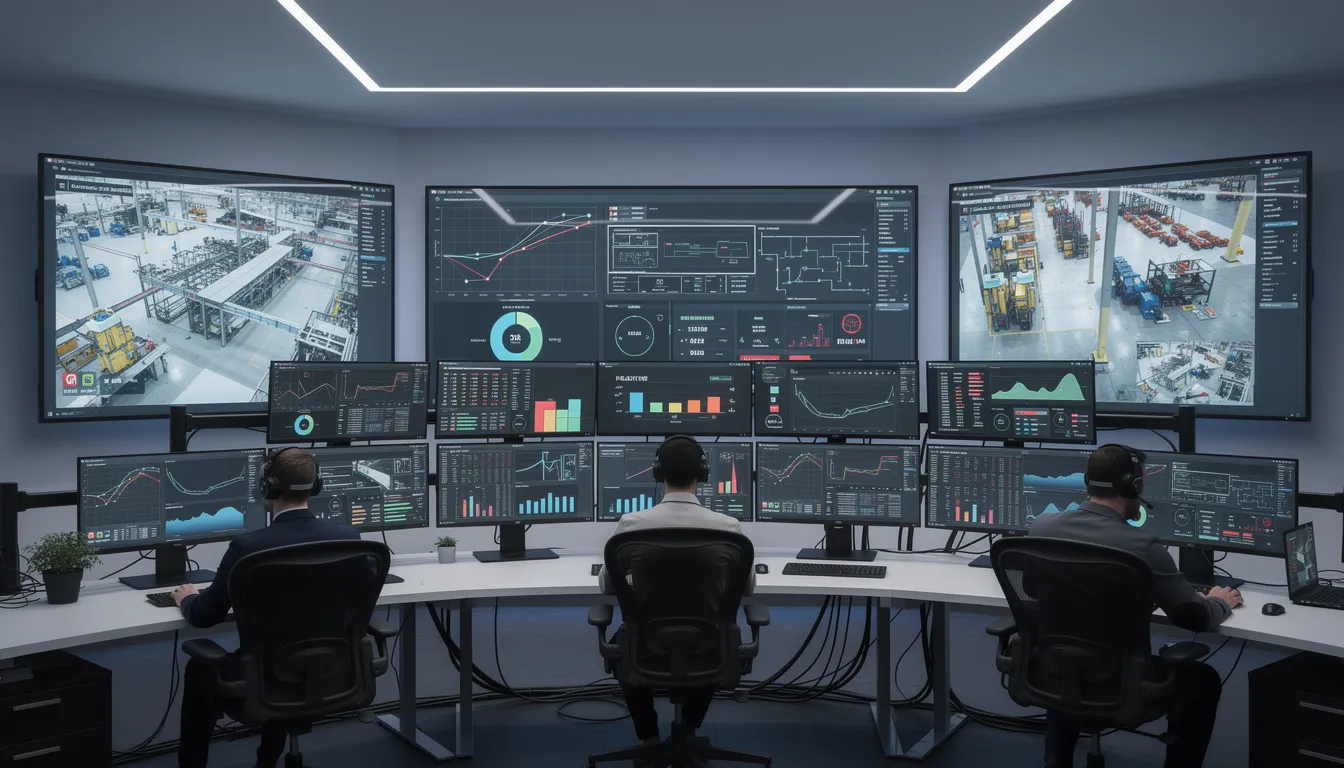
    An example pattern is a left-side live state panel, a center shift timeline of state transitions, and a right-side exception list tied to open orders or quality events. This works well in control rooms, supervisor stations, and digital production boards.

    Dashboards for Engineers and Continuous Improvement Teams

    Deeper breakdowns of time and quantity categories

    Engineering and continuous improvement users need more than live status. They need to understand how KPI values were formed. That means dashboards for these roles should support breakdown analysis across time categories, quantity categories, equipment groups, and product families.

    A good engineering dashboard typically starts with a summary KPI layer, then offers drill-downs into the time model behind those KPIs. For example, a team reviewing a composite layup area or precision assembly line may want to trace reduced performance to waiting time, setup patterns, recurring micro-stops, or inspection bottlenecks.

    Correlations among related ISO 22400 KPIs

    ISO 22400 KPIs should not be treated as isolated numbers. Many are related through common time and quantity structures, so dashboard design should make those relationships visible. If one KPI deteriorates, users should be able to see adjacent indicators that explain whether the issue is state-related, quality-related, or order-related.

    A useful pattern is a dashboard that pairs trend charts with decomposition views. For example, a weekly equipment effectiveness trend can sit above a stacked time-loss chart and a quality yield panel. This allows engineers to evaluate whether changes are driven by downtime concentration, reduced operating performance, or rising defect activity.

    Identifying patterns across lines and work centers

    For multi-line or multi-cell aerospace operations, engineering teams often need comparison views. Heat maps, ranked tables, and small-multiple trend charts are effective when the underlying KPI definitions are consistent. The point is not just to identify the worst area, but to determine whether a recurring pattern exists across similar work centers, programs, or shifts.

    Where traceability is important, dashboards can also connect summarized KPI deviations to contextual data such as part family, route step, tooling set, or supplier lot category. That does not change the ISO 22400 KPI itself, but it gives engineers operational context for investigation.

    Dashboards for Plant and Enterprise Management

    Aggregated ISO 22400 KPIs across areas and sites

    Management dashboards should summarize performance at the level required for planning, review, and escalation. Plant leaders rarely need second-by-second state detail, but they do need confidence that aggregated values are comparable across areas. This is where ISO 22400-aligned definitions are particularly useful.

    Connect decisions to execution

    Connect 981 helps turn this kind of operational detail into traceable action, so the context behind each decision does not get lost.

    Discuss the workflow for Designing Dashboards with ISO 22400

    A plant dashboard may organize KPIs by area, value stream, or program, with weekly and monthly trend windows. An enterprise dashboard may compare sites while preserving the same KPI meaning across all sources. This supports more defensible reviews and reduces arguments over local naming conventions.

    Benchmarking plants and suppliers on common definitions

    In aerospace supply chains, internal plants and external suppliers may report similar production outcomes using different tools. Benchmarking becomes more reliable when dashboards reference common KPI semantics. If supplier review packs and internal site scorecards use aligned definitions, management can compare performance without extensive manual translation.

    This does not mean every supplier dashboard must look the same. It means the underlying KPI descriptions, aggregation rules, and units should be harmonized enough to support fair interpretation.

    Blending standardized KPIs with financial indicators

    Management dashboards often combine operational KPIs with business indicators such as cost of nonconformance, labor efficiency, schedule risk, or inventory exposure. That is appropriate, as long as the dashboard makes a clear distinction between ISO 22400-aligned manufacturing KPIs and organization-specific financial measures.

    A simple design rule is to visually separate standardized operational metrics from financial or strategic overlays. This preserves clarity and prevents users from assuming that every number on the page is governed by the same standard reference.

    Implementation Tips Across BI and Operations Tools

    Using a platform like Connect 981 as a single KPI source

    Many manufacturers struggle because KPI logic is duplicated across MES screens, spreadsheet reports, data warehouse models, and executive dashboards. A better pattern is to maintain a governed KPI layer in a platform like Connect 981, then expose the same definitions into different tools depending on user need.

    That approach helps aerospace manufacturers maintain consistency across production visibility boards, engineering analysis tools, and management scorecards. It also improves traceability when a KPI definition changes or a data source is reclassified.

    Maintaining definition consistency across tools

    Consistency requires more than a common metric name. Teams should maintain metadata for each KPI including description, unit, aggregation logic, object of measurement, and intended user group. Tooltips, data catalogs, and dashboard footnotes should all draw from that same governed source.

    If a BI tool uses one label while the MES uses another, users will create their own interpretations. That is exactly the drift ISO 22400 can help avoid when applied as a reference model.

    Periodic reviews to prevent KPI drift and clutter

    Dashboards should be reviewed on a regular cadence. Over time, organizations add metrics, duplicate existing indicators, or keep outdated views alive after process changes. The result is clutter, inconsistent definitions, and declining user trust.

    A periodic review should check whether each KPI still has a clear owner, whether the definition remains aligned with the current production model, and whether each user group still needs the metric on its main screen. For aerospace and defense manufacturing, these reviews are also a good point to verify that KPI displays still match current process controls, quality workflows, and reporting obligations.

    When dashboard design follows role-based decision needs and references ISO 22400 for KPI meaning, the result is not a generic report library. It is a structured operating view that helps people at different levels see the same manufacturing system with less ambiguity and better context.