RSC Content Type: implementation_playbook

  • Implementation plan

    An implementation plan is a structured description of how a specific project, system, or process change will be executed, tracked, and controlled. It translates agreed objectives and requirements into concrete tasks, timelines, responsibilities, and resources.

    Typical contents of an implementation plan

    In industrial and regulated manufacturing environments, an implementation plan commonly includes:

    • Scope and objectives: What is being implemented (for example, a new MES module, quality workflow, or work-instruction system) and what outcomes are expected.
    • Work breakdown and tasks: Discrete activities such as configuration, integration, validation, data migration, training, and cutover.
    • Roles and responsibilities: Named owners for each task, including operations, quality, IT/OT, engineering, and suppliers where applicable.
    • Schedule and milestones: Start and end dates, dependencies, and key checkpoints such as pilot, go-live, and stabilization.
    • Resources and budget: People, systems, external partners, and any required tools or infrastructure.
    • Risk and issue handling: Identified risks, mitigations, and escalation paths, especially for production and compliance impacts.
    • Change management: Communication, training, and support activities for operators, supervisors, and other users.
    • Validation and acceptance steps: Testing, documentation, and signoffs needed for quality and regulatory requirements.
    • Measurement and follow-up: How success will be monitored (for example, impact on OEE, NCR rates, or lead time) and how adjustments will be managed.

    Use in manufacturing and regulated environments

    Implementation plans are commonly used for:

    • Deploying or upgrading MES, ERP, QMS, PLM, or data-integration solutions.
    • Rolling out new standard work, digital work instructions, or inspection workflows.
    • Introducing new quality or compliance processes such as electronic DHR or traceability enhancements.
    • Process-improvement initiatives such as Lean or continuous-improvement projects that affect production methods.

    In regulated sectors, the implementation plan often aligns with internal procedures and quality-system requirements and may be referenced as objective evidence during internal or external audits.

    What an implementation plan is not

    • It is not the business case. The business case explains why a change is pursued; the implementation plan explains how it will be executed.
    • It is not the solution design. Functional and technical designs describe what will be built or configured; the implementation plan describes the steps to deploy that design.
    • It is not ongoing operations procedures. Standard operating procedures govern steady-state work; the implementation plan governs the transition to that new steady state.

    Common confusion

    • Project plan vs. implementation plan: In many organizations the terms are used interchangeably. Where they are distinguished, the project plan covers the full lifecycle (including strategy and post-go-live optimization), while the implementation plan focuses more narrowly on execution and cutover activities.
    • Roadmap vs. implementation plan: A roadmap is typically high level and long term (multiple initiatives and releases). An implementation plan is detailed and near term, specific to one release, site, or project.
  • enterprise rollout

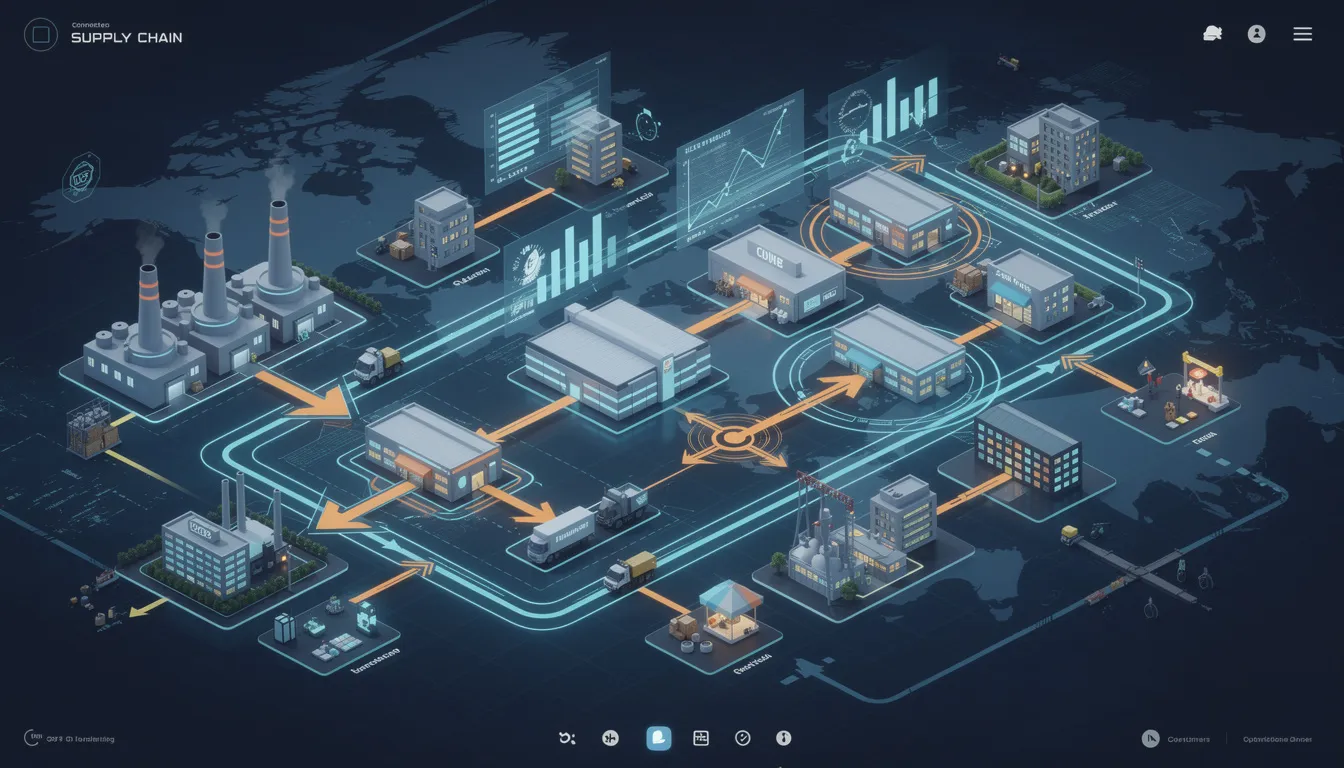
    An enterprise rollout commonly refers to the planned deployment of a system, process, standard, or operating model across an entire organization rather than in a single department, line, or site. In manufacturing and regulated operations, it often applies to MES, ERP-connected workflows, digital work instructions, quality processes, reporting models, or master data structures that are introduced in a coordinated way across plants or business units.

    The term includes the broader transition from local use to organization-wide adoption. That usually covers configuration alignment, phased deployment, training, data migration, governance, and support planning. It does not simply mean that software has been installed everywhere. A rollout may be considered enterprise in scope even when implementation happens in waves over time.

    How it appears in operations

    In practice, an enterprise rollout often shows up as a multi-site program with shared templates and local adaptation rules. For example, a manufacturer might roll out electronic batch records, standardized nonconformance workflows, or common production reporting across several plants while keeping certain site-specific routing or approval details.

    In OT and IT environments, the term can also refer to extending supporting infrastructure, integrations, security controls, and change management beyond a pilot location so that the solution is usable and governed consistently at organizational scale.

    What it includes and excludes

    • Includes organization-wide deployment planning, sequencing, governance, and adoption activities.

    • Includes phased expansion from pilot or single-site implementation to broader use.

    • May include standardization of data models, workflows, roles, and reporting.

    • Does not mean every location is identical in configuration or maturity.

    • Does not refer only to software go-live. Process changes, training, and operating support are usually part of the rollout.

    Common confusion

    Enterprise rollout is often confused with implementation, go-live, and pilot. An implementation can be local or enterprise-wide. A go-live is a specific cutover event or milestone. A pilot is a limited trial used before broader deployment. Enterprise rollout refers to the larger scale expansion and coordination across the organization.

    It is also sometimes confused with global template. A global template is the standardized design or baseline. The enterprise rollout is the process of deploying that design across sites and teams.

  • How can we standardize work instructions across multiple MRO bases?

    Standardizing work instructions across multiple MRO bases is mostly a governance and data problem, not just a tooling problem. In regulated aerospace MRO, you will only get durable standardization if you define a common instruction model, central ownership, and a pragmatic coexistence path with existing systems at each base.

    1. Define a common work instruction model first

    Before touching tools, define what a “standard” work instruction looks like across all bases:

    In practice, this connects to MRO execution when teams need to turn the answer into repeatable execution habits.

    • Scope: What is covered by the instruction (task-level, job card, package/visit-level)?
    • Structure: Required sections (e.g. purpose, applicability, tools, consumables, safety, steps, inspection/QA, signoffs).
    • Granularity: Level of detail for steps, including decision points and hold points.
    • References: How you cite OEM manuals, SBs, ADs, and customer-specific requirements.
    • Configuration links: How the instruction connects to aircraft type, tail number, mod status, effectivity, and customer program.

    Agree this model with engineering, quality, operations, and IT across all bases. If that alignment does not exist, tool rollout will simply replicate local variation in a new format.

    2. Create a shared template and authoring standard

    Once the model is clear, implement concrete standards that can be audited:

    • A single, version-controlled template for work instructions or job cards used at all bases.
    • Authoring rules: mandatory fields, naming conventions, numbering of steps, and photo/diagram expectations.
    • Standardized status lifecycle: draft, in review, approved, effective, retired.
    • Clear roles: who authors, who reviews (SME, quality), who approves, and who can change effective dates.
    • Mandatory linkage to controlled documents: OEM manuals, internal specs, repair station manuals, and customer approved data.

    These rules should be in a controlled procedure, so auditors can see how work instructions are created and maintained globally.

    3. Establish a master ownership and governance model

    Standardization across bases fails quickly if ownership is unclear. Typical patterns that work:

    • Central master, local variants by exception: A central engineering or methods group owns master instructions; local bases request controlled variants when local tooling, layout, or regulatory context truly differ.
    • Change control board (CCB): Cross-site CCB to approve new instructions, significant edits, and any local deviations from the master.
    • Single source of truth: One system (DMS, PLM, MES, or MRO system) is designated as the master record for instructions. Local copies are clearly labeled as derived.
    • Metrics and auditability: Track how many base-specific instructions exist and why, and periodically rationalize them back into global standards where possible.

    Without this, each base tends to fork instructions over time, even if you start with a common template.

    4. Decide on a realistic tooling strategy for brownfield MRO

    Most MRO environments already run a mix of MRO software, ERP, document management, and sometimes MES. Full replacement is rarely feasible due to downtime risk, integration load, training burden, and regulatory qualification work. Instead:

    • Pick a primary authoring and control system: Common options are a QMS/DMS, PLM, or an MES/digital work instruction system that integrates with the existing MRO/ERP platforms.
    • Integrate, do not duplicate: Let the MRO system reference the controlled instruction rather than storing separate uncontrolled copies in each base database.
    • Phase-by-phase rollout: Standardize a subset of high-value work scopes (e.g. heavy checks, engine pieces, common repair tasks) first, then expand to long tail tasks.
    • Offline and shop-floor constraints: If some hangars have intermittent connectivity or old terminals, factor this into how digital work instructions are deployed. In some cases controlled PDFs or print-outs remain necessary, but still sourced from the same master.

    When evaluating new digital work instruction tools, focus less on features and more on how they will plug into your existing MRO, ERP, and QMS landscape without breaking traceability.

    5. Enforce document control and version governance

    Standardization only holds if versioning is disciplined across bases:

    • Global version identifiers: Instructions carry a unique ID and revision that is consistent across all bases.
    • Effective date and applicability: Clear rules for when a new revision becomes effective at each base and how in-progress tasks use the correct version.
    • Obsolescence control: Retire or supersede old instructions, with a documented reason and linkage to the new revision.
    • Change records: Every change has a justification, risk assessment if needed, approvals, and implementation notes across sites.

    This is especially critical where changes are driven by ADs, SBs, OEM revisions, or customer mandates that must roll out consistently across all maintenance locations.

    6. Handle local variation through controlled parameters

    Some site differences are unavoidable (tooling, layout, regulatory environment, union rules, customer mix). Instead of separate instructions per base, use controlled parameters where possible:

    • Define common steps with parameterized details (e.g. torque ranges by aircraft/engine variant, or alternate tool options).
    • Use base-specific annexes or attachments when truly necessary, linked to the same global instruction ID.
    • Clearly document when a local deviation is allowed, who approved it, and under what conditions it applies.
    • Periodically review local deviations to see if they should become global best practice or be retired.

    This approach reduces proliferation of nearly-identical instructions while still respecting local realities.

    7. Align training and qualification with the standardized instructions

    Standard work instructions must be reflected in how you train and qualify technicians:

    • Training content and assessments reference the same controlled instructions used on the floor.
    • Qualification records show which instruction families each technician is trained and authorized to execute.
    • Changes to instructions trigger targeted re-training or read-and-sign activities across all affected bases, with evidence recorded.

    Without this linkage, you risk divergent local practices even when the documents look standardized.

    8. Use feedback loops from each base to improve standards

    Standardization should not be one-way. Front-line feedback is essential:

    • Provide a simple, traceable way for technicians and inspectors to suggest changes directly from the instruction or job card.
    • Route feedback into a cross-site review process, with clear SLAs and visibility of accepted/rejected changes.
    • Track high-defect or high-rework tasks and prioritize those for instruction refinement.

    This helps ensure the central standard does not become detached from operational reality at individual bases.

    9. Be explicit about limitations and dependencies

    The ability to standardize will depend heavily on:

    • Regulatory context: Differences between civil, military, and mixed operations can restrict how much you can harmonize content.
    • Customer contracts: Contract-specific instructions may need to remain separate but can still follow the same template and governance.
    • Data readiness: Poor master data (e.g. incomplete effectivity, inconsistent part/assembly structures) makes it harder to apply generic instructions safely.
    • Integration quality: Weak integration between MRO, ERP, QMS, and any digital work instruction system increases the risk of technicians seeing the wrong version.

    Recognizing these constraints up front will help you define a scope of standardization that is ambitious but realistic.

    10. Connecting this to digital work instruction initiatives

    If you are also considering digital or visual work instructions, treat them as an execution layer on top of the same standardized content model and governance. The key success factor is that there is a single controlled source of truth for the instruction, regardless of whether the technician views it as a printed job card, a PDF, or an interactive digital instruction on a tablet.

  • How do you implement a KPI framework without replacing existing ERP or MES systems?

    It is entirely feasible to implement a KPI framework without replacing your existing ERP or MES. In regulated, long-lifecycle environments, this is usually the only realistic option. The key is to treat ERP, MES and related systems as data sources and control points, not as the place where the KPI framework itself has to live.

    1. Start with the KPI framework, not the tools

    Begin by defining a focused set of KPIs that matter for your operation, then check what your existing systems can support.

    In practice, this connects to MES execution control when teams need to turn the answer into repeatable execution habits.

    • Limit the initial scope: 5–10 core KPIs (for example, OEE, NPT, schedule adherence, FPY, defect rate, rework hours).
    • Define each KPI rigorously: numerator, denominator, time basis, inclusion/exclusion rules, and required drill-down (by line, cell, part family, shift, operator, supplier, etc.).
    • Assign ownership: who defines it, who maintains it, who uses it in daily/weekly reviews.

    Do this before touching integrations. Otherwise, the KPI framework will degrade into a list of whatever your ERP or MES can easily report today.

    2. Map KPIs to existing data sources

    Once KPIs are defined, map them to your current systems rather than assuming new systems are needed.

    • Data inventory: identify where each required data element lives: ERP (orders, BOM, cost), MES (events, states, scrap), QMS (defects, NCs, CAPA), historian/SCADA (machine states), manual logs or spreadsheets.
    • Level of detail: confirm whether data is available at the granularity the KPI definition expects (e.g., part/serial vs weekly summary).
    • Data gaps: mark KPIs or segments where required data does not exist or is not trustworthy. Plan to phase these in instead of forcing immediate coverage.

    Expect misalignment: codes, timestamps, and identifiers often differ between ERP, MES, QMS and historians. That is normal in brownfield environments and must be designed around, not wished away.

    3. Use a lightweight data layer instead of a rip-and-replace

    In most regulated plants, replacing ERP or MES just to improve KPIs is rarely justified. The qualification, validation, and downtime burden is high. Instead, use a thin data layer:

    • Option 1: Controlled reporting layer using existing BI tools connected to ERP/MES databases or existing data warehouses. This is often the fastest path.
    • Option 2: Operational data store (ODS) that consolidates core entities (orders, operations, equipment, events, defects) from ERP, MES, QMS and historians.
    • Option 3: Vendor-provided analytics modules (from MES/ERP vendors) if they can be configured without major platform changes and still allow cross-system visibility.

    Whichever approach you choose, keep the integration scope tight and focus on the dimensions required to compute and slice your selected KPIs.

    4. Standardize identifiers and reference data enough to calculate KPIs

    You do not need full master data perfection to start, but you do need basic alignment.

    • Common keys: define how work orders, operations, equipment, and material identifiers map across ERP, MES, QMS and historians.
    • Time alignment: agree on how shifts, days and weeks are defined, and how events are assigned to those buckets.
    • Status and reason codes: harmonize a minimal set of states and loss categories required for OEE, NPT and quality KPIs, even if internal detail remains system-specific.

    Often this is a data governance and change control exercise rather than a technical one, and it benefits from clear ownership and documented decisions.

    5. Implement calculations and views outside core transactional workflows

    To avoid destabilizing validated ERP/MES workflows, keep the KPI logic and visualization layer decoupled.

    • Calculation layer: implement repeatable, version-controlled KPI calculations in the ODS, data warehouse, or BI tool, not embedded deep in ERP/MES transactional logic.
    • Versioning and traceability: record KPI definition changes, calculation versions and data source versions, so trends can be interpreted correctly across changes.
    • Role-specific views: use dashboards or reports tailored for shift supervisors, value stream managers, quality, maintenance, and leadership, all based on the same underlying definitions.

    This approach supports regulated environments, where changes in core systems trigger heavy revalidation and user retraining.

    6. Address data quality and validation explicitly

    KPI frameworks fail more often due to data quality and trust than tooling.

    • Baseline checks: compare KPI results to known historical numbers or manual calculations for a small period before wide rollout.
    • Source-of-truth rules: define which system is authoritative for each data element (e.g., ERP for schedule, MES for actuals, QMS for defect classification).
    • Exception handling: design a process for handling missing or conflicting data (e.g., default rules, manual corrections with audit trail).
    • Validation in regulated contexts: where applicable, treat the KPI calculation layer and reporting as software that may require documentation, test evidence, and change control proportional to its use in decisions.

    7. Introduce KPIs into existing meeting and review rhythms

    A KPI framework only has impact if it is embedded in daily and weekly routines, not just dashboards.

    • Use existing forums: daily standups, tiered meetings, quality reviews and S&OP already exist. Integrate the KPI views into those meetings rather than inventing new ones.
    • Clear action paths: decide in advance what actions are expected when a KPI deviates (investigation triggers, escalation paths, corrective action entry, capacity reviews).
    • Feedback loop: capture user feedback on whether the KPIs are understandable, fair and actionable, and refine definitions and views under change control.

    8. Start small and scale, rather than designing a perfect enterprise model

    In brownfield plants, “big bang” KPI initiatives that also attempt full data model standardization and system replacement commonly stall.

    • Select a pilot area: one line, cell, or plant with engaged leadership and manageable integration complexity.
    • Implement a narrow set of KPIs end-to-end: data extraction, calculation, visualization, review cadence and improvement actions.
    • Harden the approach: refine KPI definitions, integration patterns, data governance and documentation before scaling to other areas.

    This iterative approach reduces downtime and rework and avoids triggering unnecessary ERP/MES projects under the banner of “KPI modernization.”

    9. Why you typically should not replace ERP/MES just for KPIs

    In regulated and long-lifecycle environments, full replacement strategies often fail or overrun because:

    • Qualification and validation burden: new ERP/MES deployments often require extensive testing, documentation, and regulatory scrutiny before use in production or record-keeping.
    • Downtime risk: cutovers can impact multiple plants, suppliers and customers, and recovery from failure is slow and expensive.
    • Integration complexity: existing ERP/MES are usually intertwined with PLM, QMS, maintenance, finance and supplier systems.
    • Traceability and history: legacy systems hold valuable historical and genealogy data that is costly or risky to migrate fully.

    Building the KPI framework on top of existing systems, through a well-governed data and analytics layer, is more compatible with these constraints.

    10. Practical implementation checklist

    • Define a small, stable set of cross-functional KPIs, with precise formulas and owners.
    • Map each KPI to concrete fields and tables in ERP, MES, QMS and historians; document gaps.
    • Choose a lightweight data layer (BI, ODS, or warehouse) rather than modifying core ERP/MES logic.
    • Align minimal master data: IDs, time buckets, and key status/reason codes.
    • Implement KPI calculations and dashboards in a version-controlled, validated manner.
    • Pilot in one area, validate results, then scale under formal change control.

    Following this pattern lets you implement a usable KPI framework while respecting existing ERP/MES investments, validation status and operational constraints.

  • How could Connect 981 support cohort participants?

    The question “How could Connect 981 support cohort participants?” refers to the potential ways a program, platform, or initiative called “Connect 981” could provide value to a specific group of participants (a cohort), typically within an industrial or manufacturing context.

    Meaning in an industrial and manufacturing context

    In regulated industrial operations and manufacturing, a cohort often means a defined group of people who share a common learning path, project, or implementation journey. For example, a cohort might be a group of plants rolling out a new MES, or a set of supervisors participating in a digital operations training program.

    “Connect 981” in this context is best understood as a named environment, program, or digital workspace that:

    • Brings cohort members together around shared objectives (such as improving OEE, deploying new work instructions, or harmonizing quality practices).
    • Provides structured materials, templates, and tools relevant to manufacturing and operations.
    • Supports collaboration and knowledge sharing across sites, roles, or organizations.

    Typical ways such a program could support cohort participants

    Although the specific features of Connect 981 are not defined here, a program with this name could commonly support a manufacturing-focused cohort in several ways:

    • Shared learning content: Offering curated guides, explainer briefs, and checklists on topics like MES integration, quality documentation, or traceability so all participants work from a common foundation.
    • Implementation support: Providing frameworks, implementation playbooks, and templates that help cohorts apply concepts consistently across multiple lines, plants, or business units.
    • Peer exchange: Enabling participants to compare approaches, share lessons learned, and discuss how they handle issues such as audit readiness, deviations, or digital work instructions.
    • Progress tracking: Giving the cohort simple ways to track milestones (for example, completion of standard work deployment or connection of new data sources) without implying any formal certification or audit outcome.
    • Access to experts: Facilitating interaction with subject-matter experts in operations, quality, or OT/IT integration who can answer questions and help interpret best practices.

    Use on this site

    On this site, a question about how Connect 981 could support cohort participants would usually focus on how a structured, shared environment can help manufacturing professionals implement better processes, integrate systems, or improve compliance-related practices across a defined group.

  • How do we manage change for inspectors and engineers used to spreadsheets and email?

    Managing change for inspectors and engineers who live in spreadsheets and email is less about technology and more about minimizing risk to throughput, quality, and compliance. You have to treat this as a structured adoption program with guardrails, not a quick tooling swap.

    1. Start from their reality, not the target architecture

    Inspectors and engineers rely on spreadsheets and email because they are flexible, fast to tweak, and under their direct control. Replacing them outright creates real perceived risk: loss of agility, longer cycle times, and fear of being blamed if something breaks.

    In practice, this connects to implementation and adoption playbooks when teams need to turn the answer into repeatable execution habits.

    Before introducing new workflows:

    • Map current use cases: what decisions are actually made in Excel and email (inspection plans, sampling decisions, FAI data capture, NCR routing, concessions, etc.).
    • Identify what is working: speed, accessibility, ad-hoc analysis, small-team coordination.
    • Identify what is failing: version control, traceability for audits, rekeying into MES/ERP/QMS, missed emails, and non-reproducible calculations.

    Your change plan should explicitly preserve what works while addressing the real failure modes.

    2. Use a phased, mixed-mode approach instead of a big-bang cutover

    In regulated, long-lifecycle plants, big-bang replacements often fail because of validation burden, downtime risk, and integration complexity. For spreadsheet-heavy users this is especially true.

    Practical patterns:

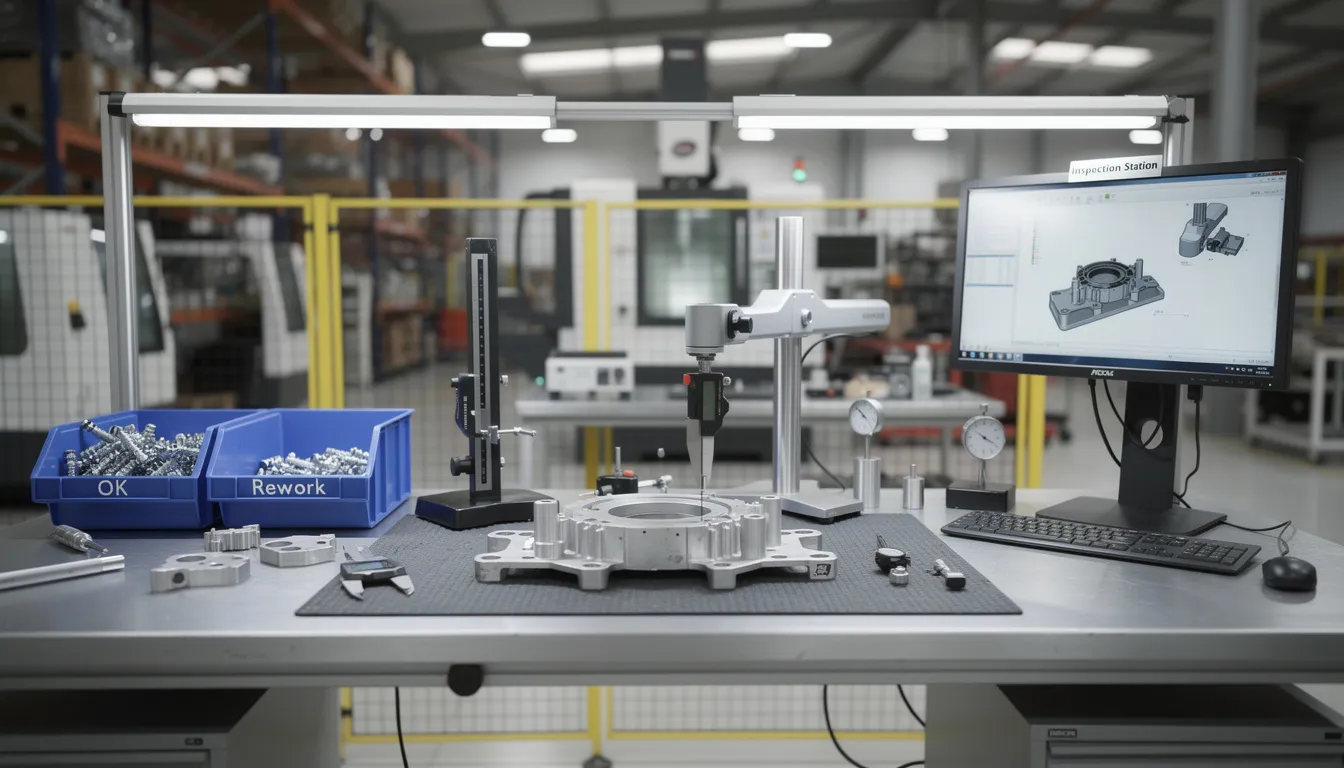
    • Pilot by workflow, not by department: e.g. start with AS9102 FAI data collection or a specific inspection family, not “all inspection” at once.
    • Allow controlled coexistence: keep legacy spreadsheets for analysis while shifting official records (e.g. inspection results, NCR data) into a system with audit trails.
    • Define a single system of record for each object: for each part of the process (characteristics, inspection results, dispositions, approvals) state explicitly where the authoritative record lives.
    • Use time-boxed dual running: for a limited period, run both spreadsheet and digital workflow, compare outputs, and use that to tune the new process and build trust.

    3. Treat this as a change-controlled process change

    Moving from spreadsheets and email to digital workflows can impact validated processes, work instructions, and documented controls. It should go through normal change control rather than being treated as “just an IT project.”

    Key elements:

    • Impact assessment: determine which procedures, forms, and records are affected (inspection plans, FAI forms, NCR routing, sampling rules, etc.).
    • Risk analysis: capture risks like data migration errors, incorrect mappings, user workarounds outside the validated flow, and partial adoption.
    • Plan for validation and evidence: define what needs to be verified or validated (calculations, auto-populated fields, interfaces) and how evidence will be captured.
    • Update WI / SOPs: do not rely on training alone; align documented work instructions to the new workflows.

    4. Make the first wins obviously better than email + Excel

    Inspectors and engineers will not change unless the new way is measurably better for them, not just for IT or Quality.

    Choose first use cases that deliver visible, daily benefits, for example:

    • Pre-populated data: parts, revisions, operations, gage lists pulled from existing MES/ERP/QMS to avoid retyping.
    • Automated calculations: sampling decisions, capability indices, or tolerance checks that are currently buried in spreadsheet formulas.
    • Built-in traceability: automatic capture of who measured what, when, with which gage, and which revision of the spec.
    • Reduced email chases: digital routing for NCRs, concessions, or approvals with status visibility instead of buried email threads.

    If inspectors and engineers can clearly see “this saves me time or gets me out of being the admin of 20 spreadsheets,” adoption resistance drops significantly.

    5. Design for brownfield coexistence with MES, ERP, PLM, and QMS

    In most plants, inspection and engineering spreadsheets are the glue between MES, ERP, PLM, and QMS. Ripping them out without replacing the integration role is high risk.

    Practical coexistence patterns:

    • Read from existing systems, write back selectively: e.g. pull part and BOM data from ERP or PLM but only write inspection results or NCRs back to the systems that must own them.
    • Lock down structural spreadsheets, keep flexible ones at the edges: standardize templates used as formal records while allowing ad-hoc analysis in personal spreadsheets that do not drive official decisions.
    • Use governed exports instead of ad-hoc extracts: if users still need data in Excel, provide controlled exports with clear labeling (“view only, not a system of record”).
    • Plan for long equipment and system lifecycles: assume some legacy systems will not be replaced for a decade; design digital workflows to sit around them instead of depending on full replacement.

    6. Address trust, not just skills

    Resistance is often about trust in data and workflows, not only about technical comfort.

    • Involve inspectors and engineers in design: let them help define screens, fields, and rules, especially where today they maintain complex spreadsheets.
    • Validate critical logic with them: for any algorithm replacing a spreadsheet formula (sampling plans, risk scores, FAI characteristic handling), run side-by-side comparisons and document the results.
    • Make audit trails visible: let users see who changed what and when, so they are not afraid of being blamed for hidden system behavior.
    • Be explicit about failure modes: what happens if the new system is down, if an integration fails, or if a record is incorrect; define and train on fallbacks.

    7. Provide targeted training and support, not generic “systems training”

    Generic system overviews rarely work for inspectors and engineers under schedule pressure.

    More effective approaches:

    • Role-based scenarios: e.g. “Create a new inspection plan for a revision change”, “Record an NCR during in-process inspection”, “Complete an AS9102 FAI”.
    • Short, searchable job aids: quick references embedded in digital work instructions or accessible from the workflow itself.
    • Floor-level champions: experienced inspectors/engineers trained first and empowered to support peers in their cell or value stream.
    • Office-hours during early rollout: scheduled blocks where users can get help on real jobs, not just sample data.

    8. Set clear adoption metrics and governance

    Without explicit ownership and metrics, users drift back to spreadsheets and email over time.

    • Define adoption KPIs: proportion of inspections logged in the new system, percentage of NCRs routed digitally, reduction in untracked email approvals.
    • Establish quality ownership: assign a process owner (often in Quality) responsible for maintaining inspection workflows, templates, and records definitions.
    • Monitor for shadow spreadsheets: periodically sample for off-system tracking sheets and understand why they exist; either absorb the need into the system or formally approve their use with controls.
    • Align incentives: ensure that leadership expectations, audit readiness goals, and performance reviews support using the new workflows, not just hitting output numbers.

    9. Accept that some spreadsheets and email will remain

    In high-mix, low-volume and engineering-heavy work, some level of spreadsheet and email use is rational and will not fully disappear. The objective is to move critical, repeatable, and traceability-sensitive workflows into governed systems while:

    • Reducing rekeying and copy/paste between tools.
    • Ensuring inspection and NCR records are auditable and retrievable.
    • Keeping ad-hoc analysis and one-off engineering studies at the edges, not at the core of compliance-critical processes.

    Being explicit about where spreadsheets and email are acceptable, and where they are not, helps inspectors and engineers adapt without feeling that every practical tool they rely on is being taken away.

  • How long does it realistically take to implement a manufacturing KPI framework?

    In most plants, a manufacturing KPI framework takes 3 to 12 months to become operational, trusted, and used in routine management. A limited pilot can often be launched in 6 to 12 weeks, but that is not the same as having a durable framework that supports decisions across shifts, lines, sites, and functions.

    The main constraint is usually not dashboard development. It is agreeing on metric definitions, proving data quality, mapping data across existing systems, and putting governance around changes so the numbers remain traceable over time.

    In practice, this connects to implementation and adoption playbooks when teams need to turn the answer into repeatable execution habits.

    What the timeline usually looks like

    • 6 to 12 weeks: initial assessment, KPI selection, definition workshops, source-system review, and a basic pilot for a narrow scope.
    • 2 to 4 months: first production use for one area or value stream, assuming the required ERP, MES, historian, quality, and manual data sources are accessible and reasonably clean.
    • 4 to 9 months: KPI framework becomes repeatable, with agreed definitions, owner assignments, review cadence, and exception handling.
    • 9 to 18 months: broader rollout across multiple plants, programs, or product families, especially where data models, local practices, and legacy systems differ.

    Those ranges vary materially by process maturity, integration quality, master data consistency, and how much of the current reporting process depends on spreadsheets or manual interpretation.

    What makes it slow

    In regulated and brownfield environments, the time is usually consumed by coexistence work:

    • ERP, MES, PLM, QMS, historian, and maintenance systems use different identifiers and timestamps.
    • Operators and supervisors may record similar events differently by shift or department.
    • Legacy equipment may not expose reliable machine-state data.
    • Existing reports often use unofficial logic that no one documented formally.
    • Any KPI tied to product disposition, quality status, or release decisions may require tighter validation and change control.

    This is why full replacement is often the wrong assumption. Replacing core systems just to get cleaner KPIs usually fails in long lifecycle, regulated operations because the qualification burden, downtime risk, integration complexity, and traceability impact are too high. In practice, most plants build the KPI framework around coexistence with current systems and improve data quality incrementally.

    What determines the timeline most

    • Scope: one line is faster than enterprise standardization.
    • Definition discipline: if teams do not agree on what counts as downtime, rework, schedule attainment, or first-pass yield, implementation will stall.
    • Data readiness: missing timestamps, inconsistent part or work-order keys, and weak genealogy slow everything down.
    • Integration method: direct point-to-point extracts may be quick initially but create maintenance debt later.
    • Governance: without formal ownership and change control, KPI disputes continue after go-live.
    • Validation needs: if metrics feed regulated reporting, batch review, deviation analysis, or quality escalation, more verification is needed.

    What is realistic to expect

    A realistic goal is not to have every KPI perfect at once. It is to establish a small set of trusted metrics, define calculation logic clearly, document source systems, identify known limitations, and create a controlled process for changes.

    If you want a framework that leaders actually rely on, expect at least:

    • a documented KPI dictionary,
    • source-to-metric mapping,
    • data quality checks,
    • named metric owners,
    • review cadence and escalation rules,
    • and a managed process for revising definitions.

    Without those controls, implementation can appear fast but usually turns into recurring argument about whose number is correct.

    Bottom line

    Realistically, plan for 3 to 12 months for a credible manufacturing KPI framework, with 6 to 12 weeks for a narrow pilot and 9 months or more for cross-site standardization. If your environment is heavily manual, highly customized, or fragmented across legacy systems, it can take longer.

  • What resources are needed from quality, IT, and operations to deploy Connect 981?

    Deploying Connect 981 in a regulated, brownfield environment requires coordinated effort from quality, IT, and operations. The exact level of effort depends on your integration landscape, data readiness, and validation expectations, but the roles below almost always show up.

    Quality: process ownership, validation, and change control

    Quality resources are usually the pacing factor, because they own validation, procedures, and evidence. Expect involvement from:

    In practice, this connects to implementation and adoption playbooks when teams need to turn the answer into repeatable execution habits.

    • Quality lead / process owner: defines in-scope workflows (e.g., inspections, digital travelers, NCR touchpoints), approves how Connect 981 is used, and signs off on acceptance criteria.
    • Document control / QMS owner: updates or references work instructions, forms, and procedures that Connect 981 supports; aligns numbering, revisions, and record retention rules.
    • Validation / QA engineer (where applicable): plans and reviews configuration testing, traces requirements to tests, and helps document IQ/OQ/PQ or equivalent, based on your internal validation standard.
    • Audit and compliance representative: confirms that data captured in Connect 981 can be traced, retrieved, and defended in audits, and that role-based access and approvals match your QMS expectations.

    Quality effort increases if:

    • Connect 981 becomes part of controlled inspection, NCR, or release workflows.
    • You require formal computer system validation or detailed configuration documentation.
    • Legacy systems provide partial history that must be reconciled for genealogy or as-built records.

    IT: infrastructure, security, and integration

    IT ownership is essential for secure, sustainable deployment. Typical roles include:

    • IT lead / application owner: primary point of contact for the deployment, change control, and ongoing support model.
    • Security / compliance engineer: reviews architecture, access controls, logging, and data flows; ensures alignment with NIST/IEC 62443 style controls, export control constraints, and corporate security policies.
    • Infrastructure / network engineer: handles identity integrations (SSO), IP routing, firewall rules, and connectivity to shopfloor devices or cells, within your network segmentation rules.
    • Integration / data engineer (optional but common): connects Connect 981 to ERP, MES, PLM, or QMS where needed; designs and monitors data exchanges so they are robust under real shopfloor conditions.

    IT effort increases if:

    • You integrate deeply with multiple legacy systems instead of running Connect 981 as a mostly standalone workflow for a period.
    • Your security and export control posture requires segregated environments, special identity providers, or bespoke logging and monitoring.
    • Plants have inconsistent networks, shared workstations, or nonstandard device configurations that must be hardened before rollout.

    Operations: ownership of use cases, pilot, and rollout

    Operations resources turn Connect 981 from a configured system into an adopted one. At minimum you will need:

    • Operations sponsor / value owner: defines the initial scope (lines, cells, or programs), sets realistic success metrics, and arbitrates tradeoffs between ideal process design and what can be safely changed now.
    • Area leaders / supervisors: schedule time for pilots, ensure operators actually use Connect 981 during shifts, and provide qualified feedback on usability and fit to the real process.
    • Key operators / subject matter experts: help translate current workflows into digital steps, verify that screens and sequences reflect reality, and identify corner cases that could break the flow.
    • Training / continuous improvement resource (if available): supports training plans, quick-reference materials, and collection of before/after metrics for throughput, rework, or delay.

    Operations effort increases if:

    • You are standardizing work across multiple plants or very different cells rather than a single pilot area.
    • There is significant variation in how the same router or traveler is actually executed by different teams.
    • Downtime windows for changeover and training are extremely constrained, requiring more micro-rollouts and shadow mode.

    Cross-functional time expectations

    Indicative, not guaranteed, and highly dependent on scope:

    • Quality: a few hours per week during design and pilot to review workflows, data fields, and evidence, plus concentrated time for validation documentation if required by your QMS.
    • IT: an initial integration and security review effort (often measured in days spread over several weeks), then lower ongoing support for monitoring and controlled changes.
    • Operations: more front-loaded effort for defining use cases, participating in configuration reviews, and supporting pilots, followed by ongoing engagement to refine workflows.

    Brownfield and coexistence considerations

    In most regulated operations, Connect 981 will coexist with legacy MES, ERP, PLM, and QMS rather than replace them in the first phase. This affects resources as follows:

    • Quality must decide which records of truth remain in legacy systems and which move into Connect 981, and document how data is synchronized or referenced.
    • IT must design integrations that are resilient to latency, version mismatches, and unplanned downtime in upstream systems.
    • Operations must manage dual workflows where some steps stay in old systems while others run in Connect 981, at least during transition.

    Full replacement of core MES or QMS functions is rarely feasible early on, due to qualification burden, downtime risk, and the complexity of revalidating interconnected systems. Scoping Connect 981 to clearly defined, high-value workflows lowers the resource load across quality, IT, and operations.