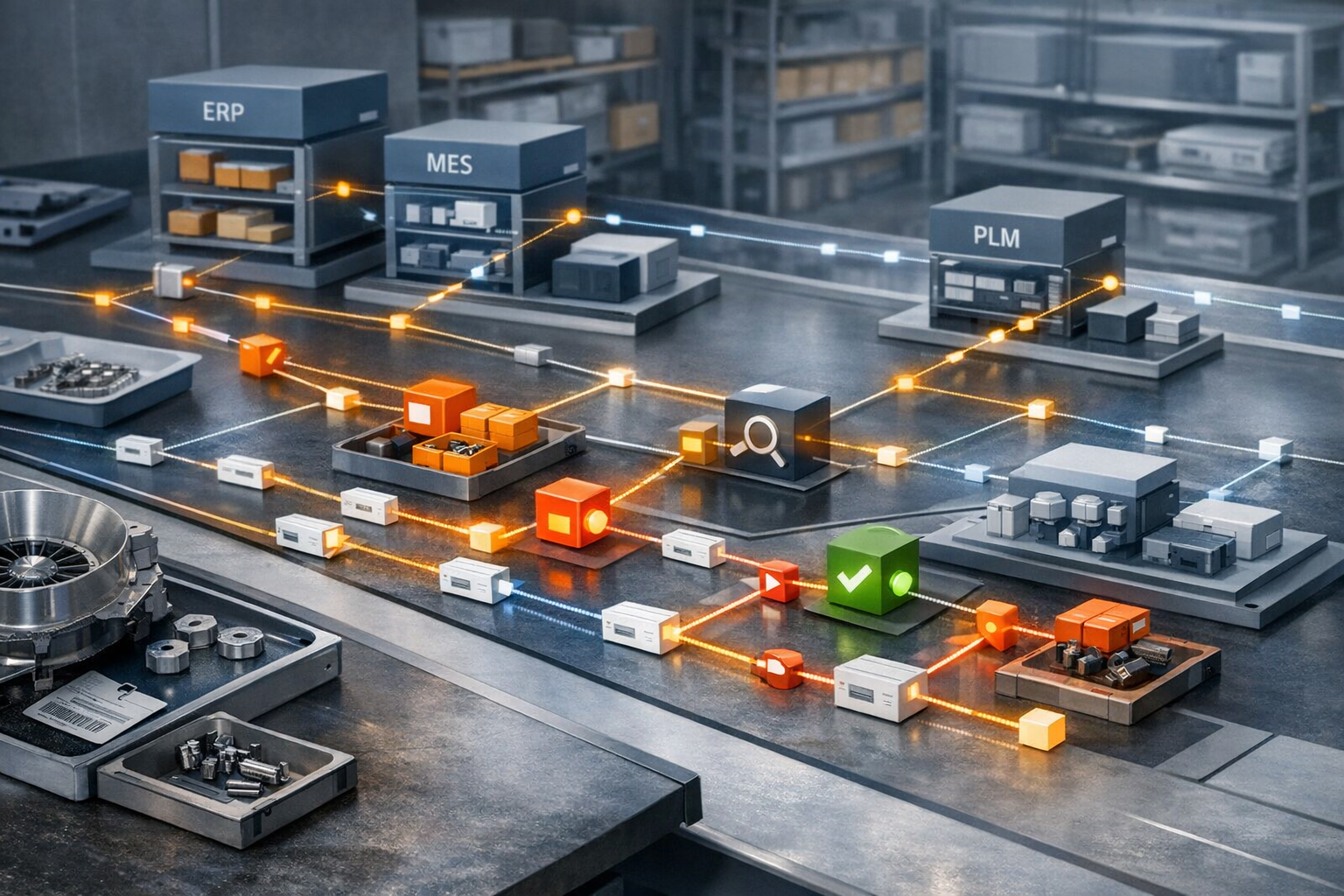
RSC Content Type: Operational Playbook

Step-by-step rollout or execution method.

  • How should we attribute quality costs that span multiple programs or customers?

    Start with a simple rule: attribute directly traceable quality costs to the specific program, part, lot, supplier event, work order, or customer requirement that caused them. Only allocate costs across multiple programs or customers when direct attribution is not credible or would cost more to maintain than the insight is worth.

    In practice, most organizations need a two-layer model.

    In practice, this connects to scrap and rework reduction when teams need to turn the answer into repeatable execution habits.

    • Direct costs: scrap, rework labor, replacement material, expedited freight, containment activity, test reruns, supplier chargebacks, and concession processing that can be linked to a specific nonconformance, order, serial, or customer requirement.

    • Shared or pooled costs: central quality engineering, common inspection resources, enterprise CAPA effort, system administration, broad training, audit preparation, and recurring overhead tied to multiple programs.

    Those pooled costs should be assigned using a documented allocation basis that is stable, explainable, and reviewable. Common drivers include production hours, direct labor hours, inspection hours, transaction counts, units processed, revenue, or program mix. No single basis is universally correct. The best choice depends on what the cost actually follows and what data you can defend later.

    What usually works best

    For most regulated manufacturing environments, the least problematic approach is:

    1. Capture the originating quality event at the lowest practical level of traceability.

    2. Book all directly attributable costs to that event first.

    3. Define a limited number of shared quality cost pools.

    4. Assign each pool one approved allocation driver.

    5. Review the policy on a fixed cadence under change control rather than changing it case by case.

    This prevents a common failure mode where teams retroactively move quality costs to protect program margins, customer relationships, or monthly performance reporting. That creates noise in the data and weakens trust in the numbers.

    Choose the driver based on causality, not convenience

    If the cost pool is driven mainly by inspection demand, inspection hours or inspection transactions are usually more defensible than revenue. If the pool is driven by production complexity, routing steps or labor hours may fit better. If the cost is tied to supplier-related escapes, supplier incident counts or receiving inspection volume may be more meaningful.

    Revenue-based allocation is easy, but it often hides operational causality. It may be acceptable for high-level financial reporting, but it is usually weak for root cause analysis or program improvement decisions.

    Important constraints

    This only works if your data model supports it. Many plants have fragmented NCR, ERP, MES, QMS, and labor systems, so the underlying event, labor, material, and disposition data do not align cleanly. In that case, a more sophisticated attribution model can create false precision.

    If your systems cannot reliably link nonconformance records to work orders, lots, serials, labor bookings, and material issues, keep the method simpler and make the limitations explicit. A defensible rough-cut model is usually better than a detailed model no one can validate.

    Also, customer-specific treatment may be constrained by contract structure, internal finance policy, and whether the quality issue was caused by internal execution, supplier performance, design instability, or customer-driven change. Do not assume operational attribution and contractual recoverability are the same thing. They often are not.

    Brownfield reality

    Do not assume you need a full system replacement to improve attribution. In brownfield environments, that is often the wrong move. Replacing ERP, MES, QMS, or PLM just to get cleaner cost attribution usually fails because of qualification burden, validation effort, integration complexity, downtime risk, and the need to preserve traceability across long equipment and program lifecycles.

    More often, the practical path is coexistence:

    • ERP remains the financial book of record.

    • QMS or NCR workflows remain the quality event record.

    • MES or labor systems provide execution and time data where available.

    • A governed reporting or costing layer performs the attribution logic.

    That approach is less elegant, but usually more achievable and less disruptive.

    Governance matters as much as math

    Your attribution policy should define:

    • which quality costs are direct versus pooled,

    • approved allocation drivers for each pool,

    • required source records,

    • who can override default attribution,

    • how overrides are documented and approved,

    • how often the model is reviewed, and

    • how restatements are handled if source data changes.

    Without that governance, the model becomes a negotiation tool instead of a management tool.

    Bottom line

    Attribute what you can directly. Allocate only what you must. Use causal drivers, document the policy, and preserve traceability back to the originating quality event. If your systems and processes are immature, say so and keep the model simple enough to validate. A less granular model with reliable evidence is usually more useful than a detailed model built on weak links between systems.

  • How can we estimate the cost of a non conformance?

    Estimating the cost of a non conformance (NC) is less about finding a single “correct” number and more about defining a consistent, transparent cost model you can apply across events. The goal is to be accurate enough for decisions, comparable across incidents, and defensible during internal and external scrutiny.

    Start with a clear purpose and level of precision

    Before building a model, decide what the estimate will be used for:

    • Prioritization only: relative cost bands (e.g., <$1k, $1k–$10k, >$10k) may be sufficient.
    • Management reporting: more detailed, but still based on standard rates and assumptions.
    • Business case / CAPEX / customer claims: requires traceable calculations and documented assumptions, often cross-checked by finance.

    In regulated environments, higher precision also means higher validation and governance effort. Be explicit about the intended use in your procedure.

    Break the cost into standard components

    A practical NC cost model usually has these buckets:

    • 1. Direct material and labor
    • 2. Direct overhead on affected operations
    • 3. Investigation and containment effort
    • 4. Customer, supplier, and logistics impact
    • 5. Regulatory, quality system, and documentation impact
    • 6. Special cases and risk-driven adders (e.g., field actions, scrap of unique assets)

    Most plants standardize what is always included, what is included only above a threshold, and what is explicitly excluded (for example, long-term reputational impact that cannot be credibly quantified).

    1. Direct material and labor

    This is usually the most straightforward category and can often be semi-automated if your ERP/MES and QMS are integrated.

    • Scrap cost: quantity scrapped × standard material cost (including allocated burden if finance requires it). In brownfield environments, this typically comes from ERP item master or standard cost tables.
    • Rework cost: rework labor hours × fully loaded labor rate, plus any extra material or tooling consumed only because of the NC.
    • Downgrade / concession cost: difference between planned selling price and actual realized price for downgraded or reworked product.

    Dependencies and constraints:

    • Requires reasonably accurate routing data and labor rates in ERP/MES.
    • If actuals are not available, define standard rework times by defect type and use those consistently.
    • Validated systems may limit how quickly you can change rates or costing logic; document assumptions in the NC record.

    2. Direct overhead and equipment impact

    In high-capital environments, machine time is often more valuable than direct labor.

    • Lost capacity: hours of machine time lost × standard machine-hour rate (agreed with finance).
    • Changeovers and setups due to NC: extra setups or changeovers that would not have happened without the NC.
    • Tooling and fixtures: premature tool wear, broken fixtures, or special tooling made to salvage nonconforming parts.

    Be cautious not to double-count overhead if it is already baked into your labor or standard material rates. In many plants, a simple rule is used, for example: overhead as part of standard cost only, unless there is provable extra downtime or capacity loss directly tied to the NC.

    3. Investigation, root cause analysis, and containment

    These costs are often underestimated and rarely fully captured in transactional systems.

    • Containment: sorting, 100% inspection, quarantine management, extra sign-offs, temporary work instructions.
    • Investigation / RCA: engineer, quality, and operations time spent on problem solving and documentation.
    • Meetings and reviews: MRB, customer reviews, cross-functional war rooms.

    Typical approach when detailed time tracking is not feasible:

    • Define standard hour ranges per NC severity level or per defect type (for example, Minor = 2 hours, Major = 8 hours, Critical = 40+ hours across functions).
    • Apply a blended fully loaded rate per role (operator, engineer, quality, manager).

    Document in your NC procedure how these standard times are assigned; this makes the estimates repeatable and auditable even if they are approximate.

    4. Customer, supplier, and logistics impacts

    These often matter more than internal scrap when the NC affects delivery or field performance.

    • Customer returns / complaints: replacement product cost, return freight, processing time.
    • Expedite costs: premium freight, overtime, or out-of-sequence builds to recover schedule.
    • Penalties and credits: contractual penalties, price concessions, or service credits.
    • Supplier issues: inspection of supplier lots, extra qualification testing, and any non-recoverable portion of supplier-caused scrap.

    Constraints:

    • Financial penalties and credits often sit in separate systems from QMS/MES and may require manual coordination with finance or commercial teams.
    • In many plants, these are only included above a certain dollar threshold or for defined NC categories.

    5. Regulatory and quality system costs

    In regulated sectors, some NCs trigger significant additional effort.

    • Additional testing / validation: non-routine tests, protocol writing, review cycles, and reporting.
    • Regulatory reporting activities: time to prepare, review, and respond to regulator or customer oversight, where applicable.
    • Documentation and system changes: updating controlled documents, revising validated work instructions or software configuration, and associated change control.

    These are typically estimated with standard effort buckets by NC category, because tracking every hour in validated systems is rarely practical. Ensure that any changes to calculation logic go through formal change control if they affect validated reports or dashboards.

    6. Special cases and risk-based adders

    Not every cost is easily quantifiable. For high-risk NCs, some organizations include additional categories:

    • Field remediation campaigns: planned hours and logistics for site work, inspections, or retrofits.
    • Obsolescence or write-off of unique items: scrapping custom tooling, jigs, or long-lead components with no alternative use.
    • Project-level delay costs: only when there is a clear, documented link between the NC and measurable project impact (extra project management, schedule slippage costs agreed with finance).

    These should be used sparingly and with documented assumptions, especially where customer or regulatory bodies may review the rationale.

    Define a repeatable estimation workflow

    To make NC cost estimation practical in brownfield, regulated environments:

    1. Standardize severity and categories: align NC types and severities with predefined cost logic (for example, via templates in your QMS).
    2. Use standard rates and times: define and periodically review standard labor rates, machine rates, and typical effort by NC type.
    3. Automate where data is reliable: pull scrap quantities, standard costs, and labor hours directly from ERP/MES where integration and data quality are adequate.
    4. Keep manual inputs simple: limit required manual estimates to a small number of fields (for example, extra investigation hours, extra inspections performed).
    5. Separate estimated vs. actual: allow an initial estimate for prioritization, then a later update if actuals are available and material.

    Each step that touches validated or regulated systems should follow formal change control and, where required, revalidation of reports or calculation logic.

    Recognize system and data limitations

    The accuracy of NC cost estimates is constrained by:

    • Data availability: legacy MES/ERP/QMS often do not capture all the time and cost drivers needed for precise calculation.
    • Integration quality: misaligned item masters, routings, or cost centers can bias estimates if data is pulled automatically.
    • Process maturity: if operators and engineers do not consistently record containment or rework activities, the model will undercount these costs.

    In many plants it is better to accept a conservative, clearly documented approximation than to delay action while chasing theoretical precision.

    Why not build a single “true cost” system?

    In long-lifecycle, regulated environments, a full replacement of costing and quality systems to get perfect NC cost data usually fails or is not economical:

    • Qualification and validation burden: cost calculation logic inside validated systems is hard to change and re-qualify.
    • Downtime risk: replacing core ERP/MES/QMS for costing purposes alone rarely justifies the risk to production and compliance.
    • Integration complexity: different plants, business units, and legacy systems encode cost elements differently.

    A more realistic approach is to layer a cost estimation model on top of existing systems, using exports, data marts, or reports, and refine it via continuous improvement.

    Practical starting model

    If you need a pragmatic starting point, many organizations begin with:

    • Direct cost: scrap + rework (material and labor) from ERP/MES.
    • Standard investigation/containment adder: severity-based hours × blended rate.
    • Expedite / penalty adders: only when above a threshold and confirmed by finance or commercial.

    They then review a sample of NCs quarterly with operations, quality, and finance to calibrate the standard assumptions and adjust the model gradually, under change control.

  • Where should KPI calculation logic live to prevent semantic drift over time?

    To prevent KPI semantic drift, KPI calculation logic should live in a single, governed source of truth that all consuming systems reference, rather than being re-implemented in every report, dashboard, or local tool.

    Core principle: one governed source of truth

    The KPI definition and calculation logic should be owned by a central, controlled layer, with:

    In practice, this connects to data integrity, version control and audit when teams need to turn the answer into repeatable execution habits.

    • Clear data model (inputs, filters, exclusions, time windows, aggregation rules)
    • Version control and documented change history
    • Formal change control and validation where required
    • Traceability to requirements, procedures, and standards

    Everything else (dashboards, plant views, spreadsheets) should consume these governed KPIs, not recode them.

    Practical options for where the logic lives

    In regulated, brownfield environments, the central KPI logic commonly sits in one or a combination of:

    • Data warehouse or data lakehouse semantic layer
      KPI logic defined as governed views, metrics, or semantic objects. BI tools query these objects directly instead of writing custom formulas. This works well when you already have an analytics platform and reasonably consistent source data.
    • Dedicated metrics or calculation service
      An application or microservice that takes event/transaction data and returns pre-calculated, versioned KPIs (for example OEE, NPT, COPQ). MES, dashboards, and reports consume these APIs. This can reduce duplication in heterogeneous MES/SCADA landscapes.
    • MES or historian calculation layer
      For shop-floor performance metrics tied tightly to runtime signals, some plants centralize KPI logic in a validated MES/historian layer, then push results to downstream systems. This only works if you can keep that MES layer as the single KPI authority across sites.
    • Governed KPI library or spec repository
      In less integrated environments, KPI logic may be held as SQL scripts, views, or calculation specs in a controlled repository (for example under Git and change control) and reused across tools. This is weaker than a fully central runtime service but still better than ad hoc re-implementation.

    What does not work over time is embedding unique KPI logic separately in:

    • Each BI report
    • Each plant-level Excel workbook
    • Each custom integration script
    • Each vendor point solution

    That pattern almost guarantees semantic drift as people fix local issues without updating a shared definition.

    Key controls to prevent semantic drift

    Regardless of the exact technical location, preventing drift depends on governance more than tooling:

    • Authoritative KPI catalog
      Maintain a catalog that defines each KPI, its purpose, inputs, filters, and exact formula. This catalog must match the implemented logic in the metrics layer.
    • Versioned KPI definitions
      Give KPIs explicit versions. When you change a calculation (for example change how planned downtime is treated for OEE), increment the version, document the rationale, and record effective dates.
    • Formal change control
      Route KPI changes through the same change control you use for other critical systems: impact analysis, approvals, test evidence, and deployment records. In regulated settings, treat major KPI logic as configuration under control.
    • Separation of logic from visualization
      BI tools and dashboards should only reference centrally defined metrics or views, not define their own formulas. If a local team thinks they need a variant, it should be added to the central metrics layer, not hand-implemented in a chart.
    • Test suites and regression checks
      Maintain test cases and reference datasets so you can detect unexpected changes in KPI results when data pipelines, MES configurations, or integrations change.
    • Plant- and site-level transparency
      Provide users with a way to see what version of a KPI they are viewing and where it is calculated. This makes it harder for shadow copies to proliferate unnoticed.

    Coexistence with existing MES, ERP, and BI tools

    In brownfield environments you will usually end up with a hybrid design:

    • Operational systems (MES, historian, SCADA) generate base events and signals (for example machine states, throughput, scrap, alarms).
    • Transactional systems (ERP, QMS, PLM) provide order, material, quality, and cost context.
    • A central metrics or semantic layer combines this data and implements KPI logic under governance.
    • BI tools, plant dashboards, and reports query this layer rather than building KPIs from scratch.

    Completely replacing existing MES/ERP or standardizing on a single vendor for KPI logic is rarely feasible in regulated environments, due to qualification and validation burden, downtime risk, and integration complexity. It is usually more practical to:

    • Keep existing systems as data sources.
    • Extract and normalize data into a governed metrics or semantic layer.
    • Gradually refactor local custom KPI logic to call or query that central layer.

    During transition, you may have the same KPI calculated both locally and centrally. Use side-by-side comparisons, documented differences, and clear communication of which source is authoritative to avoid confusion.

    Minimum viable pattern if you are starting from spreadsheets

    If your current reality is heavily spreadsheet-driven, a pragmatic first step is:

    1. Define and document KPI logic in a controlled spec or SQL repository.
    2. Implement that logic as views or calculated fields in a central database or analytics platform.
    3. Point Excel and BI tools to those views instead of maintaining formulas locally.
    4. Introduce basic version control and change approvals for KPI-related views.

    This is not as robust as a dedicated metrics service, but it moves the logic out of individual workbooks and into a more governable layer.

    Summary

    To prevent semantic drift, KPI calculation logic should live in a single, governed metrics or semantic layer that all consuming tools use. The specific technology can vary (data warehouse semantic layer, metrics service, or MES/historian layer), but the non-negotiables are central ownership, versioning, change control, and clear separation between calculation logic and visualization. In mixed-vendor, regulated environments, this usually means adding a governed metrics layer on top of existing systems rather than trying to replace them.

  • How can we prevent NCM from becoming a “parking lot” for schedule problems?

    The short answer is to stop using nonconformance as a catch-all status for anything that cannot ship on time. If a part, batch, or operation is late because of capacity, shortage, tooling, routing confusion, or planning errors, that is not automatically an NCM issue. Treating it that way hides the real constraint, distorts quality data, and creates avoidable backlog in MRB, engineering, and quality.

    In practice, preventing this requires both process discipline and system discipline.

    In practice, this connects to non-conformance management when teams need to turn the answer into repeatable execution habits.

    What has to change

    • Set a strict threshold for opening NCM. Require objective evidence that a requirement was not met, or that there is a credible suspected nonconformance that must be contained pending verification. Do not allow NCM to be opened solely because material is late, paperwork is incomplete, capacity is constrained, or a schedule commit was missed.

    • Separate quality holds from operational holds. Use distinct statuses and queues for shortage, engineering clarification, document mismatch, awaiting tooling, supplier delay, and production sequencing issues. If your ERP, MES, and QMS cannot distinguish these states cleanly, people will keep routing everything into NCM because it is the only controlled hold available.

    • Make disposition ownership explicit. Every record should have a named owner, target response time, escalation path, and reason code. If no one owns aging records, NCM becomes inventory storage with paperwork attached.

    • Measure aging by cause, not just count. Total open NCRs is a weak metric on its own. Track aging by source, product family, operation, supplier, disposition type, and queue stage. A growing backlog in review, verification, or closure often indicates resource or workflow problems, not more quality events.

    • Require containment and decision deadlines. For example, initial triage, disposition, rework authorization, verification, and closure should each have expected windows based on risk and product type. Those windows will vary by plant and regulatory context, but without them, old records accumulate because they are not operationally painful enough to resolve.

    • Audit reason-code misuse. If operators or supervisors are rewarded mainly on schedule attainment, some will classify schedule blockers as defects to move the problem elsewhere. Review samples of NCM records for vague descriptions, repeated miscoding, and records opened near shipment deadlines.

    • Link rework and concession flows back to planning. If rework capacity, approval turnaround, or inspection re-queues are routinely longer than the production schedule assumes, the schedule itself is unrealistic. NCM cannot fix that.

    System design matters

    Software can help, but it will not prevent misuse unless the workflow is designed carefully. At minimum, the transaction model should support:

    • distinct hold categories for quality, material, documentation, supplier, tooling, and planning issues

    • mandatory defect evidence and requirement reference for true nonconformance records

    • aging clocks by workflow stage

    • role-based ownership across production, quality, engineering, MRB, and supply chain

    • traceable status changes with audit trail

    • escalation triggers for stale records and repeated recategorization

    • reporting that separates quality loss from execution loss

    In brownfield environments, this usually means coexistence across QMS, MES, ERP, and sometimes a homegrown hold log or spreadsheet. Full replacement is often the wrong answer. It can create validation burden, integration risk, retraining overhead, and downtime exposure without fixing the underlying classification behavior. In regulated, long-lifecycle operations, it is usually safer to improve handoffs, master data, status models, and evidence requirements across existing systems than to rip out the stack.

    Management tradeoffs

    There is a real tradeoff between speed and control. If you make NCM entry too hard, people may bypass it and continue work without proper containment. If you make it too easy, it becomes a convenient holding area for every unresolved problem. The right balance depends on product criticality, process maturity, training, and the reliability of your routing and hold workflows.

    Another tradeoff is organizational: quality data becomes more truthful when schedule issues are classified elsewhere, but that transparency may expose planning instability, supplier performance problems, weak engineering response times, or poor work instruction governance. Some organizations resist that because it moves accountability back to operations and planning.

    Practical controls that work

    • Create a short decision tree for supervisors: defect, suspected defect pending verification, shortage, document issue, tooling issue, supplier issue, or scheduling issue.

    • Require a requirement reference or objective defect description before an NCM can be submitted.

    • Review aged records daily or weekly by cross-functional team, with authority to reclassify misrouted items.

    • Set WIP and backlog limits for MRB and disposition queues.

    • Trend reclassification rate. If many records leave NCM and move to shortage or planning holds, the front-end criteria are weak.

    • Align KPIs so quality is not penalized for holding true nonconformances and operations is not rewarded for pushing schedule misses into the quality system.

    If NCM feels like a parking lot, the problem is usually not just the NCM process. It is often a combination of unclear hold taxonomy, weak cross-system status control, overloaded reviewers, and incentives that favor local schedule protection over accurate problem classification.

  • How can we train IT staff on OT-specific constraints and risks?

    Training IT staff on OT-specific constraints and risks works best when it is structured, grounded in real plant conditions, and co-owned by IT, operations, engineering, and quality. A generic cybersecurity or networking course is not enough. You need to deliberately expose IT to the physical, safety, and regulatory consequences of changes in the OT environment.

    Anchor the training in concrete OT objectives and constraints

    Start by making the differences between enterprise IT and OT explicit, using real examples from your sites:

    • Primary objective: OT prioritizes safety, quality, and availability. Data confidentiality is still important, but stopping a line may be worse than delaying a patch.
    • Risk surface: OT incidents can damage equipment, scrap product, or trigger quality events and regulatory reporting, not only data breaches.
    • Lifecycle: Control systems and equipment often run 10–25 years, with vendor constraints, obsolete OS versions, and limited patch options.
    • Validation & change control: Many OT changes require documented impact assessment, testing in a representative environment, and formal approvals.
    • Downtime: Maintenance windows are tight and tied to production schedules, qualification runs, and customer commitments.

    This context should be the first module for IT staff, ideally delivered jointly by an OT engineer, production lead, and quality representative.

    Use site-specific architecture and incident walkthroughs

    Generic diagrams do not prepare people for your actual risks. Build training around your current brownfield architecture:

    • Walk through a high-level view of plant layers (field devices, PLCs, HMIs, SCADA, historians, MES, connections to ERP and cloud).
    • Highlight vendor diversity, unsupported systems, and custom integrations that affect what is safe to change.
    • Discuss any existing segmentation (e.g., DMZs, jump hosts) and where it is incomplete or brittle.

    Then use concrete scenarios and past events:

    • Near misses where a network change, antivirus update, or credential policy affected control networks or MES connectivity.
    • Deviations, batch rejections, or rework caused by system outages or misconfigured interfaces.
    • Unsuccessful upgrade or replacement attempts that ran into validation, qualification, or integration issues.

    For each case, have IT walk through what they would have done in a data center context, then compare that to what actually happens in OT and why.

    Cover OT cybersecurity frameworks in a practical way

    Introduce IT staff to OT-relevant cybersecurity frameworks (for example IEC 62443) and how they map to daily work:

    • Network segmentation and zones/conduits, and why “flat” control networks are common but risky in brownfield plants.
    • Asset inventory and configuration baselines for PLCs, HMIs, engineering workstations, and historians.
    • Patch and antivirus strategies where systems cannot be easily updated or rebooted.
    • Remote access controls for vendors, integrators, and support staff, including logging and change tracking.

    Training should emphasize tradeoffs: stronger controls are helpful, but if they break legacy protocols, impact cycle times, or invalidate validated configurations, they may not be acceptable without a heavier change process.

    Explain validation, traceability, and regulated impacts

    In regulated environments, IT must understand that OT systems and data feeds are part of the product and quality record:

    • How MES, historians, and automation systems contribute to traceability, electronic batch records, and device history records.
    • Why configuration changes may require documented testing, impact analysis, and sometimes revalidation of associated processes or equipment.
    • Evidence expectations: audit trails, configuration history, and documented rationales for security and reliability decisions.

    Make it clear that IT actions can have downstream implications for quality investigations and audits, even when systems appear to be “just infrastructure.” Training should include examples of how missing logs, undocumented changes, or unapproved patches complicate root cause analysis and CAPA.

    Practice change management in OT scenarios

    IT staff are often familiar with ITIL-style change processes, but the OT context differs. Use tabletop exercises for:

    • Implementing a security patch on an HMI or engineering workstation supporting a validated process.
    • Introducing new monitoring tools or network devices into a control network segment.
    • Decommissioning or replacing a legacy server used by multiple plants and lines.

    Each exercise should force consideration of:

    • Production schedule and downtime constraints.
    • Required OT, QA, and operations approvals.
    • Rollback plans and pre-change backups for PLC programs, configurations, and historian databases.
    • Testing in a representative offline environment when available.

    Where you have tried full system replacements that ran into qualification or integration issues, use those as examples of why incremental, well-controlled changes are often safer than large cutovers.

    Provide structured plant-floor exposure

    Classroom training alone is not enough. Build a controlled exposure program:

    • Guided plant tours focusing on how automation, MES, and quality systems interact with physical processes.
    • Shadowing OT engineers or control technicians during routine maintenance windows.
    • Participation in incident reviews related to automation, networks, or data integrity.

    Set clear boundaries; IT staff should observe and learn, not make live changes, until they understand the risks and processes.

    Use a layered curriculum, not a one-off session

    Given varying experience levels, a tiered approach usually works best:

    • Foundational module for all IT staff with any access to OT networks: basic OT concepts, safety and quality impacts, and change control expectations.
    • Role-specific modules for network engineers, system admins, cybersecurity, and application teams, focused on the OT systems they touch.
    • Advanced modules for staff heavily involved in OT projects: deeper into PLC/HMI ecosystems, MES/ERP integration, validation concerns, and brownfield migration constraints.

    Refresh training periodically, tied to incident learnings, architecture changes, and new regulatory or customer expectations.

    Define behaviors, not just knowledge

    Make explicit which behaviors you expect from IT staff in OT contexts, for example:

    • Always involving OT and QA stakeholders before making changes to systems that influence production or quality records.
    • Requesting and consulting system-specific SOPs and work instructions before maintenance activities.
    • Refusing “emergency” shortcuts that bypass change control, except under pre-defined, documented criteria.
    • Escalating if asked to apply standard IT controls that seem likely to impact legacy OT systems or validated environments.

    Training should be evaluated not only with quizzes, but by observing how IT behaves in joint projects, change advisory boards, and incident response.

    Integrate training with your brownfield and modernization roadmap

    Finally, connect OT training for IT to your actual plant roadmap:

    • Show where lifecycles, vendor constraints, and validation burdens make full replacement of OT systems unrealistic in the near term.
    • Explain planned segmentation, monitoring, or MES upgrades, and how IT can support safer, incremental modernization.
    • Use the roadmap to prioritize which sites and systems should receive the earliest and deepest IT/OT training focus.

    By tying training to real plant constraints and planned changes, IT staff are more likely to retain and apply OT-specific risk awareness in their day-to-day work.

    In practice, this connects to industrial security evidence when teams need to turn the answer into repeatable execution habits.

  • privacy baseline

    A privacy baseline is a documented set of minimum, organization-wide requirements for how personal or otherwise sensitive data must be collected, processed, stored, shared, and retained across systems and processes. In industrial and manufacturing environments, it provides a consistent reference for designing and operating OT, IT, MES, ERP, and quality systems so that handling of identifiable or sensitive data aligns with applicable privacy expectations and regulations.

    The privacy baseline typically defines what types of data are considered in scope (for example, employee identifiers, operator performance records, visitor logs, or customer-related production data), what purposes are allowed for using that data, who may access it, and what protections must be in place. It is expressed at a level that can be traced into system requirements, configurations, and procedures.

    Typical elements of a privacy baseline

    Although content varies by organization, a privacy baseline commonly includes:

    • Data classification rules for personal, sensitive, and non-personal data used in operations, quality, maintenance, and engineering systems.
    • Collection and use constraints describing what data may be collected from workers, suppliers, and customers, and for which defined purposes.
    • Access control principles that specify which roles may see identifiable data, under what conditions, and how role changes are handled.
    • Data minimization and pseudonymization requirements, such as using operator IDs instead of names in certain reports or dashboards.
    • Logging and monitoring expectations that balance traceability and audit needs with limits on exposure of identifiers and sensitive attributes.
    • Retention and deletion rules for operational logs, production history, audit trails, video, badge records, and training or competency data.
    • Data sharing constraints for transfers to third parties, cloud services, analytics platforms, and cross-site data lakes.
    • Change control and documentation expectations, ensuring updates to systems, interfaces, and analytics respect the baseline.

    Operational role in manufacturing environments

    In regulated manufacturing, the privacy baseline is used as a design and validation input for both new and legacy systems. It influences how MES and ERP are configured, how quality and deviation records store operator and patient-related data, and how shop floor intelligence tools log events and performance metrics. The baseline is typically referenced when:

    • Designing or updating user roles, access matrices, and identity integration between OT and IT systems.
    • Configuring security tools such as SIEM, endpoint monitoring, and audit logging so that collected events do not exceed allowed identifiers or retention limits.
    • Defining interfaces between plant-level systems and corporate or cloud analytics, including which fields are masked, aggregated, or removed.
    • Planning data retention and archival behavior for production records, training data, and maintenance logs, especially where people are identifiable.
    • Executing change control, to confirm that new features, devices, or data flows still comply with documented privacy requirements.

    Relationship to security baselines

    A privacy baseline is related to, but distinct from, security baselines. Security baselines specify minimum technical and procedural controls to protect systems and data from unauthorized access, modification, or loss. The privacy baseline defines which data is permitted to exist in those systems, for what purposes, in what form, and who may see it.

    In practice, the privacy baseline constrains how security controls are implemented. For example, it can define what identifiers may appear in logs, how long logs containing personal data may be retained, and under what conditions monitoring tools may capture screens or keystrokes. Both baselines are typically developed and maintained together, with traceability to system-level requirements and configurations.

    Common confusion

    • Privacy baseline vs. security baseline: A security baseline focuses on protecting systems and data (for example, authentication, patching, network segmentation). A privacy baseline focuses on which personal or sensitive data may be present and how it may be used and exposed. They are interdependent but not interchangeable.
    • Privacy baseline vs. privacy policy: A privacy policy is often an external-facing statement describing how an organization handles personal data. A privacy baseline is generally an internal, operational specification that engineers, system owners, and process owners use to configure and run systems consistently.

    Use in brownfield and legacy environments

    When applied to long-lived equipment and legacy MES or ERP systems, a privacy baseline helps identify where existing data handling does not align with current expectations. This can drive compensating controls such as masking identifiers in reports, restricting access to certain screens, adjusting logging configurations, or introducing data brokers that filter or anonymize data before it is stored or exported.