Blog

  • Digital Thread in Aerospace: Connecting Traceability, Compliance, and Production Reality

    Digital Thread in Aerospace: Connecting Traceability, Compliance, and Production Reality

    Aerospace programs generate enormous volumes of data across design, manufacturing, suppliers, and maintenance. The challenge is not data creation but data connection. A digital thread in aerospace serves as the relational backbone that links requirements to design decisions, design decisions to production records, production records to certifications, and certifications to decades of in-service maintenance. Without this connected chain, traceability breaks down exactly where it matters most.

    Recent incidents have made the consequences of fragmented data painfully clear. The January 2024 Alaska Airlines Flight 1282 Boeing 737 MAX 9 door plug blowout, caused by missing bolts and improper installation during manufacturing, exposed gaps in assembly traceability between Spirit AeroSystems and Boeing’s Renton facility. That same year, the Boeing titanium quality documentation scandal revealed falsified records for titanium alloys affecting 787 and potentially 777 aircraft. Both cases illustrate what happens when production data remains siloed: the ability to trace what happened, when, and by whom disappears when it is needed most.

    This article is a pillar page focused on the aerospace digital thread as the backbone of traceability systems in aerospace manufacturing. It connects to supporting articles on part traceability, lot tracking, supplier traceability, audit trail systems, data normalization, and serial number traceability. Connect981 serves as a unified operations layer that turns fragmented data into a usable digital thread, linking ERP, PLM, MES, and QMS systems down to the shopfloor and across suppliers.

    • What a digital thread actually is and how it differs from digital twins and traditional PLM systems
    • How digital threads support regulatory compliance across FAA, EASA, AS9100, NADCAP, and ITAR
    • Building a digital thread across the full aerospace product lifecycle
    • Extending traceability to suppliers and MRO operations
    • Practical implementation approaches for existing operations

    What Is a Digital Thread in Aerospace Manufacturing?

    A digital thread in aerospace is a continuous, linked data record that flows from initial requirements and CAD/PLM through production, certification, operation, and MRO. Industry bodies like CIMdata and Eurostep define it as a communication framework that establishes a connected data flow and integrated view of product data from inception through maintenance, with automated linkages and traceability that enable reusable data flowing both downstream and upstream via feedback loops.

    The aerospace industry requires this level of connectivity because products like commercial airliners and defense systems span mechanical, electrical, software, and firmware domains. A digital thread creates the meaningful relationship connections between a product’s digital assets that INCOSE describes as essential for complex systems.

    • Digital thread vs. digital twin: A digital twin is a real-time virtual model simulating physical assets. A digital thread is the relational backbone connecting multiple twins and data sources without necessarily requiring simulation capabilities.
    • Digital thread vs. traditional PLM/MES: Legacy systems store data but lack the dynamic, cross-system relationships that a digital thread enforces. A digital thread links systems rather than replacing them.
    • Concrete example: Linking DO-178C software requirements (airborne software safety assurance) to DO-254 hardware design assurance, NC machining programs, AS9102 First Article Inspection records, and in-service maintenance logs ensures that changes in one domain propagate with full context.
    • Traceability underpinning: The digital thread supports part-level, lot-level, supplier-level, and serial number traceability concepts covered in supporting articles.

    The image depicts the interior of an aerospace manufacturing facility, showcasing various aircraft fuselage sections alongside advanced automated assembly equipment. This environment emphasizes operational efficiency and quality control, reflecting the rigorous standards and regulatory compliance essential in the aerospace industry.

    How the Digital Thread Supports Aerospace Traceability and Compliance

    The digital thread becomes the backbone of traceability required by FAA, EASA, AS9100D, EASA Part 21, NADCAP, ITAR, and defense regulations like MIL-STD-882. These regulatory requirements demand complete traceability from design intent through production execution to in-service maintenance. Manual approaches and disconnected systems cannot sustain this level of evidence.

    A properly implemented digital thread chains requirements to evidence across the entire manufacturing process: initial specifications in PLM flow to work orders in ERP/MES, connect to inspections via digital travelers, link to certifications like Certificates of Conformance, and tie into MRO logs. This chain enables audits in hours rather than weeks by providing time-stamped event histories of who performed what action with which revision.

    The 2024 Boeing titanium documentation review illustrates why this matters. Falsified records for titanium alloys from a supplier highlighted how fragmented supplier data, including missing heat lot certifications and process parameters, necessitates a digital thread to normalize identifiers like batch numbers and provide instant retrieval of full provenance chains. FAA Airworthiness Directives now mandate serial and batch identification for affected components, making this traceability critical for ensuring compliance.

    Connect981 can sit between PLM, ERP, MES, and QMS systems and the shopfloor to maintain a consistent traceability chain without forcing a full system replacement. The platform acts as a unified operations layer that preserves existing investments while ensuring seamless integration across data sources.

    • Instant retrieval of full build histories tied to specific serial numbers and lot numbers
    • Material certifications linked to process parameters and operator sign-offs
    • Nonconformance records with complete disposition trails
    • Audit-ready reports generated in minutes rather than weeks
    • Regulatory compliance evidence organized by program, part, or supplier
    • Defense regulations compliance through ITAR-segregated data handling

    Building a Digital Thread Across the Aerospace Product Lifecycle

    The digital thread captures and links specific artifacts phase by phase across the aerospace product lifecycle. Each phase produces data that must connect forward to downstream operations and backward to upstream design intent.

    Concept and Requirements

    DO-178C and DO-254 objectives form the baseline data. Requirements management systems capture initial specifications that will need to trace forward through design, production, and certification. This phase establishes the foundation for maintaining comprehensive records throughout the product’s life.

    Design and Certification Preparation

    CAD/PLM revisions embed model-based definitions for geometric dimensioning and tolerancing. PLM systems like Siemens Teamcenter or Dassault 3DEXPERIENCE maintain revision control while linking design data to certification requirements. Engineering teams establish the configuration baselines that production must execute against.

    Manufacturing and Assembly

    This phase integrates process plans, routing sheets, build travelers, torque logs, non-destructive testing reports, and Material Review Board dispositions. AS9102 FAI ballooning drawings are digitally signed and linked to serial numbers for part-level traceability. Production processes generate the evidence that proves design intent was executed correctly.

    • Routing sheets linked to specific work order numbers
    • Build travelers capturing real-time operator actions and inspections
    • Heat lot certifications tied to raw materials entering production
    • Torque logs with calibrated tool serial numbers
    • NDT reports linked to component serial numbers
    • MRB dispositions with full deviation approval chains

    Delivery and Operation

    Acceptance test procedure results transition to operations where configuration management tracks service bulletins and Airworthiness Directives. The digital thread maintains the link between as-built and as-delivered configurations.

    Maintenance, Repair, and Overhaul

    MRO closes the loop with disassembly findings, repair schemes, and life-limited part tracking over 20 to 30 year service lives. FAA continuing airworthiness mandates and component log cards demand back-to-birth traces. Connect981’s digital work instructions and shopfloor execution act as the on-the-floor segment of the thread, ensuring what actually happened matches design intent and regulatory requirements.

    Digital Thread vs Traditional Aerospace Traceability Systems

    Legacy systems in aerospace manufacturing rely on paper travelers, spreadsheets, siloed MES and QMS applications, and email-based supplier coordination. In multi-site, multi-supplier programs like the F-35 with over 1,500 suppliers, these approaches lead to estimated 20 to 30 percent data fidelity degradation per handoff and audit delays measured in months rather than days.

    Point solutions fail to address end-to-end needs. Standalone PLM lacks shopfloor execution visibility. Standalone MES lacks supplier integration. Neither provides the cross-system relationships required for complete visibility across aerospace operations.

    A modern digital thread architecture acts as a data fabric that normalizes identifiers and relationships across systems. This enables scenarios that would be impossible with legacy systems: identifying all aircraft and assemblies affected by a suspect titanium lot without halting the entire fleet, or tracing a misconfigured torque tool to every fastener it touched in the past 90 days.

    Dimension

    Legacy Approach

    Digital Thread Approach

    Speed

    Weeks for audit response

    Hours for complete trace

    Data completeness

    70-80% after handoffs

    Full chain preserved

    Audit readiness

    Manual compilation

    Automated evidence packages

    Supplier visibility

    Email and PDF exchange

    Shared traceability portal

    Recall containment

    Fleet-wide action

    Targeted serial/lot action

    Connect981 acts as a unified operations layer bridging ERP systems like SAP, PLM platforms like Siemens and Dassault, existing MES, and QMS with real-time shopfloor and supplier execution data. This approach preserves existing system investments while eliminating data silos that break traceability.

    Core Elements of an Aerospace Digital Thread Architecture

    A functional digital thread architecture requires specific technical elements designed for the aerospace sector’s unique demands around regulatory compliance, long product lifecycles, and multi-organization data sharing.

    Master Data Model

    The foundation is an ontology-based data model that defines relationships between entities: parts, assemblies, operations, inspections, certifications, and configurations. This model must handle the complexity of aerospace bills of materials while supporting relationships across mechanical, electrical, software, and firmware domains.

    Normalized Identifiers

    Serial numbers, lot numbers, batch numbers, and work order numbers must be harmonized across systems. The data normalization supporting article covers this in detail. Without unified identifiers, cross-system queries return incomplete results or fail entirely.

    Integration Interfaces

    Secure APIs connect PLM, ERP, MES, QMS, and supplier portals. These interfaces must handle bidirectional data flow, pushing work orders downstream and pulling execution data upstream. Information silos form when systems cannot exchange data in real time.

    Event Logs and Audit Trails

    Time-stamped event histories capture who did what, when, using which revision of instructions and which certifications. This supports audit trail systems requirements and provides the evidence chain regulators expect.

    • Multi-site deployments with consistent data models across locations
    • ITAR-segregated data handling for defense programs
    • Role-based access controlling visibility by program, site, or function
    • Long-term archival supporting 20 or more year retention requirements
    • Low-code workflow configuration for aerospace-specific compliance processes

    Connect981 fits into this architecture through its zero and low-code workflow builder, integration endpoints, and data model explicitly designed for aerospace documentation and traceability. The platform enables rapid deployment without requiring custom development for standard aerospace traceability processes.

    Digital Thread on the Shopfloor: From Work Instructions to Audit Trails

    The digital thread is realized at the point of execution where operators, inspectors, and supervisors follow digital work instructions. This is where theoretical traceability becomes operational reality through data collection at the source.

    Shopfloor execution captures real-time data that becomes part of the permanent audit trail: machine settings, torque values, inspection results, nonconformances, rework paths, and sign-offs tied to individual serial numbers and lots. Every data point links backward to requirements and forward to fielded assets.

    Digital work instructions in Connect981 maintain version control and ensure operators always see the correct revision for a given configuration and regulatory context. When a drawing revision changes, the platform ensures only current instructions are available for execution, reducing human error from outdated documentation.

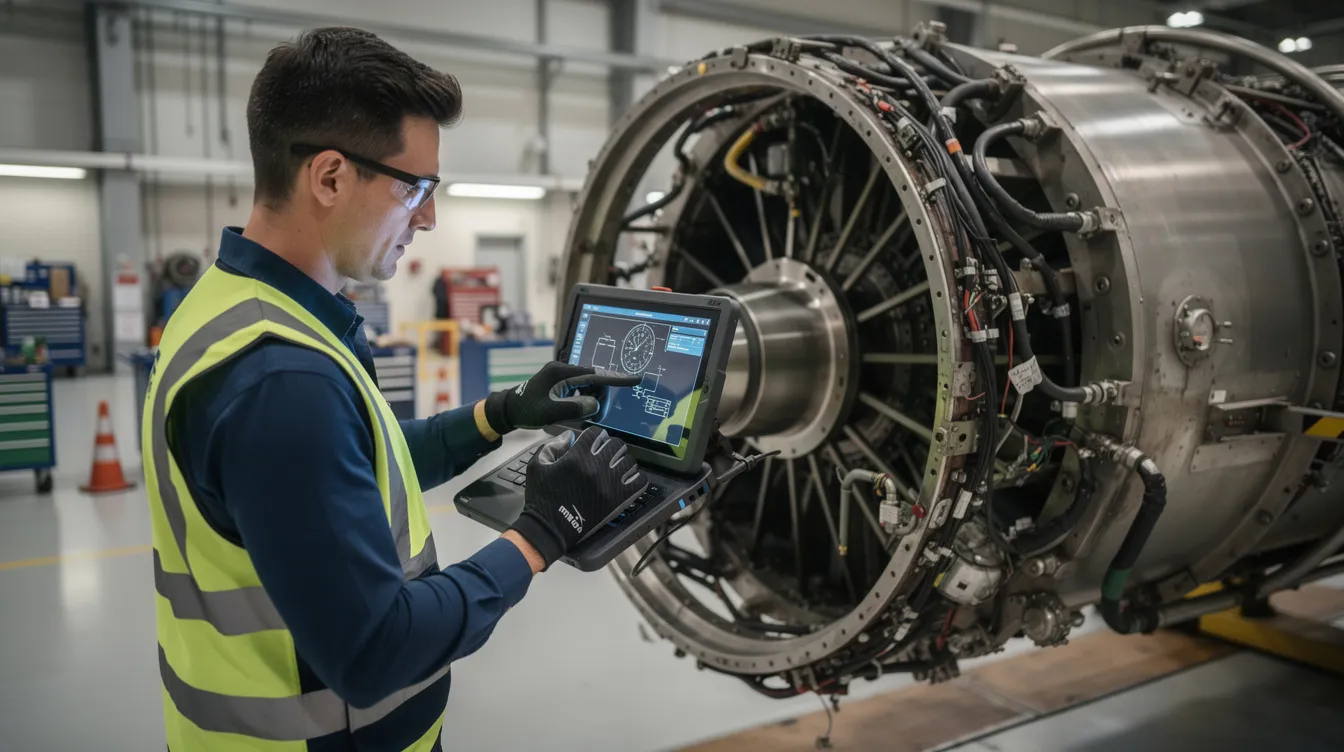
    A technician is using a tablet device to inspect an aerospace component in a production environment, ensuring compliance with quality standards and enhancing traceability in the manufacturing process. This scene highlights the importance of digital transformation and operational efficiency within the aerospace industry.

    Consider an AS9102 FAI for a structural bracket on an Airbus A320neo or an F-35 subassembly. The digital thread captures:

    • Ballooned dimensions linked to CAD source data
    • Operator identification and timestamp for each measurement
    • Calibrated inspection equipment serial numbers
    • NDT results linked to heat lot certifications for raw materials
    • Any deviations triggering MRB workflow with disposition records
    • Final sign-offs creating the audit-ready FAI package

    Every operator action, deviation, and quality decision becomes part of comprehensive records automatically linked across the product lifecycle. Quality control data flows into analytics systems for continuous improvement without manual data entry or transcription.

    Extending the Digital Thread to Suppliers and Multi-Tier Networks

    The aerospace digital thread must cross organizational boundaries spanning OEMs, Tier 1 through Tier 3 suppliers, special processors, and repair stations. Supply chain management in aerospace involves complex multi-tier networks where traceability cannot stop at the factory gate.

    Typical issues in supplier traceability include mismatched part numbers, incomplete Certificates of Conformance, missing heat lot data, and unlogged process deviations at outside processors. These gaps create compliance risk and slow containment when quality issues emerge.

    Shared portals or integrated workflows allow secure exchange of build records, certifications, First Article Inspection Reports, and deviation approvals. Connect981’s supplier workflow integration enables this data sharing while maintaining appropriate access controls and ITAR compliance where required.

    Real-world scenarios illustrate the value:

    • Validating a NADCAP special process at a coating supplier across multiple regions
    • Responding to a material documentation inquiry affecting parts from a specific supplier lot
    • Tracing all assemblies that incorporated raw materials from a flagged heat lot
    • Coordinating deviation approvals across multiple sites and suppliers in real time

    The supplier traceability supporting article covers these concepts in greater depth. The digital thread serves as the mechanism for end-to-end visibility across the supply chain, ensuring that OEM traceability extends through every tier that touches the product.

    Digital Thread in MRO: Closing the Loop from Fleet to Factory

    MRO operations at airlines, MRO shops, and defense depots generate critical data that should feed back into the digital thread for design and manufacturing teams. This closed loop system enables learning from operational experience.

    Aircraft operate for 20 to 30 years, accumulating maintenance records, component replacements, and service history. Tracking serialized life-limited parts, repairs, and service bulletins over this timeframe requires a persistent digital thread that connects back to original production data. Regulatory requirements from FAA and EASA continuing airworthiness mandates demand back-to-birth traces for critical components.

    Integrating MRO workflows into platforms like Connect981 supports full lifecycle traceability:

    • Turnaround time optimization: Linking disassembly findings to prior production data accelerates diagnosis and reduces time to return aircraft to service
    • AD and SB traceability: Tracking Airworthiness Directive and Service Bulletin compliance status across the fleet with complete evidence packages
    • Repair approval chains: Maintaining full disposition records for non-standard repairs with links to engineering authority
    • Component swaps: Recording serialized part removals and installations with complete audit trails

    The benefits extend beyond compliance. Faster root cause analysis reduces downtime by 20 to 40 percent through predictive analytics. Data-driven design changes emerge from real-world failure modes captured in MRO operations. Manufacturing and engineering teams gain valuable insights into how their products perform over time, enabling continuous improvement in future designs.

    The image depicts technicians performing maintenance on an aircraft engine inside a maintenance hangar, highlighting the importance of quality control and regulatory compliance in the aerospace manufacturing process. The scene showcases the dedication of engineering teams to ensuring operational efficiency and maintaining high-quality standards in the aerospace industry.

    Using Digital Thread Data for Quality, Analytics, and Continuous Improvement

    A well-implemented digital thread produces high-quality, structured data suitable for advanced analytics and artificial intelligence insights. The connected data fabric enables analyses impossible with siloed systems.

    Practical use cases include:

    • Defect trend identification: Correlating defects across time, shift, station, and supplier to identify patterns before they become systemic
    • Supplier quality correlation: Linking supplier lots to scrap rates and DPPM metrics to inform supplier performance management
    • Early warning indicators: Detecting MRO findings that suggest emerging design or manufacturing issues
    • Virtual testing validation: Comparing simulation predictions to actual in-service performance data

    Connect981’s analytics capabilities include real-time dashboards, defect hotspot visualization, and AI-assisted root cause analysis leveraging tightly linked production and quality history. These traceability tools transform raw data into actionable intelligence.

    Key performance indicators enabled by digital thread data:

    Metric

    Description

    Target

    DPPM

    Defective parts per million by supplier, process, or station

    <100 for critical processes

    Rework rate

    Percentage of units requiring rework before acceptance

    <5%

    On-time FAI

    First Article Inspections completed within scheduled window

    >95%

    Audit response time

    Hours to compile complete evidence package

    <4 hours

    Containment scope

    Precision of affected unit identification

    100% accuracy

    This granular history enables targeted recalls and containment actions. When a quality issue emerges, the digital thread identifies exactly which serial numbers are affected, improving efficiency in response and minimizing disruption to unaffected production.

    Implementing a Digital Thread in Existing Aerospace Operations

    Most aerospace manufacturers operate in brownfield environments with existing ERP, PLM, some MES capabilities, and entrenched manual processes. Implementation must work within these constraints rather than requiring wholesale system replacement.

    First 90 Days: Foundation

    • Map current data sources across PLM, ERP, MES, QMS, and supplier systems
    • Define unified identifier strategy: harmonized part numbers, revision schemes, serial number formats
    • Identify critical programs or high-risk components for initial focus
    • Establish data governance policies for ownership and maintenance
    • Deploy initial Connect981 instance with core integrations

    6 to 12 Months: Expansion

    • Digitize work travelers for high-risk components like engine parts and structural assemblies
    • Implement serial number traceability on a flagship program
    • Automate FAI and AS9102 data capture with digital work instructions
    • Integrate key Tier 1 suppliers into traceability portal
    • Establish real time tracking for critical process parameters

    Full Rollout: Maturity

    • Extend site-by-site across manufacturing network
    • Integrate MRO data feeds for operational feedback
    • Deploy analytics dashboards for quality assurance and operational efficiency tracking
    • Expand supplier integration to Tier 2 and special processors
    • Implement predictive analytics for defect prevention

    Quick wins build momentum. Organizations typically achieve 50 percent audit time reduction within the first six months. Digitizing travelers for high-risk components demonstrates value while building organizational capability for broader deployment.

    Data normalization and governance remain critical throughout. Harmonized part numbers, revision schemes, and naming conventions across sites and suppliers prevent the fragmentation that undermines traceability. Change management addresses resistance by demonstrating how digital workflows reduce burden rather than adding complexity.

    Connect981 serves as a low-code, fast-deployment layer that can roll out line-by-line or site-by-site without a multi-year MES replacement. The platform integrates with existing systems rather than replacing them, accelerating time to value.

    How Connect981 Powers the Digital Thread for Aerospace and MRO

    Connect981 creates a connected shopfloor and supplier network that plugs into existing ERP, PLM, and QMS systems to realize a true digital thread. The platform bridges gaps between enterprise systems and point-of-execution data.

    Key capabilities in the context of digital thread:

    • Digital work instructions: Version-controlled instructions ensuring operators execute the right revision for each configuration
    • Work order execution: Real-time tracking of work order status and completion with automatic audit trail generation
    • Serial and lot traceability: Full chain from raw materials through final assembly to fielded asset
    • Supplier collaboration: Secure portals for CoC exchange, FAIR submission, and deviation coordination
    • Quality logging: Defect capture, nonconformance tracking, and MRB disposition management
    • Audit-ready histories: Complete evidence packages generated on demand for regulatory audits

    Aerospace use-case vignettes:

    A Tier 1 supplier used Connect981 to harmonize traceability across three plants producing assemblies for a major OEM program. Within 60 days, the organization eliminated discrepancies in serial number formats and established consistent build traveler data across all sites. Audit preparation time dropped from two weeks to two days.

    An MRO operation deployed Connect981 to link disassembly findings to prior production data. Technicians access component production history directly from digital work instructions, reducing diagnostic time and improving first-time fix rates. Turnaround time improved by 30 percent on heavy maintenance visits.

    Connect981 differentiates from generic MES and PLM through aerospace-specific data models designed for AS9100, ITAR, and FAA/EASA compliance. Rapid deployment in weeks rather than years enables organizations to close traceability gaps before the next audit or the next quality incident.

    Request a Demo to see how your existing systems can be connected into a working digital thread.

    Conclusion: Making Digital Thread the Backbone of Aerospace Traceability

    The digital thread is no longer optional. Recent safety incidents, supply chain scrutiny, and tightening aerospace regulations have made connected traceability an operational necessity. Organizations that cannot demonstrate complete evidence chains from requirements through production to maintenance face growing regulatory and customer expectations.

    A robust digital thread connects part traceability, lot tracking, supplier traceability, audit trails, and serial number traceability into one coherent system. This integration transforms data from a compliance burden into a strategic asset that enhances collaboration across engineering teams, production, quality assurance, suppliers, and MRO operations.

    Evaluate where your current traceability breaks. Paper travelers that lose information between stations. Missing supplier documentation that delays audits. Slow evidence compilation that extends audit response from hours to weeks. Each gap represents risk that a connected digital thread can eliminate.

    Supporting articles dive deeper into specific topics: part-level traceability, lot tracking, supplier traceability, audit trail systems, data normalization, and serial number traceability. Together, they provide a comprehensive view of modern aerospace traceability systems.

    • Assess current state: Map where traceability breaks across your production and supplier network
    • Prioritize high-risk gaps: Focus first on components and processes where regulatory exposure is highest
    • Connect existing systems: Deploy a unified operations layer like Connect981 that preserves existing investments
    • Request a Demo: See how your organization can move from fragmented data to a resilient, audit-ready digital thread within weeks

  • Aerospace Workforce Training: Capturing Knowledge and Powering a Connected Shopfloor

    Aerospace Workforce Training: Capturing Knowledge and Powering a Connected Shopfloor

    Aerospace manufacturing faces a production reality that demands urgent attention. Boeing and Airbus collectively hold a backlog exceeding 5,000 aircraft, while the global MRO market is forecasted to exceed $120 billion by 2030. Meeting these demands requires a workforce that simply does not exist in sufficient numbers today. By 2024, nearly 25% of U.S. manufacturing workers were aged 55 or older, and projections suggest that 27% of manufacturing workers will retire this decade. The knowledge these seasoned workers carry with them when they leave rarely exists in any documented form.

    Aerospace workforce training is no longer limited to classroom sessions or static PDF manuals. Modern training must capture institutional knowledge from experienced employees, standardize it into accessible formats, and deliver it in real time on the shop floor and in MRO hangars. The stakes are straightforward: legacy platforms will remain in service beyond 2040, complex processes require specialized knowledge that takes years to develop, and regulatory requirements demand full traceability of who did what, when, and with which revision of instructions.

    Connect981 serves as a unified aerospace operations platform that transforms tribal knowledge, documents, and work instructions into a connected training and execution layer across factories and suppliers. Rather than replacing existing ERP or MES systems, it bridges them with a practical layer that makes training status, qualifications, and work execution visible and auditable.

    This article serves as the pillar page for a broader content cluster addressing workforce knowledge capture in aerospace manufacturing. Supporting articles cover tribal knowledge loss and how to prevent it, training documentation best practices, operator onboarding strategies, cross-training for workforce flexibility, and workforce continuity planning for retirements and program transitions.

    The image depicts a busy aerospace manufacturing floor where skilled technicians are actively working on aircraft fuselage sections, showcasing their specialized knowledge and expertise in complex manufacturing processes. This environment emphasizes the importance of knowledge capture and sharing among experienced workers to ensure operational excellence and continuous improvement in the aerospace workforce training.

    What Is Aerospace Workforce Training Today?

    Aerospace workforce training operates as a closed-loop system that differs fundamentally from generic manufacturing training. It encompasses onboarding, certification, recurrent training, cross-training, and on-the-job guidance for production and maintenance roles. Each element feeds back into the others, with training status directly influencing work assignments, scheduling, and authorization levels.

    The distinction from other manufacturing sectors lies in regulatory oversight. FAA, EASA, and Transport Canada impose strict requirements around configuration control, safety of flight documentation, and serialized parts traceability. A technician’s training record is not merely an HR artifact. It is part of the audit trail that regulators and customers expect to see when tracing how a particular aircraft was built or maintained.

    Workforce training in aerospace spans a diverse range of roles. Structures and systems assemblers, avionics technicians, composite layup specialists, NDT inspectors, production planners, and MRO line and base maintenance teams all require role-specific competencies and authorizations. Each role intersects with different regulatory requirements and documentation standards.

    Typical training artifacts include digital work instructions, task cards, service bulletin and airworthiness directive compliance documentation, inspection checklists, and repair approvals. These artifacts must integrate with ERP, MES, and QMS systems so that training status and qualifications are visible in daily scheduling and work assignment decisions. The shift from static PDFs to auditable, digital formats linked to specific aircraft configurations, part revisions, and work orders reflects the operational demands of modern aerospace production.

    The Aerospace Knowledge Gap: Tribal Knowledge Loss and Skills Shortages

    Tribal knowledge refers to the unwritten expertise that experienced workers accumulate over years or decades on the job. In aerospace, this includes techniques for rigging flight controls to specification, understanding the nuances of composite repair heat cycles, applying precise torque sequences on critical fasteners, or troubleshooting hydraulic system anomalies that do not appear in any manual. This knowledge lives only in the heads of veteran employees.

    The demographic pressure is severe. By 2030, over 2 million manufacturing roles in the U.S. may remain unfilled. The aerospace manufacturing sector faces particular risk because its products demand decades of service life. Aircraft built today will fly into the 2060s, and the expertise required to maintain and modify them must somehow survive workforce turnover.

    Consider specific scenarios where knowledge loss becomes critical. Legacy platforms like the 737NG or A320ceo will remain in service well beyond 2040. Custom STC modifications often have sparse documentation, relying on the institutional knowledge of the engineers who developed them. MRO shops frequently depend on a single expert for complex structural repairs. When that person retires, the capability may be lost forever.

    Workforce churn, outsourcing to tier-2 and tier-3 suppliers, and program transitions from older fleets to next-generation aircraft all amplify the risk of losing critical knowledge. Each transition creates opportunities for knowledge drain if expertise is not systematically captured and transferred.

    Knowledge capture must be positioned as the foundation of sustainable aerospace workforce training, not a supplementary initiative. Training quality depends directly on the quality and availability of captured manufacturing expertise. Without a living repository of expert insights, new hires learn from incomplete documentation or inconsistent informal guidance.

    Core Building Blocks of an Aerospace Workforce Training Program

    Effective aerospace workforce training rests on several interconnected building blocks. Each element must be traceable, auditable, and integrated with operational systems to support both daily execution and regulatory compliance.

    Role-based skills matrices form the starting point. These matrices map roles to required competencies, licenses, and company-specific authorizations. For EASA Part-145 organizations, this means defining which personnel are authorized for which aircraft types, components, and inspection categories. For FAA Repair Stations, job functions must align with the capability list and individual training records. The skills matrix identifies where coverage exists and where single points of failure create risk.

    Standardized digital work instructions provide the procedural foundation. Unlike paper build books or tribal knowledge passed verbally between shifts, digital instructions offer version control, configuration management, and clear effectivity. Every worker receives the correct revision for the specific aircraft, part number, or work order.

    Competency-based training plans define the progression from novice to qualified operator. These plans specify what training content must be completed, what practical demonstrations are required, and what assessments verify competence. Certification tracking maintains the evidence needed for audits.

    Continuous feedback loops distinguish aerospace training from static curricula. Frontline workers encounter deviations, ambiguous steps, and process improvements every day. A systematic approach to capturing this feedback and updating training materials ensures the knowledge base evolves with actual production experience.

    The difference between procedural training and diagnostic training matters. Procedural training teaches workers to follow step by step guides accurately. Diagnostic training prepares them to troubleshoot and make safe decisions when conditions deviate from the norm. Both are essential skills for manufacturing environments where variability is inevitable.

    Capturing Aerospace Tribal Knowledge and Turning It Into Training Content

    Knowledge capture is the first pillar of aerospace workforce training, particularly as skilled workers retire in increasing numbers. The goal is to extract the essential information from experienced mechanics, inspectors, and manufacturing engineers before they leave, then normalize it into formats that current and future employees can use.

    Practical capture methods include recording expert walkthroughs of complex assembly steps, capturing NDT setup procedures that experienced operators perform instinctively, documenting the tactile feel required for proper composite layup, and interviewing senior planners about routing exceptions and decision making criteria that never made it into formal procedures.

    Connect981 can ingest videos, photos, markups on drawings, and notes on existing SOPs, then contextualize them to specific part numbers, work centers, or MRO tasks. This creates a centralized repository where pertinent information is linked directly to the operations where it applies, rather than buried in shared drives or personal notebooks.

    Concrete practices include scheduling knowledge capture sessions before major retirements, using structured templates for troubleshooting techniques and deviation logs, and treating rework and nonconformance data as learning content. When a veteran employee solves a problem that stumped others, that solution should become part of the documented knowledge base.

    Captured knowledge must be normalized into digital work instructions, inspection plans, and training modules. Left as standalone videos or documents, valuable knowledge remains difficult to find and apply. Integrated into the workflow, it becomes available at the moment of need.

    An experienced technician is demonstrating assembly techniques to a younger worker in an aerospace facility, highlighting the importance of knowledge sharing and capturing critical skills essential for operational excellence in the manufacturing sector. This interaction emphasizes the value of mentoring and collaboration in workforce development, ensuring that vital manufacturing expertise is passed on to future employees.

    From Expert Demonstrations to Digital Work Instructions

    Converting expert demonstrations into digital work instructions follows a practical workflow. A senior technician performs a complex operation while being recorded, explaining each step, highlighting cautions, and noting inspection points. This raw content is then structured into a step by step format with photos, diagrams, and clear acceptance criteria.

    Many aerospace manufacturers still rely on paper build books and routing sheets that accumulated tribal knowledge over decades in handwritten notes and margin annotations. These can be digitized and enriched with captured expertise inside Connect981, preserving the institutional memory while making it accessible and searchable.

    AI-assisted workflows can accelerate this process by extracting steps, tools, torque values, and inspection points from videos or legacy documentation. What previously took months of technical writing effort can be reduced to days, allowing organizations to capture more knowledge from retiring workers before they leave.

    A concrete example: converting a 737NG structural repair demonstration into a reusable, revision-controlled repair instruction. The captured content links to relevant Structural Repair Manual references and approval workflows, creating a complete package that any authorized MRO technician can follow. This eliminates dependence on a single go-to person and makes specialized knowledge available on any shift.

    Identifying Critical Knowledge Areas To Capture First

    Not all knowledge carries equal operational impact. Forward thinking manufacturers prioritize critical knowledge areas based on risk, complexity, and current documentation gaps.

    Priority domains include first article inspection for new programs, complex assembly stations with high defect rates, special process operations such as heat treat or plating, engine and APU overhauls, and structural repairs that require judgment and experience beyond what specifications capture.

    A practical audit process starts with reviewing nonconformance histories, rework hotspots, and delay codes. Operations that consistently require intervention from senior experts are prime candidates. These patterns reveal where tribal knowledge is already compensating for weak process documentation.

    Quality engineers, manufacturing engineers, and experienced operators should collaborate to select initial capture targets and define must-not-lose procedures. This collaborative approach ensures that the knowledge deemed most critical by those who use it daily receives priority attention.

    Connect981 dashboards can surface high-defect routes or long cycle time operations as candidates for knowledge capture and training content development. Rather than guessing where knowledge gaps exist, data-driven analysis points to the operations that would benefit most from systematic documentation.

    Designing Effective Digital Training Content for Aerospace and MRO

    Effective digital training content for aerospace reflects the unique constraints of the industry. Configuration control matters. Regulatory compliance matters. The content must work for frontline workers in manufacturing environments, not just look good in a presentation.

    The evolution from static PDFs and slideshows to interactive digital work instructions reflects how training integrates with actual work execution. Learning modules and microlearning content embedded inside the workflow reach workers at the moment they need guidance, not days before in a classroom.

    Mixing formats improves comprehension and retention. Text instructions work for simple operations. Annotated 3D models clarify complex geometries. Wiring diagrams support avionics work. Short video clips demonstrate techniques that are difficult to describe. Checklists with clear acceptance criteria tied to drawings and specifications ensure nothing is missed.

    Version control and configuration management are non-negotiable. Training content must match the correct aircraft configuration, part revision, or SB/AD status. When an engineering change updates a procedure, the associated training must update as well. Connect981 can manage revisions, approvals, and effectivity so training always reflects the right baseline for specific tail numbers, work orders, or serial numbers.

    On-the-Job, In-Context Training vs. Classroom-Only Learning

    Traditional multi-day classroom training served aerospace manufacturing for decades, but it has fundamental limitations. Workers learn procedures in isolation from actual execution, then must recall them days or weeks later when facing the real task. Details fade. Errors occur.

    Learning in the flow of work delivers guidance at the moment of execution. Operators receive the exact instruction, caution, or short video they need while performing the task, not as a remembered fragment from classroom training.

    Practical examples illustrate the approach. A mechanic scans a QR code on a composite repair fixture and sees a 90-second clip on correct vacuum bagging technique. An assembler receives an in-app reminder of the specific torque sequence for the fasteners they are about to install. An inspector reviews the acceptance criteria on a tablet while examining the part.

    Connect981 can present training prompts, verification checks, or knowledge snippets automatically based on work order context, operator skill level, or recent defect trends for that operation. The system adapts to what the worker needs, when they need it.

    In-context training accelerates time-to-competence while reducing errors that could affect airworthiness or compliance. New employees reach proficiency faster. Experienced operators receive reminders for infrequently performed tasks. Quality assurance improves because the right information appears at the right time.

    Structuring Content for Different Experience Levels

    Aerospace workforce training should be tiered to serve workers at different stages of competence. Novices need visual aids and detailed step by step guides. Intermediates benefit from condensed checkpoints and decision trees. Experts require advanced troubleshooting techniques and diagnostic guidance for non-standard conditions.

    Content structure guidelines follow this progression. New hires see detailed visual instructions with photos, callouts, and explicit cautions for each step. Experienced technicians see summarized checkpoints with branching logic for common variations. Experts access troubleshooting guides and one point lessons addressing rare but high-impact scenarios.

    Tagging content by complexity, certification requirements, and prerequisite skills allows platforms like Connect981 to serve appropriate instructions automatically. A worker new to a station receives full guidance. A worker with documented proficiency sees the abbreviated version.

    This structure supports cross-training programs by allowing workers to progress from basic tasks like hardware installation to higher-complexity jobs like systems integration with clear milestones. Each step builds on documented competencies.

    Differentiated content also helps when ramping temporary staff, contractors, or new suppliers into aerospace-grade processes. Rather than overwhelming them with expert-level procedures or leaving them without sufficient guidance, the system adapts to their current level.

    Operator Onboarding in Aerospace Manufacturing and MRO

    Aerospace onboarding differs from other industries because of the safety, documentation, and regulatory training expectations involved. New employees cannot simply shadow a colleague for a few days and start working independently. The regulatory framework demands documented competence before performing certain operations.

    A typical 90-day onboarding blueprint integrates three streams. Corporate safety training covers general facility requirements, emergency procedures, and organizational expectations. Regulatory training addresses human factors, FOD control, and compliance obligations specific to aerospace. Role-specific training introduces the actual digital work instructions and processes the new hire will execute.

    Linking onboarding modules directly to real operations accelerates learning. Connect981 can assign initial work orders with enhanced guidance and additional verification steps, allowing new hires to perform real work while receiving extra support. This builds practical skills faster than classroom simulations.

    Standardized onboarding reduces variation between sites and suppliers. A mechanic at a tier-2 machining supplier follows the same baseline practices as an OEM line worker when both operate under the same documented procedures. This consistency matters for operational excellence and regulatory compliance.

    Analytics from the platform reveal where new hires struggle. Time-on-step data, help requests, and error patterns identify specific procedures that need clarification or additional training support. This feedback enables continuous improvement of onboarding content rather than repeating the same gaps with each new cohort.

    Blending Compliance Training with Practical Skills

    Mandatory compliance topics like AS9100 awareness, ITAR handling, and human factors training are often delivered as detached courses disconnected from daily work. This approach produces employees who pass quizzes but fail to apply the concepts when they matter.

    Integrating compliance training with practical, job-relevant exercises improves retention and application. An ITAR module can include a scenario of properly handling a controlled drawing in Connect981. Human factors content can reference actual incident cases from the shop floor that illustrate why the principles matter.

    Completion records, quiz scores, and sign-offs must be stored in an auditable way and linked to each worker’s authorization matrix. When an auditor asks to see evidence that a specific employee was trained on a specific instruction revision before performing an operation, that evidence must be readily available.

    Connect981 serves as a single source of truth for training completion data tied to actual work execution history. This linkage simplifies compliance demonstration and reduces the administrative burden of preparing for audits.

    Cross-Training and Workforce Continuity in Aerospace Operations

    Cross-training serves as a strategic response to labor shortages, program ramps, and seasonal MRO demand spikes. Rather than being caught short when a single qualified worker is unavailable, organizations with robust cross-training programs maintain coverage across essential skills and critical knowledge areas.

    Aerospace cross-training requires careful control. Only properly trained and authorized personnel can perform safety-critical tasks. This constraint means cross-training programs must track progress through defined stages and enforce authorization checks before allowing independent work.

    Building a digital skill matrix in Connect981 maps workers to stations, processes, and certifications. The matrix flags single points of failure where only one person can perform a job, highlighting risks that require immediate attention. When experienced workers retire, the matrix shows exactly which capabilities are at risk.

    Structured cross-training plans rotate workers through compatible tasks with step-up training content. A technician might progress from simple wiring harness assembly to more complex avionics integration, with each stage requiring completion of specific training modules and demonstrated competence.

    Cross-training directly supports workforce continuity. When the plan accounts for vacations, medical leaves, and retirements, operations continue smoothly. Transitions between aircraft programs become less disruptive because workers have documented capabilities across multiple product lines.

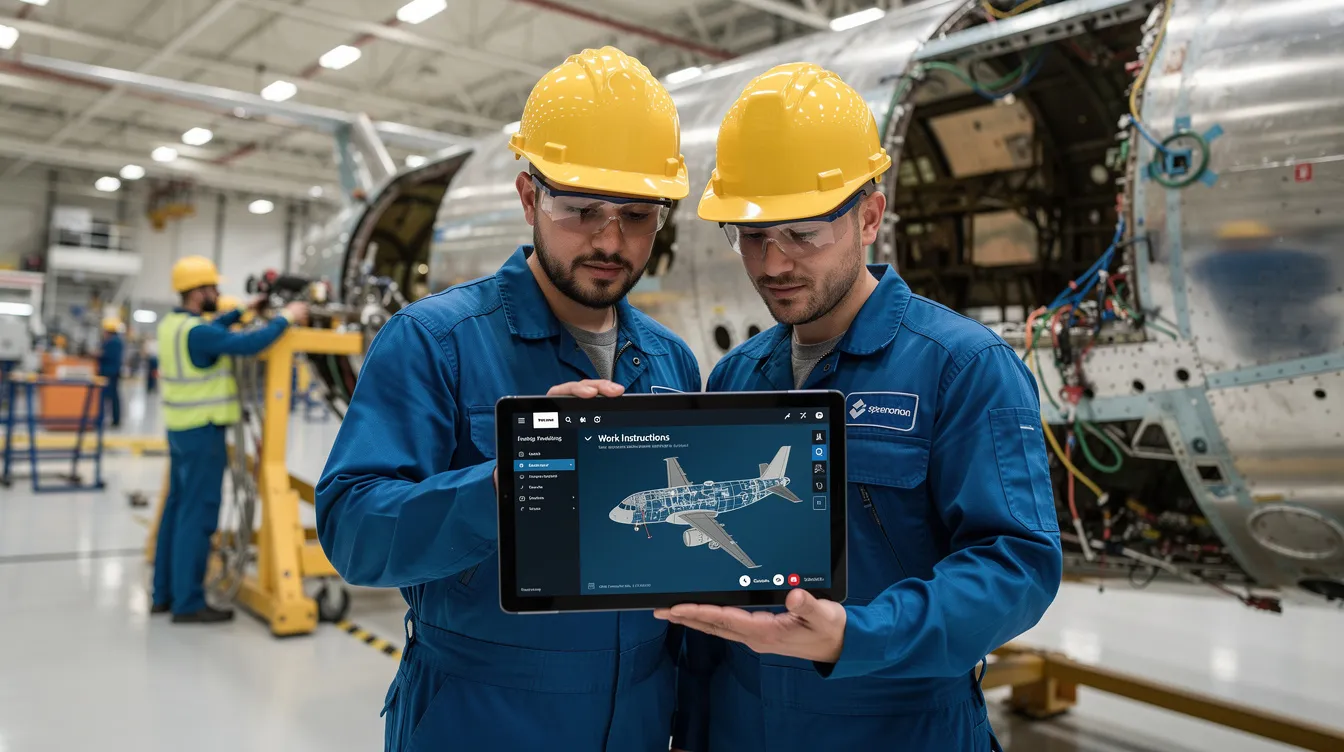
    A group of skilled workers is collaborating on aerospace assembly, utilizing a digital tablet that displays step-by-step work instructions. This scene emphasizes the importance of knowledge sharing and capturing critical knowledge areas to ensure operational efficiency and support the continuous improvement of manufacturing processes.

    Using Data to Target Cross-Training Efforts

    Operational and HR data can guide cross-training investments toward the highest impact areas. Not all cross-training delivers equal value, so prioritization matters.

    Reviewing overtime patterns identifies operations where lack of qualified coverage forces excessive hours. Capacity bottlenecks and schedule delays often correlate with single-qualified positions. Connect981 dashboards can flag these operations as priority targets for cross-training investment.

    Mapping defect and rework rates to specific work centers ensures cross-trained workers learn from stronger experts. Deploying trainees to high-performing stations reinforces best practices rather than propagating errors.

    Cross-training progress should be tracked as workers move from shadowing to assisted execution to independent sign-off. Each stage is captured inside the platform, creating a clear record of who is qualified for what and how they achieved that qualification.

    Program managers can use these insights during risk reviews when planning production ramps, new line setups, or work offloads to suppliers. Knowing exactly where workforce capability exists and where gaps remain enables realistic planning.

    Integrating Training With ERP, MES, QMS, and Supplier Workflows

    Aerospace workforce training must be integrated with execution systems. Workers should not be able to perform work they are not trained or authorized to do. This integration transforms training from an HR function into an operational control.

    Connect981 sits as a unifying layer that pulls data from ERP for orders and parts, MES for operations and routing, PLM for BOM and CAD references, and QMS for nonconformances and audit findings. These data sources drive training requirements dynamically.

    When a new process, engineering change, or service bulletin is introduced, the platform triggers training updates and must-read acknowledgements before workers execute affected operations. This ensures that process documentation changes flow through to the people who execute the work.

    Supplier scenarios extend this integration. Tiered suppliers can receive digital instructions and training artifacts via Connect981, ensuring consistent execution and documentation across the extended enterprise. When a prime contractor updates a procedure, the supplier workforce receives the same update.

    This integration supports audit readiness in tangible ways. Organizations can trace a nonconformance back to training status, revision history, and specific work instructions used at the time. This traceability demonstrates operational continuity and regulatory compliance.

    Ensuring Only Qualified Workers Execute Safety-Critical Tasks

    Aerospace organizations must enforce competency and authorization checks before work assignment. This is especially critical for operations like NDT inspection, structural repairs, engine disassembly, and final buy-off inspections.

    Connect981 can enforce rules that prevent assignment of certain operation codes to workers missing required training, licenses, or internal approvals. The system checks qualifications automatically during scheduling and work assignment.

    A concrete example: blocking a technician without current borescope inspection training from being assigned to a C-check engine inspection task. The assignment simply cannot proceed until the required recurrent training is completed and documented.

    Such controls reduce regulatory findings, quality escapes, and costly rework while giving operations leaders confidence in their daily scheduling decisions. When the system enforces compliance automatically, supervisors can focus on execution rather than manual verification.

    These capabilities simplify audit demonstrations. Organizations can show FAA, EASA, or customer auditors clear evidence of who was authorized to do what, and when, with direct links to training completion records.

    Measuring the Impact of Aerospace Workforce Training

    Aerospace workforce training investments must be justified with measurable outcomes tied to safety, quality, delivery, and cost. Vague claims of improved capability do not satisfy leadership or support continued investment.

    A focused set of KPIs includes:

    KPI

    What It Measures

    Time-to-competence

    Days from hire to independent work authorization

    Rework and scrap reduction

    Percentage decrease in quality defects

    FAI defect rate

    First article inspection pass rate

    Training-related audit findings

    Regulatory and customer audit results

    MRO TAT

    Turnaround time improvement in maintenance operations

    Data from Connect981 enables correlation analysis. Usage of work instructions, help requests, deviation flags, and defect reports can be matched against training completion to assess which training interventions actually improve outcomes.

    Engagement metrics provide leading indicators. Frequency of access to instructions, completion of microlearning modules, and feedback submitted by operators reveal whether training content is being used and whether it meets frontline needs.

    Before and after case examples make the value concrete. A 20% reduction in rework on a wing assembly line after updating training and work instructions demonstrates ROI in terms leadership understands.

    Continuous Improvement of Training Content and Knowledge Base

    A governance loop ensures training materials evolve with operational experience. Feedback from operators, inspectors, and supervisors flows back into updates. This is not optional for aerospace, where products and regulations change continuously.

    Assigning owners for specific process instructions creates accountability. Manufacturing engineers and quality engineers responsible for particular processes are accountable for updates when nonconformances, engineering changes, or customer feedback indicate a need.

    Connect981 can flag outdated content, show which instructions are rarely accessed, and highlight operations with frequent deviations. These signals identify candidates for training improvement before problems escalate.

    Aerospace expertise is dynamic. New aircraft variants, new composite materials, and new repair schemes all require updates to the knowledge base and associated training. A cadence of quarterly reviews for high-risk operations ensures alignment with evolving products, regulations, and customer expectations.

    Building a Culture That Values Knowledge Sharing and Training

    Cultural challenges often pose greater obstacles than technical ones. Some technicians protect their expertise, viewing it as job security. Others are skeptical of digital tools after experiencing poorly designed systems. Training fatigue accumulates when programs feel disconnected from actual work.

    Leadership must position knowledge sharing and training as core to flight safety, program success, and professional pride. This is not administrative overhead. It is how aerospace organizations maintain their capability and reputation.

    Practical cultural levers include recognition programs for knowledge contributors, mentor and mentee pairings that formalize knowledge transfer, and involving frontline experts in designing digital instructions. When experienced operators help build the content in Connect981, adoption improves and quality increases.

    Addressing job security concerns directly matters. Documenting expertise increases an expert’s influence and legacy. It makes their knowledge available to future employees and demonstrates their contribution. This framing shifts the narrative from replacement to recognition.

    Digital tools gain adoption when they visibly make work easier. Fewer surprises, clearer instructions, less paperwork, and quick access to pertinent information all build positive reinforcement. Early pilots should target painful processes where improvement is immediately obvious.

    Change Management for Digital Training and Knowledge Capture

    Rolling out digital aerospace workforce training and knowledge capture across one or more sites follows established change management principles adapted to manufacturing environments.

    Starting with a pilot area limits risk and builds proof points. A critical assembly line or MRO check bay provides a contained scope with measurable outcomes. Selecting respected technicians as champions accelerates peer adoption.

    Clear communication about goals, timelines, and system interactions sets expectations. Emphasizing that Connect981 does not require a full ERP or MES replacement reduces resistance from IT and operations stakeholders.

    Hands-on support on the shop floor during early usage is essential. Workers who can ask questions and see quick fixes to issues with instructions or workflows build confidence in the system. Problems resolved immediately do not become entrenched objections.

    Scaling to multiple factories and suppliers requires standardized templates with local flexibility. Connect981’s low-code workflows enable manufacturing engineers to adapt procedures for site-specific equipment or supplier capabilities without central IT involvement.

    How Connect981 Supports Aerospace Workforce Training and Knowledge Capture

    Connect981 serves as a unified operations platform designed specifically for aerospace manufacturing and MRO realities. Unlike generic manufacturing software adapted from other industries, it addresses the configuration control, traceability, and documentation demands that aerospace requires.

    Key capabilities relevant to workforce training include:

    • Digital work instructions with version control and configuration management
    • Operator guidance delivered at the workstation via tablet or terminal
    • Integrated quality checks tied to instructions and part numbers
    • Supplier collaboration tools for extending training content to the extended enterprise
    • Training completion tracking linked to work execution history
    • Qualification enforcement that prevents unauthorized work assignment

    Zero and low-code workflow tools allow manufacturing engineers and quality leaders to build training-oriented workflows without large IT projects. Drag and drop templates accelerate deployment. The platform adapts to existing processes rather than forcing rigid standardization.

    AI-assisted analytics identify training gaps, recurring issues, and process variations. These insights feed targeted updates to instructions and onboarding content, supporting a continuous learning environment that evolves with operational experience.

    Organizations ready to unify their tribal knowledge, training documentation, and operator workflows into a single, audit-ready system can request a demo to see how Connect981 addresses their specific challenges.

    Conclusion: Turning Aerospace Workforce Training Into a Strategic Advantage

    Aerospace workforce training has evolved beyond classroom sessions and static manuals. Capturing tribal knowledge from retiring workers, digitizing and standardizing that expertise, and delivering it at the point of work across factories and MRO networks defines modern workforce development.

    The stakes are clear. An aging workforce creates knowledge drain that threatens operational efficiency and quality. Complex regulatory requirements demand traceability and audit readiness. Production backlogs and MRO demand require accelerated competence development for the next generation of manufacturing workers.

    A connected platform like Connect981 enables continuous learning, cross-training, and workforce continuity by linking training content to real operations and data. Knowledge management systems that integrate with execution systems transform training from administrative overhead into operational advantage.

    Aerospace leaders in operations, quality, MRO, and digital transformation should treat training and knowledge capture as core to their smart factory and connected shopfloor strategy. Organizations that invest now in digital workforce training foundations will be better prepared for new aircraft programs, advanced materials, and evolving regulatory demands through 2030 and beyond. The long term success of aerospace manufacturing depends on preserving today’s expertise for tomorrow’s workforce.

  • Supplier Collaboration in Aerospace: Digital Systems, Portals, and Workflows

    Supplier Collaboration in Aerospace: Digital Systems, Portals, and Workflows

    Modern aerospace programs depend on thousands of suppliers spread across continents. An A320neo program sources structural components, avionics, engines, and special processes from Tier 1 integrators down to Tier 3 machine shops and heat treaters. A single Boeing 737 MAX involves precision castings from one region, composite layups from another, and NADCAP-certified surface treatments from a third. When any link in this aerospace supply chain breaks down, the consequences cascade through the entire value chain.

    The years between 2020 and 2024 exposed just how fragile manual, email-driven collaboration can be. COVID-19 factory shutdowns delayed deliveries by up to 50% in some cases. The 737 MAX recertification process extended supplier requalification timelines by 12 to 18 months. Persistent LEAP engine delivery delays, attributed to titanium forging bottlenecks, forced production rate adjustments across narrow-body programs. Industry-wide, on-time delivery shortfalls of 20 to 30% became common. These disruptions proved that spreadsheets, scattered email chains, and disconnected file shares cannot support the pace and precision aerospace demands.

    This article serves as a practical guide for aerospace OEMs, Tier 1 suppliers, and MRO organizations evaluating supplier collaboration systems. The focus is on purpose-built aerospace tools rather than generic procurement software or spend analysis platforms. Connect981 is designed specifically for aerospace and MRO workflows, sitting on top of existing ERP, MES, and QMS systems to connect suppliers, factories, and engineering data in one shared layer. The core capabilities covered here include supplier portals, digital RFQ workflows, supplier scorecards, change order management, and supplier documentation systems.

    What “Supplier Collaboration” Really Means in Aerospace Operations

    Supplier collaboration in aerospace extends far beyond purchase orders and invoice processing. It encompasses joint planning for lead times, quality standards, configuration management, and documentation exchange across a tiered network of suppliers. When an OEM and its suppliers are aligned, parts arrive on time, conform to specifications, and carry complete certification records. When alignment fails, programs stall.

    The typical aerospace value chain flows from OEMs through Tier 1 structural and systems integrators, who in turn rely on Tier 2 and Tier 3 specialists in machining, composites, chemical processing, and special processes. A Tier 3 heat treater using an outdated furnace qualification can cascade into airworthiness risks, delaying programs by months and costing millions. The 737 MAX supply chain disruptions post-2019 grounding demonstrated exactly how misalignment at any tier can ripple through the entire network.

    Key collaboration areas in aerospace include:

    • RFQs and sourcing for complex parts with multi-page specifications
    • Order promise and capacity visibility to match production ramps
    • Engineering change propagation across multiple supplier tiers
    • Quality and nonconformance resolution via supplier corrective action request workflows
    • Documentation and certifications tied to specific serial and lot numbers
    • MRO spares and repairs coordination for in-service fleet support

    A regulatory overlay of AS9100, NADCAP, FAA/EASA airworthiness directives, and ITAR export controls makes casual, spreadsheet-based collaboration both risky and difficult to audit. Supplier management processes must generate audit trails that withstand scrutiny from customers, regulators, and internal quality teams. A modern supplier management system ties these touchpoints into unified, automated workflows rather than scattered portals, emails, and file shares.

    Core Capabilities of Modern Aerospace Supplier Collaboration Systems

    An aerospace-ready supplier management platform differs fundamentally from generic vendor management software. The workflows, data models, and compliance requirements are specific to this industry. The following five pillars define what a mature aerospace supplier collaboration system should provide.

    • Supplier portals: Secure access for suppliers to view RFQs, purchase orders, engineering drawings, quality specs, and delivery forecasts in one place
    • Digital RFQ and sourcing workflows: Structured processes for complex aerospace parts that capture specifications, certifications, and evaluation criteria in auditable records
    • Supplier scorecards and performance reviews: Automated tracking of quality, delivery, cost, and responsiveness metrics over the life of the supplier relationship
    • Engineering and change order management: Controlled propagation of design changes, process updates, and configuration revisions across all impacted suppliers
    • Supplier documentation and traceability systems: Digital capture and linkage of certificates, test reports, FAI records, and process documentation to specific parts and serials

    Supporting capabilities include integration with ERP, MES, PLM, and QMS systems, role-based access control for ITAR and export control compliance, and audit-ready logging for AS9100 and FAA/EASA requirements. The sections that follow examine each pillar with aerospace-specific examples and practical implementation guidance.

    The image depicts a bustling industrial aerospace factory floor, where workers are actively assembling various aircraft components. The scene highlights the importance of supplier management processes and efficient supply chain management in the aerospace industry, showcasing a collaborative environment focused on product quality and operational efficiency.

    Supplier Portals for Aerospace: The Front Door to Collaboration

    Supplier portals are often the first visible component of a collaboration system. In aerospace, they must go well beyond basic PO views and invoice uploads. A portal that only shows order status fails to address the real coordination needs of complex programs.

    A modern aerospace supplier portal should allow secure access for suppliers to view RFQs, active purchase orders, quality requirements, the latest revisions of engineering drawings, process specifications, and delivery forecasts. Suppliers maintain their own certification records, upload required documentation, and respond to requests without waiting for emails or phone calls. The portal becomes the single source of truth for the commercial and technical relationship.

    Concrete aerospace use cases demonstrate the value:

    • A NADCAP-accredited heat-treat house uploads furnace run charts tied to specific lot numbers
    • A composite fabricator accesses updated layup sequences for LEAP engine fan blades
    • A precision machinist confirms capacity for a production ramp on A320neo brackets

    Self-service profile and certification management reduces manual follow-ups. Suppliers update their AS9100, NADCAP, and ITAR registration status, insurance certificates, and contact information directly. This approach cuts manual chases by an estimated 60% and eliminates audit surprises from expired certifications.

    Connect981 provides a shared portal that syncs with existing ERP systems like SAP or Oracle and quality management systems. This avoids duplicate data entry for supplier master records and ensures that supplier data remains consistent across systems.

    Designing a Supplier Portal That Aerospace Suppliers Actually Use

    Many suppliers ignore portals that are slow, confusing, or redundant with email. Legacy portal adoption rates often fall below 40% because the systems create more work rather than less. An effective supplier portal requires deliberate attention to usability and value.

    Usability requirements for high adoption include:

    • Simple navigation with clear task queues showing actions like “respond to RFQ” or “upload FAI report”
    • Mobile-ready interface for shop supervisors who work on the floor, not at desks
    • Minimal training needed for occasional users who may interact with the portal monthly
    • Transparent change logs showing what was updated and when

    Permission models must separate commercial data from technical data. ITAR and EAR export-controlled drawings require controls that limit access by user role and geography. A machining supplier in a non-U.S. location should not see controlled drawings unless proper export licenses are in place.

    Features that build trust include shared status trackers for RFQs and change requests, consistent notification rules that avoid email overload, and clear visibility into where a request sits in the approval process. When suppliers see value in using the portal, they engage.

    Connect981 emphasizes low-friction portal design. Small and mid-size machine shops, plating houses, and MRO partners can participate without requiring an IT department. High adoption correlates with 30% faster response times according to industry studies on digital supply chains.

    Digital RFQ and Sourcing Workflows for Complex Aerospace Parts

    RFQs for aerospace parts bear little resemblance to commodity purchasing. A request for landing gear actuators, composite spars, or engine mounts can span dozens of pages detailing materials like Ti-6Al-4V, special processes with NADCAP requirements for welding or coating, qualification cycles running 6 to 12 months for first article inspection, and volumes that may reach thousands of units per year across multiple aircraft programs.

    Managing these RFQs via email and spreadsheets generates predictable problems. Version confusion, lost attachments, and misinterpretation of requirements occur at rates approaching 25%. Digital RFQ workflows eliminate these failure modes.

    A structured digital RFQ workflow allows engineering and sourcing teams to publish controlled packages to pre-qualified supplier lists, solicit structured bids covering price breakdowns, lead times, capability matrices, and risk factors, and then generate automatic comparisons across all responses. A Tier 1 integrator issuing RFQs for A321XLR structural brackets to eight machine shops with different NADCAP coating requirements can streamline award decisions using weighted scoring models.

    Evaluation Criterion

    Weight

    Cost

    40%

    On-time delivery history

    30%

    Capacity and capability

    20%

    Geography and offset requirements

    10%

    The workflow supports iterative RFQs. When design changes occur, re-bids can be issued with updated requirements. Batch updates to due dates, captured clarifications, and Q&A threads remain inside the RFQ record for future audits and reference.

    Connect981 pulls BOM and configuration data from PLM and ERP, packages it into RFQs, and mirrors awarded work into execution workflows. This eliminates re-typing and reduces errors in translating requirements from sourcing into production.

    Standardizing RFQ Data and Evaluation Criteria

    Standard RFQ templates reduce ambiguity and supplier misinterpretation. When every RFQ follows a consistent format, suppliers know what to expect and procurement teams can compare responses directly.

    Mandatory data for aerospace RFQs should include:

    • Part numbers and revision levels
    • Material specifications and process requirements
    • Required certifications such as EN 9100 and specific NADCAP codes
    • Expected annual volumes and program duration
    • Target first article inspection dates
    • Packaging, shipping, and labeling standards

    Evaluation criteria should be visible and consistent across RFQs. Suppliers benefit from understanding how their bids will be scored, and sourcing leaders can justify award decisions to internal stakeholders and auditors using documented scoring models.

    Connect981 embeds these templates and scoring models as reusable, configurable workflows. Separate templates for rotorcraft, business jets, and defense programs ensure that program-specific requirements are captured without starting from scratch each time.

    Supplier Scorecards and Performance Management in Aerospace

    Aerospace supplier relationships often span 10 to 20 years. Supplier performance management must go beyond transactional metrics to encompass long-term capability evaluation, risk management, and collaborative improvement.

    A comprehensive supplier scorecard for aerospace typically tracks:

    Category

    Metrics

    Target

    Quality

    PPM defect rate, escape rate, FAI first-pass yield

    PPM <100, FAI yield >95%

    Delivery

    On-time delivery percentage, schedule adherence

    OTD >98%

    Cost

    Price trends, cost reduction contributions

    Per program targets

    Responsiveness

    Change acknowledgment time, corrective action closure

    <7 days acknowledgment

    Compliance

    Audit findings, certification status

    Zero open findings

    Consider tracking a precision machining supplier from 2021 through 2025 as build rates increased on a narrow-body program. Digital systems automatically pull data from ERP for delivery performance, QMS for nonconformances and SCARs, and MES for scrap and rework rates. This automation avoids the manual effort of spreadsheet scorecards that become stale within days of creation.

    The collaboration platform shares scorecards with suppliers regularly. Quarterly business reviews use shared dashboards to review trends and agree on improvement targets. This approach transforms scorecards from punitive reporting artifacts into joint improvement tools.

    Turning Scorecards into Joint Improvement Programs

    Scorecards should drive corrective and preventive actions rather than serve only as reporting artifacts. Supplier relationship management depends on converting performance data into concrete improvements.

    A structured cadence supports this transformation:

    • Quarterly business reviews with strategic suppliers using shared dashboards
    • Review of OTD, scrap/rework, and change responsiveness trends
    • Agreement on specific improvement targets for the next quarter
    • Documented action plans with owners and due dates

    Scorecard results link directly to improvement projects in the system. These may include process capability studies, additional inspection points, operator certification training, or co-investment in tooling and automation. When a scorecard shows recurring issues, the system generates workflows for root cause analysis and tracks closure of corrective actions.

    Tracking SCARs and 8D/CAPA outcomes against the supplier’s scorecard demonstrates trending improvements or highlights persistent problems. Connect981 logs supplier-specific actions, owners, due dates, and verification steps, creating audit trails that satisfy AS9100 requirements and customer audit expectations.

    Engineering Change and Change Order Management with Suppliers

    Design changes in aerospace programs are inevitable. Weight reduction initiatives, new alloy specifications, updated fastener requirements, and customer configuration requests generate engineering change notices that must propagate accurately across the supply chain. When changes are not controlled, costly deviations result.

    Types of changes relevant to aerospace supplier management include:

    • Engineering change notices from design and engineering teams
    • Change orders to contracts and purchase orders
    • Process changes at supplier facilities
    • Customer-driven configuration changes for specific aircraft tail numbers or operators

    Real programs have demonstrated the risks. The F-35 program experienced supplier-related deviations costing over $100 million when suppliers continued building to obsolete prints after weight reduction changes. Suppliers building to outdated revisions, making unapproved process substitutions, or missing serial-number trace updates following changes create airworthiness risks and delivery delays.

    A robust digital change management workflow notifies impacted suppliers, requires acknowledgment, tracks re-qualification requirements such as new FAIs or special process approvals, and ensures that ERP, MES, and portal data stay synchronized. The system prevents anyone from building or repairing to obsolete information.

    Connect981 serves as a coordination layer linking PLM and engineering changes to on-the-floor work instructions and supplier tasks. When an engineering change is released, the system propagates it to all affected parties with clear task assignments and acknowledgment requirements.

    An engineering team is intently reviewing technical documents displayed on their computer screens, focusing on supplier management processes and compliance monitoring within the aerospace supply chain. The collaborative atmosphere highlights their commitment to maintaining accurate supplier records and enhancing supplier relationships through effective vendor management software.

    Coordinating Multi-Tier Change Propagation

    A change to a single drawing can affect multiple tiers of suppliers. A casting foundry, machining shop, heat treater, and surface finisher may all be impacted by a material specification change. Digital systems must map BOM relationships and supplier assignments so that a single ECN triggers tasks and notifications across all affected parties.

    Workflows for supplier-initiated changes are equally important. Suppliers may propose alternative materials, new machining sequences, or different coating processes. These proposals require formal review and approval via documented processes that maintain accurate supplier records of what was approved and when.

    Full traceability requires recording which serial numbers or lots were built under which revision and change approvals. This data proves critical during FAA/EASA investigations or customer queries about specific aircraft. The digital thread must link changes to physical parts throughout the supply chain.

    Connect981’s audit logs and version control on work instructions and supplier documentation reduce disputes between engineering and suppliers about approval status. When questions arise, the system provides up to date data on exactly what was approved, who approved it, and when.

    Supplier Documentation, Traceability, and Compliance Systems

    In aerospace, documentation carries equal importance to the physical part. Incomplete certifications can ground aircraft or force scrapping of otherwise conforming material. Supplier documentation systems must capture, validate, and link documents to specific parts, serials, and lots.

    Typical supplier documents in aerospace include:

    • Certificates of conformity (CoC)
    • Material test reports (MTRs)
    • Special process certifications
    • First article inspection reports per AS9102
    • Process control records
    • Shipping documentation tied to serial and lot numbers

    Problems with paper and email-based documentation are well documented. Lost certificates, mismatched lot numbers, inconsistent naming conventions, and last-minute “doc hunts” before delivery or audits plague organizations using manual methods. Industry data suggests 10 to 15% loss or mismatch rates with paper-based approaches, causing 2 to 5 day shipment delays.

    A supplier documentation system addresses these issues by requiring suppliers to upload documents directly in the portal, tied to specific POs, parts, and serials. Validation rules and mandatory fields reduce errors at the point of upload. The system rejects submissions with missing information rather than discovering problems at inspection.

    Connect981 is designed around aerospace-grade traceability, linking supplier documents to shopfloor execution, inspection results, and MRO histories. This creates complete digital records that support both production and long-term maintenance requirements.

    Building End-to-End Digital Traceability Across Suppliers and MRO

    The same supplier documentation that supports initial production also supports maintenance and overhaul decisions years or decades later. Serial number tracking must flow continuously from raw material heats through supplier operations, special processes, assembly, installation, and future MRO events.

    AS9100 and customer audits require quick retrieval of all supplier records for a given serial, lot, or event. Auditors expect response times measured in minutes, not days. Organizations still relying on paper archives or scattered electronic files struggle to meet these expectations.

    Digital traceability has prevented major issues in real programs. When a supplier process deviation is discovered, organizations with strong traceability systems can quickly isolate affected serials and limit inspections to specific parts. Organizations without traceability face potential full-fleet inspections and extended groundings.

    Connect981’s shared data model allows both OEM/MRO operations and selected suppliers to see the same digital thread with appropriate access controls. This shared visibility eliminates the data collection overhead of requesting information from suppliers each time a question arises about part history.

    An aircraft is being inspected for maintenance inside a spacious hangar, with technicians carefully examining various components. This scene reflects the importance of compliance management and supplier performance in the aerospace supply chain, ensuring that the aircraft meets regulatory requirements and safety standards.

    Integrating Supplier Collaboration Systems with ERP, MES, PLM, and QMS

    Aerospace organizations already operate SAP, Oracle, legacy MES, and PLM tools like Teamcenter, Windchill, or 3DEXPERIENCE. A supplier collaboration system must integrate with these existing systems rather than attempt to replace them. Rip-and-replace approaches fail in aerospace because regulatory compliance depends on data continuity across production records.

    Key integration points include:

    System

    Integration Purpose

    ERP

    Supplier master data, purchase orders, accounts payable

    PLM

    BOMs, revisions, engineering changes

    QMS

    Quality events, nonconformances, CAPA tracking

    MES

    Work orders, shopfloor execution status

    A unified collaboration layer reduces duplicate data entry and discrepancies. Mismatched supplier codes across systems create compliance risks and operational confusion. When the approved supplier list syncs automatically between systems, procurement teams can trust that sourcing decisions align with quality approvals.

    Specific aerospace integration scenarios include synchronizing approved supplier lists by special process code, feeding supplier scorecard metrics back into sourcing approval workflows, and aligning engineering changes between PLM and supplier portal data. When these connections work, supplier information flows without manual effort.

    Connect981 operates as a lightweight, zero and low-code layer that bridges existing systems. The platform enables cross-factory and cross-supplier workflows without requiring a full MES or ERP replacement. Integration via APIs and configurable connectors allows IT teams to establish connections incrementally.

    Implementing Supplier Collaboration in Aerospace: Practical Steps

    Many aerospace suppliers still rely on fax, email, and paper for daily coordination. Rollout of digital collaboration systems must be staged and realistic. Attempting to onboard hundreds of suppliers simultaneously typically fails.

    A phased approach reduces risk and builds momentum:

    1. Pilot scope: Select a single airframe or engine program and a small group of strategic suppliers for initial deployment
    2. Process mapping: Document existing RFQ, change, and documentation workflows before configuring the platform
    3. Standard workflows: Define templates and approval workflows for the pilot scope
    4. Platform configuration: Set up the collaboration system with pilot-specific configurations
    5. Supplier onboarding: Train pilot suppliers with clear messaging on benefits and provide ongoing support
    6. Baseline measurement: Establish metrics for RFQ cycle time, supplier OTD, and documentation accuracy before and after

    Supplier engagement determines success. Training sessions should emphasize benefits that suppliers value: fewer email chains, faster approvals, clearer requirements, and reduced time spent answering the same questions repeatedly. New suppliers joining the program see a clear onboarding path rather than a confusing mix of emails and phone calls.

    Connect981’s low-code workflows and aerospace templates reduce IT dependence. Process owners in supply chain, quality, and MRO can iterate on workflows without waiting for development resources. This operational efficiency accelerates adoption and allows continuous improvement based on real usage patterns.

    Measuring the Impact of Supplier Collaboration Systems

    Digital collaboration investments should connect to tangible business outcomes. Generic claims about digital transformation provide little value. Concrete KPIs demonstrate whether the investment delivers results.

    Metrics to track include:

    Metric

    Baseline Comparison

    RFQ cycle time

    Days or weeks before vs. after implementation

    Supplier OTD percentage

    Trend over 6-12 months

    Supplier-related nonconformances

    Count and severity trends

    Documentation-related shipment holds

    Frequency and duration

    FAI right-first-time rate

    Before and after comparison

    Engineering change implementation time

    Days to full supplier acknowledgment

    Audit finding closures

    Time to resolve supplier control findings

    Before-and-after comparisons on a specific program build internal business cases. When a narrow-body production line demonstrates 15% improvement in supplier OTD and 25% reduction in RFQ cycle time, expansion to other programs follows naturally.

    Connect981 provides real-time dashboards and AI-assisted analytics to surface bottlenecks and recurring supplier issues proactively. Data driven decision making replaces reactive fire-fighting when leadership has visibility into compliance monitoring and supplier quality trends.

    How Connect981 Supports Aerospace Supplier Collaboration

    Connect981 unifies supplier portals, RFQs, scorecards, change workflows, and documentation in one aerospace-oriented management platform. Unlike generic procurement software or SAP Ariba implementations focused on indirect spend, Connect981 is built around the realities of aerospace production and MRO operations.

    Key differentiators include:

    • Built specifically for aerospace and MRO compliance requirements
    • Fast deployment via zero and low-code configurable workflows
    • Deep focus on traceability, digital work instructions, and audit readiness
    • Integration layer that connects ERP, MES, PLM, and QMS without replacement
    • Automation capabilities that reduce manual effort across internal teams and suppliers

    Example workflows demonstrate practical application:

    1. Supplier FAI submission and approval: Supplier uploads first article inspection report in the portal, tied to specific part numbers and serials. Quality team reviews and approves or requests corrections. Full audit trail captured automatically.
    2. Digital RFQ for complex machined assembly: Engineering packages BOM and specifications from PLM, sourcing distributes to qualified suppliers, structured responses enable comparison, and awarded work flows into execution workflows.
    3. Supplier-initiated process change request: Supplier proposes alternative machining sequence through formal channel. Engineering reviews, approves with conditions, and system tracks implementation across affected orders.
    4. MRO shop requesting supplier support: Maintenance organization identifies recurring field failure linked to supplier process. System links field data to supplier records and initiates joint analysis workflow.

    Aerospace manufacturers facing supply chain disruptions, compliance issues, or operational inefficiencies from disconnected systems can evaluate how Connect981 addresses their specific challenges. The platform supports compliance tracking, ongoing monitoring of supplier performance, and procurement operations that meet regulatory requirements.

    Request a demo to see supplier collaboration workflows applied to your programs and supplier network. The Connect981 team can demonstrate how the platform integrates with your existing systems and supports your specific aerospace and MRO requirements.

  • ITAR Compliance Manufacturing: A Practical Guide for Defense and Aerospace Operations

    ITAR Compliance Manufacturing: A Practical Guide for Defense and Aerospace Operations

    Defense and aerospace manufacturers operate under a regulatory framework that reaches into every corner of their operations. ITAR compliance is not a checkbox exercise handled by legal departments; it is an operational reality that shapes how parts are made, how data moves, and who can access what on the shopfloor.

    Introduction to ITAR Compliance in Manufacturing

    The International Traffic in Arms Regulations, codified at 22 CFR Parts 120–130 and administered by the U.S. Department of State’s Directorate of Defense Trade Controls, govern the manufacture, export, and handling of defense articles, defense services, and technical data. Following export-control reforms in the 2000s, the regulatory landscape became more complex, with expanded definitions of controlled items and stricter requirements for digital data handling.

    This article focuses on ITAR compliance in day-to-day manufacturing and MRO workflows rather than legal theory. The goal is practical guidance for plant managers, quality leaders, and program managers who need to ensure compliance while maintaining production efficiency. ITAR requirements intersect directly with DFARS clauses, CMMC maturity requirements, and NIST 800-171 security controls. Organizations handling defense work must address all these frameworks simultaneously.

    Connect981 serves as a digital operations layer built specifically for regulated aerospace and defense production. The platform supports ITAR and DFARS requirements through controlled documentation, role-based access, supplier collaboration workflows, and audit-ready traceability. This article serves as a pillar resource covering defense compliance across ITAR, DFARS, secure data exchange, controlled documentation, and regulatory audits.

    The image depicts an aerospace manufacturing facility bustling with activity, featuring CNC machines and workers dressed in protective gear, emphasizing the importance of maintaining compliance with industry regulations and ITAR compliance in the defense sector. This environment showcases the critical operations involved in safeguarding sensitive data and ensuring adequate security against cyber threats.

    What Is ITAR and Who Must Comply?

    ITAR is a set of U.S. export control regulations governing defense articles, defense services, and technical data listed on the United States Munitions List. The regulations exist to protect national security by preventing the unauthorized transfer of sensitive defense-related technologies to foreign entities.

    Organizations impacted by ITAR extend far beyond prime defense contractors:

    • Tier-1, tier-2, and tier-3 suppliers producing controlled components
    • Precision machine shops manufacturing regulated parts
    • Composite shops handling controlled materials and processes
    • MRO facilities maintaining ITAR-controlled assemblies
    • Engineering houses handling controlled drawings, models, and specifications

    The definition of “export” under ITAR extends beyond physical shipments. Digital transfers constitute exports, including emailing CAD files, cloud sharing, and remote access by foreign persons. A “deemed export” occurs when technical data is made available to a foreign person even inside the United States. A French engineer working at a U.S. facility cannot access ITAR-controlled drawings without explicit authorization.

    Even small subcontractors machining a single controlled part must comply with all requirements. The regulatory net captures any organization touching ITAR-controlled items, regardless of size or role in the supply chain.

    ITAR compliance intersects with adjacent standards that reinforce documentation and traceability expectations:

    Standard

    Focus Area

    ITAR Intersection

    AS9100

    Aerospace quality management

    Document control, configuration management

    NADCAP

    Special process accreditation

    Process documentation, traceability

    FAA Part 145

    Repair station certification

    Maintenance data control, personnel qualifications

    Core ITAR Requirements for Manufacturers

    Manufacturers handling ITAR-controlled items must address several compliance pillars that drive operational decisions across registration, classification, licensing, access control, and recordkeeping.

    Key requirements include:

    • DDTC Registration: Mandatory for manufacturers, exporters, and brokers handling ITAR-controlled items, with annual renewal and associated fees
    • USML Classification: Mapping parts and assemblies to appropriate USML categories to determine control status
    • Licensing and Authorizations: Obtaining appropriate export licenses before transferring items or data
    • Access Control: Restricting access to technical data to authorized U.S. persons
    • Recordkeeping: Maintaining comprehensive documentation for minimum five years from export date

    Technical data and manufacturing know-how constitute controlled information under ITAR. This includes drawings, NC programs, work instructions, maintenance data, process specifications, and any information revealing design or production capabilities for controlled items. Manufacturers must implement secure handling protocols for all these artifacts.

    Written policies, a formal compliance program, and a designated Export/ITAR officer accountable to leadership form the foundation of an effective compliance posture. Regulators expect evidence of systematic controls, not ad-hoc procedures.

    DDTC Registration and USML Classification

    The DDTC registration process for manufacturers requires submitting Form DS-2032, paying applicable fees, and undergoing an approval review. Registration codes for manufacturers typically begin with “M” in the DDTC system. Registration must be renewed annually to maintain compliance status.

    Manufacturers must map their parts and assemblies to USML categories:

    • Category VIII: Aircraft and associated equipment
    • Category XI: Military electronics
    • Category XII: Fire control, range finder, and optical guidance systems
    • Additional categories covering naval vessels, missiles, spacecraft, and other controlled items

    Distinguishing ITAR-controlled items from EAR-controlled items on the Commerce Control List is essential, as each framework carries different licensing requirements and handling protocols.

    Best practice involves maintaining a classification matrix that ties part numbers, drawings, and routings to their respective USML categories or EAR status. This matrix becomes foundational documentation for all downstream activities.

    Example: A machine shop producing actuator components for a fighter aircraft must classify each part against USML Category VIII. The classification determines registration requirements, handling protocols, and which personnel can access associated drawings and specifications. The shop maintains a matrix linking each part number to its classification, export license requirements, and authorized recipients.

    Licensing, Agreements, and Authorizations

    Common ITAR authorizations relevant to manufacturing include:

    Authorization Type

    Purpose

    Typical Use

    DSP-5 License

    Export of hardware or technical data

    Shipping controlled parts to foreign customers

    TAA (Technical Assistance Agreement)

    Providing defense services or technical data to foreign persons

    Engineering collaboration with foreign partners

    MLA (Manufacturing License Agreement)

    Authorizing foreign manufacture of defense articles

    Establishing overseas production

    License conditions flow down into manufacturing work instructions, supplier purchase orders, and MRO routing. Restrictions may govern foreign sub-tiers, destinations, re-exports, or specific end-use limitations. Each export or technical data transfer must be traceable to an authorization.

    The practical recommendation is embedding license numbers and provisos directly into digital job travelers or work instruction headers. Relying on separate spreadsheets or email trails creates accountability gaps and audit risks.

    Access Control and Foreign Person Restrictions on the Shopfloor

    ITAR defines “U.S. person” to include U.S. citizens, permanent residents, and certain organizations incorporated under U.S. law. “Foreign persons” include any non-U.S. citizen or legal resident, regardless of clearance level or citizenship intent. This restriction applies even within U.S. borders.

    Physical and logical access controls must be implemented:

    • Badge-restricted areas for ITAR work
    • Segregated production cells
    • Controlled printers serving only authorized areas
    • Role-based access in MES, PLM, and ERP systems

    Practical scenarios complicate implementation. Multi-national workforces require careful shift assignments. Co-located commercial and defense production demands clear boundaries. Visitors in mixed-use facilities need escort protocols and restricted access.

    Connect981 implements role-based access and granular permissions on digital work instructions and drawings. The platform maintains audit logs documenting who viewed which ITAR-controlled document and when, creating the evidence trail auditors expect.

    Recordkeeping, Reporting, and Penalties

    Required ITAR records include:

    • DDTC registrations and renewals
    • Export licenses and provisos
    • Classification determinations
    • Training logs for all personnel with ITAR access
    • Audit findings and corrective actions
    • Export and shipment data with recipient information

    The minimum retention period is five years from the date of export or transaction termination. Many aerospace organizations choose longer retention periods of ten years or more to support lifecycle traceability, warranty claims, and potential regulatory investigations.

    When violations are discovered, voluntary disclosure is expected. Accurate, timestamped records support mitigation arguments and demonstrate good faith compliance efforts. Penalties for violations can include civil fines per violation, debarment from exports and government contracts, and reputational damage that affects customer relationships. Catastrophic consequences can follow from systematic non-compliance.

    DFARS, CMMC, and Cyber Requirements Around ITAR Data

    ITAR compliance in modern manufacturing is inseparable from DFARS requirements and cybersecurity frameworks. The Department of Defense increasingly conditions contracts on compliance with DFARS clauses, NIST SP 800-171 security controls, and CMMC maturity requirements.

    ITAR technical data and Controlled Unclassified Information coexist on the shopfloor and in supplier networks. A single manufacturing record may contain both ITAR technical data and CUI related to specific program details. Systems must enforce controls on both simultaneously while recognizing they are regulated by different frameworks.

    Key DFARS clauses appearing in manufacturing contracts:

    Clause

    Requirement

    252.204-7012

    Safeguard covered defense information using NIST 800-171 controls

    252.204-7019

    NIST 800-171 assessment and SPRS reporting

    252.204-7020

    Contractor disclosure requirements

    252.204-7021

    CMMC certification requirements

    These clauses drive security control implementation, periodic assessments, and Supplier Performance Risk System scoring that affects contract awards and renewals. DoD contractors must demonstrate adequate security across internal unclassified information systems handling defense data.

    CMMC 2.0 establishes maturity levels for contractors. Medium-size manufacturers increasingly face requirements for Level 2 certification aligned with NIST 800-171 controls. The implementation timeline continues evolving, but the direction is clear: digital systems must be auditable, and compliance must be demonstrable.

    Connect981 integrates with secure infrastructure including GCC High environments and customer-approved enclaves, preserving a clean system-of-record for controlled production data.

    The image depicts a secure data center filled with rows of servers and advanced network infrastructure, designed to safeguard sensitive data and ensure compliance with ITAR regulations. This facility plays a crucial role in protecting covered defense information and maintaining national security against cyber threats and malicious software.

    Protecting Controlled Unclassified Information (CUI) and ITAR Data

    CUI and ITAR data appear throughout manufacturing contexts:

    • NC code and machining programs
    • Inspection reports and FAI packets
    • MRO findings and repair documentation
    • Supplier corrective actions and quality data

    Critical NIST 800-171 control families impacting production operations:

    • Access Control (AC): Role-based access ensuring only authorized personnel reach sensitive data
    • Audit and Accountability (AU): Logging who accessed what data, when, and from where
    • Configuration Management (CM): Baseline configurations and change management for systems handling CUI
    • Media Protection (MP): Encryption at rest and in transit, secure disposal of media
    • Incident Response (IR): Detection and reporting procedures to rapidly report cyber incidents

    A digital platform centralizing work instructions and quality records makes it easier to enforce role-based access, strong authentication, and consistent retention policies. The risk of storing CUI and ITAR data on unmanaged spreadsheets and shared drives includes version confusion, unauthorized access, and inability to prove compliance during audits. A governed operations platform provides the controls and evidence regulators expect.

    Secure Architectures and Cloud Environments

    Typical secure architectures for handling ITAR and DFARS data include:

    • On-premises environments with physical security controls
    • U.S.-only cloud regions with data residency guarantees
    • Specialized environments like Microsoft 365 GCC High and Azure Government

    Many aerospace organizations operate segmented networks or enclaves where ITAR and CUI data is processed. Application vendors must integrate without pulling data into uncontrolled environments that would violate cybersecurity requirements.

    Connect981 connects with customers’ chosen secure infrastructure, minimizing data duplication and aligning with their DFARS and CMMC strategies. Core expectations for any digital system handling defense data include encryption in transit and at rest, comprehensive logging, and identity integration with existing authentication systems.

    Organizations must protect sensitive information from cyber threats by implementing these security controls throughout their operations. Malicious software, unauthorized access, and data exfiltration represent ongoing threats that demand continuous monitoring and response capabilities.

    Secure Data Exchange in Regulated Manufacturing Supply Chains

    Modern defense programs depend on multi-tier suppliers exchanging controlled drawings, models, and work instructions daily. The traditional model of emailing PDF attachments or using consumer file-sharing services creates regulatory exposure that many organizations fail to recognize.

    Common failure modes in supply chain data exchange:

    • Uncontrolled email attachments without version tracking or access control
    • Public file-sharing links exposing ITAR-controlled data to unauthorized discovery
    • Version confusion when multiple drawing revisions circulate simultaneously
    • No proof that only authorized recipients accessed sensitive technologies

    Secure data exchange is not just an IT problem. It is a workflow problem tied to contracts, purchase orders, and change management. When a prime sends a revised drawing to a supplier, contract terms must govern usage, the supplier must acknowledge receipt, and confirmation that previous revisions are no longer in use must be documented.

    Connect981 provides shared workflows and controlled data views across primes and suppliers, reducing reliance on ad-hoc file transfers that compromise compliance.

    Managing Technical Data Across Primes, Suppliers, and MROs

    OEMs, tier suppliers, and MROs each create and consume technical data that may be ITAR-controlled. CAD files, PDFs, 3D models, process sheets, and repair instructions flow across organizational boundaries continuously.

    Best practices for managing this data:

    • Maintain centralized master data under strict access and change control
    • Create controlled derivatives for shop use, stripped of information beyond the recipient’s scope
    • Link each shared file explicitly to contract clauses and export authorizations
    • Tag every data object with ITAR/DFARS status, version, and authorized recipients

    A unified operations platform enforces access rules automatically, preventing unauthorized access while maintaining workflow efficiency.

    Example scenario: A prime issues updated repair instructions to multiple MRO facilities. Each facility needs confirmation of receipt, acknowledgement of the changes, and controlled access limited to authorized personnel. Rather than emailing PDFs and hoping for the best, a secure platform delivers the instructions, collects acknowledgements, logs access, and maintains proof of controlled distribution.

    Secure Collaboration With Suppliers and Sub-tiers

    Onboarding new suppliers into ITAR and DFARS-compliant workflows presents challenges, especially for smaller machine shops and finishing houses with limited compliance infrastructure. These subcontractors often lack enterprise systems for managing controlled data.

    Secure portals or shared workspaces allow suppliers to:

    • Receive controlled documents without exposure through email
    • Submit quality data and inspection results
    • Respond to corrective actions within a governed environment
    • Maintain access only to data relevant to their work scope

    Connect981 functions as a shared collaboration layer logging every access, download, approval, and revision. This creates supplier performance records tied to compliance evidence.

    Contract language concepts that should flow to suppliers include DFARS and ITAR obligations, supplier attestations confirming compliance capability, and audit rights allowing prime contractors to verify controls. Ensuring compliance across the supply chain requires active management rather than assumptions.

    Controlled Documentation on the Shopfloor

    Controlled documentation in aerospace and defense manufacturing includes work instructions, build packages, routings, inspection plans, and service bulletins that must be current, approved, and protected. These documents represent the production truth governing how parts are made and inspected.

    Common pain points in paper-based environments:

    • Uncontrolled copies of drawings circulating with outdated revisions
    • Operators using familiar old instructions rather than current versions
    • No audit trail proving which revision was used for a specific serial number
    • Inability to reconstruct what procedural requirements governed past manufacturing events

    ITAR, DFARS, AS9100, and FAA regulations all require tight document and configuration control. Digital work instructions, version control, and approval workflows address these requirements directly.

    A tablet computer is positioned at a manufacturing workstation, displaying digital work instructions essential for operations in the defense industry. This setup aids in ensuring compliance with ITAR regulations and safeguarding sensitive data while enhancing efficiency in manufacturing processes.

    Digital Work Instructions and Version Control

    Digital work instructions replace paper travelers and static PDFs with controlled, revisioned content linked to part numbers, serial numbers, and contracts. The system maintains a single authoritative version of each instruction.

    Approval workflows ensure proper review before release:

    1. Engineering creates or updates the instruction
    2. Quality reviews inspection criteria and acceptance requirements
    3. Compliance/Export officer verifies ITAR handling requirements where applicable
    4. Electronic signatures capture each approval with timestamps
    5. Release to production makes the new revision available
    6. Previous revisions are automatically retired

    The shopfloor always sees the latest authorized revision with clear change history. Connect981 tracks which operator executed which step, when, on which serial number, creating an audit-ready trace of execution for regulated programs.

    Segregating ITAR-Controlled Documents From Commercial Work

    Mixed-mode facilities running both commercial and defense jobs on the same lines must segregate ITAR-controlled documentation and data access. This segregation protects sensitive data while maintaining production efficiency.

    Practical strategies include:

    • Tagging each document as ITAR, EAR, or commercial
    • Enforcing policy-based visibility by role or assigned cell
    • Preventing cross-job print queues from exposing controlled information
    • Limiting terminal and tablet access to authorized content categories

    Connect981 filters job queues and documentation views so operators working on commercial-only cells are never exposed to ITAR technical data. Only certain terminals and tablets display ITAR content, with access controlled by badge, role, and physical location.

    Traceability: Parts, Serials, and Data

    Regulatory and customer expectations require full traceability of parts, serial numbers, lots, and associated documentation. Defense programs often require the ability to reconstruct manufacturing history years after production.

    Traceability answers critical questions:

    • Who made this part and when?
    • Which revision of instructions, tools, and materials was used?
    • What inspection results were recorded?
    • Which operator performed each operation?

    Connect981 links serial numbers to specific operations, inspection results, operator identities, and associated documents. This forms a digital birth record for each part or assembly that supports ITAR compliance, AS9100 certification, FAA audits, military customer reviews, and internal root cause analysis.

    Regulatory Audits, Assessments, and Continuous Compliance

    The audit landscape for defense manufacturers includes multiple constituencies with distinct focuses:

    Audit Type

    Focus

    DDTC Investigations

    Registration, classification, export authorizations, technical data handling

    DoD DCMA Audits

    DFARS compliance, cybersecurity controls, contractual performance

    Customer Compliance Reviews

    Supplier performance, compliance posture, documentation quality

    AS9100 Certification

    Quality management, document control, configuration management

    CMMC/DFARS Assessments

    NIST 800-171 controls, cybersecurity maturity

    Regulators and primes increasingly expect auditable digital records rather than paper binders and spreadsheet archives. Continuous compliance means building ITAR and DFARS controls into everyday workflows rather than treating them as periodic projects.

    Connect981 standardizes processes across multiple sites and suppliers, making it easier to demonstrate consistent compliance under scrutiny and maintain compliance over time.

    Preparing for ITAR and DFARS-Focused Audits

    Typical evidence auditors request includes:

    • Registration and license files with current status
    • Training records showing personnel qualifications
    • Access control evidence demonstrating proper restrictions
    • Export logs documenting all transfers of controlled items
    • Sample production histories for specific contracts or serial numbers

    Digital systems produce these artifacts rapidly through filtered reports by contract, part number, serial, operator, or date range.

    Realistic audit walkthrough: An auditor requests manufacturing history for part number X, serial number 123456, shipped to customer Y in July 2025. The compliance team accesses Connect981, pulls the production history, and presents the purchase order linked to the DSP-5 license, engineering drawings marked ITAR-controlled, work instructions dated before manufacturing, the traveler showing all operations with operator identities and measurements, inspection reports with electronic signatures, and shipping documentation with export control notations. The review takes hours instead of days.

    Recommended internal audit cadence:

    • Quarterly reviews of access rights against current staffing and contract assignments
    • Sample record checks auditing randomly selected production histories
    • Mock export-control drills testing personnel recognition of ITAR data

    Internal Controls, Training, and Culture

    A formal compliance program requires:

    • Written policies covering ITAR and DFARS requirements
    • Standard operating procedures for handling controlled items and data
    • Clear ownership at leadership level with designated Export/ITAR officer
    • Reporting requirements and escalation procedures for suspected violations

    Recurring training for engineers, planners, operators, and supplier managers covers recognizing ITAR data and following correct procedures. Training records should identify trainee, trainer, date, and content covered.

    Embedding controls directly into digital workflows reduces reliance on memory and tribal knowledge. System prompts, mandatory fields, and automated checks guide correct behavior. Connect981 maintains electronic training records, links qualifications to access permissions, and triggers alerts when certifications or training expire.

    Organizations that build this compliance culture protect their competitive edge in the defense industry while reducing the risks of violations and their consequences.

    How Connect981 Supports ITAR and Defense Compliance

    Connect981 provides a unified operations layer designed for aerospace manufacturing and MRO under strict regulatory regimes. The platform addresses the operational realities of ITAR compliance manufacturing rather than treating compliance as a separate overlay.

    Platform capabilities supporting ITAR and DFARS:

    • Digital Work Instructions: Controlled, revisioned content with approval workflows and electronic signatures
    • Controlled Documentation: Single source of truth with automatic retirement of outdated revisions
    • Role-Based Access: Granular permissions ensuring only authorized U.S. persons access ITAR data
    • Supplier Collaboration: Secure portals for document sharing, quality submissions, and corrective actions
    • Audit-Ready Traceability: Complete production histories linking serials to operations, operators, and documentation

    Practical applications include:

    • ITAR-tagged work instructions displaying only to personnel with proper authorization
    • DFARS-related quality workflows with mandatory documentation and approval steps
    • Supplier portals enforcing controlled document sharing with logged access
    • Automated alerts for expiring training certifications or access review deadlines

    Connect981 integrates with existing ERP, MES, PLM, QMS, and secure cloud environments. Organizations avoid ripping and replacing legacy systems while gaining the compliance controls and visibility modern industry regulations demand.

    For companies seeking to maintain compliance while improving operational efficiency, the path forward involves embedding controls into everyday workflows rather than treating them as administrative overhead. The right digital platform makes this practical.

    Ready to see how Connect981 supports your ITAR and DFARS production or MRO workflows? Request a Demo to discuss your specific compliance requirements.

  • Aerospace Manufacturing Operations: An Executive Guide to Modern, Connected Production

    Aerospace Manufacturing Operations: An Executive Guide to Modern, Connected Production

    Introduction: Why Aerospace Manufacturing Operations Must Change Now

    The period from 2024 through 2026 marks an inflection point for aerospace manufacturing operations. Post-COVID production backlogs have reached unprecedented levels. Airbus and Boeing collectively hold orders for over 15,000 commercial aircraft, representing more than 11 years of production at current rates. Defense spending accelerates on hypersonics, unmanned systems, and engine MRO. Meanwhile, experienced machinists and inspectors retire faster than replacements can be trained. The operational model that carried the aerospace industry through the last two decades cannot scale to meet these demands.

    This guide is written for COOs, plant managers, and operations leaders who are responsible for scaling aerospace programs while maintaining compliance and profitability. The challenge you face is not a lack of data or tools. It is fragmentation. ERP systems manage orders. MES controls machines. PLM holds engineering data. QMS tracks nonconformances. Spreadsheets bridge the gaps. Emails coordinate suppliers. None of these systems speak the same language, and none provide the real-time operational visibility that ramp conditions demand.

    Traditional siloed processes cannot keep pace with AS9100D certification mandates, AS9102 First Article Inspection requirements, ITAR export controls, or the turnaround times your MRO customers expect. The volume of documentation, the velocity of engineering changes, and the complexity of multi-tier supply chains have outpaced what paper-based or spreadsheet-driven processes can handle reliably.

    The solution is a digital execution layer that connects ERP, MES, quality systems, and suppliers into one operational view. This layer does not replace existing investments. It orchestrates them. It provides the single source of truth that executives need to see program status, quality trends, and supplier performance in real time.

    Connect981 is an aerospace and MRO-focused operations platform built for this purpose. It unifies shopfloor execution, quality workflows, and supply chain collaboration without requiring a disruptive rebuild of your existing systems. The following guide explains how to build this connected operations backbone across four core pillars: operational visibility, scaling programs, workforce productivity, and digital execution layers.

    The image depicts a modern aerospace factory floor where technicians are engaged at digital workstations, surrounded by various aircraft components. This scene illustrates the integration of advanced manufacturing technologies within the aerospace manufacturing operations, highlighting the collaborative efforts in the aerospace industry.

    Current State vs. Target State:

    Disconnected Systems

    Unified Operations Layer

    ERP for orders, MES for machines, separate QMS

    Single view of work status across all systems

    Spreadsheets for WIP tracking

    Real-time serial and lot traceability

    Email for supplier coordination

    Supplier portals with shared workflows

    Paper travelers and build books

    Digital work instructions with audit trails

    Manual audit preparation

    Instant record retrieval by part, lot, or tail number

    What Are Aerospace Manufacturing Operations Today?

    Aerospace manufacturing operations encompass the end-to-end activities from contract award and design release through production, inspection, delivery, and aftermarket support. These operations are executed by original equipment manufacturers, Tier 1 through Tier 3 suppliers, and specialized MRO providers. The scope includes aircraft structures, engines, avionics, interiors, and space hardware. Every step is governed by regulatory frameworks that demand precision, traceability, and documentation that other industries rarely encounter.

    Commercial Operations

    The commercial aerospace sector faces sustained pressure from multi-year backlogs. CFM International’s LEAP engine deliveries rose 21% year-over-year through nine months of 2025, comprising nearly three-fourths of narrowbody engines. Pratt & Whitney’s Geared Turbofan backlog surpassed 12,000 units by mid-2025. For operations leaders, this translates into relentless pressure on production rates, supplier capacity, and quality systems. Airlines extending fleet lifespans due to delivery delays create parallel demand for engine MRO and component repair.

    Defense and Space Operations

    Defense spending continues to grow on hypersonics, autonomous systems, and next-generation platforms. These programs present different operational challenges: low-volume, high-complexity builds with frequent engineering change notices and strict ITAR controls. Space hardware adds another dimension, with new constellations driving demand for specialized components that must meet exact specifications under extreme conditions.

    High-Volume vs. Engineering-to-Order

    Operations differ significantly between high-volume standard parts production and low-volume engineering-to-order assemblies. High-volume production uses repetitive routings with automated WIP controls and predictable cycle times. Engineering-to-order work demands bespoke documentation, multi-wave FAIs, and tight coordination with customers on configuration changes. Both require the same underlying traceability and compliance infrastructure, but the workflow complexity and documentation volume differ substantially.

    Regulatory and Certification Anchors

    Key regulatory frameworks shape daily operations:

    • AS9100D: Quality management system requirements for aviation, space, and defense
    • AS9102: First Article Inspection requirements validating manufacturing processes
    • NADCAP: Accreditation for special processes including welding, heat treating, and NDT
    • FAA/EASA: Airworthiness approvals and production certificates
    • ITAR/EAR: Export controls requiring serialized part traceability and access restrictions

    These are not abstract compliance boxes. They define how work is planned, executed, inspected, and documented every day on the factory floor.

    The Current State of Aerospace Manufacturing: Pressures and Trends

    The global aerospace and defense market is projected to grow from $373.61 billion in 2024 to $791.78 billion by 2034, a 7.8% CAGR that reflects sustained demand across commercial aviation, defense systems, and space. The aerospace parts manufacturing market alone, valued at $1.48 billion in 2025, continues expanding. North America commands 52% market share, driven by Boeing, Lockheed Martin, robust defense budgets, and advanced R&D ecosystems. Asia-Pacific surges through “Made in China 2025” initiatives, lower labor costs, and partnerships fostering local production.

    These numbers translate directly into operational load. Ramp-ups in single-aisle aircraft mean more work orders, more complex routings, and exponentially more documentation. Engine shop visits increase as airlines push existing fleets harder. New space constellations require production methods that blend aerospace precision with faster development cycles.

    Primary Operational Pressures

    • Schedule slippage: Supply chain resilience issues cascade across programs, pushing delivery dates and straining customer relationships
    • Materials and semiconductor shortages: Long lead times for raw materials like titanium, forgings, and electronic components constrain capacity planning
    • Workforce gaps: Skilled machinists, inspectors, and technicians retire faster than new talent enters, creating knowledge loss and training bottlenecks
    • Audit and compliance risk: Manual systems increase the likelihood of documentation gaps, escapes, and failed audits during ramps or staff turnover
    • Multi-site coordination: Expanding production across plants and suppliers without standardized processes creates variability and rework

    Shifting Investment Patterns

    Digitalization spending in aerospace is projected to rise from $33.6 billion in 2024 to $53.8 billion by 2034. The shift is notable: organizations are moving from pilot projects and proof-of-concepts to targeted deployments that address specific operational constraints. Predictive maintenance, process optimization, and AI-assisted analytics are entering production environments rather than remaining isolated experiments.

    Leading aerospace companies are also moving from point solutions to integrated operational visibility. OEMs like Boeing and Airbus are in-sourcing aerostructures from Spirit AeroSystems to mitigate supply chain headwinds, signaling a broader trend toward vertically integrated operations that demand unified execution platforms.

    Traditional vs. Digitally Enabled Operations KPIs:

    Metric

    Traditional Operations

    Digitally Enabled Operations

    On-time delivery

    75-85%

    90-95%

    Scrap and rework rate

    3-5%

    <1-2%

    MRO turnaround time

    Variable, often extended

    20-30% reduction

    Audit preparation time

    Days to weeks

    Hours to minutes

    FAI completion cycle

    Weeks, with coordination delays

    Days, with orchestrated workflows

    Core Pillars of Modern Aerospace Manufacturing Operations

    This guide addresses four core pillars that define modern aerospace manufacturing and MRO operations. Each pillar addresses specific executive concerns and connects directly to delivery, cost, risk, and compliance outcomes.

    Pillar 1: Operational Visibility

    Real-time visibility into work status, bottlenecks, quality risk, and material readiness across lines, plants, and suppliers. In aerospace, this includes serial-level traceability and the ability to link any part back to its full genealogy. Without visibility, executives make decisions based on outdated snapshots rather than current reality.

    Pillar 2: Scaling Programs

    The ability to move from prototype builds through low-rate initial production to full-rate production without losing control of configuration, quality, or delivery. Aerospace programs require orchestrated ramps that coordinate engineering releases, supplier readiness, and multi-site capacity.

    Pillar 3: Workforce Productivity

    Guiding technicians and inspectors through complex tasks with digital work instructions, embedded quality checks, and access to current revisions. As experienced workers retire, the knowledge they carry must be captured and transferred through systems rather than tribal knowledge alone.

    Pillar 4: Digital Execution Layers

    The software layer that orchestrates work execution, quality, and collaboration on top of existing ERP, MES, PLM, and QMS systems. This layer integrates without replacing, providing the operational backbone that connects people, processes, and systems.

    These pillars apply equally to new production in greenfield and brownfield plants, and to MRO operations in hangars, engine shops, and component repair centers.

    Operational Visibility: From Siloed Data to a Single Source of Truth

    Operational visibility means the real-time ability to see work status, bottlenecks, quality risk, and material readiness across lines, plants, and suppliers. It is the foundation for informed decision-making in aerospace manufacturing processes where serialized traceability and regulatory compliance are non-negotiable.

    Current State Fragmentation

    Most aerospace manufacturers operate with fragmented data across multiple systems:

    • ERP: Work orders, purchase orders, and financial data
    • MES: Machine-level control and routing execution
    • PLM: Engineering designs, BOMs, and change notices
    • QMS: Nonconformance reports, CAPA tracking, and audit findings
    • Spreadsheets: WIP tracking, readiness checks, and capacity planning
    • Email: Supplier coordination, technical clarifications, and status updates

    Each system serves a purpose, but none provides the integrated view that aerospace operations leaders need. Pulling together program status for an executive review requires manual consolidation from multiple sources, often with data that is already hours or days old.

    Target State

    Executives need program-by-program status showing constraint-aware schedules, defect trends, and supplier performance dashboards. They need to see which work orders are at risk, which suppliers are lagging, and where quality issues are clustering. This visibility must extend from raw material receipt through final delivery and into MRO operations.

    How to Get There

    A unified operations layer sits on top of existing systems, synchronizing work orders, serial numbers, and quality records without replacing ERP, MES, or PLM investments. Connect981 provides this layer by integrating via APIs and file-based interfaces, pulling high-value data flows into a single operational view.

    Concrete examples of visibility in action:

    • Tracking the full genealogy of a critical rotating part from forging through machining, heat treatment, inspection, and final assembly into an engine module
    • Seeing hangar-level MRO turnaround time by tail number, with drill-down into which task cards are delaying redelivery
    • Identifying that a specific supplier consistently delivers 4-5 days late on a critical forging, enabling proactive schedule adjustments

    The image depicts an industrial control room filled with multiple screens that showcase production dashboards and real-time metrics, essential for monitoring aerospace manufacturing operations. This environment is critical for optimizing production processes and ensuring quality control within the aerospace industry.

    Key Visibility Metrics for Aerospace Operations Leaders

    The following KPIs should appear on an aerospace operations executive dashboard:

    KPI

    Calculation

    Why It Matters

    On-time delivery

    Shipped orders meeting customer dates / total orders, by program and supplier

    Direct customer satisfaction and contract performance metric

    Schedule adherence

    Actual vs. planned start and completion dates, by work order and cell

    Early warning for delivery risk

    WIP aging

    Average days in each production stage, flagging delays beyond thresholds

    Identifies bottlenecks and stalled work

    Scrap and rework rate

    Defective units per 1,000, linked to operators and processes

    Cost driver and quality indicator

    FAI completion status

    Percentage complete per wave, with measured vs. nominal dimensions

    Program launch readiness

    NCR volume

    Incidents per million opportunities, by root cause

    Quality trend indicator

    Supplier OTD

    Percentage of POs received on time, by supplier and commodity

    Supply chain health

    MRO TAT

    Days from induction to redelivery, by workscope and tail number

    Customer commitment and capacity utilization

    Audit findings

    Open CAPAs by category and age

    Compliance risk exposure

    These metrics gain urgency during ramp conditions. Connect981 embeds AI-powered analytics that surface anomalies before they impact delivery or safety metrics. For example, the system can detect a spike in NCRs on a specific composite layup cell or flag risk of FAI delays on a new program based on historical patterns.

    Serial and lot traceability links every KPI back to specific work orders, operators, and process steps. When an issue arises, you can trace it to root cause in minutes rather than days.

    Scaling Aerospace Programs: From Prototype to Rate Production

    Aerospace programs progress through distinct phases: development builds including prototypes and test articles, low-rate initial production focused on FAI validation and supplier readiness, and full-rate production. Each transition presents operational challenges that disconnected systems struggle to address.

    Operational Challenges During Scale-Up

    • Configuration changes: Engineering change notices must propagate consistently across all production sites and suppliers
    • FAI waves: Multiple first article inspection cycles validate processes as production ramps
    • Supplier readiness: PPAP and APQP milestones must be tracked and coordinated across the supply chain
    • Capacity balancing: Work must shift between sites based on capacity, capability, and customer requirements

    Without coordinated workflows, these transitions create delays. Spreadsheet-based readiness checks miss dependencies. Email-based supplier gates lack accountability. Work instructions exist in multiple versions across different plants. The result is 20-30% higher rework in brownfield expansions and extended time-to-rate.

    Digital Orchestration for Program Ramps

    A digital execution layer orchestrates program launch checklists, supplier PPAP/APQP status, and FAI completion with real-time dashboards for program leadership. Connect981 provides this orchestration through:

    • Shared routing templates that synchronize across sites
    • Digital work instructions tied to specific configuration baselines
    • FAI workflows that coordinate data collection, approvals, and documentation packages
    • Supplier portals that provide visibility into readiness milestones

    Example Scenario: Nacelle Assembly Line Scale-Up

    A 2025 nacelle assembly line scaling across two plants illustrates the approach. Both plants share the same routing templates in Connect981, ensuring process consistency. Digital work instructions reference the same engineering baseline, with revision control ensuring both sites execute to current specifications. FAI data collection follows the same workflow, with results visible to program leadership in real time. When engineering releases an ECN, both plants see the change simultaneously, with mandatory acknowledgment before execution continues.

    The outcome is 15-25% faster ramps compared to traditional approaches, with first-pass yield variance below 5% across sites.

    Program Ramp-Up Workflow:

    1. Contract Award: Program setup, initial planning, supplier identification
    2. Design Release: Engineering baseline established, routing templates created
    3. Development Builds: Prototype execution, process validation, initial FAI
    4. LRIP: Supplier PPAP/APQP completion, FAI waves, capacity ramp
    5. Full-Rate Production: Stable rate execution with continuous improvement

    Standardization Across Sites and Suppliers

    Multi-site and multi-supplier standardization challenges every aerospace organization. Legacy ERP systems differ between plants. Local practices evolve independently. Customer-specific requirements create variations that compound over time. The operational risk is significant: inconsistent routings, inspection plans, and documentation formats amplify audit failures and delivery variability.

    Where to Start Standardization:

    • FAI workflows: Standardize data collection formats and approval sequences
    • Inspection plans: Use common templates for dimensional, visual, and NDT inspections
    • Routers: Implement shared routing templates with configurable parameters
    • Deviation handling: Establish consistent concession and NCR processes

    Connect981’s zero and low-code workflow templates support standardized routing, inspection, and deviation processes that can be reused across plants and external suppliers. Manufacturing engineers can configure workflows without coding, adapting to local requirements while maintaining core process consistency.

    Example: Wing Rib Machining Workflow

    A successful wing rib machining and inspection workflow at a European plant can be replicated to a North American facility in months instead of years. The routing template, inspection checkpoints, and quality signoffs transfer directly. Local adaptations for equipment differences are configured without custom development. The result is measurable: reduced first-pass yield variance and fewer concession requests during initial production.

    How to Measure Standardization Impact:

    • First-pass yield variance across sites (target: <5%)
    • Concession volume by site and program
    • FAI cycle time consistency
    • Audit finding rates by location

    Workforce Productivity and Skills: Guiding People Through Complexity

    The aerospace labor environment presents structural challenges. Experienced technicians retire at rates that outpace replacement. Competition from technology sectors draws skilled machinists and inspectors to other industries. New hires require months of training through shadowing and tribal knowledge transfer, correlating to 10-15% higher rework during onboarding periods.

    Onboarding Acceleration

    Digital work instructions fundamentally change how new technicians learn and execute complex tasks. Instead of shadowing experienced workers for weeks, new hires follow step-by-step digital guides with embedded media, 3D models, and explicit quality checkpoints. Connect981 reduces onboarding time by 40-50% compared to traditional paper-based training methods.

    Error-Proofing Execution

    Error-proofing goes beyond instructions. Mandatory signoffs at critical steps ensure operators acknowledge completion before proceeding. Go/no-go checks for dimensions, torque values, and visual criteria catch errors at the point of execution rather than downstream inspection. The system flags when steps are skipped or executed out of sequence.

    Knowledge Capture

    When experienced technicians leave, their knowledge often leaves with them. Digital work instructions capture this knowledge in structured, version-controlled formats. Manufacturing engineers can update workflows based on shopfloor feedback, embedding the lessons learned into the system for future operators.

    Change Management

    Engineering changes propagate instantly across all stations. When a torque specification changes, every work instruction referencing that specification updates automatically. Revision history maintains the audit trail, and operators always access the current version.

    An aerospace technician is focused on using a tablet device that displays digital work instructions, while standing next to various aircraft components. This scene highlights the integration of advanced manufacturing technologies within aerospace manufacturing operations, emphasizing the importance of digital tools in the aerospace industry.

    Closing the Skills Gap with Digital Work Instructions

    High-quality aerospace digital work instructions include:

    • 3D models: Interactive views showing assembly orientation and component placement
    • Annotated photos: Real-world images with callouts identifying features and hazards
    • Torque specifications: Explicit values with sequence requirements
    • Inspection checkpoints: Inline quality gates with measurement criteria
    • Hazard notes: Safety warnings aligned to regulatory requirements

    These instructions must be tightly version-controlled and linked to specific configuration baselines. When engineering releases a new revision, instructions update accordingly, maintaining the link between design intent and shopfloor execution.

    Example: Composite Fairing Build

    Converting a 40-page paper build book for a composite fairing into an interactive digital workflow demonstrates the transformation. The digital version includes:

    • Step-by-step layup sequences with orientation photos
    • Inline signoffs for ply placement verification
    • Automatic data capture for cure cycle parameters
    • Links to material certifications and shelf-life tracking
    • Quality checkpoints with accept/reject criteria

    The result is 30% reduction in turnaround time and significantly lower variability between operators.

    Connect981 provides templates for standard jobs including drilling, riveting, NDT, and disassembly/reassembly. These templates accelerate authoring and ensure consistency across products and programs.

    Digital Execution Layers: Connecting ERP, MES, Quality, and Suppliers

    A digital execution layer is the software layer that orchestrates work execution, quality, and collaboration on top of existing ERP, MES, PLM, and QMS systems. It is not a replacement for these investments. It is the connective tissue that makes them work together.

    Heavy monolithic MES replacements require years of implementation and significant customization for aerospace requirements. A digital execution layer takes a different approach: lightweight, aerospace-specific workflows that integrate with existing systems rather than replacing them.

    How It Works

    Work orders flow from ERP through the digital execution layer to operators on the shopfloor. Operators execute tasks via tablets or terminals, with each step recorded and linked to serial numbers. Inspection results feed back to QMS. Engineering changes from PLM trigger work instruction updates. Supplier tasks are visible through connected portals.

    The digital execution layer becomes the single pane of glass for regulators and customers. Serial number and lot tracking provides full genealogy. Audit trails capture every signoff, measurement, and disposition decision. When an auditor requests records for a specific part, the system retrieves them in minutes.

    Connect981 serves as this unified operations layer, with capabilities including:

    • Digital work instructions with version control
    • Nonconformance and CAPA workflows
    • Supplier portals for document exchange and collaboration
    • AI-assisted analytics for anomaly detection and root cause analysis
    • Real-time dashboards for operational visibility

    Architecture Overview:

    The integration architecture connects:

    • ERP (SAP, Oracle): Work orders, BOMs, purchase orders
    • PLM: Engineering designs, ECNs, configuration data
    • MES: Machine routings, cycle data, equipment status
    • QMS: NCRs, CAPAs, audit findings

    Bidirectional data flows through Connect981, which provides the operational view for shopfloor execution, quality management, and supplier collaboration.

    Integrating MES, ERP, PLM, and QMS Without Rebuilding Everything

    The typical system landscape at an aerospace OEM or Tier 1 includes SAP or Oracle ERP, legacy MES implementations, multiple PLM instances, and point QMS tools. Full replacement is neither practical nor necessary.

    Integration Strategy:

    Focus on high-value data flows:

    • Work orders and BOMs from ERP
    • Routings and process parameters from MES
    • Engineering releases and ECNs from PLM
    • NCs, inspection results, and CAPAs from QMS
    • Supplier delivery data and quality performance

    Connect981 uses APIs, file-based interfaces, and connectors to link into existing systems. This approach enables fast pilots and phased rollout rather than multi-year implementation programs.

    Governance Considerations:

    • Master data ownership: Define which system is authoritative for each data element
    • Change control: Establish processes for configuration and workflow changes
    • Roles and permissions: Implement ITAR-compliant access controls with restricted views
    • Cybersecurity: Ensure data protection across system boundaries

    The integration approach allows visible ROI within months. A 20% improvement in on-time delivery from a single-line pilot builds momentum for broader rollout.

    AI and Analytics in Aerospace Manufacturing Operations

    Realistic AI applications in aerospace operations today focus on practical value rather than speculative capabilities:

    • Anomaly detection in quality data: Identifying patterns in NCRs that indicate systematic issues
    • Predictive maintenance signals: Detecting cycle-time outliers that precede equipment failures
    • Root cause analysis suggestions: Surfacing historical data relevant to current issues

    Example Applications:

    • AI surfaces that a coating line is causing repeat rejects on a specific part family, enabling targeted process investigation before the issue impacts delivery
    • The system flags risk of FAI delays on a new program based on historical patterns of engineering change velocity and supplier response times
    • Machine learning identifies correlations between operator shifts, equipment parameters, and quality outcomes

    Connect981 embeds these insights within day-to-day workflows. They appear in context during execution rather than requiring separate data science investigation.

    Regulatory and Safety Guardrails:

    AI in aerospace operates under strict boundaries. Safety-critical decisions require human oversight. FAA guidelines emphasize that AI assists rather than replaces qualified personnel. Connect981 implements these guardrails, ensuring that AI recommendations are presented for human review and decision.

    Quality, Traceability, and Compliance in Daily Operations

    AS9100D, AS9102, NADCAP, FAA/EASA regulations, and ITAR shape every aspect of aerospace manufacturing operations. These are not compliance boxes to check annually. They define how work is planned, executed, inspected, and documented daily.

    Operational Implications

    • Serialized parts: Every safety-critical component carries unique identification linked to full production history
    • 100% inspection on critical features: No sampling allowed for characteristics that affect airworthiness
    • Controlled special processes: Welding, heat treating, and surface treatments require NADCAP accreditation
    • Document retention: Records must be maintained for 10+ years, accessible for audit at any time

    Risk of Manual Systems

    Manual or semi-manual systems increase risk during ramps or staff turnover. Missing operator signoffs, incomplete inspection records, or undocumented deviations create audit findings or worse, quality escapes that reach customers. The cost of a single escaped defect in aerospace can exceed millions in warranty, rework, and regulatory consequences.

    Digital Quality Capture

    Connect981 captures operator signoffs, inspection data, torque readings, pressure measurements, and NCRs automatically. Every data point links to the specific serial number, work order, and operator. The system creates an audit-ready trail without requiring manual documentation compilation.

    Example: Audit Preparation

    Preparing for an AS9100 or NADCAP audit using Connect981 involves:

    1. Auditor requests records for a specific part, lot, or tail number
    2. Query returns complete production history within minutes
    3. All signoffs, inspection results, and deviations are linked and accessible
    4. Traceability extends through supply chain to raw material certifications

    What previously required days of file retrieval and manual compilation becomes a straightforward system query.

    First Article Inspection (FAI), NCR, and CAPA Workflows

    FAI Workflow (AS9102):

    FAI validates that manufacturing processes produce conforming parts. Without coordinated workflows, FAI becomes a bottleneck as data collection, approvals, and signatures stall at handoff points.

    Digital FAI orchestration:

    • Ballooned drawings with measured vs. nominal dimensions
    • Coordinated data collection across engineering, quality, and suppliers
    • Digital signature routing with escalation for delays
    • Automated documentation package generation

    NCR Process:

    1. Capture nonconformance on shopfloor via tablet
    2. Automatic routing to appropriate reviewer based on defect type
    3. Disposition decision: use-as-is, rework, or scrap
    4. Linkage to CAPA if systemic issue identified
    5. Closure with verification and audit trail

    CAPA Integration:

    NCRs feed into corrective action workflows. Connect981’s low-code builder allows configuration of program-specific or customer-specific variations while maintaining core process consistency.

    Connected Supply Chain and MRO Operations

    Aerospace supply chains involve thousands of tiered suppliers, long lead times for forgings and castings, and competition between OEM and MRO demand for the same parts. Operational success requires real-time visibility that extends beyond factory walls.

    New Production Supply Chain

    Supplier management in aerospace production requires visibility into:

    • PO status: Where is each purchase order in the supplier’s production cycle?
    • Supplier capacity: Can the supplier support rate increases?
    • FAIR/PPAP progress: Has the supplier completed qualification milestones?
    • Quality performance: What are the supplier’s reject rates and OTD trends?

    Connect981 enables supplier portals for document exchange, digital work instructions for build-to-print partners, and collaborative management of deviations. Suppliers see their tasks and requirements in a controlled view. Quality feedback flows directly to supplier quality engineers. Performance dashboards highlight issues before they impact production schedules.

    MRO and Aftermarket Operations

    MRO operations present distinct challenges:

    • Unscheduled events: Aircraft on ground situations require rapid response
    • Variable workscopes: Initial findings often expand repair requirements
    • Parts availability: Cannibalization decisions balance multiple aircraft needs
    • TAT pressure: Customer commitments depend on efficient turnaround

    Connect981 supports MRO routing, digital task cards, findings capture, and linkage of each repair to part history and regulatory documentation. Technicians execute repairs with access to the component’s full service history. Findings are captured digitally and linked to disposition decisions. Turnaround time metrics are visible in real time, enabling proactive management of customer commitments.

    The image depicts various aerospace components and parts arranged on a production line within a manufacturing facility, showcasing the advanced manufacturing technologies utilized in the aerospace industry. The scene highlights the critical aerospace manufacturing processes that ensure quality control and operational efficiency in the production of specialized components.

    Supplier Collaboration and Multi-Tier Visibility

    Email, spreadsheets, and static portals are insufficient for coordinating complex aerospace build packages across multiple tiers.

    Practical Collaboration Mechanisms:

    • Shared workflows for contract review: Eliminate version confusion and email chains
    • Technical clarification requests: Structured submission and response with audit trail
    • Change notifications: Automatic distribution with acknowledgment tracking
    • Quality feedback: Direct communication between receiving inspection and supplier quality
    • Performance dashboards: Shared metrics drive improvement conversations

    Example: ITAR-Controlled Actuator Assembly

    Coordinating an ITAR-controlled actuator assembly across a US Tier 1, European machining house, and surface treatment supplier requires:

    • Role-based access controls restricting data by nationality and clearance
    • Shared work instructions visible only to authorized personnel
    • Quality feedback flowing to appropriate parties without ITAR violations
    • Performance tracking across the supply chain

    Connect981 provides these capabilities with configurable access controls that maintain compliance while enabling necessary collaboration.

    Implementation Timeline:

    Operations leaders can implement supplier collaboration mechanisms within 6-12 months:

    • Month 1-2: Assess current supplier communication patterns and pain points
    • Month 3-4: Pilot portal with strategic suppliers on critical programs
    • Month 5-8: Expand to broader supplier base with standard workflows
    • Month 9-12: Integrate performance dashboards and continuous improvement processes

    Roadmap: How Aerospace Leaders Can Modernize Operations in 12-24 Months

    Modernizing aerospace operations requires a phased approach that demonstrates value early while building toward comprehensive transformation.

    Phase 1: Assessment (Weeks 1-6)

    • Map current workflows and data flows across shopfloor, quality, and suppliers
    • Identify pain points: where do delays occur, where is data lost, where do audits struggle?
    • Document system landscape: ERP, MES, PLM, QMS, and their integration points
    • Define success metrics for pilot deployment

    Phase 2: Pilot Deployment (Months 2-5)

    • Select a targeted line, cell, or MRO operation for initial implementation
    • Recommended starting domains:
      • Digital work instructions for a critical assembly
      • FAI and NCR workflows for a high-visibility program
      • MRO routing for a specific workscope
    • Deploy Connect981 with integration to existing systems
    • Train operators and supervisors
    • Measure impact against baseline metrics

    Phase 3: Multi-Site Scaling (Months 6-12)

    • Expand to additional lines and programs based on pilot learnings
    • Standardize workflows across sites using proven templates
    • Extend supplier integration to strategic partners
    • Implement advanced analytics and AI capabilities

    Phase 4: Enterprise Extension (Months 12-24)

    • Roll out across all production sites and MRO operations
    • Full supplier network integration
    • Continuous improvement based on operational data
    • Integration with customer systems where applicable

    Expected KPI Improvements by Phase:

    Phase

    On-Time Delivery

    Rework Reduction

    TAT Improvement

    Pilot

    +10%

    -10%

    -15%

    Multi-Site

    +15%

    -20%

    -25%

    Enterprise

    +20%

    -25%

    -30%

    Change Management Levers

    • Involve manufacturing engineers early: They build and maintain workflows
    • Align with IT and security: Address integration and ITAR requirements upfront
    • Use quick wins for momentum: Eliminating paper travelers or reducing rework builds organizational support
    • Executive sponsorship: Visible leadership commitment accelerates adoption

    Connect981 is designed for fast deployment and iterative expansion. Aerospace-specific templates reduce time-to-value. Zero and low-code configuration enables manufacturing engineers to adapt workflows without IT dependency.

    Conclusion: Building a Connected Aerospace Operations Backbone

    The four pillars covered in this guide—operational visibility, scaling programs, workforce productivity, and digital execution layers—address the core challenges facing aerospace manufacturing and MRO operations in 2024-2026 and beyond. Each pillar connects directly to executive priorities: delivery performance, cost control, risk reduction, and regulatory compliance.

    The future of aerospace production depends not on new machines alone or isolated software tools, but on a connected operations backbone that unifies people, processes, and systems. This backbone provides the single source of truth that executives need for decision-making, the guided execution that operators need for consistency, and the traceability that regulators require for compliance.

    Connect981 serves as this backbone for aerospace organizations. It bridges ERP, MES, PLM, QMS, and supplier workflows without requiring a disruptive rebuild. It deploys in months rather than years. It adapts to your specific programs and requirements through zero and low-code configuration.

    The question for operations leaders is not whether to modernize, but where to start. Evaluate where your operations sit on the modernization curve. Identify one or two concrete pilot opportunities—a critical assembly line, an FAI workflow that consistently bottlenecks, or an MRO cell with TAT pressure.

    Request a tailored Connect981 demo focused on one of your active programs or MRO lines. The demo will review your current workflows, integration landscape, and potential ROI specific to your operation. The path to connected aerospace operations starts with that first conversation.

  • AS9102 Forms Explained: Practical Guide to Forms 1, 2, and 3 for Aerospace Suppliers

    AS9102 Forms Explained: Practical Guide to Forms 1, 2, and 3 for Aerospace Suppliers

    AS9102 first article inspection depends on three core forms: Form 1, Form 2, and Form 3. Together, these AS9102 forms document what article was inspected, what materials and processes were used, and whether every required design characteristic was verified.

    This article explains what each form is for, what evidence belongs with it, and where aerospace suppliers usually make mistakes that lead to FAIR rejection, rework, or delayed customer approval. The focus is AS9102C, the current version of the AS9102 standard, which was released on June 28, 2023.

    A first article inspection is a production part verification process that ensures products meet design specifications and requirements before full-scale production begins. A first article inspection report, often called a FAIR, is the documented report package that shows the work was completed and the requirements were met. In practical terms, the three AS9102 forms and their attachments become the first article inspection fai package submitted to an OEM, Tier-1 customer, or regulated MRO customer.

    AS9102 was developed by the International Aerospace Quality Group (IAQG) and is published by SAE International. The standard establishes a consistent, globally recognized framework in the aerospace and defense industries for conducting a First Article Inspection (FAI). Connect981 supports this work by digitizing AS9102 workflows, but this guide is primarily educational: it is written for suppliers that need to get the documentation right the first time.

    An aerospace quality inspector is carefully reviewing a machined component on an inspection bench, ensuring that it meets the detailed documentation requirements outlined in the first article inspection report. The inspector focuses on verifying dimensions and critical features of the new part to ensure compliance with aerospace standards.

    Fast Answers: What Each AS9102 Form Is For

    • Form 1 is Part Number Accountability. It identifies what part, assembly, or subassembly is being inspected, including part number, revision, drawing identifiers, purchase order information, and linked FAIRs.
    • Form 2 is Product Accountability. It documents materials, process specifications, special processes, finishes, and functional tests required by the drawing, model, specifications, or customer contract.
    • Form 3 is Characteristic Accountability. It records all product characteristics, including dimensions, tolerances, GD&T, drawing notes, finish callouts, and inspection results.
    • The AS9102 standard establishes documentation requirements for the First Article Inspection (FAI) process, which includes three forms: Form 1 for Part Number Accountability, Form 2 for Product Accountability, and Form 3 for Characteristic Accountability.
    • The AS9102 standard outlines three forms for documenting the FAI: Form 1 for Part Number Accountability, Form 2 for Product Accountability, and Form 3 for Characteristic Accountability.
    • The three forms together provide traceability from the part number to material and process evidence to measured characteristics.
    • Incorrect or incomplete information on any one form is a frequent root cause of fair rejection, rework, and delayed approval from aerospace customers.

    In aerospace, quality assurance forms serve as a roadmap and birth certificate for manufactured parts, offering critical quality assurance benefits. AS9102 forms also ensure supply chain traceability, traveling with parts to allow investigation of failures by linking them to materials and manufacturing processes used.

    AS9102 Form 1 – Part Number Accountability

    Form 1 documents what article is being inspected in the first article inspection. That article may be a detail part, an assembly, or a subassembly. Form 1 ties the FAIR to specific part numbers, drawing revisions, model definitions, customer purchase orders, and related lower-level inspections.

    Form 1 is the cover sheet of the article inspection report. OEM quality teams and auditors use it to quickly understand what the first article inspection report covers and how the inspected article relates to the engineering definition. If Form 1 is wrong, the customer may not trust the rest of the report.

    AS9102C, released on June 28, 2023, is the current version. AS9102B was released on October 6, 2014, and AS9102A was released on January 13, 2004. Current submissions should follow the C layout when AS9102C is required, although legacy FAIRs may still exist in older AS9102A or AS9102B formats.

    Typical Form 1 data includes:

    Form 1 item

    What it controls

    Part number and part name

    Confirms the article being inspected

    Drawing number and drawing revision level

    Connects the FAIR to the engineering definition

    FAI report number or FAIR identifier

    Provides a unique tracking reference

    FAI type

    Identifies full FAI, partial FAI, or re-inspection scope

    Organization name and CAGE code

    Identifies the supplier organization

    Purchase order number

    Links the inspection to the customer contract

    FAI completion date

    Shows when the inspection was completed

    Reviewed and approved fields

    Records the responsible person or people for FAIR approval

    Nonconformance indication

    Identifies whether documented nonconformances are included

    Form 1 of AS9102 requires identification of the part and associated sub-assemblies, while Form 2 must account for all material and process specifications, including any special processes and functional testing defined as design requirements. For assemblies, Form 1 should identify the higher-level assembly and list the associated sub assemblies or lower-level parts. If those sub-assemblies have their own first article inspection fai submitted separately, the related FAIR identifiers should be listed or referenced.

    Evidence that belongs with Form 1 includes:

    • Engineering drawings or model definition matching the part number and revision.
    • Bill of material or configuration list for assemblies.
    • Applicable change notices, such as ECPs, ECOs, ECNs, or customer-approved deviations.
    • Purchase order and contract documents that confirm part number, revision, quantity, and customer requirements.
    • Customer approvals when the customer controls the part number, drawing, or revision.

    Common Form 1 mistakes include:

    • Part number, dash number, or suffix does not match the latest purchase order.
    • Drawing revision on Form 1 does not match the attached drawings or model-based definition.
    • Part name or drawing number is inconsistent between Form 1 and the engineering package.
    • FAI type is marked as full when only partial article inspection was performed after a minor change.
    • Partial FAI is selected but the reason for the partial FAI is missing or weak.
    • Related lower-level FAIRs are not listed for multi-level assemblies.
    • PO or contract number is incomplete, making customer traceability difficult.

    In practice, many of these errors are transcription problems. A digital platform like Connect981 can reduce the risk by auto-populating Form 1 from ERP, MES, and PLM data. The useful control is simple: part number, revision, PO, and drawing information should come from governed source systems rather than being typed repeatedly into spreadsheets.

    AS9102 Form 2 – Product Accountability (Materials, Processes, and Functional Tests)

    Form 2 documents the article’s material specifications, special processes, finishes, and functional tests. This is often where aerospace suppliers run into the most documentation gaps because the evidence may come from mills, distributors, outside processors, internal test teams, or customer-furnished material records.

    Product accountability means proving that all required material, process, and functional test requirements in the drawing, model, specifications, and customer contract have been correctly applied and verified. The form is not just a list of suppliers. It is the bridge between engineering requirements and the actual materials and processes used to produce the article.

    Key Form 2 categories usually include:

    • Raw material specifications, such as AMS, MIL, EN, ASTM, or customer-specific standards.
    • Material type used, including alloy, temper, condition, heat number, lot number, or batch reference.
    • Special processes such as heat treat, NDT, shot peen, welding, brazing, anodizing, passivation, coatings, and plating.
    • Standard manufacturing processes when they have explicit specification callouts.
    • Functional and performance tests, such as proof load, pressure, electrical, torque, leakage, environmental, or operational tests required at the first article inspection stage.

    Evidence that belongs with Form 2 includes:

    Category

    Evidence to attach or reference

    Raw materials

    Mill certificate or distributor certificate with heat or lot number matching the part or batch

    Special processes

    Certificate of Conformance, process results, processor name, approval status, and exact specification revision

    Functional testing

    Test report or results summary tied directly to the FAI unit or lot

    Test equipment

    Calibration certificate where equipment status must be verified

    Customer-furnished material

    Records showing receipt, identity, and use of the furnished material

    A common example is plating. If the drawing requires a specific plating specification and revision, the Form 2 entry should reference the exact specification and the supplier certificate should show the same requirement. A generic note such as “per customer spec” is not enough. If the drawing requires AMS 2411 Rev E and the certificate references AMS 2411 Rev C, the customer will likely reject the FAIR or require clarification.

    AS9102C removed the signature field on Form 2 that existed in AS9102B. One of the significant changes from AS9102B to AS9102C includes the removal of the signature field in Form 2 and Form 3, which has been renumbered as a result. Overall review and approval are handled through the designated approval fields, primarily on Form 1.

    Common Form 2 mistakes include:

    • Missing material certificate or certificate that lacks heat or lot traceability.
    • Outdated specification revision listed on Form 2.
    • Processor certificate not traceable to the part number, PO, serial number, or lot.
    • Special process provider not approved by the customer where approval is required.
    • Functional tests performed but results are not summarized clearly.
    • Test results are attached but not tied directly to the first article unit.
    • “Per customer spec” notes are used without a document number and revision.
    • Confusion about when a special process needs its own FAIR versus when a detailed Certificate of Conformance is sufficient under AS9102C Section 1.3.

    Build-to-print parts usually have direct drawing and specification callouts that drive Form 2. Build-to-spec work and repair or overhaul work can be more layered. In MRO environments, Form 2 may need to reflect OEM requirements, maintenance manual requirements, repair scheme requirements, and customer-specific instructions. The constraint is not only whether the process was performed. The supplier must show that the correct requirement was identified and verified.

    A connected operations layer like Connect981 can centralize material certs, special process CofCs, and test reports. That makes Form 2 population faster, but more importantly, it makes audit retrieval practical when a customer asks for evidence months or years later.

    A technician is inspecting a machined part against an article inspection report on a clean workbench, ensuring that the dimensions and materials meet the requirements for the first article inspection. The scene emphasizes the importance of documentation and verification in the aerospace industry.

    AS9102 Form 3 – Characteristic Accountability, Verification, and Compatibility Evaluation

    Form 3 is where every design characteristic is listed, ballooned, and matched to actual inspection results for the first article. It is the most detailed part of the first article inspection report and the place where customers often spend the most review time.

    Form 3 of AS9102 mandates that all product characteristics, such as dimensions and tolerances, must be documented, and an inspection drawing or model is required to clearly identify these characteristics with uniquely numbered inspection balloons. This includes dimensions, GD&T, datum references, drawing notes, finish callouts, marking requirements, thread requirements, and other characteristics defined by the engineering package.

    Suppliers typically use ballooned drawings or annotated 3D models:

    • Each design requirement receives a unique balloon or characteristic number.
    • The balloon number corresponds to a characteristic number on Form 3.
    • The requirement is recorded with the nominal value, tolerance limits, or specification reference.
    • The measured result, pass/fail result, or “verified by test” result is entered in the same row.
    • Nonconforming results are identified and linked to an NCR, concession, deviation, or customer disposition.

    Typical Form 3 row content includes:

    Form 3 row item

    Purpose

    Characteristic number

    Ties the row to the ballooned drawing or model

    Reference location

    Identifies sheet, zone, view, section, model element, or PMI feature

    Requirement

    Records dimension, tolerance, GD&T symbol, finish, or note

    Nominal and tolerance limits

    Defines the acceptance range

    Result

    Shows actual measured value or verified test outcome

    Inspection method

    Identifies CMM, calipers, thread gage, go/no-go gage, visual inspection, or test method

    Nonconformance field

    Indicates whether the result failed and links to disposition

    Additional data or comments

    Provides needed clarification without replacing objective results

    The discipline here is coverage. “All characteristics” means more than major dimensions. It includes critical notes, general tolerance requirements, special marking, surface finish, thread callouts, sealant notes, and requirements embedded in digital product definition.

    AS9102C removed the per-form signature column from Form 3 as well. The standard now emphasizes clear recording of inspection results and dispositions rather than multiple signature blocks on every form. The signature and approval control is consolidated through the required FAIR review and approval process.

    Common Form 3 mistakes include:

    • Missing characteristics because drawing notes or flags were not ballooned.
    • Combining multiple distinct requirements into one row, making traceability unclear.
    • Recording “OK” or “PASS” instead of actual measured values where numeric results are required.
    • Using sampling when the customer or AS9102 requires 100 percent verification for the first article inspection fai.
    • Failing to update Form 3 after engineering changes between prototype runs and the current FAI run.
    • Missing inspection method or tool information.
    • Not documenting the source of tolerances derived from general notes, title block tolerances, or company standards.

    AS9102C emphasizes the inclusion of verification against digital specifications, such as multi-dimensional CAD files, which was a notable advancement in the standard. For model-based definition, verification evidence may include CMM programs referencing the 3D model, PMI-linked inspection plans, digital clearance checks, or software-based tolerance analysis. The evidence can be digital, but it still must be traceable to each recorded characteristic on Form 3.

    Connect981 can link Form 3 rows directly to inspection plans, in-process checks, CMM output, and defect records. The value is not only fewer keystrokes. The value is maintaining a controlled audit trail from the ballooned requirement to the actual result and any nonconformance disposition.

    An inspector is using a coordinate measuring machine to conduct a detailed first article inspection of an aerospace component, ensuring that the dimensions and specifications are met according to AS9102 standards. The process involves verifying the critical features of the new or revised part and documenting the results for the article inspection report.

    How the Three AS9102 Forms Work Together in a First Article Inspection Report

    A complete first article inspection report includes all three AS9102 forms plus supporting evidence: drawings, models, certs, test reports, calibration records when applicable, and nonconformance records. The report should show that the production run used to create the FAI article was controlled, understood, and capable.

    An AS9102 First Article Inspection Report (FAIR) ensures that the production process is stable, repeatable, and capable of conforming to strict safety standards. It is not required for every batch. AS9102 FAIRs are triggered by new parts, design changes, process shifts, new suppliers, or extended inactivity of a part.

    The logical flow is straightforward:

    • Form 1 defines the part, assembly, or subassembly being inspected and connects the FAIR to related lower-level FAIRs.
    • Form 2 proves that all material, process, and functional requirements have been met.
    • Form 3 proves that all design characteristics have been verified and recorded.

    Each AS9102 form contains universal identifiers for traceability, repeated across forms to facilitate tracking of inspections. These identifiers typically include part number, FAIR identifier, drawing revision, organization data, and other control information that allows the customer to connect the forms into one coherent package.

    This structure supports AS9100D Clause 8.5.1.3 on production process verification. AS9102 first article inspection provides a standardized way to demonstrate that the manufacturing process can produce conforming parts across the aviation, space, and defense supply chain.

    Aerospace customers use the article inspection report to establish baseline capability, approve suppliers for ongoing production, and support future audits or investigations. When a field issue occurs, the FAIR helps quality and engineering teams trace the article back to its drawings, materials, process certificates, inspection results, and any disposition records.

    Digital traceability across all three forms is increasingly expected, especially when organizations work with multi-dimensional CAD models, complex assemblies, and supplier tiers spread across multiple companies. Connect981 can act as a unified layer between ERP, MES, QMS, PLM, and supplier systems so the data needed for all three forms is consistent, up to date, and available without hunting through emails and shared folders.

    Common Supplier Mistakes That Cause AS9102 FAIR Rejection or Rework

    Many FAIRs are rejected not because the parts are bad, but because the documentation is incomplete, inconsistent, or not aligned with AS9102C expectations. The product may meet the requirement, but if the evidence is weak, the customer still has a problem.

    FAI is typically required when there is a change in design, production process, or when a new supplier is introduced, ensuring that all aspects of the production process are verified. A new or revised part, a tooling change, a process relocation, or a long production gap can all trigger the need to conduct a full or partial FAI before the part moves into full production.

    Common rejection themes include:

    Configuration and revision control issues

    • A previous FAI template is reused and the drawing number or revision is not updated on Form 1.
    • The PO calls one drawing revision while the FAIR references another.
    • Model-based definition and PDF drawings are not aligned.
    • The part number suffix is omitted, which changes the actual configuration being inspected.

    Incomplete coverage of requirements

    • Ballooning covers dimensions but ignores drawing notes.
    • Surface finish, marking, torque, sealant, or packaging requirements are skipped.
    • Form 2 lists heat treatment but does not attach the processor certificate.
    • Form 3 does not include characteristics derived from general tolerance notes.

    Weak traceability

    • Material certs are attached but do not show the heat or lot used for the FAI part.
    • Special process certs do not reference the part number, PO, serial number, or lot.
    • Functional test reports are included but do not identify the FAI unit.
    • A contact person is listed, but the responsible organization cannot provide the backup evidence during review.

    Poor measurement recording

    • “OK” is entered where a numeric measured value is required.
    • Inspection methods are missing.
    • Nonconforming results are not linked to an NCR or concession.
    • Sampling is used without customer approval or without a defined basis.

    The impact is predictable: repeated customer feedback loops, additional review time for quality engineers, delayed release into the first production run or ongoing production run, and avoidable pressure on program schedules.

    Standardized templates, training, and digital workflows reduce this risk. The goal is not to make the paperwork prettier. The goal is to ensure every required field is completed, every attachment is present, every revision is current, and every result is traceable before submission.

    A typical aerospace supplier moving from spreadsheet-based FAIRs to a digital article inspection workflow can use Connect981 to enforce required fields, compare drawing revision data against ERP and PLM, flag missing certificates, and check that Form 3 balloon counts match recorded rows before the FAIR goes to the customer.

    Making AS9102 First Article Inspection Digital and Audit-Ready with Connect981

    The form-by-form discipline matters, but the larger operational problem is data continuity. Aerospace suppliers often manage FAIR evidence across ERP records, MES travelers, QMS nonconformance logs, supplier emails, shared folders, CMM files, and paper inspection sheets. That fragmentation creates risk.

    Connect981 is built as an aerospace operations platform for connected shopfloor execution, supplier collaboration, and compliance-ready documentation. For AS9102 forms, the platform supports:

    • Preconfigured templates aligned to AS9102C Forms 1, 2, and 3.
    • Automatic population of part, drawing, and revision data from ERP or PLM into Form 1.
    • Central repository for material certs, special process CofCs, and test reports feeding Form 2.
    • Integration with inspection stations and CMM output to populate Form 3 with measured results.
    • Digital work instructions and version control for the routing used to produce the FAI article.
    • Defect logging and nonconformance linkage when results are out of tolerance.
    • Supplier workflow integration so external processors and sub-tier suppliers provide evidence in a controlled process.

    For operations leaders, manufacturing engineers, quality managers, and supply chain teams, the outcome is practical:

    • Reduced FAIR cycle time and fewer customer rejections.
    • Consistent article inspection practices across factories and suppliers.
    • Audit-ready traceability for AS9100, FAA, EASA, ITAR, and customer-specific requirements.
    • Better visibility into documentation readiness before a part reaches customer review.
    • Faster investigation when a material, process, or inspection issue is identified.

    Connect981 can be used for both production FAIs and MRO-related first article inspections when new repair routes, repairs, or modifications are introduced. The platform’s low- and zero-code workflow builder lets teams adapt AS9102 templates for customer-specific FAIR formats without relying on heavy custom IT projects.

    An aerospace shopfloor technician is using a tablet next to well-organized workstations, ensuring that the documentation requirements for first article inspection (FAI) are met. The technician is focused on reviewing detailed article inspection reports related to new or revised parts and sub-assemblies.

    To see how this works in practice, request a demo of Connect981 and review a live digital AS9102 first article inspection workflow from drawing ballooning through FAIR submission.

    Where to Go Next: Broader AS9102 and FAI Resources

    This article focused on the three AS9102 forms and the documentation mistakes that commonly create rework. Teams that need broader guidance should also review when FAI is required, how full and partial FAI decisions are made, and what re-inspection triggers apply after a change.

    Useful next resources:

    • Read a broader What is AS9102 First Article Inspection? guide covering when FAI is required, full vs partial FAI, and re-inspection triggers.
    • Use an article inspection checklist for aerospace suppliers to prepare drawings, certs, test reports, and approvals before customer submission.
    • Review Connect981 resources for example AS9102 templates, digital FAIR dashboards, and supplier-ready inspection workflows.
    • Verify the current revision before finalizing FAIR templates. AS9102C was released on 2023-06-28, and customer-specific requirements can evolve beyond the baseline standard.
    • For the source standard, confirm requirements through SAE International’s AS9102C publication.

    Mastering as9102 forms turns first article inspection from a paperwork burden into a repeatable process. With clear documentation, disciplined revision control, and the right digital workflow, suppliers can provide better evidence, reduce customer rework, and support quality and on-time delivery.

  • Delta FAI vs Partial FAI: Practical Triggers, Examples, and Documentation

    Delta FAI vs Partial FAI: Practical Triggers, Examples, and Documentation

    A delta fai is a change-focused first article inspection update. A partial FAI is the broader AS9102 term for re-inspecting only the affected portion of a previously approved first article inspection report. In supplier quality work, the two are often treated as the same inspection type, but the scope and trigger matter.

    This article stays in the supplier-side reality of aerospace and defense: AS9100 procedures, AS9102 FAIR forms, OEM purchase order clauses, engineering drawing revisions, raw materials, special process evidence, and customer requirements.

    Answering the core questions up front

    • What is a delta FAI? Delta FAI is a specialized quality control process used in aviation, aerospace, and manufacturing. It verifies only the design characteristic, process, or material changes since the last accepted FAIR.
    • What is a partial FAI? A partial first article inspection is an AS9102 revalidation of selected characteristics, raw materials, or process steps, while the previous full FAI remains the baseline.
    • What triggers each? A delta fai is usually triggered by isolated changes, such as an ECN, model revision, tolerance change, drawing notes update, or surface finish addition. A partial fai may also be triggered by a manufacturing process change, tooling change, new machines, new suppliers, location move, or resuming production after a long gap.
    • What must be resubmitted? Usually an updated article inspection report, the affected fair forms, revised balloon drawings, updated raw material record, special process evidence, dimensional data, and any functional tests tied to the change.
    • How should it be documented? The fai report should clearly state the baseline FAIR, reason for the partial or delta FAI, affected balloons, actual value results, inspection method, engineering documentation, and remaining characteristics referenced from the prior FAIR.

    Terminology note: In aerospace and manufacturing, Delta FAI cannot be directly compared to financial aid programs. Financial Aid Information generally refers to the collective data, deadlines, and guidelines students must navigate to secure funding. FAFSA (Free Application for Federal Student Aid) is the mandatory federal form used to determine eligibility for financial assistance. Eligibility for Title IV financial aid requires enrollment in an eligible degree program, maintaining Satisfactory Academic Progress (SAP), and not defaulting on previous loans. Mistakes on the FAFSA can alter the amount of need-based grants or subsidized loans received. The Student Aid Index (SAI) is calculated by the government to determine how much financial aid a student qualifies for. When referencing a “delta” in a financial assistance profile, it often indicates a recalculation or adjustment to the aid package. Delta-specific financial aid relies on specific, localized criteria.

    Connect981 helps teams standardize delta and partial FAI workflows, but the core issue is operational discipline: know what changed, inspect what is affected, and document the decision so relevant stakeholders can reconstruct it later.

    What is a First Article Inspection in practice?

    A first article inspection is a formal verification that a manufacturing process consistently produces parts conforming to design intent by comparing a production-representative unit’s characteristics to engineering documentation and contract specifications. First article inspections (FAIs) are essential for ensuring that new and revised products conform to design specifications, helping to minimize the risk of defects and safety hazards in the final product. FAIs are most common in aerospace, automotive, defense, and medical manufacturing, where precision and compliance with specifications are critical.

    In aerospace, a first article inspection fai package is normally built to AS9102, maintained by the international aerospace quality group. A First Article Inspection Report (FAIR) consists of three forms plus a balloon or bubble drawing, which identifies the characteristics that the inspector needs to check during the FAI process. The AS9102 standard for aerospace requires that the FAIR includes three specific forms: Form 1 for Part Number Accountability, Form 2 for Product Accountability, and Form 3 for Characteristic Accountability.

    FAI validates the manufacturing process by confirming that it consistently produces parts that conform to design intent, which is crucial for maintaining quality control in production. It is not a “golden part” exercise. First articles should come from the first production run using final raw materials, tooling, programming, inspection plan, hand tools, fixtures, gage i.d. controls, and the intended production process. Conducting a first article inspection can fulfill the process validation requirement for quality management systems such as ISO9001 or AS/EN9100, reinforcing compliance in manufacturing processes.

    The first article inspection process typically involves seven steps, including identifying the need for FAI, conducting the first production run, selecting a sample, performing the inspection, recording results, generating the inspection report, and obtaining review and approval. The first article inspection report, article inspection report, article inspection report fair, and FAIR all refer to this approval process in many OEM quality clauses. A full FAI establishes the baseline before full scale production begins; partial and delta FAIs update that baseline when change occurs.

    An inspector is carefully measuring a machined aerospace component using calibrated tools on a clean workbench, ensuring adherence to quality control standards and design specifications as part of the first article inspection process. The scene highlights the importance of precision in the manufacturing process within the aerospace industry.

    Definition: Partial FAI vs Delta FAI

    In most AS9102 programs, “partial FAI” is the official language. “Delta FAI” is the common shop-floor name for inspecting only the delta against the last approved FAIR. Partial First Article Inspection (AS9102) is relevant in engineering and aerospace fields, especially where a new or revised part must be proven without repeating every unchanged feature.

    Partial first article inspections, also known as Delta FAIs, are necessary when there are changes to a part’s design or production process, including new materials, tooling, or machines that could impact its fit, form, or function. A Full FAI establishes the production baseline for a process and serves as a reference for future Partial FAIs, ensuring that any changes do not adversely affect the product’s compliance with specifications.

    Common naming differences:

    • A bracket Rev B to Rev C changes two hole diameters. One customer calls it delta fai; another calls it partial FAI.
    • A drilling operation moves from Machine 1 to Machine 2. That is often partial FAI because the design did not change.
    • A note adds laser cutting edge quality requirements. Many suppliers call it delta FAI because the engineering drawing changed.

    Triggers for Full, Partial, and Delta FAI (with supplier-side examples)

    Use this as a practical trigger matrix, then verify customer specifications and your quality management system before cutting metal.

    Change type

    Typical expectation

    Supplier-side example

    New part number, new assembly, or first production run manufacture

    full fai

    A new bracket is released and must be inspected across all characteristics before mass production or full scale production.

    Drawing or model revision

    Delta or partial FAI if limited; full FAI if broad

    Chamfer C3 changes from 0.5×45° to 0.25×45°, or customer requirements force full reinspection.

    Raw material change

    Partial FAI, sometimes full FAI

    Switching from 7075-T6 to 7050-T7451 plate changes product specifications and likely affects process capability.

    Same spec, new mill or heat lot

    Partial FAI

    A new 15-5PH bar source requires Form 2 product accountability and selected dimensional record checks.

    Special process change

    Partial FAI

    Anodize moves to a different NADCAP-approved processor; update special process records and related surface finish checks.

    Machine, program, or tooling change

    Partial FAI

    A 5-axis operation moves from Supplier A in Wichita to Supplier B in Querétaro. Recheck affected datums, holes, and surface requirements.

    Production gap

    Often full FAI

    Full first article inspections (FAIs) are required for new parts, new suppliers or facilities, or if the part has not been manufactured in at least two years. AS9102 practice often treats 24 months as the rule of thumb.

    Customer-directed re-FAI

    Follow the purchase order

    Some OEMs require full FAI on every drawing revision, even when the standard allows partial scope.

    When fit, form, or function is potentially impacted, buyers usually expect at least partial FAI. If the change touches safety-critical characteristics, CTQ dimensions, or interface features across multiple parts, full FAI may be cleaner than a complex partial.

    Delta FAI: how it actually works on the shop floor

    A delta fai is change-focused FAI. The scope should be tied to a specific ECN, router revision, tooling NCR, corrective action, or updated design requirements. The supplier references the baseline FAIR, identifies affected balloons, selects first articles from the first production run after the change, performs targeted inspection, and updates form 3 characteristic accountability.

    On the part number accountability form, the reason should be explicit: “Delta FAI due to ECN 23-147 changing chamfer C3 from 0.5×45° to 0.25×45°.” Do not write “drawing changed” and expect a smooth review.

    For assembly fai, the same logic applies. If a valve assembly gets a new gasket and fastener type, inspect interface dimensions, torque, leak functional tests, and any adjacent requirements. Reference existing component FAIRs for remaining aspects that did not change.

    Connect981 can help automate impacted balloon identification and generate a delta table for inspectors. That reduces manual revision comparison, especially where balloon drawings have tens to hundreds of characteristics.

    A quality inspector is reviewing a tablet that displays an article inspection report alongside a machined component and various inspection equipment. This scene highlights the importance of quality control in the manufacturing process, particularly in the aerospace industry, ensuring adherence to design specifications and customer requirements.

    Partial FAI: broader but still scoped resubmission

    Partial FAI is used when the change is significant but does not justify remeasuring every characteristic. Examples include replacing all roughing tools on a titanium bracket, changing from manual TIG weld to robotic MIG on a weldment, or moving a drilling process to a new cell.

    The scope may include all features on one face, all threaded holes, all special process-related features, or all dimensions tied to a new casting vendor. It can also include inspection method changes, such as moving from hand tools and scrape testers to CMM or optical measurement.

    A partial FAI after changing anodize line should update Form 2 with processor data, certifications, and specification requirements. Form 3 should recheck coating thickness, surface finish, masking zones, and any affected drawing notes. The remaining characteristics can reference the previous FAIR if the customer allows it.

    What must be resubmitted in delta vs partial FAI

    Both delta and partial FAI are updated FAIR submissions. The article inspection report format should make scope visible without forcing the reviewer to infer it.

    • Form 1, Part Number Accountability: List part number, revision, purchase order, production run manufacture date, manufacturing location, and reason for partial FAI. Many suppliers keep the original FAIR number and add a suffix, such as FAIR-10023-REV C-DELTA1.
    • Form 2, Product Accountability: Update new or revised raw material records, supplier names, heat lots, material certs, and special process details. Unchanged material and process items can reference the previous FAIR.
    • Form 3, Characteristic Accountability: Record affected design characteristic rows, measured actual value, dimensional data, inspection equipment, and disposition. A characteristic accountability form should also show “no change from baseline FAIR” for remaining characteristics when required.
    • Balloon drawings: Keep original balloon IDs where possible. Mark changed balloons with a color, revision cloud, or Δ prefix. Ensure the engineering drawing revision matches the FAIR.
    • Required fields: Each form in the FAIR must include fields that are always necessary, such as part number, date, and signature, as well as conditionally required fields like part serial number and tool identification number.

    FAI software tools can automate the creation of First Article Inspection Reports (FAIRs), reducing manual transcription errors and speeding up the reporting process. Automation in FAI processes, such as ballooning tools, can overlay unique IDs on drawings or 3D models, mapping each design characteristic to a characteristics table, which improves inspection plan creation and audit clarity.

    Examples by change type: when delta FAI is enough vs when you need more

    • Minor dimensional change: A machined bracket Rev C tightens one hole tolerance and changes a chamfer. Delta fai is appropriate. Reinspect those balloons, adjacent position callouts, and any affected reference standard.
    • Process change: A supplier switches from 3-axis milling with manual deburr to 5-axis simultaneous machining with automated edge-break. A broader partial FAI is safer. Recheck profile, edge-break notes, surface finish, and features produced by the revised path.
    • Raw material substitution: A mill change for 15-5PH bar may only require partial scope if alloy and temper remain unchanged. A temper change requires more scrutiny, Form 2 updates, and selected hardness or mechanical property objective evidence.
    • Laser cutting: A flat pattern moves from punched blanks to laser cutting. Inspect edge quality, hole size, burr condition, heat-affected zones if specified, and downstream bend dimensions.
    • Assembly change: A valve assembly receives a new gasket. Delta FAI can cover torque, compression height, leak testing, and interface dimensions while referencing existing FAIRs for unchanged components.
    • Run at rate issue: If a pilot lot passes but the run at rate exposes tool deflection, the customer may require corrective action and a partial FAI tied to the corrected manufacturing plan.

    Documentation expectations in the FAIR for delta and partial FAI

    Buyers, auditors, and regulators expect a clear digital thread: what changed, why article inspection was repeated, which characteristics were reverified, and how the update ties to prior FAIRs.

    A useful delta table includes:

    • Balloon number and drawing zone
    • Previous requirement and current requirement
    • Nature of change, such as added note or tightened tolerance
    • Action, such as reinspect, reference, deleted, or not applicable
    • Evidence, including dimensional record, certificates, or functional test report

    Attach ECNs, ECAs, updated models, revised routings, material certificates, special process approvals, and test reports. Do not leave unchanged fields blank. Record “no change” and cite the baseline FAIR. That simple discipline helps ensure completeness during the approval process.

    Managing repeated FAIs across a complex supply chain

    Complex aerospace industry programs often involve multiple parts, sub-tier processors, frequent revisions, and suppliers working from different data packages. When FAIRs live in spreadsheets, PDFs, and email threads, one supplier may resubmit full FAI unnecessarily while another reuses an outdated baseline.

    A connected system like Connect981 centralizes FAIRs, engineering changes, supplier data, digital work instructions, and routing revisions. It can flag when new ECNs, router changes, or inspection plan updates should trigger delta or partial FAI. Shared templates for form 3 characteristic accountability and dashboards for late FAIR updates reduce duplicate work.

    AI tools, like speech recognition technology, can enhance the efficiency of FAI processes by allowing users to capture data verbally, which can lead to a significant reduction in inspection time and improved accuracy in reporting.

    The image shows various aerospace components neatly arranged next to inspection tools and a tablet in a factory setting, highlighting the importance of the first article inspection process in the aerospace industry. This setup emphasizes quality control and the manufacturing process, essential for ensuring that production runs meet customer specifications and design requirements.

    Practical checklist: deciding and executing delta vs partial FAI

    Use this before cutting metal:

    1. Identify the change type: design, raw materials, tooling, machine, location, special process, inspection method, or production gap.
    2. Ask whether fit, form, function, safety, or customer specifications are affected.
    3. Check the purchase order, AS9100 quality management system procedure, and OEM flow-downs.
    4. Decide full FAI, partial FAI, or delta fai. If scope becomes confusing, choose full FAI or get customer agreement.
    5. Define affected balloons, adjacent dimensions, and remaining aspects to reference.
    6. Confirm raw material record, product accountability, and special process evidence.
    7. Select first articles from the first production run after the change.
    8. Record actual value results, inspection tools, signatures, and dates.
    9. Review with relevant stakeholders before shipment.
    10. Store the decision logic so future audits can understand the process.

    Teams can embed this checklist as a zero or low-code workflow in Connect981, making the same decision path available across programs, factories, and suppliers.

    Summary: using delta and partial FAI to protect quality without drowning in paperwork

    Full FAI establishes the baseline. Partial FAI covers broader but scoped change. Delta FAI is targeted revalidation of clearly identified changes against the last approved FAIR.

    The goal is not to avoid first article inspection. The goal is to right-size it: enough inspection to protect quality, not so much that unchanged features create time consuming rework. Clear Form 3 documentation, disciplined balloon control, and a readable change log make the FAIR useful to buyers, regulators, and future engineers.

    If your team wants to standardize delta and partial FAI workflows, reduce manual report handling, and improve supply chain visibility, request a demo of Connect981.

  • First Article Inspection Software: Stand-Alone FAIR Tools vs Connected Aerospace Execution Platforms

    First Article Inspection Software: Stand-Alone FAIR Tools vs Connected Aerospace Execution Platforms

    Overview: How This Guide Helps You Choose the Right FAI Software

    First article inspection software automates the verification process to ensure a manufacturing line can produce parts that meet engineering specifications before full production begins. In aerospace and MRO, that decision affects release timing, supplier corrections, audit readiness, and whether article inspection reports can be trusted under pressure.

    This guide compares stand-alone fai software with connected execution platforms like Connect981 that link quality, operations, and system data. The question is practical: when is a basic FAIR tool enough, and when do ERP, MES, QMS, and PLM integrations become critical?

    First article inspection, often shortened to first article inspection fai in buyer documents, depends on a defensible ballooned drawing, clear characteristic accountability, and a compatibility evaluation against the engineering drawing, CAD model, and specification requirements. The article inspection process must show that every design characteristic is properly understood, measured, and recorded.

    Connect981 is a B2B SaaS platform for digital industrial operations, focusing on aerospace manufacturing and MRO workflows. It is not just article inspection software; it connects ERP, MES, supplier data, documentation, and work execution into a unified operations layer.

    Fast Comparison: Stand-Alone FAI Tools vs Connected Execution Platforms

    Use this as a quick buyer snapshot before the detailed examination.

    Stand-alone FAI / FAIR tools

    Connected execution platforms (e.g., Connect981)

    Best for ballooning, form creation, and first article inspection reports.

    Best for end-to-end execution, quality control, routing, and traceability.

    Usually uses manual uploads of PDFs, CAD exports, and measured values.

    Pulls data from ERP, MES, QMS, PLM, supplier portals, and shopfloor execution.

    Traceability often ends at the fai report or shared folder.

    Links FAI, work order, serial number, lot, defect, concession, and material certifications.

    Supplier collaboration is usually email, upload, or net inspect style portal exchange.

    Supports real time collaboration, supplier buy-off, field level comments, and shared status.

    Works well for one site and limited production process change.

    Scales across factories, programs, suppliers, and MRO workflow management.

    Lower cost and faster setup.

    Higher value where compliance exposure, integration, and process control matter.

    Better choice for a few FAIs per month, single site, stable work.

    Better choice for dozens of FAIs, multi-site programs, AS9100/ITAR pressure, and tight OEM turnarounds.

    Many organizations start with stand-alone inspection software, then move to a connected platform when volume, risk, or customer quality requirements grow.

    First Article Inspection Basics: What FAIRs Need to Prove

    First Article Inspection (FAI) is a critical quality assurance process that ensures manufactured parts meet design specifications before full production begins, particularly in industries such as aerospace, automotive, and medical devices. It is also central to the aerospace industry, automotive industry, medical manufacturing, and defense industries where product safety and reliability depend on early proof of capability.

    The fai process involves a detailed examination of the first sample produced from a manufacturing run, known as the first article, and includes checking dimensions, materials, and features against design specifications. FAI is mandated by various industry standards, including AS9102 for aerospace, which requires comprehensive documentation and verification of production methods to ensure compliance and quality. The AS9102 specification, developed by the international aerospace quality group, outlines requirements for first article inspection in the aerospace industry, ensuring that all aspects of design, manufacturing, and inspection are verified and documented.

    An article inspection report documents dimensions, tooling, material specifications, testing processes, product accountability, number accountability, parts lists, routing, process certs, CMM outputs, and customer forms against the technical data package. The FAI report serves as a record for the company, addressing government regulations that require detailed documentation of production methods, tooling, material specifications, and testing processes.

    FAI is mandated as a purchase order requirement in the aerospace and defense industries, ensuring compliance with strict quality standards to prevent safety risks and costly corrective actions. Implementing FAI helps mitigate risks by identifying potential issues before mass production, thus preventing costly corrective actions and ensuring product safety and reliability.

    Example: before a 2025 supplier releases a machined bracket to full scale production, the inspection plan and fai plan should prove every balloon on the bubble drawing has inspection results, measured values, and proper documentation.

    What Stand-Alone First Article Inspection Software Does Well

    Stand-alone first article inspection software is usually a desktop or cloud tool focused on the ballooning process and standardized AS9102 or PPAP output. FAI software digitizes the creation of FAI reports (FAIRs), mandated by industries like aerospace (AS9102) and automotive (PPAP).

    The most effective FAI software options focus on automating drawing ballooning, extracting Geometric Dimensioning and Tolerancing (GD&T) data, and exporting standardized reports like AS9102 or PPAP. Automated Ballooning automatically identifies and numbers dimensions on 2D engineering drawings. Data Extraction in FAI software pulls nominal values, tolerances, and notes from CAD models or PDFs. Modern FAI software automates the extraction of geometric dimensioning and tolerancing (GD&T) characteristics directly from CAD drawings, significantly reducing manual data entry and errors.

    Typical functions include optical character recognition, GD&T capture, AS9102 Forms 1–3, ballooned drawings, limited CMM upload, and export to PDF, Excel, or portals. Digital Measurement Capture imports data directly from calipers, micrometers, and Coordinate Measuring Machines (CMM). Many tools can import cmm data from coordinate measuring machines, cmm software, and modern cmm technology.

    FAI software eliminates human error by removing manual typos when transferring complex dimensions to spreadsheets. It also accelerates the ballooning, measurement, and AS9102 reporting process, significantly reducing human error. FAI software reduces inspection time by cutting drawing ballooning and data entry time by up to 80%, and FAI software can reduce the time required for the First Article Inspection process by as much as 50%, streamlining this crucial process without sacrificing quality or dependability.

    A Tier-3 shop doing 5–10 FAIs per month for AS9102 and PPAP may use a low-cost tool to move from days to hours. Net-Inspect is widely utilized in the aerospace sector for cloud-based supplier collaboration and AS9102 compliance.

    An inspector is closely examining a machined aerospace component while surrounded by various measuring tools, emphasizing the importance of the first article inspection process in the aerospace industry. This detailed examination is crucial for ensuring compliance with specification requirements and maintaining quality assurance throughout the manufacturing process.

    Limits of Keeping FAI Software Disconnected

    Problems appear when first article inspections stay isolated from the quality assurance process and operations stack. FAIRs become static PDFs, weakly tied to work orders, serials, lots, nonconformance records, concessions, and fai data.

    Manual data entry creates transcription errors when teams retype part numbers, rev levels, tolerances, drawing notes, and product specifications from ERP or PLM. If the engineering drawing changes mid-program, a disconnected FAIR may still reference the wrong revision.

    Cross-site work adds more risk. Each plant or supplier may use different formats, different ballooned drawing conventions, and inconsistent characteristic accountability. In 2024, a multi-site aerospace supplier failed an OEM audit because FAIRs could not be tied reliably to work orders, lots, and concessions across three plants.

    Stand-alone tools rarely manage contract review, PO inspection requirements, supplier buy-off, or automatic alerts when a change notice affects an existing fai inspection.

    When a Connected Execution Platform Becomes Essential

    A connected execution platform unifies ERP, MES, QMS, PLM, supplier workflow, shopfloor execution, and quality checks, including FAI. The tipping points are clear: dozens of FAIs per month, multiple sites, complex assemblies, strict AS9100 or ITAR programs, frequent changes, and OEM portals with tight turnaround.

    FAI software catches defects early by validating production processes, tooling, and raw materials on the first run, decreasing scrap, rework, and waste. FAI software speeds up production by allowing faster FAI approval, enabling manufacturing lines to begin full production sooner. FAI software facilitates faster release to full-rate production by accelerating the First Article Inspection Report (FAIR) creation and approval process.

    Integration creates the digital thread. FAI software creates a secure, searchable digital thread of dimensional records and testing. FAI software improves traceability by storing digital records centrally for easy auditing and historical quality tracking. FAI software standardizes workflows by ensuring all inspectors follow the same verification procedures.

    In a 2025 MRO operation, a connected platform can trigger FAI automatically when a repair route or drawing for a flight-critical component changes, then tie the outcome to tail number, serial history, material certifications, and inspection results.

    How Connect981 Supports First Article Inspections End-to-End

    Connect981 embeds first article inspection into production and MRO execution rather than treating it as a disconnected app. FAI steps can sit inside digital work instructions, routing sheets, supplier workflows, quality checks, and defect logging.

    Connect981 can ingest drawings and specifications from PLM, sync part and BOM data from ERP, and anchor FAIRs to work orders and serials in MES or existing systems. This helps ensure accuracy when a design characteristic, lot, or supplier process changes.

    For quality assurance, Connect981 links characteristic accountability to actual measured values, defect records, balloon numbers, certifications, customer correspondence, and fai related documentation. Modern FAI software solutions allow for the electronic review and approval of inspection reports, facilitating quicker corrections and enhancing compliance in industries with stringent standards.

    Connect981 enables real-time reporting, dashboards, and predictive analytics for decision-making in manufacturing workflows. Connect981 supports zero and low-code workflow builder for rapid deployment in aerospace manufacturing environments.

    A technician stands beside an aircraft component in a maintenance bay, using a tablet to access first article inspection software for the inspection process. This scene highlights the critical role of quality assurance in the aerospace industry, ensuring that all specification requirements are met during the manufacturing process.

    Buyer Decision Criteria: Stand-Alone FAI Tool or Connected Platform?

    Use the criteria below with a quality manager, manufacturing engineering, supply chain, IT, program managers, technical professionals, and other technical professionals.

    Criterion

    Stand-alone fit

    Connected platform fit

    FAI volume

    Few per month

    Dozens per month

    Sites

    Single plant

    Multi-site standardization

    Assemblies

    Simple, stable parts

    Complex builds and MRO histories

    Compliance

    Limited customer exposure

    AS9100, AS9102 Rev C, NADCAP, ITAR, FAA, EASA

    System landscape

    Minimal integration need

    ERP, MES, QMS, PLM data continuity

    Supplier network

    Small, mature base

    Multi-tier supply chain

    IT capacity

    Quick win

    Hybrid or phased path

    Ask vendors: how are rev changes from engineering drawings handled; how is characteristic accountability maintained across re-inspections; what ERP/MES/QMS/PLM integrations exist; how is ITAR/CUI data protected; and how are electronically recorded approvals locked?

    High QA is a comprehensive, modular manufacturing quality suite that integrates FAI data into broader operations like Statistical Process Control (SPC) and Non-Conformance Reports (NCR). That category shows why buyers should evaluate whether FAI belongs alone or inside broader quality operations.

    Integration and Traceability: What to Verify Before You Buy

    For aerospace and defense, integration and digital traceability can matter as much as speed when selecting article inspection software. Verify part and lot data from ERP, latest drawings from PLM, nonconformance links in QMS, supplier portal status, and MES work order context.

    A strong digital thread ensures the article inspection report reflects the correct configuration, revision, manufacturing process, and process history for each first article. Digital tools enable the automation of GD&T extraction from CAD drawings, which populates structured audit records and enhances the efficiency of the FAI process.

    Compatibility evaluation should cover APIs, data models, CUI controls, legacy MES constraints, and whether the platform can layer over existing systems. Connect981 is designed as that unified operations layer, not a rip-and-replace MES project.

    Practical Implementation Paths: From Manual FAIRs to a Connected FAI Workflow

    The transition from traditional paper-based methods to digital records has revolutionized the First Article Inspection (FAI) process, significantly reducing errors and speeding up the inspection process.

    Stage 1 is manual FAIRs on spreadsheets, paper packets, and shared folders. Focus on clean templates, revision control, and proper documentation.

    Stage 2 is a stand-alone FAI and ballooning tool. Focus on repeatable ballooned drawings, consistent AS9102 forms, digitally recorded measurements, and fewer spreadsheet errors.

    Stage 3 connects FAI into an execution platform like Connect981. Focus on system integrations, cross-site standards, supplier workflows, automatic change triggers, and audit trails.

    Pilot on one program, such as a 2026 narrow-body airframe package or a high-value engine component. Track FAIR preparation time, rejected FAIs, rework, audit findings, and on-time delivery impact. For many teams, this is a game changer because the inspection process becomes part of execution, not an after-the-fact document task.

    An aerospace production team is gathered on the shop floor, closely reviewing a component as part of the first article inspection process. They are engaged in a detailed examination to ensure that the component meets the specified requirements and quality assurance standards of the aerospace industry.

    Conclusion and Next Steps: Evaluating First Article Inspection Software for Your Operation

    Stand-alone first article inspection software is excellent for accelerating FAIR creation, ballooning, measurement capture, and reporting. Connected execution platforms unlock the integration, traceability, supplier collaboration, and cross-factory consistency now expected in modern aerospace and MRO.

    Base the decision on FAI volume, compliance risk, number of sites, current systems, supplier maturity, and OEM expectations for digital FAIRs. Map your current article inspection process and identify where disconnected files, approvals, or revisions cause delays and prevent errors.

    If your team is ready to connect FAIs with shopfloor execution, supplier collaboration, and ERP/MES/QMS/PLM data, request a Connect981 demo focused on your FAI workflows, article inspection reports, and integration needs.

  • ISA-95 in Aerospace: Defining What ERP, MES, QMS, and PLM Should Own

    Aerospace teams rarely fail audits because nobody collected data. They fail because nobody can prove which system owned the data, which revision was current, or which decision blocked release.

    ISA-95, also known as ANSI/ISA-95 or IEC 62264, is an international standard for enterprise control system integration and for integrating enterprise office systems with factory floor control systems. In aerospace and MRO, isa 95 matters because AS9100, NADCAP, FAA, EASA, ITAR, CoCs, FAI packages, serial genealogy, and supplier evidence all depend on clean boundaries.

    Connect981 applies this boundary thinking as a unified operations layer between ERP, MES, PLM, QMS, suppliers, and the connected shopfloor.

    Quick overview: ISA-95 levels and aerospace system roles

    The ISA-95 model consists of five levels that describe the flow of information and activities within an organization, from the plant floor up to the enterprise level. ISA-95 defines a five-level model that describes the flow of information and activities within an organization, from the physical production processes at Level 0 to business planning and logistics at Level 4.

    • Level 0 describes physical production processes, machinery, raw materials, and physical assets on the floor.
    • Level 1 focuses on sensing and manipulating the production process through control devices, sensors, actuators, intelligent devices, and basic control functions.
    • Level 2 involves monitoring and supervisory control using programmable logic controllers, distributed control systems, SCADA, batch control, control module logic, and industrial control systems.
    • Level 3 is the manufacturing operations management level. It includes manufacturing execution systems, manufacturing execution systems mes, manufacturing operations management systems, manufacturing operations systems, quality control, maintenance activities, production scheduling, inventory control, and operational control.
    • Level 4 covers business planning and logistics. This includes enterprise resource planning, enterprise resource planning erp, erp systems, logistics systems, business systems, enterprise systems, business operations, and business processes.

    ISA-95 provides standard terminology and models to bridge the gap between information technology and operational technology. The common data model established by ISA-95 ensures consistent information exchange between enterprise and control systems. The framework is based on the Purdue Reference Model, also called the purdue enterprise reference architecture, with hierarchy models and a hierarchical structure for industrial automation.

    What belongs in ERP at ISA‑95 Level 4

    Level 4 owns the commercial plan, not the detailed build method. Enterprise resource planning ERP should own:

    • Customer contracts, demand, shipsets, sales orders, project accounting, and earned value.
    • Item master basics: part number, description, UOM, make/buy, cost category, high-level revision.
    • Inventory management: on-hand stock, warehouse balances, batch or lot quantities.
    • Purchase orders, approved supplier commercial records, delivery schedules, and raw materials commitments.
    • High-level routings and work centers for capacity and costing, not operator instructions.

    ERP decisions include MPS, MRP, material allocation, make-vs-buy, PO expedite logic, and release of production orders. ISA-95 Part 1 and Part 2 define object models, object model attributes, production capability, inventory, and schedule objects that support those decisions.

    Avoid using ERP for torque readings, inspection signoffs, NC program tracking, NADCAP parameters, or quality gate enforcement. That creates static PDFs, duplicate entry, and weak traceability.

    What belongs in MES / MOM at ISA‑95 Level 3

    Level 3 turns plans into executable manufacturing activities. Manufacturing operations management covers production operations, quality operations, maintenance operations, and inventory operations through operations activity models and production segments.

    MES, MOM, or Connect981 should own:

    • Detailed routing, operation sequence, dependencies, and station instructions.
    • Digital work instructions tied to PLM drawings, models, and revision control.
    • WIP status by serial, lot, tail number, station, operator, and timestamp.
    • Data acquisition from tools, equipment, and manufacturing systems.
    • Operator signatures, time-on-task, resource usage, and inspection evidence.
    • Local dispatching based on tooling, skills, machine status, shortages, and holds.

    In practice, MES is the execution truth for an engine MRO visit, a composite layup, a wing panel, or a heat treat load. It captures historical data, furnace curves, NDT results, serialized genealogy, and links to calibrated equipment.

    MES should not own long-term forecasting, engineering authority, or final MRB policy.

    What belongs in QMS: quality planning, records, and decisions

    QMS spans Level 3 and Level 4. It defines quality policy, while execution systems capture evidence.

    QMS should own:

    • AS9100, NADCAP, FAA/EASA, ITAR, and customer procedure requirements.
    • Inspection plans, control plans, sampling rules, acceptance criteria, and FAI requirements.
    • Nonconformance, MRB, CAPA, concessions, deviations, escapes, and customer returns.
    • Supplier approval, audit findings, calibration evidence, and supplier quality metrics.

    AS9100 traceability requires documented identification, status, acceptance authority, and unique identification where required. QMS defines conforming versus nonconforming product. MES or Connect981 presents the checks, captures measurements, blocks progression, and returns structured evidence.

    Avoid scanned forms buried in ERP attachments. They slow audits and weaken regulatory compliance.

    What belongs in PLM: product definition and engineering authority

    PLM owns product definition outside the ISA-95 pyramid but tightly feeds it.

    PLM should own:

    • eBOM, design intent, tolerances, specifications, MBD, drawings, and 3D models.
    • Configuration rules for aircraft, engines, structures, repair schemes, and modification kits.
    • ECR, ECO, revision effectivity by serial number, block number, or tail number.
    • Engineering requirements, verification, and validation data.

    PLM decides how the part is designed and when a revision becomes effective. ERP consumes released commercial attributes. MES consumes released work content. QMS aligns inspection characteristics and special process rules. Connect981 helps keep data flows synchronized so operators do not build from obsolete instructions.

    Control level (ISA‑95 Levels 0–2): what stays on the machines

    The isa 95 standard keeps the control level focused on physical processes and control processes. Level 0 of the ISA-95 model describes the physical production processes, including machinery and other assets in the field or on the floor. Level 1 focuses on sensing and manipulating the production process, which includes devices like sensors and actuators that collect data and affect production. Level 2 involves monitoring and supervising control, which refers to systems like programmable logic controllers and distributed control systems that manage physical processes.

    Typical aerospace assets include CNC machines, CMMs, autoclaves, test cells, torque tools, shot peen machines, NDT stations, and automated riveting systems.

    Control level systems own immediate safety, interlocks, recipes, NC code, PLC logic, and local cycle data. They should not own part revision, quality policy, supplier status, or full traceability chains. Critical results must flow upward through standardized data exchange.

    Ownership by data type: who is the system of record?

    • Product definition and design intent: PLM, read by ERP, MES, QMS.
    • Item master and commercial attributes: ERP, referenced by other systems.
    • Detailed routing and work instructions: MES or Connect981, linked to PLM.
    • Production orders: ERP owns order creation; MES owns execution status.
    • WIP and operation completions: MES, summarized back to ERP.
    • Quality plans and criteria: QMS, enforced in the execution layer.
    • Inspection evidence: MES or Connect981 captures it; QMS governs it.
    • NCR, MRB, CAPA: QMS owns decisions; MES supplies context.
    • Serial genealogy: MES or execution layer, with rollups to ERP and QMS.
    • Equipment capability: CMMS/EAM, integrated with MES and QMS.
    • Supplier approval: QMS owns qualification; ERP implements purchasing controls.

    ISA-95 prevents redundant work and reduces costly custom integrations by clearly defining software system responsibilities.

    Ownership by decision type: planning, execution, and quality calls

    ISA-95 is also a decision model.

    • Long-term capacity, site moves, and investment: ERP and program governance.
    • Master scheduling and MRP: ERP at the enterprise level.
    • Finite scheduling and short-interval control: Level 3 execution system.
    • Work instruction content: PLM defines design intent; manufacturing engineering authors executable steps in MES or Connect981.
    • Rework, concessions, alternate methods: QMS and PLM define rules; execution applies them.
    • Product acceptance and release: QMS owns release; ERP ships only after release.
    • Supplier changes: QMS and supply chain governance decide; ERP enforces purchasing status.

    Example: a new NADCAP rule changes a heat treat requirement. QMS updates the procedure, PLM confirms affected specs, Connect981 updates instructions and blocks noncompliant work, and ERP reflects schedule impact.

    Common overlaps, gaps, and failure modes in aerospace ISA‑95 implementations

    Most failures are boundary failures.

    Common overlaps:

    • ERP and MES both owning routings.
    • QMS and MES duplicating inspection results.
    • PLM and QMS holding different inspection characteristics.

    Common gaps:

    • No real-time WIP view across plants and suppliers.
    • Serial genealogy trapped in spreadsheets, HMIs, or PDFs.
    • ECOs not propagated to work instructions or supplier packets.
    • ERP showing “released” while MES has a quality hold.

    Failure modes include missed FAI updates, wrong-revision builds, incomplete CoC links, inconsistent special process coverage, and MRO return-to-service delays. A clear isa 95 model reduces these risks.

    How Connect981 applies ISA‑95 to unify aerospace operations

    Connect981 is not a monolithic ERP or MES replacement. It is an aerospace operations platform that uses isa 95 principles for seamless integration across ERP, PLM, QMS, suppliers, and shopfloor systems.

    It supports:

    • Level 3 execution: digital work instructions, WIP tracking, serial traceability, operator guidance, and audit evidence.
    • Enterprise and supplier workflows: PO collaboration, contract review, supplier visibility, and shared documentation.
    • Better information exchange across complex systems without forcing replacement of existing manufacturing systems.

    Properly implemented, ISA-95 eliminates data silos between IT and OT, reducing integration costs and enhancing data visibility. Reduced integration costs are achieved by eliminating the need for custom, expensive, point-to-point software code between different vendor systems.

    Next steps: applying ISA‑95 boundaries in your aerospace plant

    ISA-95 is an international set of standards aimed at integrating logistics systems with manufacturing control systems, facilitating communication among various manufacturing layers. The primary goal of ISA-95 is to ensure that different systems and software can communicate effectively, enabling real-time visibility into production, assets, and workforce activity, which is crucial for scaling operations consistently across plants and regions.

    More than 90% of manufacturers use ISA-95 to improve automation, ensuring that different systems and software can communicate effectively, which is crucial for real-time visibility into production and workforce activity. ISA-95 is widely used in modern manufacturing, with over 90% of manufacturers adopting it to improve automation and ensure that different systems and software can communicate effectively, which is crucial for Industry 4.0 initiatives.

    Use this action plan:

    • Map current systems to ISA-95 Levels 0 through 4.
    • Assign each data type and decision type to one system of record.
    • Identify overlaps that create rework, delays, audit exposure, or custom code.
    • Pilot Connect981 on one value stream, such as a nacelle line or engine MRO program.

    Real-time shop floor visibility reduces safety stock and raw material waste, optimizing inventory management. Implementing ISA-95 can help manufacturers navigate evolving regulatory expectations and drive better business outcomes, including improved efficiency and reduced operational costs. ISA-95 enhances scalability by allowing for the addition of new production lines or software modules without disrupting the existing architecture.

    Challenges in implementing ISA-95 often include legacy infrastructure complexity, data cleansing and classification issues, and the need for workforce training and change management to ensure successful deployment. Standardizing data exchange is key to ensuring that critical information flows between business systems and plant operations.

    The ISA-95 standards framework is designed to facilitate the integration of logistics systems with manufacturing control systems, which is essential for the implementation of Industry 4.0 and the Internet of Things. ISA-95 provides a tech-agnostic communication model that remains relevant in the era of Industry 4.0, allowing global manufacturers to define, develop, and integrate complex systems and processes effectively.

    To map your ERP, MES, QMS, PLM, and supplier landscape to practical desired outcomes, request a demo of Connect981 or ask for an ISA-95 boundary workshop.

  • ERP vs MES: Who Owns What in Day-to-Day Manufacturing Transactions?

    ERP vs MES: Who Owns What in Day-to-Day Manufacturing Transactions?

    Introduction: ERP vs MES in Daily Production Decisions

    Most aerospace plants do not struggle because people misunderstand software definitions. They struggle because nobody has agreed which system owns the transaction at the moment work happens. This erp vs mes article focuses on that practical line: production orders, routing execution, WIP, quality holds, completions, scrap, and duplicate records.

    In aerospace manufacturing and MRO, the answer matters because AS9100, FAA, EASA, and ITAR expectations require traceability by part, serial number, operator, timestamp, procedure, and revision. ERP systems, meaning enterprise resource planning, are optimized for financial management, inventory management, planning, raw materials, and customer demand. MES, meaning manufacturing execution system, and connected operations platforms like Connect981, are optimized for shop floor execution, production data, and data accuracy.

    ERP creates a single source of truth for all business departments and coordinates raw material ordering with customer demand. The rest of this article walks through transaction-by-transaction examples and a practical ownership matrix for ERP and MES.

    An aerospace technician is carefully inspecting a component on a clean shop floor, ensuring quality management and adherence to manufacturing processes. The environment reflects advanced technologies and efficient production operations, emphasizing the importance of real-time data collection in the manufacturing industry.

    Quick Answer: ERP vs MES Responsibilities at a Glance

    ERP owns the enterprise commitment. MES owns the execution reality. In most aerospace factories from 2015 to 2026, ERP is the system of record for cost, inventory value, customer orders, and planned production orders. MES systems, or a connected operations layer like Connect981, are the system of record for real-time WIP, operator actions, quality checks, equipment status, and traceability.

    Use this cheat sheet: ERP owns customer orders, master data, standard routings, planned orders, procurement, and valuation. MES owns detailed routing execution, production execution, signoffs, inspections, machine status, and real time data from production operations. Production orders typically originate in ERP; routing execution, holds, and completions are driven by MES and posted back through erp integration. Confusion across mes and erp systems is the usual cause of duplicate records, mismatched inventory, and conflicting completion dates.

    Most modern manufacturing businesses use both ERP and MES integrated together. Integrating ERP and MES systems creates a closed-loop system where production plans flow from ERP to MES, while actual production results flow back to ERP, enhancing visibility and efficiency across manufacturing operations. Done well, erp and mes systems improve production efficiency, operational efficiency, optimized production planning, and help teams maximize production efficiency without adding manual data entry.

    ERP vs MES: Focused Definitions for Transaction Ownership

    An Enterprise Resource Planning (ERP) system integrates data and workflows from various departments, including finance, supply chain, and HR, into a unified database, acting as the central nervous system of an organization. ERP systems typically include modules for managing procurement, order management, warehouse management, supply chain management, human resources, and customer relationship management, providing a comprehensive framework for business operations.

    ERP systems provide a unified view of enterprise data, allowing companies to automate business processes and generate insights across multiple departments, which helps identify areas for improvement and drive efficiencies. An enterprise resource planning system integrates data and workflows from various departments, including finance, supply chain, and manufacturing, into a unified database, while an MES focuses specifically on managing production and inventory processes on the shop floor. ERP systems provide a broad overview of business operations, enabling managers to automate processes and generate insights across multiple departments, whereas MES systems offer real-time visibility and control over manufacturing operations.

    Deploying an ERP requires a significant upfront investment and can take months or years to implement across all departments. MES solutions also require planning. Implementing an MES system can be complex and time-consuming, requiring significant planning, configuration, and integration with existing systems, which can lead to delays and budget overruns. This article uses MES broadly to include manufacturing execution systems mes, mes software, manufacturing operations management tools, and Connect981 where the platform governs manufacturing execution, inventory and production processes, production scheduling, and specific manufacturing processes.

    Who Owns What? Practical ERP vs MES Ownership Matrix

    This ownership matrix is the working rule set. The ISA-95 model separates enterprise and control systems: ERP sits with business systems, while MES connects to manufacturing systems, process control systems, and control systems.

    Transaction

    System of Record

    Where the transaction is initiated

    How the other system is updated

    Production order

    ERP for header, MES for actuals

    ERP

    MES sends confirmations, labor, and status

    Routing execution

    MES

    MES

    ERP receives variances and confirmations

    WIP move

    MES

    MES scan or signoff

    ERP receives milestone updates

    Material consumption

    MES for exact lot use, ERP for valuation

    MES or backflush rule

    ERP posts issue and cost

    Completion

    MES triggers, ERP records receipt

    MES after inspection

    ERP posts goods receipt

    Scrap and rework

    MES for reason, ERP for cost

    MES

    ERP posts scrap, rework, variance

    Quality hold

    MES triggers, ERP mirrors status

    MES

    ERP blocks planning or shipment

    Production Orders and Work Orders

    In SAP, Oracle, NetSuite, IFS, and similar erp software, work orders are created and numbered in ERP to align MRP, resource management, finance, and inventory. ERP is the system of record for order header, quantity, due date, BOM, standard routing, and cost structure.

    MES or Connect981 consumes the order and breaks it into executable tasks. It owns timestamps, operator IDs, deviations, exception paths, labor, and machine usage. In a 2024 aerospace assembly plant using SAP ERP and a dedicated MES, SAP creates a planned production order; the MES breaks this into operator-level tasks and reports confirmations to SAP at each operation or final completion.

    For a C-check in an MRO facility, the ERP work order defines aircraft tail number, scope, planned labor, and cost center. Connect981 manages task-by-task completion, signoffs, and required inspections. Duplicate production orders usually appear when a shopfloor tool creates local jobs independently of ERP without one-to-one data mapping.

    Routing Execution and Operation Sequencing

    ERP stores standard routings: operation list, work centers, planned time, and costing assumptions. MES owns what really happened: which operation ran first, what was skipped, what rework loop occurred, and which operator or cell performed the work.

    For complex assembly processes, MES or Connect981 also owns digital work instructions, in-process checks, revision control, and signoff workflow tied to each routing step. Routing changes for one order belong in MES and return to ERP as variance. Routing template changes for all future orders belong in ERP master data.

    Process engineers should standardize data formats such as operation codes, work center IDs, status codes, and inspection points. Without that discipline, confirmations become orphaned and production units appear complete in one system but open in another.

    Quality Holds, Nonconformances, and Dispositions

    Shopfloor quality events belong in MES because they happen in real time and require immediate control. An MES can enforce quality control procedures by capturing quality data during production, triggering alerts for quality issues, and maintaining records for analysis and traceability.

    When an operator logs a defect on a turbine blade in MES, the system applies a quality hold to that serial number and operation. ERP then reflects blocked inventory so the part cannot be issued, shipped, or consumed by planning. MRB decisions, scrap, use-as-is, or rework, stay in MES with evidence; ERP receives the resulting postings.

    Using ERP alone for holds delays reaction on the floor. Using MES alone without ERP updates leaves planning teams seeing blocked parts as available.

    WIP, Inventory Movements, and Completion Signals

    ERP tracks inventory at a macro level, warehouse storage, while MES tracks inventory at a micro level, exact material consumption on the assembly line. The primary function of an MES is to track and monitor production processes in real-time, providing detailed control over production scheduling and quality management, which is not the focus of ERP systems.

    MES records each WIP move, station arrival, start, pause, completion, and inspection result. ERP remains the record for inventory value, finished goods, and financial close. In a 3-shift composites facility, MES posts every panel move between layup, cure, and trim; ERP receives a goods receipt only after inspection passes.

    With integrated ERP and MES systems, companies can achieve improved inventory management, as the MES updates ERP inventory based on actual production events, leading to more accurate demand forecasting and resource allocation. This supports accurate demand forecasting without pretending ERP sees every micro-event.

    Scrap, Rework, and Yield

    Scrap and rework detail lives in MES: defect code, operator note, photo, operation, fixture, machine, and referenced procedure. ERP receives financial impact: scrap posting, rework order, inventory adjustment, and standard-versus-actual variance.

    If 2 of 10 landing gear components fail NDT in MES, the system records defect type and location. ERP is updated with 8 completed units, 2 scrapped, and the cost variance. Capturing scrap only in ERP weakens root cause analysis. Capturing it only in MES damages margin and yield reporting.

    Connect981 can support AI-assisted root cause analysis from MES-level detail while still feeding clean ERP postings.

    How ERP and MES Share Data: Integration, Data Mapping, and Formats

    Ownership only works when integration rules are predictable. Orders and routings usually move ERP to MES. Confirmations, quality results, material consumption, and completions move MES to ERP.

    Data integration between an MES and other software systems, such as ERP or PLM, can be challenging, often requiring extensive customization and data mapping to ensure seamless data exchange and synchronization. The integration of MES with other systems, such as ERP, allows for the synchronization of information and alignment of manufacturing processes with overall business operations, enhancing efficiency.

    Connect981 is designed as a unifying operations layer that maps erp data, PLM data, MES events, supplier records, and manufacturing data without forcing a full rebuild.

    A technician is scanning a serialized aerospace part at a workstation, utilizing a manufacturing execution system to ensure accurate production data and enhance efficiency in the manufacturing operations. The scene highlights the integration of advanced technologies in the aerospace industry to optimize production processes and inventory management.

    Typical ERP–MES Integration Flows in Aerospace and MRO

    A 2025 airframe plant using Oracle ERP and legacy MES may use nightly batch for order updates, but real-time APIs for quality holds and final completions. That split is common. Finance can tolerate some batch. Shipping and compliance cannot.

    A Manufacturing Execution System (MES) captures real-time data from various sources on the factory floor, including machines, sensors, and operators, to monitor and control manufacturing operations. MES provides real-time operational visibility, allowing users to track every work order, material movement, quality check, and process parameter as production occurs. The integration of ERP and MES allows for real-time data synchronization, providing manufacturers with up-to-the-minute insights into production processes, which facilitates informed decision-making and rapid problem resolution.

    Financial management in ERP depends on accurate labor, machine time, scrap, and rework data from MES. Integration capabilities determine whether that data arrives cleanly.

    Data Mapping, Data Accuracy, and Preventing Duplication

    Data mapping means aligning item IDs, serial formats, lot numbers, routing steps, work centers, and quality codes so each transaction has one meaning. Common duplication causes include both systems creating work orders, separate local item codes, failed imports, and manual ERP adjustments after MES completion.

    The rule is simple: one system creates each entity. ERP creates order numbers. MES creates nonconformance records. Updates can be bidirectional, but origination is controlled.

    Connect981 can normalize data formats across multiple ERPs and MES instances, detect multiple active execution records for one ERP order, and reduce manual operations.

    Data Security, Compliance, and Audit Trails

    Combining ERP and MES raises data security stakes. Ensuring data security is crucial when implementing an MES, as these systems handle sensitive production data, and robust security measures must be in place to protect against unauthorized access and cyber threats.

    MES holds operator names, timestamps, inspection results, and serial-level history. ERP holds financial and customer-level data. Together they form the audit trail. Role-based access, ITAR controls, logs, and authoritative timestamps must be explicit.

    Integrating ERP with MES enhances quality management by enabling the collection and analysis of historical data, which helps identify patterns and trends, allowing companies to proactively address potential quality issues. Teams can analyze historical data for recurring defects, but only if the data collection and real time data collection are structured.

    Day-in-the-Life: Transaction-by-Transaction Examples

    Consider 5 shipsets of composite control surfaces due in Q4 2026. ERP transaction: create customer order, production order, BOM, material reservations, and planned cost. MES transaction: import the order, assign tasks, execute work instructions, capture inspections, and manage the entire production cycle.

    Material issue is an MES scan with lot traceability and an ERP goods issue. First article inspection is MES evidence with ERP status visibility. Nonconformance is MES-controlled with ERP blocked status. Final acceptance is MES completion plus ERP goods receipt and shipment readiness.

    Connect981 can orchestrate this when a plant still relies on spreadsheets, email, or tribal knowledge instead of a full MES.

    Example 1: New Production Build (Greenfield Assembly Line)

    A manufacturer launches a 2025 actuator production line using existing ERP and Connect981. ERP creates the production order and BOM. Manufacturing engineers build digital work instructions in Connect981. Operators execute steps, scan components, and record torque values.

    If torque is out of spec, the hold is triggered in Connect981. ERP receives blocked status, preventing shipment. Operators do not log twice, finance receives one clean posting stream, and planners see one completion quantity.

    Compared with paper packets and end-of-shift ERP updates, the outcome is better data accuracy and less rework in administration.

    Example 2: MRO Work Package with Heavy Rework

    In a 2026 C-check on a regional jet, ERP owns the work package, cost center, customer billing structure, and procurement demand. Connect981 owns hundreds of task-level operations, inspection signoffs, nonconformances, parts requests, and supplier responses.

    Each finding creates an execution record. Approved material movement and cost flow back to ERP. Quality holds live in MES against affected serials and tasks; ERP mirrors blocked status so the order cannot close prematurely.

    Resistance to change from employees can pose significant challenges during the implementation of an MES, as it often involves changes in business processes and workflows that may not be readily accepted by all stakeholders. A phased rollout keeps adoption practical.

    Common Failure Modes: Where ERP–MES Boundaries Go Wrong

    Most failures are governance failures, not product failures. The symptoms are familiar: double WIP entry, parallel work order numbering, unsynchronized holds, inconsistent routing versions, wrong inventory balances, disputed financial results, and audit gaps.

    The integration of ERP and MES reduces human error by automating data collection and minimizing manual operations, which leads to more reliable data and better decision-making. Without that discipline, manufacturing companies end up reconciling software systems instead of running production.

    Duplicate Records and Conflicting Truths

    A rush order is created in ERP. A supervisor also opens a local MES job to start immediately. Later, both records show partial completion. Nobody trusts either record.

    The fix is access control and automated checks: ERP originates the order, MES executes it, and Connect981 flags duplicate execution records before financial close.

    Misplaced Quality Holds and Inconsistent Inventory Status

    If a hold is applied only in ERP, operators may continue working suspect parts. If a hold is applied only in MES, planning may still see available stock.

    Example: fasteners flagged for hydrogen embrittlement are quarantined in MES but appear on-hand in ERP. The rule should be clear: MES triggers the hold, ERP mirrors it, MES releases it after inspection or MRB, and ERP follows automatically.

    Designing Your ERP–MES Ownership Model

    Document the model. List orders, routings, WIP, holds, scrap, rework, completions, inventory, and supplier transactions. For each one, define system of record, originating system, synced attributes, timing, and security rule.

    Start with operations, quality, finance, IT, and supply chain. Prioritize the transactions that reduce manual data entry, improve traceability, and protect compliance. Advanced technologies help only when the workflow is clear first.

    Connect981 gives aerospace and MRO teams a practical operations layer over existing enterprise resource planning and MES environments, with templates for routing, inspection, traceability, supplier collaboration, and audit-ready execution. Request a Demo to review a sample ownership matrix for your production and MRO workflows.

    An aerospace assembly team is gathered around a workstation, reviewing a component to ensure quality and precision in their manufacturing processes. The scene reflects the integration of manufacturing execution systems (MES) and enterprise resource planning (ERP) systems, highlighting the importance of production efficiency and quality management in the aerospace industry.