RSC Cluster: Reducing Scrap, Rework, and Material Waste in Aerospace Manufacturing with MES

  • What are manufacturing operations?

    Manufacturing operations are the coordinated activities, people, equipment, data, and systems that turn customer and regulatory requirements into conforming physical product at a defined cost, quality level, and lead time.

    In regulated, industrial environments, this is not a single department or system. It is a cross-functional workflow that typically includes:

    • Demand translation and planning: Turning customer, contract, and regulatory requirements into production plans, routings, bills of material, and capacity plans.
    • Scheduling and dispatching: Converting high-level plans into finite schedules, work orders, and prioritized queues at lines, cells, and machines.
    • Material and inventory management: Ensuring the right qualified materials, components, tooling, and fixtures are available, traceable, and controlled where the work is done.
    • Execution on the shop floor: Operating equipment, following work instructions, performing setups and changeovers, capturing in-process data, and recording as-built/as-run history.
    • In-process and final inspection/testing: Performing required checks, tests, and measurements; recording results; and ensuring nonconforming material is identified and controlled.
    • Release and product disposition: Making documented decisions that product is ready for shipment or further processing, with supporting evidence and approvals.
    • Maintenance and asset care: Planned and unplanned maintenance, calibration, and equipment qualification/validation to keep processes in a known, controlled state.
    • Change and deviation handling: Managing engineering changes, temporary deviations, concessions, and corrective actions in a controlled, traceable way.
    • Performance management and improvement: Monitoring throughput, OEE, scrap, rework, NPT, and COPQ, and running structured problem-solving to address chronic issues.

    How this looks in brownfield, regulated plants

    In most aerospace, defense, medical device, and similar environments, manufacturing operations are spread across a mix of legacy and newer systems:

    • ERP and planning systems for orders, MRP, and high-level scheduling.
    • MES, LIMS, SCADA, historians, spreadsheets, and paper travelers for detailed execution and data capture.
    • PLM and document control for routings, work instructions, and configuration control.
    • QMS for nonconformances, CAPA, audits, and release workflows.

    Because equipment lifecycles are long and validation burdens are high, full replacement of these systems is rare and risky. Manufacturing operations typically evolve via incremental integration, targeted digitization of paper or spreadsheets, and careful change control to protect traceability and qualification status.

    What makes manufacturing operations different in regulated contexts

    Compared to unregulated or low-criticality manufacturing, regulated manufacturing operations must emphasize:

    • Traceability: Clear genealogy from requirements, drawings, and specifications through materials, process steps, tools, measurements, and test results.
    • Validation and qualification: Demonstrated fitness-for-use of equipment, processes, and software that support production and release decisions.
    • Change control: Controlled, documented changes to processes, instructions, systems, and data structures, with impact analysis and maintained audit trails.
    • Evidence management: Reliable, retrievable records that can be used to support audits, investigations, and customer inquiries years after production.
    • Coexistence of old and new: Managing operations across different generations of machines and systems without breaking established approvals or creating data gaps.

    In this context, “manufacturing operations” is less about a single platform and more about how the plant actually runs day to day: how work is defined, executed, recorded, controlled, and improved within the constraints of regulation, legacy systems, and limited downtime.

  • What is the Root Cause Analysis process in manufacturing?

    In manufacturing, Root Cause Analysis (RCA) is a structured approach for finding and eliminating the underlying causes of quality problems, equipment failures, and safety incidents. The goal is to prevent recurrence, not just to fix visible symptoms.

    Typical Root Cause Analysis process

    1. Define and contain the problem

      • Describe the problem clearly: what, where, when, how big, and how often.
      • Contain the issue to protect customers and operations (e.g., quarantine stock, stop the line, switch to backup equipment).
      • Agree on the problem statement before investigating causes.
    2. Collect data and evidence

      • Gather process data (parameters, settings, SPC charts, machine logs).
      • Inspect materials, parts, tooling, and fixtures involved.
      • Interview operators and maintenance staff who were present.
      • Capture time, shift, lot, and equipment identifiers to spot patterns.
    3. Map the process

      • Document the end-to-end process flow (process map or value stream map).
      • Identify where the defect or failure is first detectable and where it may actually originate.
      • Compare the documented process to how work is really done on the floor (actual vs. intended process).
    4. Identify possible causes

      • Use structured tools such as Fishbone (Ishikawa) diagrams, 5 Whys, or cause-and-effect matrices.
      • Consider multiple categories: Man (People), Machine, Method, Material, Measurement, and Environment.
      • List all plausible causes without judging them too early.
    5. Analyze and verify root causes

      • Narrow down from possible to probable causes using data, tests, and experiments.
      • Check whether each suspected cause can fully explain the observed problem pattern (where, when, frequency, and severity).
      • Use methods such as correlation analysis, design of experiments (DoE), or controlled trials when appropriate.
      • Confirm the root cause with objective evidence; avoid relying only on opinion or hierarchy.
    6. Develop and implement corrective actions

      • Define actions that address the verified root causes, not just the symptoms.
      • Use engineering changes, process adjustments, training updates, or supplier actions as needed.
      • Update procedures, work instructions, and checklists so the new way of working is clear.
      • Assign responsibilities, deadlines, and resources; track completion formally (e.g., 8D reports, CAPA system).
    7. Validate effectiveness

      • Monitor defect rates, downtime, scrap, rework, or incident metrics after changes.
      • Confirm that the specific problem does not reappear over an agreed observation period.
      • If the issue persists or shifts elsewhere in the process, revisit the analysis and assumptions.
    8. Standardize and prevent recurrence

      • Embed changes in standard work, control plans, and maintenance routines.
      • Improve mistake-proofing (poka-yoke), alarms, interlocks, or inspection points where appropriate.
      • Share lessons learned with other lines, plants, or products that use similar processes.
      • Maintain documentation so future teams understand the history and rationale for changes.

    Common tools used in manufacturing RCA

    • 5 Whys analysis
    • Fishbone (Ishikawa) diagrams
    • Process mapping and value stream mapping
    • Failure Mode and Effects Analysis (FMEA)
    • Statistical Process Control (SPC) and Pareto charts
    • Design of Experiments (DoE) for complex or interacting causes

    Risk and limitations to be aware of

    • RCA reduces risk but does not eliminate it. New failure modes and rare conditions can still occur.
    • Superficial analysis is a common failure mode. Stopping at the first obvious cause (e.g., operator error) often misses deeper systemic issues (design, training, workload, or management decisions).
    • Data quality matters. Incomplete or inaccurate data can lead to false conclusions and ineffective actions.
    • Bias and blame can distort results. RCA is most effective when it focuses on systems and processes rather than assigning individual fault.
    • Changes can introduce new risks. Engineering or process changes should go through proper risk assessment, validation, and change control before full rollout.

    In summary, RCA in manufacturing is a disciplined, evidence-based cycle of defining a problem, understanding the process, identifying and confirming root causes, and making controlled changes that are monitored over time. Its effectiveness depends on quality of data, cross-functional participation, and a focus on system improvements rather than quick fixes.

  • What is an example of manufacturing operations management?

    A concrete example of manufacturing operations management (MOM) is the day-to-day control of a regulated, mixed-model assembly line that must meet a production plan, quality requirements, and traceability expectations while running on a mix of legacy and modern systems.

    Example scenario: running a regulated assembly line for the day

    Consider a plant building multiple product variants on the same line (for example, aerospace subassemblies or medical devices). Manufacturing operations management for a single shift might include:

    • Translating the production plan into executable work
      • Reviewing the ERP/MRP schedule and confirming which orders, revisions, and effectivities are actually feasible for the shift.
      • Sequencing work orders in the MES (or equivalent) to respect changeover constraints, inspection points, and resource qualifications.
      • Ensuring the correct, released work instructions and routings are available at each operation, with version control maintained.
    • Coordinating people, skills, and qualifications
      • Assigning operators and technicians to stations based on skills, certifications, and regulatory training records.
      • Planning coverage for critical steps that require sign-offs, independent verification, or dual signatory inspections.
      • Adjusting staffing when someone is absent or when an operation takes longer than planned.
    • Ensuring material and tooling readiness
      • Verifying that required components, calibrated tools, and fixtures are kitted and at point-of-use before jobs are released.
      • Checking status of controlled items (e.g., shelf-life materials, serialized parts, special-process consumables) and blocking use of non-conforming or expired items.
      • Coordinating with warehouse, purchasing, and external processors when shortages or delays threaten the schedule.
    • Executing and monitoring work in real time
      • Using the MES or electronic traveler to start, pause, and complete operations while capturing required data (parameters, measurements, operator IDs, equipment IDs).
      • Responding to alarms, SPC violations, or out-of-tolerance readings by stopping work where necessary and triggering nonconformance workflows.
      • Rebalancing work across stations when actual cycle times differ from the plan, while preserving required inspections and test steps.
    • Managing quality, deviations, and rework
      • Logging defects and nonconformances with enough detail to support root cause analysis and future audits.
      • Coordinating with quality engineering to disposition suspect product (use-as-is, repair, scrap) and route rework through validated processes.
      • Ensuring that any temporary deviations or concessions are documented, approved, and tied to specific serial numbers or lots.
    • Maintaining traceability and records
      • Capturing as-built configuration, serial numbers, and genealogy for each unit, often across multiple systems (MES, test stands, PLC data historians, QMS).
      • Ensuring that records are complete, legible, contemporaneous, and attributable, whether electronic or paper-based.
      • Reconciling any discrepancies between systems (e.g., what ERP thinks shipped vs. what MES says was built) under change control.
    • Handling disruptions and change
      • Reacting to equipment downtime, supplier delays, or engineering changes while minimizing impact on qualified processes and customer commitments.
      • Implementing approved process changes or updated work instructions, making sure old versions are removed from use and transitions are documented.
      • Escalating issues that threaten safety, compliance, or major delivery milestones, and coordinating cross-functional response.
    • Reviewing performance and driving improvement
      • Reviewing OEE, throughput, scrap, rework, and delay reasons at the end of the shift.
      • Identifying recurring issues (e.g., chronic changeover overruns or frequent test failures) and feeding them into formal continuous improvement or CAPA processes.
      • Prioritizing improvement actions that are realistic given validation burden, line downtime constraints, and integration debt.

    How this fits in a brownfield, regulated environment

    In most real plants, this kind of manufacturing operations management is done across multiple systems and organizational boundaries, not in a single platform:

    • ERP/MRP holds the plan and material status, but shop-floor control might be in a legacy MES, homegrown system, or paper travelers.
    • QMS manages deviations, CAPA, and document control, but operators often see only printed work instructions or limited shop-floor views.
    • PLM/engineering tools manage product definition and changes, which must be carefully translated into routings and instructions without breaking traceability.
    • Production data may be scattered across historians, test databases, and spreadsheets.

    Effective manufacturing operations management in this context means orchestrating all of these pieces so that the plant can execute safely, compliantly, and predictably, while recognizing that full system replacement is often impractical. Replacement of MES, ERP, or QMS in a highly regulated, long-lifecycle environment carries heavy qualification and validation costs, downtime risk, and integration complexity. As a result, many organizations focus on targeted integrations, standardized workflows, and incremental improvements rather than big-bang platform swaps.

  • What causes inventory inaccuracies in aerospace manufacturing?

    Overview: why inventory is hard to keep accurate in aerospace

    Inventory inaccuracies in aerospace manufacturing usually come from the interaction of complex bills of material, long lead times, and partial digitalization, not from a single broken step. Material moves physically faster than systems are updated, especially across multiple shifts and shared stores. Engineering change, rework, and concessions further break the simple “receipt → issue → ship” model that standard ERP assumptions rely on. As a result, plants end up with multiple, slightly different versions of the truth across ERP, MES, and local spreadsheets. Accuracy then depends heavily on procedural discipline and reconciliation routines, which are often under-resourced.

    Transaction and process discipline failures on the shop floor

    The most common immediate cause is missed or delayed transactions: operators consume, scrap, or move material without recording it in real time. In high-mix aerospace work, material is often kitted, pre-staged, or shared between jobs, and the actual point of consumption may not match the defined transaction point. When transactions are batched at the end of shift or handled by a single “data person,” small errors accumulate and become systemic drift. Manual corrections during cycle counts can hide recurring process failures instead of driving root-cause analysis. Over time, this creates a culture where inventory records are treated as approximate, which reinforces further sloppiness.

    Kitting, shared components, and work-in-process complexity

    Aerospace assemblies often use kit-based staging, batch picking, and common parts shared across multiple programs. If material is over-picked “just in case” or swapped between kits without updating the system, the kit contents in ERP/MES no longer match reality. WIP locations (e.g., carts, racks, shadow boards) are frequently managed by local practices that do not align with system locations, especially in rework or repair areas. Multi-level BOMs, effectivity by serial/lot, and partial kit issues make it easy for a single mis-scan or mis-label to misallocate expensive parts. When WIP visibility is poor, teams may bypass normal issue transactions entirely to keep builds moving, trading short-term schedule protection for long-term inventory accuracy.

    Engineering changes, concessions, and rework flows

    Frequent engineering changes and concessions create inventory discrepancies when data and process changes are not synchronized. Parts that become obsolete on one configuration may still exist physically and get consumed under informal local rules. Rework loops, part cannibalization, and salvage often occur faster than routings and BOMs are updated, leading to untracked material consumption or return. If nonconforming material is quarantined physically but not transacted into a nonconforming location, system inventory remains artificially high. Likewise, concessions may authorize alternative part use or substitution that is documented on paper or in QMS, but not reflected in ERP/MES, creating mismatches between what the system thinks is available and what actually can be used.

    System integration gaps between ERP, MES, QMS, and shop-floor tools

    In brownfield aerospace environments, inventory data usually sits across ERP, MES, QMS, PLM, and local tools like spreadsheets or barcode systems. When integrations are batch-based, one-way, or partially implemented, system-of-record boundaries become unclear and timing gaps appear. For example, MES may report consumption at operation completion while ERP expects backflush on work order close, causing temporary but confusing variances. Quality holds, MRB decisions, and supplier returns may be handled in QMS or email without corresponding inventory movements in ERP. Attempts to “fix” discrepancies in one system only, without synchronized corrections across the stack, can make reconciliation even harder.

    Labeling, identification, and traceability issues

    Inventory accuracy in aerospace depends heavily on correct part numbers, revision status, serial/lot data, and location labeling. Mislabeling of shelves, bins, or kits leads to correct transactions against the wrong physical items. Barcodes or RFID help, but if labels are re-used, damaged, or printed from outdated data, scanning can amplify bad information. Traceability requirements (e.g., serialized hardware, life-limited parts) add complexity: a single mis-recorded serial number may force manual workarounds to keep production moving. When operators cannot reliably trust labels and system data, they fall back to visual identification and tribal knowledge, increasing the probability of mis-issues and untracked swaps.

    Physical handling, cycle counting, and reconciliation weaknesses

    Poor physical controls—open racks, shared crib access, unclear ownership of staging areas—often drive the gap between book and physical inventory. If containers are partially used without updating quantities, especially for small hardware, the recorded on-hand becomes meaningless. Cycle counting programs sometimes exist only on paper or focus on large-dollar items, leaving chronic errors on lower-cost fasteners and consumables that still disrupt builds. When count variances are simply adjusted in ERP without formal root-cause analysis, systemic issues such as process bypasses or training gaps remain hidden. Over time, this normalizes frequent adjustments and degrades trust in any reported inventory figure.

    Data setup, BOM accuracy, and master data governance

    Even with perfect shop-floor discipline, inaccurate or unstable master data will generate apparent inventory errors. BOMs that do not reflect real usage (e.g., fastener quantity per assembly, common substitutes, standard scrap factors) cause persistent backflush variances. Inadequate UoM conversions, lot sizes, and rounding rules can create small discrepancies that grow across many work orders. If effectivity by serial or configuration is not correctly modeled, the system may show availability for parts that are not actually usable on a specific variant. Weak governance on part creation, revision control, and alternate parts leads to duplicated or near-duplicate items that confuse both planners and operators.

    Why “just replacing the system” rarely fixes inventory accuracy

    In aerospace-grade regulated environments, full ERP or MES replacement is rarely a quick solution to inventory inaccuracies. Qualification, validation, and migration of historical data are expensive and risky, and downtime to cut over core systems is limited by production and certification obligations. Inventory errors usually stem from process, behavioral, and integration issues that will simply reappear on a new platform if not addressed. Brownfield assets, legacy tooling, and long product lifecycles mean you must support old and new data models in parallel for years. In practice, most organizations see better results by stabilizing processes, improving integration, and tightening governance before or alongside any system changes.

    Connecting to your environment

    In a typical aerospace plant with mixed legacy ERP, point-of-use stocking, and paper travelers, the dominant causes of inventory inaccuracy are usually unrecorded material moves, workarounds around engineering change, and weak reconciliation discipline. A practical first step is to map where physical material moves without an equivalent, timely transaction and where engineering or quality decisions bypass ERP/MES. From there, targeted controls—such as enforcing scan-on-issue in high-risk areas, improving MRB-to-ERP integration, and tightening kit control—can reduce discrepancies without disruptive system replacement. The specifics will depend heavily on your current system landscape, validation constraints, and operational tolerance for process change.

  • Can MES reduce rework without slowing production?

    Short answer: yes, but only with disciplined design and tradeoffs

    Manufacturing Execution Systems (MES) can reduce rework by tightening process control, enforcing routings, and catching issues earlier in the workflow. In many plants this initially feels like a slowdown, because previously informal workarounds, skipped checks, or undocumented tweaks get blocked. Over time, if you tune rules and screens to your real constraints, throughput often recovers or improves while rework and escapes drop. The key is to treat MES as an enabler of consistent execution and early detection, not a silver bullet. Without careful design, you can end up with both more friction and little measurable quality benefit.

    How MES actually reduces rework

    MES reduces rework primarily by making deviations harder and detection earlier, rather than by “optimizing” everything automatically. Enforced work instructions, parameter limits, and inspection plans reduce variation that leads to scrap and rework. Integrated data collection at critical process steps helps catch out-of-tolerance conditions before further value is added. Electronic genealogy and component traceability make it easier to correctly scope rework when a defect is discovered, instead of over- or under-recalling product. In regulated environments, integrated electronic signatures and review workflows help ensure required checks are performed and documented, reducing rework driven by documentation gaps or audit findings.

    Where MES tends to slow production if you are not careful

    MES can slow production when it adds non-value-adding steps, duplicate data entry, or poorly designed screens to already fragile processes. If operators must enter the same data in multiple systems because integrations are incomplete, rework may go down while cycle time and frustration go up. Overly rigid routing enforcement can create bottlenecks when legitimate process variants or known workarounds are blocked rather than modeled properly. Heavy-weight e-signature workflows or excessive electronic checks at trivial steps can clog high-volume lines. In brownfield sites with older equipment, limited automation, and partial connectivity, the gap between MES design and reality is where most slowdowns appear.

    Design patterns that balance quality and throughput

    To reduce rework without materially hurting throughput, you usually need a risk-based approach to what MES enforces and where. Start by digitizing and enforcing the small number of steps that create major rework or safety/regulatory risk, rather than everything at once. Configure context-aware screens, defaults, and device integrations to minimize manual data entry time where possible. Use in-process checks at natural wait points (e.g., curing, queue time, batch holds) so quality activities do not directly steal productive cycle time. Iteratively adjust rules, alerts, and required fields based on measured impact on both first-pass yield and takt/throughput, rather than assuming the first configuration is optimal.

    Dependencies on integration, data quality, and validation

    The ability of MES to reduce rework without slowing production depends heavily on upstream design, ERP/MRP accuracy, equipment integration, and validation practices. If BOMs, routings, and specifications in ERP/PLM are wrong or out of date, strict MES enforcement will surface those errors as blocked orders and rework-like activity. Weak integration with test stands, PLCs, or measurement equipment forces operators to type values manually, which adds time and introduces new opportunities for error. In regulated environments, every MES change that affects product records may require impact assessment, validation, and change control, so tuning for flow can be slower than in non-regulated plants. You need a realistic plan for maintaining master data, validated configurations, and interface reliability over the equipment lifecycle.

    Why “full replacement” or over-automation strategies backfire

    Trying to use MES as a rapid, full replacement of all legacy tools and manual processes often fails in aerospace-grade or similarly regulated settings. The qualification and validation burden of replacing existing, known systems can be very high, making big-bang go-lives risky and costly. Brownfield plants typically rely on long-lived, heterogeneous equipment with custom integrations that are difficult to replicate perfectly in a new MES. If you attempt to automate every check and workflow from day one, you may introduce outages and bottlenecks that harm throughput more than they reduce rework. A staged approach that coexists with legacy MES/ERP/QMS components, while slowly moving high-value steps into the new MES, is more likely to deliver measurable rework reduction without chronic slowdowns.

    Practical approach for a skeptical, high-mix environment

    In a high-mix, low-volume, heavily regulated operation, assume that rework reduction via MES will be incremental, not immediate. Start with a baseline of first-pass yield, defect types, and rework drivers at each key process family, and link MES requirements directly to those issues. Pilot targeted MES controls (e.g., enforced torque data capture, material verification, batch parameter checks) on a limited area, then compare rework and cycle time to a similar control group. Expect initial productivity dips as operators adjust and as bad data or undocumented practices are exposed, and plan support accordingly. If, after multiple tuning cycles, rework is not dropping or throughput has degraded, be ready to roll back or redesign specific MES controls rather than assuming “more MES” is always the answer.

  • ERP vs MES: Who Owns What in Day-to-Day Manufacturing Transactions?

    ERP vs MES: Who Owns What in Day-to-Day Manufacturing Transactions?

    Introduction: ERP vs MES in Daily Production Decisions

    Most aerospace plants do not struggle because people misunderstand software definitions. They struggle because nobody has agreed which system owns the transaction at the moment work happens. This erp vs mes article focuses on that practical line: production orders, routing execution, WIP, quality holds, completions, scrap, and duplicate records.

    In aerospace manufacturing and MRO, the answer matters because AS9100, FAA, EASA, and ITAR expectations require traceability by part, serial number, operator, timestamp, procedure, and revision. ERP systems, meaning enterprise resource planning, are optimized for financial management, inventory management, planning, raw materials, and customer demand. MES, meaning manufacturing execution system, and connected operations platforms like Connect981, are optimized for shop floor execution, production data, and data accuracy.

    ERP creates a single source of truth for all business departments and coordinates raw material ordering with customer demand. The rest of this article walks through transaction-by-transaction examples and a practical ownership matrix for ERP and MES.

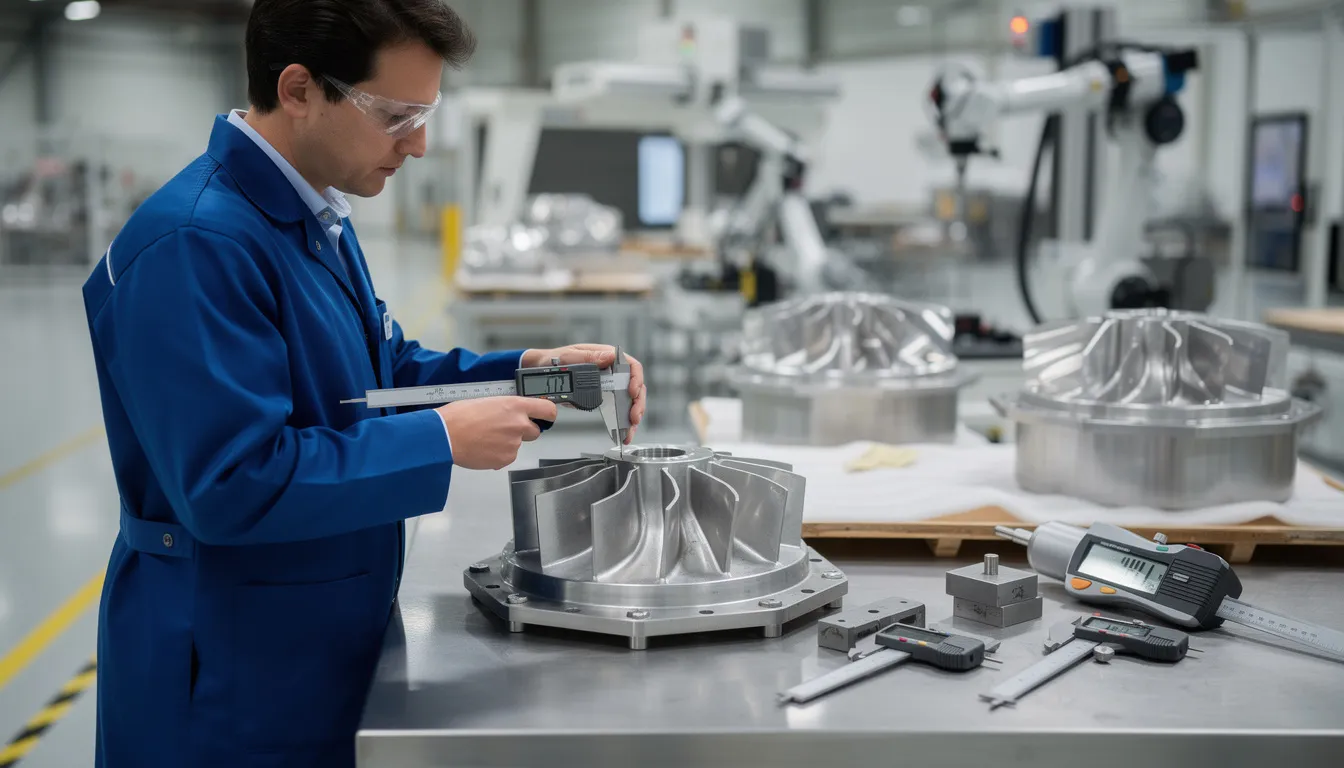
    An aerospace technician is carefully inspecting a component on a clean shop floor, ensuring quality management and adherence to manufacturing processes. The environment reflects advanced technologies and efficient production operations, emphasizing the importance of real-time data collection in the manufacturing industry.

    Quick Answer: ERP vs MES Responsibilities at a Glance

    ERP owns the enterprise commitment. MES owns the execution reality. In most aerospace factories from 2015 to 2026, ERP is the system of record for cost, inventory value, customer orders, and planned production orders. MES systems, or a connected operations layer like Connect981, are the system of record for real-time WIP, operator actions, quality checks, equipment status, and traceability.

    Use this cheat sheet: ERP owns customer orders, master data, standard routings, planned orders, procurement, and valuation. MES owns detailed routing execution, production execution, signoffs, inspections, machine status, and real time data from production operations. Production orders typically originate in ERP; routing execution, holds, and completions are driven by MES and posted back through erp integration. Confusion across mes and erp systems is the usual cause of duplicate records, mismatched inventory, and conflicting completion dates.

    Most modern manufacturing businesses use both ERP and MES integrated together. Integrating ERP and MES systems creates a closed-loop system where production plans flow from ERP to MES, while actual production results flow back to ERP, enhancing visibility and efficiency across manufacturing operations. Done well, erp and mes systems improve production efficiency, operational efficiency, optimized production planning, and help teams maximize production efficiency without adding manual data entry.

    ERP vs MES: Focused Definitions for Transaction Ownership

    An Enterprise Resource Planning (ERP) system integrates data and workflows from various departments, including finance, supply chain, and HR, into a unified database, acting as the central nervous system of an organization. ERP systems typically include modules for managing procurement, order management, warehouse management, supply chain management, human resources, and customer relationship management, providing a comprehensive framework for business operations.

    ERP systems provide a unified view of enterprise data, allowing companies to automate business processes and generate insights across multiple departments, which helps identify areas for improvement and drive efficiencies. An enterprise resource planning system integrates data and workflows from various departments, including finance, supply chain, and manufacturing, into a unified database, while an MES focuses specifically on managing production and inventory processes on the shop floor. ERP systems provide a broad overview of business operations, enabling managers to automate processes and generate insights across multiple departments, whereas MES systems offer real-time visibility and control over manufacturing operations.

    Deploying an ERP requires a significant upfront investment and can take months or years to implement across all departments. MES solutions also require planning. Implementing an MES system can be complex and time-consuming, requiring significant planning, configuration, and integration with existing systems, which can lead to delays and budget overruns. This article uses MES broadly to include manufacturing execution systems mes, mes software, manufacturing operations management tools, and Connect981 where the platform governs manufacturing execution, inventory and production processes, production scheduling, and specific manufacturing processes.

    Who Owns What? Practical ERP vs MES Ownership Matrix

    This ownership matrix is the working rule set. The ISA-95 model separates enterprise and control systems: ERP sits with business systems, while MES connects to manufacturing systems, process control systems, and control systems.

    Transaction

    System of Record

    Where the transaction is initiated

    How the other system is updated

    Production order

    ERP for header, MES for actuals

    ERP

    MES sends confirmations, labor, and status

    Routing execution

    MES

    MES

    ERP receives variances and confirmations

    WIP move

    MES

    MES scan or signoff

    ERP receives milestone updates

    Material consumption

    MES for exact lot use, ERP for valuation

    MES or backflush rule

    ERP posts issue and cost

    Completion

    MES triggers, ERP records receipt

    MES after inspection

    ERP posts goods receipt

    Scrap and rework

    MES for reason, ERP for cost

    MES

    ERP posts scrap, rework, variance

    Quality hold

    MES triggers, ERP mirrors status

    MES

    ERP blocks planning or shipment

    Production Orders and Work Orders

    In SAP, Oracle, NetSuite, IFS, and similar erp software, work orders are created and numbered in ERP to align MRP, resource management, finance, and inventory. ERP is the system of record for order header, quantity, due date, BOM, standard routing, and cost structure.

    MES or Connect981 consumes the order and breaks it into executable tasks. It owns timestamps, operator IDs, deviations, exception paths, labor, and machine usage. In a 2024 aerospace assembly plant using SAP ERP and a dedicated MES, SAP creates a planned production order; the MES breaks this into operator-level tasks and reports confirmations to SAP at each operation or final completion.

    For a C-check in an MRO facility, the ERP work order defines aircraft tail number, scope, planned labor, and cost center. Connect981 manages task-by-task completion, signoffs, and required inspections. Duplicate production orders usually appear when a shopfloor tool creates local jobs independently of ERP without one-to-one data mapping.

    Routing Execution and Operation Sequencing

    ERP stores standard routings: operation list, work centers, planned time, and costing assumptions. MES owns what really happened: which operation ran first, what was skipped, what rework loop occurred, and which operator or cell performed the work.

    For complex assembly processes, MES or Connect981 also owns digital work instructions, in-process checks, revision control, and signoff workflow tied to each routing step. Routing changes for one order belong in MES and return to ERP as variance. Routing template changes for all future orders belong in ERP master data.

    Process engineers should standardize data formats such as operation codes, work center IDs, status codes, and inspection points. Without that discipline, confirmations become orphaned and production units appear complete in one system but open in another.

    Quality Holds, Nonconformances, and Dispositions

    Shopfloor quality events belong in MES because they happen in real time and require immediate control. An MES can enforce quality control procedures by capturing quality data during production, triggering alerts for quality issues, and maintaining records for analysis and traceability.

    When an operator logs a defect on a turbine blade in MES, the system applies a quality hold to that serial number and operation. ERP then reflects blocked inventory so the part cannot be issued, shipped, or consumed by planning. MRB decisions, scrap, use-as-is, or rework, stay in MES with evidence; ERP receives the resulting postings.

    Using ERP alone for holds delays reaction on the floor. Using MES alone without ERP updates leaves planning teams seeing blocked parts as available.

    WIP, Inventory Movements, and Completion Signals

    ERP tracks inventory at a macro level, warehouse storage, while MES tracks inventory at a micro level, exact material consumption on the assembly line. The primary function of an MES is to track and monitor production processes in real-time, providing detailed control over production scheduling and quality management, which is not the focus of ERP systems.

    MES records each WIP move, station arrival, start, pause, completion, and inspection result. ERP remains the record for inventory value, finished goods, and financial close. In a 3-shift composites facility, MES posts every panel move between layup, cure, and trim; ERP receives a goods receipt only after inspection passes.

    With integrated ERP and MES systems, companies can achieve improved inventory management, as the MES updates ERP inventory based on actual production events, leading to more accurate demand forecasting and resource allocation. This supports accurate demand forecasting without pretending ERP sees every micro-event.

    Scrap, Rework, and Yield

    Scrap and rework detail lives in MES: defect code, operator note, photo, operation, fixture, machine, and referenced procedure. ERP receives financial impact: scrap posting, rework order, inventory adjustment, and standard-versus-actual variance.

    If 2 of 10 landing gear components fail NDT in MES, the system records defect type and location. ERP is updated with 8 completed units, 2 scrapped, and the cost variance. Capturing scrap only in ERP weakens root cause analysis. Capturing it only in MES damages margin and yield reporting.

    Connect981 can support AI-assisted root cause analysis from MES-level detail while still feeding clean ERP postings.

    How ERP and MES Share Data: Integration, Data Mapping, and Formats

    Ownership only works when integration rules are predictable. Orders and routings usually move ERP to MES. Confirmations, quality results, material consumption, and completions move MES to ERP.

    Data integration between an MES and other software systems, such as ERP or PLM, can be challenging, often requiring extensive customization and data mapping to ensure seamless data exchange and synchronization. The integration of MES with other systems, such as ERP, allows for the synchronization of information and alignment of manufacturing processes with overall business operations, enhancing efficiency.

    Connect981 is designed as a unifying operations layer that maps erp data, PLM data, MES events, supplier records, and manufacturing data without forcing a full rebuild.

    A technician is scanning a serialized aerospace part at a workstation, utilizing a manufacturing execution system to ensure accurate production data and enhance efficiency in the manufacturing operations. The scene highlights the integration of advanced technologies in the aerospace industry to optimize production processes and inventory management.

    Typical ERP–MES Integration Flows in Aerospace and MRO

    A 2025 airframe plant using Oracle ERP and legacy MES may use nightly batch for order updates, but real-time APIs for quality holds and final completions. That split is common. Finance can tolerate some batch. Shipping and compliance cannot.

    A Manufacturing Execution System (MES) captures real-time data from various sources on the factory floor, including machines, sensors, and operators, to monitor and control manufacturing operations. MES provides real-time operational visibility, allowing users to track every work order, material movement, quality check, and process parameter as production occurs. The integration of ERP and MES allows for real-time data synchronization, providing manufacturers with up-to-the-minute insights into production processes, which facilitates informed decision-making and rapid problem resolution.

    Financial management in ERP depends on accurate labor, machine time, scrap, and rework data from MES. Integration capabilities determine whether that data arrives cleanly.

    Data Mapping, Data Accuracy, and Preventing Duplication

    Data mapping means aligning item IDs, serial formats, lot numbers, routing steps, work centers, and quality codes so each transaction has one meaning. Common duplication causes include both systems creating work orders, separate local item codes, failed imports, and manual ERP adjustments after MES completion.

    The rule is simple: one system creates each entity. ERP creates order numbers. MES creates nonconformance records. Updates can be bidirectional, but origination is controlled.

    Connect981 can normalize data formats across multiple ERPs and MES instances, detect multiple active execution records for one ERP order, and reduce manual operations.

    Data Security, Compliance, and Audit Trails

    Combining ERP and MES raises data security stakes. Ensuring data security is crucial when implementing an MES, as these systems handle sensitive production data, and robust security measures must be in place to protect against unauthorized access and cyber threats.

    MES holds operator names, timestamps, inspection results, and serial-level history. ERP holds financial and customer-level data. Together they form the audit trail. Role-based access, ITAR controls, logs, and authoritative timestamps must be explicit.

    Integrating ERP with MES enhances quality management by enabling the collection and analysis of historical data, which helps identify patterns and trends, allowing companies to proactively address potential quality issues. Teams can analyze historical data for recurring defects, but only if the data collection and real time data collection are structured.

    Day-in-the-Life: Transaction-by-Transaction Examples

    Consider 5 shipsets of composite control surfaces due in Q4 2026. ERP transaction: create customer order, production order, BOM, material reservations, and planned cost. MES transaction: import the order, assign tasks, execute work instructions, capture inspections, and manage the entire production cycle.

    Material issue is an MES scan with lot traceability and an ERP goods issue. First article inspection is MES evidence with ERP status visibility. Nonconformance is MES-controlled with ERP blocked status. Final acceptance is MES completion plus ERP goods receipt and shipment readiness.

    Connect981 can orchestrate this when a plant still relies on spreadsheets, email, or tribal knowledge instead of a full MES.

    Example 1: New Production Build (Greenfield Assembly Line)

    A manufacturer launches a 2025 actuator production line using existing ERP and Connect981. ERP creates the production order and BOM. Manufacturing engineers build digital work instructions in Connect981. Operators execute steps, scan components, and record torque values.

    If torque is out of spec, the hold is triggered in Connect981. ERP receives blocked status, preventing shipment. Operators do not log twice, finance receives one clean posting stream, and planners see one completion quantity.

    Compared with paper packets and end-of-shift ERP updates, the outcome is better data accuracy and less rework in administration.

    Example 2: MRO Work Package with Heavy Rework

    In a 2026 C-check on a regional jet, ERP owns the work package, cost center, customer billing structure, and procurement demand. Connect981 owns hundreds of task-level operations, inspection signoffs, nonconformances, parts requests, and supplier responses.

    Each finding creates an execution record. Approved material movement and cost flow back to ERP. Quality holds live in MES against affected serials and tasks; ERP mirrors blocked status so the order cannot close prematurely.

    Resistance to change from employees can pose significant challenges during the implementation of an MES, as it often involves changes in business processes and workflows that may not be readily accepted by all stakeholders. A phased rollout keeps adoption practical.

    Common Failure Modes: Where ERP–MES Boundaries Go Wrong

    Most failures are governance failures, not product failures. The symptoms are familiar: double WIP entry, parallel work order numbering, unsynchronized holds, inconsistent routing versions, wrong inventory balances, disputed financial results, and audit gaps.

    The integration of ERP and MES reduces human error by automating data collection and minimizing manual operations, which leads to more reliable data and better decision-making. Without that discipline, manufacturing companies end up reconciling software systems instead of running production.

    Duplicate Records and Conflicting Truths

    A rush order is created in ERP. A supervisor also opens a local MES job to start immediately. Later, both records show partial completion. Nobody trusts either record.

    The fix is access control and automated checks: ERP originates the order, MES executes it, and Connect981 flags duplicate execution records before financial close.

    Misplaced Quality Holds and Inconsistent Inventory Status

    If a hold is applied only in ERP, operators may continue working suspect parts. If a hold is applied only in MES, planning may still see available stock.

    Example: fasteners flagged for hydrogen embrittlement are quarantined in MES but appear on-hand in ERP. The rule should be clear: MES triggers the hold, ERP mirrors it, MES releases it after inspection or MRB, and ERP follows automatically.

    Designing Your ERP–MES Ownership Model

    Document the model. List orders, routings, WIP, holds, scrap, rework, completions, inventory, and supplier transactions. For each one, define system of record, originating system, synced attributes, timing, and security rule.

    Start with operations, quality, finance, IT, and supply chain. Prioritize the transactions that reduce manual data entry, improve traceability, and protect compliance. Advanced technologies help only when the workflow is clear first.

    Connect981 gives aerospace and MRO teams a practical operations layer over existing enterprise resource planning and MES environments, with templates for routing, inspection, traceability, supplier collaboration, and audit-ready execution. Request a Demo to review a sample ownership matrix for your production and MRO workflows.

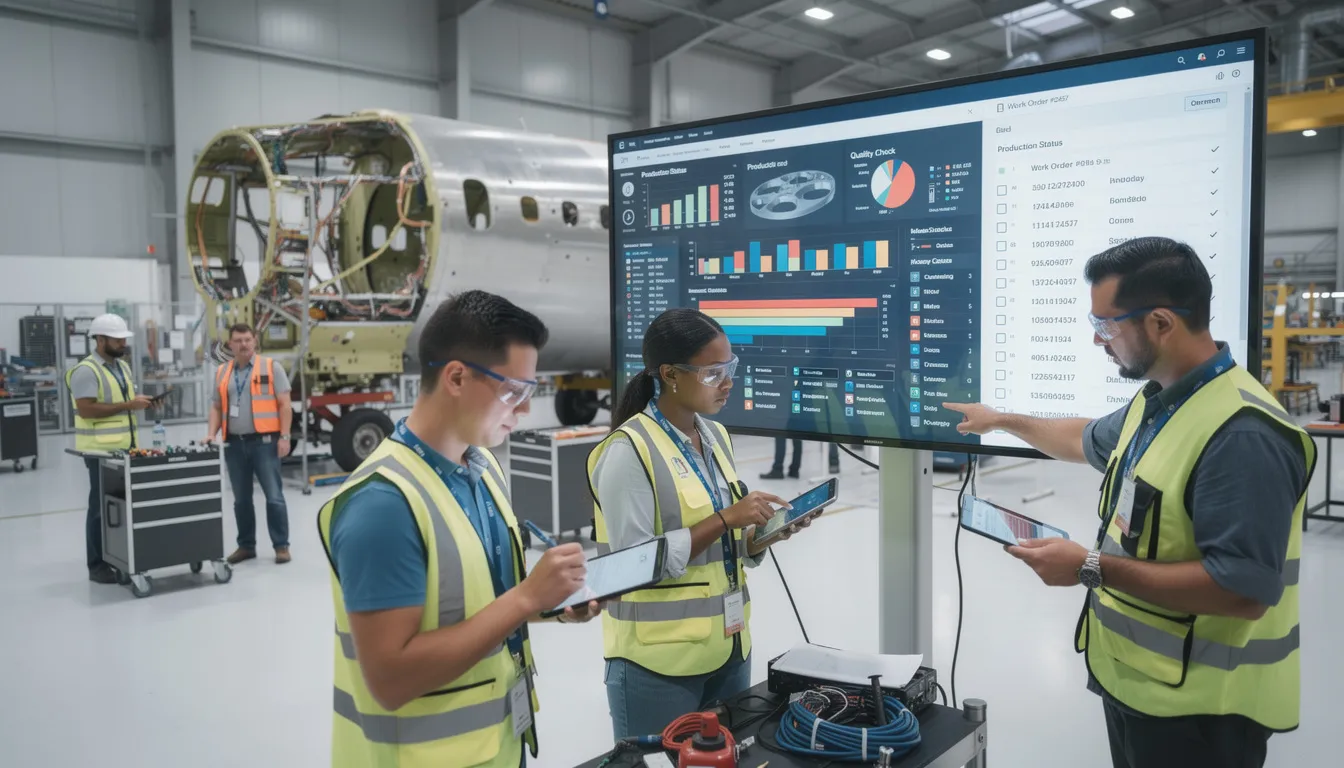
    An aerospace assembly team is gathered around a workstation, reviewing a component to ensure quality and precision in their manufacturing processes. The scene reflects the integration of manufacturing execution systems (MES) and enterprise resource planning (ERP) systems, highlighting the importance of production efficiency and quality management in the aerospace industry.

  • What are the 5 KPIs for manufacturing?

    There is no single universal set of “the” five KPIs that applies to every manufacturing environment. Different plants, product mixes, and regulatory regimes prioritize different metrics. That said, many mature operations converge on a small core set that sits on top of more detailed metrics.

    Common “top 5” manufacturing KPIs

    In regulated, complex environments, a practical set of five KPIs often looks like:

    1. Overall Equipment Effectiveness (OEE)

      • What it reflects: How effectively a line, cell, or machine runs vs its theoretical capability, combining availability, performance, and quality.
      • Why it matters: Ties together downtime, speed loss, and scrap/rework into one signal for asset productivity.
      • Key constraints: Highly sensitive to how you define “planned time,” minor stops, and what counts as good output. In regulated plants, OEE must be defined and documented per line or asset, with clear version control so it survives audits and leadership changes.
    2. Throughput and/or On-Time Delivery

      • What it reflects: How much you ship or complete per period, and what percentage of orders or lots you deliver on or before the committed date.
      • Why it matters: Links manufacturing performance directly to customer and program commitments.
      • Key constraints: Requires consistent rules for start/finish events, partial shipments, engineered-to-order work, MRB holds, and external processing. In many brownfield environments, these data live across MES, ERP, and scheduling tools and must be reconciled.
    3. Quality Yield (e.g., First Pass Yield or Rolled Throughput Yield)

      • What it reflects: The percentage of units or lots that pass through a step or value stream without rework, repair, or deviation.
      • Why it matters: Early warning of process instability and a leading indicator of scrap, rework cost, and potential escapes.
      • Key constraints: Depends on how you classify rework vs normal process, how you handle concessions, and whether quality data come from MES, QMS, or manual logs. In validated environments, you must lock the definitions and ensure traceability from yield metrics back to source records.
    4. Cost of Poor Quality (COPQ) or Unit Manufacturing Cost

      • What it reflects: The financial impact of defects, rework, scrap, and warranty/field issues (COPQ) or total cost per unit/lot.
      • Why it matters: Connects engineering and quality issues to actual business impact, supporting justification for process improvements and capital investments.
      • Key constraints: Requires clean integration between production, quality, and finance. Allocations, labor rates, overhead, and material valuation rules vary by site and ERP, so COPQ is rarely “plug and play” and must be carefully defined and validated.
    5. Safety (e.g., Recordable Incident Rate, Near Misses)

      • What it reflects: Worker safety performance based on incident rates, severity, and often near-miss reporting.
      • Why it matters: For most industrial organizations, safety is a non-negotiable leading KPI that constrains how aggressively you run assets or change processes.
      • Key constraints: Reporting and thresholds are influenced by corporate EHS standards and local regulation. Data often sit outside MES/ERP, and near-miss metrics can shift dramatically when reporting culture changes, even if underlying risk does not.

    Why “top 5” KPIs are never enough on their own

    These five KPIs are typically used as a leadership dashboard, not as the full measurement system. In regulated or aerospace-grade environments, they must be supported by:

    • Secondary metrics such as changeover time, queue time, planned/unplanned downtime, defect type Pareto, schedule adherence, and WIP levels.
    • Traceability to source data in MES, ERP, QMS, historian, and manual records so that auditors and internal reviewers can reconstruct how a KPI was calculated.
    • Documented definitions and change control so the same KPI means the same thing over time and across sites, and any recalculation logic changes go through proper governance.

    Dependencies and failure modes in brownfield, regulated plants

    In real plants with mixed systems and long equipment lifecycles, the main risks with KPI programs are not the choice of metrics but:

    • Inconsistent definitions across lines or sites: For example, Site A counts planned maintenance as “planned downtime” while Site B counts it as “unplanned,” making OEE comparisons misleading.
    • Data gaps and manual workarounds: When legacy equipment lacks automated data capture, OEE or yield may rely on manual entry, which introduces lag and error. This is normal, but it must be documented and factored into decisions.
    • Unvalidated integrations: When metrics combine data from MES, ERP, QMS, historians, and spreadsheets, any integration or transformation issues can silently corrupt KPIs. In regulated environments, you typically need validation or at least documented verification of key data flows.
    • Over-optimization on a single KPI: Pushing OEE without guardrails can encourage local decisions that hurt quality, lead time, or safety. A small set of balanced KPIs is essential.

    How to choose your own “top 5”

    If you need to define five KPIs for your site or program, a practical approach is:

    1. Start with your constraints: Safety, regulatory obligations, contractual delivery terms, and key customer SLAs should shape your KPI set.
    2. Pick one KPI per dimension: For most plants, that means safety, schedule/throughput, quality, asset productivity, and cost.
    3. Define each KPI precisely: Document scope, data sources, filters, exclusions, and calculation logic. Include examples and edge cases.
    4. Align with existing systems: Use what MES, ERP, QMS, and historians can reliably provide, rather than designing KPIs that demand a full system replacement.
    5. Stabilize before you compare: Only start comparing across cells or sites once definitions, data collection methods, and validation checks are stable and under change control.

    In summary, OEE, throughput/on-time delivery, quality yield, cost (often COPQ), and safety form a reasonable “top 5” in many manufacturing organizations, but they must be adapted to local realities, supported by disciplined definitions, and grounded in validated, traceable data.

  • How long does it typically take to see measurable waste reduction from MES?

    Typical timeframes for seeing waste reduction

    In a regulated manufacturing environment, the first *measurable* waste reductions from an MES initiative usually appear between 3 and 12 months after go‑live for a focused use case, not the entire plant. This assumes that scope is narrow (for example, one value stream, one production line, or a specific defect mode) and that the MES is not being introduced together with a complete process redesign. Enterprise‑wide or multi‑site rollouts typically need 18–36 months before you see stable, repeatable waste metrics that hold up under audit. Any claim of significant waste reduction in a few weeks is usually based on best‑case pilots, relaxed validation, or informal metrics, which does not reflect aerospace‑grade or pharma‑grade reality.

    Early gains often come from basic visibility: fewer manual transcription errors, reduced lost lots, and quicker response to deviations. However, those early numbers can be noisy, as operators and supervisors adapt to new workflows and data entry practices. In highly regulated plants, you must also factor in the time to validate the system, train users, and update procedures before you can rely on any measured improvement. As a result, a realistic expectation is that you will spend several months establishing a clean baseline and stabilizing behavior before attributing waste reduction to MES with confidence.

    What drives the timeline up or down

    The primary drivers of how quickly you see waste reduction are scope, integration complexity, and process maturity. Narrow, well‑defined objectives (for example, reducing rework on one critical part family or eliminating a known source of scrap) can deliver measurable impact within a single budgeting cycle. Broad objectives like “reduce all plant waste by 20%” tend to dilute focus, stall in integration challenges, and delay visible benefits.

    Integration with legacy equipment, ERP, PLM, and QMS is often the limiting factor. If most data is already captured electronically and your interfaces are stable and documented, you can start analyzing waste drivers almost immediately. In brownfield environments with paper travelers, proprietary machine interfaces, and fragile custom scripts, you will lose months to interface hardening, data cleansing, and basic data model alignment before any waste analysis is trustworthy. The more you depend on manual data entry or inconsistent code systems, the longer it takes to see clean, repeatable waste trends.

    Role of validation, change control, and traceability

    In regulated environments, validation and change control extend the timeline compared to commercial manufacturing. Before you can rely on MES‑based waste metrics, you typically need user requirement specifications, functional specifications, test protocols, and documented execution, plus change control for any configuration that affects data capture. Each iteration on workflows, defect codes, or electronic signatures will require formal review and re‑testing, slowing down continuous improvement loops.

    Traceability requirements also mean you cannot casually adjust how scrap or rework is recorded without considering downstream impacts on batch records, certificates of conformance, or audit trails. This often pushes organizations to adopt phased rollouts: first ensuring data integrity and compliance, then using that data to drive waste reduction. In practice, this means compliance‑driven validation often consumes the first 3–6 months, and measurable, defensible waste reduction follows only after those foundations are in place.

    Brownfield realities and why “big bang” rarely pays off

    In most plants, MES does not start from a clean slate; it must coexist with long‑lived machines, custom PLC logic, and a mix of homegrown and vendor systems. Trying to replace all existing systems at once to pursue rapid waste reduction usually backfires. The qualification burden for new equipment, the validation cost for re‑platformed processes, and the downtime required for a big‑bang cutover often exceed the projected waste savings—especially in aerospace, defense, and life sciences.

    Full replacement strategies also risk disrupting established traceability chains and quality records, which can trigger audit findings or re‑qualification work. As a result, most successful programs layer MES capabilities on top of existing systems, starting in a few well‑chosen areas. Waste reduction then appears incrementally as specific legacy workflows are retired or standardized. This staged approach lengthens the calendar time to plant‑wide benefits but significantly reduces operational and regulatory risk.

    What you can typically expect by phase

    In the first 0–3 months after go‑live on a limited scope, you mainly see data visibility, not confirmed waste reduction. You may observe apparent improvements (for example, lower reported scrap) that are actually artifacts of better coding, stricter recording, or learning effects. During this period you should treat metrics as provisional and focus on stabilizing data capture and user behavior.

    In the 3–12 month window, you can usually start quantifying waste reductions tied to specific interventions, such as better defect classification, earlier detection of process drift, or reduced rework cycles. This depends on having at least several months of consistent pre‑ and post‑change data. Beyond 12 months, as you refine workflows, tune alerts, and integrate more equipment, the MES becomes a repeatable source of improvement projects, though each additional percentage point of waste reduction often costs more analysis and change effort than the previous one.

    How to accelerate measurable impact without compromising control

    To shorten the time to measurable waste reduction, most plants benefit from a deliberately constrained first scope. Selecting a value stream with high scrap or rework, limited product mix, and contained integration boundaries minimizes both risk and time to useful insight. You can then design MES workflows, data models, and reports around a few prioritized waste mechanisms, rather than trying to model every possible scenario from day one.

    At the same time, involve quality, engineering, and production leaders early in defining what “measurable reduction” means and how it will be calculated and reviewed. Agreeing on unambiguous metrics (for example, scrap cost per good unit, rework hours per lot) and audit‑ready data sources helps avoid disputes over whether improvements are real or just measurement changes. A disciplined continuous improvement cadence—root cause analysis, corrective actions, and controlled MES updates—provides a repeatable path from data to sustained waste reduction, even if the first results take longer than hoped.

  • Is the Quality Cohort a Boeing program?

    Short answer

    No. The Quality Cohort is **not** a Boeing program and is **not** sponsored, endorsed, or managed by Boeing. It is an independent initiative that covers quality and operations topics relevant across regulated manufacturing, including aerospace, but it does not speak for Boeing or describe Boeing’s internal programs, policies, or systems.

    Relationship (or lack of one) to Boeing and other OEMs

    The Quality Cohort does not operate under contract with Boeing, does not use Boeing’s branding, and does not have authority to represent Boeing’s views, procedures, or requirements. Any mention of Boeing or other OEMs is for illustrative or comparative purposes only and is based on publicly known industry practices or generalized patterns in regulated manufacturing. The initiative is not a channel for Boeing-specific guidance, internal standards, or directives, and nothing here should be interpreted as an official OEM position.

    What this means for using the content in your plant

    You should not treat Quality Cohort content as a substitute for Boeing (or any OEM) customer requirements, specifications, or contractual quality clauses. Where Boeing requirements apply, those documents, portals, and change notices are always the controlling reference, and your internal quality system must align to them. Use this material as background or as input into your own procedures, but always reconcile it with actual customer contracts, internal standards, and approved work instructions before changing any process.

    Constraints in regulated and aerospace-grade environments

    In aerospace and similar regulated environments, customer-specific requirements, certification obligations, and long equipment lifecycles often limit how directly you can apply generic improvement ideas. Changes inspired by any external resource, including the Quality Cohort, typically require formal change control, impact assessment, and, in many cases, customer notification or approval. Full replacement of existing OEM-qualified processes or systems based solely on external guidance is rarely practical, due to validation burden, traceability expectations, and downtime risk.

    How to interpret examples and case-style discussions

    When examples resemble aerospace scenarios, they are intended to illustrate common patterns (e.g., configuration control issues, escape management, or root cause gaps), not to describe Boeing’s internal reality or any specific incident. You should treat them as generalized patterns to stress-test your own systems, not as authoritative descriptions of any single company. Always map concepts back to your own documented processes, system landscape, and customer obligations before you attempt to replicate an approach.

    Practical next steps if you work with Boeing

    If you supply to Boeing or maintain Boeing-qualified processes, you should confirm any significant process, tooling, or system changes against your Boeing-facing quality and contracts team. Align improvements with your existing QMS, MES, and ERP stack, and run them through internal change control and validation, rather than citing external content as justification. Where there is a conflict between Quality Cohort guidance and explicit Boeing requirements, the Boeing requirement and your signed agreements should take precedence.

  • What are the 5 main functions of a work order?

    In industrial and regulated manufacturing environments, a work order typically serves five main functions. The exact details depend on your MES/ERP setup, integration quality, and how consistently people use the system, but the core functions are:

    1. Authorization to perform work

    The work order is the formal authorization to execute production, maintenance, rework, or calibration activities. It links the work to an approved plan, routing, or maintenance strategy so that people are not improvising outside controlled processes.

    In regulated environments, this authorization role is important for governance and auditability. It helps demonstrate that work was done under an approved revision of the process, by qualified resources, and within defined limits.

    2. Allocation of resources and scheduling

    The work order is the mechanism for reserving and coordinating resources, such as:

    • Materials (lots, serials, consumables)
    • Equipment and tooling (including calibration/qualification status)
    • Labor (skills, qualifications, shifts, and work centers)
    • Time (start/end windows, takt, and due dates)

    Depending on your environment, this may be driven by ERP/MRP, a scheduling tool, or MES. In brownfield plants, those systems often coexist, and the work order is the reference object used to reconcile differences between planning and actual execution.

    3. Communication of requirements and instructions

    The work order conveys what has to be done and under which conditions. Typical content includes:

    • Part numbers, revisions, and quantities
    • Routing or operation sequence references
    • Links to digital work instructions, SOPs, or travelers
    • Quality checks, in-process inspections, and hold points
    • Special characteristics, customer-specific requirements, or regulatory constraints

    In a mixed system landscape, these requirements may live partly in PLM, QMS, or document control systems. The work order’s function is to connect operators and supervisors to the correct, controlled information at the time of work, not to replace those source systems.

    4. Capture of execution, quality, and cost data

    The work order is a key container for recording what actually happened during execution, such as:

    • Start/stop times and labor hours
    • Machine states, downtime events, and delays
    • Material consumption, substitutions, and scrap
    • In-process and final inspection results
    • Nonconformances, rework, and deviations linked to the work

    This data feeds OEE, cost, and COPQ metrics, and it supports investigations and CAPA activities. The level of detail you can trust depends on how well the work order is integrated with shop-floor systems (MES, data historians, machine interfaces) and how disciplined the data entry and scanning practices are.

    5. Traceability, genealogy, and audit evidence

    In regulated and long-lifecycle industries, the work order is a central anchor for traceability. It links:

    • Input lots, serial numbers, and supplier batches
    • Operations performed and where/when they occurred
    • Equipment, tools, and fixtures used
    • Operators, inspectors, and approvals
    • Resulting serialized units or batches shipped to the customer

    For audits and investigations, work orders often serve as the starting point to reconstruct manufacturing history. However, their effectiveness depends on consistent use, validated integrations between MES/ERP/QMS, and controlled change management across related master data and documents.

    Brownfield and coexistence considerations

    In many plants, work order functions are split across multiple systems (e.g., ERP for planning and cost, MES for execution, PLM for definitions, QMS for quality events). Attempting to replace all of this with a single new platform often fails because of validation overhead, integration complexity, and downtime risk.

    A more practical approach is to treat the work order as a shared reference object and deliberately define which system is the system of record for each of the five functions above. Clear ownership, interfaces, and change control are more important than forcing a single tool to do everything.