Author: RSC Suite

  • CAPA in Aerospace: When to Start, What to Prove, and How to Close

    CAPA in Aerospace: When to Start, What to Prove, and How to Close

    CAPA aerospace workflows are often discussed only after something has already gone wrong: a recurring nonconformance, an audit finding, a supplier escape, or a field event that raises airworthiness concern. The issue is rarely the form itself. The issue is whether the organization knows when CAPA begins, what evidence belongs in the file, and what proves the fix actually worked.

    In aerospace manufacturing and MRO, CAPA is not a paperwork exercise. It is a controlled process for turning quality data into permanent solutions. Done well, it connects NCRs, MRB decisions, inspections, supplier records, customer feedback, and field events into one practical process for risk reduction and continuous improvement.
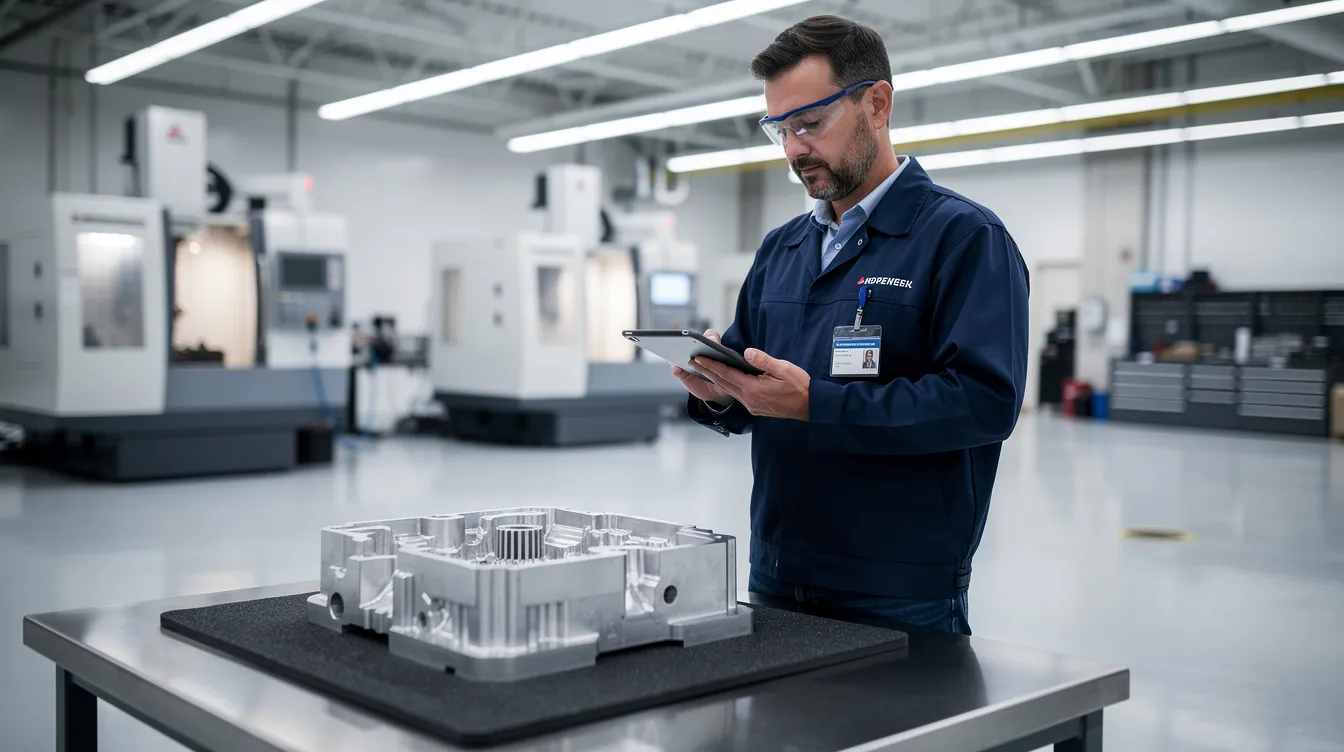
    An aerospace inspector is examining a machined component on a clean production floor while using a tablet, highlighting the importance of quality management systems and the effective CAPA (Corrective and Preventive Actions) process in ensuring regulatory compliance and continuous improvement in aerospace manufacturing.

    What is CAPA in Aerospace Manufacturing and MRO?

    CAPA stands for Corrective and Preventive Action. In practice, it means corrective and preventive actions taken through a formal, evidence based workflow. Corrective actions address known quality problems and prevent recurrence. Preventive actions address related risks before they become quality defects, escapes, or safety events.

    CAPA is familiar in medical devices, medical device manufacturing, and the way medical device companies manage quality system obligations under federal regulations. Medical device manufacturers often face strong regulatory scrutiny around CAPA documentation, root cause determination, and effectiveness checks. Aerospace has a different operating environment, but the expectation is similar: a capa process must be traceable, risk based, and supported by evidence.

    In aerospace production and MRO, CAPA sits inside the quality management system. It connects nonconformance reports, MRB decisions, internal audits, supplier issues, customer escapes, service difficulty signals, and field events into a closed loop. It is not just a qms capa record. It is the mechanism for proving that the production process, maintenance process, or supplier process has been brought back under control.

    AS9100D Clause 10.2 expects organizations to react to nonconformities, determine root cause, consider whether similar nonconformities exist, implement corrective actions, and evaluate effectiveness. FAA and EASA regulatory requirements, NADCAP special process expectations, and customer quality clauses all point toward the same operating truth: an effective capa system must produce records that show what happened, why it happened, what changed, and whether the change worked. Guidance on AS9100D nonconformity and corrective action requirements is summarized by AS9100 Store.

    Connect981 provides the digital backbone for this work across factories, suppliers, and MRO facilities. Instead of tracking a capa plan through spreadsheets, email threads, local folders, and disconnected quality systems, teams can link defects, inspection evidence, owners, action plans, change control, and closure evidence in one shared workflow.

    When Should a CAPA Be Opened in Aerospace Operations?

    A CAPA should be opened when the evidence points beyond a single defect and toward systemic issues, repeat risk, regulatory impact, or significant safety and airworthiness concern. CAPA does not begin automatically every time an NCR is written. A one off nonconformance can often be handled through NCR, MRB disposition, containment, and correction.

    The decision changes when the same type of problem repeats, when a single event has high consequence, or when an audit finding shows a weakness in the quality management process. In those cases, a corrective action plan is needed because the organization must understand root cause and change the system, not just fix the affected part.

    Under using CAPA hides systemic risk. Overusing CAPA creates noise, delays, and long backlogs that prevent the team from focusing on high risk issues. The best capa procedures use risk based prioritization. They define when the CAPA threshold has been met, who approves the decision, what evidence is needed, and how capa outcomes will be measured.

    Connect981 supports this decision by reading across NCRs, defects, rework, supplier records, audit findings, and process data. The platform can surface capa trends and AI assisted root cause signals so quality leaders can see whether an issue is isolated or part of a wider pattern.

    Trigger Logic: Clear Criteria for Opening a CAPA

    Aerospace organizations should document CAPA trigger logic in their procedures and configure it into the capa system. The decision should not depend on who happens to be reviewing the issue that day. It should be consistent, auditable, and aligned with regulatory expectations.

    Common CAPA triggers include:

    • Repeated nonconformances on the same part family, feature, process, work center, tool, or supplier within a defined period. A practical threshold is three similar NCRs within 90 days, although each organization should set criteria based on its own processes and risk profile.
    • A serious quality escape affecting delivered aircraft, flight hardware, maintenance release, or customer safety. Structural fastener torque issues discovered after delivery should trigger CAPA immediately.
    • Internal audits, AS9100 audits, NADCAP audits, FAA or EASA findings, or customer audits that identify systemic weakness or repeated minor findings in the same area.
    • A high Risk Priority Number from FMEA, a severe risk assessment outcome, or risk analysis showing that even a single occurrence could affect airworthiness, compliance, or mission reliability.
    • Supplier quality problems involving safety critical parts, long lead components, counterfeit risk, traceability gaps, or repeated documentation failures.
    • Customer feedback showing recurring escapes, late corrective measures, or dissatisfaction tied to the same process weakness.
    • Negative trend data in scrap, rework, inspection failures, test failures, MRO turnaround delays, or supplier controls.

    A CAPA trigger does not mean the answer is already known. It means the organization has enough evidence to justify a thorough investigation. In Connect981, these criteria can be built into configurable workflows so recurring defects, supplier performance drops, or high risk issues are flagged before they become audit findings or customer escapes.

    Examples: When Immediate Correction Is Enough vs. When CAPA Is Required

    A single routing sheet error may not justify CAPA. If one work order has an incorrect router code, the affected record can be corrected, the lot can be reviewed, and the operator or planner can be briefed. If there is no trend, no safety impact, and no evidence of a broken planning process, an NCR and correction may be enough.

    A recurring torque verification gap is different. If three work orders for the same part family show missing torque verification on critical structural fasteners, the issue has moved beyond correction. The capa investigation should review work instructions, tooling, inspection points, training, human factors, and whether the router allows the operation to be skipped.

    Supplier labeling follows the same logic. One mislabeled shipment of non flight hardware may be handled through MRB, receiving inspection, and supplier notification. Multiple mislabels from the same supplier over two months point to supplier process weakness. That requires CAPA, supplier corrective actions, and likely a preventive action plan covering similar part families or packaging flows.

    A field event can trigger CAPA without waiting for recurrence. If an aircraft or engine assembly shows a structural issue after delivery, the organization should open CAPA based on risk, not count. Connect981 helps by showing recurrence across shops, suppliers, programs, and MRO stations, giving quality teams the evidence to justify escalation.

    How CAPA Differs from NCR, MRB, and Immediate Containment

    CAPA is often confused with NCR, MRB, and containment because all four may appear in the same quality event. They are connected, but they do different work.

    • Nonconformance Report, or NCR: The NCR is the initial record of a defect or deviation on a part, assembly, process, document, or maintenance task. It often applies to a single work order, batch, serial number, or inspection record.
    • Material Review Board, or MRB: MRB is the engineering and quality decision process for dispositioning nonconforming product. Typical dispositions include use as is, repair, rework, scrap, or return to supplier. MRB decides the fate of product. It does not, by itself, solve the process failure.
    • Immediate containment or correction: Containment protects the customer, the aircraft, and production flow while the facts are being established. Examples include quarantine, stop use, stop shipment, added inspection, temporary rework, and suspect lot review.
    • CAPA: CAPA sits above NCR and MRB. It is triggered when data from those processes show deeper process failure, repeat risk, regulatory compliance exposure, or safety concern.

    The distinction matters. Containment may stop the bleeding, but it does not prove the root cause has been removed. MRB may release or scrap hardware, but it does not verify effectiveness of a process change. CAPA is the closed loop record that shows root cause, corrective or preventive actions, implementation evidence, and capa effectiveness.

    Connect981 links NCRs, MRB decisions, containment tasks, and CAPA records so teams can see the full chain from first defect through confirmed root cause and long term fix. The result is better traceability and fewer gaps during regulatory inspections.

    Practical Process Flow: From Deviation to CAPA

    A practical process keeps the handoffs clear:

    • Defect or deviation is logged as an NCR with part number, serial number, operation, work order, inspector, and evidence.
    • MRB reviews the affected product and determines disposition, such as rework, repair, scrap, use as is, or return to supplier.
    • Immediate containment protects the customer and production flow. Suspect inventory may be quarantined, shipments paused, or inspection expanded.
    • Quality performs trend review and risk assessment using NCR history, process data, audit findings, supplier records, and customer feedback.
    • CAPA is opened if trigger criteria are met. The capa owner is assigned, scope is defined, and the capa form becomes the umbrella record.
    • The investigation aggregates NCRs, MRB records, inspection results, supplier inputs, engineering analysis, and production evidence.
    • Corrective actions and preventive measures are implemented, verified, monitored, and reviewed for closure.

    In Connect981, this flow is modeled as linked digital workflows. Teams avoid duplicate data entry, evidence remains connected to the original event, and the audit trail is built as the work happens.
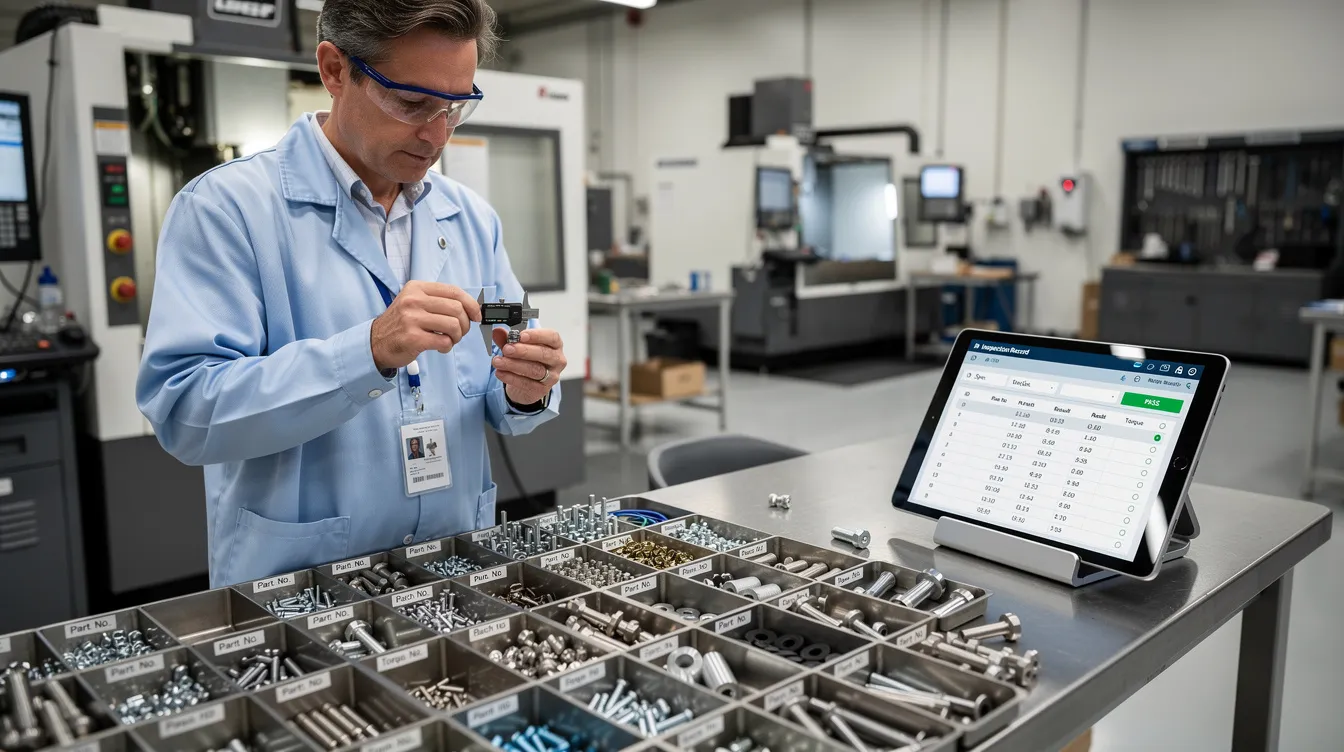
    A quality engineer is inspecting aerospace fasteners at a workstation, while digital records are displayed on a tablet, highlighting the importance of a quality management system in ensuring regulatory compliance and effective corrective actions. The scene emphasizes the role of continuous improvement and thorough investigation in the aerospace industry.

    The CAPA Investigation: Root Cause, Evidence, and Action Planning

    A real capa investigation starts with a clear problem statement. The statement should describe what failed, where it failed, when it was found, how many units were affected, which requirements were missed, and why the issue matters. Vague language creates weak investigations. A well documented CAPA file begins with operational facts.

    The investigation then defines scope. That includes affected parts, programs, suppliers, work centers, shifts, tools, routers, inspection points, MRO tasks, and potentially delivered product. The team should also evaluate whether similar nonconformities exist elsewhere. AS9100D expects this broader check, not only a review of the visible defect.

    Aerospace CAPA cannot stop at “operator error.” Human factors matter, but they must be examined in context. The team should review instruction clarity, training records, tooling condition, calibration, access to current revisions, environmental conditions, supervision, inspection plans, supplier controls, and change control history. EASA Part 145 environments also expect root cause and contributing factor analysis for findings, as summarized in industry guidance on aviation maintenance root cause analysis.

    Each CAPA should document the problem statement, scope, data sources, root cause analysis, corrective actions, preventive actions, and effectiveness verification plan. Connect981 keeps photos, NCRs, SPC charts, supplier emails, FAI reports, calibration logs, and revised work instructions linked to the CAPA record for fast retrieval during audits.

    Root Cause Analysis in Aerospace CAPA

    Root cause analysis is a disciplined method for separating symptoms from causes. It should be practical, not theatrical. The goal is root cause determination that can be tested against evidence and translated into corrective measures.

    Useful methods include:

    • 5 Whys for straightforward process breakdowns, such as a skipped verification step.
    • Fishbone or Ishikawa analysis for issues with multiple contributing factors, such as plating defects involving chemistry, tooling, handling, and inspection.
    • fault tree analysis for safety critical failures where event logic and failure paths must be understood.
    • FMEA review when the failure mode was known but risk management controls did not prevent occurrence or detection failure.
    • Process mapping when handoffs between planning, stores, inspection, MRO, or supplier teams are unclear.

    CAPA should involve cross functional teams when the issue crosses boundaries. A cross functional team may include quality, manufacturing engineering, design engineering, production, MRO leads, supply chain, supplier quality, and program management. In high consequence cases, organizations should involve cross functional teams early so the investigation does not optimize one department while missing the system failure.

    Connect981 can support RCA by surfacing similar events, defect history, supplier patterns, and prior capa actions. AI assisted root cause suggestions can point teams toward likely contributing factors, but the decision remains with engineering and quality. The confirmed root cause must be supported by evidence.

    Evidence Requirements: What Belongs in CAPA Documentation

    Good capa documentation tells a coherent story. An auditor, customer representative, or new quality manager should be able to understand what happened, why it happened, what changed, and how the organization verified the result.

    Typical evidence includes:

    • NCR history and defect records.
    • Scrap, rework, and repair trends before and after the event.
    • Inspection results, SPC charts, capability studies, and test data.
    • Photos, microscopy, measurement reports, or lab results showing the defect.
    • Calibration records, tool maintenance logs, and gage records.
    • Training records, qualification sign offs, and skill matrix updates.
    • Revised digital work instructions, routers, inspection plans, and control plans.
    • Change control approvals, ECOs, drawing updates, software revisions, or CNC program validation.
    • First Article Inspection records when the process or configuration changed.
    • Supplier corrective action reports, supplier audits, and receiving inspection evidence.
    • Risk assessment, risk analysis, and FMEA updates.
    • CAPA review notes, approvals, and management review inputs when appropriate.

    Each root cause should have supporting evidence. Each corrective action and preventive action capa item should also have proof that it was implemented. If the fix was an updated torque specification, the CAPA file should link to the approved specification, revised router, updated work instruction, and evidence that the station is using the current revision.

    Connect981 acts as a single evidence repository across ERP, MES, PLM, QMS, and supplier data. This matters because CAPA evidence often lives in fragments. One piece is in email, another in a file share, another in a supplier portal, and another on the shopfloor. Fragmented evidence creates audit risk even when the team did the right work.
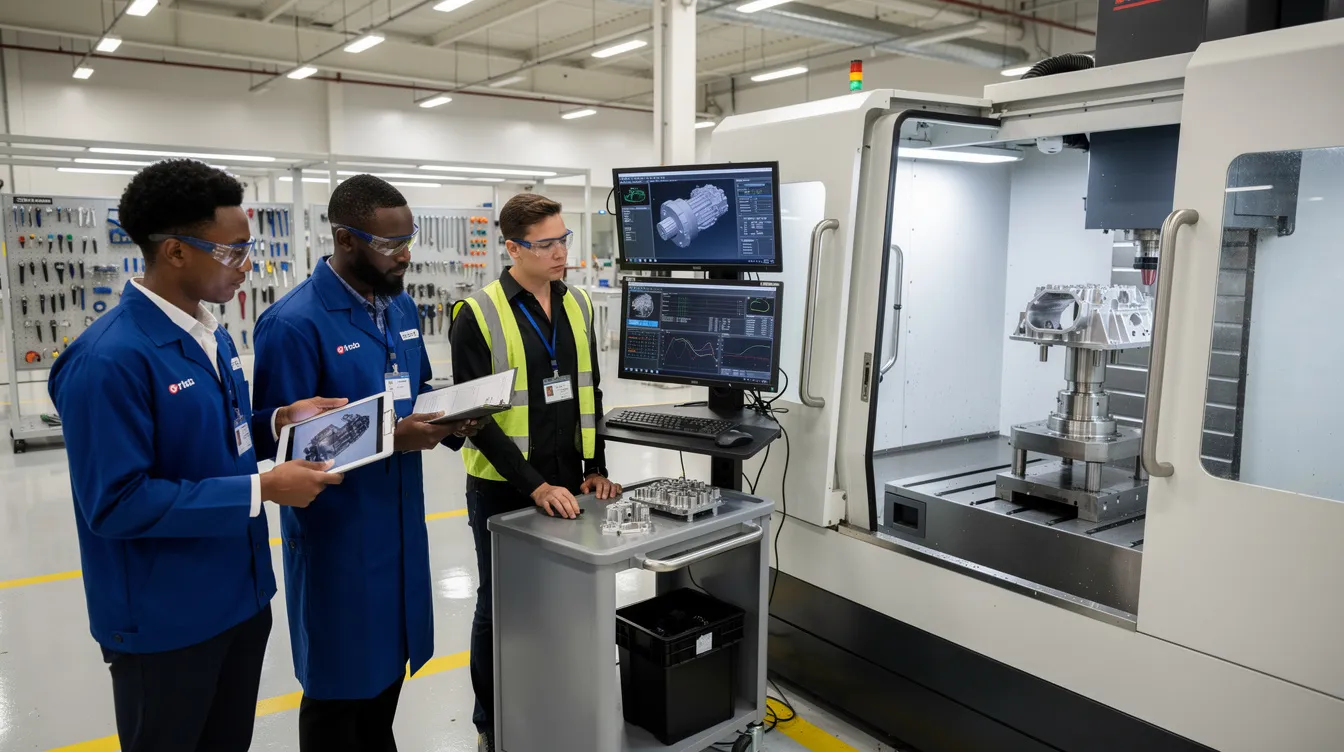
    A cross-functional aerospace quality team is reviewing component inspection results beside a production cell, focusing on implementing corrective and preventive actions as part of their quality management system. They are engaged in root cause analysis to ensure continuous improvement and prevent recurrence of quality defects in the manufacturing process.

    Building the CAPA Action Plan

    The capa plan translates root cause findings into specific action plans. It should separate correction from corrective action. Correction fixes the affected part or record. Corrective action changes the system so the issue does not recur. A preventive action plan extends the lesson to similar risks elsewhere.

    An aerospace CAPA action plan may include:

    • Process changes to routing, inspection sequence, traveler logic, or MRO task flow.
    • Procedure updates and revised digital work instructions.
    • Tooling changes, fixture improvements, calibration frequency changes, or gage updates.
    • Training tied to the revised process, not generic retraining.
    • Supplier development, supplier audits, or updated purchase order quality clauses.
    • Design changes, ECOs, configuration updates, or FAI requirements.
    • Additional controls for detection, such as automated verification, required signoffs, or inspection hold points.

    Every action should have an owner, due date, risk priority, required evidence, and acceptance criteria. The capa owner should not be left to chase status manually through email. Capa management works best when ownership, escalation, and evidence expectations are visible from the start.

    Connect981 provides configurable CAPA forms with action tables, owner assignment, e signatures, due dates, escalation logic, and links to downstream change control and validation activities. This supports implementing corrective actions without losing the connection between the root cause and the work being done.

    Effective CAPA Closure: What “Done” Really Looks Like

    Effective capa closure is not the point where tasks are checked off. It is the point where evidence shows the issue is controlled and unlikely to recur within defined risk limits. That is the difference between activity and control.

    A strong capa program defines closure criteria before closure begins. For example, the organization may require three consecutive production lots with zero repeat defects, 90 days without a similar NCR, a successful internal audit of the revised process, or verified supplier performance after corrective action. The criteria should match the severity and risk of the issue.

    Cosmetic closure is a common failure. A document is updated, a training record is signed, and the CAPA is closed before the production process proves stability. That approach does not satisfy regulatory expectations. It also fails operations because recurrence returns the same problem to the same people weeks later.

    Aerospace teams should use plan do check act thinking. Plan the CAPA, do the implementation, check performance against evidence, and act again if the data shows the fix did not hold. This is where capa effectiveness is proven. Connect981 can automate effectiveness tracking using real production and inspection data, then prompt the capa owner when enough evidence is available for closure review.

    Closure Evidence: Proving the CAPA Worked

    Closure evidence should prove that the action was implemented and that it worked. Auditors and OEM customers are not looking for a clean form. They are looking for evidence of a controlled process.

    Useful closure evidence includes:

    • Before and after trend charts showing reduced defect rate, scrap, rework, or escapes.
    • Zero repeat NCRs for the same issue over a defined time period or production quantity.
    • Successful FAI after a process, tooling, or configuration change.
    • Audit reports confirming that operators are using the revised procedure or work instruction.
    • Approved ECOs, updated drawings, released routers, revised inspection plans, and current digital work instructions.
    • Validated CNC, test rig, inspection, or software program changes where applicable.
    • Training completion records tied to the exact revised process.
    • Supplier performance records showing the same defect has not recurred.
    • Updated FMEA, risk controls, control plans, or inspection frequency.
    • Formal capa review sign off by the quality manager, CAPA board, or authorized approver.

    The CAPA review should confirm that the root cause logic is sound, the risk assessment remains valid, the actions match the cause, and the effectiveness data is sufficient. If the evidence is weak, the CAPA should remain open. If recurrence appears, the team should reopen the investigation or launch a new CAPA with the prior failure included in the analysis.

    Connect981 presents closure packets and dashboards that show timelines, action status, evidence links, trend plots, and approval history. This helps quality leaders verify effectiveness without rebuilding the story from scattered records.

    Integrating CAPA with Change Control, Quality Management, and Suppliers

    CAPA does not operate alone. It is part of quality management, risk management, supplier management, configuration control, and production execution. Many capa actions require formal change control because they affect routers, work instructions, inspection plans, tooling, software, drawings, or maintenance procedures.

    That integration is where many organizations struggle. A CAPA may require an updated work instruction, but the change is released only in a document system and never reaches the station. A supplier may submit a response, but receiving inspection does not change its sampling plan. An engineering change may be approved, but the FAI requirement is missed. These are not individual failures. They are workflow gaps.

    CAPA should connect to:

    • Internal audits and audit finding closure.
    • FAI and production readiness.
    • Configuration management and engineering change control.
    • MRO maintenance records and parts history.
    • Supplier portals, supplier corrective actions, and procurement workflows.
    • Training and qualification management.
    • Management review, especially for repeated or high severity capa trends.

    Connect981 links CAPA to change control workflows, supplier collaboration, and real time shopfloor execution. Approved changes can be pushed to the right workstations, suppliers, and inspection points with revision control. The organization can then show not only that the CAPA was approved, but that the approved process reached the people doing the work.

    Digital CAPA Systems in Aerospace: From Paper to Connected Workflows

    Paper and spreadsheet based CAPA tracking can work for a small volume of simple issues. It breaks down when operations span multiple sites, suppliers, product lines, and regulatory obligations. The problem is not just administration. The problem is weak data continuity.

    An effective capa system gives teams a single source of truth for CAPA documentation, owners, due dates, evidence, approvals, and closure status. It also supports automated reminders, escalations, consistent templates, electronic signatures, and audit ready traceability. In practice, this reduces time spent searching for records and increases time spent solving the actual problem.

    A connected digital system should support:

    • Linked NCR, MRB, containment, CAPA, and closure records.
    • Real time dashboards for open actions, aging, risk level, and overdue items.
    • Cross site capa trends and supplier performance visibility.
    • Configurable capa procedures that reflect the organization’s quality system.
    • AI assisted root cause analysis and production quality insights.
    • Integration with ERP, MES, PLM, QMS, supplier portals, and shopfloor execution.
    • Evidence capture from photos, inspections, calibration records, training, and change approvals.

    Technology does not replace judgment. It helps the organization make good judgment repeatable. Connect981 is built for aerospace manufacturing and MRO teams that need CAPA connected to real work: digital work instructions, quality checks, supplier collaboration, traceability, routing, and compliance records.

    For aerospace manufacturers and MRO providers looking to standardize CAPA, reduce regulatory compliance risk, and close the loop from defect to verified improvement, Connect981 provides a practical path. Request a demo to see how an integrated CAPA workflow can connect NCRs, MRB decisions, root cause analysis, change control, supplier actions, and effectiveness verification in one operational layer.


  • Material Review Board (MRB) in Aerospace – Dispositions, Authority, and Digital Traceability

    Material Review Board (MRB) in Aerospace – Dispositions, Authority, and Digital Traceability

    In aerospace, a small defect can become a large decision. A burr, porosity indication, missing certificate, corrosion finding, or dimensional deviation can affect safety, delivery, cost, and configuration control. That is why mrb aerospace processes need clear authority, disciplined evidence, and traceable execution.

    Overview: What Is an Aerospace Material Review Board (MRB)?

    A material review board is a controlled authority for evaluating nonconforming material, components, assemblies, raw materials, and records. A Material Review Board (MRB) is a cross-functional team that evaluates nonconforming materials to determine their fate, ensuring decisions are based on quality and safety considerations.

    The material review board MRB is not just a meeting held on a weekly or monthly basis. It is a material review board process embedded in daily operations across OEMs, Tier 1 suppliers, and MRO organizations. It connects the non conformity report, concessions, deviations, engineering analysis, production data, and final disposition.

    Do not confuse this with the Maintenance Review Board (MRB), which governs scheduled fleet-wide maintenance standards in aviation, playing a critical role in maintaining airworthiness. The aerospace material review function focuses on product nonconformance and whether the affected item can move forward.

    AS9100 and regulatory expectations require nonconforming product to be identified, reviewed, approved, and documented by authorized personnel. FAA guidance such as FAA Order 8120.23 reinforces the need for defined MRB authority and objective records.

    Connect981 supports this work by tying ERP, MES, QMS, supplier, and shopfloor data into one traceable mrb process, so the current mrb record is not scattered across emails or shared folders.

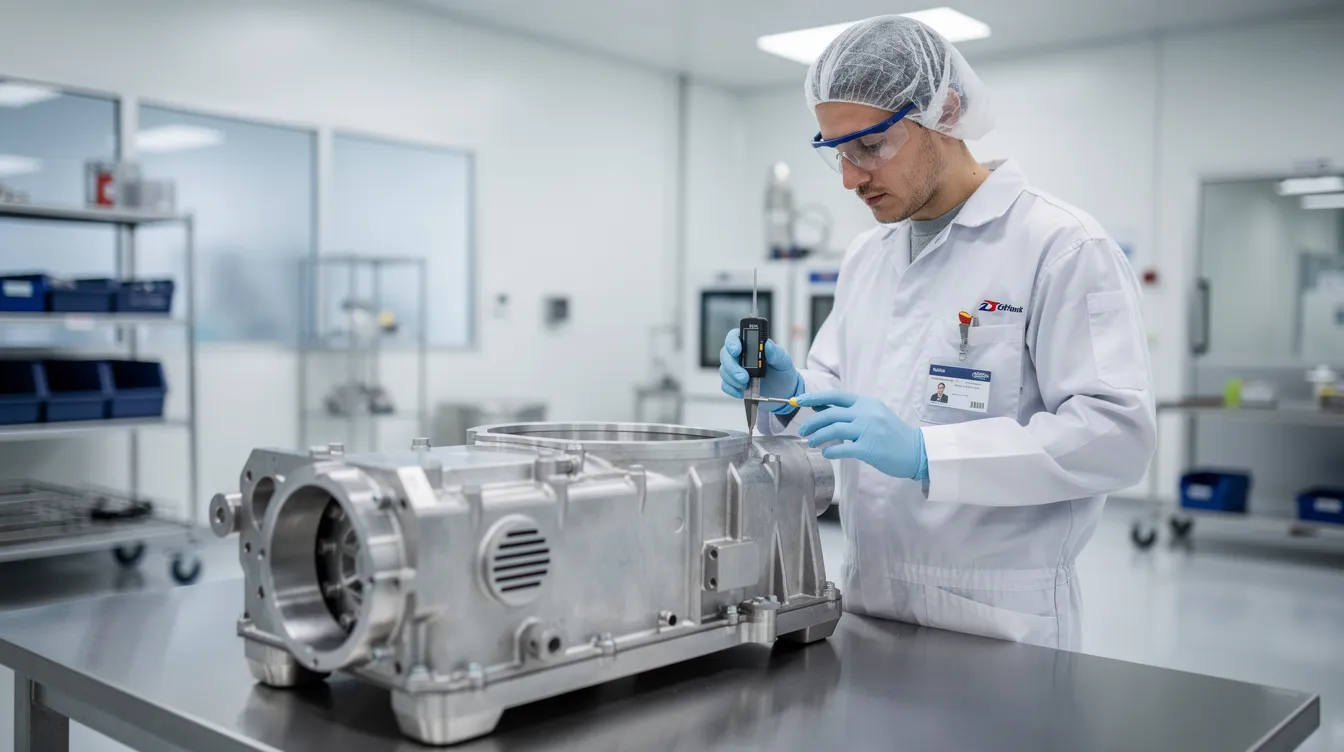
    A technician is carefully inspecting an aircraft component on a clean shop floor, ensuring adherence to quality assurance standards. This process is part of the material review board (MRB) procedure, where nonconforming materials are evaluated to determine their disposition and prevent future nonconformance.

    Who Sits on the MRB and What Authority Do They Have?

    An MRB must consist of highly specialized subject matter experts, including stress engineers, quality assurance specialists, and design engineers. The board members usually come from different departments because one function rarely has enough context to decide alone.

    Typical roles include:

    • Quality assurance lead or chair: controls the process, verifies containment, ensures records are complete, and confirms the decision follows procedure.
    • Quality engineers: review inspection evidence, defect history, customer requirements, and audit risk.
    • Design engineer: determines whether the condition affects form, fit, function, or approved design intent.
    • Stress or structural engineer: evaluates metal fatigue, stress loads, damage tolerance, residual margin, and primary structure impact.
    • Manufacturing engineer and mrb engineers: define whether repair or rework can be performed with approved resources, tooling, and instructions.
    • Procurement and supplier quality: coordinate vendor communication, supplier corrective action, and return to vendor disposition.
    • Production or MRO operations: explain routing impact, aircraft access, priority, and cycle time constraints.

    Authority is delegated through a charter, quality manual, customer agreement, or engineering authority letter. Local boards may decide minor issues. Major or safety-critical deviations often require OEM, customer, FAA, or EASA approval. MRB teams are responsible for keeping manufacturing and production lines running smoothly while adhering to stringent structural and airworthiness standards, but they must still challenge schedule pressure when conformity or safety is at risk.

    MRB Process Flow: From Detection to Final Disposition

    The MRB process typically begins with the creation of a Nonconformance Report (NCR) when a defect is identified, which is then reviewed by the board to decide on the appropriate disposition of the nonconforming materials.

    1. Detection: issues may come from incoming inspection, in-process checks, NDT, functional test results, final inspection, supplier notice, or MRO discovery.
    2. Containment: parts are quarantined, tagged “HOLD” or “DO NOT USE,” and blocked in ERP, MES, or WMS to prevent shipment or installation.
    3. NCR creation: the condition is described as is, linked to part number, serial or lot, work order, routing, supplier, photos, inspection reports, and test data.
    4. MRB review: board members examine drawings, specifications, process history, prior nonconformance report records, allowable damage limits, and mrb evidence.
    5. Evaluation: the group must determine whether data is sufficient or insufficient, whether extra inspection is needed, and whether the issue can affect aircraft safety.
    6. MRB decision: the board selects a disposition, defines actions, and records who must approve, perform, and verify the work.
    7. Execution and closure: routing, work instructions, reinspection, supplier response, or scrap controls are completed before closure.
    8. Feedback: recurring issues are linked to corrective action to prevent recurrence.

    In Connect981, this flow is captured in one controlled record, visible to quality, engineering, production, procurement, and suppliers.

    Standard MRB Disposition Paths in Aerospace

    Common dispositions made by the MRB include accepting materials as-is, reworking them, returning them to the vendor, or scrapping them if they cannot be corrected. The Material Review Board (MRB) can recommend several dispositions for nonconforming materials, including use as-is, rework, return to vendor, and scrap.

    • Use as is: If the nonconformity does not affect the product’s form, fit, or function, the MRB may decide to accept the item as-is, which is also known as accepting under concession. In aerospace, this requires engineering rationale and, for structural items, stress review.
    • Rework: When a part is found to be defective, the MRB may determine that it can be reworked to meet the original specifications, provided that the costs and time involved do not disrupt the production process. Rework returns the item to drawing compliance.
    • Repair: Repair is an approved deviation from the original design, such as blended damage, bushings, patches, or doublers. Strict regulatory compliance involves ensuring every repair disposition meets airworthiness standards set by authorities like the FAA and EASA.
    • Regrade or downgrade: materials may move to a lower-criticality use only when allowed, relabeled, and configuration records are updated.
    • Return to vendor: In cases where the defects are significant and affect the product’s quality, the MRB may recommend returning the materials to the vendor for corrective action.
    • Scrap: If the defective materials cannot be reworked or returned, the MRB may decide to scrap them, especially if the financial and time loss does not justify rework or return. Scrap must be documented by quantity, serial, and destruction status.

    Every disposition needs rationale, risk level, required follow-up, and approval trace.

    Material Review Board Documentation and Traceability Requirements

    Each mrb record should include NCR number, part number, serial or lot number, work order, affected aircraft or engine registration for MRO, defect description, detection point, responsible organization, drawings, specifications, and revision levels.

    Evidence includes inspection reports, NDT images, measurement data, supplier certificates, photos, test logs, stress calculations, and engineering approvals. Effective MRB practices require that all decisions regarding nonconforming materials are defensible, meaning that the rationale for each decision must be recorded contemporaneously and linked to objective evidence, ensuring compliance with regulatory standards.

    Traceability must run backward to materials, suppliers, processes, and approved data, and forward to affected assemblies, aircraft, customers, and as-maintained configuration.

    Regulatory requirements mandate that nonconformances are investigated, decisions are justified, and records are complete, particularly in industries such as pharmaceuticals and medical devices, which are governed by 21 CFR regulations. The Material Review Board (MRB) process must integrate with quality management systems to ensure that all decisions regarding nonconforming materials are documented with objective evidence, including e-signatures and secure audit trails, as required by regulations like Part 11 and Annex 11.

    Compliance gaps can arise when MRB documentation is inconsistent, leading to audits being complicated by missing approvals or unclear records.

    Integration of MRB with NCR, CAPA, and Change Management

    MRB is part of the broader quality system, not a separate island. NCRs identify and document the condition. MRB decides the disposition. CAPA addresses why the issue happened and how to prevent recurrence.

    MRB teams contribute to aviation safety by maintaining structural integrity and preventing future failures through root cause analysis. Repeated material review cases may trigger supplier 8D, process changes, updated inspection plans, or engineering change notices. If the same deviation is discussed every monthly basis, the issue is no longer just an MRB workload problem. It is a system signal.

    Connect981 links NCR, MRB, CAPA, and change workflows so leaders can see whether corrective action reduces future risk.

    Digital MRB in Practice: Making Decisions Enforceable and Audit-Ready

    Disconnected data and documentation can slow down MRB processes, as many reviews still rely on spreadsheets or shared folders, leading to confusion about the most current information. Manual routing and follow-up can stall MRB processes, as reliance on people passing forms or forwarding emails can lead to delays if someone is unavailable.

    Digital MRB changes the control point. On-hold parts cannot be issued, installed, or shipped until an approved mrb decision is complete. Role-based access ensures only authorized board members approve dispositions. E-signatures, timestamps, and revision history create the audit trail.

    Limited visibility into patterns of nonconformance can hinder MRB effectiveness, as data scattered across drives makes it difficult to identify recurring issues before they escalate. Dashboards for open cases, scrap value, supplier trends, and cycle time help most manufacturers focus improvement work where it matters.

    An engineer is using a tablet while standing beside various aircraft parts in a maintenance bay, engaging in the material review board process to assess the quality of components. This setting highlights the collaboration of quality engineers and cross-functional teams in managing nonconforming materials and ensuring safety in aerospace operations.

    Examples of Nonconforming Materials and MRB Review Scenarios

    • Machined structural bracket: A hole is 0.020 inch out of tolerance. MRB teams analyze the damage to aircraft parts to understand its nature and extent, focusing on factors such as metal fatigue and stress loads. Stress may approve use as is with serial-specific traceability.
    • Composite panel: NDI finds local porosity or ply misalignment. If allowable limits and margins support repair, an approved scheme is issued. If not, scrap is required.
    • MRO corrosion finding: Corrosion on a wing skin panel is reviewed against OEM repair data and EASA expectations. The repair, inspections, and release records stay linked.
    • Supplier fastener issue: Oversize holes appear across lots. MRB may initially approve rework or repair, then escalate to CAPA when trend data shows recurring supplier risk.

    Best Practices for a Robust Aerospace MRB Process

    • Define written authority, escalation rules, disposition categories, and risk thresholds.
    • Use standardized digital templates for every review and attachment.
    • Train mrb engineers, quality assurance, and board members regularly on AS9100, customer rules, and lessons learned.
    • Keep independence clear. Safety and conformity outrank schedule pressure.
    • Track metrics such as weekly backlog, cycle time, scrap cost, and repeat defects.
    • Link outcomes to work instructions, supplier collaboration, and future process improvements.
    • Treat objective evidence as a best practice, not an audit afterthought.

    How Connect981 Helps Standardize and Scale MRB in Aerospace Organizations

    Connect981 is an aerospace operations platform that unifies NCRs, MRB decisions, CAPA, routing, supplier workflows, and work execution on top of existing ERP, MES, PLM, and QMS systems.

    Zero and low-code tools let quality and manufacturing engineers configure approvals, notifications, and templates without a long IT project. Digital work instructions execute rework and repair consistently, while results and signoffs are captured at the point of work.

    For teams modernizing mrb aerospace processes, the goal is practical: stronger disposition control, clearer decision authority, and audit-ready traceability. Request a Connect981 demo to see how your MRB workflow can be standardized across sites and suppliers.

  • Inventory Accuracy in Aerospace: Cycle Counts, WIP Visibility, and Traceability That Actually Work

    Inventory Accuracy in Aerospace: Cycle Counts, WIP Visibility, and Traceability That Actually Work

    Inventory accuracy aerospace work is not about a neat warehouse report. It is about whether the part the system says is available is physically present, in the right location, with the right serial, lot, condition, revision, and release status.

    In an aerospace plant or MRO shop, a 2 to 3 percent inventory error can stop real operations. One missing life-limited component, one misplaced LRU, or one fastener lot with unclear status can delay flight schedules, extend turn-around-time, and damage customer satisfaction. Picture a 2025 A320 heavy check where a serialized actuator shows “available,” but the unit is actually in a shadow rack, on hold, or already cannibalized for another job.

    This article answers four practical questions: what causes poor inventory accuracy, how cycle counts help, how WIP visibility and traceability controls work together, and which KPIs show whether the system is improving.

    Connect981 approaches this as an aerospace operations platform, not generic retail inventory management software. The focus is line-side, stores, kits, and WIP inventory used in aerospace manufacturing and maintenance, not finished goods in a distribution center.

    An aerospace technician stands beside an aircraft maintenance bay, using a tablet to manage inventory records, while organized parts carts are neatly arranged nearby. This scene highlights the importance of efficient inventory management and accurate tracking systems in maintaining optimal inventory levels for aerospace companies.

    What Causes Poor Inventory Accuracy in Aerospace Environments?

    Poor inventory accuracy usually comes from small process leaks that compound over time. The challenges faced by aerospace companies are rarely one bad count. They are weak handoffs between people, systems, and physical flow.

    Common causes include:

    • Informal “borrow and replace later” habits, where components move without a transaction.
    • Undocumented kitting changes, especially when technicians adjust kits to keep work moving.
    • ERP, MES, spreadsheets, and paper pick tickets showing different inventory records.
    • Delayed backflush, late returns, miscoded scrap, and missing issue transactions.
    • Parts staged in aisles, warehouse space, tool cribs, line-side cabinets, or shadow racks without accurate tracking.
    • Missing serial or lot links to work orders, partial tear-downs, and unlogged cannibalization in MRO.
    • Point-of-use cabinets with stock levels that operators trust more than the system.

    Regulatory compliance raises the stakes. AS9100, FAA, and EASA expectations make traceability, documentation accuracy, safety standards, and configuration control essential. When physical reality and inventory records diverge, teams face audit findings, schedule risk, and potential quality escapes.

    The damage goes beyond accounting. Bad inventory accuracy undermines forecast demand, decision making, customer commitments, and maintaining optimal inventory levels. It also creates excess inventory, poor cash flow, higher holding costs, weaker financial performance, and more emergency buying during supply chain disruptions.

    Cycle Count Discipline: The Fastest Lever to Improve Inventory Accuracy

    Cycle counting is the practical alternative to relying on one annual physical inventory count. Instead of shutting down for a wall-to-wall count, teams perform focused physical counts on critical bins, kits, serialized parts, and WIP locations throughout the year.

    Start with risk:

    • High value serialized parts
    • Customer-furnished equipment
    • Long-lead items
    • Safety-critical hardware
    • Fast-moving line-side stock
    • Locations with repeated discrepancies

    A simple pattern works well: daily checks on critical line-side bins, weekly checks in kitting areas, and monthly deep dives on slow-moving spares. The point is not just counting. The point is using inventory control to find where processes are drifting.

    The basic formula is simple: accurate records divided by records counted. In aerospace, targets should be strict. Aim for more than 99 percent accuracy on serialized, life-limited, and safety-critical parts, and more than 97 percent overall.

    A TriVista case study reported an aerospace and defense facility improving from 10 to 20 percent inventory accuracy after audits to about 97 percent across roughly 8,500 SKUs, using barcoding, standard procedures, and layout improvements. That kind of gain comes from disciplined practices, not spreadsheet cleanup alone.

    Connect981 can surface cycle-count tasks automatically based on value, movement, defect history, and prior discrepancies. It can also record variance at the bin and serial level, giving supervisors real time data they can act on.

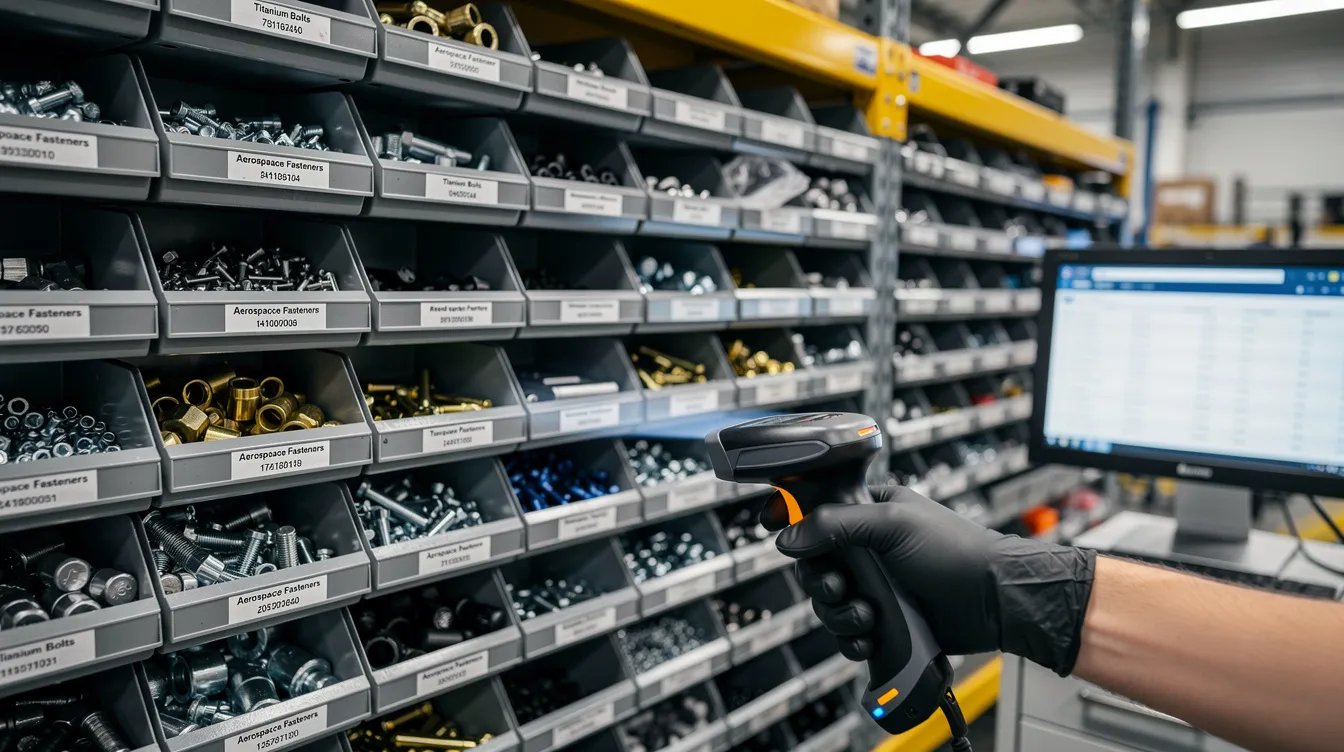
    The image depicts organized bins filled with small aerospace parts, each labeled for easy identification, alongside handheld scanning equipment designed for efficient inventory management. This setup enhances inventory accuracy and operational efficiency, crucial for aerospace companies in maintaining optimal inventory levels and regulatory compliance.

    Common Causes of Inaccuracy Revealed by Cycle Counts

    Once regular audits begin, patterns become visible. Teams often find:

    • Mis-labeled bins
    • Mixed lots in the same location
    • Operators picking from a different location than ERP shows
    • Phantom WIP that was scrapped months ago
    • Returns placed in generic catch-all locations
    • Confusing location naming across cells

    Small recurring discrepancies matter. If one cell is always short by one or two fasteners, the cause is probably a process leak, not random noise. The fix may be a clearer work instruction, better scanner placement, simpler returns, or improved clear communication between stores and production.

    Connect981 workflows can route discrepancies to supervisors, quality, supply chain, or maintenance with required actions. That prevents quiet stock adjustments that hide the real problem.

    WIP Visibility: Seeing Work and Material Where It Actually Lives

    Inventory accuracy is not limited to stockroom bins. In aerospace, inventory is often embedded in WIP: subassemblies, kits, partial tear-downs, removed parts, outside processing, supplier-held material, and equipment moving through long routings.

    Poor WIP visibility creates familiar problems. Planners cannot trust dates. Schedulers run hot orders. Quality teams search for parts. MRO turn-around-time slips. A 737 nacelle line, A320 cabin mod, or C-check hangar can look organized in a meeting and still have parts physically sitting in the wrong bay.

    Better WIP visibility requires clear rules:

    • Every work order has a current digital step, status, and location.
    • Every serialized component is tied to the work order where it is consumed, installed, removed, or held.
    • Operators move WIP in the system when they move it physically.
    • Holds, defects, and shortages are logged in real time, not at shift end.
    • Supplier and outside processing status is visible to the same planning view.

    Connect981 sits as a unified operations layer across ERP, MES, QMS, and supplier data. The goal is not to make operators re-key data into three systems. The goal is one usable management system that supports tracking, reporting, and execution where the work happens.

    With tablets or terminals at the cell, operators can record consumption, move WIP, log holds, and adjust status while the job is still in front of them.

    The image depicts an aircraft hangar bay bustling with maintenance crews working on various aircraft sections, surrounded by parts carts and tools, essential for ensuring operational efficiency and compliance with safety standards in the aerospace industry. The scene highlights the importance of inventory management systems in maintaining optimal inventory levels and enhancing the efficiency of maintenance operations.

    Core WIP Visibility Metrics that Indicate Inventory Accuracy is Improving

    Use a small set of practical KPIs:

    • Percentage of active work orders with current step and location.
    • Average time from physical move to system update.
    • Percentage of WIP items with confirmed serial and lot records.
    • Number of “unknown,” “offline,” or manually searched jobs.
    • Schedule adherence at constraint resources.

    These are ISO 22400-style measures in plain operating language. If queues stabilize, manual searches fall, and planners trust system views, WIP data is becoming reliable. Connect981 dashboards can show these metrics by line, shift, cell, or supplier so leaders see where behavior has changed.

    Traceability Controls as a Real-Time Inventory Control Mechanism

    Traceability is not paperwork for the auditor after the job is done. In aerospace, traceability is a control that prevents inventory errors, nonconformance, and quality escapes before they happen.

    Aerospace traceability includes serial and lot linkage, life-limited part status, configuration management, revision control, and FOD risk controls. AS9100 clause 8.5.2 requires suitable identification and traceability when needed, including control of unique identification and documented information. FAA rules also require life status control for life-limited parts, including serial or lot control where applicable.

    The operating rule is straightforward: no serial, no issue. If a critical component does not have the required serial, lot, condition, and release status captured, it should not move into the assembly or aircraft.

    Clean genealogy matters. Teams need to know which serials and lots were issued to which work order, installed on which tail number or shipset, removed during which MRO event, and dispositioned into repair, quarantine, scrap, or stock.

    Digital work instructions and electronic sign-offs help by recording operator, time, part, location, and inspection result during normal execution. Connect981 is designed around aerospace documentation and compliance, so traceability events become part of the process rather than after-the-fact reporting.

    Practical Traceability Practices that Support Inventory Accuracy

    Effective traceability depends on habits operators can actually follow:

    • Scan serials and lots into the work order at issue, install, removal, and return.
    • Do not issue from generic locations.
    • Log scrap with reason codes and required approvals.
    • Use kit-level barcodes tied to component lists.
    • Record kit seal and break events.
    • Return unused material through controlled workflows.
    • In MRO, log removed versus installed parts and cannibalization events.
    • Link repair tags to inventory and work history.

    These practices make inventory tracking more accurate and reduce investigation time after a deviation. Connect981 can enforce prompts, mandatory fields, and integrated checklists instead of relying on memory, tribal knowledge, or disconnected tracking systems.

    Inventory Accuracy KPIs that Matter for Aerospace Operations

    Most inventory management systems can produce long reports. Aerospace teams need fewer metrics that help run today’s shifts and improve tomorrow’s practices.

    Use 5 to 7 KPIs per area:

    • Inventory record accuracy: system quantity, location, status, serial, and lot match physical reality.
    • Location accuracy: the right part is in the right place.
    • Traceability completeness: required genealogy is present, with exception rate near zero.
    • WIP record completeness: active jobs have current step, location, and part associations.
    • Cycle count compliance: planned counts completed on time.
    • Transaction digital execution: issues, returns, scrap, holds, and moves captured at point-of-use.
    • Service metrics: critical stock-out incidents, schedule adherence, and perfect internal kit delivery.

    Shrinkage and adjustment rate still matter, but treat them as process signals, not just financial noise. Rising adjustments may point to poor receiving, weak returns, confusing storage, or inefficient handoffs.

    Good metrics also support efficient inventory management: optimal inventory levels, lower costs, fewer emergency purchases, better use of resources, and improved operational efficiency. They help companies make informed decisions about stock, demand, market trends, and supplier performance.

    Using KPIs for Continuous Improvement, Not Just Reporting

    KPIs should change daily behavior. They should not live only in monthly PowerPoint decks.

    A useful routine is simple. Review cycle count discrepancies, missing serials, WIP exceptions, and critical shortages in daily stand-ups. Assign owners by value stream or cell. Track whether countermeasures improve accuracy before and after the change.

    If one cell repeatedly mis-transacts returns, simplify the process or add a Connect981 workflow check. If one supplier causes repeated lot data gaps, fix the supplier collaboration process. If one cabinet keeps drifting, change the cabinet control.

    Make the data visible to operators. Cell-level screens and tablets help teams see how their actions enhance flow, reduce costs, avoid penalties, and protect customers.

    How Connect981 Supports Efficient, Compliant Inventory Management in Aerospace

    Connect981 supports inventory accuracy aerospace teams can use in real operations. It brings digital work instructions, serial number management, WIP tracking, quality checks, supplier coordination, and real time visibility into one connected layer.

    The platform bridges ERP, MES, QMS, PLM, and supplier portals so inventory transactions, holds, shortages, and exceptions do not depend on duplicate entry. Low-code workflows let operations teams codify cycle counts, discrepancy handling, traceability checks, and escalation practices without heavy IT projects.

    Connect981 also provides real-time reporting and AI-assisted insight to show where accuracy is drifting by line, shift, part family, or supplier. That helps leaders act before the issue becomes a late aircraft, a failed audit, or a missed customer commitment.

    Inventory accuracy improves when transactions happen where the work happens. Traceability becomes powerful when it prevents bad movement, not when it explains failure later. If your team wants practical inventory control built for aerospace and MRO, request a demo of Connect981.

    Inventory accuracy aerospace work is not about a neat warehouse report. It is about whether the part the system says is available is physically present, in the right location, with the right serial, lot, condition, revision, and release status.

    In an aerospace plant or MRO shop, a 2 to 3 percent inventory error can stop real operations. One missing life-limited component, one misplaced LRU, or one fastener lot with unclear status can delay flight schedules, extend turn-around-time, and damage customer satisfaction. Picture a 2025 A320 heavy check where a serialized actuator shows “available,” but the unit is actually in a shadow rack, on hold, or already cannibalized for another job.

    This article answers four practical questions: what causes poor inventory accuracy, how cycle counts help, how WIP visibility and traceability controls work together, and which KPIs show whether the system is improving.

    Connect981 approaches this as an aerospace operations platform, not generic retail inventory management software. The focus is line-side, stores, kits, and WIP inventory used in aerospace manufacturing and maintenance, not finished goods in a distribution center.

    An aerospace technician stands beside an aircraft maintenance bay, using a tablet to manage inventory records, while organized parts carts are neatly arranged nearby. This scene highlights the importance of efficient inventory management and accurate tracking systems in maintaining optimal inventory levels for aerospace companies.

    What Causes Poor Inventory Accuracy in Aerospace Environments?

    Poor inventory accuracy usually comes from small process leaks that compound over time. The challenges faced by aerospace companies are rarely one bad count. They are weak handoffs between people, systems, and physical flow.

    Common causes include:

    • Informal “borrow and replace later” habits, where components move without a transaction.
    • Undocumented kitting changes, especially when technicians adjust kits to keep work moving.
    • ERP, MES, spreadsheets, and paper pick tickets showing different inventory records.
    • Delayed backflush, late returns, miscoded scrap, and missing issue transactions.
    • Parts staged in aisles, warehouse space, tool cribs, line-side cabinets, or shadow racks without accurate tracking.
    • Missing serial or lot links to work orders, partial tear-downs, and unlogged cannibalization in MRO.
    • Point-of-use cabinets with stock levels that operators trust more than the system.

    Regulatory compliance raises the stakes. AS9100, FAA, and EASA expectations make traceability, documentation accuracy, safety standards, and configuration control essential. When physical reality and inventory records diverge, teams face audit findings, schedule risk, and potential quality escapes.

    The damage goes beyond accounting. Bad inventory accuracy undermines forecast demand, decision making, customer commitments, and maintaining optimal inventory levels. It also creates excess inventory, poor cash flow, higher holding costs, weaker financial performance, and more emergency buying during supply chain disruptions.

    Cycle Count Discipline: The Fastest Lever to Improve Inventory Accuracy

    Cycle counting is the practical alternative to relying on one annual physical inventory count. Instead of shutting down for a wall-to-wall count, teams perform focused physical counts on critical bins, kits, serialized parts, and WIP locations throughout the year.

    Start with risk:

    • High value serialized parts
    • Customer-furnished equipment
    • Long-lead items
    • Safety-critical hardware
    • Fast-moving line-side stock
    • Locations with repeated discrepancies

    A simple pattern works well: daily checks on critical line-side bins, weekly checks in kitting areas, and monthly deep dives on slow-moving spares. The point is not just counting. The point is using inventory control to find where processes are drifting.

    The basic formula is simple: accurate records divided by records counted. In aerospace, targets should be strict. Aim for more than 99 percent accuracy on serialized, life-limited, and safety-critical parts, and more than 97 percent overall.

    A TriVista case study reported an aerospace and defense facility improving from 10 to 20 percent inventory accuracy after audits to about 97 percent across roughly 8,500 SKUs, using barcoding, standard procedures, and layout improvements. That kind of gain comes from disciplined practices, not spreadsheet cleanup alone.

    Connect981 can surface cycle-count tasks automatically based on value, movement, defect history, and prior discrepancies. It can also record variance at the bin and serial level, giving supervisors real time data they can act on.

    The image depicts organized bins filled with small aerospace parts, each labeled for easy identification, alongside handheld scanning equipment designed for efficient inventory management. This setup enhances inventory accuracy and operational efficiency, crucial for aerospace companies in maintaining optimal inventory levels and regulatory compliance.

    Common Causes of Inaccuracy Revealed by Cycle Counts

    Once regular audits begin, patterns become visible. Teams often find:

    • Mis-labeled bins
    • Mixed lots in the same location
    • Operators picking from a different location than ERP shows
    • Phantom WIP that was scrapped months ago
    • Returns placed in generic catch-all locations
    • Confusing location naming across cells

    Small recurring discrepancies matter. If one cell is always short by one or two fasteners, the cause is probably a process leak, not random noise. The fix may be a clearer work instruction, better scanner placement, simpler returns, or improved clear communication between stores and production.

    Connect981 workflows can route discrepancies to supervisors, quality, supply chain, or maintenance with required actions. That prevents quiet stock adjustments that hide the real problem.

    WIP Visibility: Seeing Work and Material Where It Actually Lives

    Inventory accuracy is not limited to stockroom bins. In aerospace, inventory is often embedded in WIP: subassemblies, kits, partial tear-downs, removed parts, outside processing, supplier-held material, and equipment moving through long routings.

    Poor WIP visibility creates familiar problems. Planners cannot trust dates. Schedulers run hot orders. Quality teams search for parts. MRO turn-around-time slips. A 737 nacelle line, A320 cabin mod, or C-check hangar can look organized in a meeting and still have parts physically sitting in the wrong bay.

    Better WIP visibility requires clear rules:

    • Every work order has a current digital step, status, and location.
    • Every serialized component is tied to the work order where it is consumed, installed, removed, or held.
    • Operators move WIP in the system when they move it physically.
    • Holds, defects, and shortages are logged in real time, not at shift end.
    • Supplier and outside processing status is visible to the same planning view.

    Connect981 sits as a unified operations layer across ERP, MES, QMS, and supplier data. The goal is not to make operators re-key data into three systems. The goal is one usable management system that supports tracking, reporting, and execution where the work happens.

    With tablets or terminals at the cell, operators can record consumption, move WIP, log holds, and adjust status while the job is still in front of them.

    The image depicts an aircraft hangar bay bustling with maintenance crews working on various aircraft sections, surrounded by parts carts and tools, essential for ensuring operational efficiency and compliance with safety standards in the aerospace industry. The scene highlights the importance of inventory management systems in maintaining optimal inventory levels and enhancing the efficiency of maintenance operations.

    Core WIP Visibility Metrics that Indicate Inventory Accuracy is Improving

    Use a small set of practical KPIs:

    • Percentage of active work orders with current step and location.
    • Average time from physical move to system update.
    • Percentage of WIP items with confirmed serial and lot records.
    • Number of “unknown,” “offline,” or manually searched jobs.
    • Schedule adherence at constraint resources.

    These are ISO 22400-style measures in plain operating language. If queues stabilize, manual searches fall, and planners trust system views, WIP data is becoming reliable. Connect981 dashboards can show these metrics by line, shift, cell, or supplier so leaders see where behavior has changed.

    Traceability Controls as a Real-Time Inventory Control Mechanism

    Traceability is not paperwork for the auditor after the job is done. In aerospace, traceability is a control that prevents inventory errors, nonconformance, and quality escapes before they happen.

    Aerospace traceability includes serial and lot linkage, life-limited part status, configuration management, revision control, and FOD risk controls. AS9100 clause 8.5.2 requires suitable identification and traceability when needed, including control of unique identification and documented information. FAA rules also require life status control for life-limited parts, including serial or lot control where applicable.

    The operating rule is straightforward: no serial, no issue. If a critical component does not have the required serial, lot, condition, and release status captured, it should not move into the assembly or aircraft.

    Clean genealogy matters. Teams need to know which serials and lots were issued to which work order, installed on which tail number or shipset, removed during which MRO event, and dispositioned into repair, quarantine, scrap, or stock.

    Digital work instructions and electronic sign-offs help by recording operator, time, part, location, and inspection result during normal execution. Connect981 is designed around aerospace documentation and compliance, so traceability events become part of the process rather than after-the-fact reporting.

    Practical Traceability Practices that Support Inventory Accuracy

    Effective traceability depends on habits operators can actually follow:

    • Scan serials and lots into the work order at issue, install, removal, and return.
    • Do not issue from generic locations.
    • Log scrap with reason codes and required approvals.
    • Use kit-level barcodes tied to component lists.
    • Record kit seal and break events.
    • Return unused material through controlled workflows.
    • In MRO, log removed versus installed parts and cannibalization events.
    • Link repair tags to inventory and work history.

    These practices make inventory tracking more accurate and reduce investigation time after a deviation. Connect981 can enforce prompts, mandatory fields, and integrated checklists instead of relying on memory, tribal knowledge, or disconnected tracking systems.

    Inventory Accuracy KPIs that Matter for Aerospace Operations

    Most inventory management systems can produce long reports. Aerospace teams need fewer metrics that help run today’s shifts and improve tomorrow’s practices.

    Use 5 to 7 KPIs per area:

    • Inventory record accuracy: system quantity, location, status, serial, and lot match physical reality.
    • Location accuracy: the right part is in the right place.
    • Traceability completeness: required genealogy is present, with exception rate near zero.
    • WIP record completeness: active jobs have current step, location, and part associations.
    • Cycle count compliance: planned counts completed on time.
    • Transaction digital execution: issues, returns, scrap, holds, and moves captured at point-of-use.
    • Service metrics: critical stock-out incidents, schedule adherence, and perfect internal kit delivery.

    Shrinkage and adjustment rate still matter, but treat them as process signals, not just financial noise. Rising adjustments may point to poor receiving, weak returns, confusing storage, or inefficient handoffs.

    Good metrics also support efficient inventory management: optimal inventory levels, lower costs, fewer emergency purchases, better use of resources, and improved operational efficiency. They help companies make informed decisions about stock, demand, market trends, and supplier performance.

    Using KPIs for Continuous Improvement, Not Just Reporting

    KPIs should change daily behavior. They should not live only in monthly PowerPoint decks.

    A useful routine is simple. Review cycle count discrepancies, missing serials, WIP exceptions, and critical shortages in daily stand-ups. Assign owners by value stream or cell. Track whether countermeasures improve accuracy before and after the change.

    If one cell repeatedly mis-transacts returns, simplify the process or add a Connect981 workflow check. If one supplier causes repeated lot data gaps, fix the supplier collaboration process. If one cabinet keeps drifting, change the cabinet control.

    Make the data visible to operators. Cell-level screens and tablets help teams see how their actions enhance flow, reduce costs, avoid penalties, and protect customers.

    How Connect981 Supports Efficient, Compliant Inventory Management in Aerospace

    Connect981 supports inventory accuracy aerospace teams can use in real operations. It brings digital work instructions, serial number management, WIP tracking, quality checks, supplier coordination, and real time visibility into one connected layer.

    The platform bridges ERP, MES, QMS, PLM, and supplier portals so inventory transactions, holds, shortages, and exceptions do not depend on duplicate entry. Low-code workflows let operations teams codify cycle counts, discrepancy handling, traceability checks, and escalation practices without heavy IT projects.

    Connect981 also provides real-time reporting and AI-assisted insight to show where accuracy is drifting by line, shift, part family, or supplier. That helps leaders act before the issue becomes a late aircraft, a failed audit, or a missed customer commitment.

    Inventory accuracy improves when transactions happen where the work happens. Traceability becomes powerful when it prevents bad movement, not when it explains failure later. If your team wants practical inventory control built for aerospace and MRO, request a demo of Connect981.

  • Andon System Manufacturing: From Cords and Lights to Digital Escalation Workflows

    Andon System Manufacturing: From Cords and Lights to Digital Escalation Workflows

    Key Takeaways

    • An andon system is a structured escalation process, not just a light, board, or andon cord.
    • Andon in lean manufacturing still matters because it creates faster response, fewer defects, less downtime, and better visibility.
    • Modern digital andon systems connect alerts to corrective actions, root cause analysis, dashboards, and continuous improvement.
    • Connect 981 supports andon-style workflows inside a broader aerospace and MRO operations platform, not as a standalone andon light system.

    Introduction: Why Andon System Manufacturing Still Matters in 2026

    In 2026, many production problems still start small. A machinist sees a dimension drifting on an aerospace component. An electronics operator detects a missing connector before test. An MRO technician opens an engine module and finds the routing sheet does not match the installed configuration. If the issue is not surfaced quickly, hours of rework, scrap, schedule disruption, and audit exposure follow.

    Unplanned downtime commonly consumes 5 to 20 percent of productive capacity in manufacturing, according to Monitory.ai research on downtime cost. In regulated industries like aerospace, the cost is not only lost production time. A single escaped defect can trigger NCRs, MRB review, customer notification, and late delivery penalties.

    That is why andon system manufacturing remains relevant in high-mix, high-variance environments such as aerospace structures, avionics, precision machining, and MRO. This article treats the andon system as a structured escalation mechanism: signal, ownership, response, resolution, and learning.

    Traditional Andon systems typically rely on physical components such as pull cords, lights, and manual boards to signal issues, while digital Andon systems integrate with software and IoT technologies for real-time monitoring and alerts. The best implementations connect MES, ERP, quality records, supplier workflows, and continuous improvement efforts.

    A factory operator is using a tablet beside an aircraft assembly fixture, actively engaging in the production process while utilizing a digital andon system for quality control and operational excellence. The setup highlights the integration of modern andon systems in lean manufacturing, enhancing problem detection and rapid response capabilities on the production floor.

    What Is an Andon System in Manufacturing?

    An andon system is a visual and audible alert and escalation mechanism that surfaces abnormalities in real time. The japanese word “andon” originally referred to a lantern, which is why the concept became closely associated with visual management.

    Its roots are in lean manufacturing and the toyota production system, especially jidoka: build in quality and stop to fix when an abnormality occurs. In Toyota’s production system, the Andon cord allows any assembly employee to pause production when quality issues arise, ensuring defects do not propagate down the line.

    A good andon process replaces shouting, radios, sticky notes, and tribal knowledge with standardized andon signals. Operators, line workers, team leader roles, maintenance technicians, quality engineers, logistics, safety, engineering, and production control all know what happens next.

    The andon system works through a simple flow: problem detection, andon alert, owner assignment, corrective actions, closure, and data logging. The primary benefits of an Andon system include reduced downtime, empowered workers, higher quality control, and data-driven process improvements.

    How an Andon System Works on the Shop Floor

    An Andon system operates through a precise process flow designed for rapid response, allowing operators to signal issues immediately when they occur. Andon systems enable immediate problem detection, allowing workers to quickly identify and report issues without leaving their workstations, which results in reduced downtime and improved productivity.

    A trigger may be an andon cord pull, push button, HMI soft button, barcode scan, QR scan, automatic andon from sensors or PLCs, or software-triggered digital alerts. In a mature system, the andon alert includes location, issue type, severity, timing, product, and work order.

    In the first five minutes, the team acknowledges the alert notification, triages at the station, decides whether to stop production, and applies containment or a temporary countermeasure. If the line stops, restart criteria should be explicit. Every event should be timestamped, categorized, and tied to a job, serial, or work order.

    Core Components: Cords, Lights, Boards, and Digital Andon

    The classic Andon system consists of three primary components: the Andon cord, Andon light, and Andon board, which work together to signal issues on the production floor. Andon systems typically consist of three primary components: an Andon cord, an Andon light, and an Andon board, which work together to alert team members about production issues.

    Traditional Andon Cords and Fixed-Position Stop

    Traditional andon on final assembly lines often used an overhead andon board and overhead pull cord. The Andon cord is typically located overhead on the assembly line and can be pulled by operators to signal that assistance is needed due to a problem identified in the production process.

    When an operator pulls the cord on a manufacturing line, a timed response window starts. If the issue is not resolved, the product stops at a predefined station. In a fuselage section, for example, mis-torqued fasteners must be corrected before the body moves to the next dock. This balances flow protection with product quality protection.

    Andon Lights, Buzzers, and Local Signals

    Stack lights, buzzers, audio alerts, and visual cues provide immediate local feedback. Andon lights use a color-coded system to indicate the status of production: green for normal operation, yellow for a minor issue that needs attention, and red for a stop condition requiring immediate investigation.

    The Andon light system uses color coding to indicate different statuses: green for normal operation, yellow for minor issues needing attention, and red for serious problems requiring immediate action. Color-coded lights and auditory tones are typically used in Andon systems to denote production status and operational bottlenecks.

    Local signals are useful, but support teams may miss them in large plants, noisy areas, or dense layouts. A light alone does not prove who responded, when they arrived, or whether the root cause was removed.

    Andon Boards and Plant-Wide Visibility

    Andon boards serve as centralized visual control centers that display the status of production lines, allowing supervisors and team members to quickly assess operational conditions and respond accordingly. Andon boards serve as centralized visual control centers that display the status of production lines, allowing supervisors and team members to monitor operations at a glance.

    Traditional andon boards used physical lights, tags, or scoreboards. Digital boards now show line status, downtime reasons, response timers, production targets, production metrics, and open escalation paths across the plant floor.

    From Physical Andon to Digital Andon Systems

    A digital andon system combines physical signals with andon software, mobile notifications, IIoT sensors, and role-based workflows. Digital Andon systems enhance the traditional approach by providing automated alerts, real-time data integration, and customizable dashboards, which allow for faster response times and better tracking of production issues.

    In modern Andon systems, digital boards can integrate with factory systems to provide real-time data visualization, showing key performance indicators and alerts for immediate action. Digital Andon systems enhance traditional setups by integrating with other manufacturing software, providing real-time data visualization and automated alerts to improve response times.

    Why Andon Matters in Lean Manufacturing and Aerospace Operations

    Andon systems are integral to Lean manufacturing as they provide immediate visual alerts to operators and management about production issues, enabling quick responses to prevent defects from propagating down the line. As a lean tool, andon supports flow, respect for people, quality assurance, and the lean principle of stopping to fix.

    The implementation of Andon systems supports the Lean principle of continuous improvement (Kaizen) by allowing workers to identify and address problems as they occur, thus reducing waste and enhancing product quality. Andon systems support continuous improvement (Kaizen) by helping identify frequent stumbling blocks in the production process, which can lead to targeted improvements.

    Andon systems help minimize defects by catching errors at the source, saving time, reducing material waste, and lowering rework costs. By addressing issues as they occur, Andon systems help ensure that resources are used efficiently and only high-quality products continue through the production line, leading to scrap reduction.

    Andon systems empower employees by allowing them to stop production when they detect a quality issue, fostering a culture of accountability and teamwork focused on quality and efficiency. Implementing Andon systems empowers employees by allowing them to stop the production line if they detect a quality issue, promoting a culture of quality and accountability.

    For aerospace and MRO, this matters because traceability, AS9100, FAA, EASA, ITAR, configuration control, and quality standards create a higher cost of late detection. Andon systems provide real-time visibility into the manufacturing process, enabling teams to identify and resolve floor abnormalities before they escalate.

    Traditional Andon vs. Digital Andon: What’s Really Different?

    Most plants do not choose between physical and digital. They blend both. The real shift is from “signal only” to “signal plus response management and learning.”

    Traditional Andon: Fast Signal, Limited Follow-Through

    While traditional Andon systems provide immediate visual signals, they often lack the ability to track response times and issue resolution, whereas digital Andon systems can log incidents, assign tasks, and escalate alerts automatically.

    A torque wrench failure may trigger an andon signal. Maintenance arrives late, the tool is swapped, and production resumes. If duration, cause, and corrective actions are not recorded, the same issue repeats across shifts.

    Digital Andon: From Alert to Resolution Management

    Digital systems convert an alert into a structured event with line, station, product, shift, category, severity, and timestamps. Digitally driven Andon systems can track downtime patterns and recurring issues, providing actionable data for long-term process optimization.

    Modern Andon systems log the frequency and duration of stops to help managers track long-term bottlenecks. If no one acknowledges an alert within the defined time, escalation moves to supervisors, value stream managers, or plant leadership.

    Hybrid Approaches: Lights on the Line, Software in the Background

    A strong hybrid approach keeps the operator interface simple. A button press at a CNC cell can change stack lights, log the event, and notify maintenance through mobile notifications. This preserves quick response while adding traceability, accountability, and data for reducing waste.

    What Problems Does an Andon System Signal? Practical Shopfloor Examples

    Andon alerts should focus on problems that affect flow, safety, quality, delivery, or compliance. Common categories include machine downtime, quality issues, material shortage, supplier part issue, tooling, calibration, documentation, safety concern, and production bottleneck.

    Machine Downtime and Equipment Failures

    A CNC spindle alarm, hydraulic leak, or oven temperature deviation should trigger an andon alert. Maintenance technicians receive the alert, line status changes, and the timer starts. Capture machine ID, fault code, duration, spare parts used, root cause, and corrective actions.

    Quality Defects and Escaped Issues

    A dimensional nonconformance or wiring error should route to quality engineers. The area may contain suspect product, pause the station, or stop production if the defect could move downstream. Link the event to NCR, MRB, 8D, lot, and serial records.

    Material Shortages and Supplier Part Issues

    If a kitting area lacks a bracket or a supplier seal fails incoming inspection, the alert should go to materials, procurement, and planning. Capture part number, supplier, required quantity, PO, work order, and schedule impact.

    Tooling, Fixtures, and Calibration Problems

    A worn cutting tool, fixture misalignment, or expired gauge can create quiet quality drift. The andon system gives operators permission to call for help before bad parts accumulate. Tracking these events improves tool change intervals, poka-yoke, and standard work.

    Documentation, Work Instructions, and Missing Information

    Outdated drawings, unclear digital work instructions, or missing customer addenda are legitimate andon events. Operators should not build to guesswork. Digital andon connects the issue to the exact work order, revision, operation, and owner.

    Safety Concerns and Near Misses

    Coolant on a walkway, missing guarding, or incorrect PPE should trigger stricter rules. Safety alerts often require immediate stop, EHS involvement, photos, contributing factors, and preventive action.

    Production Bottlenecks and Operator Assistance

    Not every alert means the line stops. Assistance calls help team leaders rebalance labor, support training, and identify unstable work. Separate assistance KPIs from hard stops so line workers keep raising issues when problems arise.

    Issue Categories, Response Rules, and Accountability

    Categorization turns lights and noise into a management system. Plants should define stable categories such as quality, machine, material, safety, documentation, methods, and staffing.

    Each category needs a default owner, response expectation, and restart rule. Quality may require containment. Machine faults may require lockout or maintenance triage. Supplier problems may require buyer escalation. Digital systems can enforce role-based ownership so issues arise, move, and close with named accountability.

    Andon as a Continuous Improvement Engine, Not Just an Alarm

    The value of andon is not only faster firefighting. It is the learning loop. Frequency, duration, category, root cause, area, and shift data feed Pareto charts, A3 reviews, kaizen events, and continuous improvement priorities.

    Andon systems foster better communication between workers and management, ensuring that alerts can be acted upon swiftly, which enhances overall operational efficiency. Weekly reviews can expose chronic supplier shortages, repeated sensor failures, unclear work instructions, and gaps in robust processes.

    Common Andon Implementation Mistakes (and How to Avoid Them)

    Many plants install lights and cords but never achieve operational excellence because the process is weak. Common mistakes include treating andon as hardware only, unclear rules, slow response, blame culture, excessive categories, and poor data capture.

    3M and Caterpillar utilize button-based Andon systems where operators can signal issues, prompting immediate attention from team leaders to resolve problems quickly. Amazon employs a “Virtual Andon Cord” in its customer service operations, allowing representatives to trigger alerts for significant product issues, potentially halting shipments until the root cause is addressed. In healthcare, Andon principles are applied to improve patient safety, such as using lights on Code Blue carts to signal daily checks and alarms on infusion pumps to alert staff about potential issues.

    Slow Response Times and Missing Escalation

    If no one responds, operators stop using the system. Define expectations, such as two to three minutes for acknowledgement and a severity-based target for first action. Use andon boards or dashboards to show open alerts and timers.

    Unclear Ownership and Fragmented Follow-Up

    “Maintenance will handle it” is not ownership. Assign a role or named owner for each alert, require handoffs, and prevent closure without verified corrective actions.

    Weak Data Capture and Inconsistent Classification

    Paper logs and retrospective spreadsheets are late, incomplete, and hard to analyze. Use simple digital forms with picklists, photos, cause codes, and periodic data quality audits.

    Designing an Andon Workflow: Practical Checklist

    Use this checklist when implementing andon or upgrading a lean manufacturing system.

    Checklist Items: From Trigger to Trend Review

    • Who can trigger an andon alert? Operators, inspectors, maintenance, team leaders, and any person for safety or quality concerns.
    • How is the alert triggered? Andon cord, push button, stack light, tablet, HMI, QR code, sensor, PLC, or automatic andon.
    • What happens immediately? Acknowledge, triage, contain, decide whether the line stops, and communicate status.
    • Who owns the response? Assign default owners by category and escalation paths when the issue is not resolved.
    • What data is captured? Station, machine, product, batch, serial, shift, severity, timestamps, photos, root cause, and action.
    • How is the issue closed? Require verification, documented corrective actions, and restart approval when needed.
    • How are trends reviewed? Use weekly or monthly reviews of dashboards, production metrics, repeat issues, and top loss drivers.
    • How should rollout begin? Pilot one line or cell, refine with operators, then scale across the plant.

    A maintenance technician is inspecting a machine tool on the production floor, with a nearby signal light indicating the status of the andon system. This visual management tool helps alert operators to any quality control issues or abnormalities that may arise during the production process.

    Digital Andon Systems and Workflow-Based Escalation

    Modern andon systems increasingly sit inside broader digital operations platforms. The digital andon system integrates with MES, ERP, CMMS, QMS, PLM, and supplier systems to create a unified view of production, quality, and maintenance.

    In a high-tech electronics assembly line, an automatic Andon system uses sensors to detect assembly errors and equipment malfunctions, triggering visual alerts on digital dashboards and notifications to maintenance teams. This is where digital tools matter: alerts become tasks, approvals, and records instead of isolated messages.

    Andon Software Capabilities to Look For

    Look for configurable alert types, routing rules, multi-channel notifications, timed escalation, structured forms, photo uploads, links to work orders, links to defect records, audit logs, digital boards, OEE dashboards, and APIs. Configurability is critical because new products, regulations, and routings change faster than traditional IT projects.

    How Connect 981 Supports Andon-Style Escalation in Aerospace and MRO

    Connect 981 is a unified aerospace operations platform that can support andon-style escalation as part of broader production, quality, supplier, and MRO workflows. It is not an andon light system. It is an operations layer that connects alerts with work instructions, traceability, defects, supplier collaboration, and compliance records.

    From Andon Alert to Structured Workflow

    An operator or inspector can raise an alert from a tablet form tied to a work step. Connect 981 can route the event to quality, maintenance, methods, supply chain, or program teams based on line, category, customer, or severity. Status changes such as raised, acknowledged, blocked, resolved, and verified are timestamped.

    Connecting Andon to Work Instructions, Quality, and Traceability

    Connect 981 links events to digital work instructions, drawing revisions, inspection plans, serial numbers, lot numbers, and configuration records. This prevents a common failure mode: the alert lives in one system while the quality record, maintenance action, and supplier response live elsewhere.

    Cross-Factory and Supplier Visibility

    Aerospace primes and tier suppliers often need shared visibility when a supplier issue threatens schedule or conformity. Connect 981 can support cross-factory comparison of alert frequency, response times, issue types, and supplier nonconformance patterns.

    A group of aerospace technicians is gathered on a clean shop floor, closely reviewing a critical component as part of their quality control process. The environment reflects lean manufacturing principles, emphasizing operational excellence and continuous improvement efforts in their production line.

    Why Zero/Low-Code Matters for Andon Workflows

    Aerospace and MRO operations change frequently. New programs, customer requirements, inspection steps, and supplier rules require adaptable workflows. Connect 981’s zero and low-code workflow builder helps operations and CI teams adjust categories, forms, routing, and escalation without long custom development cycles.

    Conclusion: Build an Andon System That Turns Problems Into Progress

    An effective andon system is a structured escalation process that spans signal, alert, response, verification, and learning. Traditional cords, stack lights, and boards still have value, but they deliver more when connected to workflows, data capture, and accountability.

    The practical question is direct: are problems visible, are responses reliable, and does event data drive improvement? If not, the system is signaling, but it is not yet learning.

    Request a demo to see how Connect 981 turns shopfloor issues into structured workflows, traceable actions, and production visibility across aerospace manufacturing and MRO.

    FAQ

    How big should we start when implementing or upgrading an Andon system?

    Start with one production line, cell, or value stream. Use three to five categories, simple response rules, and a 60 to 90 day pilot. Include operators, maintenance, quality, and team leaders from day one.

    Do we need new hardware to move to a digital Andon system?

    Not always. Existing stack lights, buttons, PLC inputs, and HMIs can often connect through gateways or APIs. In many cases, the bigger change is process discipline, not hardware replacement.

    How do we prevent operators from overusing the Andon system and slowing production?

    Define severity levels and clear examples. A safety concern, quality risk, sustained equipment issue, or missing critical information should be raised early. Minor help calls should be tracked separately from hard stops.

    How does an Andon system fit with our existing MES or ERP?

    Andon complements MES and ERP by handling real-time exceptions around the execution data those systems manage. Platforms like Connect 981 can sit above existing systems as a unified operations layer.

    What metrics should we use to measure Andon system effectiveness?

    Track alerts by category, average response time, average resolution time, repeat issue rate, downtime minutes, scrap, rework, and production impact. Review these metrics in tiered meetings and CI reviews, not only on dashboards.

  • Manufacturing Data Historian: From Time‑Series Storage to Connected Aerospace Operations

    Manufacturing Data Historian: From Time‑Series Storage to Connected Aerospace Operations

    Most aerospace factories do not lack data. They lack a reliable way to connect machine evidence to work orders, serial numbers, quality decisions, supplier records, and audit history.

    A manufacturing data historian solves the first part of that problem: capturing what happened in the plant, when it happened, and under what process conditions. The larger operational challenge is making that historian data usable by the teams making daily production, maintenance, and compliance decisions.

    Answering the Core Question: What Is a Manufacturing Data Historian?

    A manufacturing data historian is specialized software for capturing, storing, and retrieving timestamped time series data from industrial equipment, PLCs, sensors, test stands, process controls, and industrial control systems. Data historian software is specifically designed to capture, store, and manage vast quantities of time-series data generated by industrial processes, providing real-time visibility into operations and a centralized repository for operational data.

    Historians emerged in the late 1980s and early 1990s to manage continuous data generated by SCADA, PLCs, and distributed control systems in chemicals, oil and gas, power, and process manufacturing. In aerospace, historian software often sits behind autoclaves, ovens, CNCs, shot peen machines, plating lines, environmental chambers, and engine test cells.

    The key purposes are real time visibility, historical data review, traceability, predictive maintenance, and quality analysis. Data historians enable real-time monitoring and historical trend analysis, which are essential for optimizing industrial processes and ensuring compliance with regulatory standards. The historian is necessary, but not sufficient. Its value rises when connected to work orders, quality checks, supplier collaboration, and compliance workflows.

    How Manufacturing Data Historians Work Day to Day

    Data historians allow continuous data collection from diverse factory equipment. They collect data from PLCs, CNC controllers, SCADA systems, DCS, IoT gateways, and condition monitoring systems using OPC UA, Modbus TCP, EtherNet/IP, ProfiNet, and vendor drivers.

    Each tag represents data points such as spindle speed, torque, temperature, pressure, flow, vibration, current draw, line speed, alarms, or analog data. Sampling may occur every few milliseconds, every second, or every few minutes. This high speed data collection gives process engineers reliable data for data analysis, troubleshooting, and process optimization.

    Timestamps matter. Data historians allow engineers to replay past events millisecond by millisecond to diagnose machine failures. That precision helps isolate the exact root cause of quality defects, especially when a defect depends on the sequence of pressure, temperature, tool motion, or operator action.

    Historians use data compression and interpolation to store time series data efficiently, balancing high resolution data, long term data storage, and cost. Recent plant data may stay at full resolution; older plant operating data may be rolled up to min, average, and max values while preserving data integrity.

    In composite production, an autoclave may write temperature, vacuum, and pressure curves every second for each batch and part serial number. Those process variables become part of the evidence package for production quality and maintaining compliance.

    A technician is examining aerospace manufacturing equipment on a factory floor, utilizing data historian software to collect and analyze operational data. This process allows for the continuous monitoring of equipment performance, helping to optimize operations and reduce downtime and maintenance costs.

    Data Historians vs Time‑Series Databases, SCADA, MES, ERP, and Data Lakes

    Data historian software is OT-centric data management software. It is built for stable ingestion, deterministic retrieval, data exchange with control systems, efficient storage, and data integrity in industrial settings. Unlike traditional databases and relational databases, data historians are optimized for high-speed data ingestion and retrieval, making them essential for predictive maintenance, historical trend analysis, and process optimization.

    Generic time-series databases often prioritize scale, developer APIs, and flexible queries across IoT, finance, or web metrics. They may not include native PLC, SCADA, or industrial control systems connectivity.

    SCADA provides operator screens, alarms, and real time data for control. The historian is usually the long-term memory behind SCADA.

    MES manages routing, execution, WIP, and electronic records. ERP, or enterprise resource planning, manages orders, inventory, finance, and resource allocation. Data historians integrate with manufacturing execution systems, enterprise resource planning software, and industrial control systems to centralize operational data, improve visibility, and facilitate data-driven decision-making. Data lakes aggregate historian exports, ERP, MES, QMS, supplier feeds, documents, and logs for advanced analytics tools used by data scientists and corporate users.

    In practice, the historian is one node in the architecture. Value comes from how historian data feeds MES, advanced analytics, and operational platforms such as Connect 981.

    What Types of Data Do Manufacturing Data Historians Capture?

    Data generated by historians typically includes:

    • Process data: temperature, pressure, flow, vacuum, humidity, cure profiles, paint booth conditions, and heat treat curves.
    • Machine performance: run, idle, fault states, cycle time, part counts, OEE signals, and production output.
    • Quality signals: torque curves, weld current, voltage, leak test results, vibration signatures, and test stand outputs.
    • Energy consumption: electricity, compressed air, gas, chilled water, and utilities by cell or program.
    • Event data: trips, interlocks, safety triggers, setpoint changes, operator actions, and alarms.
    • Facility conditions: cleanroom differentials, particle counts, storage temperature, humidity, and MRO bay conditions.

    The data collected by historians includes critical operational metrics such as temperature, pressure, and flow rates, which are timestamped for precise historical context, allowing for deep operational insights. Historians capture what happened and when. They usually need integration to show for which work order, serial number, repair order, or supplier lot.

    Why Data Historians Matter in Aerospace and Complex Manufacturing

    Aerospace operations depend on traceability, costly assets, and short response times. Data historians provide critical plant performance data for visualization and analytics tools, allowing manufacturers to spot bottlenecks and reduce waste.

    They continuously monitor key parameters such as machine performance, energy consumption, and production output, allowing manufacturers to fine-tune operations and detect inefficiencies before they escalate. By leveraging data historian software, manufacturers gain deeper visibility into their processes, helping them to optimize performance and drive continuous improvement.

    Data historians preserve years of historical records required for strict regulatory and safety compliance. Historians provide immutable, long-term data trails that allow manufacturers in highly regulated industries to prove compliance and achieve end-to-end product traceability. Standards such as EN 9130:2020 reinforce the need for retrievable aerospace records.

    For maintenance, data historians support predictive maintenance by continuously analyzing equipment performance and identifying early warning signs of potential failures, which helps in scheduling maintenance proactively and preventing costly unplanned outages. Predictive maintenance strategies enabled by data historians can lead to significant reductions in maintenance costs by replacing reactive repairs with planned interventions based on data-driven insights.

    From Raw Signals to Context: Events, Batch Records, and Operational Meaning

    Raw data is not enough. Event frames, batches, or unit procedures transform raw data and sequential measurements into production runs, test sequences, cure cycles, or repair events.

    Data historians create complete genealogy records for every batch to simplify compliance with automated audit trails when historian events are linked to material lots, serial numbers, operator IDs, tooling, program revision, and inspection records. A practical aerospace example is linking an autoclave cure curve to a composite panel serial number and its AS9102 first article inspection record.

    Historian vendors often provide event tools, but full operational process data usually requires MES, PLM, ERP, QMS, or workflow integration.

    Data Integrity, Advanced Data Storage, and Long‑Term Retention

    Data integrity and advanced data storage matter because aerospace audits often ask for proof long after the work was performed. A customer may request a 10-year-old pressure curve and expect it within minutes, complete and unaltered.

    Key features include checksums, write-once history blocks, redundant collectors, store-and-forward buffering, clock synchronization, restricted write access, strong authentication, and tamper-evident archives. Advanced data storage may use hot solid-state storage, warm disks, cold cloud object storage, archiving rules, and compression policies.

    Remote test stands may backfill late data after a network outage. Good historians preserve original timestamps and reconcile the upload without corrupting performance trends.

    Dashboards, Analytics, and Predictive Maintenance Built on Historian Data

    Historians are a primary source for dashboards, key performance indicators, downtime paretos, SPC charts, energy graphs, and condition monitoring panels. Engineers often retrieve data into BI tools, Excel, or notebooks to identify trends.

    Predictive maintenance models use equipment performance history to detect early warning signs of potential equipment failures. Teams can schedule maintenance proactively, reduce downtime and maintenance costs, extend asset life, and validate repairs.

    By leveraging historical data trends, manufacturers can adjust production schedules and maintenance plans to reduce energy usage and minimize waste, ultimately enhancing operational efficiency. The constraint is that insight often stays in dashboards unless it is pushed back into daily work.

    An engineer is inspecting a large industrial machine using diagnostic equipment to collect data on its performance, aiming to optimize operations and identify potential equipment failures. This process involves analyzing operational data and historical data to ensure efficient and reliable industrial operations.

    The Hidden Problem: Data Silos Around the Historian

    Data historians help prevent data silos by providing a centralized repository for operational data, enabling effective management and utilization across different departments. They also eliminate manual, error-prone paper logs by unifying siloed data from different machine brands.

    Still, many aerospace plants have multiple sites, multiple historians, OEM mini-historians, spreadsheets, ERP records, supplier certificates, QMS records, and maintenance files. Data silos return when historian data is separated from routing, nonconformance, inspection, and supplier evidence.

    The result is familiar: engineers export CSVs, compare timestamps manually, search screenshots, and reconstruct a story days after a defect. That weakens data driven decision making and slows informed decisions.

    Where Connect 981 Fits: Turning Historian Data into Operational Workflows

    Connect 981 is not a data historian, SCADA replacement, or time-series database. It is a unified operational layer for aerospace manufacturing and MRO that uses historian data inside work instructions, work orders, quality checks, supplier coordination, and audit-ready records.

    In a typical architecture, the historian continues to collect high-resolution industrial data. Connect 981 connects that historian data to ERP, MES, PLM, QMS, supplier systems, and shopfloor execution.

    If furnace tags show repeated temperature drift, Connect 981 can trigger a maintenance task, hold affected work orders, require additional inspection, and capture the decision trail. A test cell speed and torque curve can appear inside a digital work order or nonconformance record, so quality teams see context rather than separate tools.

    Connect 981 also supports AI-assisted root cause analysis, combining historian trends with defect logs, supplier lots, routing changes, and shift data.

    Connecting Historians with Work Orders, Quality, and Traceability

    In production execution, historian tags tied to operations let supervisors see live conditions and past deviations before releasing work, scheduling rework, or changing priorities.

    In quality and compliance, automatic association of historian traces with serial numbers, batch records, inspection plans, and nonconformance records simplifies AS9100 and customer investigations.

    In MRO, test cell curves and condition data can be embedded in digital repair records to justify work scopes, component replacements, and warranty positions.

    In supplier visibility, heat treat profiles, special process curves, and supplier historian evidence can be surfaced through Connect 981 during incoming inspection and approval workflows. The benefit is fewer spreadsheets, fewer screenshots, and a stronger digital thread.

    A technician is inspecting an aerospace component in a clean manufacturing area, ensuring the equipment meets high standards for quality. This process is crucial for collecting reliable data and optimizing operations within industrial settings, where maintaining compliance and analyzing operational performance is key to reducing downtime and maintenance costs.

    Implementation Risks and Modernization Considerations

    Modernization fails when teams underestimate integration. Legacy PLCs, older SCADA, isolated test stands, network segmentation, and proprietary files often require gateways and careful OT coordination.

    Scalability matters. Size historian platforms for future sensors, multiple sites, higher tag counts, and longer retention, not only current loads.

    Governance matters too. Define tag naming, units, access rights, retention policies, ownership, and change control. Without data management discipline, even reliable historians become difficult to trust.

    Change management is equally important. A new cloud-ready historian does not guarantee adoption. Plant teams need simple ways to consume the data in daily decisions.

    A practical path is incremental: connect high-value assets first, keep mission-critical historians stable, add workflow integration above them, and apply least-privilege cybersecurity controls.

    Decision Framework: What Do You Need from Your Historian vs Your Operational Layer?

    For the historian, confirm these essentials: reliable high-frequency data collection, robust timestamps, compression controls, retention rules, data integrity, and integration with PLCs, SCADA, and DCS.

    Ask: What sampling rates are required? How many tags? How many years online? Which records support aerospace, defense, FAA, EASA, or customer retention? Which tags require raw fidelity?

    For analytics and data lakes, decide where large-scale data analysis, AI/ML, cross-site benchmarking, and corporate reporting belong.

    For the operational layer, define where historian data must drive action: work instructions, nonconformance workflows, maintenance tasks, supplier records, production review, and audit documentation. Do not overload the historian with workflow responsibilities it was never designed to handle.

    Getting Started: Using Existing Historian Data to Improve Operations with Connect 981

    Start with one high-impact area: an autoclave, engine test cell, critical machining center, or special process where delays and escapes are expensive.

    Identify relevant tags, map them to work orders and serial numbers, define events that should trigger alerts, holds, maintenance actions, or extra inspections, then configure those workflows in Connect 981.

    Connect 981 can sit alongside existing MES and ERP systems while respecting IT and OT security policies. Operations, quality, maintenance, and supply chain teams can work from the same connected evidence instead of offline reports.

    To see how current historian data can drive execution, production quality, supplier visibility, and audit-ready workflows across factories and repair sites, request a demo of the Connect 981 platform.

  • MES vs SCADA: Understanding Two Complementary Manufacturing Systems

    MES and SCADA are not the same system. SCADA focuses on real-time equipment monitoring, data acquisition, supervisory control, alarms, and process control. MES focuses on production execution, work coordination, quality control, traceability, production performance, and operational reporting.

    Comparing MES and SCADA systems reveals they serve different purposes in manufacturing operations. SCADA focuses on real-time equipment monitoring and control, while MES manages production execution, work coordination, quality, and traceability. Understanding these differences helps manufacturing teams choose the right systems without common implementation mistakes.

    Below is a practical comparison of MES vs SCADA capabilities and applications.

    MES vs SCADA: Key Differences

    The primary difference between MES and SCADA systems is that SCADA focuses on real-time data acquisition and process control, whereas MES manages and optimizes the entire production process.

    When integrated, SCADA provides real-time operational data while MES adds structure, context, and business logic, enabling a comprehensive view of manufacturing processes. While SCADA provides immediate insight into equipment performance and operational status, MES translates that data into actionable insights for production management and quality assurance.

    Purpose and Primary Focus

    The fundamental purpose of each system determines where they fit in manufacturing operations.

    SCADA System Purpose

    SCADA, or Supervisory Control and Data Acquisition, systems are designed to monitor and control equipment across large industrial sites, providing real-time data from machines and processes to operators.

    A SCADA system is closest to the machine and process control layer. It supports monitoring equipment, controlling machinery, collecting data from sensors, and helping operators respond quickly when industrial processes drift outside expected limits. In modern manufacturing, SCADA reads raw sensor data from Programmable Logic Controllers (PLCs) and sends alarms if a machine malfunctions.

    SCADA systems focus on:

    SCADA systems detect abnormal conditions and generate alarms to alert operators, which helps teams respond quickly to issues and minimize downtime. This makes SCADA essential when the priority is to control equipment, stabilize process control, and maintain safe production line behavior.

    MES System Purpose

    A manufacturing execution system manages what happens during production. MES software connects production orders, work instructions, quality checks, raw materials, operators, routing, and reporting into a structured operating system for the shop floor.

    MES systems are focused on managing and optimizing production execution and workflows. MES handles transactional data like order numbers, part tracking, and worker schedules. Manufacturing Execution Systems (MES) provide real-time data collection, aggregating production data from machines, operators, and systems to create a complete record of manufacturing activity.

    MES systems focus on:

    MES supports quality assurance by enforcing process rules, collecting inspection data, and maintaining full genealogy and traceability records, which is critical for regulated industries. MES enables standardized workflows and automated decision rules that reduce manual intervention and improve consistency across shifts, lines, and sites.

    Data Types and Time Horizons

    SCADA and MES systems handle different data types and operate on different time scales.

    SCADA Data and Timing

    SCADA operates in real-time, milliseconds, and seconds. It is designed for real time data capture and real time control, especially where immediate action is required to protect equipment, quality, or safety.

    SCADA systems continuously collect data from field devices and display it through Human-Machine Interfaces (HMIs), dashboards, and trends, allowing operators to quickly understand current conditions and system status.

    Typical SCADA data includes:

    SCADA data collection is especially valuable for production monitoring, alarm handling, predictive maintenance inputs, and short-cycle decision making. Historians often store this real time data so engineering teams can review trends, investigate abnormal events, and improve processes.

    MES Data and Timing

    MES operates in shifts, hours, minutes, and days. It may collect real time data from machines, operators, and systems, but its main value is adding production context to all the data coming from the factory floor.

    Typical MES data includes:

    MES connects equipment activity to the production process. For example, SCADA may know that a machine stopped at 10:14. MES can show which order was running, which operator was assigned, what part number was being built, whether raw materials were correct, whether quality control was completed, and whether the downtime reason was a breakdown, changeover, inspection hold, or missing component.

    That context supports more informed decision making. It also helps production managers optimize production, compare performance across shifts, and identify where significant improvements are possible.

    Users and Interface Design

    Each system serves different roles with distinct interface requirements.

    SCADA User Interfaces

    The user base for SCADA includes automation engineers, machine operators, and maintenance technicians. These users need fast, clear visibility into control systems and equipment conditions.

    SCADA user interfaces usually include:

    A SCADA screen is designed for immediate response. Operators need to know whether a pump is running, a valve is open, a tank is filling, a line is stopped, or a process value is outside tolerance. SCADA focuses on the current state of equipment and supports quick control actions.

    MES User Interfaces

    The user base for MES includes plant managers, supervisors, schedulers, and quality assurance inspectors. MES interfaces are designed around production workflows, quality management, and production planning rather than direct control of machinery.

    MES user interfaces usually include:

    MES helps teams coordinate the entire manufacturing process. Operators use MES to follow work instructions, record inspection results, and confirm production steps. Supervisors use MES to see bottlenecks, labor status, and line performance. Quality teams use MES to review defects, audit trails, and traceability records.

    This is why MES and SCADA answer different questions. SCADA asks, “What is the machine doing right now?” MES asks, “What are we making, how well are we making it, and can we prove it was made correctly?”

    System Integration and Architecture Layer

    Understanding where each system fits in the ISA-95 automation pyramid helps clarify their roles.

    SCADA in the Automation Stack

    SCADA sits at Layer 2, Supervisory Control, in the ISA-95 Architecture Layer. In plain terms, this means SCADA is close to equipment supervision and control.

    SCADA integrates with:

    SCADA integration often depends on industrial protocols and connectors such as OPC UA, MQTT, REST APIs, tag bridges, or digital I/O. For brownfield production plants, older control devices may require gateways before they can support seamless data flow to modern systems.

    A historian usually stores high-frequency process values, alarms, and events from SCADA. A data lake can store raw and processed data from SCADA, MES, ERP, and other systems for analytics, predictive maintenance, and digital transformation initiatives.

    MES in the Automation Stack

    MES sits at Layer 3, Manufacturing Operations Management, in the ISA-95 Architecture Layer. In plain terms, MES sits between the plant floor and enterprise resource planning.

    MES integrates with:

    ERP plans the business. MES executes the production plan. SCADA supervises equipment behavior. PLM defines the product. QMS governs quality rules. Historians and data lakes preserve data for analysis. These systems work best when they are connected without forcing every existing system to be replaced.

    Integrating MES and SCADA systems enhances operational efficiency by allowing for rapid detection of production problems and prompt decision-making, which simplifies procedures and fosters ongoing advancements within manufacturing processes. Integrating MES and SCADA systems also enhances operational efficiency by allowing for rapid detection of production problems and prompt decision-making, which supports more informed choices on the factory floor.

    The combination of SCADA and MES systems within manufacturing operations significantly improves the effectiveness of production processes, bolstering operational efficiency, diminishing wastage, and amplifying visibility throughout the stages of production. The combination of SCADA and MES systems significantly improves the effectiveness of production processes, enhancing operational efficiency, reducing waste, and amplifying visibility throughout the stages of production.

    Integrated MES and SCADA systems enable real-time surveillance and proficient control over production activities, resulting in refined plant functions with an increased capacity to adapt swiftly to modifications in production demands.

    When SCADA is Sufficient

    SCADA may be enough when the main requirement is equipment control, process visibility, and alarm response rather than production workflow coordination.

    SCADA is often sufficient for:

    For example, a utility, water treatment operation, pipeline, or stable continuous production process may prioritize process control, real time monitoring, and rapid alarm response. In these environments, the production process may not require complex routing, work instructions, serial tracking, batch traceability, or supplier documentation.

    SCADA systems can provide strong value in these cases because they support real time data acquisition, equipment visibility, remote control, and minimizing downtime. If the business does not need detailed production orders, quality records, operator task enforcement, or genealogy, a SCADA system and historian may cover most operational requirements.

    However, SCADA alone becomes limited when leaders need to connect equipment data to order context, production planning, quality management, and compliance records.

    When MES is Essential

    MES is essential when manufacturing operations need more than equipment-level visibility. If the business must coordinate people, materials, work instructions, quality checks, routing, and documentation, MES software becomes the execution layer.

    MES is usually needed for:

    This is common in aerospace, defense, medical device, electronics, automotive, and other regulated or high-mix manufacturing processes. In these environments, knowing that a machine ran is not enough. Teams need to know which part was produced, which serial number was installed, which operator completed the step, which inspection result passed, which revision of the work instruction was used, and whether the full record is audit-ready.

    MES supports consistent product quality by enforcing process rules and capturing production data as work happens. It also supports operational efficiency by reducing manual intervention, replacing paper travelers, improving data collection, and helping production managers identify scrap, rework, bottlenecks, and downtime causes.

    For regulated industries, MES is often the difference between having production data and having defensible production records.

    When Both Systems are Needed

    Many manufacturers need both SCADA and MES because the two systems solve different parts of the operational problem.

    Both are often needed in:

    In an integrated model, SCADA provides real time data from equipment and control systems. MES adds production context, quality rules, workflow logic, and traceability. Together, SCADA and MES create a seamless integration between the factory floor and higher level systems.

    For example, SCADA may detect that a production line has slowed. MES can connect that event to the production order, shift, operator, routing step, material lot, and quality status. ERP can then receive accurate updates about production progress, inventory movement, and delivery risk.

    This connected approach improves overall operational efficiency because leaders can move from production monitoring to action. Engineering teams can investigate equipment behavior. Quality teams can review inspection data. Production managers can make schedule decisions. Digital transformation teams can create a reliable data foundation for predictive maintenance, analytics, and continuous improvement.

    When a Lighter Operations Layer Makes Sense

    A full MES is not always the most practical first step. Some aerospace and MRO organizations need execution workflows, traceability, quality checks, supplier visibility, and reporting, but they cannot afford a heavy rip-and-replace implementation.

    A lighter operations layer makes sense for:

    This is where Connect 981 fits. Connect 981 should not be treated as a SCADA replacement. It does not replace real time control, supervisory control, or machine safety functions. It is also not a claim to replace every MES in every environment.

    Connect 981 is better understood as a practical operations layer for aerospace and MRO teams. It helps connect shop floor execution, work instructions, quality checks, traceability, supplier data, and reporting without forcing every existing system to be removed.

    For teams with ERP, PLM, QMS, SCADA, or legacy systems already in place, Connect 981 can support the missing execution layer: the place where operators complete work, inspectors capture quality data, suppliers share documentation, and leaders see production performance. This is especially useful when full MES deployment would be too slow, too costly, or too disruptive.

    Common Implementation Mistakes

    The biggest mistake is treating MES and SCADA as interchangeable systems. They are complementary, but they should not be forced into each other’s role.

    Common mistakes include:

    SCADA is not designed to manage operator workflows, quality forms, batch records, genealogy, or compliance documentation. Trying to make SCADA do those jobs often creates manual workarounds and weak traceability.

    MES is not designed to control machinery in milliseconds. Expecting MES to perform real time control or machine safety functions creates risk because process control belongs in PLCs, DCS, and SCADA systems.

    ERP disconnection is another common issue. If enterprise resource planning sends production orders to the plant but does not receive accurate updates from the shop floor, production planning becomes unreliable. Teams then build spreadsheet bridges, manual reports, and email-based status updates. Those workarounds are fragile, slow, and difficult to audit.

    A better approach is to define the role of each system clearly: SCADA for equipment supervision and control, MES for production execution and workflow management, ERP for enterprise planning, PLM for engineering data, QMS for quality governance, historians for process data, and data lakes for broader analytics.

    MES vs SCADA: Choosing the Right Approach

    Choose SCADA when equipment control, real time monitoring, process visualization, alarm response, and data acquisition are the primary needs.

    Choose MES when production execution, work instructions, quality tracking, traceability, production orders, downtime analysis, and workflow management are essential.

    Choose integrated MES and SCADA systems when manufacturing operations need both equipment-level visibility and production-level context. This is the right direction for comprehensive manufacturing operations, regulated production, complex production lines, and digital transformation programs that require complete operational visibility.

    Choose a lighter operations layer when a full MES is too heavy, but the business still needs structured execution workflows, quality checks, supplier visibility, batch traceability, and reporting. For aerospace and MRO teams, Connect 981 provides a practical way to connect shop floor execution, quality, supplier data, and compliance workflows without replacing every existing system.

    The best decision is rarely “MES vs SCADA” as competitors. The better question is: which layer is missing from your industrial automation stack?

    If your team needs to connect shopfloor execution, quality records, supplier workflows, and compliance reporting without ripping out SCADA, ERP, PLM, QMS, or other existing systems, request a demo to see how Connect 981 works in action.