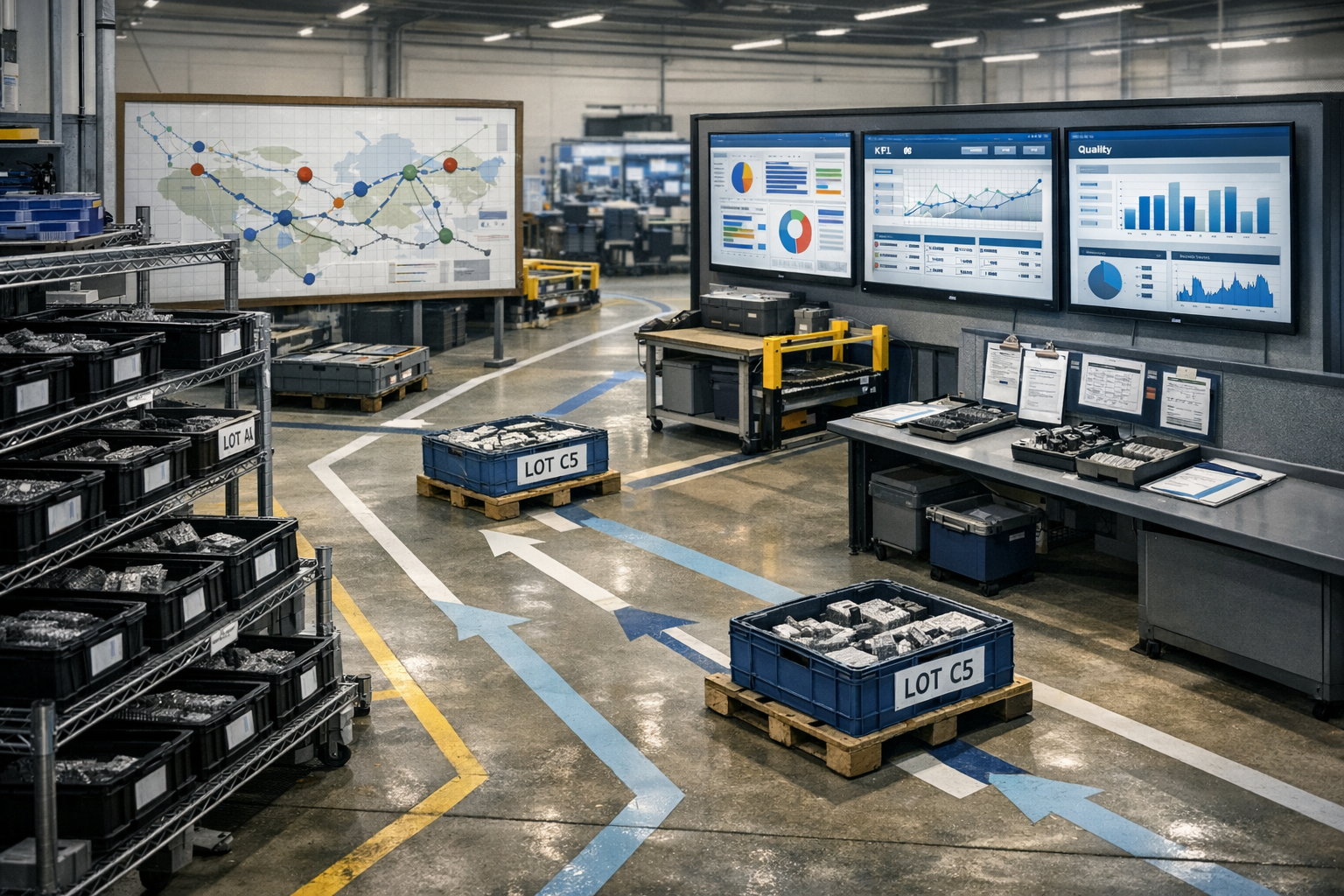
RSC Sphere: Buyer Proof and Enablement

The Buyer Proof and Enablement Sphere converts operational authority into decision confidence. It provides ROI models, proof assets, implementation playbooks, and comparison frameworks that buyers can use internally. The content removes ambiguity around outcomes, effort, and risk. This sphere turns credibility into momentum by making decisions easier to justify.

  • How long does a typical Connect 981 rollout take for one aerospace site?

    A typical Connect 981 rollout for one aerospace site is usually measured in months, not weeks. For a constrained first phase, many sites should expect roughly 8 to 16 weeks. A broader site rollout that covers multiple process areas, more integrations, and stricter validation activity can extend to 4 to 9 months or longer.

    That range is wide because the timeline is rarely driven by software configuration alone. In aerospace environments, rollout speed usually depends more on process clarity, master data quality, approval cycles, integration debt, and how much evidence the organization requires before putting the system into routine use.

    In practice, this connects to implementation and adoption playbooks when teams need to turn the answer into repeatable execution habits.

    What most affects the timeline

    • Scope of the first phase: One line, one cell, or one workflow is much faster than a site-wide deployment.

    • Existing system landscape: If Connect 981 must coexist with ERP, MES, PLM, QMS, document control, or inspection systems, integration and testing can add substantial time.

    • Data readiness: Part masters, routings, work instructions, user roles, and revision-controlled documents often need cleanup before rollout.

    • Validation expectations: In regulated operations, configuration review, test evidence, traceability, and change control commonly lengthen the schedule.

    • Operational availability: Plants with limited downtime windows, overloaded SMEs, or active customer programs usually move more slowly.

    • Adoption model: Operator training, supervisor buy-in, and phased cutover planning can be the pacing item, especially in brownfield sites.

    What a realistic rollout pattern looks like

    A practical pattern is to start with a limited, high-value use case, prove data flows and operator adoption, then expand. That first phase may cover a single workstream such as digital work instructions, traveler execution, traceability capture, or a targeted quality workflow. Expansion after that is usually faster, but only if the initial interfaces, governance, and support model were designed well.

    No, a full site replacement of existing systems is usually not the fastest path in aerospace. In long-lifecycle, regulated environments, rip-and-replace programs often stall because of qualification burden, validation cost, downtime risk, interface complexity, and the need to preserve traceability across legacy processes. Coexistence is usually more realistic than full replacement.

    What can delay a rollout

    • Unclear ownership of process decisions

    • Poorly controlled document revisions

    • ERP or PLM interface changes outside the original scope

    • Late cybersecurity or infrastructure reviews

    • Unexpected exceptions in real production workflows

    • Need to support both paper and digital processes during transition

    If you need a planning number, use 2 to 4 months for a disciplined pilot or initial site phase, and 4 to 9 months for a broader production rollout at one aerospace site. If the site has heavy legacy dependencies, weak data governance, or extensive validation requirements, the timeline can exceed that.

    The most accurate answer depends on the specific scope, integration points, validation approach, and readiness of the site team.

  • What resources are needed from quality, IT, and operations to deploy Connect 981?

    Deploying Connect 981 in a regulated, brownfield environment requires coordinated effort from quality, IT, and operations. The exact level of effort depends on your integration landscape, data readiness, and validation expectations, but the roles below almost always show up.

    Quality: process ownership, validation, and change control

    Quality resources are usually the pacing factor, because they own validation, procedures, and evidence. Expect involvement from:

    In practice, this connects to implementation and adoption playbooks when teams need to turn the answer into repeatable execution habits.

    • Quality lead / process owner: defines in-scope workflows (e.g., inspections, digital travelers, NCR touchpoints), approves how Connect 981 is used, and signs off on acceptance criteria.
    • Document control / QMS owner: updates or references work instructions, forms, and procedures that Connect 981 supports; aligns numbering, revisions, and record retention rules.
    • Validation / QA engineer (where applicable): plans and reviews configuration testing, traces requirements to tests, and helps document IQ/OQ/PQ or equivalent, based on your internal validation standard.
    • Audit and compliance representative: confirms that data captured in Connect 981 can be traced, retrieved, and defended in audits, and that role-based access and approvals match your QMS expectations.

    Quality effort increases if:

    • Connect 981 becomes part of controlled inspection, NCR, or release workflows.
    • You require formal computer system validation or detailed configuration documentation.
    • Legacy systems provide partial history that must be reconciled for genealogy or as-built records.

    IT: infrastructure, security, and integration

    IT ownership is essential for secure, sustainable deployment. Typical roles include:

    • IT lead / application owner: primary point of contact for the deployment, change control, and ongoing support model.
    • Security / compliance engineer: reviews architecture, access controls, logging, and data flows; ensures alignment with NIST/IEC 62443 style controls, export control constraints, and corporate security policies.
    • Infrastructure / network engineer: handles identity integrations (SSO), IP routing, firewall rules, and connectivity to shopfloor devices or cells, within your network segmentation rules.
    • Integration / data engineer (optional but common): connects Connect 981 to ERP, MES, PLM, or QMS where needed; designs and monitors data exchanges so they are robust under real shopfloor conditions.

    IT effort increases if:

    • You integrate deeply with multiple legacy systems instead of running Connect 981 as a mostly standalone workflow for a period.
    • Your security and export control posture requires segregated environments, special identity providers, or bespoke logging and monitoring.
    • Plants have inconsistent networks, shared workstations, or nonstandard device configurations that must be hardened before rollout.

    Operations: ownership of use cases, pilot, and rollout

    Operations resources turn Connect 981 from a configured system into an adopted one. At minimum you will need:

    • Operations sponsor / value owner: defines the initial scope (lines, cells, or programs), sets realistic success metrics, and arbitrates tradeoffs between ideal process design and what can be safely changed now.
    • Area leaders / supervisors: schedule time for pilots, ensure operators actually use Connect 981 during shifts, and provide qualified feedback on usability and fit to the real process.
    • Key operators / subject matter experts: help translate current workflows into digital steps, verify that screens and sequences reflect reality, and identify corner cases that could break the flow.
    • Training / continuous improvement resource (if available): supports training plans, quick-reference materials, and collection of before/after metrics for throughput, rework, or delay.

    Operations effort increases if:

    • You are standardizing work across multiple plants or very different cells rather than a single pilot area.
    • There is significant variation in how the same router or traveler is actually executed by different teams.
    • Downtime windows for changeover and training are extremely constrained, requiring more micro-rollouts and shadow mode.

    Cross-functional time expectations

    Indicative, not guaranteed, and highly dependent on scope:

    • Quality: a few hours per week during design and pilot to review workflows, data fields, and evidence, plus concentrated time for validation documentation if required by your QMS.
    • IT: an initial integration and security review effort (often measured in days spread over several weeks), then lower ongoing support for monitoring and controlled changes.
    • Operations: more front-loaded effort for defining use cases, participating in configuration reviews, and supporting pilots, followed by ongoing engagement to refine workflows.

    Brownfield and coexistence considerations

    In most regulated operations, Connect 981 will coexist with legacy MES, ERP, PLM, and QMS rather than replace them in the first phase. This affects resources as follows:

    • Quality must decide which records of truth remain in legacy systems and which move into Connect 981, and document how data is synchronized or referenced.
    • IT must design integrations that are resilient to latency, version mismatches, and unplanned downtime in upstream systems.
    • Operations must manage dual workflows where some steps stay in old systems while others run in Connect 981, at least during transition.

    Full replacement of core MES or QMS functions is rarely feasible early on, due to qualification burden, downtime risk, and the complexity of revalidating interconnected systems. Scoping Connect 981 to clearly defined, high-value workflows lowers the resource load across quality, IT, and operations.

  • How should I prioritize multiple potential AI use cases across plants?

    Start with a portfolio approach, not a technology-first one. Across multiple plants, the right priority is usually the use case that combines clear operational value with acceptable implementation risk, sufficient data quality, and a realistic path to adoption. In regulated manufacturing, a technically impressive use case can still be the wrong first choice if it depends on weak master data, unstable integrations, unvalidated workflows, or major process changes.

    A practical rule is to score each candidate use case across two dimensions: expected value and delivery feasibility. Then add a third filter for governance burden. This helps prevent teams from prioritizing ideas that look attractive in demos but stall in production.

    In practice, this connects to implementation and adoption playbooks when teams need to turn the answer into repeatable execution habits.

    What to score first

    • Business impact: Estimate measurable effect on throughput, scrap, rework, labor efficiency, planning stability, cycle time, or exception handling. Use plant-level baselines where possible.

    • Repeatability across plants: Prefer problems that recur in similar forms across sites. A use case tied to one unique line, one local expert, or one nonstandard process may not scale well.

    • Data readiness: Check whether the required data exists, is complete enough, is time-aligned, and can be trusted. Many AI programs fail here. If tags are inconsistent, events are missing, genealogy is fragmented, or key process data lives in spreadsheets, value may be delayed or reduced.

    • Workflow fit: Ask where the output will be used and by whom. If the model creates an insight but no one has an approved workflow to act on it, priority should drop.

    • Integration complexity: Score the number of systems involved, interface maturity, and downtime constraints. In brownfield environments, connecting MES, ERP, historians, QMS, CMMS, and local tools often takes longer than model development.

    • Validation and change burden: If a use case changes how product quality is determined, changes approved records, or affects controlled execution steps, it may require more formal review, testing, and change control than a decision-support use case.

    • Cybersecurity and data handling constraints: Consider technical data sensitivity, export controls, network segmentation, vendor access, and cloud restrictions. These can materially change both cost and schedule.

    • Adoption risk: Prioritize use cases where plant teams can understand, trust, and operationalize the output. If local supervisors or engineers cannot challenge or verify recommendations, usage may remain low.

    Good first-wave candidates

    The most practical early AI use cases are often advisory, narrow, and measurable. Examples can include classification of recurring quality issues, planning risk alerts, maintenance triage support, document search across controlled knowledge sources, or anomaly detection that feeds engineering review rather than automatic control.

    These are often easier to pilot because they do not require immediate closed-loop action on equipment and do not force wholesale replacement of existing systems.

    Use cases that deserve caution

    Be careful with use cases that require automated process changes, direct control decisions, or broad replacement of established workflows. Those can be valuable, but they usually carry higher integration debt, higher validation burden, and more operational risk. In regulated, long-lifecycle environments, full replacement strategies often fail because qualification effort, downtime exposure, traceability requirements, and coexistence with legacy systems are underestimated.

    No, you should not prioritize based only on which model appears most accurate in a proof of concept. Accuracy in a test set is not enough. If the deployment depends on brittle interfaces, poor timestamp alignment, unclear data ownership, or extensive retraining to handle plant-to-plant variation, the use case may not be a good portfolio priority.

    A practical prioritization method

    1. Create a common scoring model for all plants.

    2. Require each use case to document business metric, users, source systems, data owner, expected actions, and failure modes.

    3. Score each use case from 1 to 5 on impact, repeatability, data readiness, integration effort, governance burden, and adoption likelihood.

    4. Weight the scores based on your current constraints. If integration capacity is limited, increase the weight on feasibility. If executive pressure is on cost reduction, increase the weight on measurable financial impact.

    5. Separate candidates into three groups: pilot now, prepare prerequisites, and defer.

    6. For the middle group, define what must be fixed first, such as master data cleanup, event standardization, historian coverage, or interface stabilization.

    How to compare plants fairly

    Do not assume the same use case has the same readiness at every plant. One site may have clean event data and stable MES integration, while another may still rely on manual logs. Prioritization should therefore happen at two levels: enterprise-level use case value and plant-level deployability.

    A common pattern is to pilot in the plant with the best combination of process discipline, local sponsorship, and data availability, then test transferability in a second plant with less favorable conditions. That gives a better picture of scaling risk than repeating success only in highly mature sites.

    What usually changes the ranking

    The ranking often shifts once teams account for non-model work. Data engineering, interface testing, role-based access, validation evidence, training, support ownership, and exception handling can consume more effort than the AI itself. If those dependencies are not visible in the business case, the portfolio will be distorted.

    In practice, prioritize use cases that improve decisions inside existing operational systems before attempting broad autonomous workflows. Coexistence with MES, ERP, PLM, QMS, and existing reporting tools is usually the safer path. In many plants, AI adds value as a layer on top of current systems rather than as a replacement for them.

    If you want a simple test, ask three questions: Is the problem financially meaningful? Is the data usable without heroic cleanup? Can plant teams act on the output within current controlled workflows? If the answer is no to any of those, it is probably not a first-wave priority.

  • How soon after go-live can we expect measurable improvements?

    There is no single timeline that fits every regulated plant. In most aerospace and industrial environments you should expect a ramp of benefits, not an overnight step change. What you can reasonably see, and when, depends heavily on scope, data readiness, integration quality, and how disciplined your change management is.

    Typical benefit timeline in regulated, brownfield environments

    Assuming a focused but realistic rollout (e.g., digital work instructions, digital travelers, or MES on a pilot line), a common pattern looks like this:

    In practice, this connects to implementation and adoption playbooks when teams need to turn the answer into repeatable execution habits.

    • Week 0–2 (go-live and stabilization)
      • Primary focus is stability, not improvement: keeping production running, addressing defects in configurations, fixing role/permission issues, and clarifying workarounds.
      • Metrics often look worse or noisier: learning curve, dual entry, and debug activity distort cycle time and yield.
      • Any “improvements” in this phase are not yet trustworthy for management decisions or audits.
    • Week 3–8 (first directional improvements)
      • Early, directional signals become visible if baselines exist: fewer missing signatures, better traveler completeness, fewer routing errors, reduced paper handling.
      • Supervisors and engineers begin using real-time views to manage queues and clarify priorities.
      • Data volume and quality become sufficient to start spotting obvious bottlenecks and rework loops, but statistics are still immature.
    • Month 3–6 (first stable, defensible gains)
      • With enough history, you can start to see stable changes in key metrics such as rework rate, traveler completeness, queue time on specific steps, or time-to-disposition for NCRs.
      • Teams learn to trust the system and actually change behavior: fewer shadow spreadsheets, fewer paper backups, more use of dashboards for daily Gemba/stand-ups.
      • Process improvements (e.g., work instruction changes, routing adjustments, better kit release timing) can be tied to data from the new system.
    • Month 6–12 (scaled and auditable impact)
      • Improvements become repeatable and more obviously financial: lower scrap/rework on targeted families, better on-time delivery to schedule, fewer past-due inspections, reduced manual reconciliation effort.
      • This is typically when you can produce evidence suitable for internal reviews and external auditors to show that the system supports better control and traceability.
      • Cross-plant or cross-cell rollouts compound the effect if standard work and templates are reused.

    Key dependencies that control the timeline

    How soon you see measurable improvements depends strongly on the following:

    • Scope and ambition
      • A tightly scoped pilot (one cell, one product family, one MRO line) usually shows directional benefits faster than a broad “big bang” rollout.
      • Attempting to replace multiple legacy systems at once often delays benefits due to integration and validation complexity.
    • Baseline data and measurement discipline
      • If you lack trustworthy pre-go-live baselines (e.g., real cycle times, scrap by defect code, queue times, NCR aging), it can take several months just to build comparable, apples-to-apples metrics.
      • Plants with existing OEE/NPT/COPQ tracking and stable definitions see measurable deltas faster.
    • Integration quality with ERP/MES/PLM/QMS
      • Clean, validated interfaces (e.g., routings and BOM from ERP, revision-controlled models from PLM, NCRs from QMS) shorten time-to-value because users avoid duplicate entry and data conflicts.
      • Weak or manual integrations slow value realization: operators and planners spend time reconciling data and working around inconsistencies.
    • Process maturity and governance
      • If standard work, routing governance, and change control are already in place, digital systems can expose and accelerate improvements quickly.
      • If each cell runs its own variant of the process and change control is informal, a significant portion of the first 3–6 months is aligning processes before gains appear.
    • Validation and qualification constraints
      • In aerospace, defense, and medical, go-live often involves formal validation, PQ/OQ/IQ, or controlled parallel runs. That slows the visible pace of improvement but is typically non-negotiable.
      • Where dual systems run in parallel (paper plus digital), benefits are muted until paper is fully retired under controlled change.
    • Adoption and change management
      • Operator and supervisor adoption is usually the critical path. If they see the system as overhead, they will find workarounds that hide the intended benefits.
      • Structured training, on-the-floor support, and fast response to usability issues can pull benefits forward by months.

    Why improvements often lag behind go-live

    In long-lifecycle, regulated operations, there are structural reasons why benefits rarely show up immediately:

    • Brownfield complexity: New systems must coexist with legacy ERP/MES/PLM/QMS, homegrown tools, and paper. Untangling integrations and data ownership takes time before clean metrics are possible.
    • Qualification and audit expectations: You cannot simply rip out old workflows without demonstrating control and traceability. Phased cutovers, parallel runs, and validation cycles all delay full value realization.
    • Behavioral change: The data only improves when people actually change how they plan work, respond to signals, and manage problems. That is usually a 3–12 month journey, not a two-week effort.

    What is realistic to commit to internally

    In internal business cases, it is usually safer to frame expectations as:

    • 0–2 months: Stabilization, defect fixing, and building initial data sets. Do not promise hard savings here.
    • 2–6 months: Directional improvements on specific metrics (e.g., traveler completeness, fewer lost WOs, reduced manual reconciliation). Gains may be localized to pilot areas.
    • 6–12 months: Plant leadership can reasonably expect stable, auditable improvements in a small number of targeted metrics, if the rollout has proper ownership and integration.

    Anything faster is possible in specific, well-prepared cells or lines, but should be treated as upside, not the baseline plan.

    How to bring improvements forward without increasing risk

    If your leadership is asking for faster results, you can often pull forward visible improvements by:

    • Narrowing initial scope to a product family or repair flow with clear pain and strong local champions.
    • Defining 3–5 concrete, measurable KPIs (e.g., NCR aging, rework rate on a critical assembly, traveler search time, queue time at a bottleneck machine) and locking their definitions before go-live.
    • Focusing integrations on the minimum viable set needed to avoid duplicate entry in high-volume transactions, rather than perfect end-to-end automation on day one.
    • Planning a short “hypercare” period after go-live with engineers, super-users, and IT available on the floor to resolve issues in hours instead of weeks.
    • Protecting improvement cycles: using early data to run specific PDCA/kaizen loops within the first 1–3 months, rather than waiting for the system to “mature by itself.”

    The more disciplined you are in scoping, baselining, and adoption, the closer your actual results will track to the 3–12 month window for meaningful, defendable improvements.

  • overhead

    Operational meaning

    In industrial and manufacturing contexts, **overhead** commonly refers to ongoing indirect costs required to run operations that cannot be easily or economically traced to a specific product unit, batch, or job.

    These are costs that support production and business activity but are not directly embedded as distinct line items in a unit’s material or direct labor cost.

    Typical manufacturing-related overhead categories include:

    – **Indirect labor**: supervisors, planners, maintenance, quality engineers, custodial staff
    – **Indirect materials and supplies**: lubricants, cleaning agents, tooling wear, general consumables
    – **Facilities and utilities**: plant rent or depreciation, lighting, HVAC, water, compressed air, general power
    – **Equipment-related costs**: depreciation, calibration, non-project maintenance, insurance
    – **Shared services**: production planning, scheduling, IT/OT support, health and safety, HR for the plant
    – **General administrative allocation**: accounting, legal, corporate functions allocated to the manufacturing site

    In cost accounting, these costs are typically accumulated in overhead cost pools and then allocated to products, processes, or contracts using defined allocation bases (for example, machine hours, labor hours, or cost drivers defined in activity-based costing).

    Use in manufacturing workflows and systems

    Overhead is used as a distinct cost category in:

    – **Standard costing**: overhead rates are set and applied to planned production volumes to estimate unit cost.
    – **Job and contract costing**: overhead is allocated to specific jobs, product families, or customers using a chosen allocation basis.
    – **Variance analysis**: actual overhead is compared with allocated or absorbed overhead to identify over- or under-absorption.
    – **Budgeting and forecasting**: fixed and variable overhead components are planned, then monitored during execution.

    In OT/IT environments (MES, ERP, and related systems), overhead:

    – Is usually modeled at work center, cost center, or plant level rather than at individual operation records.
    – May be allocated automatically during order confirmation or period-end closing based on production quantities or time.
    – Can be analyzed alongside direct costs to understand true product or line-level economics.

    Boundaries and exclusions

    Within this site context, **overhead**:

    – **Includes**: indirect, supporting costs necessary for operations but not directly tied to a single unit (for example, supervision, planning, utilities, plant depreciation).
    – **Excludes**:
    – **Direct materials** (raw and component materials directly incorporated in the product).
    – **Direct labor** that can be clearly tracked to a unit, batch, or job.
    – **Capital investments themselves** (though the depreciation of capital assets is usually treated as overhead).

    Overhead also differs from **waste** in lean manufacturing. Overhead may contain wasteful elements but, as a category, it is not synonymous with waste. Some overhead is necessary to operate safely, compliantly, and reliably.

    Common distinctions and confusion

    The term **overhead** is sometimes used imprecisely, so several distinctions are useful:

    – **Fixed vs. variable overhead**
    – *Fixed overhead*: costs that do not change significantly with short-term production volume (for example, base facility rent, some salaried staff).
    – *Variable overhead*: costs that change with production activity (for example, some utilities, indirect materials consumption, certain support labor).

    – **Manufacturing overhead vs. administrative overhead**
    – *Manufacturing overhead*: indirect costs tied to running the plant and production processes.
    – *Administrative or general overhead*: corporate-level or non-plant functions (for example, corporate finance, executive management) that may be partially allocated to plants or products.

    – **Overhead vs. margin erosion**
    – Overhead is a cost category; margin erosion is an outcome where total costs (including overhead) reduce profitability. Overhead may contribute to margin erosion if it is high relative to revenue or poorly allocated.

    Site-context application: overhead in fixed-price and MES discussions

    In discussions of **fixed-price contracts** and **MES-driven improvements**:

    – Overhead is part of the **total delivered cost** for a contract or product line.
    – MES or other OT/IT systems may reduce apparent unit costs (for example, via less scrap or rework) but can also unintentionally **add overhead** (for example, additional coordination, reporting, or support burden).
    – An improvement is often evaluated by whether it reduces or stabilizes total cost, including any **incremental overhead** created by new processes, systems, or compliance activities.

    This makes overhead a key consideration when assessing whether changes in a regulated manufacturing environment truly improve margins rather than shifting costs between direct and indirect categories.

  • How do we identify all relevant processes in our organization?

    In regulated industrial environments, you will not get a complete list of relevant processes from any single source. You need a structured, cross-functional approach that triangulates between systems, people, and actual shop-floor behavior.

    1. Start from obligations and outcomes, not just org charts

    Identify which processes matter by asking two questions:

    In practice, this connects to implementation and adoption playbooks when teams need to turn the answer into repeatable execution habits.

    • What are we obligated to do? Review contracts, quality manuals, customer requirements, and regulatory standards (e.g. AS9100, AS9102, internal QMS procedures). Each requirement implies processes that must exist, be controlled, and be auditable.
    • What outcomes must we reliably achieve? On-time delivery, conformance to spec, traceability, configuration control, data integrity, cybersecurity, and safe operation. Any repeatable set of activities that materially affects these outcomes should be treated as a process, even if it is informal today.

    This top-down lens helps you identify which parts of the organization you cannot afford to leave as “tribal” or undocumented.

    2. Build a high-level process architecture

    Create a simple, end-to-end view before diving into details. Typical categories for an aerospace or similar regulated manufacturer include:

    • Core value stream processes: order capture, design/engineering, planning, procurement, manufacturing, inspection, test, packaging, shipping, maintenance/overhaul, and returns/repair.
    • Supporting operational processes: document control, training and qualification, tooling and gaging management, calibration, production scheduling, inventory management, IT/OT support.
    • Quality and compliance processes: FAI/AS9102, in-process inspection, final inspection, nonconformance management, MRB, CAPA, internal audits, supplier quality management.
    • Management and improvement processes: management review, risk assessment, KPI review, continuous improvement, change control.

    This architecture will be imperfect, but it gives you a framework to slot in detailed processes later and to see where you may be missing entire classes of activity.

    3. Use existing systems as partial process maps

    In brownfield environments, some processes are embedded in legacy systems, while others live on paper or in people’s heads. Use each major system as a clue, not a source of truth:

    • ERP: order-to-cash, purchasing, inventory movements, MRP, cost tracking. Each major transaction type usually corresponds to a process (e.g. PO creation, receiving, WIP completion, shipping).
    • MES / travelers: routing, operation sequences, data collection points, rework flows, holds. Operations that appear repeatedly across routings are processes to document and standardize.
    • PLM / PDM: engineering release, BOM management, ECN/ECO workflows, configuration management.
    • QMS: nonconformance, CAPA, audit, training, document control workflows. Each template or form often represents a missing or incomplete process description.
    • Other tools: maintenance systems, calibration databases, supplier portals, MRO/field-service tools.

    Expect gaps: many critical activities, especially handoffs and checks, occur outside these systems via email, spreadsheets, and informal approvals.

    4. Walk the floor and follow a real job end to end

    System maps are not enough. To uncover actual processes, select a representative work order or repair and:

    • Follow it from order entry through shipment (or tear-down through re-delivery in MRO).
    • Observe where work pauses, waits for decisions, uses manual logs, or depends on a specific person’s knowledge.
    • Note any deviations from documented procedures: alternate paths, workarounds, and side agreements with customers or suppliers.

    Every repeatable activity you see that affects quality, cost, delivery, safety, or compliance is a candidate process. Many of these steps will never appear explicitly in ERP/MES but still need to be identified and controlled.

    5. Run cross-functional process discovery sessions

    Bring together people from operations, quality, engineering, supply chain, IT, and maintenance to review your draft process list:

    • Validate the architecture: Ask, “What do we actually do that is not on this list, but if it stopped tomorrow, we would fail an audit, delay shipments, or ship nonconforming product?”
    • Surface shadow processes: Excel trackers, shared drive checklists, informal sign-offs, ad-hoc inspection steps, manual label creation, tribal troubleshooting sequences.
    • Clarify ownership: Identify a process owner for each major process, even if today it is fragmented.

    Be explicit that the goal is not blame or standardization yet, but visibility. Otherwise people will conceal workarounds that are critical to meeting today’s commitments.

    6. Prioritize what “relevant” means for your context

    In a regulated environment you cannot fully ignore low-impact processes, but you can phase your effort. A practical definition of “relevant” usually includes processes that:

    • Directly affect product conformity or airworthiness,
    • Impact traceability, genealogy, or configuration control,
    • Are required or referenced in your QMS, contracts, or customer supplements,
    • Introduce significant risk if they fail (safety, regulatory exposure, major delivery impact), or
    • Control core data flows between ERP, MES, PLM, QMS, or external partners.

    Start by classifying processes into tiers (e.g. critical, important, supporting). Focus documentation and improvement first on the critical and important tiers, while still logging the rest for future work.

    7. Explicitly map brownfield integration and handoffs

    Many of the most consequential “processes” are actually handoffs across systems or organizations, for example:

    • Engineering releasing revisions in PLM that must be reflected correctly in ERP routings and MES travelers.
    • Supplier inspection data or AS9102 packages feeding into receiving and source inspection.
    • Nonconformance raised in MES being resolved through QMS and then reflected in updated standard work or part programs.

    These cross-system flows are often undocumented and depend on people remembering which files to update or which emails to send. Treat them as processes in their own right, with clear triggers, inputs, outputs, and owners.

    8. Expect iteration and incomplete coverage at first

    It is unrealistic to “identify all processes” in one pass, especially in multi-plant or multi-program organizations with long equipment lifecycles. Common constraints and failure modes include:

    • Legacy equipment and software that cannot easily be instrumented, so parts of the process remain opaque.
    • Inconsistent documentation maturity across sites or programs, leaving some processes implicit.
    • Integration debt where data is manually re-entered, masking hidden subprocesses and rework loops.
    • Change fatigue that makes teams reluctant to surface unofficial but essential steps.

    Plan for a living process inventory that is refined as you implement changes, digitize steps, or prepare for audits, rather than assuming a one-time exhaustive mapping.

    9. Link process identification to validation and change control

    In regulated and aerospace-grade environments, each identified process has implications for validation and change control:

    • If a process is critical to quality or compliance, future changes may require formal validation, documented risk assessment, and controlled rollout.
    • Processes tightly coupled to equipment or software with long lifecycles will be harder to change, increasing the importance of accurately identifying them upfront.
    • Recognizing the full process (including manual and workaround steps) avoids surprise validation scope when you later upgrade ERP/MES/PLM or introduce new tooling.

    This is also why full “rip-and-replace” of systems often fails: unrecognized processes and hidden dependencies surface late, making downtime, requalification, and retraining more disruptive than planned. Having a robust process inventory reduces that risk.

    10. Minimal practical approach you can start this quarter

    If you need a concrete starting plan:

    1. Define scope: Pick one value stream (e.g. a product family or MRO line) instead of the entire enterprise.
    2. Draft an end-to-end map of that value stream using existing procedures, travelers, and system flows.
    3. Walk two or three real jobs through that value stream and document every distinct, repeatable activity.
    4. Run a cross-functional review to validate and add missing activities, especially at handoffs and exception paths.
    5. Classify and prioritize processes into critical / important / supporting, and assign clear owners for the critical set.
    6. Create and maintain a process inventory (even a spreadsheet) listing name, owner, systems used, and criticality. Use this as a baseline for audits, improvement, and future digital projects.

    Over time, extend this approach to adjacent value streams and shared support processes. The goal is not perfection but a traceable, defensible understanding of how work actually gets done in your environment.