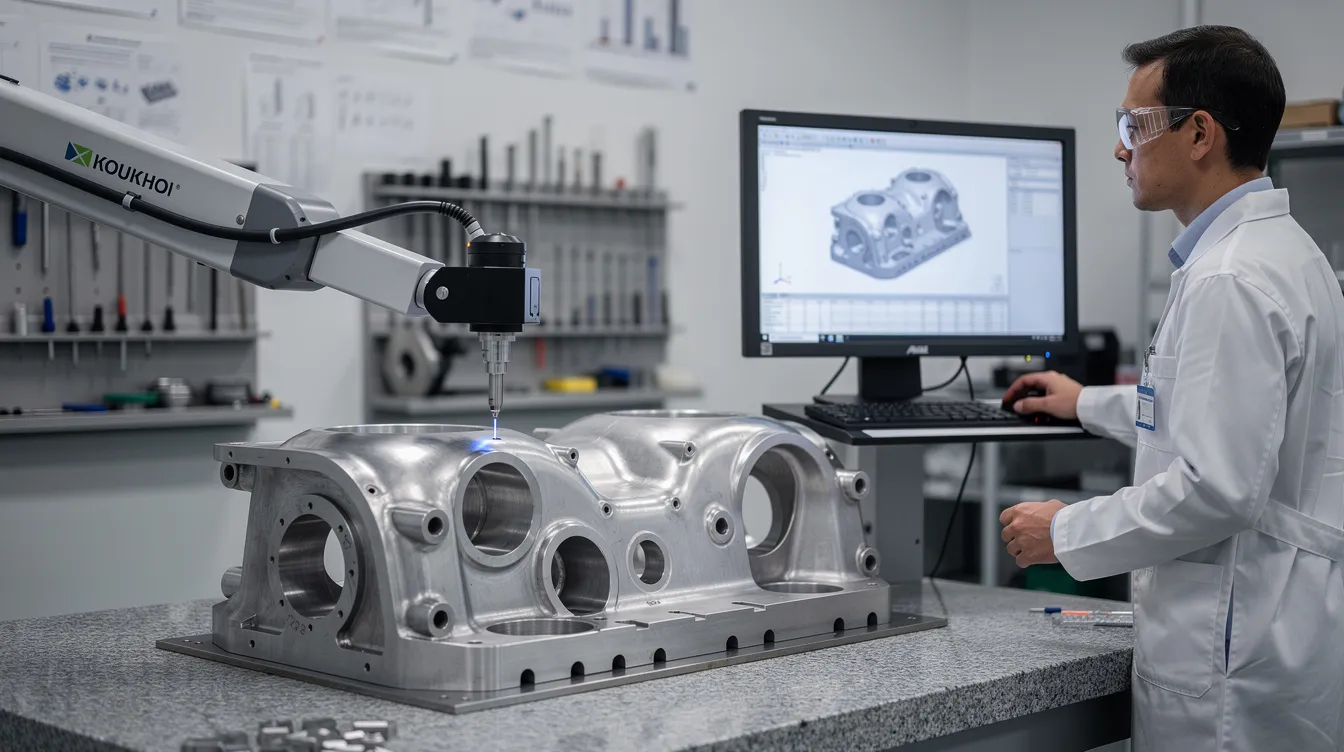
RSC Topic: Audit Readiness & Evidence Management

Ongoing audit-proof documentation, approvals, and revision histories.

  • Why do many aerospace customers require ISO 9001 or AS9100?

    Many aerospace customers require ISO 9001 or AS9100 because these standards provide a common, auditable framework for how a supplier manages quality and risk. Customers are not buying the certificate itself; they are reducing risk in their supply chain by insisting on a baseline level of process control and governance.

    Key reasons aerospace customers insist on ISO 9001 / AS9100

    • Risk reduction in a safety-critical domain
      Flight safety and mission success depend on parts and services that perform as specified, often for decades. ISO 9001 and AS9100 require documented processes, structured risk management, and controls that lower the probability of systemic quality failures, escapes, and configuration errors.
    • Standardized expectations for quality management
      Tier 1s and OEMs source from hundreds or thousands of suppliers worldwide. Requiring ISO 9001 or AS9100 means they do not have to invent a unique quality management framework for each supplier. They can map their own procedures, audits, and scorecards to a widely understood standard.
    • Easier supplier approval and ongoing oversight
      When a supplier is certified by a recognized body, customers can leverage that certification as one input to their supplier approval and surveillance process. It does not replace customer audits, but it can shorten initial qualification, focus audits on higher-risk areas, and reduce repeated basic checks.
    • Alignment with regulatory and customer audit expectations
      Many aerospace regulators, primes, and defense customers expect evidence of a controlled quality management system. AS9100 in particular is designed for aerospace and is deeply embedded in customer audit checklists, procedures, and contract language.
    • Improved traceability and configuration control
      Aerospace programs require strong document control, change management, and traceability. AS9100 extends ISO 9001 with explicit requirements around configuration management, product safety, and risk that are directly relevant to long-life aerospace hardware and MRO work.
    • Evidence for due diligence and liability management
      When something goes wrong, customers must show they used reasonable care in supplier selection and oversight. Requiring ISO 9001 or AS9100 is part of that evidence: it shows that suppliers are at least operating under a recognized quality framework with regular third-party audits.

    Why AS9100 is often preferred over ISO 9001 in aerospace

    • Aerospace-specific additions
      AS9100 builds on ISO 9001 and adds requirements specific to aviation, space, and defense, including configuration management, product safety, counterfeit-part controls, and more rigorous risk management.
    • Integration with other aerospace standards
      AS9100-certified organizations are generally better aligned with related aerospace requirements such as AS9102 for First Article Inspection, because the underlying disciplines (document control, records, inspection planning, NCR/CAPA) are already formalized.
    • Recognition in aerospace supply chains
      Many primes and large Tier 1s state AS9100 explicitly in supplier requirements or flowdowns. ISO 9001 alone is sometimes accepted for lower-risk items or services, but AS9100 is often expected for flight hardware and critical processes.

    What ISO 9001 / AS9100 does not guarantee

    • No guarantee of defect-free product
      Certification means a system is in place and audited; it does not mean zero defects. Customers still rely on incoming inspection, process audits, FAI/AS9102, and performance data to control risk.
    • No direct compliance or regulatory guarantee
      Having ISO 9001 or AS9100 does not guarantee regulatory compliance, airworthiness approval, or positive audit outcomes. It is one component of a broader compliance and certification landscape.
    • No substitute for robust integration or data quality
      In brownfield environments with mixed MES, ERP, PLM, and QMS systems, certification alone does not resolve integration gaps, poor data discipline, or validation issues. Those remain local implementation and governance challenges.

    Implications for brownfield, long-lifecycle operations

    In established aerospace plants, ISO 9001 or AS9100 requirements must coexist with legacy equipment, homegrown systems, and long-qualified processes. Full replacement of QMS, MES, or ERP tools purely to “align to the standard” is rarely practical because of:

    • Qualification and validation burden for new software and processes
    • Downtime risk when changing systems on critical production lines
    • Complex integrations across existing PLM, ERP, MES, and QMS platforms
    • Traceability, configuration control, and change-control constraints for long-life programs

    In practice, many organizations achieve or maintain ISO 9001 / AS9100 by tightening procedures, records, and controls around their existing toolset rather than wholesale replacement. Customers typically care more about the effectiveness and evidence of your quality system than about which specific software you run, as long as requirements are met and can be demonstrated during audits.

  • What happens if we change our scope after certification?

    Changing the scope after certification is common, but it is not an administrative detail. It usually triggers formal review and, in many cases, additional audit activity from your certification body. How disruptive this is depends on how large the scope change is and how well your change control, validation, and documentation are managed.

    What “scope change” usually means

    Scope changes that matter to a certification body typically include:

    • Adding or removing product families or services covered by the certificate.
    • Adding, closing, or relocating manufacturing sites or key process areas.
    • Introducing new regulated processes (e.g., special processes, cleanroom steps, sterilization, complex software control of production).
    • Major changes to supporting systems that are part of the certified system (e.g., new MES, QMS, ERP modules that affect quality records or release decisions).

    Typical consequences with the certification body

    In most schemes (ISO 9001, 13485, AS9100, IATF 16949, etc.), you should expect:

    • Mandatory notification: You are generally required by your contract with the certification body to inform them about significant scope changes.
    • Scope review: The certification body will assess whether the existing scope statement still reflects reality and whether the current audit program is adequate.
    • Audit adjustment: They may require a special audit, an extension audit, or increased time during the next surveillance/recertification audit.
    • Updated certificate: If they accept the new scope, they will reissue the certificate with an updated scope statement and possibly different site listings.
    • Risk of limitations or suspension: If the change is implemented without adequate controls, validation, or documentation, they can limit the scope, issue nonconformities, or in serious cases suspend or withdraw the certificate.

    Internal work you should expect to do

    Beyond the external audit aspects, a scope change normally requires disciplined internal work:

    • Change control: Raise and approve formal change requests covering processes, equipment, IT systems, and documentation affected by the new scope.
    • Risk assessment: Update risk analyses (e.g., FMEA, process risk reviews) to reflect new products, processes, or sites.
    • Process & documentation updates: Update procedures, work instructions, forms, control plans, and training materials. Ensure obsolete versions are properly controlled.
    • Validation & qualification: Plan and document process validation, software validation, equipment qualification, and data migration checks where relevant.
    • Training & competency: Train operators, engineers, and support functions and retain training and competency records.
    • KPIs & management review: Update metrics and include the scope change, associated risks, and performance impacts in management review.

    Brownfield and system coexistence implications

    In existing plants with mixed legacy and new systems, scope expansion often means:

    • More interfaces: Adding a new line, site, or product may force new integrations between MES, ERP, QMS, PLM, and data historians. These integrations must be controlled and, where applicable, validated.
    • Partial coverage: You may end up with some products or lines under the certified scope and others outside it. You must keep this boundary clear in documentation, routing, and system configuration.
    • Lifecycle constraints: Fully replacing legacy systems purely to align with a new scope is rarely practical in regulated or aerospace-grade environments due to qualification, downtime, and integration risks. Incremental extension and coexistence tend to be more realistic.
    • Traceability challenges: Expanded scope often demands consistent traceability and records across old and new systems. Evidence gaps between systems are a common audit finding if not planned carefully.

    Tradeoffs and risks

    Before changing scope, leadership should understand the tradeoffs:

    • Business benefit vs. audit exposure: Expanded scope can win business or align certificates with actual operations, but it increases what auditors can examine and where they can raise findings.
    • Speed vs. robustness: Fast expansion without mature change control, validation, and training creates a high risk of nonconformities and potentially scope limitations.
    • Uniformity vs. flexibility: Keeping one broad scope across multiple plants and product families simplifies messaging but can hide local weaknesses and increase system complexity. A narrower or staged scope may be safer for immature sites.

    What happens if you do nothing

    If you change your real operational scope but do not update your certification:

    • Your certificate may no longer accurately describe what you do, which auditors and customers can treat as a serious issue.
    • Auditors can raise nonconformities for misalignment between the certificate scope, documented scope, and actual operations.
    • In the worst case, if misrepresentation is seen as deliberate, the certification body can suspend or withdraw the certificate.

    Practical steps when planning a scope change

    To reduce risk:

    • Engage your certification body early, describe the planned change, and ask what level of audit activity they expect.
    • Map which processes, sites, IT systems, and records are newly in-scope and verify that they meet your existing system standards.
    • Ensure validation, qualification, and data integrity activities are complete before presenting the new scope to auditors.
    • Keep clear evidence: change records, risk assessments, validation reports, training records, and updated process maps.

    Net result: you can change your scope after certification, but it should be treated as a controlled change with audit implications, not as a simple wording update.

  • How do you standardize AS9102 workflows across multiple sites?

    Standardizing AS9102 workflows across sites is mainly a process and governance problem, not a form template problem. The goal is a common data model, decision logic, and evidence trail, even if local plants stay on different MES, PLM, QMS, or inspection tools.

    1. Start with a common AS9102 process model, not a single tool

    Before touching systems, define what “standard” means:

    • Scope: Which products, customers, and events trigger AS9102 (new part, revision change, change in source, change in process, change in manufacturing location, etc.).
    • Process phases: E.g., trigger & classification → planning & ballooning → data collection → review & approval → submission → archiving & linkage to production.
    • Roles & responsibilities: Engineering, quality, manufacturing, supplier quality, MRB, IT. Clarify who owns each decision and approval.
    • Required artifacts: Ballooned drawing, characteristic list, control plan/routers, capability studies (if needed), raw inspection evidence, completed AS9102 Forms.
    • Evidence rules: What must be retained, for how long, and where (QMS vs MES vs document control) to support AS9100 and customer audits.

    This becomes the reference model that each site must map to, regardless of local tools.

    2. Standardize the data, forms, and numbering

    AS9102 already constrains the form layout, but multi-site consistency requires additional standardization:

    • Single corporate data dictionary: Common field names, units, and codes for part family, revision, FAI level (full/partial), FAI reason, special characteristics, etc.
    • Standard ballooning and characteristic schema: Clear rules for characteristic IDs, linking to CAD/PLM, and handling derived, key, and safety-critical features.
    • Common FAI ID and revision logic: Define how FAI packages are numbered and revised when parts or processes change, and how superseded FAIs are marked across sites.
    • Customer-specific variants: Explicitly document when a customer requires deviations from the base standard (e.g., Net-Inspect, custom characteristic codes) so sites don’t invent their own versions.

    Without this, separate plants will produce AS9102-looking forms that are not consistently searchable, comparable, or auditable across the network.

    3. Use a reference workflow and let sites map their tools into it

    In brownfield environments, a realistic approach is:

    1. Create a reference workflow: Document the ideal AS9102 process as a swimlane or BPMN-type diagram including triggers in PLM/ERP, routing in MES, and archiving in QMS/document control.
    2. Map each site to the reference: For each plant, identify how their existing MES, PLM, QMS, CMM software, and Net-Inspect (if used) support each step or where they require manual workarounds.
    3. Define site-specific deltas and compensating controls: E.g., one site uses digital travelers, another uses paper with scanning. Specify exactly how they still satisfy the standard evidence and approval requirements.
    4. Set minimum requirements: For example, “no FAI can be approved without: linked ballooned drawing, complete characteristic list, traceable measurement source, and an electronic approval record.” Sites can exceed this, but not go below it.

    This avoids a risky “rip and replace” across sites while still driving convergence toward one reference workflow.

    4. Decide where the system of record lives

    Multi-site confusion often stems from unclear system-of-record decisions:

    • Engineering data & drawing authority: Typically PLM or document control. All FAIs should reference released, controlled revisions from this source.
    • Production execution linkage: Often MES, digital travelers, or ERP routing. Define how an FAI requirement is visible on the traveler or work order and how FAI completion clears that requirement.
    • FAI package & approvals: Either a central FAI solution, a QMS module, or a controlled repository with clear versioning and approval logs.
    • Customer submission: If Net-Inspect or customer portals are used, clarify that these are submission channels, not the internal system of record.

    Make this architecture decision explicitly and document it. Without it, every site will treat a different system as “the truth” for FAIs.

    5. Build a cross-site governance and change control model

    In regulated, long-lifecycle environments, the hidden work is governance:

    • AS9102 process owner: Name a corporate owner (typically in quality/engineering) responsible for the standard and for approving any deviations.
    • Cross-site council: A small group representing major plants that reviews proposed changes to the AS9102 standard, customer-specific requirements, and large tool changes.
    • Formal change control: Changes to forms, workflows, or integrations go through documented change control, including impact assessment on validation, training, and legacy data.
    • Periodic audits: Internal audits compare site practices to the reference workflow, checking triggers, evidence, approvals, and record retention.

    This governance is usually more critical for long-term consistency than any specific software choice.

    6. Integrate carefully with MES/PLM/QMS in a brownfield reality

    Full replacement of MES, PLM, or QMS to “standardize AS9102” is usually unjustified in aerospace contexts due to:

    • Qualification and validation burden: Replacing a validated system often requires re-qualification, re-validating interfaces, and re-training, which can disrupt production and audits.
    • Downtime and cutover risk: Multi-site cutovers are high-risk, especially where AS9102 is gating customer deliveries.
    • Integration complexity: FAIs sit at the intersection of CAD/PLM, ERP, MES, QMS, and sometimes customer portals; ripping out one element tends to expose more integration debt than anticipated.
    • Asset and product lifecycles: Aerospace parts may run for decades; legacy FAIs and their links to historical process data often constrain what you can replace.

    More pragmatic patterns include:

    • Layer a standardized FAI solution on top: Use a central AS9102/FAI application or workflow that integrates lightly with site systems (PLM for drawing & BoM, ERP for part numbers and orders, MES/QMS for status and records).
    • Use digital travelers as the bridge: At sites with digital travelers, embed FAI steps and link them to the central FAI package, so operators see consistent prompts even if back-end systems differ.
    • Progressive harmonization: Over time, align local inspection templates, characteristic libraries, and traveler cues with the corporate standard as systems are upgraded.

    Every integration should be scoped with validation and change control in mind, not just technical feasibility.

    7. Control local variation instead of trying to eliminate it entirely

    Total uniformity across sites is rarely realistic. Focus on what must be common and where variation is acceptable:

    • Non-negotiable common elements: Triggers, required artifacts, data dictionary, approval criteria, and retention rules.
    • Controlled variation: Site-specific checklists, inspection methods, or tooling as long as they map cleanly to the common characteristic set and pass the same approval gate.
    • Customer-imposed variation: Some customers mandate specific portals or formats. Treat these as exceptions within a controlled framework and document them in the standard.

    The key is that every FAI, from any site, can be traced, understood, and audited consistently.

    8. Provide training, examples, and metrics

    Standardization will not hold without active enablement and feedback:

    • Standard work & training: Cross-site training on the standard workflow, including how FAIs link to travelers, routings, and engineering change.
    • Reference FAIs: Share a few “gold standard” FAI packages as concrete examples of what “good” looks like.
    • Metrics: Track FAI cycle time, rejections (internal and customer), rework, and recurrence of issues discovered during FAIs. Use these to drive process improvements, not just enforcement.

    9. Dependencies and constraints to be explicit about

    What you can standardize, and how fast, depends on:

    • PLM maturity: If drawings/BoMs are not consistently managed, FAI standardization will be fragile.
    • MES/QMS coverage: Plants without digital travelers or electronic approvals will rely more on scanned records and manual controls.
    • Supplier and customer requirements: Flow-down obligations from primes and usage of tools like Net-Inspect will constrain how far you can standardize presentation and submission.
    • Validation posture: In highly regulated programs, each change to AS9102 workflows, forms, or integrations mayrequire documented validation and evidence for auditors.

    Recognizing these constraints upfront helps design a standard that is robust and realistic, not just ideal on paper.

  • What evidence should be retained to show risk controls are effective?

    Evidence that risk controls are effective must show three things: the control exists as designed, it is being used in operations, and it is actually reducing risk over time. In regulated, brownfield environments this typically requires a mix of technical, procedural, and data-based records, tied back to your formal risk assessment.

    1. Design & justification of risk controls

    First, you need evidence that the controls were intentionally defined to address specific risks.

    • Approved risk assessments and risk registers (e.g., FMEA, hazard analyses) with clear links between hazards, causes, and chosen controls.
    • Documented control design and rationale (e.g., why an interlock, poka-yoke, or inspection step was selected vs alternative options).
    • Change control records showing how and when each risk control was introduced or modified, including impact assessments.
    • Approved procedures, work instructions, standard work, and control plans referencing the specific control and its purpose.
    • Specifications and drawings that embed risk-related requirements (e.g., critical characteristics, safety margins, inspection frequencies).

    2. Implementation & validation evidence

    Next, you need to show the control was installed or implemented correctly and verified before routine use.

    • Installation / qualification / commissioning records for equipment-based controls (e.g., interlocks, sensors, automated checks).
    • Software validation documents for MES/QMS/PLM workflows that enforce or monitor controls, including test protocols and results.
    • Initial capability or performance studies demonstrating the control can achieve its target (e.g., process capability indices, Gage R&R for measurement controls).
    • First article inspections or pilot builds where the control was exercised and results were reviewed.
    • Evidence of configuration baselines (e.g., approved parameter sets, recipes, alarm limits) with traceable approval.

    In brownfield environments, these records may span different systems (legacy QMS, paper files, shared drives, vendor documentation). You need at least a traceable map, even if you cannot centralize everything immediately.

    3. Operational use & adherence

    Auditors and customers will look for evidence that people and systems actually use the risk controls as defined.

    • Training records and competency sign-offs for operators, inspectors, and maintainers on procedures tied to risk controls.
    • System logs or MES records showing controls being executed (e.g., mandatory inspection sign-offs, enforced hold points, electronic DHR or travelers showing required steps were completed).
    • Maintenance and calibration records for equipment and instruments that are part of the risk control (including out-of-tolerance reports and follow-up).
    • Layered process audit (LPA), internal process audit, or shop-floor audit checklists and results that explicitly verify control execution.
    • Evidence that deviations from controls require formal approval (e.g., deviation/MRB records, temporary work instructions) and are time-bounded.

    For legacy or manual controls (paper travelers, whiteboard checklists), scanned or archived copies plus periodic sampling or audits often provide the only realistic evidence. That limitation should be acknowledged and mitigated with additional oversight where the residual risk is high.

    4. Effectiveness, not just existence

    To prove effectiveness, you need data that the control is influencing outcomes, not just that it is documented.

    • Trend data for relevant KPIs (e.g., defect rates on a specific failure mode, machine misload incidents, escape rates, customer complaints) before and after control implementation.
    • Nonconformance and CAPA records showing a reduction in recurrence of the targeted failure modes, or documented reasons if not.
    • Audit findings trending (e.g., fewer LPA failures related to the controlled risk over time).
    • Near-miss, incident, or safety event logs that demonstrate changed patterns (e.g., near-misses reduced, or captured earlier in the process).
    • Periodic management reviews or risk reviews that explicitly assess control performance and decide whether controls remain adequate, need tightening, or can be relaxed.

    In many plants, this data is fragmented across MES, QMS, ERP, and spreadsheets. That does not invalidate it, but you should be transparent about integration gaps and show how you reconcile and interpret the data for critical risks.

    5. Change control and lifecycle evidence

    Risk controls are rarely static, especially with long asset lifecycles and evolving product configurations. Evidence should cover how controls are maintained over time.

    • Formal change control records (ECNs, ECRs, software change requests) showing evaluation of risk impact before and after changes.
    • Re-validation or re-qualification evidence when processes, materials, equipment, or control logic change in ways that could affect risk.
    • Obsolescence and replacement records for equipment and software controls, showing how equivalent or improved risk mitigation was ensured.
    • Documented risk reviews triggered by field issues, new failure data, or supplier changes.

    Full replacement of legacy control mechanisms (e.g., moving from manual to fully automated controls) often fails or stalls in regulated environments because of validation burden, downtime risk, and integration complexity. Evidence strategies should therefore assume coexistence: you may have overlapping controls and records across old and new systems during long transition periods.

    6. Traceability from risk to control to evidence

    The most convincing proof of effectiveness is traceability that ties individual risks to specific controls and to ongoing evidence.

    • Clear linking between risk register entries, control measures, and the procedures or systems that implement them.
    • Tagging or classification of nonconformances, CAPAs, and incidents by risk or failure mode so you can demonstrate impact of controls.
    • Audit trails in digital systems (QMS, MES, PLM) showing who changed a control, why, and how it was approved.
    • Consistent use of control identifiers (e.g., control IDs, characteristic IDs, alarm IDs) across documentation and data sources.

    Where system limitations prevent clean digital traceability, you may need supplementary mapping documents, cross-reference matrices, or structured spreadsheets maintained under document control.

    7. Practical considerations for brownfield environments

    In existing plants with mixed systems, the goal is credible, auditable evidence, not theoretical perfection.

    • Prioritize robust evidence for high-risk scenarios; accept simpler sampling and audit-based evidence for lower-risk controls.
    • Stand up lightweight digital logs or standard forms where older equipment cannot be easily integrated, rather than waiting for a full system replacement.
    • Use internal process audits and LPAs explicitly to fill gaps where automated evidence is weak.
    • Document assumptions and data limitations when presenting effectiveness trends, and show how you compensate operationally.

    Ultimately, the evidence you retain should allow a skeptical reviewer to trace: (1) what the risk is, (2) what control you chose and why, (3) how you implemented and validated it, and (4) what data shows it is working over time, within the constraints of your existing systems and processes.

  • How should partial and delta FAIRs be documented on Form 1?

    AS9102 does not prescribe one universal way to mark partial or delta FAIRs on Form 1. It requires that the type and scope of the First Article Inspection be clearly identified and traceable. How you document this is ultimately governed by:

    • Your internal AS9102 / FAI procedure and forms
    • Customer or prime contract requirements (including portal formats like Net-Inspect)
    • Your QMS document control and change control rules

    Baseline expectations from AS9102

    For partial and delta FAIRs, Form 1 must make it clear:

    • What kind of FAIR is being submitted (full, partial, or delta)
    • What configuration or prior FAIR it is based on
    • Which changes or characteristics are within scope of the current FAIR
    • How to locate the underlying documentation and records

    If this information is missing or ambiguous, you increase the risk of audit findings, customer rejection, or confusion when troubleshooting escapes later.

    Common practices for identifying partial and delta FAIRs on Form 1

    Exact field labels can vary by template, but these are widely accepted patterns. Always align them with the current AS9102 revision and customer instructions.

    1. Identify FAIR type explicitly

    Use the dedicated FAIR type field if your Form 1 template has one. If not, organizations typically use a combination of the title, remarks, or an internal field to indicate:

    • “Partial FAI” when only a defined subset of characteristics is being re-verified (for example, affected by a minor drawing change or process move).
    • “Delta FAI” when the FAIR addresses specific changes since the last approved full FAIR (for example, drawing revision change, design change, or major process change).

    On paper or PDF forms, this is usually handled by:

    • Checking a box or circling the FAIR type if provided on the form, and
    • Reinforcing it in a remarks or notes field, such as “Delta FAI per drawing rev C to D, see Ref. FAIR 12345.”

    In digital systems (MES, eFAI tools, or customer portals), you will typically select the FAIR type from a dropdown and that selection is then visible on the Form 1 printout or PDF.

    2. Reference the baseline FAIR and configuration

    For partial and delta FAIRs, traceability back to the last full, approved FAIR and configuration is critical. You should typically document on Form 1:

    • Baseline FAIR reference: prior FAIR number / identifier, date, and if applicable the customer approval reference.
    • Baseline configuration: drawing or model number and revision, specification revisions, and router / planning reference at the time of the previous FAIR.

    This is often done by:

    • Completing a Form 1 field such as “Previous FAI Report No.” or “Baseline FAI Reference” if your template has it.
    • If no dedicated field exists, using the remarks section, for example: “Partial FAI: based on full FAI #FAI-00123, dwg 123456 rev B.”

    Without this linkage, you are effectively creating an isolated FAIR that is harder to defend in audits and harder for engineering and quality to interpret months or years later.

    3. Define the scope of the partial or delta FAIR

    Form 1 itself typically does not list all characteristics; that is done on Form 3 (and sometimes Form 2). However, Form 1 should still describe, in a concise but unambiguous way, what is in scope:

    • Partial FAIR: Note the scope basis, such as “Partial FAI for process change: anodize line moved from Line 1 to Line 3; characteristics related to thickness, color, adhesion, and masking only.”
    • Delta FAIR: Define the change context, such as “Delta FAI for drawing 123456 rev B to rev C: new slot feature and revised hole pattern only.”

    On Form 3, you then call out and inspect only the affected characteristics, but Form 1 should still state at a summary level what subset is covered so reviewers do not assume a full FAIR was performed.

    4. Use remarks or notes to close any gaps

    Because many legacy Form 1 templates in brownfield environments were not built with partial/delta FAIR clarity in mind, the remarks section is often the only place to fully capture intent. Good practice is to include:

    • The FAIR type and reason (for example, drawing change, NC programming change, process move, new supplier, tooling change).
    • Explicit statement of scope (for example, “All ballooned characteristics affected by operation 30 CNC program change only”).
    • Cross-reference to supporting documents (ECN/ECR, PCN, router/planning change, NCR or concession if applicable).

    Using remarks to document this context is not a substitute for updating your internal procedures, but it does improve auditability while forms and systems are catching up.

    5. Align with customer portals and digital FAI tools

    Where FAIs are submitted through a customer system (for example, Net-Inspect, or a prime’s portal) or through a digital FAI module in your MES/QMS, you must follow the data model and field usage defined there. In practice this means:

    • Selecting the correct FAIR type (initial, partial, or delta) in the portal.
    • Linking to prior FAIRs using the portal’s reference fields.
    • Ensuring the exported or printed Form 1 still contains the same clarity you would maintain on a paper form.

    In mixed environments, it is common to maintain your own internal Form 1 plus the portal submission. In those cases, the internal Form 1 should mirror the FAIR type, scope, and references used in the customer system to avoid mismatches during audits.

    6. Procedural and system considerations

    For regulated, long-lifecycle programs, the Form 1 conventions you choose for partial and delta FAIRs should be documented and controlled in your QMS. In practice:

    • Update your FAI work instruction or procedure to define exactly how FAIR type, scope, and references must be filled out on Form 1.
    • Train inspectors and engineers on when a partial or delta FAIR is appropriate vs when a full FAIR is required.
    • Configure digital forms in MES/QMS/PLM so that FAIR type and prior FAIR references are required fields for partial/delta FAIRs.
    • Ensure revision to forms or workflows go through change control and, if applicable, revalidation of any electronic FAI tools.

    Attempting to “standardize” by replacing all existing forms and systems at once often fails in aerospace and other highly regulated environments due to qualification, downtime, and integration risk. Incremental alignment of existing forms and systems, backed by clear procedures, is usually more realistic.

    Summary

    Partial and delta FAIRs should be documented on Form 1 so that a reviewer can immediately understand:

    • That the FAIR is not a full initial FAI.
    • Which prior FAIR and configuration it builds on.
    • What subset of changes or characteristics are within scope.

    The specific fields and language depend on your template, customer requirements, and digital tools, but clarity, traceability, and alignment with your QMS procedure are the non-negotiables.

  • What records are needed to demonstrate configuration control to auditors?

    Auditors are usually trying to confirm that you (1) define configurations, (2) control changes to them, and (3) can prove which configuration was actually built, tested, and delivered. The specific records required will depend on your QMS, standards (e.g. AS9100, ISO 9001, customer specs), and tools (PLM, ERP, MES, QMS), but the evidence set typically falls into the categories below.

    1. Baseline configuration definition records

    You need evidence of what the “approved” configuration actually is for the product, process, or system in scope:

    • Controlled design data:
      • Released drawings, CAD models, and associated lists
      • Specifications and standards referenced on drawings
      • Software baselines / firmware versions when applicable
    • Bill of materials and components:
      • Released BOMs (with part numbers, revisions, effectivity dates)
      • Approved alternate/optional parts and their conditions of use
    • Released process definitions:
      • Approved routings / operation lists
      • Released work instructions and standard work
      • Released inspection and test plans

    Auditors will often sample these documents to confirm they are controlled (unique IDs, revision levels, approval signatures, dates, and current/obsolete status).

    2. Change control and configuration change records

    To show you maintain control over changes, auditors expect a complete and traceable change history:

    • Change requests and change approvals:
      • Engineering change requests (ECR) or similar initiation records
      • Engineering change orders (ECO/ECN) or formal change approvals
      • Evidence of impact assessments (quality, reliability, risk, safety, supply chain)
      • Evidence of required functional approvals (engineering, quality, operations, sometimes customer)
    • Configuration change implementation records:
      • Effectivity definitions (date, lot, serial number, tail number, unit, or contract where the change starts/stops)
      • Workflow steps showing who implemented the change in each system (PLM, ERP, MES, document control)
      • Links between the ECO/ECN and all affected items: drawings, models, BOMs, specs, routings, work instructions, test procedures
    • Obsolescence and supersession records:
      • Superseded part and document revisions with clear status (obsolete, legacy, archival)
      • Rationales for obsoleting parts or documents

    In a brownfield environment, these may be split across PLM, ERP, network drives, and paper. Auditors will pay attention to how you ensure the change is consistently reflected across all systems.

    3. Configuration status accounting and traceability

    Configuration status accounting is the ability to answer: “Which configuration did we actually build, test, and deliver for this serial number / lot / unit?” Records that support this include:

    • As-built / as-maintained records:
      • Production travelers or MES execution histories with operation results and timestamps
      • Serial/lot-level component genealogy (which part numbers and revisions were actually installed)
      • Software/firmware version history tied to each unit, where applicable
      • Maintenance, repair, and overhaul records for fielded units
    • Linkage between as-built and baseline:
      • Evidence that each unit or lot can be tied to a specific revision of drawing, BOM, routing, and work instructions
      • Effectivity logic applied correctly (e.g. ECO states change applies from serial 1200 onward, and records show which serials were built under each revision)
    • Deviations, waivers, and concessions:
      • Approved deviations from the baseline configuration (temporary or permanent)
      • Concession / waiver approvals, especially when granted by customers or authorities
      • Traceability of which specific units or lots were built under which deviation/waiver

    Auditors often select specific serial numbers or lots and walk the full chain: baseline configuration, applicable changes, deviations, and evidence that what was built matches the defined configuration for that unit.

    4. Document and record control supporting configuration management

    Configuration control is usually backed by broader document/record control. Auditors typically look for:

    • Document control procedures:
      • Approved procedures describing how documents are created, reviewed, approved, revised, and retired
      • Roles and responsibilities for configuration management and document control
    • Record retention and integrity evidence:
      • Retention periods and storage locations for configuration records (digital and paper)
      • Audit trails on electronic systems: who changed what, when, and why
      • Access control and permissions for configuration items
    • Training and authorization records:
      • Training records for personnel who approve configuration changes
      • Evidence that only authorized individuals can make or release configuration changes

    In mixed-system environments, you should be prepared to explain how control is maintained when some records are in PLM, others in ERP/MES, and some on shared drives or in physical binders.

    5. Evidence showing use of the correct configuration on the floor

    Auditors do not just look at design and change records; they also look for proof that operators and inspectors used the correct versions:

    • Point-of-use documentation evidence:
      • Production travelers or MES screens showing document revision levels at the time of execution
      • Stamped or time-logged copies of work instructions and drawings used on the line when paper is still used
    • Version checks in processes and systems:
      • System logs or screenshots demonstrating that out-of-date instructions are blocked or flagged
      • Layered process audits or shop-floor checks confirming correct revision in use
    • Nonconformance and CAPA linkage:
      • NCRs where configuration errors were detected
      • Corrective actions that address configuration control gaps (e.g. missing revision verification step)

    These records show that configuration control is not just a design-office activity but is enforced where value is created and risk is realized.

    6. System coexistence and practical constraints

    In most regulated plants, configuration records are scattered across legacy PLM, ERP, MES, network drives, and paper. Auditors will not expect a single system, but they will expect:

    • Clear definition of the system of record for each configuration item type (e.g. design in PLM, BOM in ERP, routing/WI in MES, concessions in QMS)
    • Evidence that interfaces and manual handoffs are controlled and validated, especially where data is re-entered between systems
    • Change control that spans all impacted systems, not just the one where the change was initiated

    Full replacement of legacy systems just to improve configuration control is often impractical due to validation burden, integration complexity, and downtime risk. In practice, many organizations instead layer stricter governance, clearer ownership, and targeted digitization (e.g. digital travelers, configuration-aware WIs) on top of existing infrastructure.

    7. Tailoring to your specific auditors and standards

    The exact record set auditors will expect depends on:

    • The standards you are certified or assessed against (e.g. AS9100 vs. ISO 9001 vs. customer or regulatory requirements)
    • Customer contracts that define specific configuration management expectations
    • How your QMS describes configuration control and which systems and procedures you claim to use
    • The maturity and validation of your PLM/ERP/MES/QMS stack

    Before an audit, it is usually useful to perform an internal configuration management evidence review: pick a representative product, select a serial or lot, and ensure you can walk an auditor from requirements and design through changes, as-built records, deviations, and delivery documentation using the records listed above.

  • How can KPI values be traced back to serialized units and quality records during an audit?

    Tracing KPI values back to serialized units and quality records during an audit is possible, but only if the underlying data model, integrations, and calculations have been designed and validated with traceability in mind. This typically requires discipline across MES, ERP, QMS, and data infrastructure, not just a report layer.

    1. Start from a clear data model and identifier strategy

    Audit-ready traceability depends on having stable, consistently used identifiers across systems. At minimum you need:

    • Serialized unit IDs (serial numbers or unique IDs per unit or assembly)
    • Lot/batch numbers where applicable
    • Manufacturing order / work order / production order IDs
    • Operation / routing step identifiers and timestamps
    • Test record IDs and inspection lot IDs in the QMS/LIMS
    • Defect / nonconformance / CAPA identifiers

    Your KPI definitions must explicitly state which of these identifiers they are aggregated over. For example, a first pass yield KPI might be defined over a set of serialized units for specific routing steps in a date range.

    2. Define KPIs with explicit, reproducible logic

    For audit purposes, each KPI needs a documented, versioned definition that can be implemented and re-run. That definition should include:

    • The population of interest (for example, all serialized units on a given product family, line, or work center)
    • The time basis (by work order completion date, test date, or shift, not just calendar date)
    • The inclusion / exclusion rules (retests, rework, scrapped units, quarantined lots)
    • The data sources and key fields (MES tables, QMS tables, ERP records)
    • The specific calculation (for example, units passed at first test / units tested)

    Without this, you can show a number on a dashboard, but you cannot reliably trace it back to the underlying units and records in a way that stands up to scrutiny.

    3. Link KPIs to serialized units through intermediate keys

    Directly attaching every KPI to every serial number usually is not practical. Instead, most regulated plants rely on a chain of keys:

    • Serialized unit → linked to its work order, routing steps, and test records in MES / test systems.
    • Work order / lot → linked to material lots, process parameters (from historians), and operator IDs.
    • Work order / operation → linked to quality records (inspection results, nonconformances, defects, rework orders, CAPAs) in QMS.
    • KPI → defined as an aggregation over specific work orders, operations, or time buckets.

    During an audit, you typically work backwards:

    1. Identify the KPI and time frame (for example, FPY for Line A in June).
    2. Retrieve the list of work orders or operations included in that KPI.
    3. Drill down to the serialized units and their test results for one or more of those work orders.
    4. Open associated quality records (nonconformances, deviations, CAPAs) for sample units.

    This is only reliable if the mapping between KPI aggregates and those intermediate keys has been designed, documented, and validated.

    4. Ensure QMS and MES data are joined on clear, validated keys

    In brownfield environments, QMS, MES, and ERP often evolved separately. To trace KPIs to quality records you need:

    • Agreed master keys (for example, inspection lot ID, work order number, batch, or serial) used consistently in both MES and QMS.
    • Controlled integration logic that maps events between systems (for example, when a nonconformance is created in QMS for a specific order/serial, that linkage is posted back or made discoverable from MES).
    • Change control around data mappings and ETL / integration jobs so joins do not silently change over time.

    If different plants, business units, or legacy systems use inconsistent key formats, you may need an intermediate mapping layer or master data management solution to standardize identifiers before you can reliably link KPIs to serialized units and quality records.

    5. Maintain an audit trail of calculations and data transformations

    To satisfy auditors, you must be able to show not only which units are behind a KPI, but also how their data flowed and was transformed. That usually involves:

    • Versioned KPI definitions with effective dates and clear owners.
    • Documented ETL / data pipeline logic showing how raw MES/QMS/ERP data are combined into KPI-ready datasets.
    • Change control records for any modifications to KPI formulas, data mappings, or source systems.
    • Queryable snapshots or reproducible queries so you can re-run the KPI for the audit period using the same logic.
    • Access logs where appropriate, to show who changed data or configurations related to KPI calculations.

    Without this kind of traceability in the data pipeline, even if you can identify some individual units behind a KPI, it can be difficult to show that the calculation itself is controlled and repeatable.

    6. Use drill-down reports and queries designed for audit use

    Beyond dashboards, you need specific views and queries that support audit workflows:

    • A KPI view that exposes the population definition (orders, lines, date range, product families) used in the metric.
    • A drill-down to the list of affected work orders or lots.
    • A further drill-down from each order/lot to serialized units and test/inspection records.
    • Links to open the underlying records in MES and QMS from those lists.

    These drill-down capabilities often require careful design to avoid performance problems in long-lifecycle environments with large data volumes. Some plants maintain separate reporting databases or data warehouses, validated against the source systems, specifically for this purpose.

    7. Handle brownfield and mixed-system realities

    In existing plants with legacy MES, ERP, and QMS, you typically cannot replace everything to achieve perfect end-to-end traceability. A more realistic pattern is:

    • Stabilize identifiers by standardizing how orders, lots, and serials are created and referenced going forward.
    • Introduce a lightweight integration layer or data hub that can consume data from MES, QMS, and ERP, align keys, and expose joined datasets for KPIs.
    • Backfill or bridge historic data where feasible, but accept that some older periods may not support full traceability.
    • Incrementally validate that KPI drill-downs return the same units and records as native system queries.

    Full replacement strategies for MES/QMS/ERP are often not viable solely to improve KPI traceability, due to validation burdens, downtime risk, and integration complexity. Incremental integration and data modeling usually provide a more achievable path.

    8. Prove traceability during an audit

    In an actual audit scenario, the evidence path typically looks like this:

    1. Show the KPI value and the governing procedure / specification that defines it.
    2. Show the documented data sources and logic (for example, a validated SQL or ETL job).
    3. Run or open the KPI query constrained to the period of interest.
    4. Drill down to underlying work orders/lots and then to serialized units.
    5. For a sample of serialized units, open their associated test records and quality records directly in MES/QMS.
    6. Demonstrate that any deviations, nonconformances, and CAPAs in that population are visible and consistent with the KPI definition.

    If any of these steps fail (missing links, inconsistent keys, undocumented transformations), auditors will generally question not only the specific KPI, but the controls around your performance reporting process.

    9. Common failure modes and how to avoid them

    Typical issues that break end-to-end traceability include:

    • Shadow spreadsheets where KPIs are recalculated outside controlled systems with manual filters that cannot be reproduced.
    • Inconsistent serial or order usage across systems, especially when operators free-type IDs to bridge gaps between MES and QMS.
    • Rework and retest flows that are not modeled correctly, leading to double-counting or exclusion of affected units.
    • Data retention policies that archive or purge detailed records needed to support older KPI periods without preserving a validated summary.
    • Uncontrolled ETL script changes that alter which records are included in KPIs without a corresponding versioned definition change.

    Mitigations include tightening master data governance, formalizing KPI definitions, bringing key calculations into validated or controlled environments, and designing reporting layers with explicit audit drill-down paths.

    In summary, tracing KPI values back to serialized units and quality records is less about a specific tool and more about a well-governed identifier strategy, integration architecture, and documented, validated KPI logic that can be reproduced on demand.

  • What evidence should be attached to an RCA record?

    For regulated industrial operations, an RCA record should contain enough evidence for a technically competent, independent reviewer to reconstruct:

    • What happened
    • How you analyzed it
    • Why you selected specific root causes and actions
    • How you verified effectiveness

    The exact evidence set depends on your processes, systems, and validation state, but the categories below are a practical baseline.

    1. Problem definition and context

    • Initial incident / deviation report (nonconformance record, complaint, near-miss, etc.).
    • Production context: lot/batch numbers, work order / job traveler, line or cell, shift, operator IDs (or roles if names are restricted).
    • Timeframe: exact timestamps where available, including detection time and estimated start time.
    • Customer impact summary: returns, complaints, concessions, field failures, rework, scrap.
    • Regulatory / safety relevance: classification or references to the governing procedure, if applicable.

    2. Objective data from systems

    Attach or link to stable, version-controlled exports from your source systems. In brownfield environments, this usually means a mix of MES, ERP, QMS, historian, and manual logs.

    • Production records: travelers, eDHR/eBR extracts, routing/operation history, as-run vs as-planned comparisons.
    • Equipment / process data: historian trends, machine logs, CNC programs (or version references), recipe parameters, alarm/event logs.
    • Quality and test data: inspection results, test reports, SPC charts, gauge readings, calibration status reports.
    • Maintenance and calibration history: work orders, PM records, recent repairs, calibration certificates, out-of-tolerance reports.
    • Material data: certificates of conformance, incoming inspection results, lot genealogy, supplier notifications or change notices.

    Where possible, store references (document numbers, system IDs, query definitions) instead of uncontrolled copies, to keep the RCA aligned with live, governed data. If the source system is mutable or not validated, include dated exports and record how they were generated.

    3. Physical and visual evidence

    • Photographs and videos of the defect, equipment setup, tooling, fixtures, and workplace conditions.
    • Sample parts or coupons: cross-references to where they are stored (bin, label, tracking ID) rather than only photos.
    • Marked-up drawings or schematics highlighting affected features, dimensions, or circuits, using controlled drawing revisions.
    • Layout/survey results: CMM reports, surface scans, alignment checks, balance tests.
    • Environmental records: temperature/humidity charts, cleanroom logs, ESD checks, compressed-air quality tests where relevant.

    Ensure that any image or document shows traceable identifiers (part number, lot, equipment ID, date) or that your RCA record clearly links images to specific units or lots.

    4. Analysis work products

    The RCA record should show how you moved from symptoms to root causes. Attach completed, dated analysis artifacts, not just the final conclusion.

    • Structured RCA tools: 5 Whys worksheets, fishbone (Ishikawa) diagrams, fault tree analyses, FMEAs referencing the issue, or similar.
    • Data analysis: correlation plots, trend comparisons, capability studies, before/after distributions, and model summaries if used.
    • Hypothesis tests / experiments: DOE plans and results, A/B trials, line trials, and associated protocols and reports.
    • Alternative causes evaluated and rejected: brief notes and evidence for why plausible causes were ruled out.

    In validated environments, reference controlled templates and tools (document IDs, software versions, validated scripts or reports). If analysis relied on ad-hoc scripts or spreadsheets, note this explicitly and attach versions used.

    5. Decisions, approvals, and change control

    • RCA review and approval records: signoffs from responsible engineering, quality, operations, and where required, regulatory or customer representatives.
    • Risk assessments: links or attachments for updated FMEA, hazard analysis, or risk registers reflecting the issue.
    • Change control records: engineering change orders, process change requests, software change tickets, or validation plans triggered by the RCA.
    • Deviations / concessions: copies or references to temporary deviations, waivers, or use-as-is decisions associated with the event.

    In brownfield stacks, approvals may live in multiple systems (QMS, PLM, local trackers). Your RCA record should either contain copies or robust links with IDs, so the full decision trail is reconstructable during audits.

    6. Corrective and preventive actions (CAPA) and implementation evidence

    • Defined actions: CAPA records, task lists, owner assignments, and due dates, typically from the QMS or issue-tracking system.
    • Implementation proof: training records, updated work instructions, revised control plans, updated checklists or forms.
    • System configuration changes: evidence for updated parameters, recipe versions, software patches, interlocks, or MES/MRP rules.
    • Supplier-facing actions: SCARs, supplier change confirmations, revised specifications, or new incoming inspection plans.

    Do not rely solely on text descriptions. Attach screenshots, redlines, or controlled document references that show the exact changes made.

    7. Verification and effectiveness checks

    • Short-term verification: results from initial post-change lots, enhanced inspections, or containment checks.
    • Longer-term effectiveness: defect-rate trends, complaint trends, capability metrics, or audit results over a defined monitoring period.
    • Closed-loop confirmation: documented decision that the RCA and CAPA are effective, or, if not, evidence of escalation or reopening.

    Effectiveness evidence is often fragmented across MES, QMS, and BI tools. Your RCA record should at least specify where the data comes from, and capture static snapshots for traceability if the upstream data is not immutable.

    8. What to avoid attaching

    • Uncurated data dumps: large raw data archives with no explanation, which make the RCA hard to review and maintain.
    • Uncontrolled working notes: personal notebooks or uncontrolled drafts that conflict with the final record.
    • Superseded or obsolete revisions: outdated drawings, procedures, or specifications without clear indication of which version applied at the time of the event.
    • Ambiguous copies: screenshots or files with no context (no system, date, or query description) that cannot be traced back to a source.

    If you must attach large or complex raw data (for example, full historian exports, machine logs, or large DOE datasets), clearly label them with source system, date of extraction, filters, and responsible analyst.

    9. Coexistence with existing systems and records

    In brownfield environments, evidence will be scattered across MES, ERP, QMS, PLM, historian, and local tools. It is rarely practical or validated to centralize everything in a single new platform, especially given qualification and downtime constraints.

    • Treat the RCA record as an index: store minimal critical attachments plus stable links or IDs into source systems.
    • Use your existing document control and change-control systems: reference controlled documents instead of duplicating them.
    • When integrating new tools, validate how they pull and store evidence, and ensure they respect existing retention, version control, and access-control rules.

    The goal is not to replace existing record systems, but to create a coherent evidence trail that an auditor or internal reviewer can follow end-to-end.