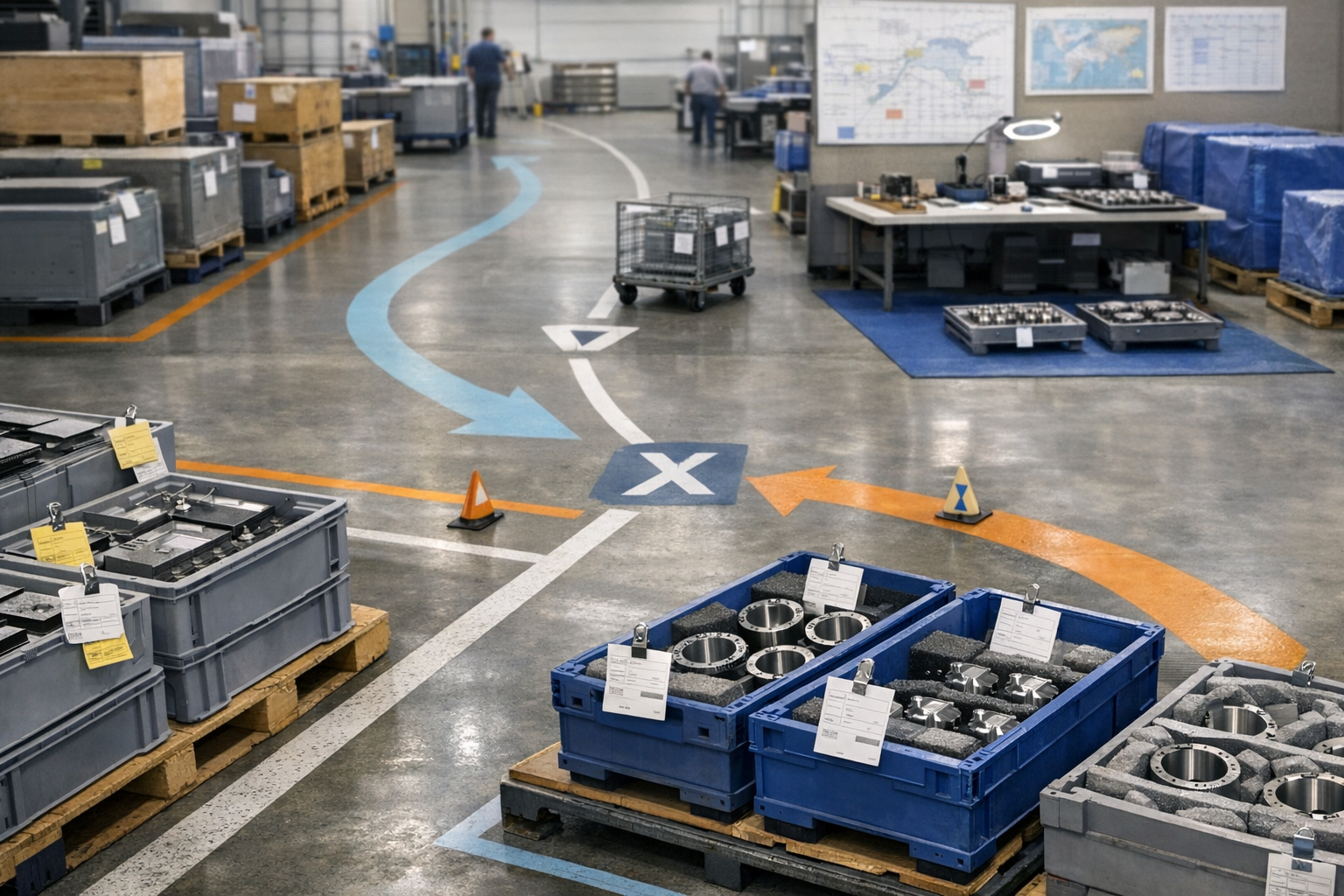
RSC Sphere: Core Aerospace Operations Execution

The Core Aerospace Operations Execution Sphere defines how day-to-day work actually gets done across internal production and outsourced operations. It focuses on execution control, digital work instructions, travelers, supplier handoffs, and real-time visibility into what is running, blocked, or complete. The content in this sphere shows how operational discipline improves throughput, reliability, and coordination without forcing rip and replace system changes. This sphere establishes Connect981 as an execution-first platform grounded in manufacturing reality.

  • How does an execution layer reduce risk during safety-critical engineering changes?

    An execution layer reduces risk during safety-critical engineering changes by tightly controlling how, when, and by whom new configurations are executed on the shop floor. It does not remove the need for robust engineering, quality, and configuration control, but it can significantly reduce the operational and human-factor risks associated with putting changes into production.

    1. Enforcing the correct revision at the point of use

    In safety-critical environments, the primary operational risk is often using the wrong revision of a design, routing, or instruction set. An execution layer can:

    • Bind work orders, lots, and serial numbers to specific, approved engineering change revisions.
    • Prevent release of work if the referenced BOM, routing, or work instruction is obsolete or not yet effective.
    • Apply effective dates and configuration rules so the right version is used for each unit or batch.
    • Surface only the current, approved digital work instructions to the operator, reducing reliance on tribal knowledge or printed copies.

    The effectiveness of this depends on accurate and timely data from PLM, ERP, and QMS, and on validated interfaces that keep revision status synchronized.

    2. Controlling who can execute safety-critical steps

    Safety-critical changes often come with new skills, tools, or certifications. An execution layer supports:

    • Role and competency-based access control for specific operations and steps.
    • Enforcement that only qualified operators, inspectors, or special process staff can execute or sign off high-risk steps.
    • Electronic signoffs with user identity, timestamp, and revision context captured for each critical operation.

    This reduces the risk of unqualified personnel executing changed processes, but it requires a maintained skills matrix and integration with HR or training records, plus periodic audit of role mappings.

    3. Driving correct sequencing and interlocks

    Many failures around engineering changes occur when steps are performed out of sequence or prerequisites are skipped. An execution layer can:

    • Enforce process flow so operators cannot move to downstream steps until required checks or measurements are completed.
    • Add interlocks tied to new safety-critical steps, such as torque verification, leak tests, or functional checks introduced by the change.
    • Conditionally branch workflows based on configuration, serial, or test results, avoiding manual interpretation of complex change bulletins.

    This reduces reliance on memory and informal workarounds but depends on accurate modeling of routes and decision logic and on careful change control when flows are updated.

    4. Embedding validation, checks, and data capture

    When engineering changes alter fit, function, or safety margins, data collection and verification must follow the updated requirements. An execution layer can:

    • Require capture of new parameters, measurement ranges, and evidence (e.g., photos, tool IDs, gage IDs) aligned with the change.
    • Validate entries against specification limits in real time, preventing continuation if values are out of tolerance for the new design.
    • Ensure calibration and tool control rules are followed when new tools or fixtures are introduced.

    This helps avoid silent deviations but is only as strong as the underlying specification data, gage management processes, and the validation of the execution logic itself.

    5. Managing deviations, concessions, and controlled experiments

    Safety-critical changes often start with limited pilots, controlled builds, or conditional approvals. An execution layer supports structured risk handling by:

    • Routing specific orders or serials through special pilot flows with additional inspections or tests.
    • Linking temporary deviations, waivers, or concessions to affected work orders, and enforcing associated conditions.
    • Capturing nonconformances in context if the new design or process behaves unexpectedly, with traceability back to the underlying change.

    This reduces the risk of uncontrolled experiments on production hardware, but it requires disciplined configuration of special routes and clear sunset rules for temporary flows.

    6. Providing full traceability of what was built, how, and under which change

    When failures occur in the field, or during qualification, the ability to reconstruct exactly which revision and process were used is critical. An execution layer improves traceability by:

    • Linking each unit or batch to the specific engineering change, work instructions, tooling, and parameters used during manufacture.
    • Recording operator identities, signoffs, measurement data, and test results tied to the effective revision at that time.
    • Maintaining an auditable history of when a change went live, where it was applied, and when it was superseded.

    This does not automatically deliver compliance, but it provides the evidence needed for robust root cause analysis and formal investigations when something goes wrong.

    7. Coordinating across brownfield systems

    In most regulated plants, the execution layer must coexist with existing PLM, ERP, QMS, and sometimes legacy MES, along with paper-based work instructions. Risk reduction depends on:

    • Reliable integration with PLM for controlled release of engineering changes and status updates.
    • Clear ownership of the “source of truth” for parts, BOMs, routings, and instructions, avoiding conflicting versions across systems.
    • Well-defined cutover procedures so old and new revisions are not run in parallel without proper segregation.

    Attempting full system replacement during major engineering changes often increases risk because of validation burden, downtime, and integration complexity. A more practical approach is layering execution control on top of existing systems, then migrating specific functions over time under strict change control.

    8. Supporting staged rollout and rollback of changes

    Engineering changes can fail or have unintended side effects. An execution layer can reduce associated risk by:

    • Allowing staged rollout by line, cell, program, or facility, instead of a big-bang cutover.
    • Tracking adoption progress and issues in near real time through exception and nonconformance data.
    • Supporting controlled rollback plans when a change must be paused or reversed, with clear rules about which units are affected and how to handle them.

    This capability still relies on well-defined engineering and quality governance for go/no-go decisions and for managing partial builds or rework.

    9. Capturing operator feedback and surfacing weak signals

    Even well-modeled engineering changes can introduce subtle risks that only appear in execution. An execution layer can:

    • Provide structured channels for operators to flag unclear instructions, unsafe conditions, or unexpected behavior related to the new process.
    • Aggregate these signals with NCRs and near-miss data to help engineering and quality teams refine the change.
    • Feed into continuous improvement and formal risk assessments without relying on informal communication paths.

    This does not replace formal hazard analyses, FMEA, or safety cases, but it improves practical feedback loops around implementation.

    10. Constraints and what an execution layer cannot do

    Even with a strong execution layer, several risk areas remain outside its direct control:

    • It cannot guarantee the correctness of the engineering change itself; design and analysis quality remain separate responsibilities.
    • It does not, by itself, ensure regulatory or certification outcomes. Evidence and behavior must still meet external expectations.
    • It must be qualified and validated like any other system used in regulated, safety-critical environments.
    • If integrations with PLM or QMS are weak, out-of-date, or manually maintained, the execution layer can enforce the wrong information efficiently.

    In practice, the risk reduction comes from combining a validated execution layer with disciplined configuration management, change control, training, and continuous monitoring.

  • What types of smart tools can integrate with digital instruction systems?

    Digital instruction systems can integrate with many types of smart tools, but the actual options depend on tool vendors, available protocols, plant network policies, and how much integration and validation effort you are willing to take on. Below are the main smart tool categories that realistically integrate in regulated, mixed-vendor environments.

    1. Torque tools and fastening systems

    These are often the first smart tools tied to digital work instructions for traceability and error-proofing.

    • DC and pulse torque tools / nutrunners: Allow the instruction step to select a tightening program, lock out the wrong parameters, and capture actual torque/angle for each joint. Integration is usually via the tool controller (Ethernet/IP, Profinet, Open Protocol, or vendor APIs), not the tool itself.
    • Cordless smart torque tools: Battery-powered tools with wireless connectivity. They can confirm completion of a step, but may have stricter network and cybersecurity constraints (Wi‑Fi channels, certificates, on-premise brokers).
    • Click/beam wrench with electronic adapters: Lower-cost path using torque transducers or wireless adapters to confirm final torque and send results back to the instruction system.

    Key constraints: network segmentation for OT, controller firmware versions, and whether your instruction system natively supports the tool vendor protocol or requires a gateway/edge device.

    2. Measurement and inspection devices

    Integrating metrology with instructions can reduce manual data entry and improve traceability, but it increases validation and data-governance requirements.

    • Digital hand tools: Calipers, micrometers, height gages, bore gages with USB, Bluetooth, or serial outputs. Often integrated as keyboard-wedge devices or via lightweight drivers so measurement fields in the instruction are auto-populated.
    • Benchtop and in-line gages: Air gages, LVDTs, multi-gage stations where the instruction step triggers a measurement routine and pulls back a pass/fail or raw values.
    • CMMs and vision-based metrology: Typically integrated at the results level, not in real time. The work instruction or digital traveler links to the measurement program ID, and final results are imported or referenced for traceability and audit.

    Key constraints: calibration and MSA expectations, data format (CSV, XML, vendor API), and whether results are treated as QMS records that must be controlled and versioned separately.

    3. Barcode, RFID, and part-mark readers

    These are common and relatively low-risk integrations for digital instructions.

    • Handheld barcode scanners: Often configured as keyboard input so operators scan work orders, serial numbers, or material lots to advance steps or validate that the correct part is present.
    • Fixed-mount scanners: Used for automatic work center identification, conveyor verification, or validating that the right kit or panel has entered the station.
    • RFID / NFC readers: Used for tool or fixture identification, operator badge sign-on, or tracing parts and containers without manual scanning.

    Key constraints: handling misreads and duplicates, mapping scanned IDs to authoritative records in MES/ERP, and ensuring scan logic is version-controlled with the work instructions.

    4. Vision systems and error-proofing cameras

    Digital instruction systems can orchestrate or reference vision checks, especially for assembly verification.

    • Presence/absence and orientation cameras: Confirm that fasteners, labels, or safety devices are present and correctly oriented before allowing the instruction step to complete.
    • Optical character recognition (OCR): Used to read part IDs, lot codes, or data plates to match against the digital traveler.
    • Guided assembly cameras: Highlight areas of interest on the screen or projector while capturing proof images for audit and training.

    Key constraints: cycle-time impact, lighting and fixturing stability, storage of images as regulated records, and whether failure conditions block the process or simply create NCRs or alerts.

    5. Smart sensors, fixtures, and Poka-Yoke devices

    These devices provide binary or analog signals that can be tied to steps in the instructions to prevent skipped or incorrect actions.

    • Limit switches and proximity sensors: Confirm fixture is clamped, guard is closed, or part is seated before allowing the next step.
    • Load cells and displacement sensors: Validate press-fit forces or stroke distances as part of the instruction step, capturing values for traceability.
    • Smart fixtures: Fixtures that identify part variants, support recipe selection, and provide feedback (lights, interlocks) tied to the digital work instruction logic.

    Key constraints: typically integrated through PLCs or IO-link masters rather than directly to the instruction system, which adds complexity in brownfield lines with mixed PLC vendors and legacy networks.

    6. Test stands and functional testers

    In aerospace and other regulated sectors, many work instructions end with electrical, hydraulic, or functional tests.

    • Automatic test equipment (ATE): The instruction can launch or reference test programs, then consume high-level results (pass/fail, key parameters) instead of full waveforms or traces.
    • Benchtop functional testers: Pressure leak tests, continuity testers, hipot, or flow benches that expose a digital result interface or log file.

    Key constraints: safety interlocks, test software qualification, data volume, and clear ownership of test specifications between engineering, test, and quality systems.

    7. Collaborative robots and assist devices

    Digital instructions increasingly coordinate with assistive equipment that can reduce ergonomic risk and variability.

    • Cobots and pick-assist robots: Guided picks or part presentations aligned with digital step instructions. Integration is often event-based: the instruction step tells the cobot which pattern or program to run, and waits for completion.
    • Smart torque arms and balancers: Position-aware arms that confirm the correct fastener location is being tightened before enabling the tool.

    Key constraints: safety certification of robot cells, longer commissioning times, and more intensive change control whenever work sequences or robot paths change.

    8. Operator devices and peripherals

    While not always called “smart tools,” these devices affect how operators interact with the instructions.

    • Industrial tablets, HMIs, and wearables: Support step-by-step viewing, photo capture, and barcode scanning at the point of use.
    • AR/VR headsets: Used mainly for complex assembly, training, or low-volume work where spatial guidance adds value. Integration is often one-directional: instructions are consumed and some completion data is sent back.
    • Printers and labelers: Auto-generating labels, travelers, and test tags from instruction data or completion states.

    Key constraints: IT security policies, device management, and how you manage versions of content across multiple display form factors.

    Integration and coexistence considerations

    In regulated brownfield environments, the main limitation is rarely “what is technically possible” but “what can be safely integrated, validated, and maintained over the equipment lifecycle.”

    • Protocols and drivers: Each smart tool family may use different protocols and data models. Most sites end up standardizing a subset of vendors and using gateways or edge middleware rather than point-to-point custom links from the instruction system to every device.
    • System boundaries: Digital instructions typically orchestrate and record, while MES, PLCs, and QMS handle control logic, interlocks, and formal quality records. Pushing too much logic into the instruction layer can create validation and change-control pressure.
    • Validation and change control: Every new smart tool integration can trigger re-testing of instructions, data flows, and security controls. This is one reason full, all-at-once replacement of existing test stands, PLC logic, or MES rarely works; incremental integration with clear interfaces and fallbacks is more sustainable.
    • Downtime and retrofit risk: Swapping legacy tools for networked smart tools on a critical line can create more risk than it removes if not piloted carefully. Many plants layer digital instructions and selective tool integration on top of existing equipment, only replacing when assets age out or when there is a strong safety or compliance driver.

    In practice, most plants start with a narrow scope: barcode scanners and a small number of torque tools or inspection gages tied to high-risk operations. As integration patterns, governance, and validation approaches stabilize, they expand to more tool types and work centers.

  • What is the role of the OASIS database in supplier control?

    The OASIS database, managed by the International Aerospace Quality Group (IAQG), is a centralized directory of organizations certified to AS9100-series standards and the certification bodies and auditors that oversee them. In supplier control, its role is to provide trusted, standardized certification and audit information that you can reference as one input to your supplier approval, monitoring, and risk management processes.

    How OASIS supports supplier control

    In practical terms, most aerospace and defense organizations use OASIS in supplier control for:

    • Certification verification: Confirming whether a current or candidate supplier holds an active AS9100-series certification, who their certification body (CB) is, and the validity dates.
    • Scope and site coverage: Checking which sites are certified and what activities, products, or services are covered by the certificate scope, so you can align it with the work you intend to place.
    • Audit and nonconformity visibility: Reviewing high-level audit results, including any major nonconformities and whether they have been closed, to inform risk assessments and surveillance planning.
    • Supplier onboarding checks: Using OASIS information as part of due diligence before approving a supplier, especially for higher-risk product categories or special processes.
    • Ongoing surveillance: Periodically confirming that a supplier’s certification remains valid and that there are no significant unresolved issues noted by their CB.

    These uses support a more evidence-based supplier control process, and they reduce reliance on static copies of certificates that can be outdated or incomplete.

    What OASIS does not do in supplier control

    It is important to be clear about what OASIS does not provide. Relying on it alone is not sufficient for robust supplier control in regulated, long-lifecycle environments:

    • No guarantee of performance: OASIS records do not guarantee delivery performance, product quality, or process capability. You still need your own metrics, such as OTD, PPM, NCR rates, and escape severity.
    • No replacement for supplier qualification: OASIS is not a substitute for your internal qualification activities (e.g., technical assessments, process capability reviews, first article inspection, or special process approvals).
    • No detailed process or product data: The database does not provide detailed process flows, PFMEAs, control plans, or part-level quality history. Those remain in your own systems (ERP, MES, QMS) and supplier submissions.
    • No direct integration to your risk model by default: Unless you have built and validated an integration, OASIS information will not automatically feed your supplier scorecards, risk rankings, or approval workflows.

    Typical ways OASIS is embedded in supplier control processes

    In mature aerospace supplier management, OASIS is usually embedded in several control points:

    • Supplier onboarding and approval: Before adding a new aerospace supplier, commodity managers or quality engineers check OASIS to confirm certification status, verify the scope covers the intended work, and note any recent major nonconformities.
    • Periodic supplier review: During annual or periodic supplier reviews, the team confirms in OASIS that certificates are still valid, and reconciles any discrepancies with copies provided by the supplier.
    • Audit planning: When planning on-site supplier audits, internal auditors review the supplier’s OASIS audit history to focus on high-risk areas, repeat findings, or systemic weaknesses identified by the CB.
    • Escalation and containment: If a critical escape or major quality issue occurs, quality and procurement may check OASIS for any recent CB findings at that supplier that may relate to the issue, and consider this when deciding on additional surveillance or probation.

    In all cases, OASIS is one input. It complements, but does not replace, your own technical and commercial assessments.

    Limitations, dependencies, and data quality

    The effectiveness of OASIS in supplier control depends on several factors:

    • Timeliness of CB updates: OASIS relies on certification bodies to maintain data. If CBs are slow to update records, certificate status or findings may lag reality.
    • Access controls and confidentiality: Some detailed audit information is only visible to certain users or by mutual agreement. Your team may not see all underlying evidence without additional arrangements with the supplier or CB.
    • Internal process maturity: If your supplier control process does not systematically reference OASIS, or if checks are not documented in your QMS, the available data will not reliably influence decisions.
    • Integration quality (if used): If you integrate OASIS data into ERP, QMS, or supplier portals, you must validate mapping, synchronization frequency, and error handling. In regulated environments, such integrations should go through formal change control and, where applicable, validation.

    Organizations should define explicitly in their procedures how OASIS is used (e.g., at supplier approval, re-approval, and periodic review) and what to do when OASIS data conflicts with supplier-provided documentation.

    Coexistence with existing systems and brownfield reality

    In most aerospace and defense environments, OASIS coexists with a mix of legacy and modern systems:

    • ERP and supplier master data: OASIS information is typically referenced when creating or updating supplier master records, but the ERP remains the system of record for who is approved to receive particular parts or commodities.
    • QMS and supplier qualification workflows: QMS workflows often include a step to document OASIS checks (e.g., screenshots or reference IDs) as objective evidence in approval and periodic review records.
    • Supplier portals and scorecards: Some organizations replicate key OASIS attributes (certification type, expiry date) into supplier scorecards, but this usually happens via manual entry or light integrations rather than full automation, due to validation, cost, and change control constraints.

    Attempting to treat OASIS as a complete supplier control platform usually fails in practice. Long equipment lifecycles, integration debt, and the burden of qualifying new tools mean that most plants continue to use OASIS as a reference data source while keeping ERP, QMS, and MES as the operational systems of record for supplier control.

    How to use OASIS in a risk-based supplier control strategy

    To use OASIS effectively and realistically:

    • Define when OASIS must be checked: For example, new supplier approval, annual review of strategic suppliers, and before placing work for critical parts or special processes.
    • Link OASIS status to risk ratings: Incorporate certification status, scope fit, and recent major nonconformities as factors in your supplier risk model, alongside your own performance metrics.
    • Document evidence and decisions: Store OASIS references (e.g., printouts or IDs) in your QMS or supplier file so you have traceable evidence during audits.
    • Do not over-rely on it: Treat OASIS as corroborating evidence, not as proof that a supplier is low risk. Continue to monitor actual performance, process capability, and conformance data.

    Used this way, OASIS strengthens supplier control by making certification data more transparent and traceable, while keeping your operational decisions grounded in your own quality and delivery experience.

  • KPI documentation

    KPI documentation is the controlled set of records that define, explain, and govern how key performance indicators (KPIs) are selected, calculated, visualized, and maintained within an organization. In industrial and regulated manufacturing environments, it provides a common reference so that performance metrics are interpreted consistently across sites, systems, and functions.

    What KPI documentation typically includes

    Although formats vary, KPI documentation commonly contains:

    • Metric definition: name of the KPI, a clear description, and its purpose (for example, on-time delivery, scrap rate, OEE).
    • Calculation logic: formulas, time basis (shift, day, batch), data sources (MES, ERP, QMS), inclusion/exclusion rules, and handling of rework or special cases.
    • Data ownership and responsibilities: who maintains the KPI definition, who validates data quality, and who reviews the results (e.g., production, quality, supply chain).
    • Collection and reporting method: how data is captured (manual entry, automated tags, integrations), where KPIs are displayed (dashboards, reports), and update frequency.
    • Scope and boundaries: which plants, product families, work centers, or suppliers are covered, and any explicit exclusions.
    • Governance and revision history: approval paths, effective dates, change history, and links to supporting procedures or standards.

    Role in industrial and regulated environments

    In manufacturing settings, KPI documentation helps align how operational performance is measured across OT and IT systems. For example, it can specify whether downtime events from an MES are categorized as planned or unplanned, or how nonconformances from a QMS feed yield and cost of poor quality KPIs. In regulated sectors, documented KPI definitions can also support audit readiness by showing that metrics used in management review, continuous improvement, or supplier monitoring are consistently defined and controlled.

    Operational use

    On a day-to-day basis, KPI documentation is used to:

    • Configure dashboards and reports in MES, ERP, or analytics tools according to approved formulas and filters.
    • Onboard new engineers, supervisors, and analysts so they interpret metrics such as OEE, NPT, or on-time delivery in the same way.
    • Support problem-solving and continuous improvement by making clear how changes on the shop floor will affect specific KPIs.
    • Provide evidence during internal or external reviews that performance metrics are based on traceable, governed definitions.

    Common confusion

    • KPI documentation vs. KPI dashboard: A dashboard is the visual output that shows KPI values. KPI documentation describes how those values are defined and calculated. Dashboards should be configured to match the documented definitions.
    • KPI documentation vs. procedures or work instructions: Procedures and work instructions describe how work is performed. KPI documentation describes how performance of that work is measured. They are related but serve different purposes.
  • data latency

    Data latency commonly refers to the time delay between when an event happens in the real world (for example on the shop floor or in a machine) and when trustworthy data about that event is available to users, dashboards, or downstream systems. In industrial and manufacturing environments, it is the lag between a production, quality, maintenance, or inventory change and when that change is reflected in MES, ERP, historians, or reporting tools.

    How data latency shows up in manufacturing

    In regulated and complex plants, data latency can occur at several layers:

    • Acquisition latency: Delay between a physical event and the signal being captured by a sensor, PLC, or device.
    • Transmission latency: Delay while data moves over networks from OT devices to SCADA, historians, MES, or cloud services.
    • Processing latency: Time required for systems to clean, contextualize, aggregate, and store data (for example, mapping tags to equipment, products, and lots).
    • Integration latency: Delay introduced by batch interfaces between systems such as MES, ERP, QMS, LIMS, and maintenance systems.
    • Presentation latency: Delay between data being stored and when dashboards, reports, or alerts are refreshed.

    Operationally, data latency affects how “real time” production visibility dashboards, OEE calculations, quality monitors, and inventory views actually are. High latency can mean supervisors, planners, and quality teams are making decisions based on outdated data, even if dashboards appear live.

    Data latency versus related concepts

    • Data latency vs. throughput: Latency is about timing (how long a single data point takes to become visible). Throughput is about volume (how many data points per unit of time a system can handle).
    • Data latency vs. sampling rate: Sampling rate is how often data is captured. Latency is the delay before captured data becomes available to use. A high sampling rate can still have high latency if processing and integration are slow.
    • Data latency vs. data quality: Latency is about delay; data quality is about correctness and completeness. Low latency data can still be inaccurate if it is not validated or contextualized.

    Common confusion

    Data latency is sometimes loosely called “real-time” or “near real-time” performance. In practice, these terms are relative and depend on the process. For high-speed automated lines, seconds of latency can matter. For planning processes driven by ERP batch jobs, latency may be measured in minutes or hours. It is also sometimes confused with network latency alone, but in manufacturing environments most delay often comes from processing, integration, and refresh cycles rather than pure network transport.

    Link to production visibility dashboards

    When implementing production visibility dashboards, data latency determines whether displayed KPIs, alarms, and trends represent current operations or a delayed snapshot. Latency may come from slow queries against MES/ERP, overnight batch integrations, or manual data entry cycles. Understanding and documenting expected data latency is important so users interpret dashboards correctly and do not assume they are fully real time when they are not.

  • Tier-1 supplier

    A Tier-1 supplier is a company that delivers products, assemblies, or services directly to an original equipment manufacturer (OEM). In industrial and regulated manufacturing environments, Tier-1 suppliers typically provide complex, production-ready components or systems that integrate parts, materials, or services from lower-tier suppliers.

    Key characteristics of a Tier-1 supplier

    In most manufacturing supply chains, a Tier-1 supplier:

    • Has a direct commercial relationship with the OEM, including contracts, purchase orders, and direct performance reporting.
    • Delivers parts, assemblies, software, or services that are installed on, or directly support, the OEM’s final product.
    • Often manages and coordinates a network of Tier-2 and lower-tier suppliers that provide subcomponents, raw materials, or specialized processing.
    • Is usually responsible for meeting defined quality, traceability, and regulatory requirements set by the OEM and applicable standards.
    • May participate in design collaboration, change management, and advanced quality planning with the OEM.

    Operational role in industrial and regulated environments

    Within industrial operations, Tier-1 suppliers are often treated as strategic partners because their performance directly affects the OEM’s production, compliance posture, and delivery schedules. Typical operational responsibilities include:

    • Maintaining process controls and quality systems that satisfy OEM and industry standards.
    • Providing required documentation, such as certificates of conformance, inspection records, and traceability data.
    • Coordinating logistics, advanced shipping notices, and packaging requirements aligned with the OEM’s receiving and MES/ERP processes.
    • Managing sub-tier suppliers and outsourced processing to ensure end-to-end material and process traceability.

    What Tier-1 supplier does and does not include

    • Includes: Direct suppliers to the OEM that provide finished parts, integrated assemblies, major subsystems, software, or critical services (such as specialized testing or overhaul) tied to the final product.
    • Excludes: Suppliers that only provide inputs to other suppliers (Tier-2, Tier-3, etc.) and do not have a direct contractual or delivery relationship with the OEM.

    Common confusion

    • Tier-1 vs Tier-2 supplier: A Tier-2 supplier typically delivers to a Tier-1, not to the OEM. Tier-1 integrates and delivers to the OEM.
    • Tier-1 vs strategic supplier: Some OEMs call high-impact suppliers “strategic” regardless of tier. A Tier-1 designation is about position in the supply chain, not necessarily strategic importance.
    • Tier-1 vs prime contractor: In defense and aerospace, the prime contractor is often the OEM. Tier-1 suppliers deliver directly to the prime but are not the prime contractor themselves.

    Examples in manufacturing

    • An aerospace structures company that delivers fully assembled wings directly to an aircraft OEM is a Tier-1 supplier, even though it buys materials and machined parts from multiple Tier-2 and Tier-3 suppliers.
    • An electronics manufacturer providing certified avionics units directly to an aircraft or defense OEM, integrating circuit boards and software from lower-tier suppliers, is also a Tier-1 supplier.
  • What does 85% OEE mean?

    In practical terms, an OEE of 85% means that the equipment or line is delivering 85% of its theoretical maximum output of good product during the time you have defined as “in scope” (usually planned production time). It combines three factors:

    • Availability: How much of the planned time the asset was actually running.
    • Performance: How fast it ran compared with its defined ideal or standard rate.
    • Quality: What portion of produced units met your quality criteria (first-pass yield for that asset).

    Mathematically:

    OEE = Availability × Performance × Quality

    So 85% OEE might, for example, come from:

    • Availability = 90% (10% lost to changeovers, breakdowns, etc.)
    • Performance = 95% (5% speed loss, microstops, minor jams)
    • Quality = 99% (1% scrap/rework at that step)

    0.90 × 0.95 × 0.99 ≈ 0.85 → 85% OEE.

    What 85% OEE does and does not mean

    • It does mean your current mix of downtime, speed losses, and quality losses results in a 15% gap between actual and theoretical good output for the defined period.
    • It does not mean the asset is globally “world class” or optimized. Whether 85% is strong or weak depends on product mix, process complexity, regulatory constraints, and how you define the OEE inputs.
    • It does not imply anything about regulatory compliance, audit readiness, or safety performance.

    Why the definition of 85% OEE is highly dependent on your setup

    The meaning and usefulness of 85% OEE are only as good as the definitions and data behind it. Common sources of variation include:

    • Scope of time: Is OEE based on 24/7 calendar time, planned production time, or some narrower window? Excluding setup, cleaning, or validation time will inflate OEE.
    • “Ideal” rate: Is the performance benchmark a theoretical design rate, a validated rate, a derated rate for a specific product, or an average historical rate?
    • Quality counting rules: Are reworkable units counted as good, bad, or excluded? Are quarantined lots treated as losses at this step or later?
    • Data collection method: Manual logs, PLC counters, MES, and historian feeds can all produce different OEE values if triggers and loss categories are not aligned.

    In regulated, long-lifecycle environments, the “ideal” rate is often constrained by validation, recipe rules, or qualification limits rather than pure mechanical capacity. That means 85% OEE is relative to your validated operating window, not necessarily the original equipment specification.

    Interpreting 85% OEE in brownfield environments

    In mixed legacy stacks (MES/ERP/PLM/QMS) and multi-vendor equipment fleets, 85% OEE on one line is rarely directly comparable to 85% on another without careful normalization. Differences in:

    • How downtime reasons are coded (planned vs unplanned, changeover vs cleaning)
    • Where scrap is registered (at the machine, at test, at final inspection)
    • How batch/lot-based processes are treated versus discrete unit flows
    • What is considered in-scope time (e.g., validation runs, engineering trials)

    can shift OEE by many points. An 85% OEE from an old line using manual shift reports is not inherently better or worse than 75% OEE from a newer line with tightly integrated MES and detailed loss accounting. Often, the lower figure just reflects more accurate and granular data.

    Tradeoffs and limitations of using 85% OEE as a target

    Many organizations treat 85% OEE as a generic “world-class” target. In regulated or high-complexity environments, this can be misleading for several reasons:

    • Validation and change control: Aggressive speed increases to raise OEE can trigger revalidation, documentation updates, and extended change control, which may not be justified by the benefit.
    • Product mix and complexity: High-mix, low-volume operations with frequent changeovers, cleaning, or recipe changes may structurally cap achievable OEE without major process redesign.
    • Constraint location: Improving OEE on a non-bottleneck asset might have little impact on overall throughput but consume significant engineering and validation effort.
    • Lifecycle realities: Older, qualified equipment may be kept in service long past its design horizon. Raising OEE from 80% to 85% may demand invasive upgrades that create downtime and requalification risk.

    OEE is a useful signal for loss analysis, but it should not be treated as a guarantee of efficiency, cost performance, or compliance. The critical question is where the 15% loss behind your 85% OEE actually sits and whether reducing those specific losses is feasible within your technical, regulatory, and operational constraints.

    How to make 85% OEE actionable

    To use an 85% OEE figure for decision making:

    1. Validate the calculation method: Confirm how availability, performance, and quality are defined and where the data originates (PLC, MES, manual, mixed).
    2. Drill down to loss buckets: Break the 15% loss into downtime categories, speed losses, and specific quality modes. OEE by itself is too aggregated to drive action.
    3. Compare only like with like: Normalize by product family, routing, shift, and asset type before comparing cells, lines, or plants.
    4. Align with constraint analysis: Prioritize OEE improvements at true bottlenecks rather than across-the-board targets.
    5. Respect validation and change control: For any improvement that changes equipment capability, recipes, or data flows, factor in qualification work, documentation updates, and potential downtime.

    In short, 85% OEE means you are achieving 85% of the defined potential for good output on that asset, within your chosen definitions and data boundaries. Its real value lies in how transparently it is calculated and how well you can trace it back to specific, addressable losses.