Using MES Analytics to Reduce Material Usage Variance in Aerospace
In aerospace manufacturing, material waste is never just a scrap problem—it is a financial event. High-cost alloys, forgings, and composite materials turn into immediate margin erosion when usage drifts beyond plan. Yet most of this waste does not come from dramatic failures. It comes from small, repeated variances that traditional systems struggle to see.
Manufacturing Execution Systems (MES) can close this visibility gap. By capturing actual material consumption, scrap, and yield at each operation, MES enables detailed analytics on material usage variance. The result is practical insight into where waste is occurring, why it is happening, and which actions will deliver the greatest financial impact.
This article explains how aerospace manufacturers can use MES analytics to track material usage variance, refine cost models, and support continuous improvement—without replacing existing ERP financial controls. For a broader view of scrap and rework, see our guide on material waste and cost visibility with MES in aerospace.
The Financial Impact of Material Waste in Aerospace
Aerospace programs are uniquely sensitive to material waste. Parts are often made from expensive, specialty materials and produced in low volumes with long cycle times. That combination makes even modest usage variance highly consequential.
High-cost alloys, forgings, and composites
Aerospace structures and engine components rely on titanium, nickel-based superalloys, advanced aluminum, and sophisticated composite systems. These materials are expensive to purchase, difficult to process, and sometimes subject to long lead times and strict qualification requirements.
Material usage variance in this context has a disproportionate cost impact:
- High raw material cost per part means that a few percentage points of over-consumption can outweigh labor savings.
- Buy-to-fly ratios for complex machined parts are already high; unplanned waste further reduces effective yield.
- Special process coupons and test samples add legitimate consumption, but lack of visibility can make them look like unexplained variance.
Effect on fixed-price and long-term contracts
Many aerospace manufacturers operate under fixed-price contracts, long-term agreements (LTAs), or rate-based pricing. When material costs rise during the life of a program, recovering those costs can be difficult or impossible.
Material usage variance directly affects:
- Program margin, especially on mature programs where price is stable but costs are still drifting.
- Make-or-buy decisions, where inaccurate internal usage data can distort comparisons to supplier pricing.
- Negotiations for future blocks or lots, where historical variance should be understood and either eliminated or built into pricing.
Without clear visibility to actual usage, finance and program management are left to explain unfavorable variances based on averages and assumptions rather than data.
Why ERP alone can’t see true usage variance
ERP systems are essential for planning, purchasing, and financial control. However, they are typically not designed to capture detailed, operation-level material usage:
- Backflush at completion only: Many ERPs backflush material when an operation or order is completed, not when material is actually consumed.
- Limited scrap categorization: ERP may record scrap quantities and value, but rarely captures enough context (operation, cause, shift) for root-cause analysis.
- Coarse granularity: ERP tends to operate at the work-order or item level, not the individual serial number, lot, or operation-step level that aerospace traceability demands.
Because of these limitations, ERP is excellent for valuing material but less effective at explaining where and why additional consumption occurs. MES fills this gap by capturing execution data as work happens.
How MES Captures Actual Material Consumption
MES connects people, machines, and materials at the point of execution. That makes it the ideal system to track real material usage and feed analytics on variance.
Issuing and backflushing material to operations
In a MES-enabled aerospace environment, material is typically associated with work as it moves through the routing:
- Material issue at operation start: Operators scan barcodes or RFID tags to issue kits, panels, forgings, or raw stock to a specific operation.
- Backflushing on consumption: For repetitive or predictable usage, MES can backflush material based on actual production quantities at that step, rather than only at order completion.
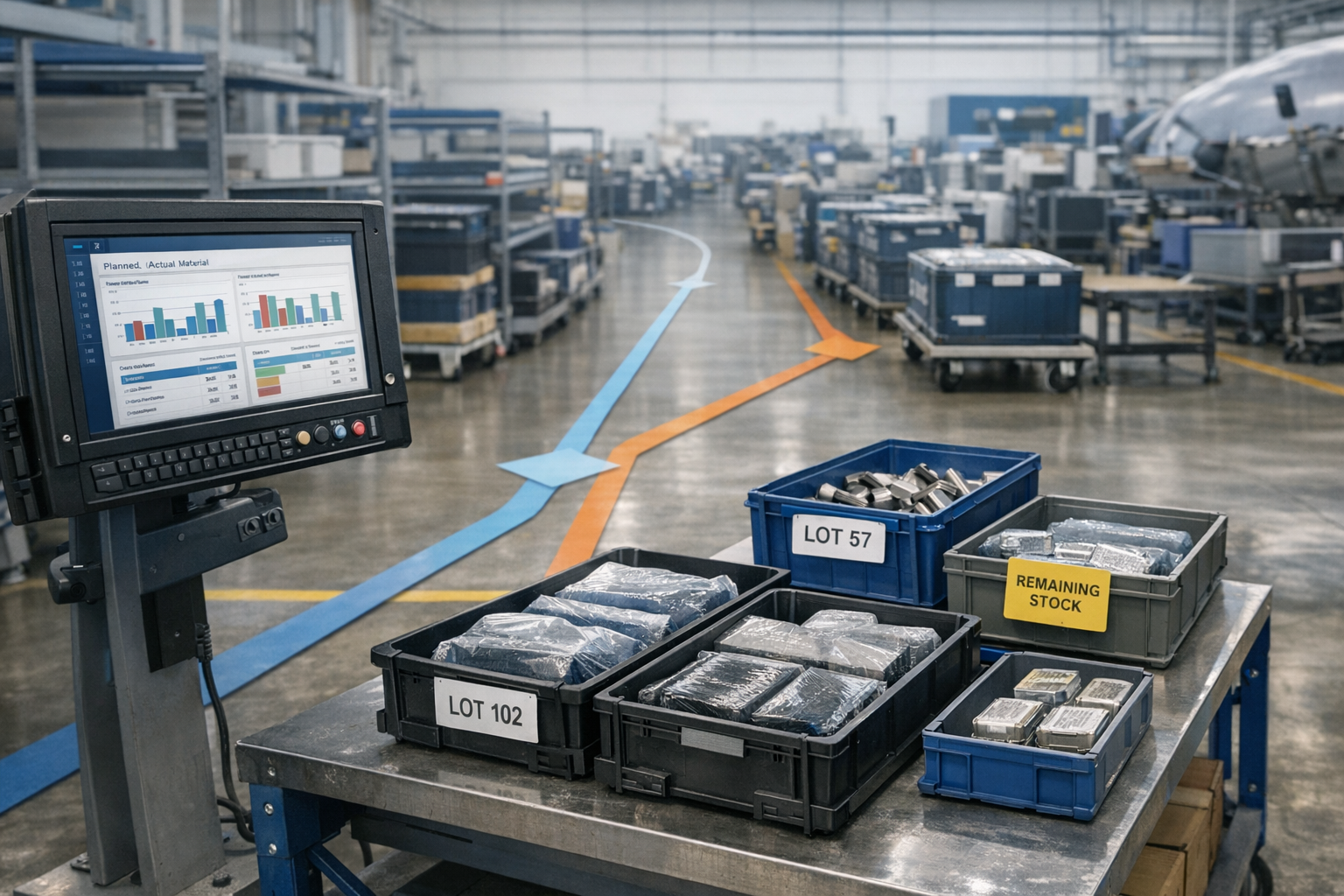
- Partial usage: The system can record partial consumption of a panel, bar, or sheet and track the remaining remnant for reuse.
This approach links specific material lots and quantities to operations and work centers, enabling much finer-grained variance analysis.
Tracking scrap and yield at each step
MES records what happens to material as parts move through the process:
- Scrap events logged with reason codes (e.g., machining oversize, layup defect, cure failure).
- Rework and repair recorded with additional material usage where allowed by engineering.
- Yield calculation at each operation, not just at final inspection.
The combination of issued material, good output, rework, and scrap enables MES to calculate actual yield by operation and by part, highlighting where material is being lost.
Serial, lot, and heat-level traceability
Aerospace programs often require traceability down to heat, lot, or individual serial numbers. MES supports this by:
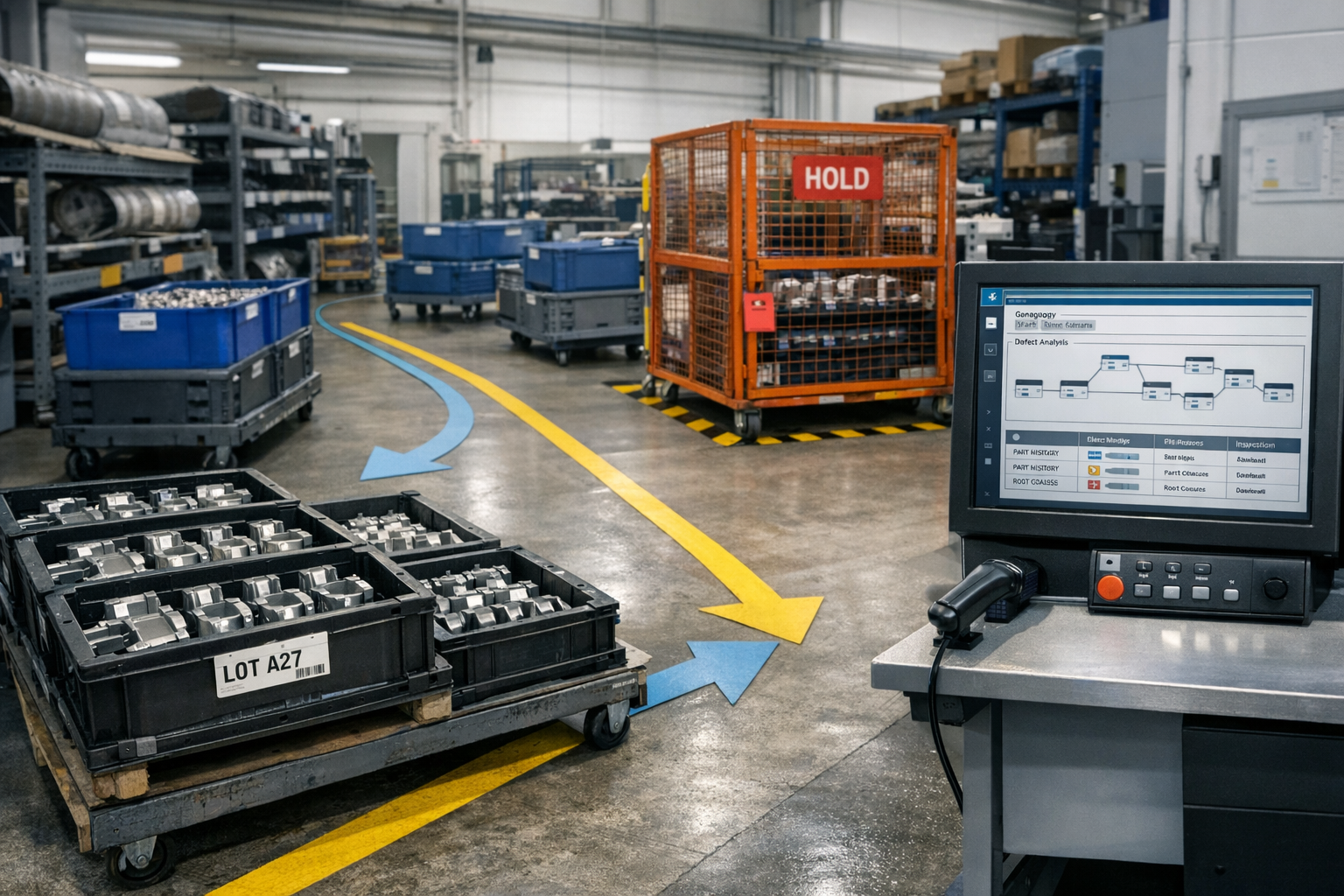
- Associating each part serial with the specific material lots and heats used in its manufacture.
- Tracking consumables and process materials (e.g., adhesives, prepregs, fasteners) where they materially affect cost or quality.
- Linking inspection results and process parameters to both part and material identifiers.
This level of traceability not only supports regulatory and customer requirements, it also provides the dataset needed to analyze material usage variance across programs, lots, and suppliers.
Reporting Actual vs Planned Usage by Part and Operation
Once MES is reliably capturing material consumption and scrap, the next step is to compare it to the planned picture in your BOMs and routings.
Comparing to standard routings and BOMs
The core of material usage variance analysis is a comparison between:
- Planned usage: Quantities defined in ERP or PLM bills of material, including scrap factors and allowances.
- Actual usage: Quantities consumed and scrapped as recorded by MES at each operation.
To enable this comparison, MES and ERP must share common item numbers, units of measure, and revision identifiers. With that alignment in place, MES analytics can produce reports such as:
- Planned vs. actual material per part number and revision.
- Variance per operation (e.g., rough machining vs. final machining vs. assembly).
- Usage variance for specific materials across multiple part numbers.
Identifying chronic over-consumption
Not all variance is random. MES analytics can reveal chronic patterns of over-consumption, for example:
- Certain work centers consistently consuming more composite material per panel.
- Specific fixtures or tools associated with higher trim or machining scrap.
- Programs where legacy allowances significantly underestimate actual material needs.
By filtering data over weeks or months, you can distinguish between isolated incidents and systemic issues that warrant engineering or process changes.
Understanding process-driven vs random variation
MES data helps separate process-driven variance from genuine randomness by correlating usage with:
- Operation and work center: Is variance localized to a step or spread across the route?
- Shift and crew: Do certain shifts use more material due to experience levels or local workarounds?
- Material batch or supplier: Does material source affect trim requirements, yield, or defect rates?
Clarify the operational risk
When the work behind Using MES Analytics to Reduce affects quality, delivery, or compliance, teams need one place to connect evidence, decisions, and shop-floor follow-through.
Patterns in this data indicate whether you should focus on process controls, training, supplier management, or BOM assumptions.
Analyzing Scrap Drivers with MES Data
Material usage variance often originates in scrap and rework. MES provides the depth of data needed to understand these drivers and prioritize corrective actions.
Correlating scrap with work center, shift, and supplier
Because MES ties scrap to specific operations, people, and materials, you can build analyses such as:
- Scrap cost by work center, highlighting the most expensive points of failure.
- Scrap rate by shift or crew, identifying training or staffing gaps.
- Scrap by material lot or supplier, exposing quality or stability issues in the supply base.
These insights go beyond simple scrap percentages, providing a basis for targeted improvement projects and supplier discussions.
Spotting patterns in rework-driven material loss
Rework often appears to save parts, but it can quietly increase material consumption through additional cutting, patching, or component replacement. MES can show:
- How often rework leads to additional material usage (e.g., extra plies, shims, or hardware).
- Which rework paths have the highest cost per saved part.
- Operations where rework frequently fails, ultimately resulting in scrap.
With this view, engineering and operations can determine when it is better to invest in first-pass yield improvements rather than relying on rework.
Differentiating unavoidable trim from avoidable scrap
Some material loss is inherent in aerospace manufacturing. Examples include:
- Trim allowances for composite layups.
- Starter stock for machining complex shapes.
- Mandatory test coupons and process validation pieces.
MES data helps differentiate this unavoidable trim from avoidable scrap by quantifying each type and mapping it to process steps. Over time, you can refine BOM scrap factors to reflect realistic, stable levels of unavoidable loss while targeting the remainder for reduction.
Using Insights to Improve Processes and Cost Models
Collecting data is only half the job. The real value of MES analytics is realized when insights drive concrete changes in processes and financial models.
Refining allowances and scrap factors
Legacy BOMs often contain conservative scrap factors or outdated assumptions. Using MES data, you can:
- Update scrap factors by part family and operation based on recent, stable performance.
- Right-size material allowances (e.g., panel size, bar length, ply count) to better match actual needs.
- Separate regulatory-mandated scrap (e.g., coupons) from process-driven waste.
This alignment improves standard costing, quoting accuracy, and program financial forecasts.
Prioritizing continuous improvement projects
Not every variance justifies an improvement project. MES analytics support rational prioritization by showing:
- Scrap cost per operation and per work center.
- Material usage variance per part number, ranked by annual spend.
- Trend lines that distinguish worsening performance from stable, predictable variance.
With this information, engineering and operations teams can focus limited resources on the few processes that drive most of the excess material cost.
Collaborating with finance and program management
Material usage variance is as much a financial topic as an engineering one. Effective MES usage supports collaboration by providing:
- Common reports that tie together engineering scrap causes and financial impact.
- Scenario analysis for “what if” questions (e.g., what happens to program margin if we improve yield by 2% at a specific operation?).
- Evidence for price negotiations when unavoidable material costs differ significantly from original assumptions.
Importantly, MES should be positioned as complementary to ERP—providing the operational detail needed to understand and influence the financial results that ERP records.
Practical Dashboard and KPI Examples
To turn MES data into action, aerospace manufacturers typically deploy focused dashboards and KPIs around material usage and scrap.
Material yield by part family
A useful starting view is material yield by part family or product line. A dashboard might show:
- Planned vs. actual material per completed unit.
- Yield trends by month or production lot.
- Highlighting of families with the largest negative variance.
This keeps attention on groups of parts where improvements will have significant aggregate impact.
Scrap cost by process step
Another powerful view is scrap cost by process step, not just by scrap quantity. This should include:
- Material cost of scrapped parts and assemblies.
- Additional material consumed in rework operations.
- Drill-down capabilities from total cost to specific part numbers and work centers.
By ranking process steps by scrap cost, organizations can quickly identify “hot spots” worth investigation.
Top offenders by work center or program
MES dashboards aimed at leaders often include “top offenders” lists, such as:
- Work centers with the highest material usage variance this quarter.
- Programs where actual usage significantly exceeds quoted assumptions.
- Part numbers responsible for most of the variance in a given work cell.
Connect decisions to execution
Connect 981 helps turn this kind of operational detail into traceable action, so the context behind each decision does not get lost.
These views promote accountability and support structured problem-solving, rather than relying on anecdotes or isolated incidents.
Governance and Data Quality Considerations
The value of MES analytics depends on data quality. Governance practices are essential to ensure the numbers can be trusted and used for decisions.
Ensuring operators record scrap accurately
Operator engagement is critical. To achieve reliable data without slowing production:
- Design simple, quick scrap entry screens with clear reason codes.
- Use mandatory fields only where they drive tangible value (e.g., operation, reason, quantity, disposition).
- Provide feedback loops by sharing reports that show how the data is used to improve processes, not just monitor performance.
Training should emphasize that accurate reporting protects programs and jobs by preventing unpleasant financial surprises later.
Aligning MES and ERP material definitions
For variance analytics to make sense, MES and ERP must speak the same language. Key alignment points include:
- Item numbers and revisions used consistently in both systems.
- Units of measure (e.g., kg vs. lb, sheet vs. m2) aligned or converted transparently.
- Material groups and cost buckets mapped so MES reports can roll up to financial categories.
Data integration should be designed so that planners and engineers do not need to maintain parallel structures in multiple systems.
Handling rework, re-melt, and recovery flows
Aerospace manufacturing often includes specialized material flows such as rework, re-melt, and recovery of scrap material. MES configurations should clarify:
- When rework consumes additional material versus simply adding labor.
- How recovered material (e.g., re-melted ingots, reclaimed test pieces) is credited back into inventory and reflected in variance calculations.
- Which scrap streams are truly lost and should be fully burdened with material cost.
Clear rules ensure that variance reporting fairly represents both waste and legitimate recovery activities.
Bringing It All Together
Reducing material usage variance in aerospace is a continuous effort, not a one-time project. MES analytics provide the factual foundation for that effort by:
- Capturing actual material usage, scrap, and yield at each operation.
- Comparing real performance to planned BOMs and routings.
- Highlighting where waste is concentrated and where process improvements will protect margins.
When combined with disciplined governance and close collaboration between operations, engineering, and finance, MES becomes a powerful enabler of margin protection and competitive pricing in demanding aerospace programs.
To see how material variance fits into the broader picture of scrap and rework reduction, explore our hub article on reducing scrap, rework, and material waste in aerospace manufacturing with MES.
For teams putting this topic into daily operation, work orders and digital travelers, shop floor execution control, a connected execution platform help connect the concept to traceability, work-order reality, and audit-ready evidence.
This article is for aerospace operations, quality, and compliance teams who need to understand Using MES Analytics to Reduce Material Usage Variance in Aerospace. It explains the practical question this topic answers in a manufacturing execution context.
The same operating model also depends on Connect 981’s aerospace execution solutions, real aerospace execution examples, Connect 981’s aerospace operations guidance, practical aerospace operations FAQs, especially when decisions have to move across quality, production, suppliers, and program leadership without losing context.