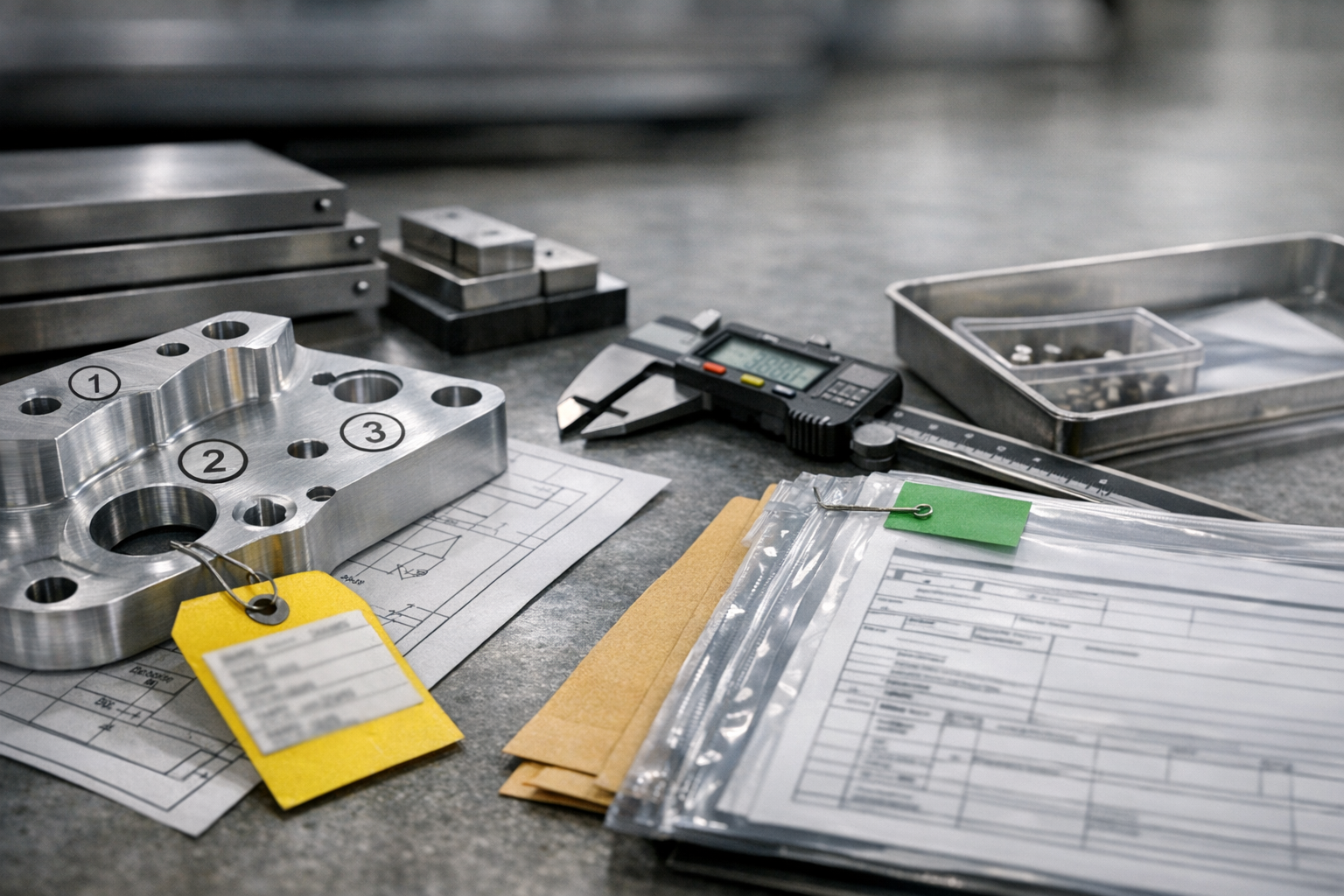
RSC Sphere: Core Aerospace Operations Execution

The Core Aerospace Operations Execution Sphere defines how day-to-day work actually gets done across internal production and outsourced operations. It focuses on execution control, digital work instructions, travelers, supplier handoffs, and real-time visibility into what is running, blocked, or complete. The content in this sphere shows how operational discipline improves throughput, reliability, and coordination without forcing rip and replace system changes. This sphere establishes Connect981 as an execution-first platform grounded in manufacturing reality.

  • How does shared execution data change supplier performance reviews and SRM processes?

    Shared execution data changes supplier performance reviews and SRM by turning them from backward-looking, spreadsheet exercises into ongoing, evidence-based conversations about actual build, quality, and logistics behavior. The impact is material, but it depends on data quality, system integration, and governance.

    What “shared execution data” usually means in regulated manufacturing

    In this context, shared execution data is not just PO dates and high-level delivery status. It typically includes a subset of:

    • Actual ship/receive timestamps vs. ERP promise dates
    • Lot, serial, and heat/charge traceability data
    • In-process and final inspection results, including characteristic-level outcomes
    • NCRs, MRB decisions, concessions, and rework dispositions linked to supplier lots
    • AS9102 / FAI status and linked first-article issues for new or changed parts
    • Process conformance signals (e.g., certs, special process approvals, expired qualifications)
    • Packaging, labeling, and documentation errors caught at receiving or during build

    In a brownfield environment this usually comes from a combination of ERP, MES/dispatch systems, QMS/NCR tools, and sometimes a supplier portal or EDI feeds, all stitched together to varying degrees of completeness.

    How it changes supplier performance reviews

    Shared execution data alters both the mechanics and tone of performance reviews.

    1. From disputed metrics to traceable, drillable evidence

    • Before: Scorecards built quarterly from ERP dates and manually tagged NCRs. Suppliers argue that late deliveries were caused by late change notices, rushed orders, or inspection delays on your side.
    • With shared execution data: Each metric is backed by a traceable event chain: PO promise, actual ship, dock receipt, inspection start/finish, first-pass yield, NCR counts by defect type, and their links to lots and serials.

    This enables you to:

    • Show exactly where time was consumed (supplier lead time, transit, inbound queue, inspection queue, rework)
    • Separate defects caused by supplier processes from internal handling or design issues
    • Back every disputed line item with a timestamped, system-of-record trail

    Tradeoff: If timestamps or event logic are inconsistent across ERP, MES, and QMS, you can easily mis-assign blame. Getting the definitions right (e.g. what counts as “on time” or “first-pass yield”) is as important as the data itself.

    2. From high-level OTIF to multidimensional supplier profiles

    Most SRM scorecards over-index on on-time in-full (OTIF) and a single PPM or defect rate. Shared execution data lets you break performance down into patterns that vendors and internal teams can act on:

    • Defect types by commodity, process, or cell (e.g., dimensional vs. paperwork vs. special process)
    • Defect timing (first-build/FAI parts vs. mature repeat orders)
    • Impact on your operations (e.g., line stops, urgent MRB, concessions used, rework hours)
    • Schedule stability (early/late patterns, responsiveness to pull-ins and reschedules)

    Used correctly, this changes reviews from “your PPM is too high” to “70% of your quality impact is documentation-related; let’s address that jointly at lower cost and risk than a process overhaul.”

    Constraint: This requires agreed taxonomies for defects and events. If every plant codes NCRs differently, aggregated supplier views will be misleading.

    3. From quarterly reviews to continuous risk monitoring

    Because execution data is generated daily, you can move from lagging, quarterly metrics to near-real-time risk signals, such as:

    • Sudden increase in NCRs or first-pass yield drops on a specific part family
    • Repeated missed inspections or delayed certs on special processes
    • Increased inspection findings on requalified or transferred parts
    • Systemic paperwork issues that slow receiving and release

    In SRM terms, you can trigger targeted conversations and containment actions weeks before a formal review, and before a problem impacts a critical program or airworthiness-critical assembly.

    Tradeoff: Continuous monitoring generates noise if thresholds and contextual filters are not tuned. Plants with immature data quality or unstable routings can flood SRM teams with false alarms.

    4. From one-sided audits to shared improvement agendas

    When you selectively expose execution data back to suppliers via a portal or shared reports (with proper access controls), reviews can become joint problem-solving sessions:

    • Suppliers see the same NCRs, timelines, and defect breakdowns you see.
    • Root cause and corrective action (RCCA) discussions can reference the same evidence.
    • Long-running systemic issues can be tied to specific controls, training, or process changes on both sides.

    For regulated programs, this also assists with traceability of supplier CAPAs and the evidence that they were effective, but it does not remove your obligation to independently assess and approve supplier actions.

    Constraint: You must avoid exposing internal proprietary routings, unrelated part history, or ITAR-controlled technical data beyond what is contractually and legally allowed. SRM and IT/security teams need shared governance around what “execution data” is shareable.

    How SRM processes themselves change

    SRM processes often evolve in four practical ways when execution data is central.

    1. More granular segmentation and sourcing decisions

    Instead of segmenting suppliers only by spend or simplistic ratings, SRM can segment by:

    • Execution reliability on critical characteristics or special processes
    • Performance under change (e.g., ECNs, build-to-print updates, first articles)
    • Resilience in disruptions (response to late forecasts, urgent orders, logistics issues)

    This can guide dual-sourcing decisions, allocation of complex parts to the most capable vendors, and where to invest in supplier development vs. where to gradually exit.

    Limitation: This only works if execution data is consistently captured for all suppliers, not just those connected to one plant or one MES instance.

    2. SRM workflows integrated with NCR, MRB, and engineering change

    Shared data lets SRM processes interact more tightly with quality and engineering workflows:

    • When a threshold of supplier-related NCRs on a part is exceeded, SRM can be automatically notified and included in MRB decisions.
    • When engineering changes significantly alter process capability requirements, SRM can re-evaluate supplier fit using historical execution data.
    • Supplier development plans can be linked to specific measured improvements (e.g., reduce documentation-related NCRs by 50% in two quarters).

    Tradeoff: In brownfield environments, MES, QMS, and ERP are often poorly integrated. Automating these triggers may require middleware, data lake layers, or manual reconciliation for a long period. Full replacement of legacy systems purely to improve SRM metrics is rarely justified given validation and downtime risk.

    3. More disciplined, data-backed supplier escalation

    For suppliers with chronic issues, shared execution data supports structured escalation:

    • A clear escalation ladder tied to objective metrics (e.g., PPM by severity, late deliveries impacting critical orders, repeat findings in process audits)
    • Evidence packages that can be sent ahead of visits or audits, reducing on-site time spent on data wrangling
    • Traceable records of discussions, commitments, and follow-up performance for internal and external audits

    Limitation: Escalation still depends on relationship management and contractual levers. Data clarifies the picture; it does not guarantee supplier cooperation.

    4. SRM as part of risk and continuity planning, not just procurement

    Execution data makes SRM more relevant to risk, resilience, and continuity:

    • Suppliers whose issues cause frequent line disruptions or urgent concessions can be flagged as operational risks, not just cost or quality concerns.
    • Risk registers can be informed by hard evidence: how often a supplier caused a missed milestone, an MRB backlog spike, or a constrained capacity situation.
    • Program-level decisions (e.g., which suppliers are acceptable for new platform launches) can reference real operational performance across plants.

    Constraint: This requires that performance metrics are normalized across sites and business units. Otherwise, SRM may inadvertently compare a supplier supporting a highly complex, low-volume program to one doing simpler, higher-volume work without appropriate context.

    System coexistence: what has to be true for this to work

    In most regulated, long-lifecycle environments, you will not replace ERP, MES, or QMS just to modernize SRM. Instead, you are layering analytics and collaboration on top of existing systems. For shared execution data to genuinely improve supplier reviews and SRM:

    • Data mapping and definitions must be explicit. What counts as supplier-related NCR vs. design vs. internal process? How is on-time measured when internal inspection queues vary by plant?
    • Integration paths must be validated. If you are pulling from multiple MES/QMS instances, you must validate that joins between PO, lot, serial, and NCR records are correct and remain correct under change control.
    • Access control and export controls must be respected. Shared data with suppliers should be filtered so that only relevant parts, lots, and allowed technical data leave your boundary.
    • Change control is essential. Any change to how metrics are calculated or how events are captured must go through formal change management, especially if metrics are used in audits, corrective actions, or contractual discussions.

    Full replacement strategies for SRM data often fail in aerospace-grade or similarly regulated contexts because the cost and risk of ripping and replacing validated ERP, MES, or QMS components usually outweigh the incremental SRM benefit. A more realistic pattern is incremental integration and progressively richer shared views.

    Bottom line

    Shared execution data does not magically fix supplier performance, but it changes the character of reviews and SRM from opinion-heavy debates to traceable, fact-based collaboration. When integrations, definitions, and governance are handled well, you gain earlier risk detection, more targeted improvement work with suppliers, and SRM processes that are directly tied to how parts, documents, and certs actually move through your operations.

  • Pareto Analysis

    Pareto Analysis is a method for prioritizing issues, causes, defects, or cost drivers by ranking them from highest to lowest impact. It is commonly based on the Pareto principle, often summarized as the idea that a relatively small number of causes account for a large share of the effect.

    In manufacturing and quality contexts, Pareto Analysis is used to organize data such as defect types, downtime reasons, scrap causes, complaint categories, or nonconformance sources so teams can see which categories contribute the most. The output is often shown as a Pareto chart, which combines bars in descending order with a cumulative percentage line.

    Pareto Analysis does not by itself identify root cause, prove causation, or determine the correct corrective action. It is a prioritization and visibility tool. It helps answer which problems are most significant in the data, not why they occur.

    How it is used in operations

    Operationally, Pareto Analysis appears in continuous improvement, CAPA, NCR review, yield analysis, and production reporting. Teams may use it to compare:

    • top defect codes by frequency
    • largest scrap categories by cost
    • most common downtime reasons by minutes lost
    • highest-volume supplier nonconformance types

    The choice of measurement matters. A Pareto based on event count may lead to a different priority list than one based on cost, time lost, severity, or units affected.

    Common confusion

    Pareto Analysis is commonly confused with root cause analysis. Pareto Analysis ranks what matters most; root cause analysis investigates why it happens. It is also related to, but not the same as, a Pareto chart. The chart is the visual format, while the analysis is the underlying method of categorizing and prioritizing data.

    Example in manufacturing

    A plant may review one month of scrap data and find that three defect categories account for most total scrap cost. That result supports prioritization of improvement work, but further investigation is still needed to confirm process, material, training, or equipment causes.

  • How often should inventory accuracy KPIs be reviewed?

    Short answer: tie review cadence to risk, volatility, and system maturity

    In regulated manufacturing, there is no single correct review frequency for inventory accuracy KPIs that fits all plants. The cadence should depend on material criticality, transaction volume, history of discrepancies, and the maturity of your ERP/MES/warehouse processes. A common pattern is daily operational checks in active areas, weekly trend reviews for supervisors, and monthly formal reviews for management. Highly critical or unstable areas may need near-real-time dashboards, while stable, low-risk areas may tolerate less frequent review. Whatever cadence is chosen must fit within existing SOPs, governance forums, and data validation practices.

    Operational cadence: what to check daily or near real time

    Daily or shift-based review is typically appropriate for high-velocity or high-risk inventory zones, such as line-side stores, quarantine areas, and controlled materials with expiry. At this level, teams usually look at simple, leading indicators like cycle count discrepancies raised, blocked/held inventory, and number of manual adjustments. These checks are often performed by material handlers, supervisors, or planners during tier meetings, not by senior management. The purpose is to catch issues before they propagate into order delays, scrap, or batch record deviations. In brownfield environments with mixed systems, some of this review may be manual or spreadsheet-based, and you should be explicit about which data is trusted and which is provisional.

    Weekly reviews: trends, hotspots, and process adherence

    Weekly reviews are typically used to assess trends in inventory accuracy rather than single-point failures. Supervisors and value-stream leaders might review metrics such as percentage of locations counted with no variance, total stock adjustments by value, and recurrent issues by material or work center. This cadence is usually enough to identify hotspots (e.g., a specific warehouse zone or kitting process) without overwhelming teams with noise from daily fluctuations. In regulated settings, the weekly review is a good place to confirm adherence to cycle count plans and segregation rules, and to decide which discrepancies warrant formal investigation. Because legacy and new systems often coexist, weekly reviews should explicitly consider data gaps, system lag, and integration errors when interpreting trends.

    Monthly and quarterly reviews: governance, risk, and systemic issues

    Monthly or quarterly reviews are typically the right level for management and cross-functional governance bodies. At this cadence, the focus shifts from specific variances to systemic drivers: process design issues, training gaps, integration defects, or chronic master data problems. Metrics reviewed may include overall inventory record accuracy by count and by value, cycle count completion vs. plan, and the impact of inaccuracies on schedule adherence, deviations, or customer service. In aerospace-grade or similar regulated environments, this review is also where management confirms that the inventory control process remains within validated parameters and that any proposed system changes go through formal change control. Longer-term trend analysis at this level often exposes why simplistic “just tighten controls” actions fail when underlying system or integration issues are not addressed.

    When to increase or decrease KPI review frequency

    The review cadence should not be static; it should respond to actual performance and risk changes. When plants experience repeated stock-outs, mis-picks, or deviations tied to material control, more frequent KPI reviews and shorter feedback loops are usually warranted until the system stabilizes. Conversely, in areas that have demonstrated stable performance over time, with robust cycle counting and minimal discrepancies, it can be reasonable to reduce the intensity of review while maintaining a baseline monthly governance check. Introducing new systems or integrations, changing warehouse layouts, or modifying BOM/route structures are all triggers for temporarily increasing review frequency due to higher error risk. Any changes to cadence in regulated environments should themselves go through appropriate approval and documentation processes to maintain traceability.

    Coexistence with legacy systems and fragmented data

    In brownfield environments with mixed ERP, legacy WMS, and manual records, the frequency of KPI review is constrained by data availability and reconciliation effort. Daily or near-real-time review is only meaningful if the data is timely and reliably synchronized; otherwise, operators may chase false issues caused by latency or interface failures. Where integration is weak, some plants adopt a hybrid approach: high-frequency checks on local operational indicators (e.g., discrepancies at the point of use) and lower-frequency, carefully reconciled KPI reviews for the global inventory picture. Attempts to replace all legacy systems just to achieve higher-frequency KPIs often fail under the weight of validation, qualification, and downtime risks. A more realistic approach is to define clearly which system is the record of truth for each metric and adjust review cadence to match that system’s reliability and update cycle.

    Why reviewing more often is not automatically better

    Reviewing inventory accuracy KPIs too frequently without sufficient root cause capacity can overwhelm teams and dilute focus. In complex regulated environments, every significant discrepancy may trigger investigation, documentation, and sometimes regulatory impact assessment, which can quickly consume resources. Overly aggressive review cadences can also drive workarounds and informal practices if staff feel they are being measured on noise rather than meaningful trends. The goal is not to look at numbers as often as possible but to review them at a cadence where the organization can analyze, act, and verify effectiveness of changes. Aligning review frequency with problem-solving capacity, deviation management processes, and change control throughput is critical to avoid a backlog of unaddressed findings.

  • What is the app that creates work instructions?

    There is no single universal “app” that creates work instructions across all plants or systems. In most regulated, brownfield environments, work instructions are created and maintained in one or more of the following:

    • MES work instruction modules: Many MES platforms include native electronic work instruction (EWI) or operator guidance modules. These are often used when you need tight linkage to routing, data collection, and e-signatures. The constraint is that format, layout, and reuse across sites or other systems can be limited, and changes must go through MES change control and revalidation.
    • PLM or engineering authoring tools: Some organizations create manufacturing work instructions inside PLM (or linked CAD/ECAD/MBOM tools) as part of the manufacturing process plan. This is strong for traceability to design and configuration, but can be harder to consume on the shop floor without a separate viewer, MES integration, or a published derivative (PDF, HTML, etc.).
    • DMS/QMS (document management / quality systems): In many regulated plants, the formal, controlled version of a work instruction is a document in a DMS or QMS (e.g., as a SOP, WI, or controlled form). Operators may see a PDF or printed copy, sometimes embedded or linked from MES. This supports document control and audit trails, but is weaker for in-process guidance, rich media, and conditional logic.
    • Specialized digital work instruction tools: There are point solutions focused solely on interactive digital work instructions (images, 3D, video, step-by-step guidance, error-proofing). These can be powerful but only work well if they are integrated with your MES/ERP/PLM/QMS and validated appropriately. Without that, they become another silo and can create version control and traceability risks.
    • Legacy office tools (Word, PowerPoint, Excel, PDF): In many brownfield environments, authoring still happens in office tools. These files are then stored in a shared drive, DMS, or QMS and referenced by MES or printed to paper. This approach is simple to deploy but increases the risk of inconsistent versions, limited structure, and weaker integration with as-built data.

    How to identify “the app” in your environment

    In a specific plant, the “app that creates work instructions” is usually whichever system is treated as the authoritative source of the content, not necessarily the system that displays it on the line.

    To determine this in your environment:

    • Check where change-controlled edits happen (where engineering or manufacturing actually edits steps, images, and sequence).
    • Check where approvals, versions, and effective dates are managed (often in a DMS/QMS or PLM, even if the operator UI is in MES).
    • Ask which system is considered the “system of record” for work instructions in your quality system and procedures.
    • Review which system is validated for GxP or regulated use and how changes are documented.

    In many cases, there is a split:

    • Authoring and approval in PLM or QMS/DMS.
    • Execution and display in MES or a digital work instruction viewer.

    Key constraints and tradeoffs

    When choosing or standardizing on an app for work instruction creation, you need to weigh:

    • Traceability: Can you link each step to design data, BOMs, routings, risk analyses, and training records?
    • Version control and governance: Does it support formal review/approval, effective dating, and change history aligned with your QMS?
    • Integration with existing systems: Can it coexist with current MES/ERP/PLM/QMS, or will it duplicate data? In brownfield sites, full replacement of MES or PLM is rarely feasible due to validation burden, downtime risk, and integration complexity.
    • Validation and change control: How expensive is it to validate the app and maintain it under change control across long equipment lifecycles?
    • Usability on the shop floor: Can operators actually follow it under real production constraints (small screens, gloves, intermittent connectivity, language variants)?

    Replacing an existing MES or QMS just to change how work instructions are authored is usually high risk and high cost in regulated environments. A more common approach is to:

    • Keep the current system of record (often PLM or QMS/DMS).
    • Improve templates, structure, and media in that system.
    • Integrate or layer a digital work instruction viewer or MES module on top, with careful mapping of versions and change control.

    How this coexists with legacy systems

    In brownfield plants, multiple generations of systems often coexist:

    • Legacy lines may still use printed PDF work instructions sourced from QMS.
    • Newer cells may use MES-driven electronic work instructions, with core content still authored in PLM or QMS.
    • Some high-variance or prototype areas might use a specialized EWI tool integrated loosely (or manually) with existing systems.

    This hybrid reality is normal. The critical point is to make clear in your procedures which system is the authoritative app for creation and change control and how other systems consume that content, so you avoid conflicting versions in front of operators.

  • What are digital work instructions?

    Digital work instructions are electronic, version-controlled task instructions delivered to operators through devices such as terminals, tablets, HMIs, or smart glasses. They translate approved standard work into an interactive format that can include images, drawings, videos, data capture, and system checks instead of (or alongside) paper travelers and binders.

    Key characteristics in regulated manufacturing

    In industrial and regulated environments, digital work instructions typically have these attributes:

    • Structured steps: Clear sequences of operations with defined inputs, outputs, tools, and parameters.
    • Linked to revisions and configuration: Each instruction set is tied to part numbers, configurations, effectivity dates, and revision history.
    • Integrated approvals: Changes are routed through documented review and approval workflows (engineering, quality, sometimes customer) before release.
    • Traceable usage: The system records who executed which version, when, and on which unit, lot, or serial number.
    • Data capture and checks: Operators may enter measurements, confirmations, or defect data, and the system can enforce required fields or tolerances.
    • Contextual content: Embedded drawings, torque charts, videos, or links to controlled specifications stored in PLM/EDMS, not unmanaged file shares.

    How they differ from simple electronic documents

    Digital work instructions are more than a PDF of a paper traveler:

    • Interactive flow: They can branch based on options, defects, or configuration, rather than relying on notes and operator interpretation.
    • System checks: They can enforce required scans (e.g., barcode for tool calibration status) or block progression if mandatory steps are skipped.
    • Structured data: Operator inputs are captured as data, not just handwriting on paper, enabling analysis, SPC, and traceability queries.
    • Real-time updates: Once a new version is released, it can be available at point of use without physically replacing paper.

    Coexistence with MES, ERP, PLM, and QMS

    In most brownfield plants, digital work instructions have to coexist with existing systems rather than replace them:

    • MES: Many MES platforms include a work-instruction module, but in some plants a separate system is used and linked to MES routing steps. The integration quality determines how seamless operator login, part selection, and completion recording are.
    • PLM/EDMS: Engineering documents and drawings usually remain mastered in PLM or a document management system. Digital work instructions often reference these as controlled attachments or synchronized copies.
    • ERP: ERP remains the system of record for orders, routings, and BOMs. Work instructions must be aligned with ERP master data, or discrepancies in steps and effectivity can appear.
    • QMS: Change control, deviations, nonconformance reporting, and training records frequently live in QMS. Digital work instructions must fit into these processes to avoid parallel, uncontrolled workflows.

    Full replacement of MES or PLM with a new work-instruction platform is rarely practical in highly regulated, long-lifecycle environments due to revalidation effort, downtime risk, and the need to re-establish traceability links. Most successful deployments layer digital work instructions on top of, or tightly integrated with, existing systems.

    Benefits and tradeoffs

    When implemented and governed properly, digital work instructions can:

    • Reduce interpretation errors and variation in how operators perform complex tasks.
    • Shorten ramp-up time for new products or new hires by providing clearer guidance.
    • Improve data capture for traceability, quality analysis, and audit readiness.
    • Support faster, controlled updates when engineering changes are released.

    However, there are important tradeoffs and constraints:

    • Authoring and maintenance load: Moving from paper to digital does not remove the need for disciplined content ownership, review, and periodic verification. Poorly resourced authoring teams can create outdated or inconsistent instructions.
    • Validation and qualification: In regulated sectors, the system used to create, store, and display instructions may require validation. This includes demonstrating change control, access control, and audit trails.
    • Device and UI constraints: Shop-floor hardware, network reliability, and ergonomics limit how interactive or media-rich instructions can be without slowing work or creating new failure modes.
    • Integration complexity: If work-instruction software is not tightly integrated with existing MES/ERP/PLM/QMS, duplicate data entry, mismatched versions, or gaps in traceability can occur.
    • Operator adoption: Overly complex screens, frequent pop-ups, or slow performance drive workarounds, including unofficial printouts, which undermine controls.

    Where they are most useful

    Digital work instructions deliver the most value when:

    • Products are complex, customized, or have frequent engineering changes.
    • Regulatory or customer requirements demand high traceability and evidence of following standard work.
    • Workforce turnover, skill gaps, or multi-shift operations make tacit knowledge unreliable.
    • Quality issues suggest that interpretation of paper instructions is a significant root cause.

    In simpler, highly repetitive operations with stable processes, the incremental benefit over well-managed paper or static electronic documents may be smaller and must be weighed against integration and validation costs.

    Governance considerations

    For digital work instructions to be reliable in a regulated environment, plants usually need:

    • Clear ownership for content by engineering and quality, not just IT.
    • Alignment with existing document control, training, and change-control procedures.
    • Defined rules for what resides in PLM, MES, and the work-instruction tool to avoid conflicting sources of truth.
    • Documented processes to handle deviations, temporary instructions, and rework instructions so they remain traceable and controlled.

    Without this governance, digitizing work instructions can increase apparent sophistication while quietly eroding control and traceability.

  • Dimensional analysis

    Dimensional analysis is a method for working with physical quantities by expressing them in terms of fundamental dimensions such as length, mass, time, temperature, or electric current. It is commonly used to check whether an equation is dimensionally consistent, to convert or reconcile units, and to understand how variables may relate to one another in engineering and process work.

    In manufacturing and industrial settings, dimensional analysis often appears in process calculations, equipment specifications, utilities planning, environmental controls, and data validation. Examples include checking that a flow-rate calculation uses compatible units, confirming that a pressure drop formula resolves correctly, or translating values between measurement systems used by different equipment, suppliers, or software applications.

    It does not mean dimensional inspection of a part. Measuring whether a component meets drawing tolerances is a different activity in metrology and quality control, even though both use the word dimensional.

    What it includes

    • Checking that both sides of a physical equation have the same dimensions

    • Converting units such as inches to millimeters, psi to bar, or gallons per minute to liters per minute

    • Using dimensionless groups or scaling relationships in engineering analysis

    • Reviewing calculations in spreadsheets, MES-connected data models, or engineering records for unit consistency

    What it does not include

    • Geometric dimensioning and tolerancing (GD&T)

    • Routine part measurement, CMM inspection, or first article dimensional results

    • Statistical analysis by itself, unless physical units and dimensions are part of the evaluation

    Common confusion

    Dimensional analysis is commonly confused with dimensional inspection. Dimensional analysis focuses on units, dimensions, and physical relationships in calculations. Dimensional inspection focuses on whether a manufactured feature matches required size, form, or location tolerances.

    It can also be confused with simple unit conversion. Unit conversion is one part of dimensional analysis, but dimensional analysis is broader and includes checking equation structure and variable relationships.

  • Augmented Reality (AR)

    Augmented Reality (AR) is a class of technologies that overlay computer-generated information or graphics onto a user’s view of the real world in real time. In industrial and manufacturing environments, AR is commonly used through smart glasses, tablets, or smartphones to provide operators with contextual, step-by-step information while they look at actual equipment, parts, or workstations.

    How Augmented Reality is used in manufacturing

    In regulated and industrial operations, AR typically appears in workflows such as:

    • Visual work instructions: Overlaying assembly steps, torque values, or inspection points directly on the part or tool the operator is viewing.
    • Setup and changeover guidance: Highlighting which fixtures, tools, or machine settings are required for a specific work order.
    • Inspection and quality checks: Guiding inspectors to features, measurement locations, or defect examples on complex parts.
    • Maintenance and troubleshooting: Displaying schematics, procedures, or sensor data aligned to the physical asset during maintenance tasks.
    • Training and upskilling: Providing on-the-job guidance to less experienced operators while they perform real work on the shop floor.

    Operationally, AR solutions may be integrated with MES, ERP, PLM, or QMS systems so that the digital content shown (such as a work instruction version or inspection checklist) is tied to the current work order, revision, or configuration. In regulated settings, AR content often needs to follow the same document control, approval, and traceability practices as other controlled instructions.

    What Augmented Reality is not

    • AR is not the same as Virtual Reality (VR), which immerses users in a fully digital environment that replaces their view of the real world.
    • AR is not limited to entertainment or consumer use; in manufacturing it is typically a tool for guidance, visualization, and documentation support.
    • AR by itself is not a quality system or MES; it is an interface or presentation layer that may consume or display data from those systems.

    Common confusion

    AR vs. VR: Virtual Reality (VR) fully replaces the user’s environment with a simulated one, which is more common for off-line training or design reviews. Augmented Reality keeps the real environment visible and adds digital overlays, which is better suited to on-the-job use at a machine, bench, or inspection station.

    AR vs. Mixed Reality (MR): Mixed Reality is sometimes used to describe more advanced AR where digital objects appear anchored to the physical world with higher accuracy and may allow richer interaction. In many industrial contexts, AR and MR are used interchangeably in practice, with AR as the more general term.

    Relation to digital work instructions and MES

    In manufacturing, AR is often one way to deliver digital work instructions. Instead of reading steps on a fixed screen, operators see instructions, warnings, or measurements aligned to the workpiece or equipment. When connected to an MES, AR interfaces can:

    • Pull the correct instruction set for a specific part number, revision, or work order.
    • Record operator confirmations, measurements, or defect tags while tasks are performed.
    • Support traceability by associating AR-guided steps with time stamps, users, and serialized parts.

    Because AR content may affect how regulated processes are executed, organizations often treat AR overlays, models, and associated workflows as controlled documents or controlled software configurations within their quality and compliance frameworks.