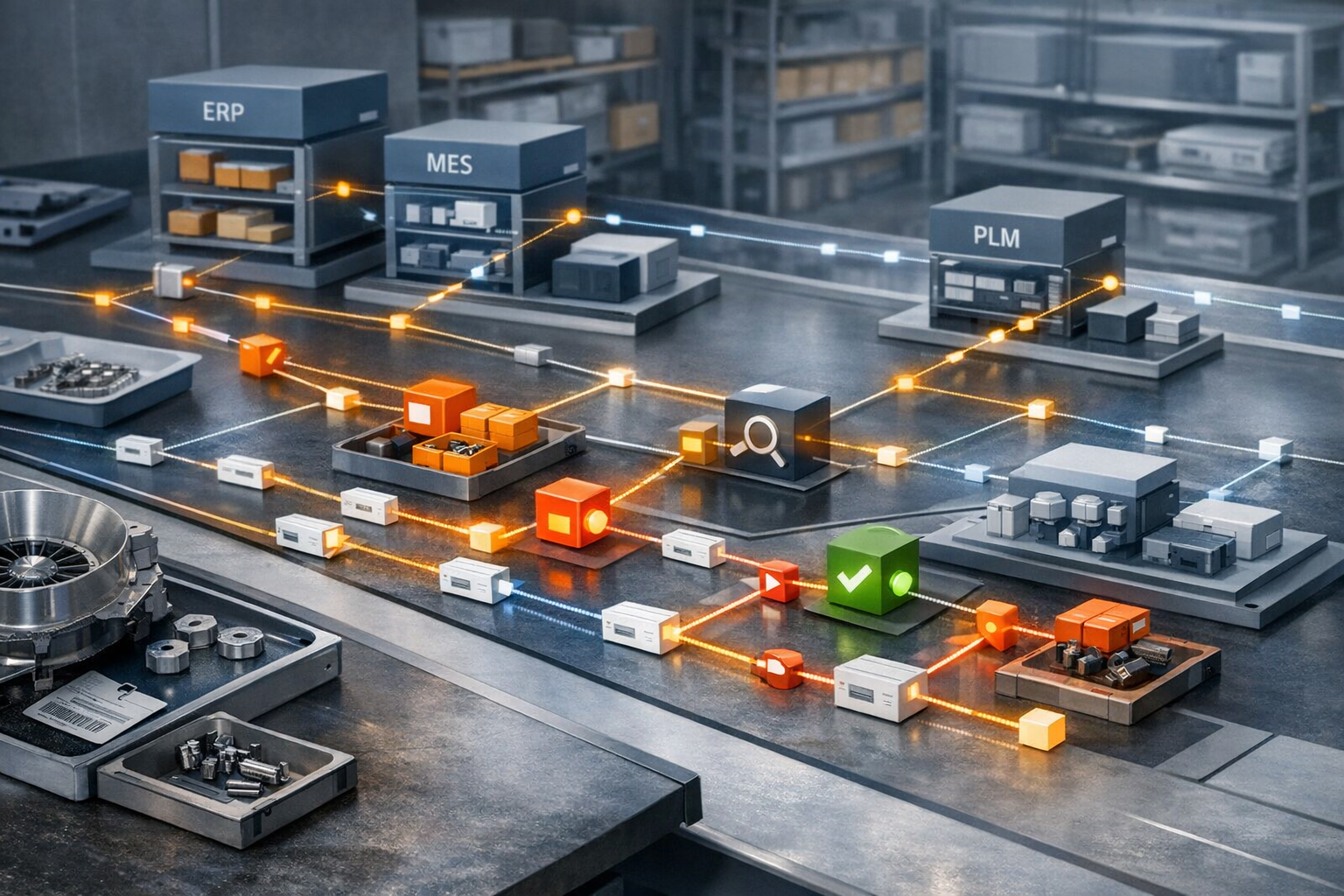
RSC Topic: Manufacturing Execution Systems (MES)

How production work is routed, tracked, and controlled on the shop floor.

  • real-time visibility

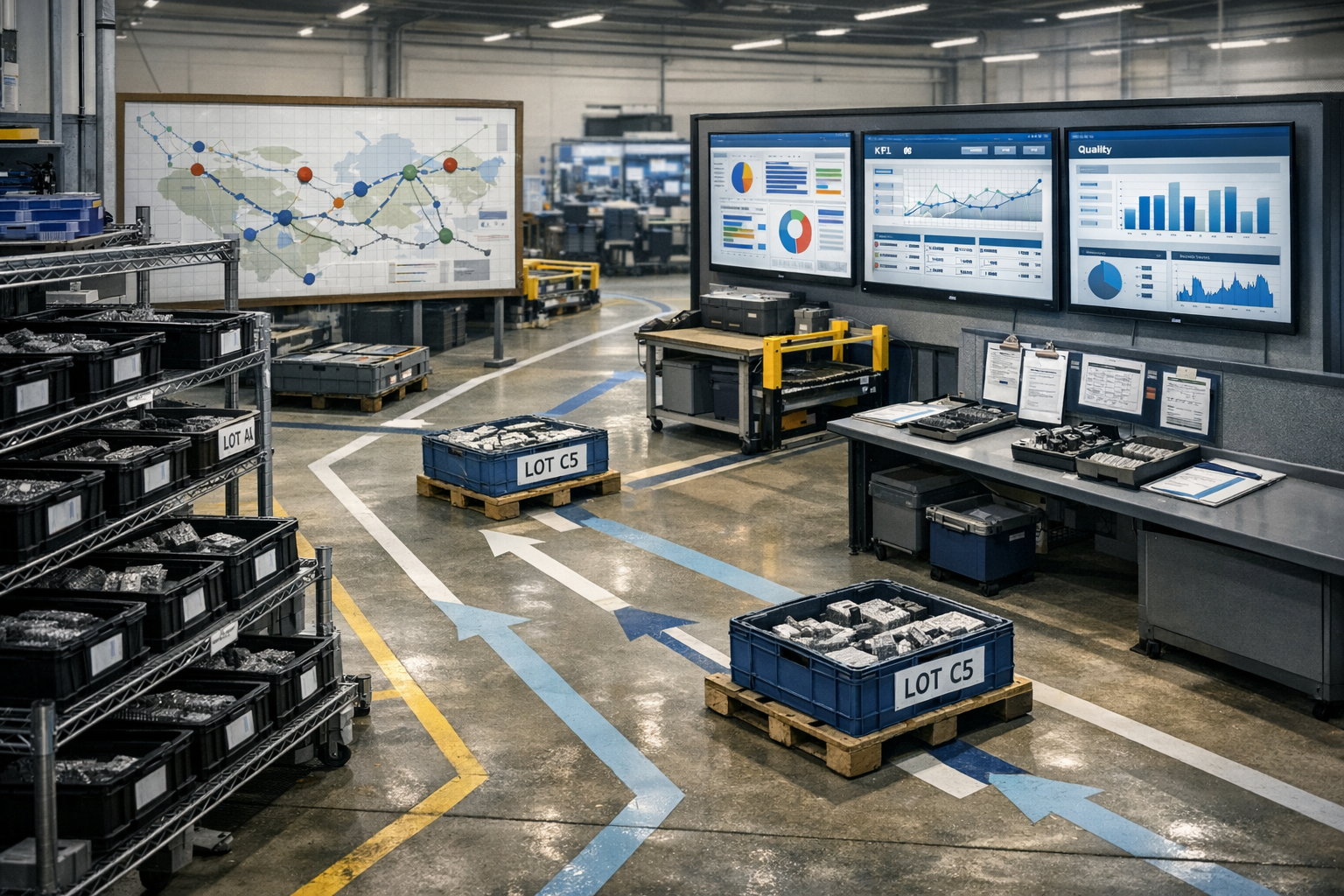
    Real-time visibility is the continuous access to current operational data as it is generated, presented in a form that can be monitored or analyzed without delay. In manufacturing and production environments, it means that machine status, work-in-progress, material movements, quality checks, and downtime events are captured, updated, and displayed as they occur, rather than in batches or after a shift.

    Operationally, real-time visibility typically involves:

    • Automatic data collection from equipment, systems, and manual inputs
    • Instant updating of dashboards, reports, and alerts when a status changes
    • A single, consolidated view of current conditions across lines, cells, or sites
    • Standard rules for how events (such as deviations, delays, or failures) are detected and surfaced

    In the context of a Manufacturing Execution System (MES), real-time visibility is achieved when the MES continuously aggregates and displays live production data so that supervisors, operators, and support teams see the same up-to-date information at the same time.

  • How does MES help distinguish real demand from data errors?

    Where MES actually sees “demand” and where errors creep in

    In most plants, MES does not create demand; it consumes it from ERP, planning, or customer-order systems and translates it into executable work. MES helps distinguish real demand from noise by enforcing structured order, material, and routing definitions and by refusing or flagging transactions that do not match expected patterns. However, if upstream master data, planning logic, or integrations are wrong, MES will faithfully execute bad input unless specific checks are configured. Understanding what your MES validates by default, and what it simply accepts, is the first step in using it to separate genuine demand from data errors.

    Validation and plausibility checks inside MES

    A well-configured MES can apply multiple layers of validation that indirectly expose demand errors. It can check whether required materials, BOM versions, and routings exist and are effective for the requested date and plant, and whether quantities and due dates are within reasonable ranges. It can also validate that orders reference valid customers, programs, or configurations when those attributes are modeled. These checks do not prove demand is real, but they quickly surface impossible or inconsistent orders that are almost certainly data issues. The benefit depends on the specificity of your master data and the effort spent encoding real business rules instead of generic “required field” checks.

    Cross-system reconciliation: MES as a consistency gate, not a truth source

    In brownfield environments, real demand usually lives in ERP or planning systems, while MES sees the operationalized subset. MES helps distinguish demand from mistakes by reconciling key attributes—item, quantity, revision, schedule window, and status—against what is received from ERP and what is already in the shop. When interfaces are bidirectional, MES can prevent local edits that would make shop-floor demand diverge from ERP, forcing discrepancies into an exception workflow. However, MES is not a system of record for customer demand; it can highlight inconsistencies but cannot by itself determine which system is correct without clearly defined reconciliation rules and ownership.

    Using exception rules and alerts to catch suspicious demand

    MES can be configured to treat certain demand patterns as suspect and route them to review instead of directly releasing them to production. Examples include unusually large or small order quantities compared with historical norms, demand that conflicts with existing frozen schedules, and orders that violate configured lead-time or capacity thresholds. In regulated environments, MES can also flag orders that request obsolete revisions or non-approved configurations, which are often symptoms of upstream data errors. These rules reduce the chance that a typo or interface glitch turns into actual WIP, but they require ongoing tuning as products, mix, and capacity change.

    Traceability, audit trails, and distinguishing bad data from late changes

    MES audit trails make it easier to distinguish true demand shifts from plain data mistakes by clearly recording who created, modified, or approved orders and when. When a demand spike appears, MES history can show whether it came from a new ERP message, a manual override, or a re-release of previously cancelled work. In aerospace-grade and similar environments, this level of traceability is crucial because many “data errors” are actually late customer changes or program decisions that did not follow standard change control paths. MES cannot stop such behavior, but it can make the origin of the change visible enough to separate legitimate but unmanaged demand from outright data corruption.

    Limits: MES will not clean up planning quality or integration design

    No MES can reliably distinguish real demand from data errors if master data, planning logic, and integration mappings are poor or frequently bypassed. If planners routinely create emergency orders in side spreadsheets, or if multiple ERPs feed a single plant with inconsistent item definitions, MES will see conflicting inputs that cannot be resolved automatically. Aggressive automatic rejection rules can also backfire, blocking genuine urgent demand or creating manual re-entry work that increases error risk. In most regulated plants, the safer approach is to combine conservative MES validations with clear exception queues and human review instead of trying to fully automate “real vs. error” decisions.

    Practical coexistence in brownfield, regulated environments

    In long-lived, mixed-vendor landscapes, it is rarely practical to make MES the sole arbiter of demand because that would require reworking ERP, planning, and integration layers and revalidating large portions of the stack. A more realistic pattern is to let ERP remain the demand source, use MES as a gate that enforces operational plausibility and configuration compliance, and send exceptions back upstream for correction. This approach aligns with qualification and validation constraints: you adjust MES validation rules incrementally, rather than replacing planning systems or rewriting interfaces in one step. Over time, the combination of MES-based checks, integration monitoring, and tighter change control reduces the volume of spurious demand on the shop floor, without pretending that MES alone can solve structural data-quality problems.

  • heat treatment

    Core meaning

    Heat treatment is a controlled thermal process applied to metals and alloys to change their mechanical and microstructural properties without altering the overall shape of the part. It typically involves heating to a defined temperature, holding for a defined time, and cooling at a controlled rate.

    In industrial and regulated manufacturing, heat treatment is treated as a **special process** because its results cannot be fully verified by subsequent inspection alone and depend heavily on controlled process parameters.

    Typical operations included

    In metalworking and aerospace, heat treatment commonly refers to:

    – **Annealing** – softening material and relieving internal stresses.
    – **Normalizing** – refining grain structure and improving uniformity.
    – **Quenching** – rapid cooling from high temperature to harden material.
    – **Tempering** – reheating quenched material to adjust hardness and toughness.
    – **Solution heat treatment** – dissolving alloying elements into solid solution.
    – **Aging / precipitation hardening** – controlled heat exposure to form strengthening precipitates.
    – **Carburizing, nitriding, and other thermochemical treatments** – modifying surface chemistry and hardness with heat and reactive atmospheres.

    These operations are typically executed in furnaces, vacuum furnaces, salt baths, induction systems, or ovens with controlled atmospheres and temperature profiles.

    Use in manufacturing systems and workflows

    In regulated manufacturing environments, heat treatment is:

    – Planned and scheduled as a discrete operation or work center in MES/ERP.
    – Controlled via **recipes** or process specifications (e.g., setpoints, ramp rates, soak times, quench method).
    – Monitored using sensors and data acquisition for furnace temperature, load temperature, atmosphere, and time at temperature.
    – Documented with electronic records and traceability linking furnace loads to specific parts, work orders, and material lots.
    – Qualified by periodic equipment calibration, system accuracy tests, and adherence to applicable standards or customer specifications.

    Quality systems often maintain specific heat treatment route cards, travelers, or electronic workflows capturing operator actions, approvals, and deviations.

    Boundaries and exclusions

    Heat treatment, in this context, **includes**:

    – Thermal cycles designed primarily to change microstructure and mechanical properties.
    – Thermochemical surface hardening processes that require controlled heating.
    – Processes where temperature profiles and hold times are critical quality attributes.

    It generally **excludes**:

    – Simple drying, baking, or curing of paints, adhesives, or composites (these are usually treated as separate cure or coating processes, even though they use ovens).
    – Melting and casting operations, where material is brought fully to the liquid state to form new shapes.
    – Purely thermal cleaning or burn-off processes, where property modification is not the objective.

    Common confusion and misuse

    – **Heat treatment vs. coating or chemical processing**: Heat treatment changes internal or surface properties mainly via temperature and controlled atmospheres; coating and chemical processes primarily add or remove material layers (e.g., plating, anodizing).
    – **Heat treatment vs. curing**: Curing (e.g., of polymers, composites) often uses similar equipment but targets crosslinking or solidification of polymers, not metallic microstructure.
    – **Heat treatment vs. stress relief by mechanical means**: Heat treatment achieves stress relief thermally; shot peening or mechanical forming achieve different effects and are considered separate processes.

    Understanding these distinctions is important when classifying operations in an MES, defining special processes, and assigning appropriate controls and records.

    Site context: heat treatment as a special process

    In aerospace and other highly regulated sectors, heat treatment is a critical special process because:

    – Mechanical properties such as strength, hardness, and fatigue resistance depend on tightly controlled temperature, time, and cooling.
    – Direct measurement of these properties on every part is impractical, so process control and traceability are central to demonstrating conformity.
    – MES or similar systems are often used to manage recipes, equipment status, sensor data capture, load traceability, and electronic batch records for heat treatment operations.

    This makes heat treatment a common focus for integration between shop-floor equipment, MES, quality systems, and long-term records needed for audits and product history.

  • Operation Completion

    Meaning in manufacturing and industrial systems

    Operation completion commonly refers to the point at which a defined operation in a manufacturing or maintenance process is recorded as fully executed according to its specification.

    An **operation** in this context is a discrete, identifiable step such as a machining stage, assembly task, inspection activity, or maintenance job, usually defined in a routing, work order, or maintenance plan. **Completion** is the formal status change indicating that:

    – All required tasks for that operation have been performed.
    – Required data has been captured (e.g., quantities, parameters, results).
    – Mandatory checks (e.g., approvals, inspections, electronic signatures) have been logged in the system of record.

    Operation completion is usually tracked and stored in systems such as MES, CMMS, LIMS, or ERP and can be used for progress tracking, cost accounting, genealogy tracking, and compliance records.

    How it is used in workflows and systems

    In typical industrial workflows, operation completion appears as a system status or event, for example:

    – In a **manufacturing routing**, each step (operation) is marked as “in progress” and later updated to “complete” when work at that step is finished for a batch, lot, or unit.
    – In an **MES or electronic batch record**, operators record completion by entering results, confirming quantities produced and scrapped, and closing the operation.
    – In a **maintenance system**, a technician completes a work order operation by confirming that all listed tasks, checks, and measurements have been performed.

    Systems may also record partial or early completion states, such as:

    – Partial completion (only some units or tasks done).
    – Technically complete but pending review or quality release.

    The final operation completion event is often a trigger for downstream actions, such as:

    – Releasing material to the next operation or storage location.
    – Initiating quality review or disposition.
    – Posting actual costs and time to ERP.
    – Updating performance metrics (e.g., lead time, OEE-related measures).

    Boundaries and what it is not

    To avoid confusion, it is useful to distinguish operation completion from related concepts:

    – **Not the same as order completion**: Operation completion applies to a single step within a route or workflow. A work order or production order may have multiple operations; the order is only complete when all required operations are complete and closed.
    – **Not necessarily quality release**: An operation can be completed from a production standpoint even if the associated output remains on hold, under review, or pending quality disposition.
    – **Not the same as machine run end**: A machine or line can stop running without the operation being recorded as complete if required documentation or checks are still pending.

    In regulated or tightly controlled environments, operation completion typically implies that all documented requirements for that operation—procedural, data capture, and approval steps—have been met in the controlling system.

    Common confusion and misuse

    Operation completion is sometimes used loosely to mean “the work is done,” but in industrial systems it usually has a **formal, system-defined meaning** tied to status codes and business rules. Common points of confusion include:

    – **Confusing physical completion with documented completion**: Work may be physically done on the shop floor, but the operation is not complete in the MES/ERP until data is entered and the status is updated.
    – **Mixing operation and activity**: Within a single operation, there can be multiple sub-activities or tasks. All mandatory tasks must be done for the operation itself to be considered complete in the system.
    – **Using operation completion as a synonym for batch or lot completion**: A batch can pass through several operations; completion of one operation does not mean the batch is finished.

    Clarifying whether “completion” refers to a system status, a physical state, or both helps avoid misinterpretation of production and performance data.

    Application in site context

    Within manufacturing operations, OT/IT, and MES/ERP integration, operation completion is a key synchronization point between systems:

    – MES records operation completion events and communicates them to ERP for confirmations, costing, and inventory updates.
    – Quality and compliance systems may use operation completion timestamps and data as part of audit trails and product genealogy.
    – Operations intelligence tools often analyze operation completion patterns (e.g., time to complete, frequency of rework) to support problem solving, lean initiatives, and performance monitoring.

    In regulated environments, consistent and traceable recording of operation completion supports reconstruction of what was done, when, by whom, and under which approved instructions.

  • electronic batch record

    Core meaning

    An **electronic batch record (EBR)** is a digitally captured, structured record of all data, instructions, and documented actions related to the manufacture of a specific batch or lot of product.

    In regulated and high‑consequence manufacturing (for example pharmaceuticals, biotech, medical devices, food and beverages, specialty chemicals), EBRs commonly:

    – Represent the electronic equivalent of a traditional paper batch record or batch production record
    – Contain executed production instructions derived from an approved master batch record or master recipe
    – Capture materials, equipment, process parameters, in‑process controls, deviations, and approvals tied to a unique batch or lot identifier
    – Are stored and managed in systems designed to support traceability, review, and controlled changes (often MES or specialized EBR systems)

    Typical contents and structure

    While implementations vary by industry and system, an electronic batch record commonly includes:

    – **Identification data**: product, batch/lot ID, order number, version of the master record, manufacturing site and line
    – **Execution instructions and outcomes**: step‑by‑step procedures with timestamps, actual values executed, and any exceptions or holds
    – **Materials and components**: material numbers, supplier lots, quantities, dispensing and addition details, reconciliation
    – **Equipment and tools**: equipment IDs, status/use logs, cleaning and set‑up confirmations, line clearance confirmations
    – **Process and quality data**: critical process parameters, in‑process tests, sampling results, nonconformances, and recorded investigations
    – **Electronic signatures and approvals**: operator sign‑offs, technical review, and quality review or batch disposition decisions

    The EBR is usually linked to other records (e.g., calibration, maintenance, deviation, change control), but those supporting records are often maintained as separate, referenced documents.

    Role in manufacturing systems and workflows

    Electronic batch records are typically created and managed in a Manufacturing Execution System (MES) or a dedicated EBR application that:

    – Guides operators through approved, version‑controlled instructions
    – Enforces data capture at defined steps (e.g., scans, checks, measurements)
    – Applies rules for completeness checks and exception handling
    – Makes batch data available for review, release decisions, investigations, and audits

    In day‑to‑day workflows, personnel use EBRs to:

    – Verify what was actually done for a batch, by whom, and when
    – Trace materials and equipment used, including upstream and downstream batch relationships
    – Support release, recall evaluation, complaint handling, and root‑cause analysis

    Boundaries and exclusions

    An electronic batch record commonly refers to **executed, batch‑specific** documentation and excludes:

    – **Master batch records or master recipes**: these are the governing templates and specifications, not the executed record itself
    – **Raw equipment data historians or event logs**: these may supply data to an EBR but are not, by themselves, the batch record
    – **Enterprise resource planning (ERP) order records**: these focus on planning and logistics rather than detailed, step‑level execution history

    Some organizations use the term more broadly (e.g., including related deviation or maintenance records), but in most regulated environments the EBR is the executed manufacturing record for a discrete batch.

    Common confusion and related terms

    – **EBR vs. MBR (master batch record)**: The MBR defines *how* a batch should be made; the EBR shows *how this specific batch was actually made*.
    – **EBR vs. eDHR (electronic device history record)**: In medical device manufacturing, an eDHR serves a similar purpose but is typically product or unit oriented, aligned with device regulations.
    – **EBR vs. electronic logbook**: Logbooks track ongoing equipment or room use; an EBR is structured around a batch or lot.

    When used precisely, “electronic batch record” implies batch‑centric, executed documentation that can be reconstructed and reviewed independently of underlying raw data sources.

    Site context: interaction with MES data sharing

    In the context of sharing MES data with suppliers or customers, the electronic batch record is often a **primary source** of:

    – Batch or lot genealogy and material usage
    – Key in‑process and final quality results
    – Batch status and release information

    Plants commonly expose **selected, contextualized data from EBRs** (such as batch ID, status, and critical quality attributes) while withholding full EBR detail that may include proprietary recipes, internal workflows, operator identifiers, and sensitive event‑level data. Access scope and timing are typically governed by internal procedures, contracts, and change control.

  • production line

    A production line is a grouped set of equipment, workstations, and supporting resources arranged to perform a defined sequence of manufacturing operations for a specific product or family of products. It represents a physical and operational segment of a plant where materials flow through ordered steps to be transformed into finished goods or intermediates.

    In discrete and hybrid manufacturing, a production line typically includes machines, manual workstations, conveyors or material transfer systems, in-line inspection points, and local control systems. It is usually dedicated to a particular product type, variant, or process route, and can operate in batch, semi-continuous, or continuous modes.

    Role in manufacturing systems

    Within manufacturing operations and information systems, a production line is often used as a key organizational object for:

    • Planning and scheduling capacity and sequence of work orders
    • Collecting and aggregating production, quality, and downtime data
    • Assigning operators, maintenance, and support resources
    • Managing in-process inventory and material flow
    • Configuring MES, SCADA, and historian tags and reports

    In models aligned with ISA-95, a production line commonly appears as a physical and operational level below an area and above units, equipment modules, and control modules. It is distinct from enterprise or site structures used in ERP, although MES and ERP systems frequently map work centers or work centers groups to production lines.

    What it includes and excludes

    A production line typically includes all equipment and workstations directly required to execute a defined sequence of process steps, such as filling, assembling, testing, or packaging. It may also include local buffer storage, inline quality inspection points, and the automation systems that control the line.

    It generally does not include:

    • Upstream bulk utilities (for example, plant-wide compressed air systems)
    • Site-wide warehousing and logistics functions
    • Enterprise-level planning or business processes

    Common confusion

    • Production line vs. process cell: In ISA-95 terminology, a production line is more typical in discrete or packaging environments, while a process cell often refers to an integrated processing area in continuous or batch process industries. Both occupy a similar level in the physical hierarchy but represent different process styles.
    • Production line vs. work center: In many ERP systems, a work center is a logical planning entity that may map to a single machine, a group of machines, or an entire production line. The production line is the physical and operational flow of equipment, while the work center is often a scheduling and costing construct.
    • Production line vs. unit: A unit is usually a more granular piece of equipment or functional segment within a production line (for example, a filler, a labeler, or a reactor), not the entire end-to-end flow.

    Use in regulated and integrated environments

    In regulated manufacturing, production lines are frequently defined as mastered objects in MES and related systems to support batch records or electronic device history records, line clearance procedures, equipment qualification tracking, and traceability of materials and results at the line level.

    When integrating MES, SCADA, and ERP, a clear, consistent definition of each production line helps align equipment hierarchies, routing definitions, and performance metrics such as OEE, throughput, and downtime at a level meaningful for both operations and business planning.

  • shop floor

    Core meaning

    In industrial and manufacturing contexts, **shop floor** refers to the physical area in a plant or facility where production work is executed. It is where operators, machines, materials, and work-in-progress (WIP) come together to perform value-adding activities such as processing, assembly, packaging, and inspection.

    The term commonly includes:

    – Production lines and workstations
    – Process equipment (e.g., reactors, fillers, presses, CNC machines)
    – Local control panels and operator terminals (HMIs)
    – Material staging, WIP storage, and in-process inspection points
    – Areas where operators record production and quality data

    It usually excludes offices, engineering spaces, and purely administrative or corporate areas, even when they are located inside the same building.

    Use in operations and systems

    In regulated and integrated manufacturing environments, the shop floor is a central reference point for both OT and IT systems:

    – **MES and shop floor**: A Manufacturing Execution System (MES) coordinates and records work as it happens on the shop floor, including order execution, equipment status, material consumption, and quality checks.
    – **OT systems**: PLCs, DCS, SCADA, and local HMIs control and monitor equipment directly on the shop floor.
    – **IT/enterprise systems**: ERP, LIMS, and quality systems consume or supply data about what is happening on the shop floor, such as order status, test results, or material movements.

    In daily language, phrases like *“shop-floor execution,”* *“shop-floor data collection,”* or *“shop-floor visibility”* refer to how accurately and timely the state of real production activities is known and represented in systems.

    Boundaries and exclusions

    Within manufacturing, **shop floor**:

    – **Includes**: Any area where scheduled production, in-process handling, and related quality or maintenance tasks are performed on the product or equipment.
    – **May or may not include**: Warehousing, maintenance workshops, or laboratories, depending on the plant layout and local usage.
    – **Excludes**: Purely administrative, commercial, or corporate IT environments (often referred to as the “office” or “back office”).

    In some sectors, similar concepts are expressed as *production area*, *manufacturing floor*, or *operations floor*. In process industries, the term may extend to control rooms closely tied to production but still emphasizes the physical production environment.

    Common confusion and related terms

    – **Shop floor vs. plant or site**: The plant/site is the entire facility; the shop floor is the subset where production work is executed.
    – **Shop floor vs. back office**: The shop floor is tied to physical production; back office covers planning, finance, HR, and administrative tasks.
    – **Shop floor vs. field operations**: In some industries, *field* refers to off-site operations (e.g., upstream assets). *Shop floor* is typically on-site within a plant or factory.

    When discussing software, *shop-floor system* usually means systems that are directly used by operators in production areas, often with industrial interfaces and integration to equipment.

    Site context: manual status reporting and MES

    In the context of MES and status reporting, **shop floor** is the environment where:

    – Operators interact with equipment, paper documents, or terminals to record production status.
    – MES, SCADA, or other systems attempt to capture real-time data on order progress, equipment states, and quality checks.
    – Manual status reporting (e.g., confirming step completion, entering counts or test results) often remains necessary due to legacy equipment, partial integration, or validation constraints.

    Discussions about *eliminating manual status reporting* focus on how completely digital systems can represent the true state of the shop floor without relying on manual confirmation from operators.

  • Device History Record (DHR)

    A Device History Record (DHR) is the complete, product-specific record that documents how an individual medical device unit or lot was manufactured, tested, and released in accordance with the approved Device Master Record (DMR) and applicable procedures.

    What a DHR includes

    In regulated manufacturing, especially for medical devices, a DHR typically contains:

    • Identification of the product (part number, description, revision, lot/batch and/or serial numbers)
    • Reference to the applicable Device Master Record or build specification
    • Production dates, lines, and locations where the device was built
    • Records of key process steps (e.g., assembly, calibration, sterilization, packaging, labeling)
    • Material and component traceability information, as required
    • In-process and final inspection and test results, including accept/reject status
    • Deviations, nonconformances, rework, and associated approvals
    • Signatures or electronic signatures of personnel performing and/or verifying operations
    • Final release decision and authorization to ship or use the device

    The DHR serves as objective evidence of how each device unit or lot was actually produced and verified, not just how it was intended to be produced.

    Operational use in manufacturing systems

    In many plants, especially regulated environments, DHR content is captured and maintained using a combination of:

    • Manufacturing Execution Systems (MES), often providing electronic DHR (eDHR) functionality
    • Electronic batch records or electronic device history record modules
    • Quality management systems (QMS) for nonconformance and deviation records
    • Enterprise resource planning (ERP) for lot and material genealogy

    An MES or related system may guide operators through work instructions, enforce specifications and data collection, and store the resulting records as part of the DHR. In this context, eDHR refers to a DHR held in electronic form with appropriate controls for data integrity, access, and audit trails.

    Regulatory and compliance context

    The term DHR is most closely associated with medical device regulations, where manufacturers are expected to maintain DHRs for each batch, lot, or unit. While terminology may differ in other regulated industries, similar records exist to demonstrate that manufactured product conforms to approved specifications and documented processes.

    What a DHR is not

    • It is not the design specification or build recipe itself; that is typically documented in a Device Master Record (DMR) or equivalent.
    • It is not a summary quality report, although DHR data may be used to create such reports.
    • It is not limited to paper; DHRs can be paper-based, hybrid, or fully electronic.

    Common confusion

    • DHR vs. DMR: The DMR describes how the device is supposed to be made (product and process definition). The DHR documents how a specific unit or lot was actually made, inspected, and released.
    • DHR vs. batch record: In some industries, particularly pharmaceuticals, the term batch record or lot history record is used instead of DHR. The underlying concept is similar: a complete, historical record of the manufacture of a specific batch or lot.
    • DHR vs. eDHR: eDHR is simply a DHR maintained in electronic form, typically within MES, QMS, or other validated IT/OT systems.
  • procedural model

    A procedural model is a structured representation of how a process is executed over time, capturing the ordered sequence of operations, phases, and steps required to carry out a task or batch. In industrial and manufacturing environments, it commonly refers to the modeled logic that defines what to do, in what order, and under which conditions.

    In the context of batch and process manufacturing

    Within standards such as ISA-88 (S88), the procedural model describes the hierarchy and flow of activities needed to run a batch or other process. It is distinct from the physical equipment model and focuses on what actions are performed rather than what hardware executes them.

    An S88-style procedural model typically includes:

    • Procedures: High-level descriptions of how to make a product or execute a major process.
    • Unit procedures: Segments of the process tied to a specific processing unit.
    • Operations: Logical groupings of tasks within a unit procedure, such as charging, heating, or mixing.
    • Phases: The smallest control-level actions, often directly implemented in a DCS, PLC, or batch engine.

    These elements are organized to express the process logic, including start and end conditions, interlocks, transitions, and exception handling. In practice, the procedural model is implemented in control systems, batch management systems, or MES as recipes, workflows, or automated sequences.

    Operational meaning

    Operationally, a procedural model:

    • Defines the execution flow for manufacturing a product, cleaning a system, or performing a changeover.
    • Provides a common structure that can be mapped to different units or equipment via recipes and equipment models.
    • Supports integration with MES, batch engines, and DCS/PLC logic by providing a clear hierarchy of steps.
    • Can be used as a reference when creating electronic batch records, digital work instructions, or automated workflows.

    In regulated environments, a well-defined procedural model helps maintain consistency of process execution, supports impact assessment when changes are made, and facilitates traceability of what was executed and when.

    Common confusion

    • Procedural model vs. equipment model: The equipment model describes the physical assets (units, modules, connections). The procedural model describes the process logic and sequence of actions. In S88, these are complementary but separate views.
    • Procedural model vs. recipe: A recipe often uses the procedural model structure but also includes parameters, formulas, and other product-specific data. The procedural model is the generic framework for how actions are organized and executed.
    • Procedural model vs. workflow diagram: Many tools show the procedural model as a workflow or flowchart, but the term usually implies a formally structured hierarchy (procedure, unit procedure, operation, phase) rather than an informal diagram.

    Connection to the S88 standard

    In the context of S88, the procedural model is one of the core models used to describe batch manufacturing. It provides a standardized way to break down and represent process logic so that recipes, control strategies, and MES/DCS/ERP integrations can be designed and discussed using a common language. S88 does not mandate specific software or hardware; instead, its procedural model is a conceptual framework that systems and plants may choose to implement.

  • Recipe Management

    Core meaning

    Recipe management commonly refers to the structured creation, maintenance, and controlled use of **recipes** that define how a product or batch is manufactured. In industrial and regulated environments, a recipe typically includes:

    – Materials and component definitions (raw materials, intermediates, consumables)
    – Process parameters (temperatures, times, speeds, pressures, setpoints)
    – Equipment and resource requirements
    – Ordered steps, instructions, or phases
    – Calculation logic (scaling rules, yields, tolerances)
    – Version and approval status

    Recipe management focuses on ensuring that these elements are defined consistently, kept under change control, and executed reliably on the shop floor.

    Role in manufacturing and operations

    In manufacturing systems, recipe management is usually implemented in MES, batch control, or specialized recipe systems. It is used to:

    – Define standard production methods for products, product families, or campaigns
    – Configure batch or continuous processes (for example, ISA-88 style master recipes and control recipes)
    – Provide structured work instructions to operators and equipment
    – Coordinate material consumption and production declarations with ERP or inventory systems
    – Control which recipe versions are valid for use in specific plants, lines, or equipment

    Execution systems then reference these recipes when creating production orders, batches, or work orders, often downloading the recipe parameters directly to controllers or operator terminals.

    Governance, versioning, and change control

    Recipe management usually operates under formal governance, especially in regulated or quality‑critical environments. Typical elements include:

    – Version control and revision history of recipes
    – Approval workflows (for example, by process engineering, quality, and operations)
    – Status management (draft, under review, approved, retired)
    – Traceability of which production lots or batches used which recipe version
    – Controlled access and role‑based permissions for editing and releasing recipes

    This supports consistent production and enables investigation of deviations, nonconformances, or complaints by linking outcomes back to specific recipes and changes.

    Relationship to other manufacturing data objects

    Recipe management is closely related to, but distinct from, other structures:

    – **Bill of materials (BOM):** a list of components and quantities; a recipe typically includes not only materials but also process parameters and instructions.
    – **Routing or process route:** defines operation sequence and resources; a recipe often embeds or references routing, plus detailed parameterization.
    – **Work instructions or SOPs:** narrative or procedural guidance; a recipe may reference these but is more structured and parameter‑driven.

    In some systems, recipes, routings, and BOMs are combined or tightly linked, while in others they are separate but synchronized objects.

    Site context application

    On this site, recipe management is generally discussed in the context of:

    – MES and batch systems that orchestrate production steps on lines and equipment
    – Integration with ERP for materials, orders, and reporting
    – Quality and compliance processes that rely on controlled recipes and documented changes
    – Operational intelligence and analytics that compare performance across products, lines, or sites based on recipe versions and parameters

    It is typically treated as part of the broader digital backbone for manufacturing operations rather than as a simple document management activity.

    Common confusion and boundaries

    Recipe management is often confused with:

    – **Ad hoc parameter changes at the machine:** tuning or manual overrides are not recipe management unless captured, approved, and stored as formal recipe definitions.
    – **Kitchen or culinary recipes:** despite the similar term, industrial recipe management is highly structured, integrated with automation and IT systems, and subject to change control.

    In industrial usage, recipe management usually excludes general business planning, sales configurations, or marketing product definitions, focusing instead on the technical and operational definition of how products are physically made.