Traceability in Aerospace: Why Retrofitting Always Fails
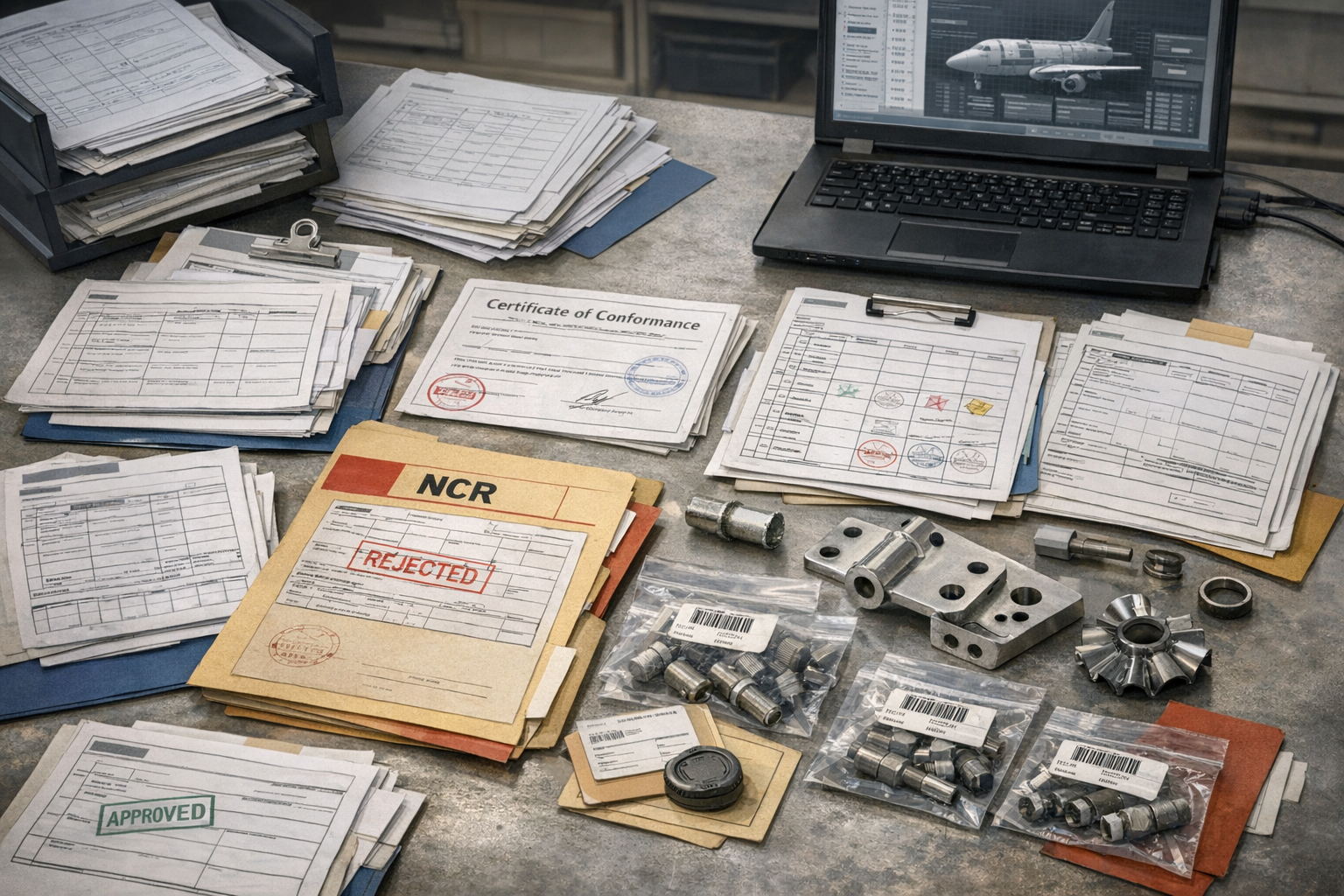
Across aerospace manufacturing, many organizations still treat traceability as something that can be reconstructed when needed. Batches, serials, inspection records, and signoffs live in ERP, on paper travelers, in shared folders, and in email. When a customer, regulator, or OEM asks for proof, a small army goes hunting for it.
That pattern works—until it doesn’t. As programs mature, requirements tighten, and suppliers move up the value chain, retrofit traceability becomes a structural liability. It burns time, hides risk, and fails precisely when the stakes are highest. In a world where aerospace success is defined by execution, not surface metrics, treating traceability as an after-the-fact documentation exercise is no longer viable.
For teams putting this topic into daily operation, Connect 981’s aerospace execution solutions help connect the concept to traceability, work-order reality, and audit-ready evidence.
For teams putting this topic into daily operation, execution systems for aerospace manufacturing, part traceability and as-built evidence help connect the concept to traceability, work-order reality, and audit-ready evidence.
The same operating model also depends on shop floor execution control, a connected execution platform, Connect 981’s aerospace operations guidance, practical aerospace operations FAQs, especially when decisions have to move across quality, production, suppliers, and program leadership without losing context.
This article explains what aerospace traceability really entails, why retrofit models break under pressure, and how to design an execution layer where part genealogy, material lots, and inspection records emerge naturally from the way work is done.
What Aerospace Traceability Really Entails
Traceability in aerospace is often summarized as “know which parts went where.” In practice, it is a dense web of relationships that must be reconstructed quickly and confidently under audit conditions or when non-conformances surface.
Part genealogy from raw material to finished assembly
At the core is part genealogy: the ability to follow every serialized or lot-controlled item from raw material through intermediate stages to final assembly or shipset. For a typical structure or engine component, this may include:
- Raw material heat, cast, or lot numbers and mill certifications
- Conversion steps such as forging, extrusion, or casting, including supplier work orders
- Intermediate part numbers and revisions as the design evolves
- Assembly relationships (which serialized subassemblies are installed on which top-level unit)
- Repair, rework, or concession paths where the original routing was not followed
Genealogy is not just a static list of serial numbers. It is a time-ordered, configuration-aware history of how each item moved through the product and process.
Linking individuals, equipment, and processes to outcomes
Regulators and OEMs increasingly expect more than “this part came from that lot.” They want to know how it was produced:
- Which operators or technicians executed each operation
- Which machines, test stands, or fixtures were used (with their calibration status)
- Which specific work instructions and revisions were followed
- Which process parameters were controlled and recorded for special processes
- Which inspections, measurements, and test procedures were performed and by whom
These links are crucial when analyzing systemic issues. Without them, it is impossible to distinguish between an isolated operator error and a deeper process capability or design problem.
Supporting AS9100, FAA/EASA, and customer-specific requirements
Standards like AS9100, aviation authorities such as the FAA and EASA, and major OEMs all impose overlapping but distinct traceability expectations. Common themes include:
- Evidence that only approved, conforming material and components were used
- Documented control of special processes, including qualification and periodic verification
- Configuration control of design data, work instructions, and inspection plans
- Retention of records for long periods, often tied to product life or regulatory mandates
Critically, these rules do not just demand that records exist; they require that records be complete, consistent, and accessible. That requirement is what makes retrofit approaches so fragile.
The Retrofitting Pattern—and Its Failure Modes
Retrofit traceability is the pattern where records are scattered across systems and formats, and only stitched together after the fact when triggered by an event. It is common because it evolves organically: new forms are added, new spreadsheets appear, and nobody has time to redesign the flow.
Spreadsheet-based reconstruction after non-conformances or incidents
The most visible symptom of retrofit traceability is the “trace spreadsheet” that appears during a non-conformance investigation or customer request. A quality engineer or program manager:
- Pulls shipment data from ERP
- Requests paper travelers from production or archives
- Collects supplier certificates via email
- Copies measurement data from lab systems or PDFs
- Builds a pivot table that approximates genealogy
This can work for isolated events. But it does not scale as production volume, program count, or traceability depth increase. Every reconstruction is a small project, and every project competes with real production work.
Chasing paper travelers and manual logs across departments
Another hallmark of retrofit traceability is reliance on paper travelers and local logs. Typical issues include:
- Travelers filed by work order rather than by serial number, forcing manual cross-references
- Handwritten inspection results that are difficult to read or incomplete
- Logbooks maintained on individual machines with no central index
- Signoffs recorded as initials without unambiguous linkage to people, roles, or qualifications
When a customer asks which units are affected by a suspect material lot or process parameter drift, each department becomes a search team. The response time is long, the uncertainty is high, and leadership’s confidence in the data degrades.
Time, cost, and risk when evidence is incomplete or inconsistent
The most serious failure mode is not the time spent searching—it is incomplete evidence. Missing travelers, unsigned inspections, mismatched serial numbers, or ambiguous part revisions can force conservative decisions:
- Scrapping or reworking hardware that might be acceptable, because proof is not available
- Extending the scope of an inspection or recall beyond what is actually affected
- Accepting higher risk than desired under schedule or contractual pressure
These outcomes are expensive in terms of cost, schedule, and trust. They are also completely predictable when genealogy and records are bolted on rather than built in.
Where Traditional Systems Fall Short on Traceability
Most aerospace organizations already have several core systems—ERP, some form of MES or production tracking, and a quality management system. The issue is not the absence of systems; it is their misalignment with how traceability actually works in a regulated production environment.
ERP’s limited granularity for lot and serial tracking
ERP is optimized for planning and commercial control, not detailed execution. It can track lot and serial numbers at receipt and shipment, and sometimes at key routing steps. But it typically lacks:
- Fine-grained event history at the operation level
- Visibility into partial completions, rework loops, or out-of-sequence work
- Direct linkage to actual work instructions, drawings, and inspection plans used at each step
- Operator- and equipment-level trace at the resolution regulators increasingly expect
Using ERP alone to support aerospace traceability usually means pushing it beyond its intended scope and filling gaps with spreadsheets and emails.
MES implementations that don’t fully cover manual operations
Many plants have an MES or shop-floor system, often implemented around automated equipment or tightly defined routings. But manual and low-volume work—common in aerospace—frequently sits outside that footprint:
- Bench assembly, kitting, or hand fitting done on generic workstations
- Manual inspections recorded on paper checklists
- Special processes performed at qualified suppliers with their own systems
This creates blind spots where work is real but data is thin. If genealogy depends on MES where it exists and paper where it doesn’t, traceability is only as strong as the weakest segment of the flow.
Quality systems not tightly linked to actual execution steps
Quality management tools handle non-conformances, corrective actions, and audits, but often reside at arm’s length from day-to-day production. Typical gaps include:
- Non-conformances logged against part numbers or work orders without direct linkage to the exact operation, instruction, or operator
- Inspection plans managed separately from the work instructions they are supposed to verify
- Calibration and special process qualification records not directly tied to the lots or serials they affect
Without a tight connection between quality events and execution data, root cause analysis becomes slower, and corrective actions risk being generic rather than targeted.
Principles of Embedded Traceability
Embedded traceability is the opposite of retrofit traceability. Instead of assembling evidence after the fact, you design your execution layer so that compliant records emerge automatically as a byproduct of doing the work correctly.
Capturing data at the point and moment of work
The first principle is simple but difficult to achieve: capture data where and when work occurs. That means:
- Operators record completion and signoff at the station, not later at a desk
- Measurements are logged directly into a digital form linked to the operation, not onto paper to be typed in later
- Deviations, holds, and concessions are created in context of the specific part, operation, and revision
Point-of-work capture dramatically reduces transcription errors and missing records. It also improves data richness—timestamps, user identity, and real process context are automatically included.
Minimizing duplicate entry and manual logging
Operators and inspectors will work around any system that adds friction without value. Embedded traceability succeeds only if it makes the right thing the easy thing. Design considerations include:
- Single source of truth for work instructions and inspection plans, surfaced through the same interface used to record completion
- Automatic pull of part, lot, and configuration information from upstream systems rather than re-keying IDs
- Barcode or RFID scanning for material and tool identification where practical
- Smart defaults and validation that prevent incomplete or inconsistent entries
The target state is a workflow where operators do less clerical work than before, yet you gain better traceability than you had with paper and spreadsheets.
Maintaining configuration context for each operation
In aerospace, the same part number can exist across multiple configurations and revisions. Embedded traceability must respect that reality:
- Every execution event is tied to a specific configuration: part revision, bill of material version, and approved process plan
- Digital work instructions and inspection criteria are revision-controlled and linked directly into the execution step
- Changes in design or process trigger controlled transitions in how work is performed and recorded
This configuration awareness is the bridge between the digital thread (engineering and planning data) and the actual work on the shop floor. Without it, genealogy might be complete in terms of serials but misleading in terms of what was actually built.
Execution Layer Capabilities for Traceability
To make embedded traceability real, you need an execution layer that sits between planning systems and the physical work. This layer is not just a digital traveler; it is the environment where work instructions, materials, people, and quality controls are bound together in real time.
Binding work instructions, parts, and materials together
A capable execution layer should:
- Present the right work instructions and inspection criteria based on part, configuration, and routing step
- Associate each operation completion with specific material lots, subcomponents, and tooling where required
- Enforce material and component validity (e.g., block use of expired materials or unapproved alternates)
When this binding is handled digitally, genealogy becomes an automatic output: you can traverse from a serial number to all contributing lots and process steps without manual reconstruction.
Recording operator actions, inspections, and deviations
In an embedded model, every significant execution event is captured as structured data:
- Operator logins and qualifications verified at signoff
- Complete lists of steps performed, with timestamps and status
- Measured values, pass/fail results, and inspection outcomes tied to specific characteristics
- Deviations, holds, and non-conformances linked directly to the affected parts and operations
This level of detail is essential when demonstrating control to OEMs and regulators, and when diagnosing the root cause of escapes or process instability.
Automatically generating genealogy and as-built records
When the execution layer continuously captures events, as-built records no longer require their own dedicated project. They can be generated on demand from the event history:
- Unit-level build records for each aircraft or spaceflight hardware item
- Consolidated view of all special processes, tests, and inspections applied
- Forward and backward trace queries (from material lot to affected units, and from unit to contributing materials and processes)
This is where traceability shifts from being a cost center to an asset. The same data used for compliance also supports process improvement, yield analysis, and design feedback.
Traceability Across the Aerospace Supply Chain
Aerospace traceability does not stop at the walls of a single plant. OEMs, tier-1s, and lower-tier suppliers are all part of a shared genealogy that must hold together under audit and in-service events.
Ensuring lot-level continuity between OEMs and suppliers
For many suppliers, traceability demands originate in flowdowns from OEM contracts. Common challenges include:
- Receiving material with partial or inconsistent certifications from upstream suppliers
- Splitting and combining lots across multiple work orders and customers
- Reporting trace data back to OEMs in their required formats
Embedded traceability in the supplier’s execution layer makes it far easier to maintain continuity: incoming certs are captured once, lot splits are recorded digitally, and outgoing documentation can be generated directly from internal records rather than rebuilt in spreadsheets.
Managing special processes and certifications
Special processes (heat treatment, welding, non-destructive testing, coatings) are often performed by external specialists or dedicated in-house cells. Their traceability burden is high because failures are difficult to detect downstream. Effective control requires:
- Clear linkage between each special process event and the certified procedure, equipment, and personnel
- Evidence that periodic qualifications and calibrations were in force at the time of work
- Integration between special process records and downstream assembly and test steps
When special-process data is captured in isolation, traceability across the product’s life becomes brittle. An execution layer that includes or connects to these processes reduces that brittleness dramatically.
Handling returns, rework, and MRO traceability extensions
Aircraft, engines, and space systems live for decades. Maintenance, repair, and overhaul (MRO) work must extend the original genealogy instead of restarting it. Challenges include:
- Linking returned units back to their original as-built records
- Recording rework, part replacements, and configuration changes performed during service
- Ensuring that MRO trace data is compatible with OEM and authority expectations
Execution-layer traceability makes it possible to maintain a continuous view of each unit’s life, spanning original manufacture and all subsequent interventions.
Moving from Retrofit to Embedded: A Transition Approach
Most organizations cannot stop production and redesign their traceability model from scratch. The path from retrofit to embedded traceability needs to be incremental, risk-based, and tightly aligned with ongoing operations.
Identifying high-risk products and processes first
An effective transition starts with a clear prioritization:
- Flight-critical or safety-critical hardware with strict regulatory oversight
- Programs with frequent customer audits or known traceability gaps
- Processes with high rework rates or recurring non-conformances
By focusing digital traceability on these hotspots first, organizations can demonstrate value quickly while reducing their most significant compliance and quality risks.
Digitizing travelers and inspection forms incrementally
Instead of rebuilding every routing at once, many teams start by digitizing existing travelers and forms with minimal structural changes:
- Convert paper travelers into electronic travelers that mirror current steps
- Replace paper inspection sheets with digital checklists linked to operations
- Add barcode or QR codes to connect physical parts and documents to digital records
Once operators are comfortable with digital capture, you can iteratively refine workflows, add configuration logic, and deepen integration with upstream engineering data.
Leveraging platforms like Connect 981 for shared traceability
Platforms such as Connect 981 are designed to operate as the connective tissue between planning systems and real-world execution. In the context of traceability, that means:
- Providing a shared execution layer that surfaces the right work instructions and captures events as work happens
- Integrating with ERP, PLM, and quality systems so genealogy reflects both engineering intent and shop-floor reality
- Supporting supplier participation in a common traceability framework, rather than exchanging static documents alone
This kind of execution infrastructure aligns directly with the broader shift described in the analysis of why traditional aerospace scoreboards miss what actually matters. When traceability is embedded in the execution layer, audit readiness becomes a byproduct of production, not a separate project triggered by bad news.
From Documentation Burden to Operational Asset
Retrofitted traceability treats records as a necessary burden, assembled only when someone asks for proof. Embedded traceability reframes those same records as a live, operational asset: a precise picture of how each unit was built, by whom, with what materials, and under which controls.
For aerospace manufacturers, the choice is no longer between more paperwork or less. The real decision is whether to continue paying the hidden cost of reconstruction and uncertainty, or to invest in an execution layer where compliance, quality, and operational insight are created simultaneously at the point of work.